


Many people’s New Year’s resolutions must include “improving procrastination and developing the habit of completing daily tasks on the same day.” This is the case for me, and there are less than three months left before the end of this year. I have tried many methods in the past, such as sticky notes, to-do list apps, calendars, etc. I was very diligent at the beginning, but over time I became unmotivated. I found that the reason was “too boring” and I did the same thing over and over again every day without any other interest to support me to continue.
I recently tried out this new “Memory Adventure” app. It turns recording to-do items into a game. Each item is an island, and the completion progress is different, and the appearance is different. In other words, you can complete the daily to-do items while creating your own island world. It is very interesting. There are several features that I particularly like, such as “The establishment process is super simple」、「Active reminder mechanism」、「Visualize the progress of each item“and”Multiple theme options”, I will introduce it to you in detail below. Compared with ordinary to-do list apps, it not only has more motivation to continue, but also can gradually develop the habit of note-taking in the long run.
>>Click here to download “Memory Adventure” for free<<
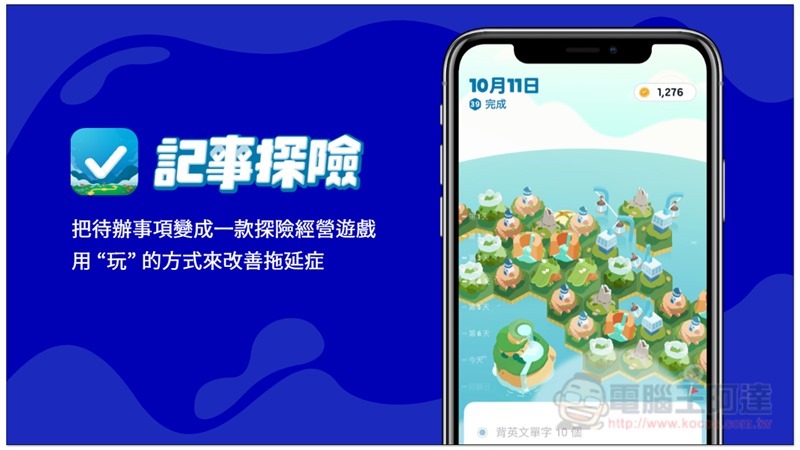
Introducing the “Memory Adventure” App, you can easily create to-do items in just a few seconds, and it also supports practical functions such as repetition and reminders.
Is it easy to create a to-do list? Are the functions complete? This has always been one of my key points when choosing a to-do app. A simple process allows us to quickly arrange our daily work without spending too much time and energy on it. “Memory Adventure” is very well designed on these two points.
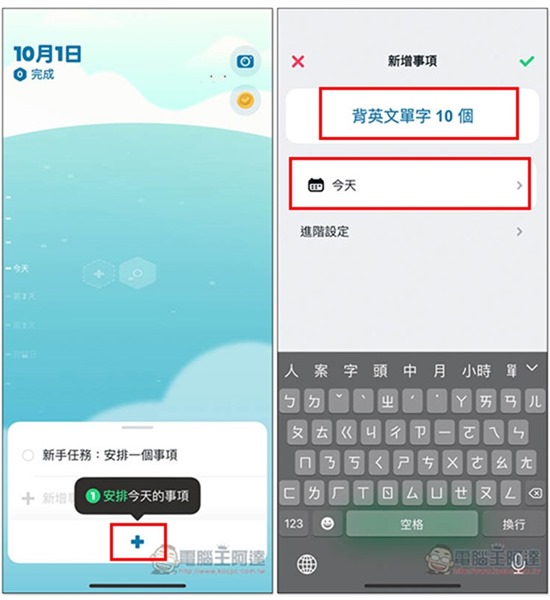
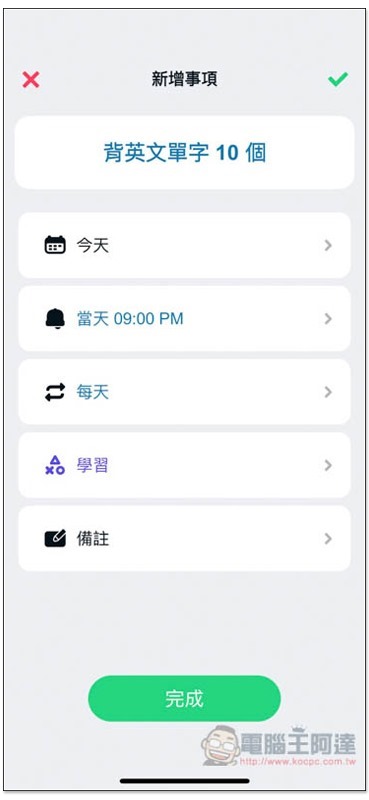
At the beginning, the sea is empty. As the to-do list increases and more things are completed, tiles and islands will appear one after another. Click the + at the bottom of the main page to add new items. If there are no special needs, fill in the name, set the time, and click the check mark in the upper right corner to complete:
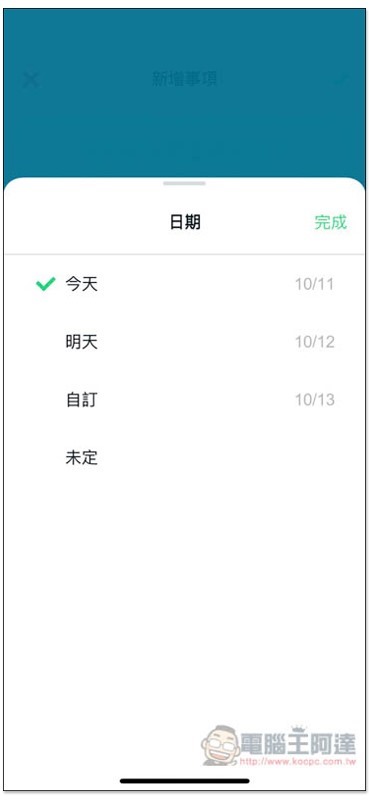
For to-do items that are not sure when to be executed, you can also add them to this app first. The date setting provides an “undetermined” option:
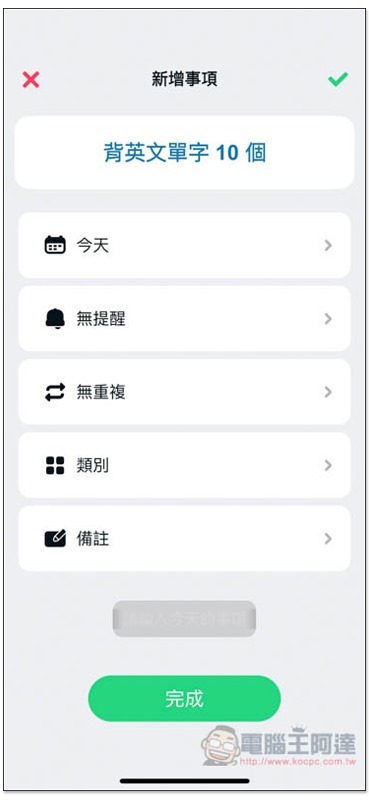
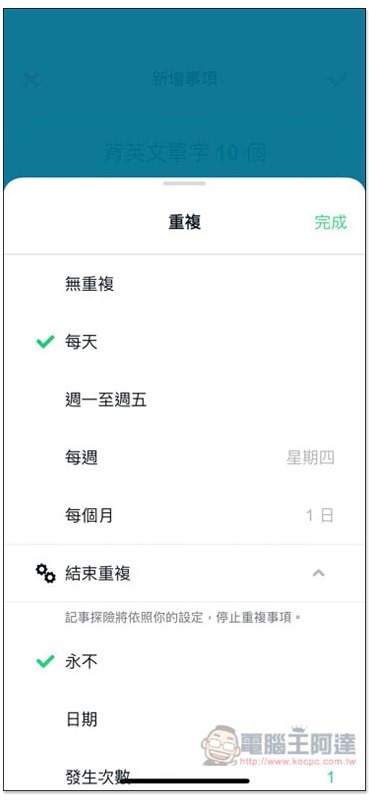
In the advanced settings, you can find other additional practical functions: “Reminder, Repeat, Category and Notes”. My task “memorize 10 English words” I hope to do every day, so I can set “Repeat”:
Not only can it be repeated every day, but you can also set only Monday to Friday, days of the week, or days of the month. This is really convenient for people with study or work plans. You only need to set it once and the date will appear as soon as it arrives:
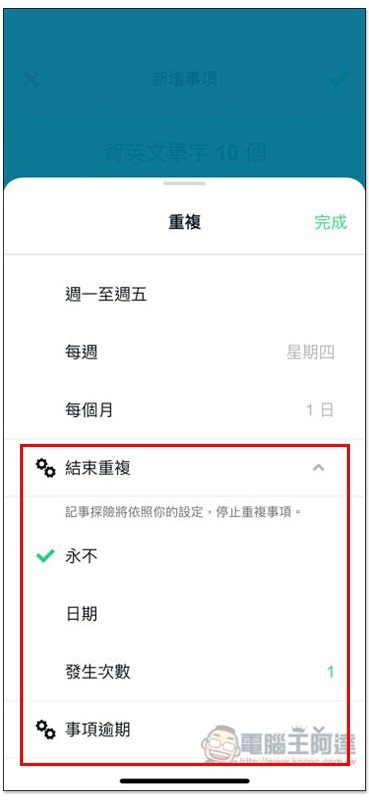
In addition, there is a very good “End Repeat” option below. If you want to repeat how many times, or if you already have an exact end date, you can set it together. When the conditions are met, the matter will not stop automatically. And “matter overdue” means if you haven’t completed it, will it be automatically extended or canceled? The default is automatic extension:
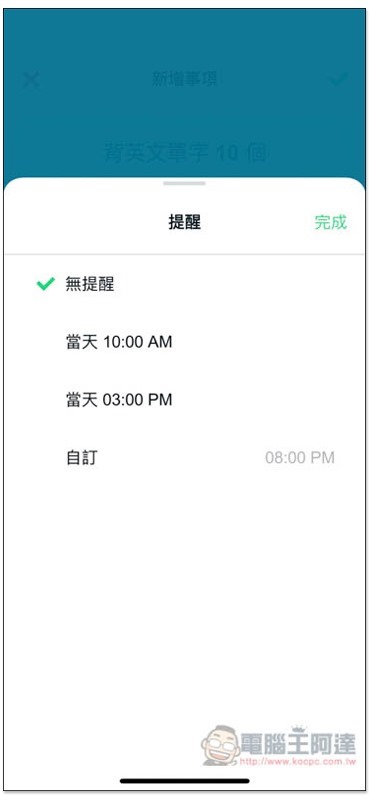
Those who need it can turn on the reminder function. Two times have been preset, “10:00AM today” and “03:00PM today”, which just meet your needs. You can directly click to set it, or you can customize the time:
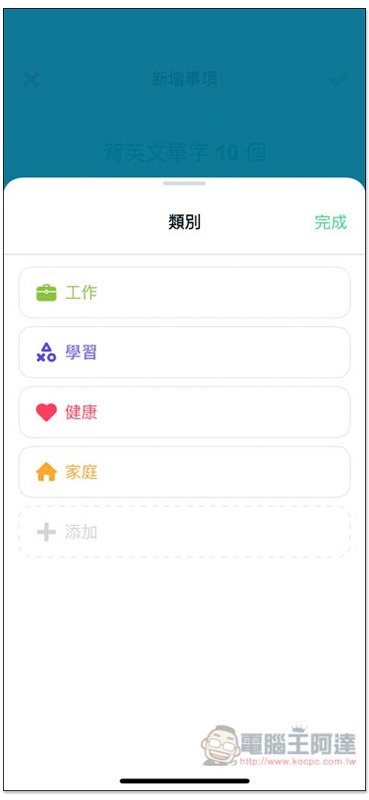
Categories are categories, and four commonly used ones have been preset: “Work, Study, Health, Family”. If the category you want is not listed above, you can click + below to add it yourself. I highly recommend setting it every time you add a new task, so that you can quickly learn from the performance report in the future how many tasks you have completed in each category, and which category you are busy with most of the time:
Like this, everything is set up and ready to use, click the check mark in the upper right corner to complete the new item! In actual operation, it can basically be set up in less than a minute:
Different from ordinary to-do list apps, using games allows you to have more fun developing good recording habits.
The biggest feature of this app is that it turns boring to-do items into interesting games. The gameplay is a bit similar to island management. Each item represents a section, and the progress of completing the item will directly affect the final island formed by the section.
Each section and island represents the current processing status of your to-do items.
After creating the to-do items, a new section will appear on the sea. For example, if I have 3 to-do items, there will be 3 sections on the sea:
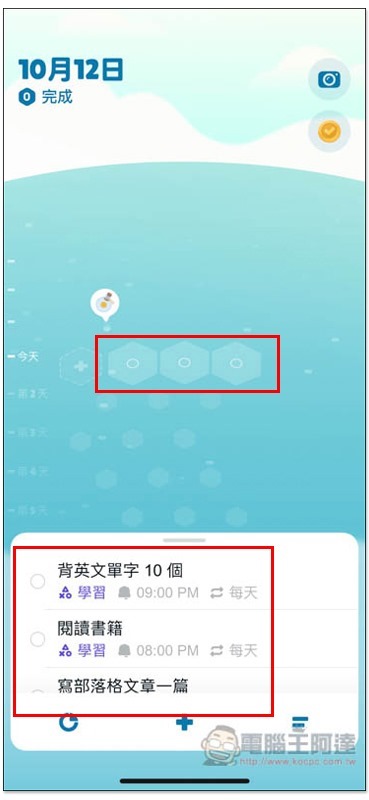
After completing the task, the plate will turn into an island, allowing you to know how many tasks have been completed today at a glance:
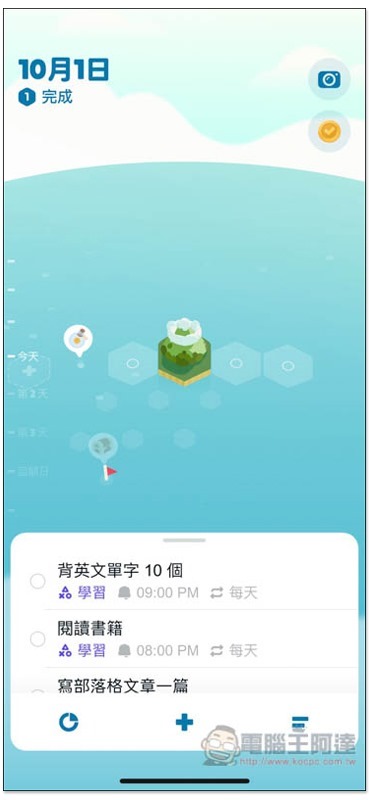
There are many styles of islands in this game, but you need to complete multiple tasks to unlock others, just like challenge tasks:
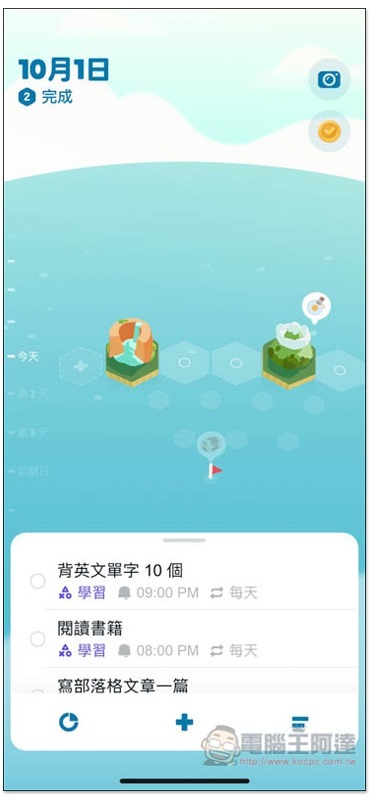
The picture below is what I saw after using it for a week. It is full of islands of various types, and this is not all, there are still some islands that I have not yet unlocked:
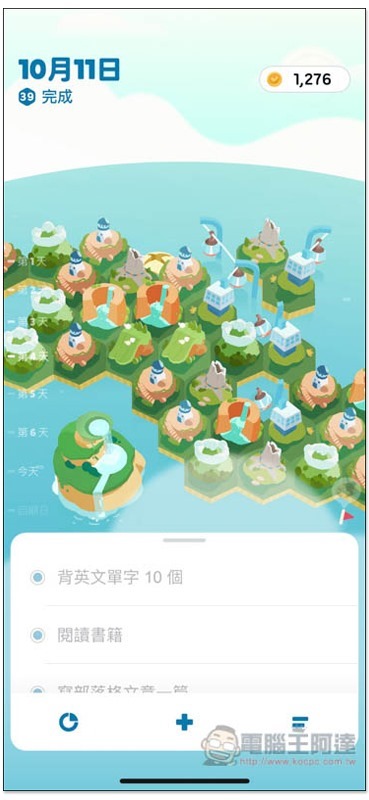
You can also notice that there is an X in my island. If a project is canceled (unfinished) that day, it will look like this:
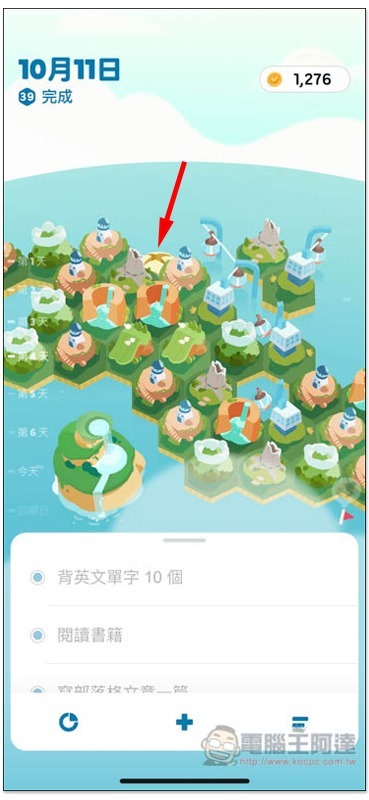
I think this design is very good! Most of the to-do list apps just automatically postpone the task when it is not completed, without any alert function, so there is almost no sense of “not completing the task of the day”. And the visual display of this app can remind me at any time that I can’t go on like this. Too many Xs also mean that I have not achieved the goal of completing today’s things.
Of course, some things may be really busy that day and must be postponed to the next few days. In addition to the delay function, this device will also be applied to the islands of the Shanghai Central Cable Car on the same day, and if it is delayed again the next day, the Central Sea Cable Car will continue to connect. For example, I had an item that was delayed until the third day:
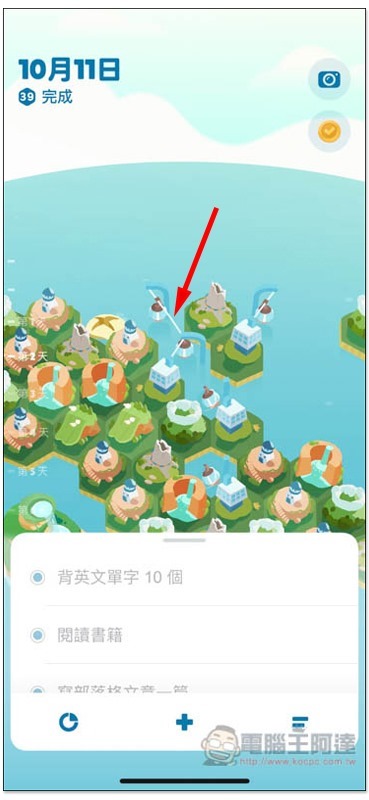
Below is a short video of the island falling onto the plate after completing the task:
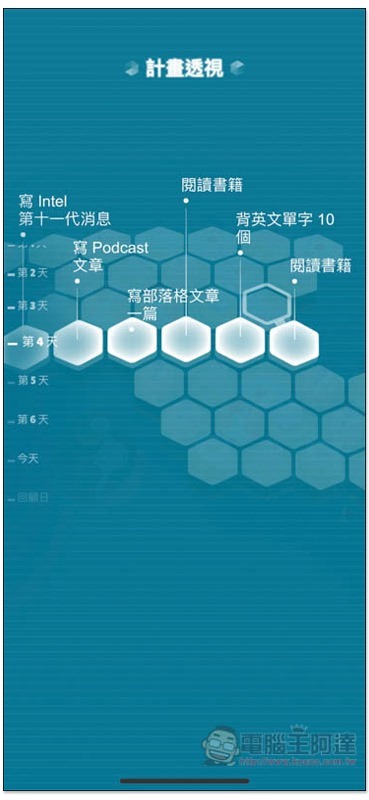
Long pressing the screen can also enable the “Plan Perspective” function, which will display the to-do items for each section. This screen is quite cool:
Use Gogo coins to purchase other themes you like
In addition to the island at the beginning, Record Adventure also provides other themes, such as: “Fog Factory” full of scientific magic factory, “Space Station” in outer space that is loved by boys of all ages, “Neon Rain City” which becomes more and more lively as the night goes on, etc., etc., which can be purchased through the Gogo coins obtained in the game:
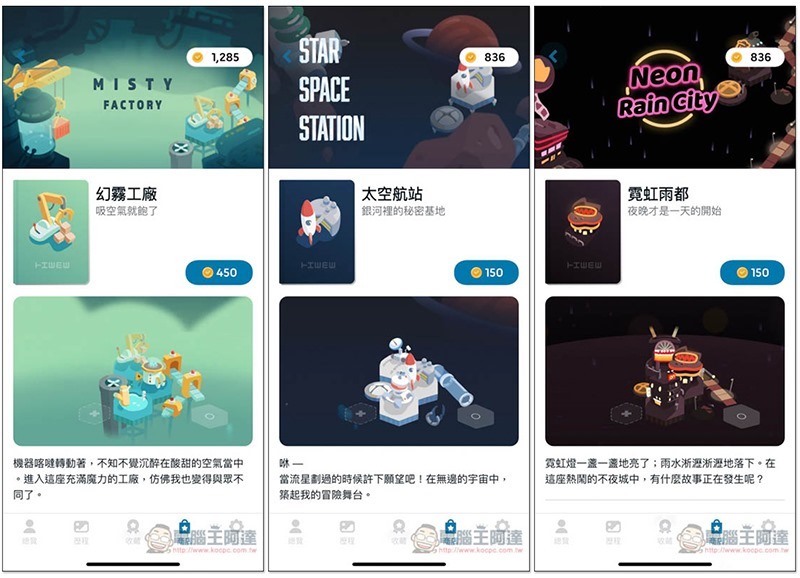
In this way, you don’t have to worry about getting tired of the island after using it for a long time. There are more themes for you to explore. However, currently, new themes can only be set at the beginning of a new plan on the first day of each week and cannot be changed midway. Therefore, those who are interested in buying a new theme can wait until a new plan is made every week. In addition, after we asked the official, we confirmed that the “suspend plan” function will be launched in the future to solve this problem, so it is only temporary:
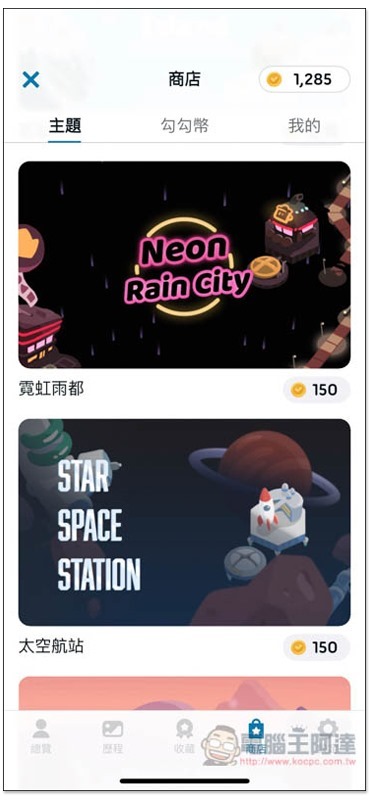
There are many ways to obtain Gou Gou coins, such as: completing tasks or reviewing plans, obtaining a certain number of themes, Gou Gou coins sometimes appearing above the island, continuous login, daily check-in, etc., but these are accumulated slowly one by one. For those who are not in a hurry, this game also provides the option of in-app purchase of Gou Gou coins:
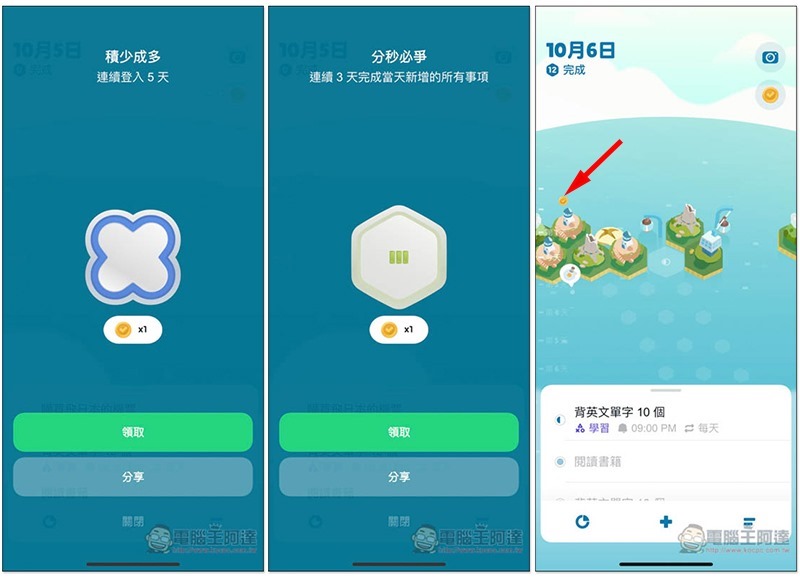
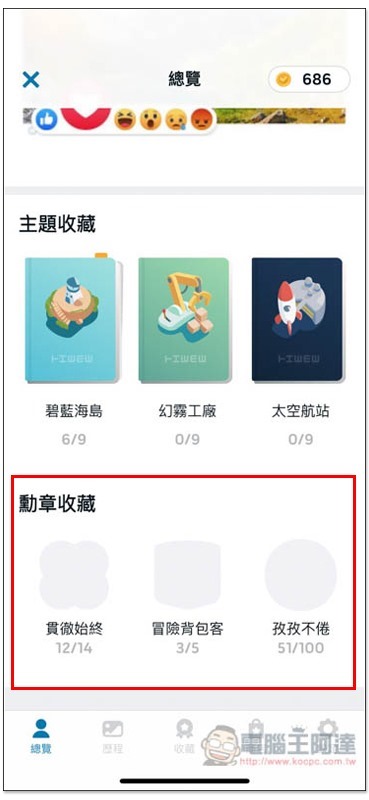
It also provides a mission medal function to give you an extra sense of accomplishment.
To be honest, I didn’t expect there were even mission medals, it’s exactly like the game!
Anyone who has played games knows that every time you reach a milestone, you will feel a sense of accomplishment, and the same goes for the mission medals in “Memory Adventure”. Log in 14 times in a row to get the “Perseverance” medal, and discovering 100 sections (that is, creating to-do items) is the “Tireless” medal. When you get these medals, you will definitely feel like “I didn’t expect I did it” in your heart, which will motivate you to continue:
Daily reminder to see if there are any unfinished items from the previous day to get rid of procrastination.
This is also one of my favorite features.
I have used many to-do list apps in the past. When an item is not completed, it will be automatically postponed, that is, it will continue to appear the next day. This seems to be no problem, but in fact, there is no “active reminder”.
People are lazy, and I am no exception. Many times when I can barely finish the tasks for the day, I will be too lazy to make up for the tasks of the previous few days, and over time I will automatically ignore them. As a result, the unfinished tasks will accumulate, and my procrastination will not improve at all. In the end, I will give up directly when I see that there are so many things left to do. This is one of the reasons for my previous failure.
After trying out the daily reminder function of “Memories Adventure”, I felt like I hit the mark!
If there are items on the previous day that have not been marked as completed, a question will pop up when you open the app the next day, and if it is not marked again, it will still appear the next day, which means that you are actively reminded every day:
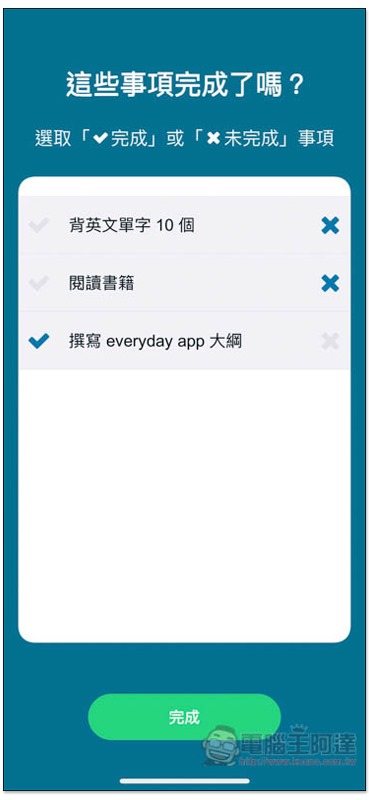
I once put off writing an article for a day or two. After seeing the second reminder, I felt that it was not going to work, so I immediately made up my mind to finish it that day, and it really succeeded. Sometimes you just need this moment of faith. If I hadn’t been proactively reminded, I think I would have continued to procrastinate and wait until the deadline was approaching before starting (laughs).
Complete performance recording plan to quickly check your efficiency
People who want to use a to-do list app undoubtedly want to improve their work efficiency. In addition to it being best to complete every day’s tasks on the same day, it is also important to regularly review past results, which can let us know whether there is room for improvement.
The performance record plan of “Memory Adventure” can be said to be the most complete one I have ever used. It not only records how many tasks are completed, but also delays and cancellations. This means that you can quickly know whether there are any tasks delayed this week or this month, how long it took to complete, and how to improve it if you encounter the same situation next time.
On the performance page, I will count how many things I have completed, unfinished and canceled. There are two types of time: plan and month. The plan has “3, 5, 7, 14, 30 days”. It depends on the number of days you set. I set a 7-day week:
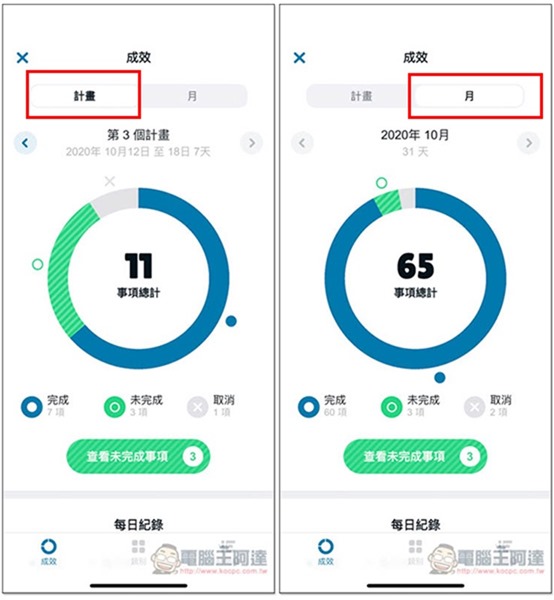
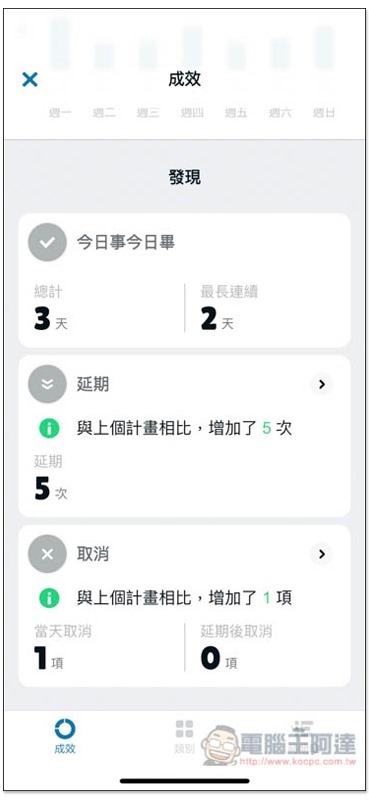
Scroll down for more detailed information, and postponements are recorded here.
Below the postponements and cancellations, it will also indicate “how many times have been added” compared to the previous project. I think this is quite good. The more times, it basically means that the efficiency becomes lower, unless it happens to be very busy that week, so try your best to reduce the number of times to the minimum. It is best to have 0 postponements and cancellations for each project:
Categories are also provided so that you can quickly know at a glance what you are mainly busy with this week (plan) and this month. This is why I said before that it is best to set a category for every item:
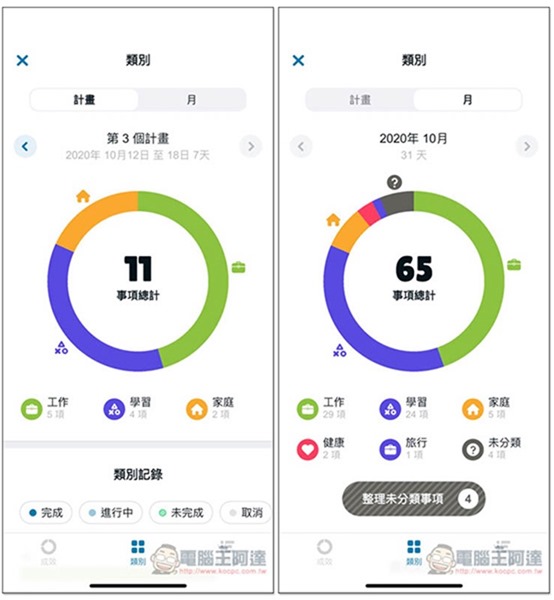
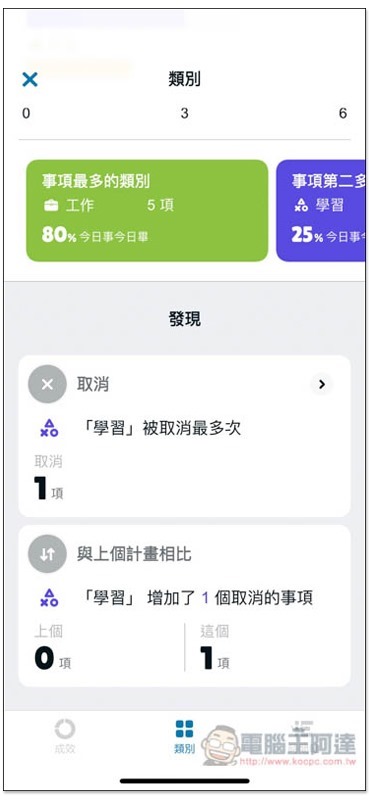
Scroll down and it will also tell you which category has the most cancellations and how it compares to the previous plan:
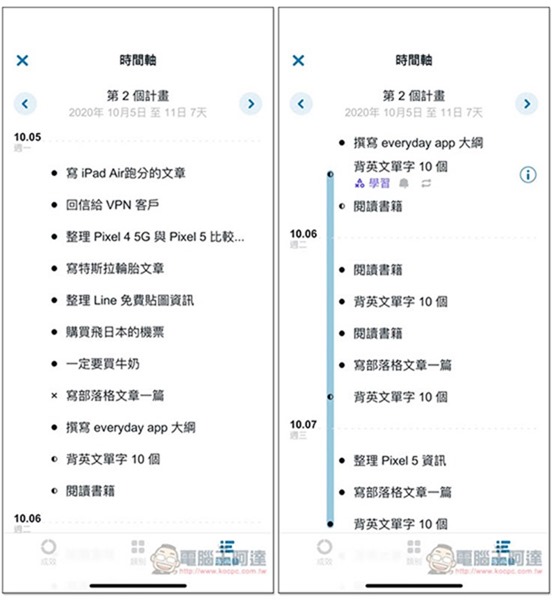
The timeline page allows you to quickly view the daily tasks of the week. The small icon on the far left represents the completion status, such as: black dot = completed, half black = postponed,
in conclusion
“Memories Adventure” is really a pretty good to-do list app, with comprehensive functions and fun. It has helped me a lot after using it in the past few weeks. Many things can be done in an organized and efficient manner. What I gain the most is that as the efficiency becomes higher, I have more free time to do other things. I recommend it to everyone! Especially those friends who, like me, have tried many to-do apps but failed.
>>Click here to download “Memory Adventure” for free<<
In order to thank the readers of Computer King Ada for their support, the official also offers readers exclusive benefits this time.click this linkAnd enter the “kocpc” redemption code to receive a free novice gift pack. Each person can receive it only once!
In addition, there is also a “AirPods Drawing” activity launched in the App. As long as you download it before 10/30 and register on the overview page, you can participate in the drawing. Don’t miss it!
Further reading:
Source: KOCPC Chinese