


exist iPhone 12 Before the series is officially released, are you worried that the capacity of your iPhone is already a bit insufficient? After upgrading to iOS 14, there are some small changes in the way to delete apps, which also makes many users wonder how to delete apps. Today I will share four tips for deleting apps, so that you can free up more space and continue to use them for a long time.
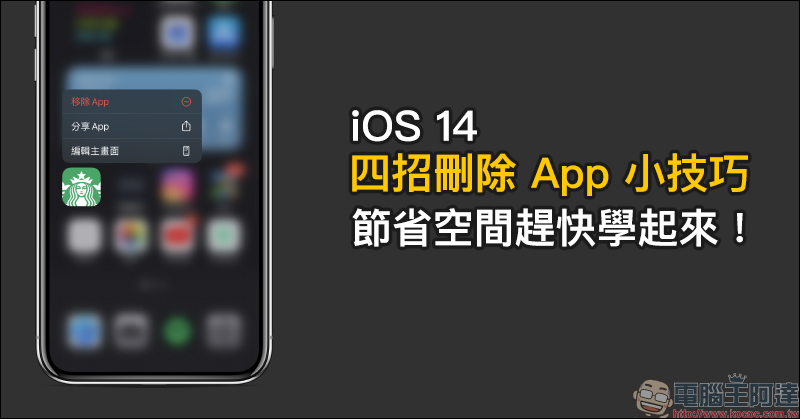
Learn these four tips for deleting apps on iOS 14 to save space!
In the past, to delete an app on iOS, you only need to long press the app on the home screen and then click “✕” to remove the app. However, starting with iOS 14, the method of deleting the app is slightly different. Today I will share four tips for deleting apps.
Delete App from Home Screen
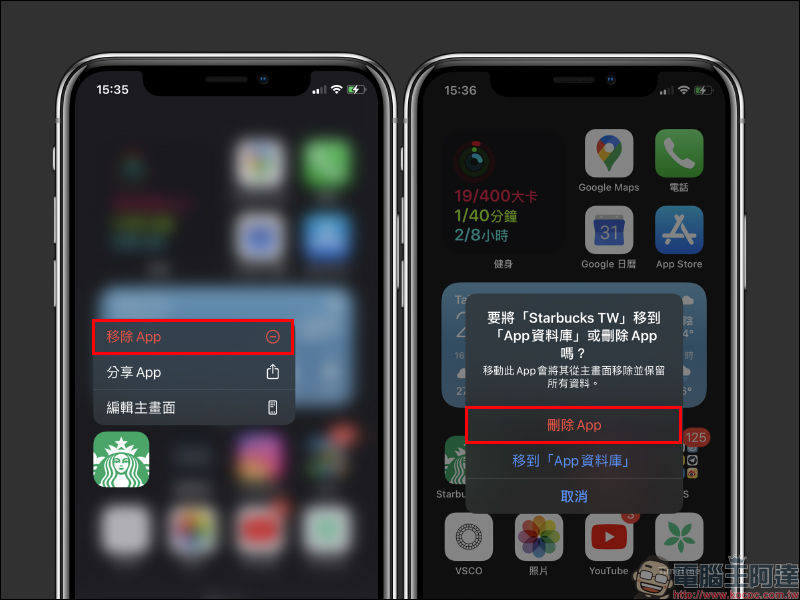
In iOS 14, long press the App you want to delete, and then select “Remove App”. A window will pop up to select “Delete App” or “Move to App Library”. If you want to delete the App, remember to select “Delete App” to completely delete the App from the device.
Delete App from App Database
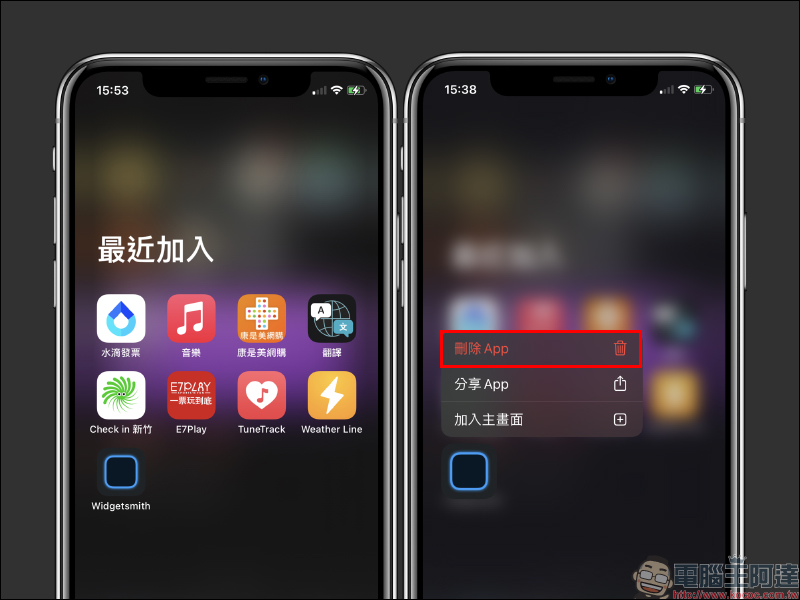
The system automatically integrates and categorizes each App in the App database. Users can long press the App they want to delete in the App database, and then select “Delete App” to delete the App:
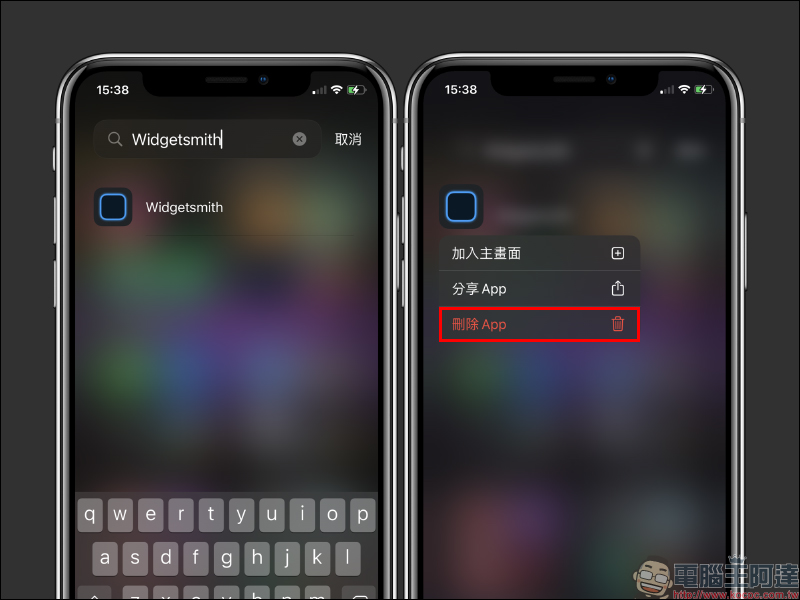
In addition, you can also first find the app you want to delete by searching for apps in the App database, then long press the app in the search results to select “Delete App”:
iPhone management storage space deletion app
In addition to the above methods, iOS users can also select “iPhone Storage” in “Settings” and find the app they want to delete in the App List. This method can also display the amount of space occupied by each App, and can also quickly select Apps that take up more space to delete first:
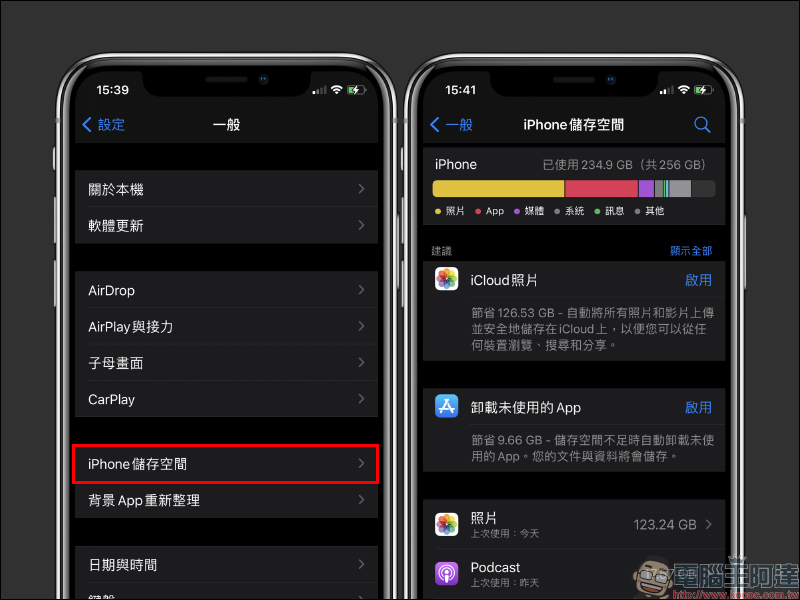
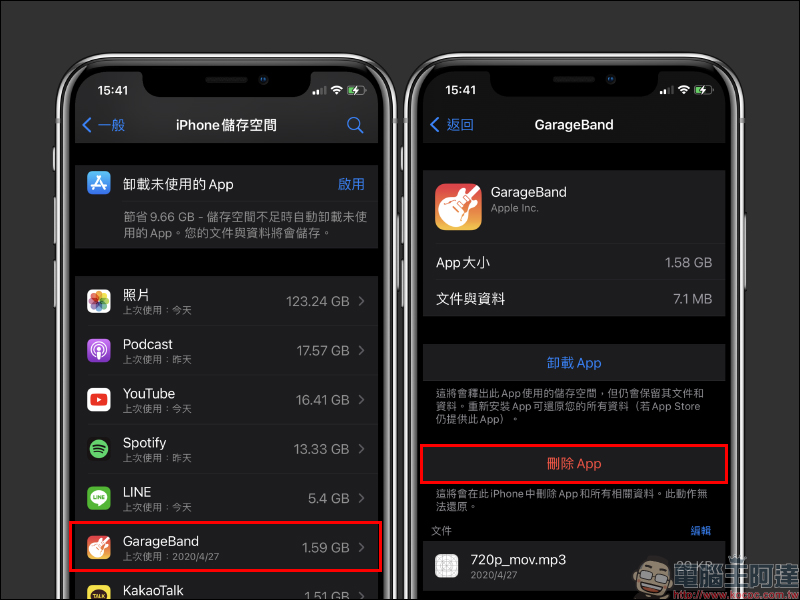
After selecting the app you want to delete, select “Delete App” to delete the app:
Automatic uninstall function deletes apps
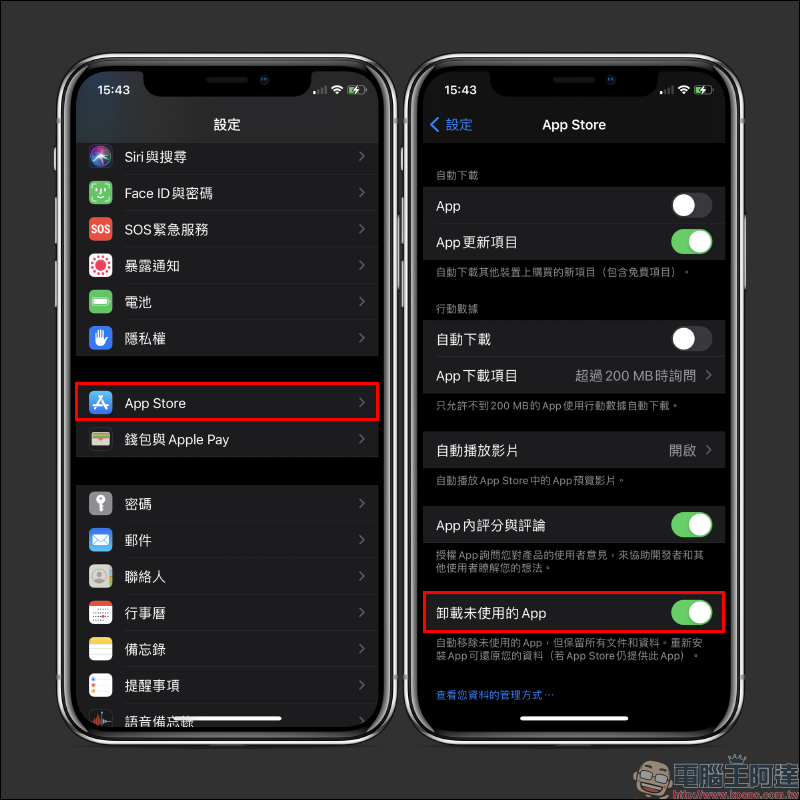
If you are a lazy user who rarely manages apps, you can actually select “App Store” in “Settings” and then turn on the “Uninstall Unused Apps” function. iOS will automatically remove apps that are not commonly used, but keep all files and data.
Further reading:
iOS application tips: “App lock” secret technique! Use Screen Time to lock apps to ensure privacy (tutorial)
Searching tips for watching YouTube 4K videos on iPhone (tutorial)

Source: KOCPC Chinese