


In the past, YouTube would quietly bring feature updates from time to time to improve user experience. YouTube Premium paid members not only enjoy ad-free, background playback, and the ability to use YouTube Music services, but recently the YouTube team has also made new features developed by the YouTube team available to Premium members for early trial use for a limited time. YouTube will also use the opinions provided by users to help create better services. In the future, these features are expected to be available to all members after they are officially launched.
Now, let’s take a look at what new YouTube experimental features are available during this period!
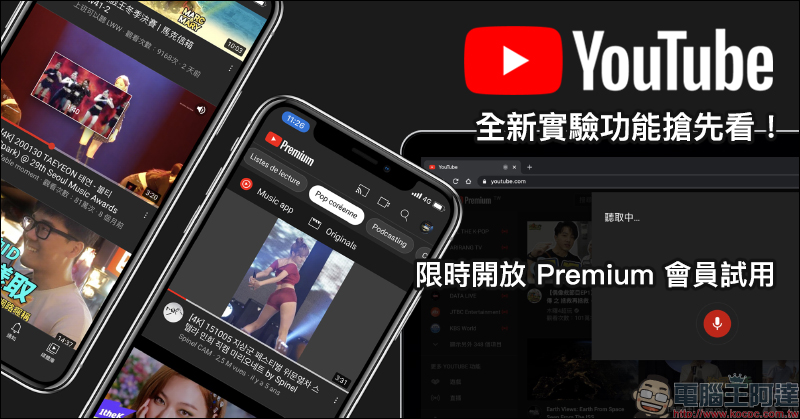
Get a sneak peek at YouTube’s new experimental feature! Watch videos on the iOS “Homepage”, search for videos by voice on your computer, and filter content topics in other languages
Many platforms take the lead in opening new features under development to users for trial use and collecting user feedback before the new features are officially launched. Finally, after testing everything is in place, they officially open the features to the majority of users. For example, LINE’s LINE Labs laboratory function is a good example. Now YouTube has experimental features too! However, these features are currently available for a limited time only to YouTube Premium members for early access.
It doesn’t matter if you are not a Premium member. This article will sort out several new features that are currently in the experimental stage. These features may also be officially opened to all users in the future.
As long as you are a YouTube Premium member, go to youtube.com/new “You can be the first to try new features that have not yet been launched:
New experimental features on YouTube:Go to try it out (requires YouTube Premium membership)
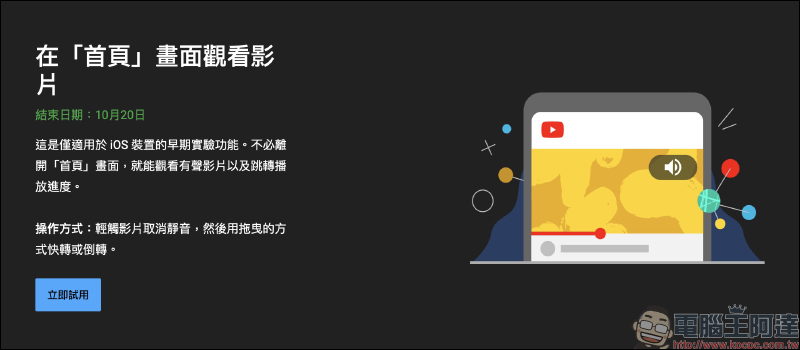
Watch videos on the Home screen
The first feature is to watch videos directly from the home screen. This feature is currently only available as an experimental feature for iOS devices. Different from the current YouTube function that can preview videos, this function allows users to watch audio videos directly on the “Home Page” without clicking on the video, and even adjust the timeline to switch the playing clips.
If Premium members are eligible for this experimental feature, just go to ” youtube.com/new ” and click the “Try Now” button on the function you want to try, then refresh the page or reopen the app to try it out. However, only one of each experimental function can be tried at a time. If you want to change the trial function, the old trial function will be closed.
Although this function is only available for trial on iOS devices, users can also open “Try Now” on the computer and start the trial directly on the iOS device!
After turning on this experimental feature, the video will automatically start playing after staying on the home page for a few seconds. At this time, tap the upper right corner to unmute and start playing the video with sound. This way, you can play the video with sound directly even if you don’t want to click on the video page.
In addition, the video playback function on the homepage is not only more convenient for playing videos quickly, but videos viewed in this way will not be retained in the viewing history. But it also comes with the disadvantage that the video played on the homepage cannot be played in the background.
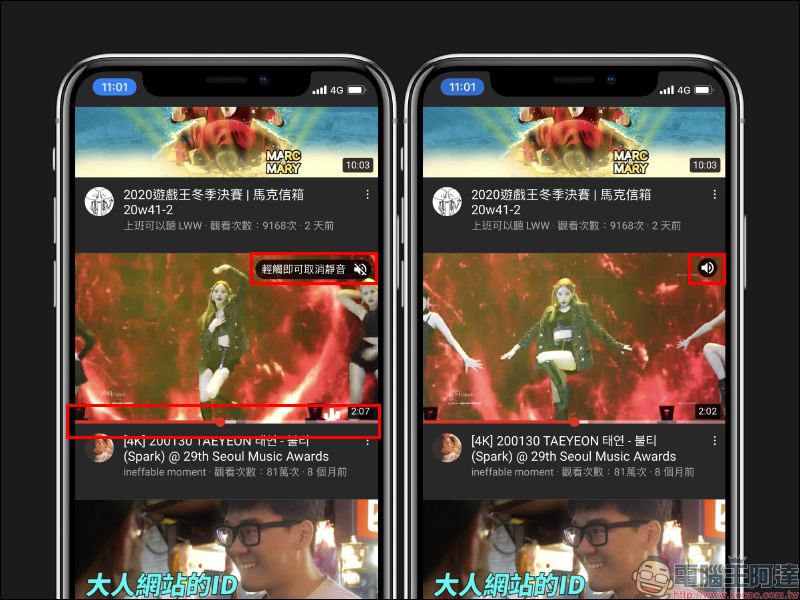
If you want to manually adjust the playing segment of the video, just drag the player timeline to quickly jump to the specified segment to play the video:
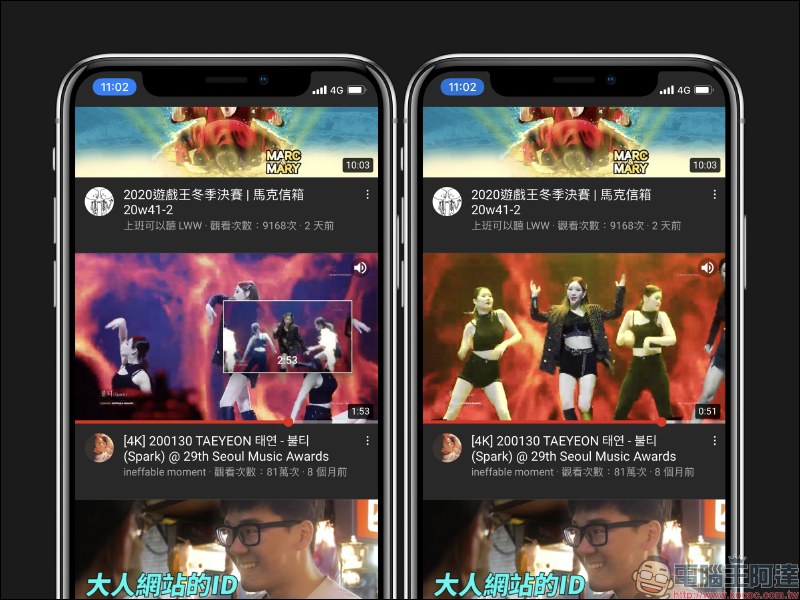
Experimental function for watching videos on the “Home” screen,The trial is expected to end on October 20, 2020.
Search by voice on your computer
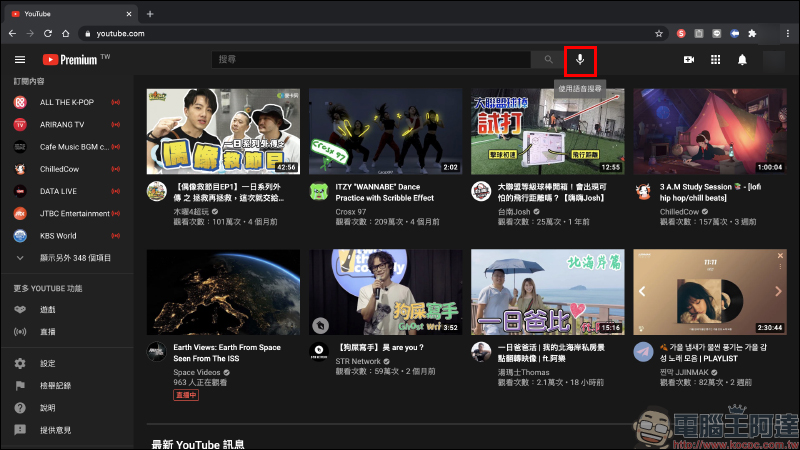
YouTube supports convenient voice search functions in both the mobile app and TV version of the app, and the current experimental feature also allows voice search on computers! After Premium members turn on this trial feature, they can press the “microphone” icon next to the search button through the Chrome browser on their computer (you need to turn on the Chrome browser microphone permission), and then just start speaking to perform a voice search.
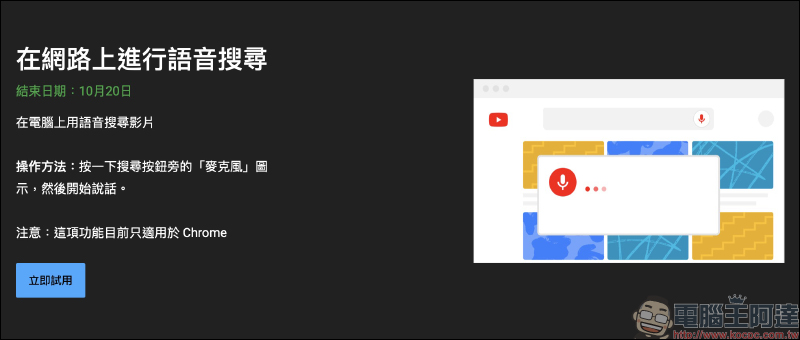
After starting the trial, you can see the “microphone” icon on your computer’s Chrome browser page:
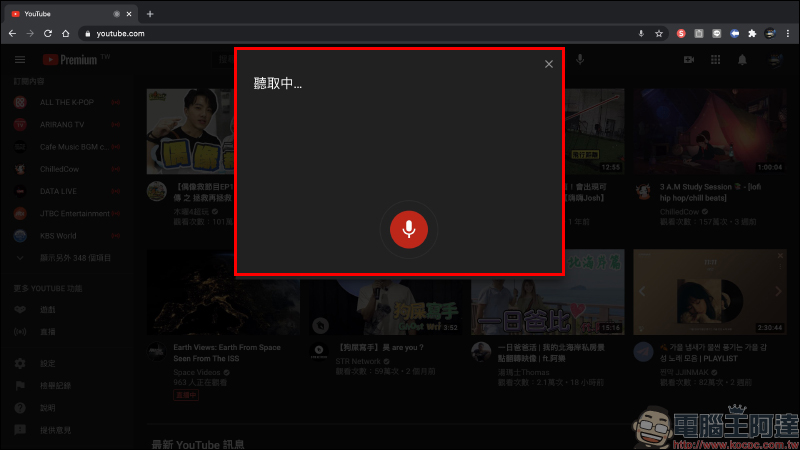
After clicking the microphone icon, a reading window will pop up showing “Listening…”. At this time, you can start speaking out the video keywords you want to search on YouTube:
The accuracy of speech recognition measured by the author is quite high, and the entire speech content will be corrected at any time during the recognition process:
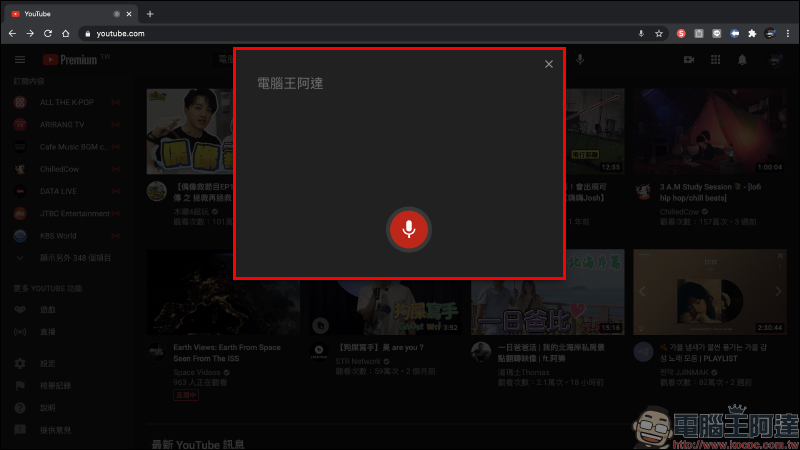
After the user stops speaking, the system will automatically conduct a voice search and obtain search results. The user only needs to press the microphone button and start speaking.
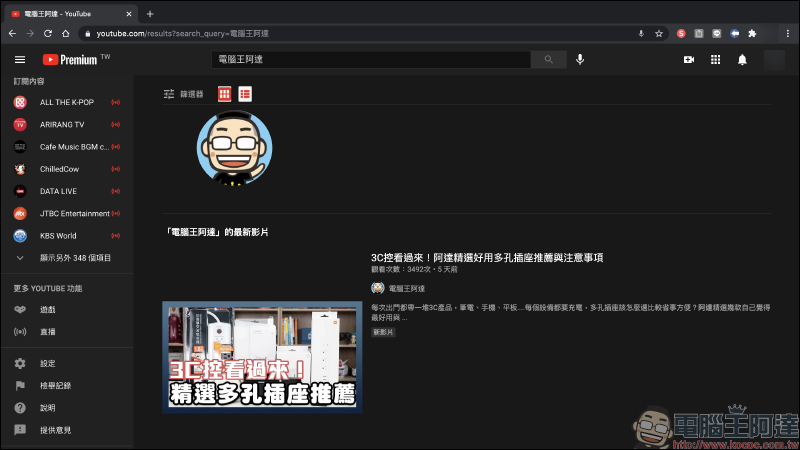
Through the following GIF animation demonstration, you can find that the search accuracy and speed are quite fast:
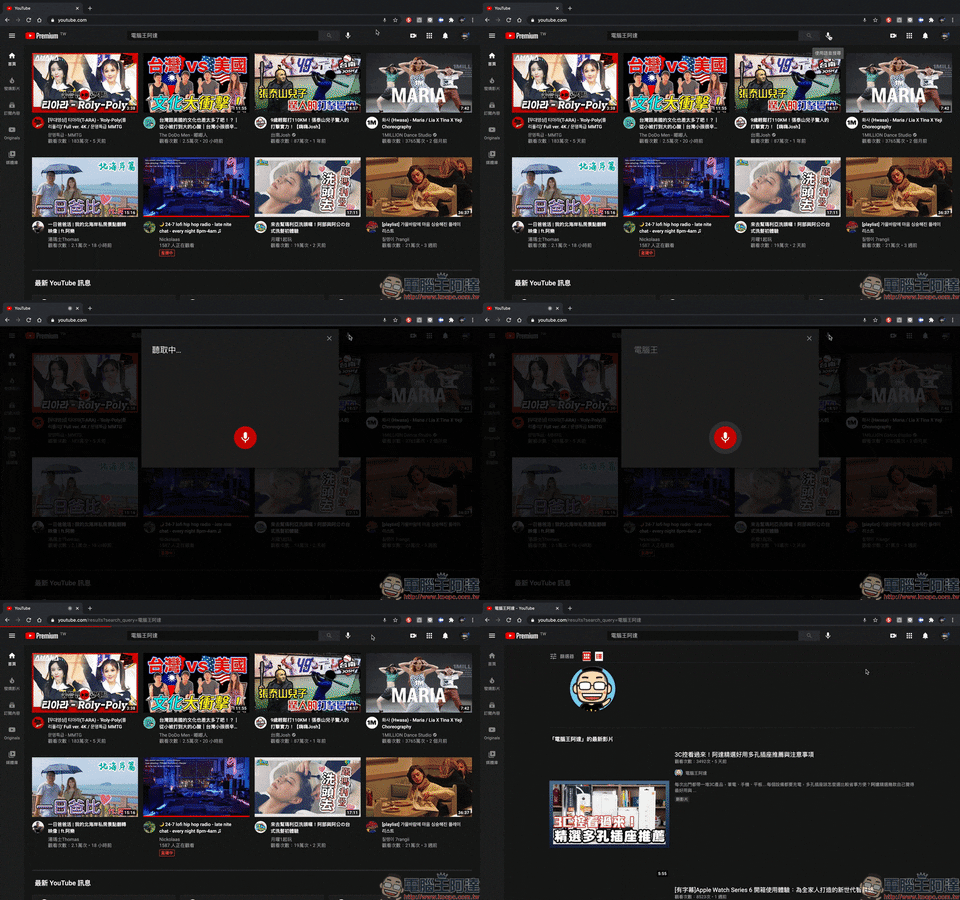
The computer voice search experimental function is expected to end its trial on October 20, 2020.
Filter content topics in other languages
The last function is to facilitate users to filter content topics in other languages. The personalized topic filter for that language will be displayed at the top of the “Home Page” in the system language of the App. Although this feature currently only supports English, Spanish, French or Portuguese, it can still bring a lot of help to the above-mentioned foreign language users.
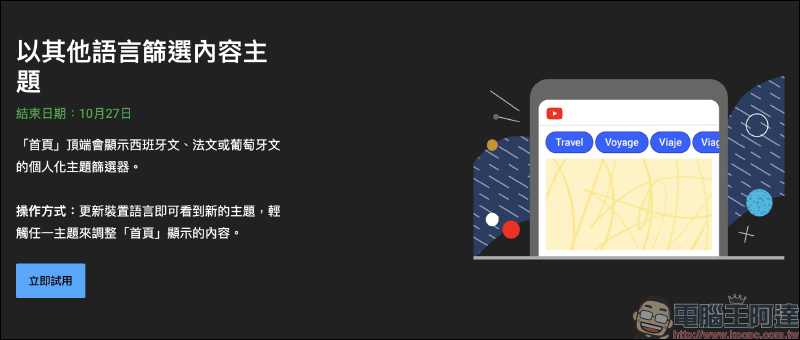
As the author has actually tested, currently iOS devices do not support homepage personalized theme filters when selecting Chinese on YouTube, but here we will show you how to enable this feature. Taking iOS as an example, just click YouTube on the system “Settings” page and click the preferred language at the bottom to select the language to be used by YouTube:
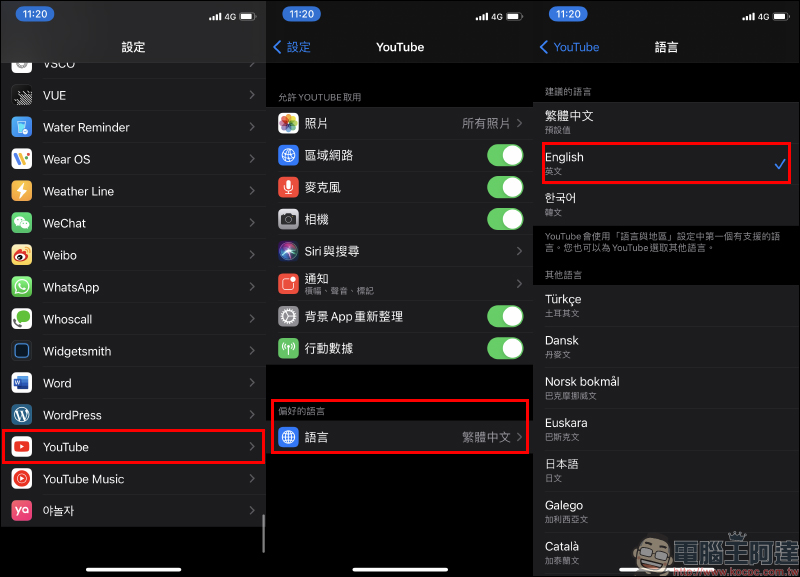
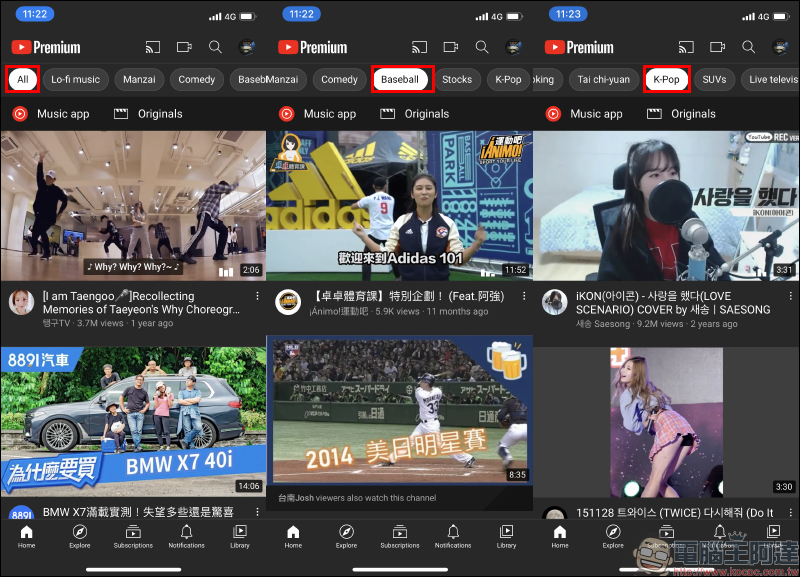
After switching the YouTube language to English, a personalized topic filter will be displayed at the top of the homepage. Most of the filtered video content is channels that the user has subscribed to or has watched similar video content in the past:
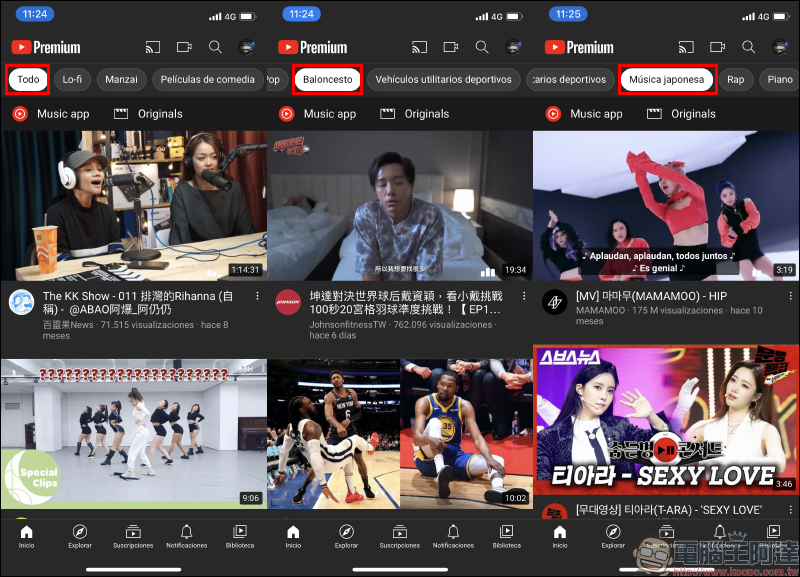
Personalized topic filters for Spanish:
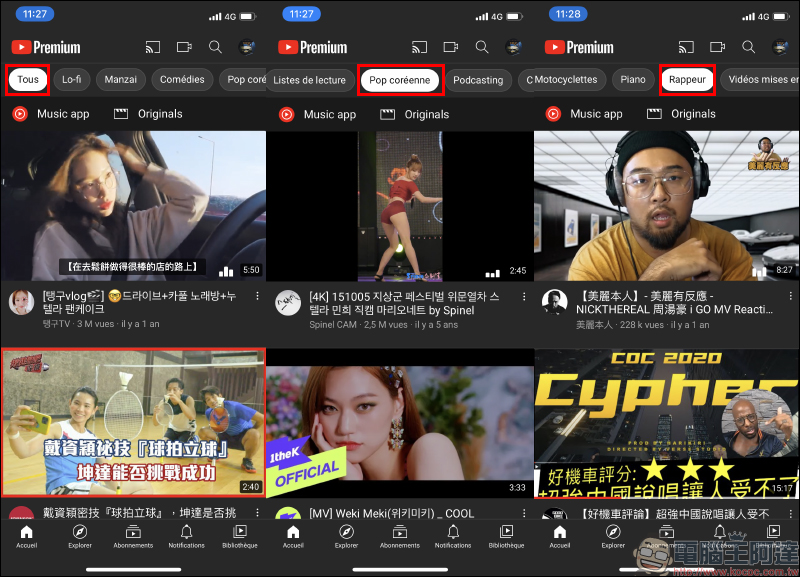
Personalized topic filters for French:
Personalized topic filters for Portuguese::
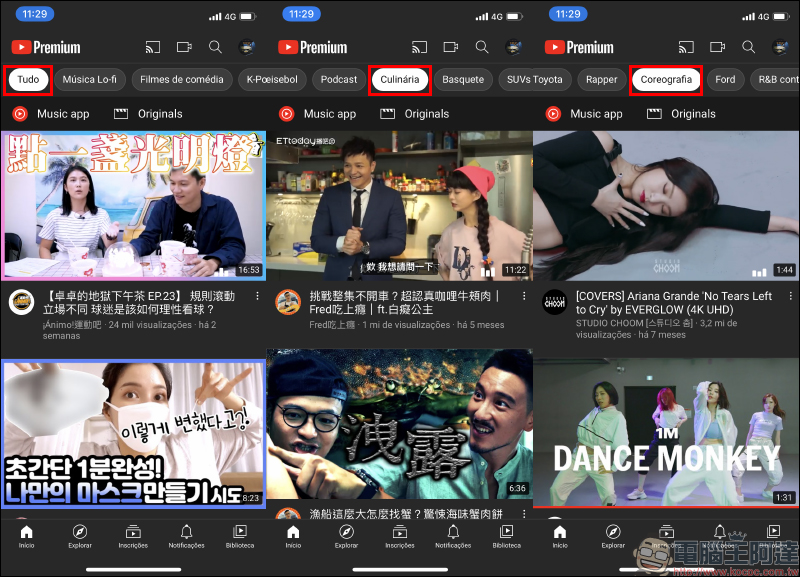
Filtering content topics in other languages is an experimental feature that is expected to end on October 27, 2020.
New experimental features on YouTube:Go to try it out (requires YouTube Premium membership)
Further reading:
Searching tips for watching YouTube 4K videos on iPhone (tutorial)
Source: KOCPC Chinese