


GLM-5.2 claims to be on par with GPT-5.5 and Claude Opus 4.8. Many people probably want to give it a try. Although it’s an open-weight model, its parameters are massive, reaching 753B, making it impossible for most people to run locally. The good news is that NVIDIA API now offers free access to GLM-5.2, and there’s no credit card required—you just need a NVIDIA account to apply for an API key. Here’s a step-by-step guide for you.
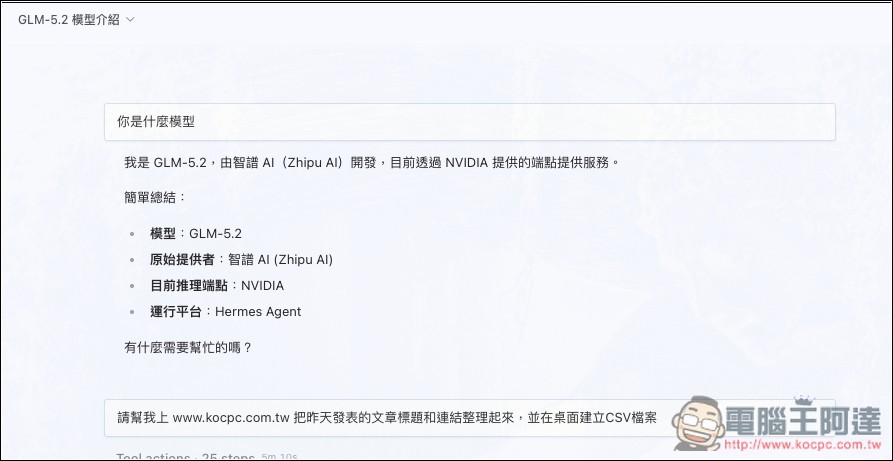
Quick Introduction to GLM-5.2 and NVIDIA API
GLM-5.2 is the latest flagship large language model from Z.ai, featuring a MoE (Mixture of Experts) architecture with a total parameter count of 753B. It supports text input, multi-turn dialogue, tool calling, system prompts, and long-running agent work sessions.
It emphasizes “long-horizon task” capabilities—handling long-duration processing, multi-step progression, and continuously planning, correcting, and achieving goals throughout complex tasks. This makes it ideal for agentic workflows, software development, long-horizon reasoning, and similar applications.
Supports a maximum context length of 1 million tokens, and also demonstrates significant improvements over the previous generation GLM-5.1 in benchmark tests for reasoning, coding capabilities, and tool use.
NVIDIA API can be understood as NVIDIA’s pre-built cloud model inference endpoint. Developers can obtain free NIM API endpoints for prototyping, with DGX Cloud powering the computational resources in the background.
How to apply for NVIDIA API to use GLM-5.2 model
Applying for the NVIDIA API is very simple—all you need is an NVIDIA account. If you don’t have one, sign up for free. No payment information is required. Then follow the steps below.
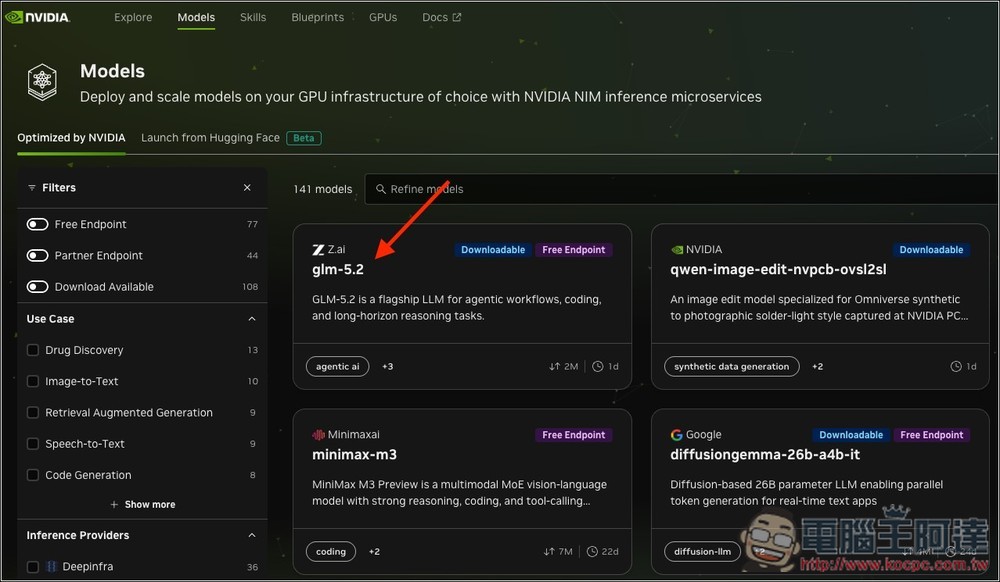
NVIDIA offers a wide range of free models. As long as it has ‘Free Endpoint’ marked, it means you can use it for free. You can go to Models PageSearch results, the first one is GLM-5.2:
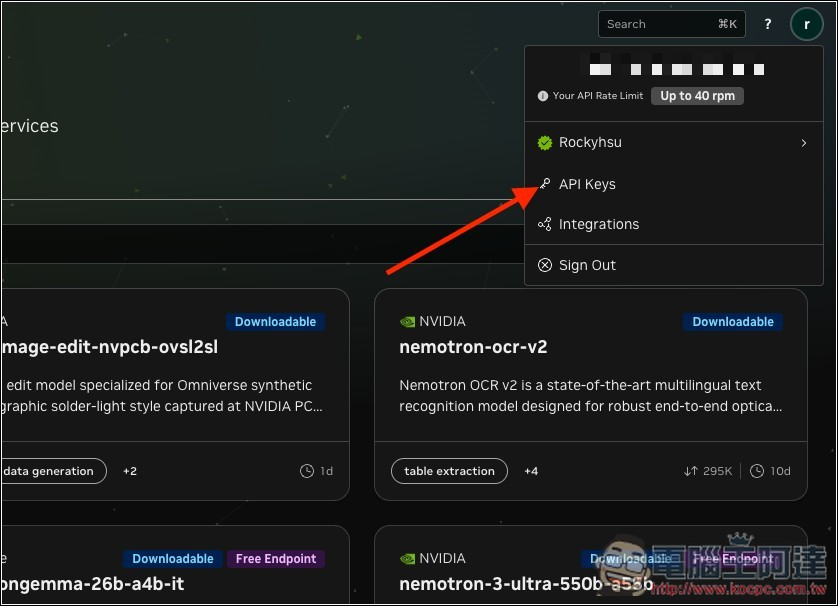
After logging into your account, you can directly click the NVIDIA API link above, or open the menu in the upper right corner and go to “API Keys”:
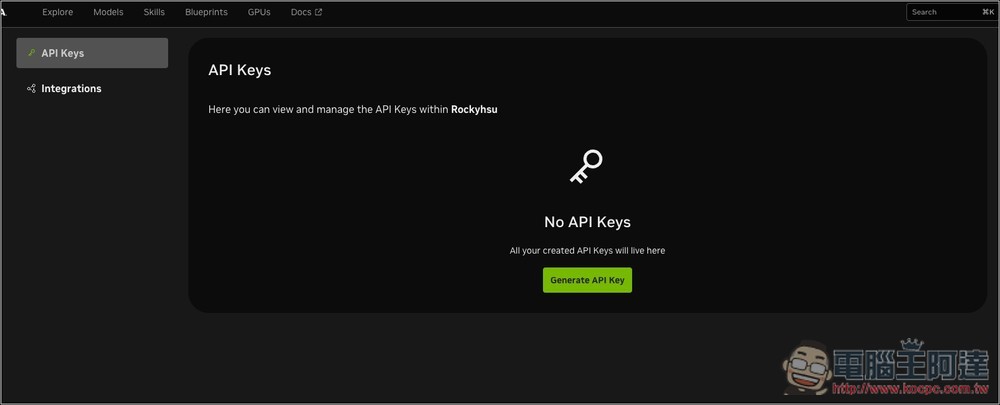
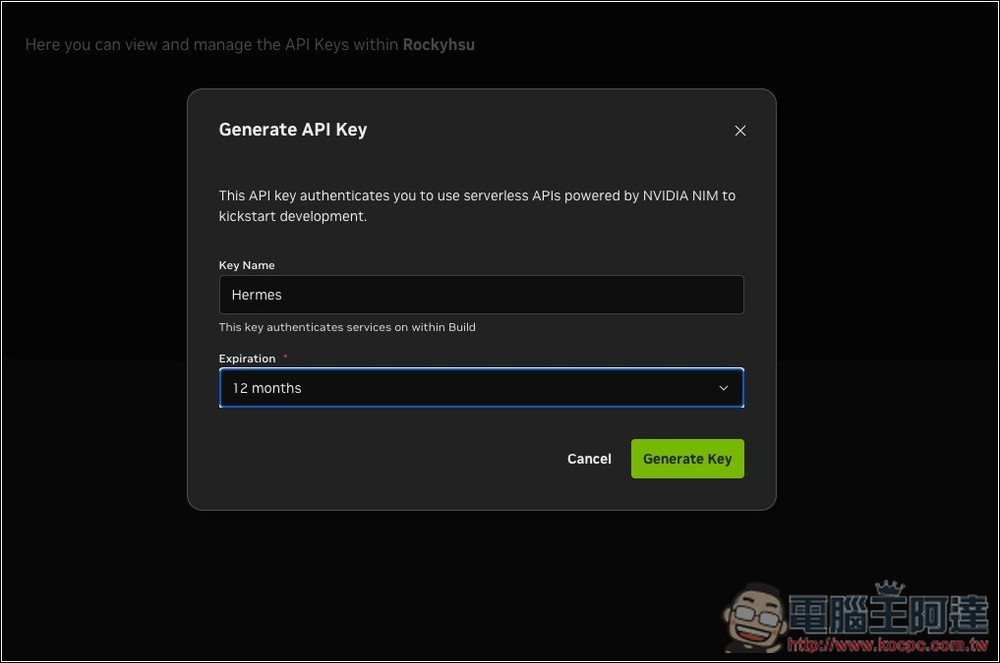
Then you can apply for an API. Click Generate API Key:
Enter a name and expiration time. The default is 12 months, but you can also set it to a shorter duration or never expire.
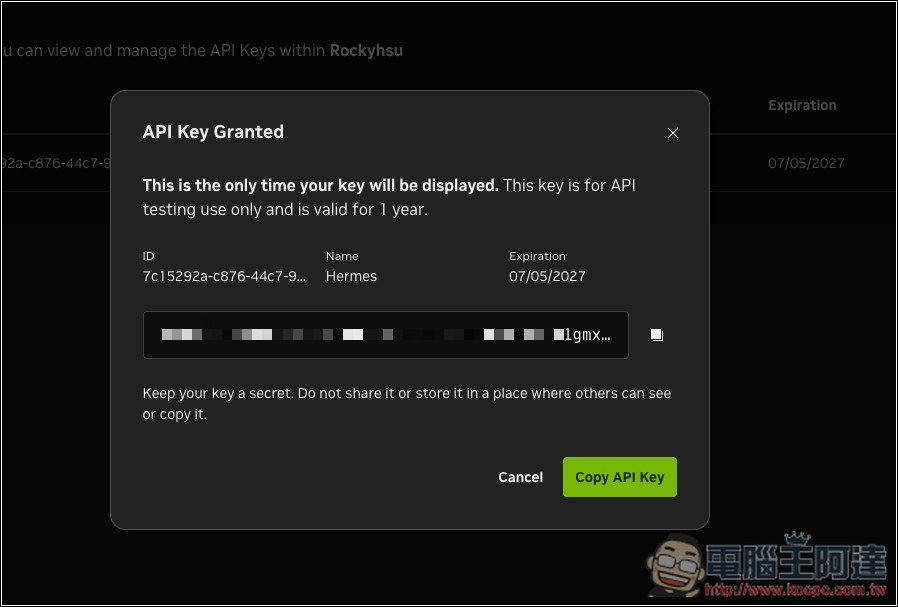
Next, you will get an API Key. Copy it and paste it into the AI tool you want to use. Below, I’ll use Hermes Agent as an example:
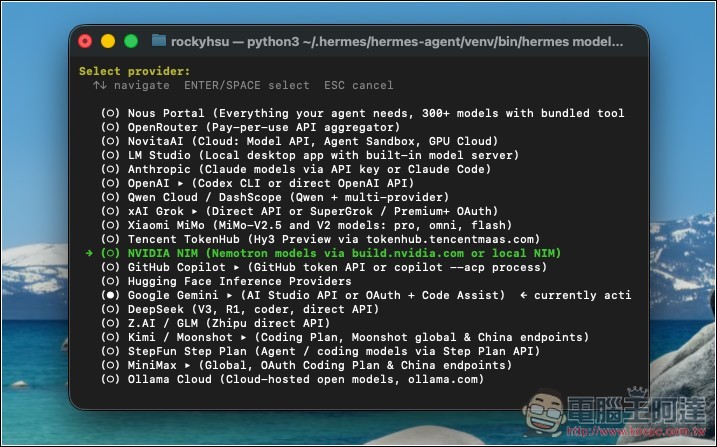
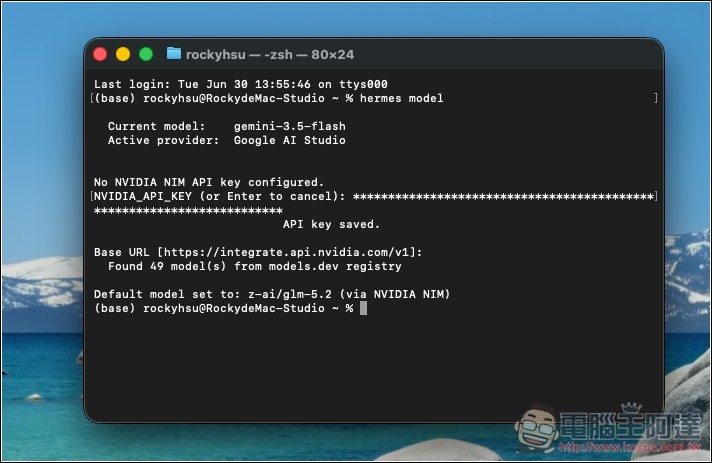
Open the Model settings interface of Hermes Agent and select NVIDIA NIM:
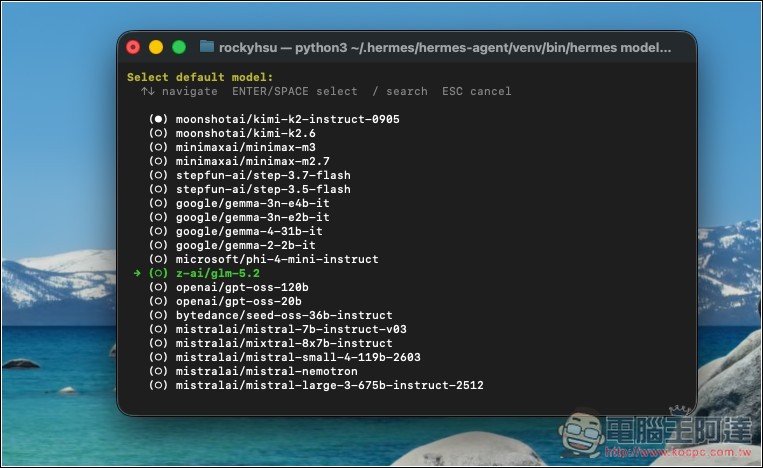
Paste the API Key, select glm-5.2 from the model menu:
That’s it, all done:
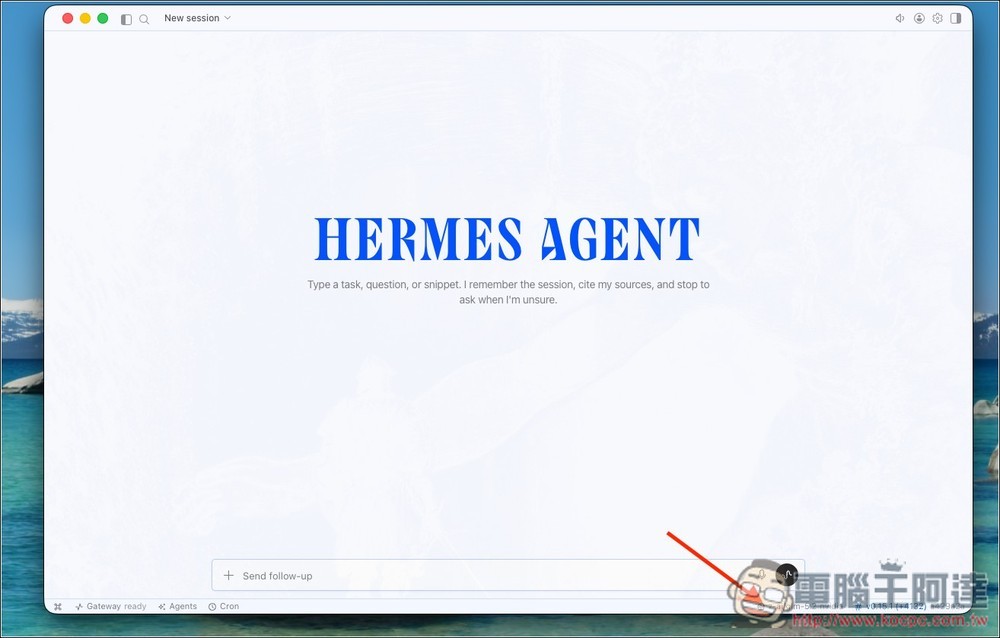
After opening Hermes Agent, you can select GLM-5.2 from the menu below:
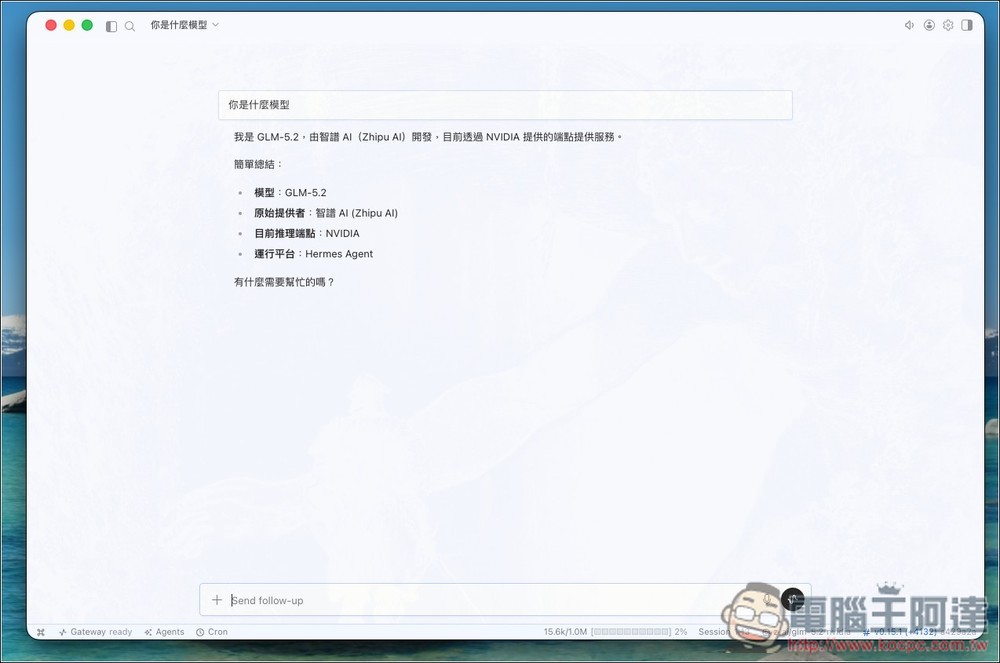
Tested successfully:
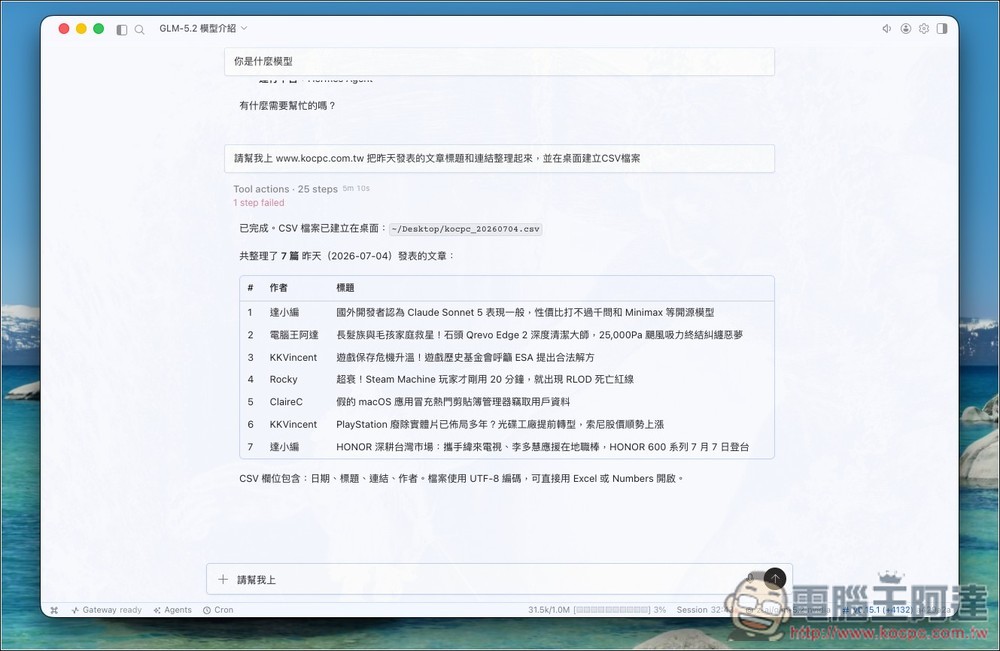
Also successfully completed the task I assigned:
However, keep in mind that the NVIDIA API free endpoint is primarily intended for developer testing and prototype development. The current default limit is approximately 40 requests per minute, but the actual model usage quotas, speed, and stability have not been fully disclosed.
It’s therefore better suited for trying out GLM-5.2 or handling non-urgent tasks. However, it’s not recommended for prolonged heavy usage or as the primary model for production services.
Source: KOCPC Chinese