


Since the release of the iOS 14 system, iOS users can also use the built-in desktop widget function to display a richer personal style on their home page. However, in addition to many built-in gadgets and some applications also support gadgets, currently, the built-in desktop gadgets are only supported by Apple’s own “Music” app, which is also known as Apple Music.
If you are a user of Spotify, another major music streaming platform, since the official Spotify application does not yet support gadgets, you can still set the music playing on Spotify as a desktop gadget through the TuneTrack iOS App introduced today!
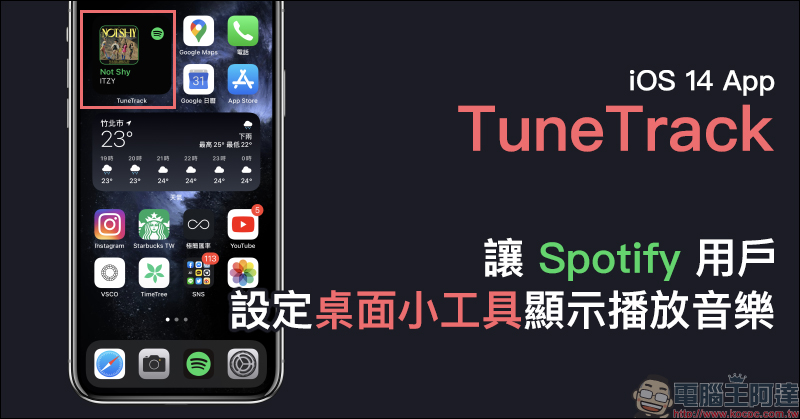
TuneTrack iOS App allows Spotify users to set the desktop gadget to display and play music
The free iOS App “TuneTrack” shared today can not only display the most popular music rankings on recent music platforms, but can also connect with Apple Music and Spoitfy to obtain a person’s most frequently played music list on the two major streaming music platforms. Even most importantly, it can create a desktop gadget for Apple Music or Spotify’s current music to be displayed on the iOS 14 home screen.
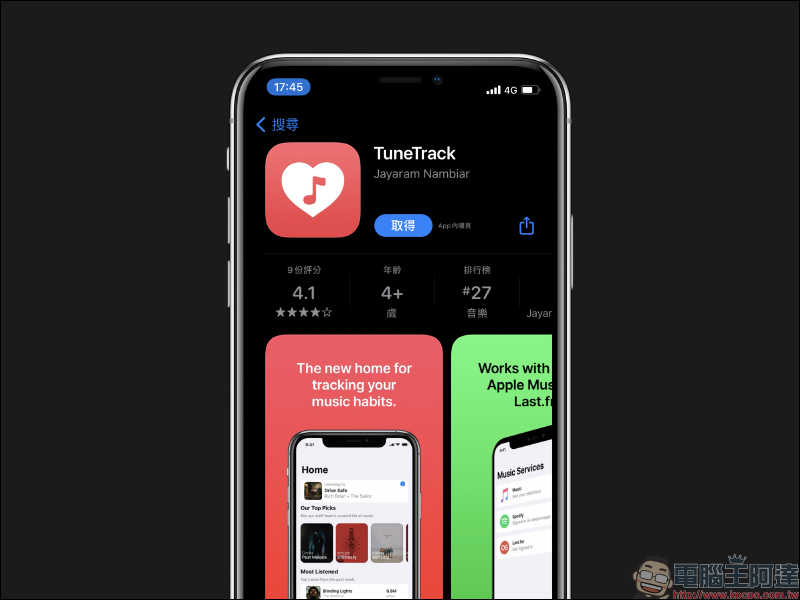
TuneTrack App:Click here to download (App Store)
First, go to the App Store to download the TuneTrack App and open it. The home screen will display the music recommended by the App supplier Jayaram Nambiar’s team as well as the most popular music played by the music platform during the past period.
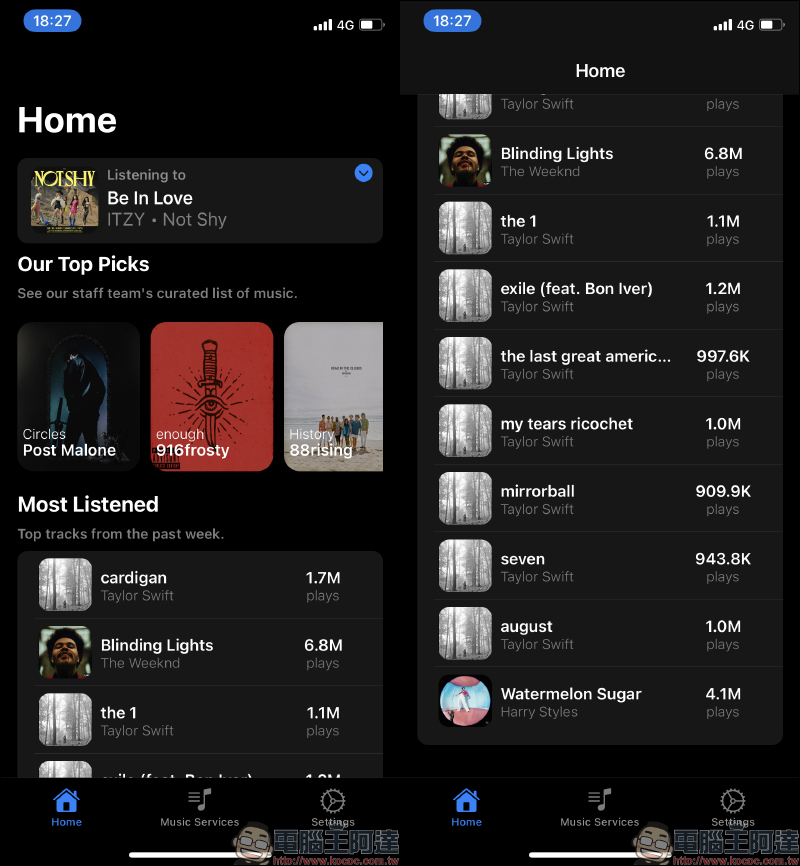
To set Spotify or Apple Music as a desktop gadget, first go to the Music Services page, then allow access and log in to Spotify:
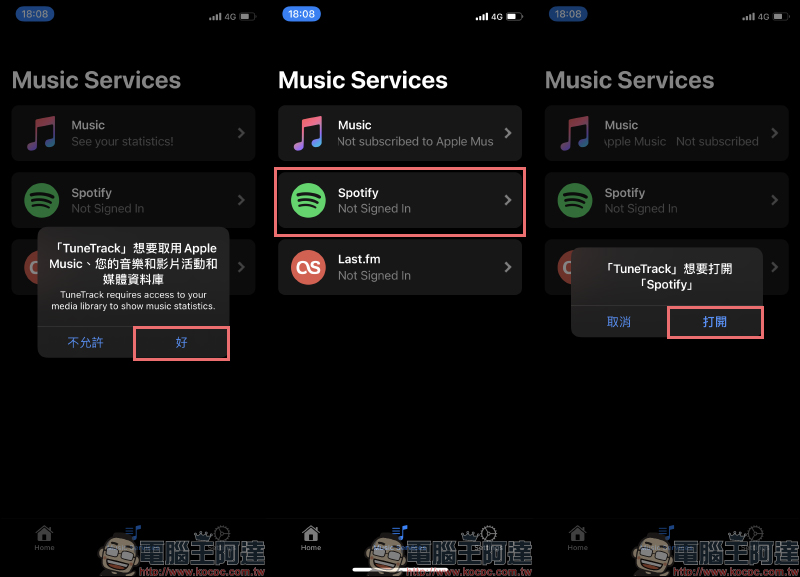
If the user’s mobile phone has already logged into the Spotify account, the authorization page will automatically open, and click “Agree” to complete the login action. After logging in, return to the TuneTrack App and click Spotify on the Music Services page. The user’s personal most frequently played music rankings on Spotify will be displayed:
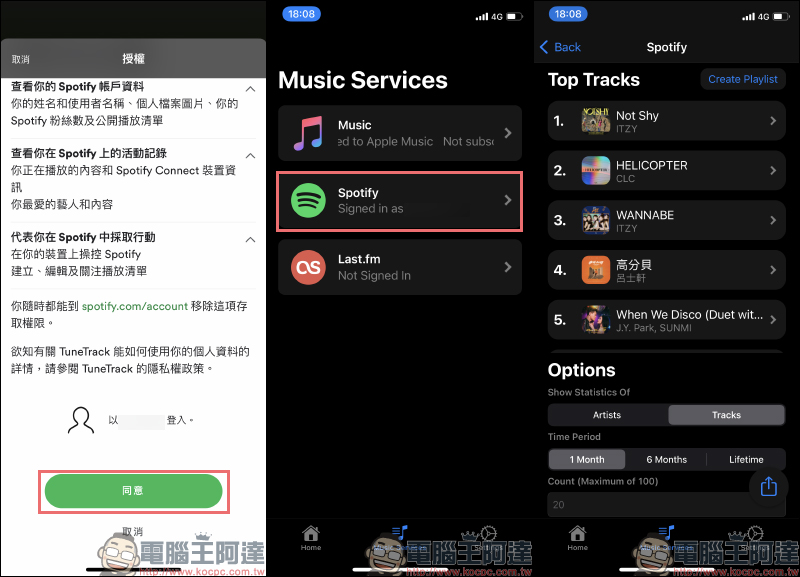
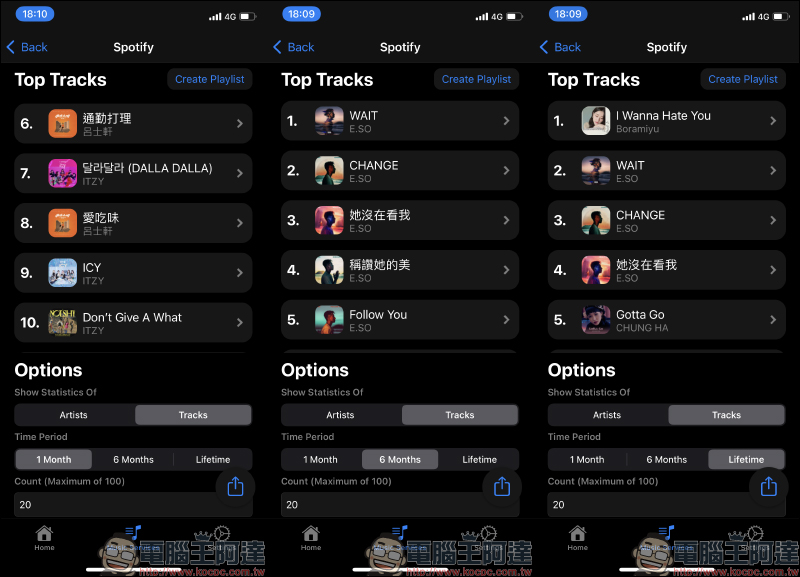
In this ranking list, you can filter playback records in the past month, past six months, or long-term according to play time. Up to 100 songs can be set in the track ranking:
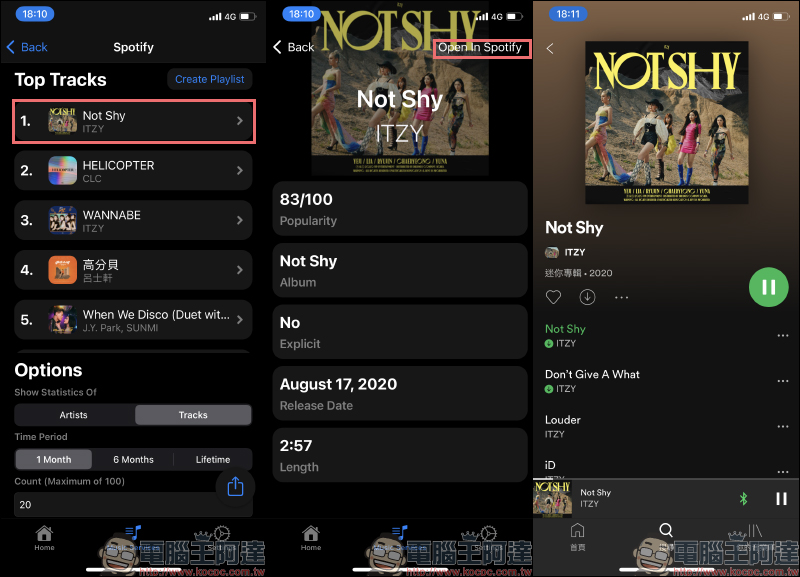
Users can also click on music in the TuneTrack App to display detailed information about the music and directly open the Spotify App for playback:
After the user completes the Spotify account login in TuneTrack, they can click “TuneTrack” in the list of new gadgets just like adding a desktop gadget. Currently, TuneTrack supports widgets from the two major streaming music platforms, Apple Music and Spotify. The widget size is provided in 2*2 size:
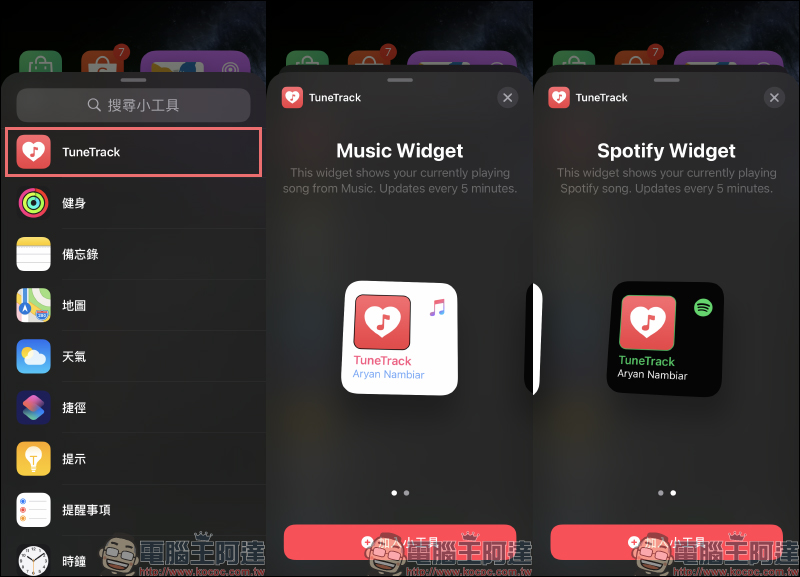
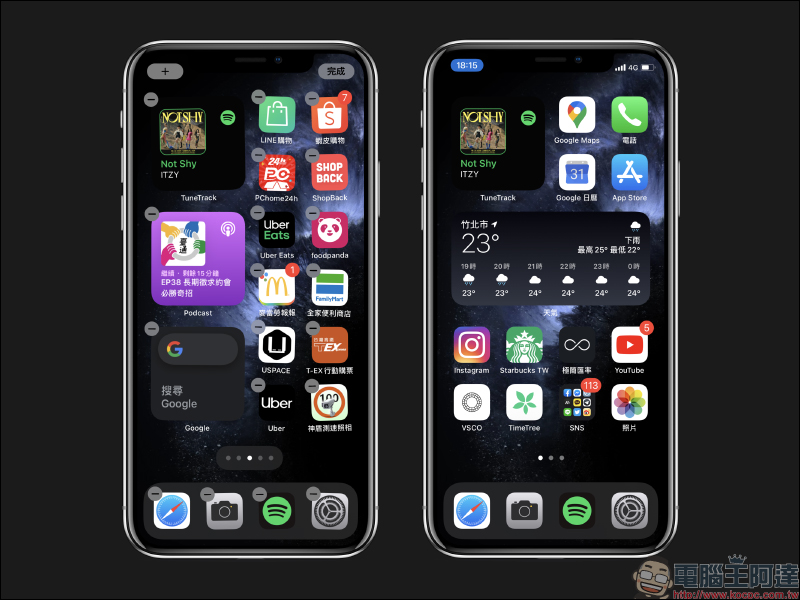
The actual rendering effect is shown in the figure below. TuneTrack’s gadget will be updated every 5 minutes. If you are worried about too many widgets taking up the layout, you can also “intelligently stack” it with other widgets to make the layout more concise.
TuneTrack App:Click here to download (App Store)
Further reading:
Color Widgets iOS 14 Free Widgets App, which can display date, time, battery and customize photo album as background

Source: KOCPC Chinese