


Today, many people use their phones to transcribe meeting recordings, educational videos they’re interested in, or other audio content into text using AI. However, most AI transcription services currently rely on cloud processing, which may make privacy-conscious users hesitant to use. If you’re an iPhone user, there’s an app called “Voice to Text Offline Recorder” that uses Apple’s on-device speech engine for transcription.Now launching a limited-time free lifetime offerCan be used offline, fast transcription, and Chinese text includes punctuation marks. It even has AI summary functionality, so don’t miss out if you need it.The free offer has ended.)
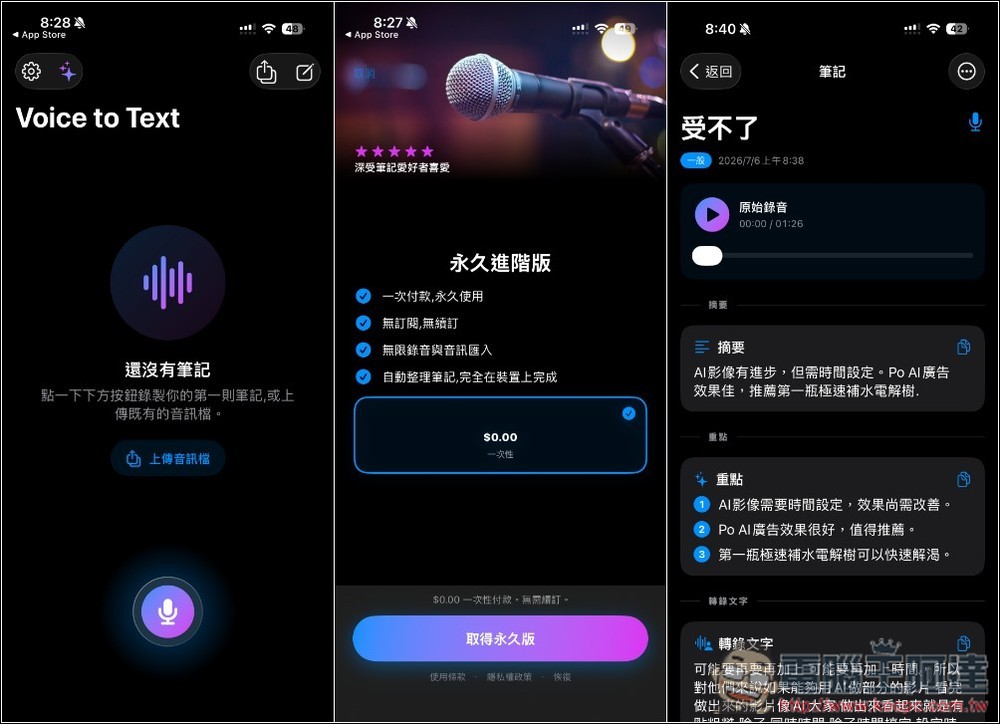
Voice to Text Offline Recorder — Lifetime Pro, Free for a Limited Time! Powered by Apple’s on-device speech engine, works 100% offline, with AI-powered summary notes.
Voice to Text Offline Recording is a voice note tool that prioritizes offline transcription and privacy protection, ideal for recording meetings, classes, interviews, inspiration notes, or daily to-dos. It converts audio content into searchable, editable text notes and uses on-device AI to automatically generate titles, summaries, and key points.
Using Apple’s on-device speech engine means audio isn’t uploaded to the cloud, so you can keep recording and transcribing even in airplane mode, without Wi-Fi, on the subway, or while out conducting interviews. For those who don’t want to entrust meeting content, interview recordings, or private thoughts to cloud services, this is quite appealing.
In terms of features, it supports background recording, pause and resume during recording, and can also import existing audio files such as m4a, mp3, wav, aac, and other formats. Note that the AI summary feature is random—meaning not every transcription note will have an AI summary, and there’s no way to manually enable it. It’s currently unclear how it’s determined.
Featured List
- Use Apple’s on-device speech engine to transcribe speech to text on iPhone/iPad
- On-device AI can automatically generate note titles, content summaries, and key highlights
- 100% offline transcription. Audio is never uploaded to the cloud.
- Supports airplane mode and works offline without Wi-Fi, while also offering recording and transcription features
- Supports background recording, so you can continue recording even while using other apps
- You can pause, resume, or cancel during recording.
- Supports importing audio files such as m4a, mp3, wav, and aac for transcription
- Editable title, summary, key points, and transcribed text
Get Voice-to-Text Offline Recording
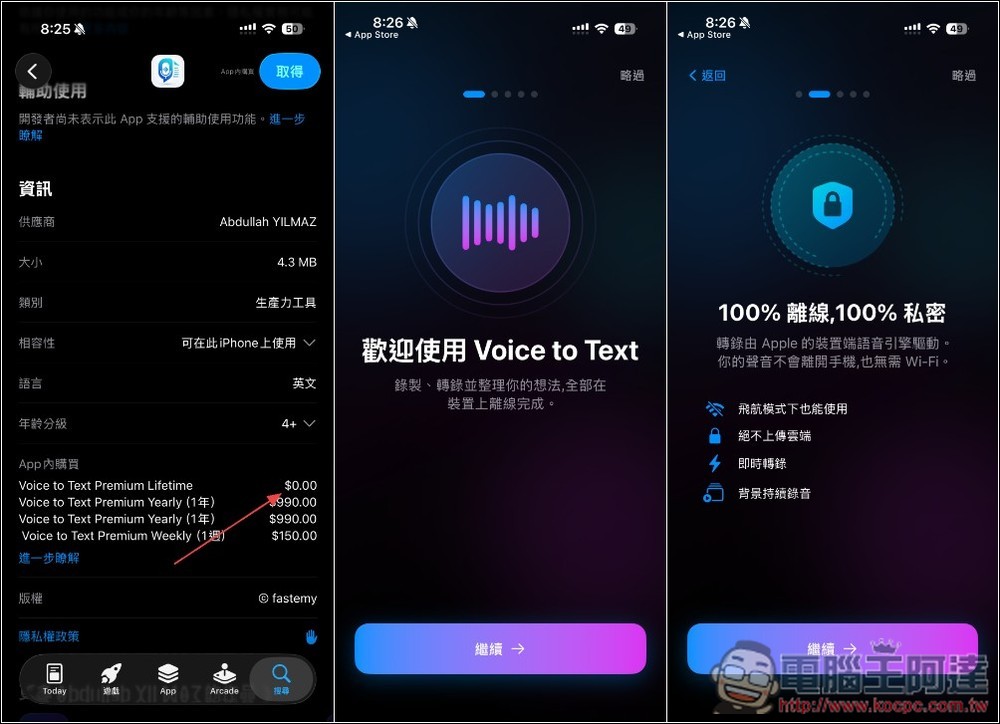
After following the link above to the App Store page for “Voice to Text Offline Recording,” remember to scroll down first to check if the “Lifetime” plan is still $0 — if it is, that means the free limited-time offer is still active. When you open the app, you’ll see a quick feature overview, but you can skip it by tapping the top right corner if you’d rather not read it.
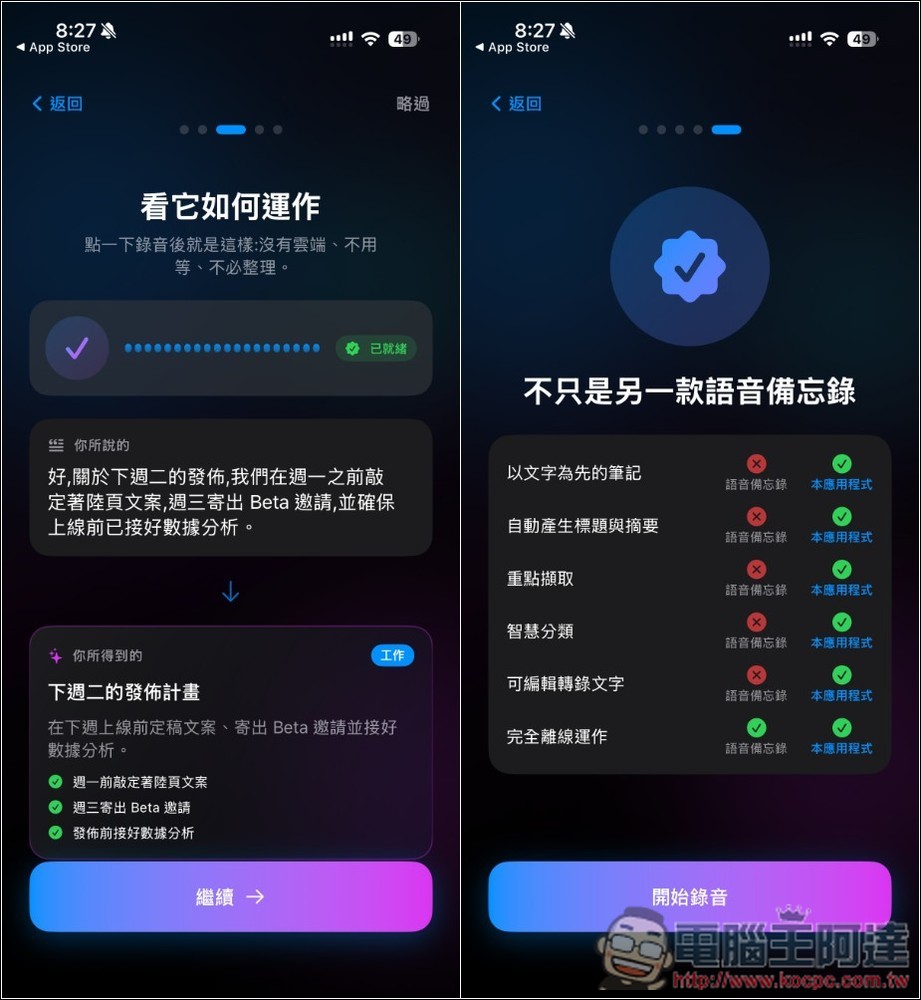
It also provides a comparison table with other voice memo apps.
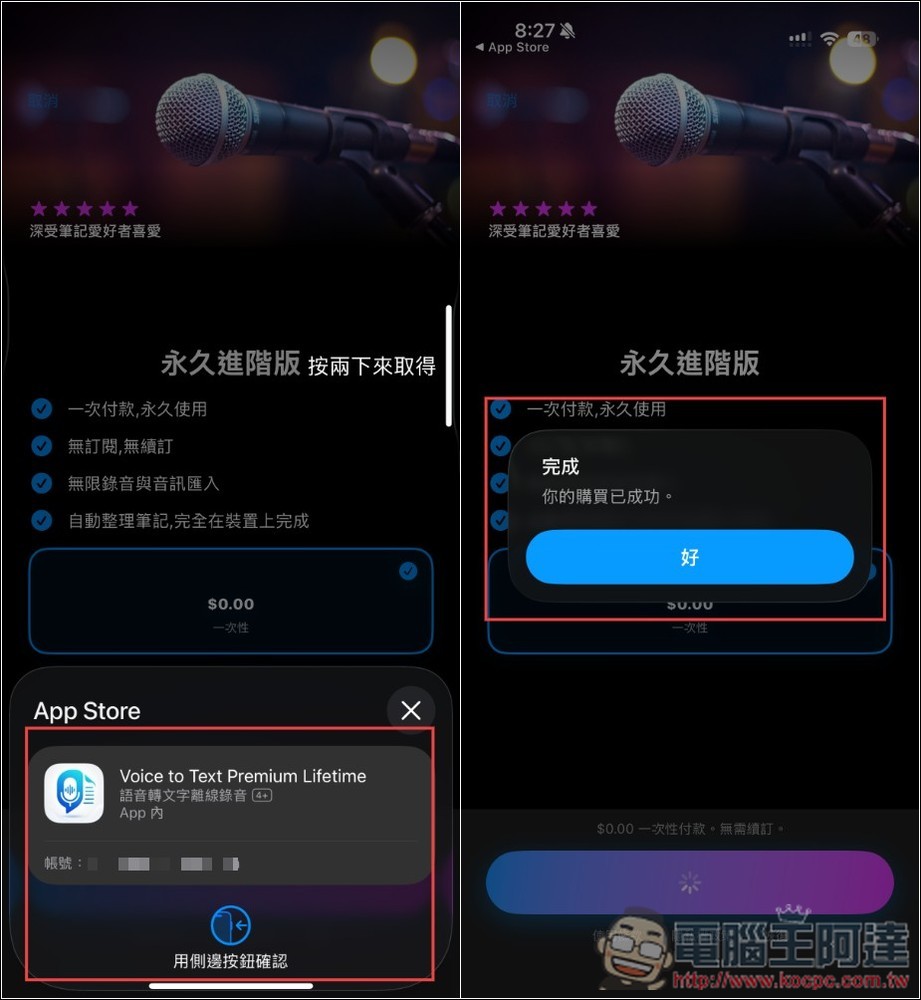
After entering the plans page, there’s a “Permanent” icon in the upper right corner. Click on it, and you’ll see the lifetime plan available for free (0 yuan):
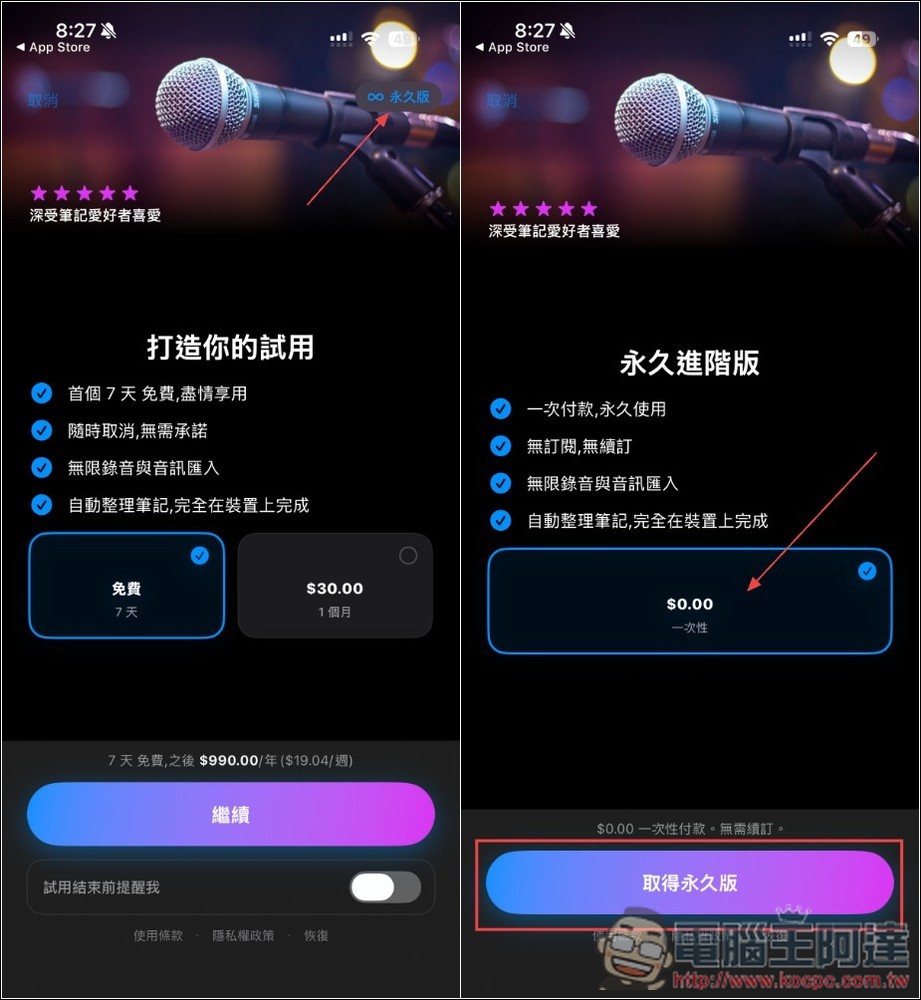
When confirming, remember to check that there’s no charge. If there is an amount, do NOT double-click to claim it. The message “Your purchase was successful” means it’s complete:
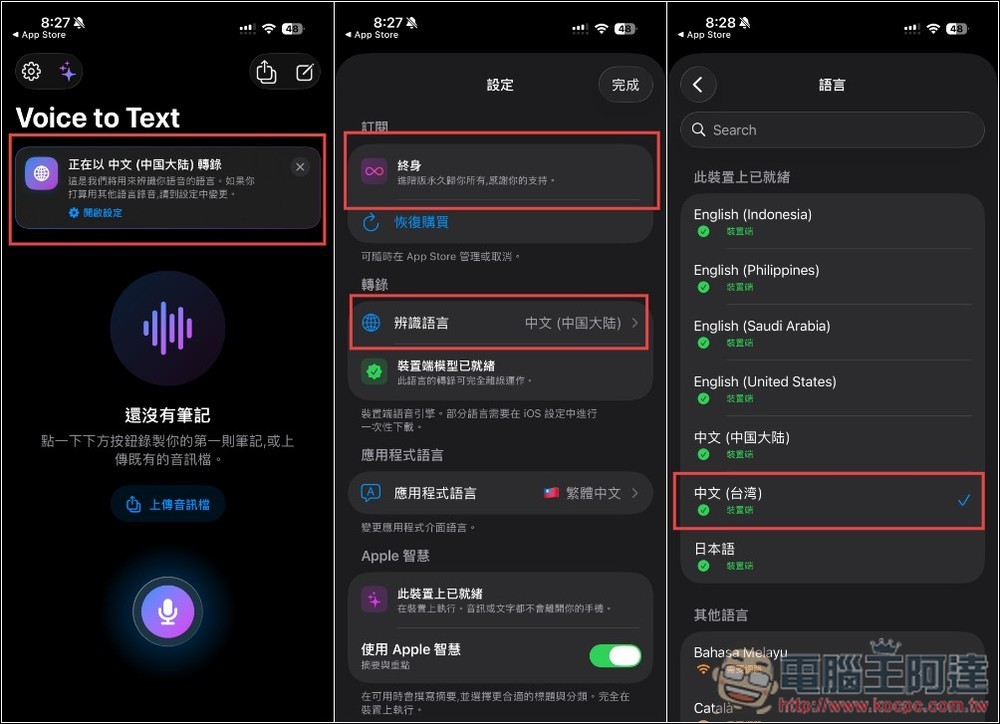
After entering the main screen, there will be a prompt at the top showing the transcription language. Tap to change it to Chinese (Taiwan). Additionally, the current subscription status is displayed at the very top of the settings page—”Lifetime” means there’s no issue.
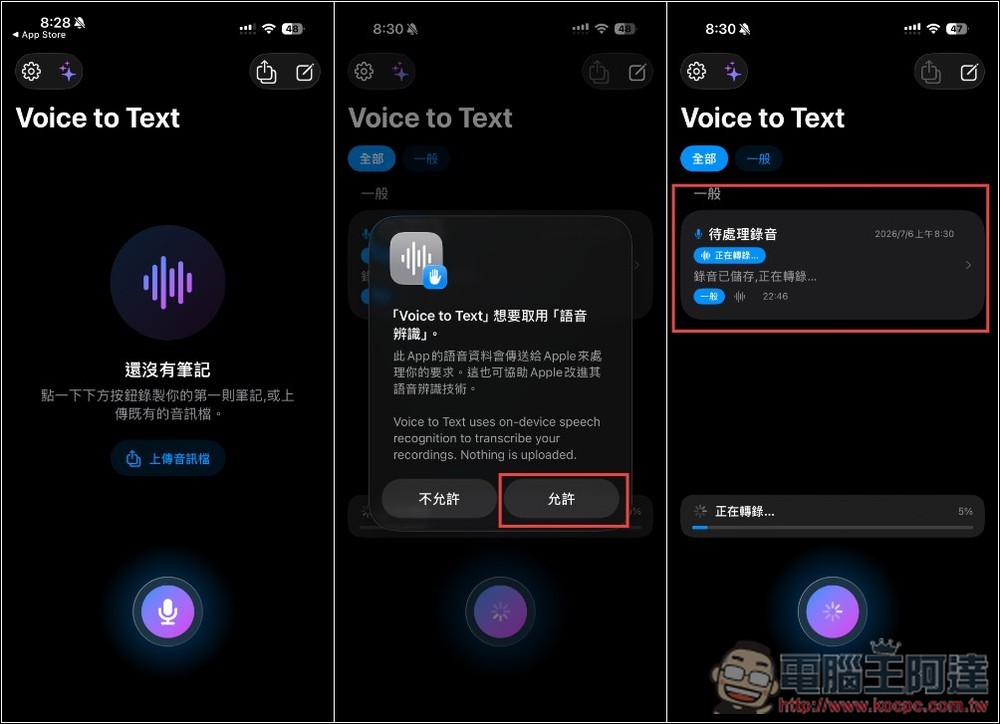
Supports both “recording” and “uploading audio files”. The first time, it will ask you to enable voice recognition – remember to press Allow. Then just wait for the recording to finish processing:
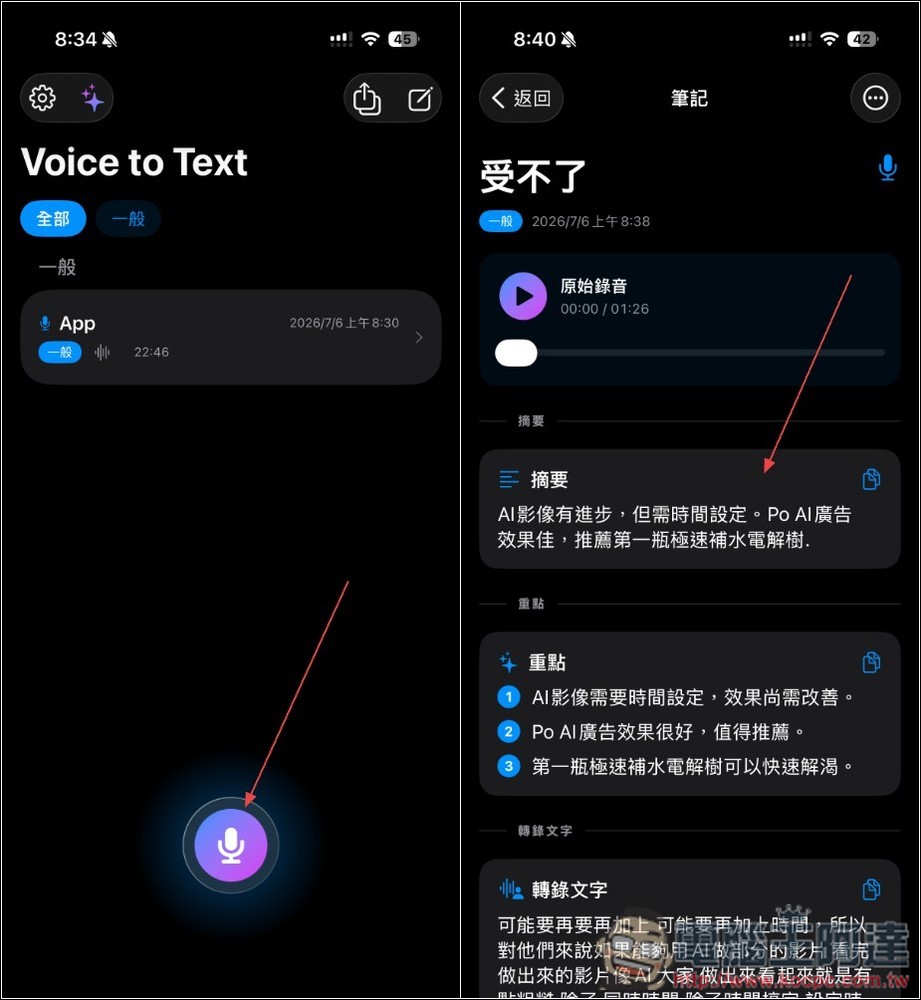
The transcription speed is quite fast—this audio file is over 22 minutes long, and it was completed in about 3 minutes. However, the one I tested didn’t show an AI summary, only the transcribed text:
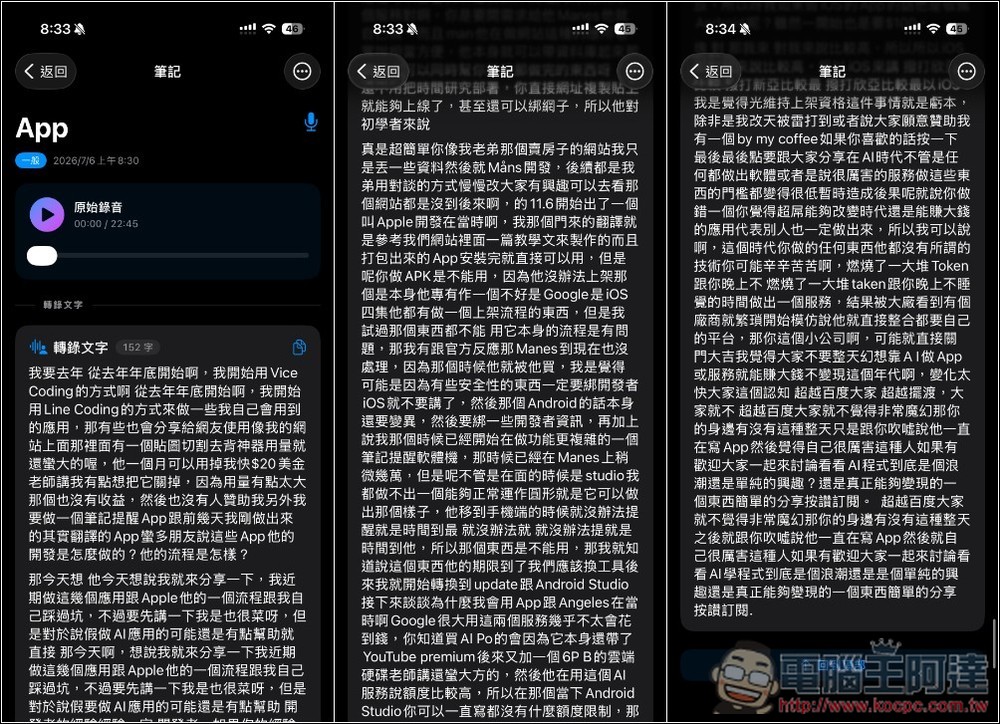
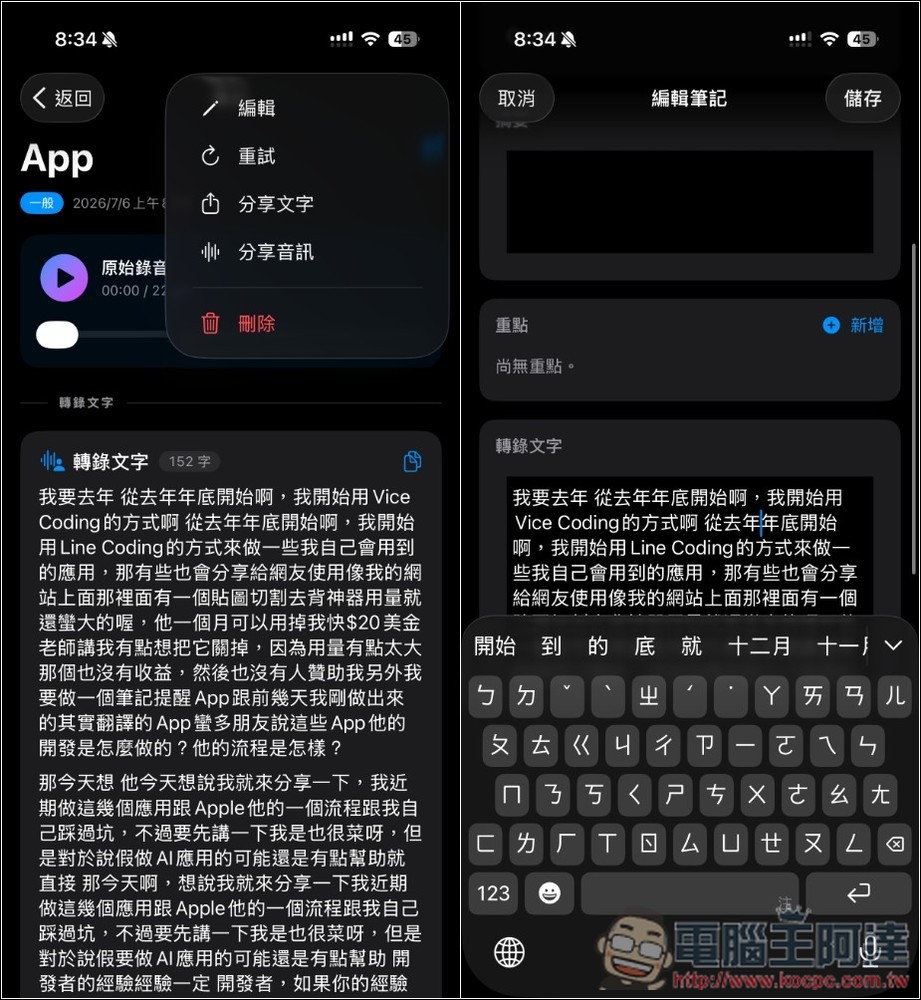
Transcribed content can all be edited. If you feel the transcription quality is poor, you can also retry:
Another recording I tested did show the AI summary and highlights:
Source: KOCPC Chinese