


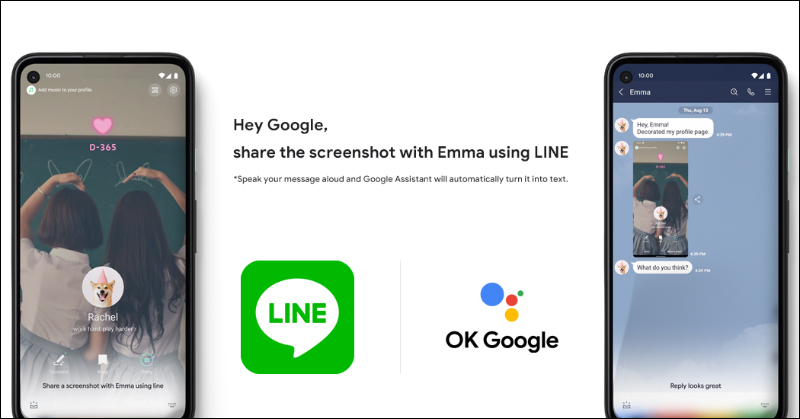
Since mid-March this year, LINE has started to support Google Assistant, allowing Android users to send LINE messages to friends through Google Assistant and read new messages received on LINE. Earlier today (20th), LINE also announced that Google Assistant voice control will support more new functional applications of LINE. Users can easily share screenshots, URLs and send messages to LINE friends through voice control.
▲Picture source:LINE (Taiwan)
LINE will support voice-controlled sharing of videos, screenshots, and URLs through Google Assistant
LINE announced that starting from today, Google Assistant will also allow users to easily share screenshots, URLs, and send messages to LINE friends through voice control. In addition, Google Pixel 4/Pixel 4 XL and Pixel 4a phones equipped with the new Google Assistant will add “reply” and “photo/video sharing” functions to voice-controlled LINE. The “reply” function can be used in one-on-one conversations and group conversations.However, currently Google Assistant voice control LINE function, only supports “English” and “Japanese”。
Share screenshots, URLs, and YouTube videos (available for phones running Android 6.0 and above)
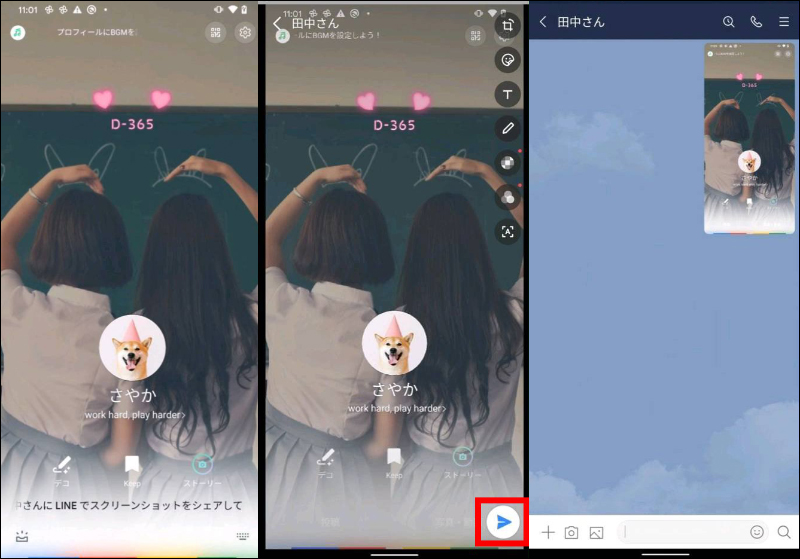
If you want to share a screenshot, just display the page you want to share on your phone screen and say the command “Ok Google, use LINE to share this screenshot with someone (friend’s name)” and you can share it immediately.
▲Picture source:LINE (Japan)
In addition, users can share URLs and YouTube videos in this way by opening the page they want to share and saying the command “Ok Google, use LINE to share this with someone (friend’s name)”.
Share photos and videos (available on Google Pixel 4 series and Pixel 4a phones with new Google Assistant)
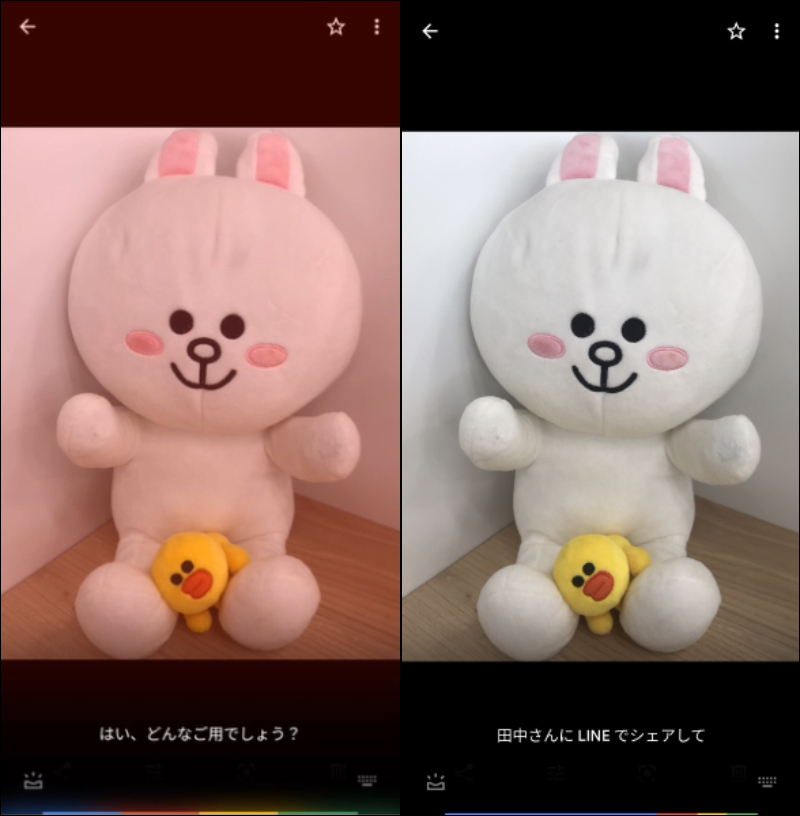
If you want to share a photo or video, just display the photo or video you want to share on your phone’s Photo Album App or YouTube, and say the command “Ok Google, share this with someone (friend’s name) using LINE” and you can share it immediately.
▲Picture source:LINE (Japan)
Confirm the image or video you want to send on the preview screen, and then click the “Send” button to send it.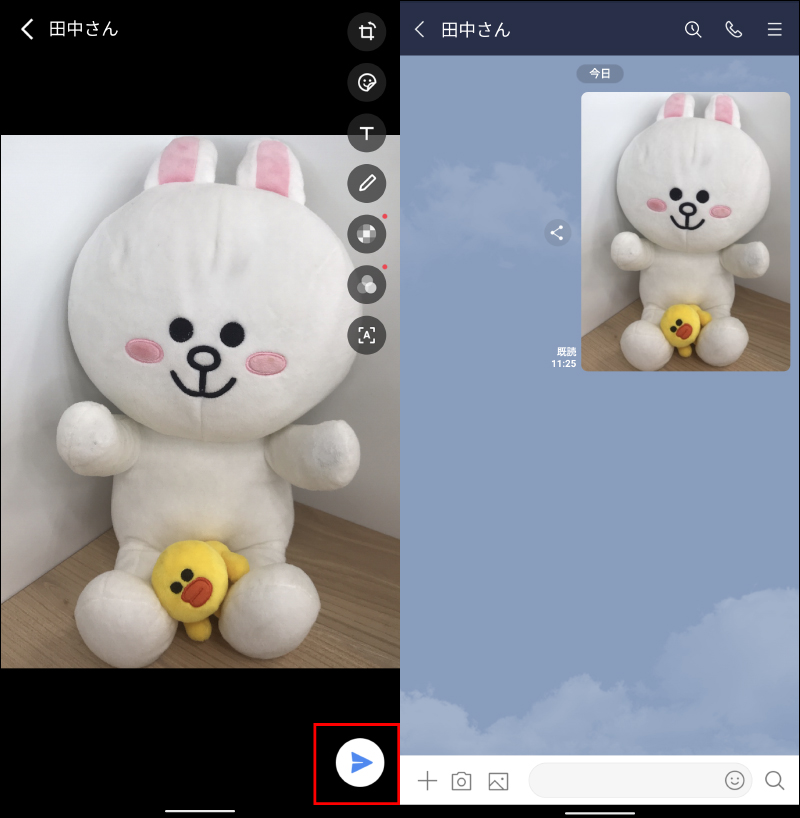
▲Picture source:LINE (Japan)
Reply to a LINE message or LINE push notification (available on Google Pixel 4 series and Pixel 4a phones that support the new Google Assistant)
To reply to a LINE message, just open the conversation’s chat room window and say the command “Ok Google, reply to so-and-so (friend’s name) with LINE”:
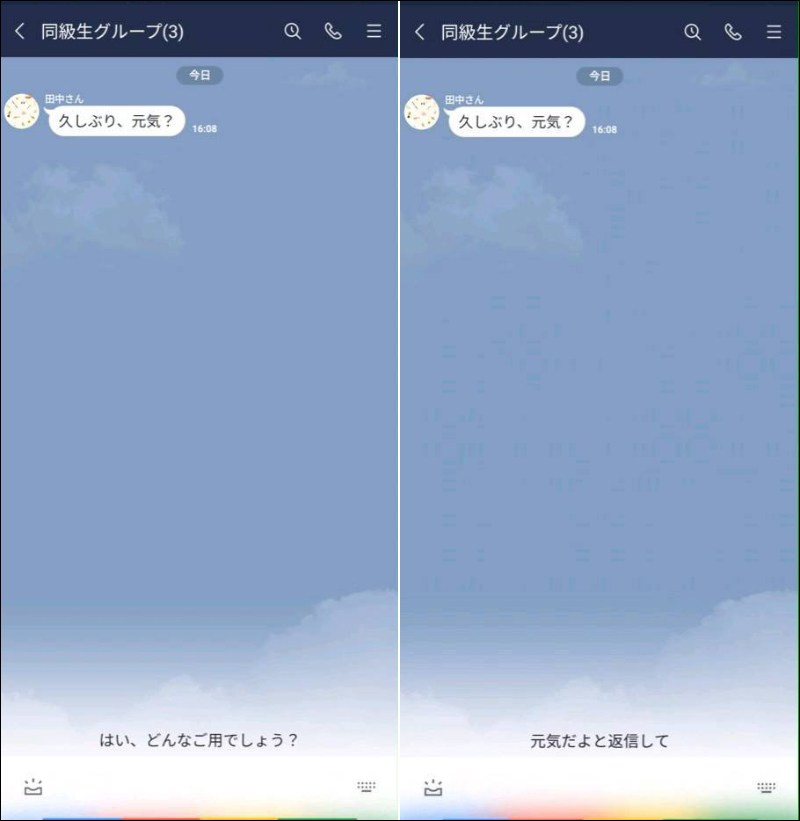
▲Picture source:LINE (Japan)
Then you can send a LINE message immediately:
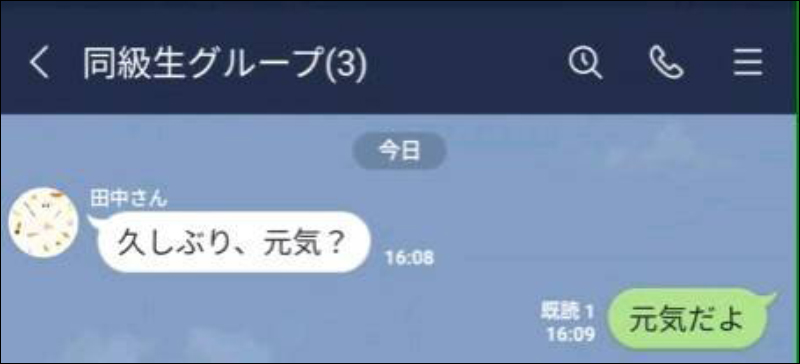
▲Picture source:LINE (Japan)
Similarly, you can also reply to LINE push notifications in this way. For example, when users are cooking in the kitchen, taking care of infants and young children, or in other situations where their hands cannot be free to operate their mobile phones, they can operate commonly used LINE communication functions through voice control. In the future, Google Assistant will continue to expand its supported functions.
Source:LINE (Taiwan)|LINE (Japan)
Further reading:
iPhone application tips: How to turn off notifications for LINE messages using Apple CarPlay while driving? (Other message notifications also apply)
Source: KOCPC Chinese