• About Us
King of Computer Media
  • Home
  • Tech News
  • AI News
  • Apps & Tutorials
  • Mobile & Telecom
  • Lifestyle
  • About Us
No Result
View All Result
  • Home
  • Tech News
  • AI News
  • Apps & Tutorials
  • Mobile & Telecom
  • Lifestyle
  • About Us
No Result
View All Result
King of Computer Media
No Result
View All Result

Home - Internet and software applications - Teach you to enable Chrome’s hidden webpage to QR Code function! No need to install anything

Teach you to enable Chrome’s hidden webpage to QR Code function! No need to install anything

Rocky by Rocky
August 19, 2020 - Updated on August 4, 2026
in Internet and software applications

Although there are some tools and plug-ins that can convert web pages into QR Code, they must be opened or installed separately. Some people may not like it. In fact, the Chrome browser has already had this function, but it is still hidden in an experimental project. As long as it is enabled, right-clicking on any web page will see the “Create QR code for this page” function. Here, I will teach you how to enable and use it.
Cropro-2020-08-19-17-07-04

Teach you to enable the function of Chrome’s built-in web QR Code generator

Before we start, let me remind you that this feature is still experimental at the moment, so instability or errors may occur, but I haven’t touched it yet.

First enter in the Chrome address bar chrome://flags/ , or just click on the hyperlink directly, and then you will enter the experimental function page:
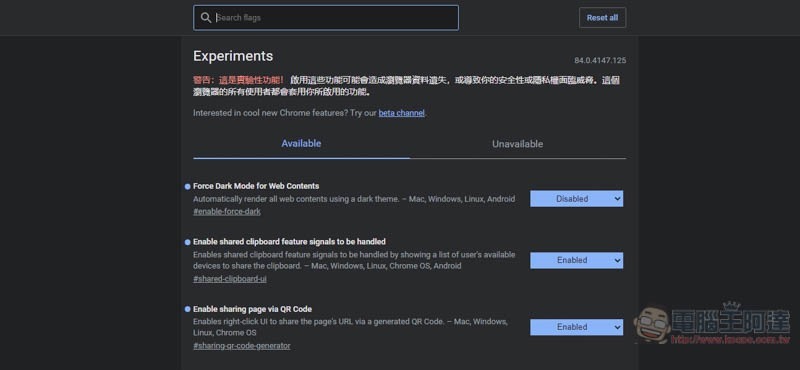
2020-08-19_175412

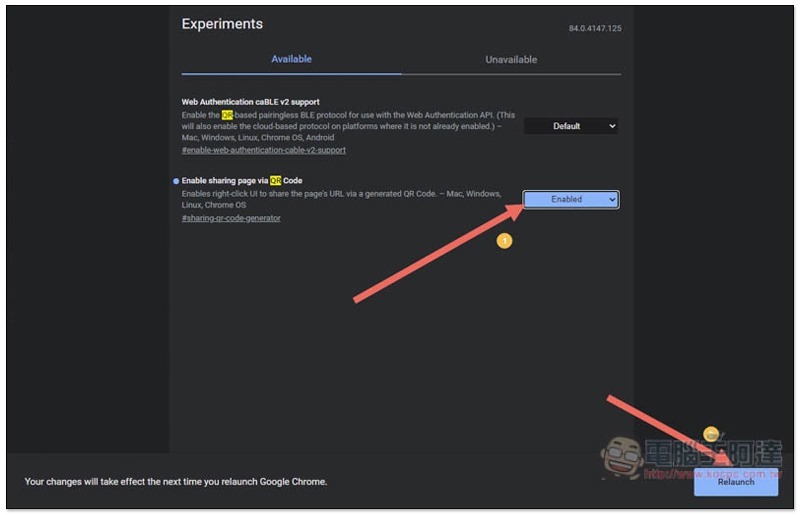
Enter “QR” in the search field above. The experimental features matching this name will be listed below. Enable sharing page via QR Code is the protagonist of this article. Click the Default option on the right:
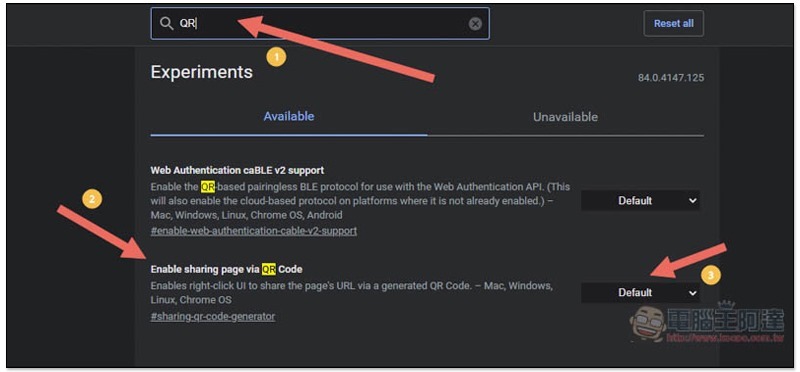
Cropro-2020-08-19-17-05-35

After changing it to Enabled, it will be enabled successfully, but you need to restart the Chrome browser for it to take effect. Click the Relaunch function in the lower right corner:
Cropro-2020-08-19-17-05-51

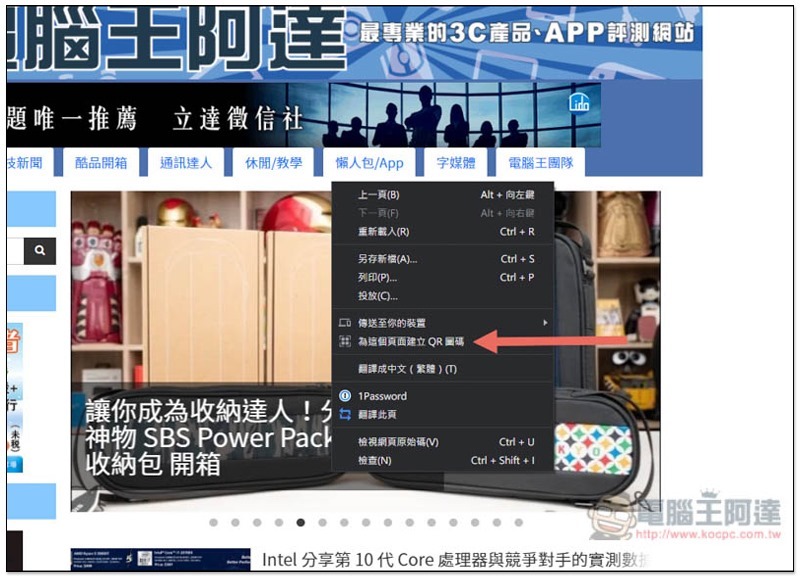
After the restart is complete, go to the webpage where you want to generate a QR Code, then right-click on the blank space, and you will see the new function “Create QR Code for this page”:
Cropro-2020-08-19-17-06-22

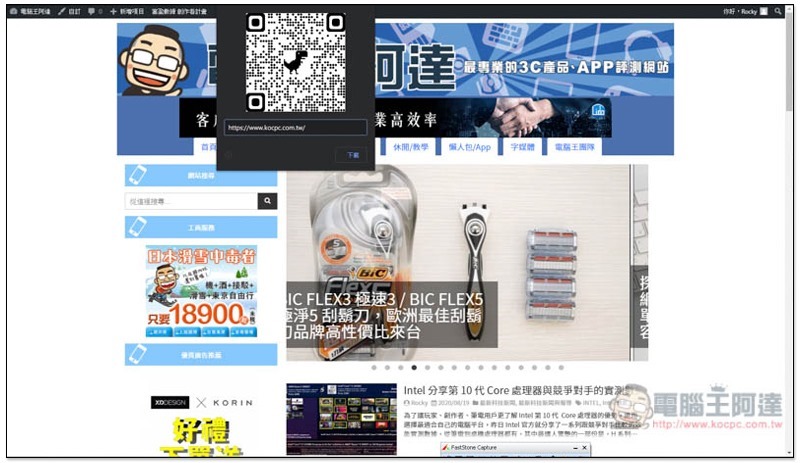
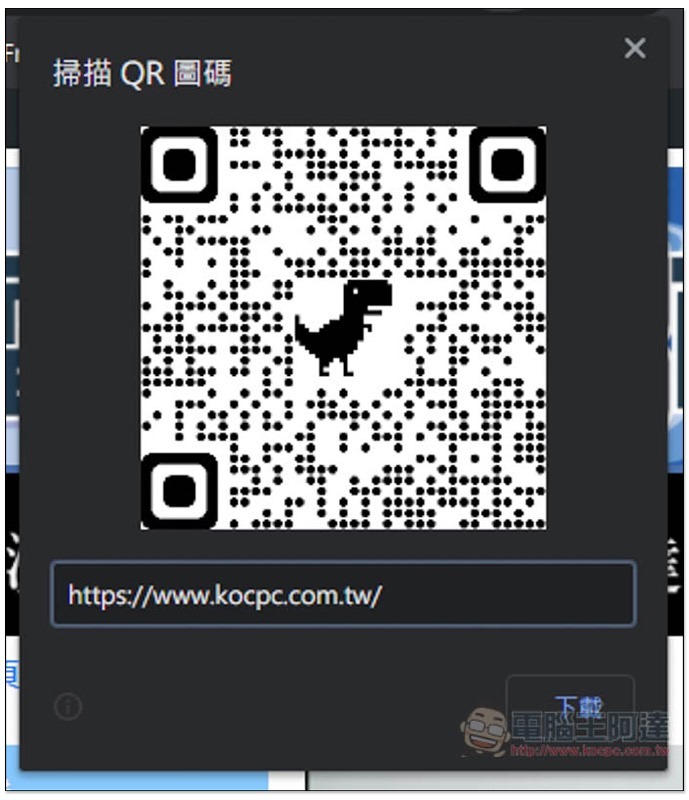
The QR code of this web page will be generated above, and Chrome’s very cute little dinosaur is also used in the middle. After confirming that the URL is OK, click Download to save the image file to your computer:
Cropro-2020-08-19-17-06-31

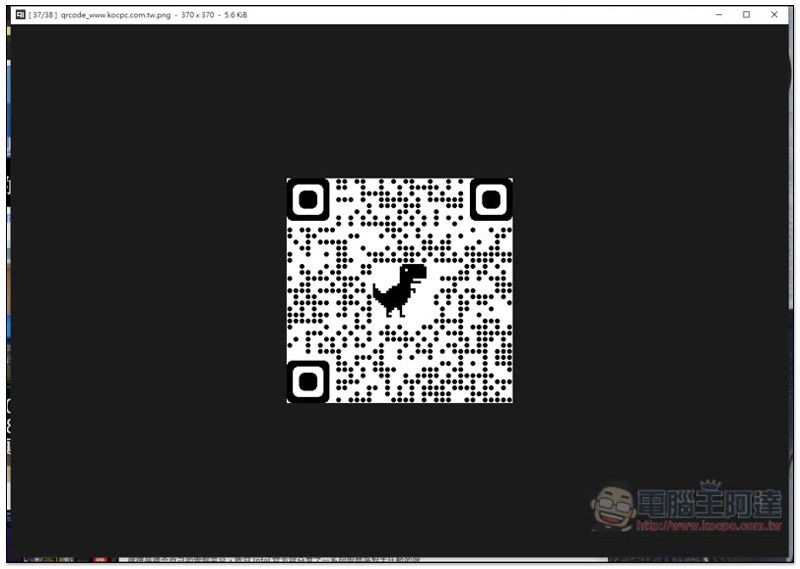
As shown below:
Cropro-2020-08-19-17-06-48

Therefore, if you need to generate a QR Code for your own or other people’s web pages in the future, you can directly use Chrome’s built-in function to solve the problem without installing any additional plug-ins.

If you are also looking for a tool that can use a mouse to read QR Code, you can refer toThis right-click QRcode reader expansion plug-in introduction, simple and easy to use.

教你如何設置 Chrome 強制所有網站都顯示 “深色模式”

Source: KOCPC Chinese

Tags: ChromeChrome TutorialQR Code

Recent Posts

  • The Xiaomi Pad 8S Pro has passed network access certification and will debut with the self-developed Xuanjie O3 chip.
  • The entire Google Pixel 11 lineup has been leaked! Official promotional renders of the Pixel 11 Pro XL have also surfaced
  • Are Chinese phone battery capacities falsely labeled? A brief look at the “capacity locking” phenomenon in Chinese silicon-carbon batteries.
  • NCC is leaderless, recklessly sending out national-level alert messages!?
  • What does “QR” in QR Code mean?

Recent Comments

No comments to show.
  • About Us

We welcome partnership inquiries and product review opportunities from smartphone manufacturers, iPhone accessory brands, and app developers.koc kocpc.com.tw|Privacy Policy |Hosting & Maintenance: Fast Line Taiwan, A-Chang Digital Technology

No Result
View All Result
  • Home
  • Tech News
  • AI News
  • Apps & Tutorials
  • Mobile & Telecom
  • Lifestyle
  • About Us

We welcome partnership inquiries and product review opportunities from smartphone manufacturers, iPhone accessory brands, and app developers.koc kocpc.com.tw|Privacy Policy |Hosting & Maintenance: Fast Line Taiwan, A-Chang Digital Technology