


After using Gmail, Photos, and Google Drive for a long time, unless you are diligent in organizing, there will be a lot of unnecessary junk, large files, and attachments, taking up a lot of space. If you often encounter a situation where the space is almost full, you can try the recently launched official “Storage Management Tool”. In addition to automatically scanning unnecessary or large files in Google services, it also provides a one-click permanent deletion function to help you quickly free up space. Here’s how you do it.
This tool is currently only available to general users, and my test business account cannot yet use it.
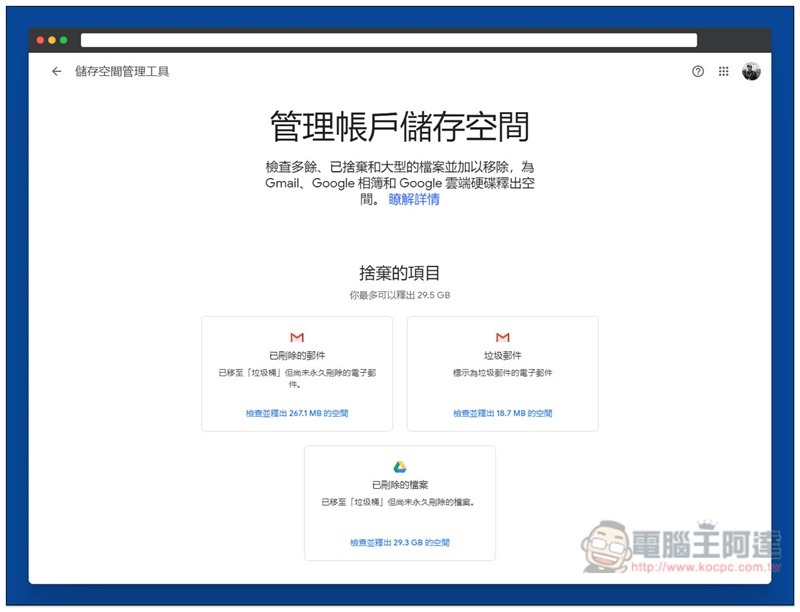
Google Storage Management Tool Operation Tutorial
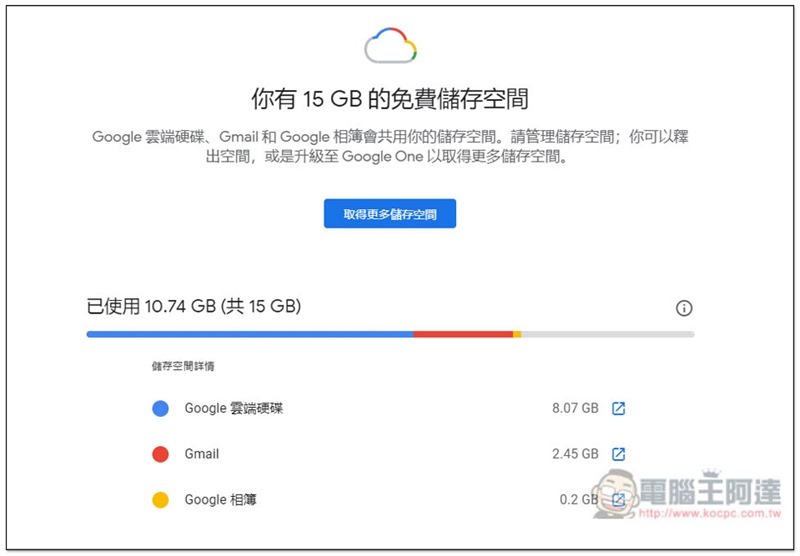
First you canClick me to view firstYour current storage usage lists how much Google Drive, Gmail, and Google Photos have used, as well as how much free space you have left:
Then enterStorage management toolFinally, there will be two parts. The first is “Discarded Items”, which lists deleted emails in Gmail (that is, emails thrown into the trash), spam emails, and deleted files from Google Drive. The design mechanism of Google services is like this. When you delete something, it will be thrown into the trash first instead of actually deleted, which means it still takes up space:
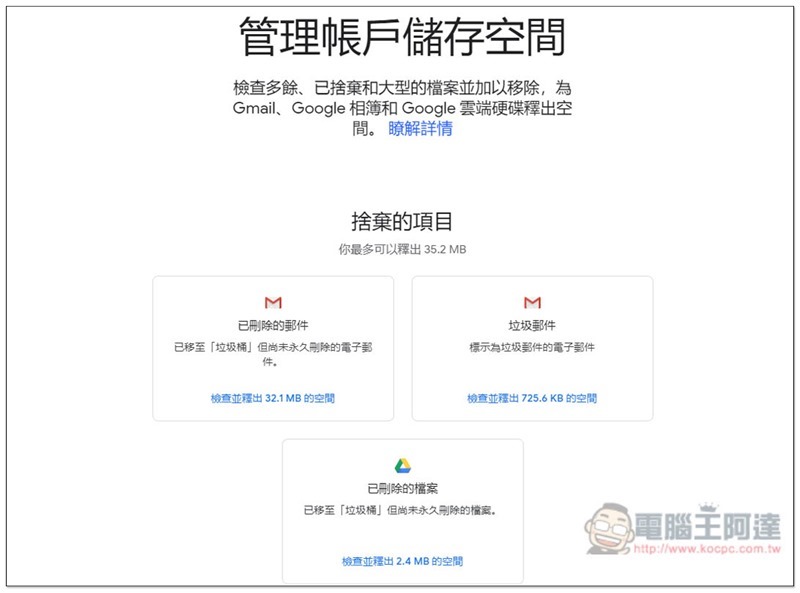
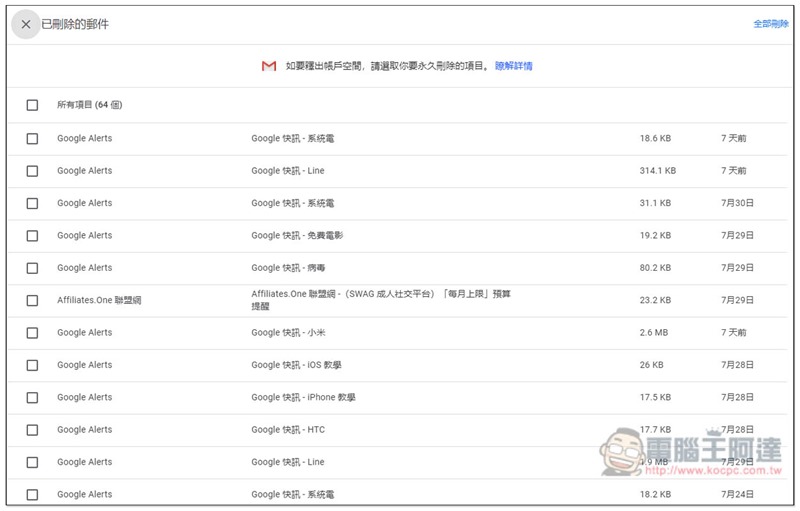
If you are sure that you don’t want these emails that have been thrown into the trash or marked as spam, you can click the “Check and Free Up Space” function below to permanently delete them with one click.
Before deleting, you will be asked to check to make sure there is no important content:
The second part is “Large Projects”, which will provide “Emails with Large Attachments” and “Large Files” in Google Cloud Space. Large attachments are really helpful. Gmail often shows that the space is full. In many cases, it is caused by large attachments, not too many emails. With this function, you can quickly find out which emails are:
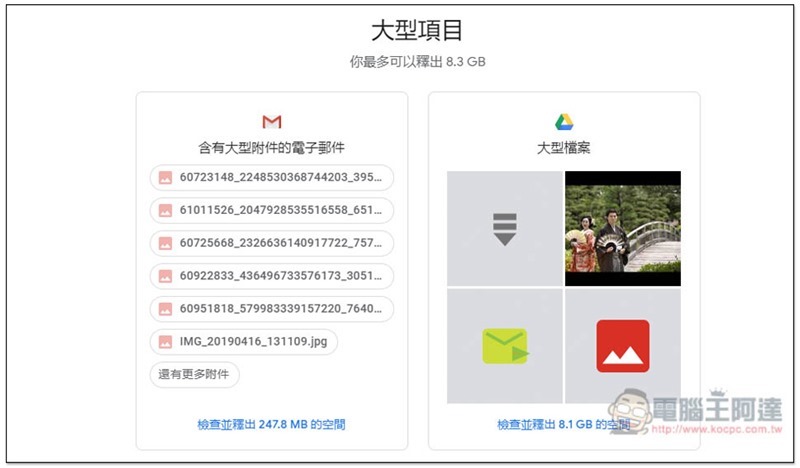
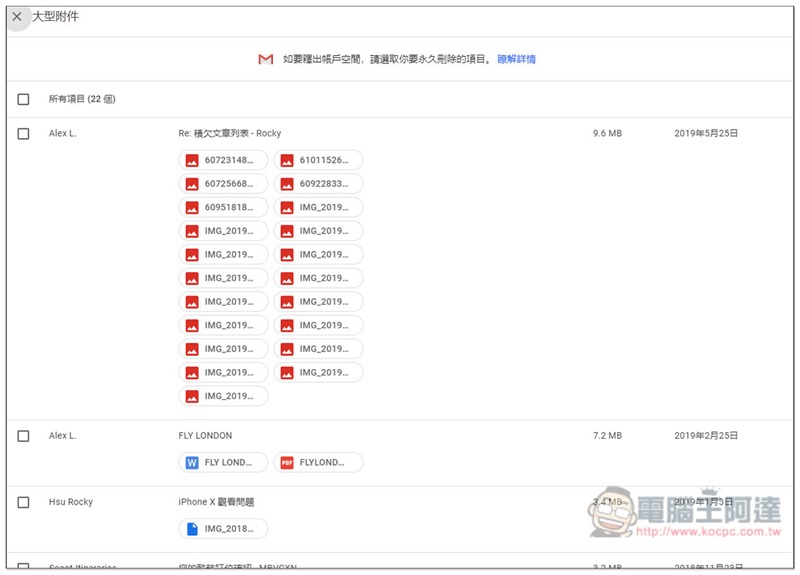
For me, many of the large attachments are emails from more than a year ago. They are obviously no longer important and can be deleted to free up more Gmail space:
Large files are not bad either. I forgot that I uploaded the macOS iOS file, which takes up a full 7.5GB:

There is also “Large Photos and Videos” in Google Photos. If there are any, they will be listed. I upload high-quality photos and video formats, so they are not displayed and do not take up any space:

With this tool, when the Google space is almost full in the future, it can be cleaned up more quickly without having to search for it one by one. It is really very trouble-free.
However, if you can clean it at any time and delete unimportant content immediately when you see it, I personally think it is better, and you can manage files and space more accurately.
Supplementary information
- Tool name: Google Storage Management Tool
- Nature: Free
- URL:Click here to go
Source: KOCPC Chinese