


With the development of science and technology, more and more electrical appliances and 3C products are gradually becoming smarter. However, while continuing to become smarter, has the protection of your smart products been upgraded accordingly? ? If you are paying attention to information security news, you should know that many companies and families have lost a lot of data and property due to the intrusion of hackers, such as the recentCNPC ransomware incident、Hacking monitors、Smart home appliances hacked.. and other endless information security incidents, hackers will take advantage of product vulnerabilities to invade your home network, spread viruses or steal data. Most network security product settings are quite complicated, and it is very difficult for ordinary people to build a comprehensively protected network environment by themselves.
Today I would like to introduce the latest “Trend Technology” launched by the major information security and anti-virus company “Trend Technology”.Smart Internet Security Manager“, which can save you from tedious settings, as long as you have this one”Smart Internet Security Manager”, through the mobile APP, all large and small smart home appliances, mobile phones, computers, IoT devices, etc., as long as they are connected to the home network, can help you protect them without leakage! And exceptProtect connected devices and IoT in your home, can stillMonitor the network usage status of all connected devices, if there are children at home, even moreLimit internet usage time、Avoid bad pornographic websites and block them;When children come home from school and connect to the home network, they will alsoNotify the child that he is homeSo that you can keep track of your whereabouts, which is very convenient! The most important thing is that the operation is quite easy, as long as “Smart Internet Security Manager“Plug in the network sharer at home, and you can easily handle everything about home network security through the APP.
We have summarized several key points of Smart Network Security Manager for everyone. You can jump directly to the corresponding chapters according to the content you need:
Smart Internet Security Manager Unboxing
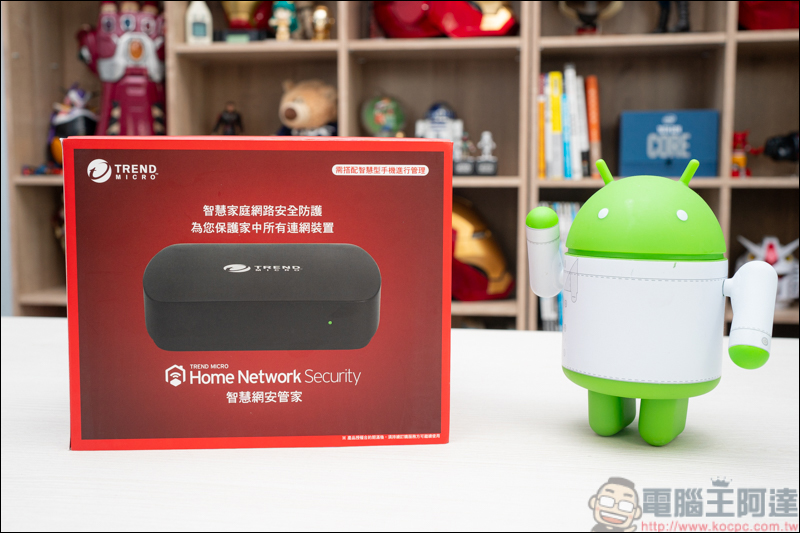
This is the Trend Technology I’m going to unbox today –Smart Internet Security Manager, the outer box adopts the representative color of Trend Technology – red. In addition to the label, the outer box can protect all connected devices in the home. It is specially reminded that it needs to be managed with a smart phone APP. BecauseSmart Internet Security ManagerThere are management programs (main) and protection programs (auxiliary) respectively. The two device requirements are iOS12 or above for iOS, and Android 5.0 or above for Android:
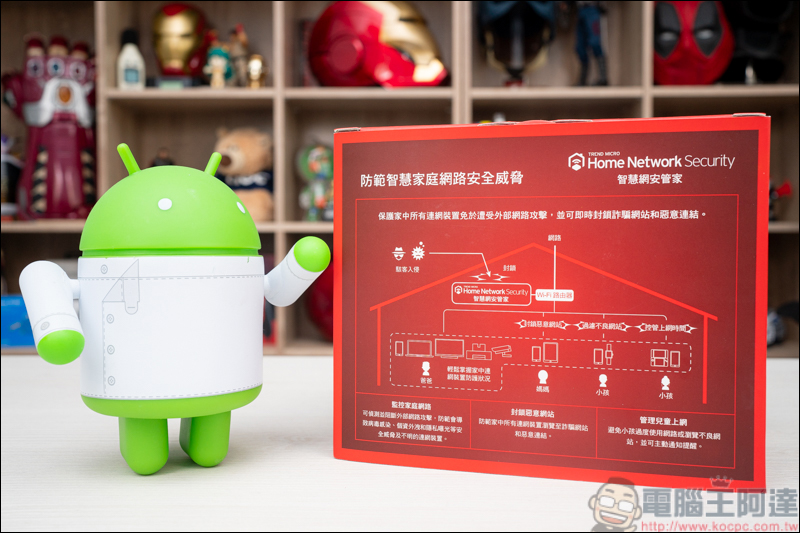
On the back, you can clearly see the features and usage scenarios of the smart network security manager. Just one device can protect all connected products in your home:
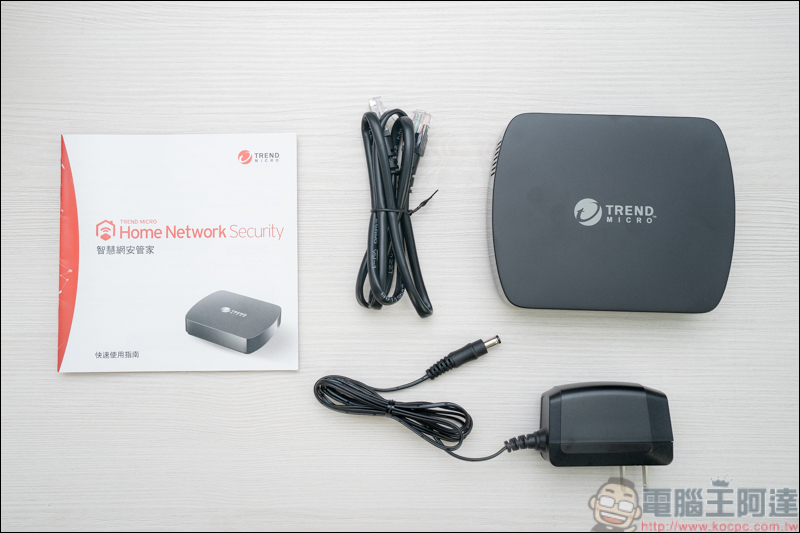
Smart Internet Security ManagerThe contents from left to right include: manual*1, network cable*1, AC transformer*1, smart network security manager*1
Smart Internet Security ManagerThe dimensions are 136mm wide*110mm long*32mm high, and the weight is 226g. About the same size as the palm of your hand, it is quite compact:
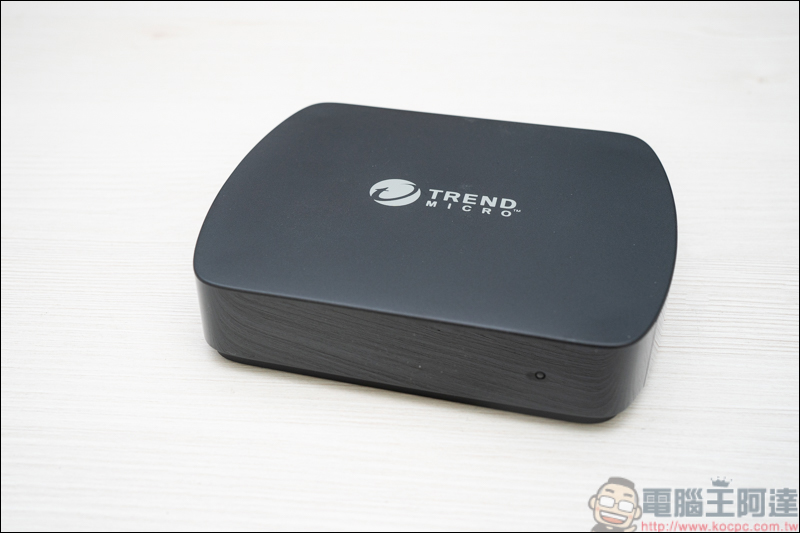
There is a status indicator light on the front, red means setting is in progress, green means setting is complete and can be used:
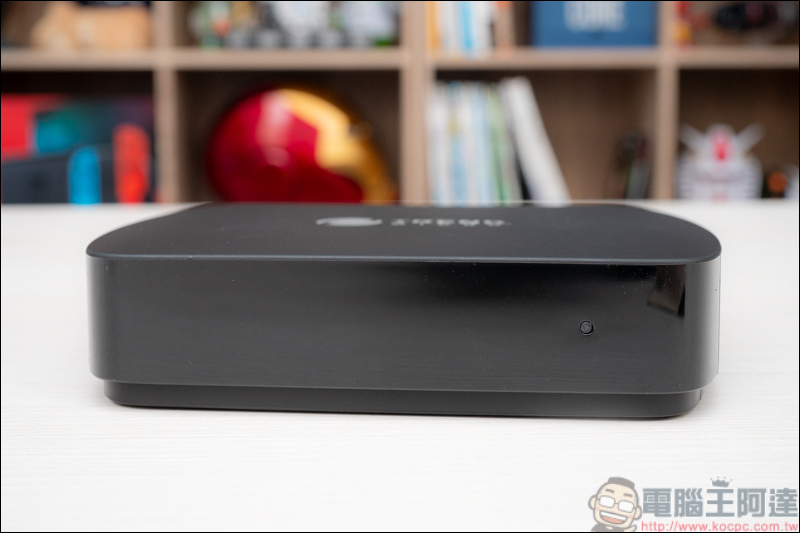
There are power jacks, RESET keys, and RJ45 network holes on the back:
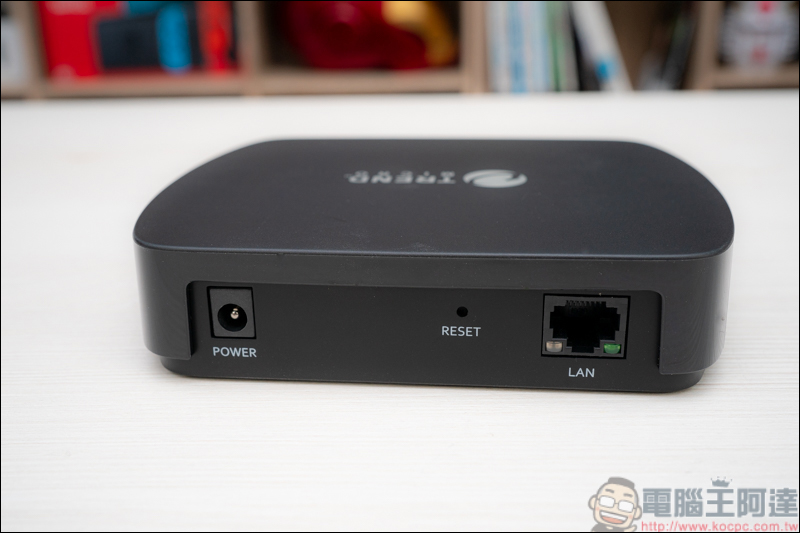
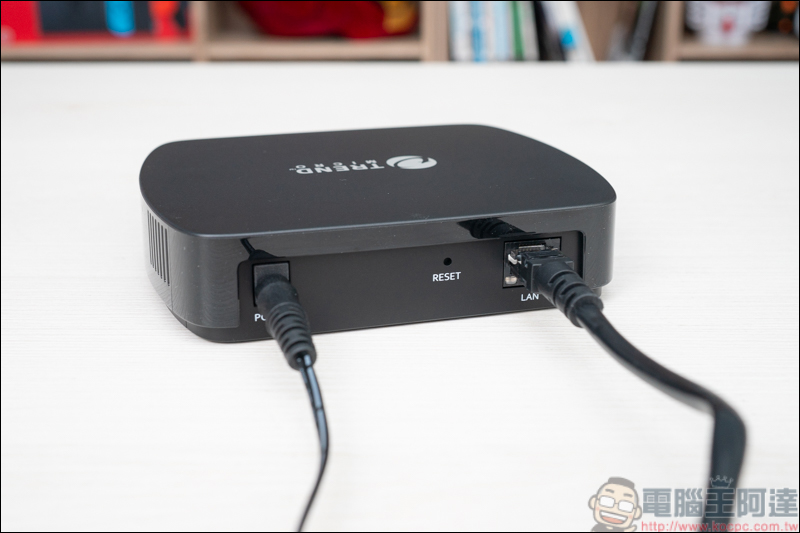
The usage is very simple, just plug in the power cord and network cable, OK! This is done:
There is no need to enter the background to set network parameters or the like, just setSmart Internet Security ManagerJust plug it into the network sharer at home and wait until the indicator light turns from red to green to complete the installation. It’s quite simple! Next, you can do everything through the mobile APP: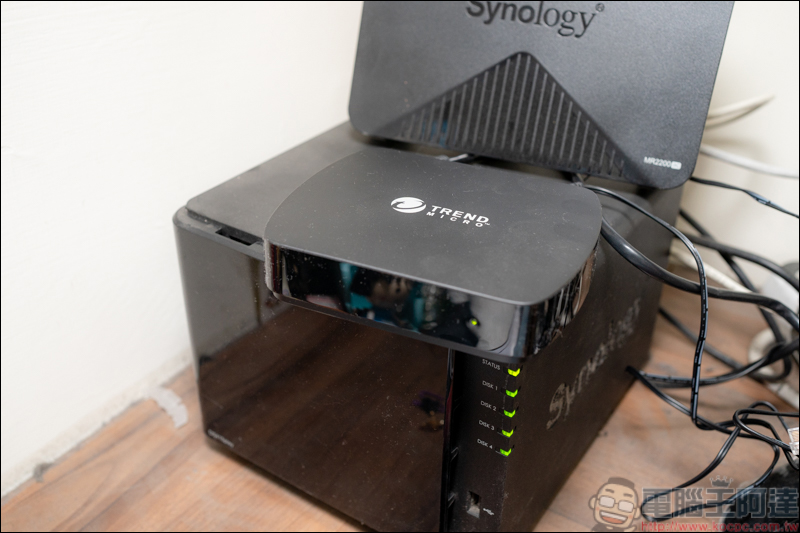
Smart Internet Security Manager APP User Instructions
Introduction to the main control APP
First if you areSmart Internet Security ManagerThe owner is also the operator and must arrive firstApp Storeorplay storedownloadSmart Internet Security ManagerAPP supports iOS / Android dual platforms. iOS needs to use iOS12 or above version, and Android needs to use version 5.0 or above: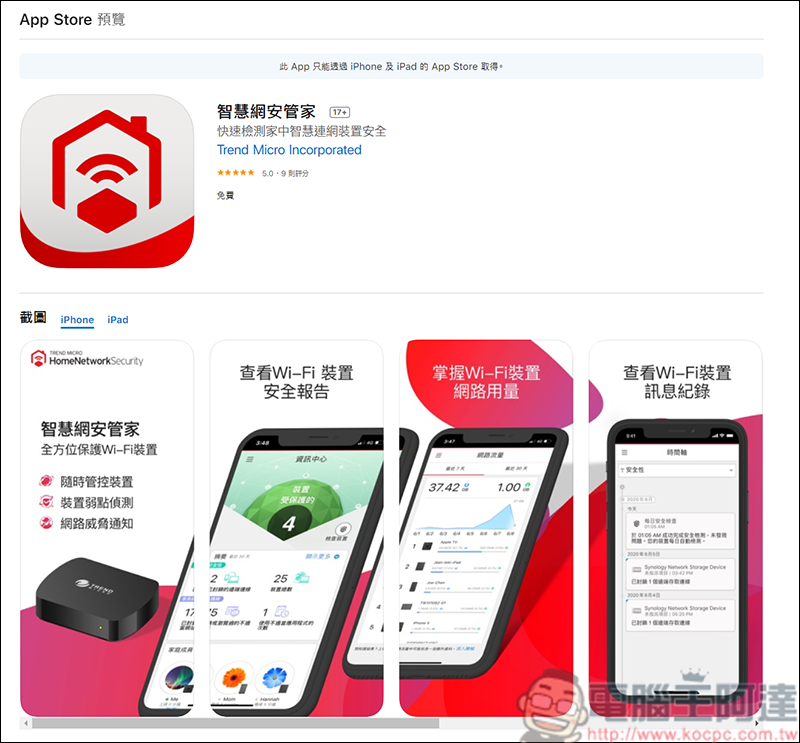
After entering the APP, follow the instructions to set up:
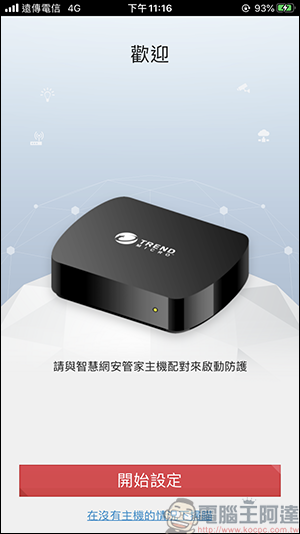
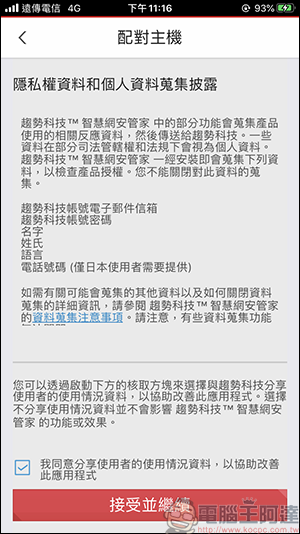
RememberSmart Internet Security ManagerIt has been installed on the Wifi machine and the green light is on before you can continue to use it.Smart Internet Security ManagerThere is a pairing code inside the box, which needs to be entered to continue:
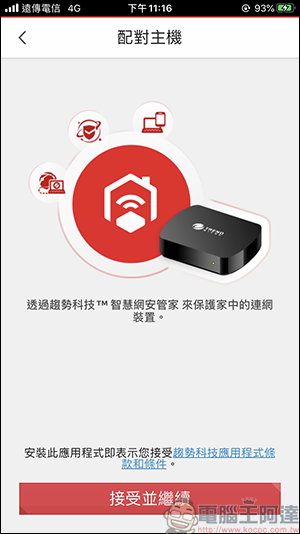
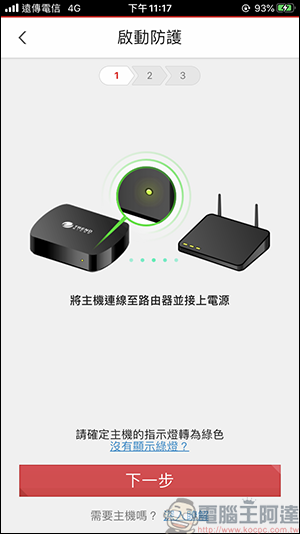
After entering the pairing code, if you do not have an account, you need to apply for one. After deleting the APP in the future, you only need to log in with the original account:
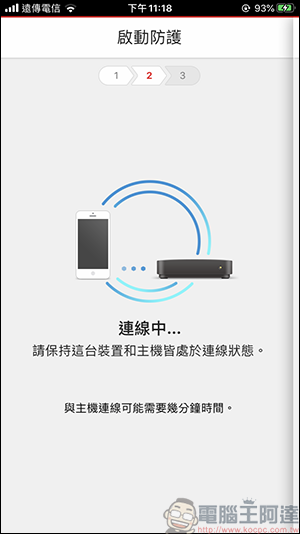
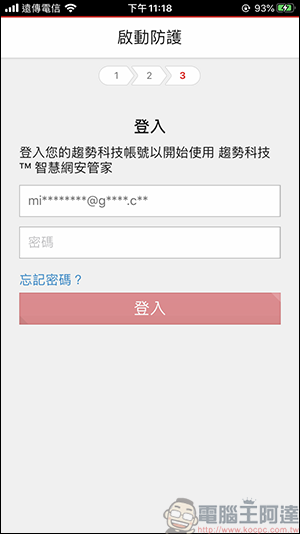
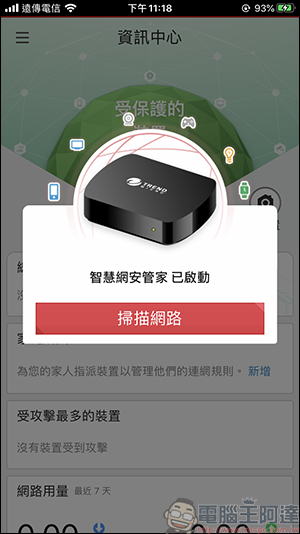
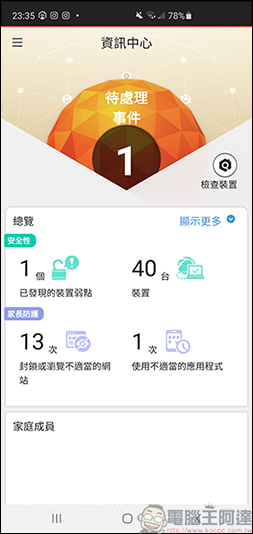
After setting up, you will enter the main screen. Press Scan Network and all the products connected to Wifi in your home will be listed. At the same time, the problematic device will also be displayed:
Introduction to protected APP
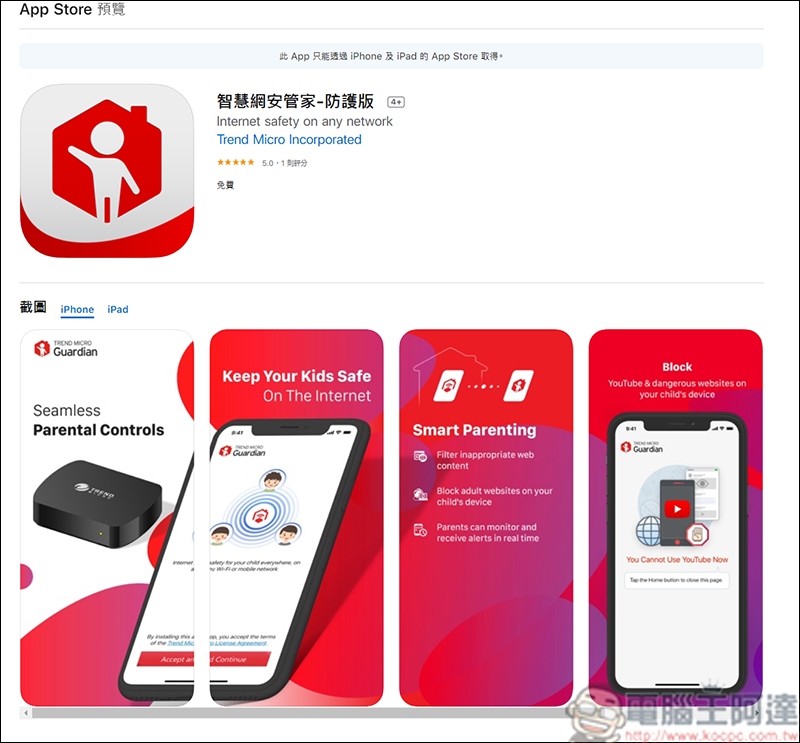
If the child’s mobile phone will be used online outside, the Smart Internet Security Manager – Protective Edition must be installed on the mobile phone.iOS/android), which can perform website filtering and time period management functions:
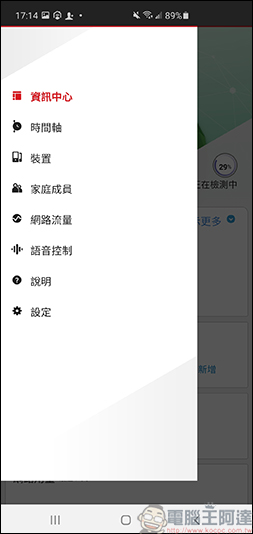
First, go back to the Smart Network Security Manager. After entering the menu, click [Device] and you will see all the devices currently connected to the network:
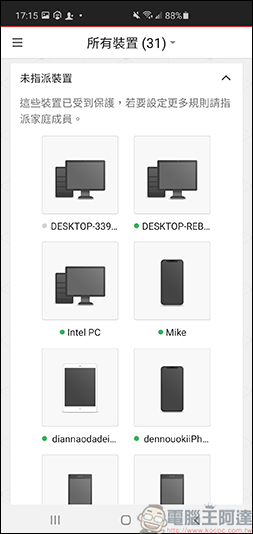
After finding the mobile phone you want to set up, first select a user as the owner. You can customize the name and picture, which will make it easier to find the device in the future:
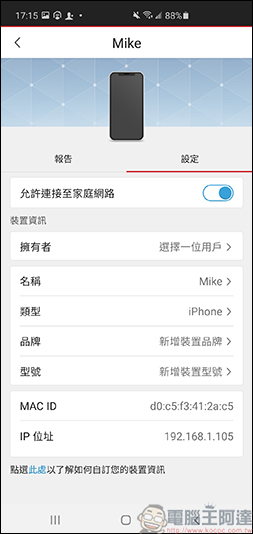
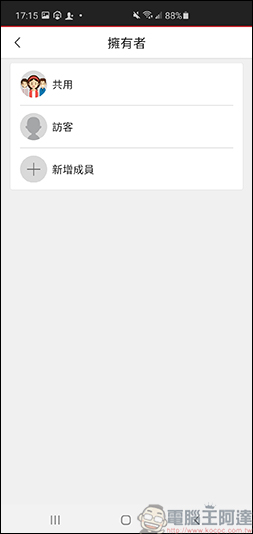
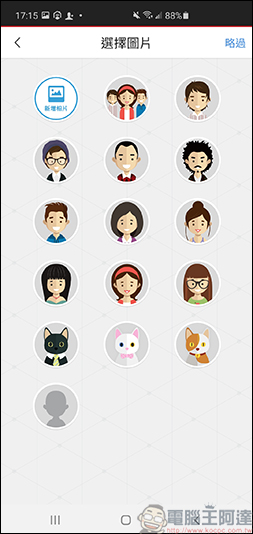
After setting up, click on the option of Smart Internet Security Manager – Protective Edition, and the settings and codes that need to be entered on another device will appear:
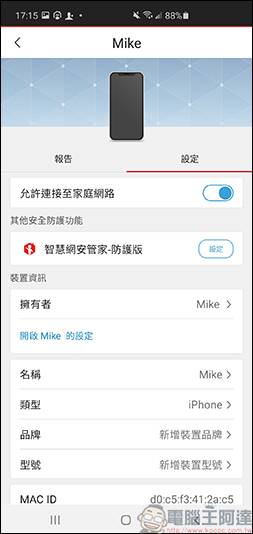
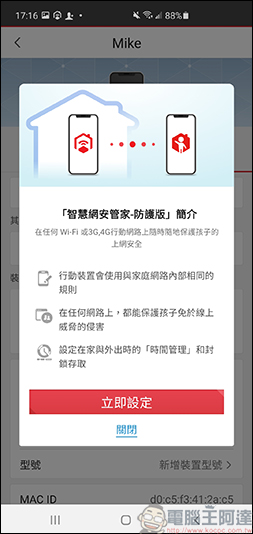
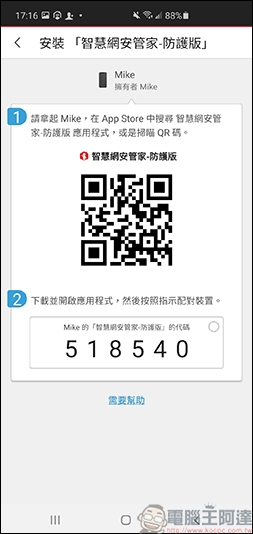
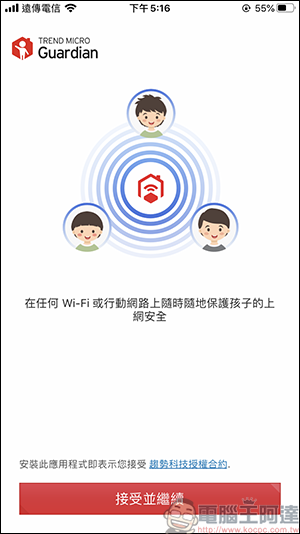
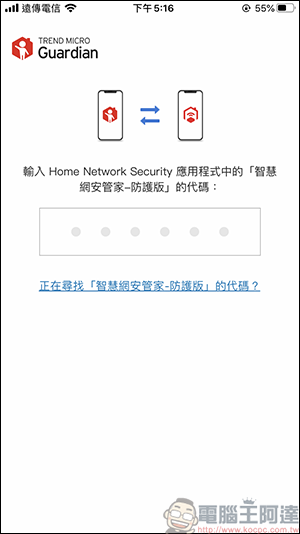
Then open the Smart Internet Security Manager-Protective Edition to set up and enter the code.Smart Internet Security ManagerThe above code will do:
iOS version
Since iOS and Android have different permissions, they are divided into two parts for everyone to see. No matter which platform, when performing connection settings, you must connect theSmart Internet Security ManagerOnly the same Wifi can be used. After entering the code, press Allow permission:
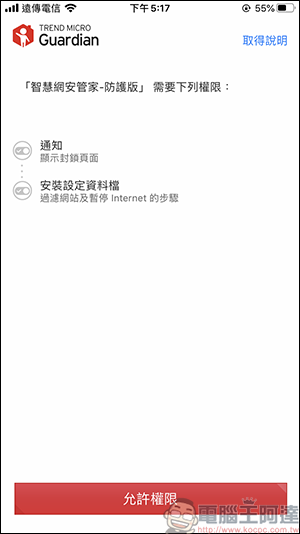
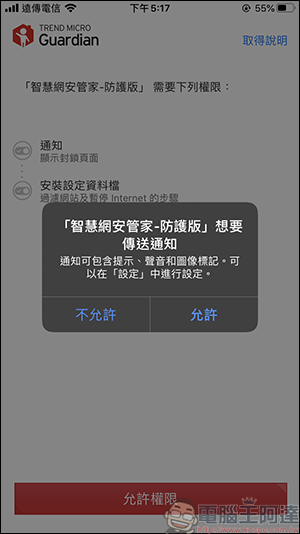
Then click Download Profile, and the profile will appear in the settings:
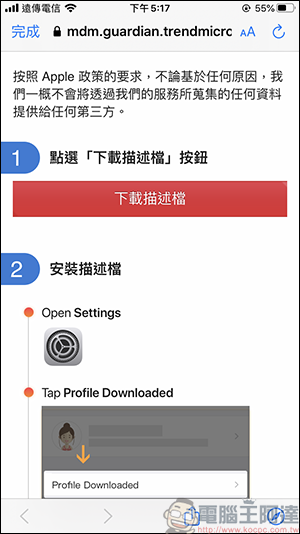
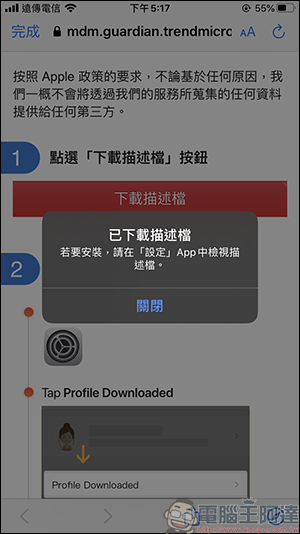
Go back to the iOS settings and you will see a downloaded description file. Click on it and click Install. At this point, the iOS installation is complete:
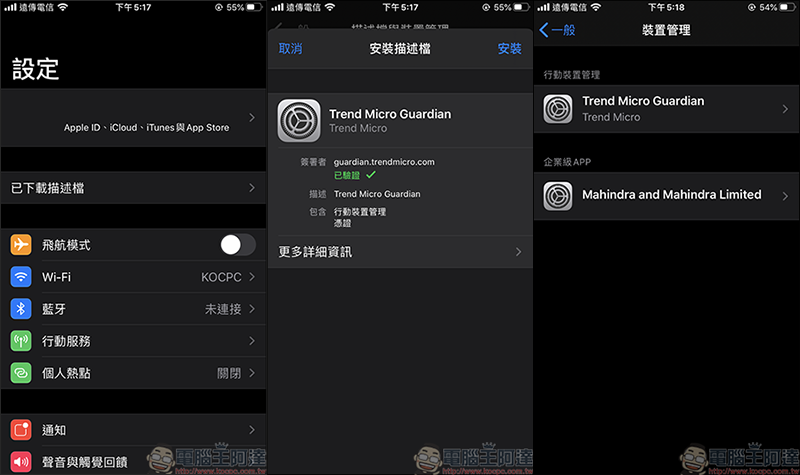
Android version
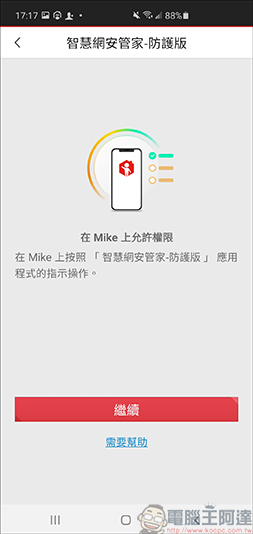
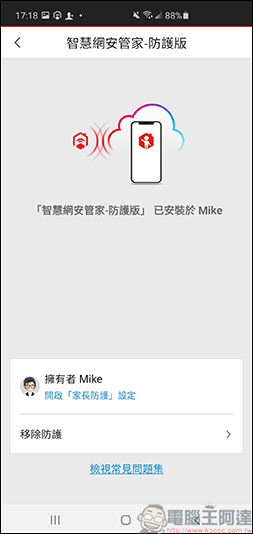
The settings for the Android version are a bit more cumbersome. After pressing Allow Permissions, click Smart Network Security Manager – Protective Edition and enable the service:
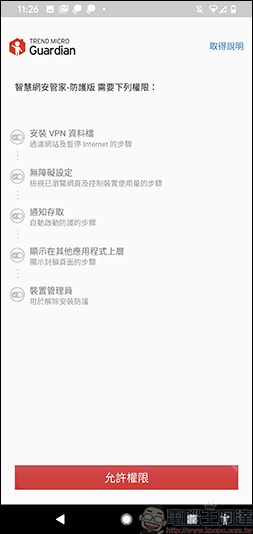
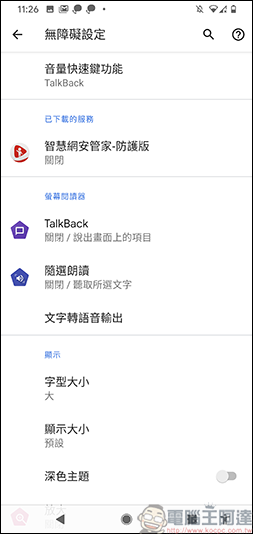
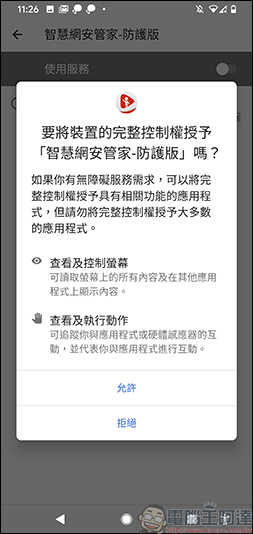
The system will then guide you through the operations one after another. All you need to do is agree and allow:
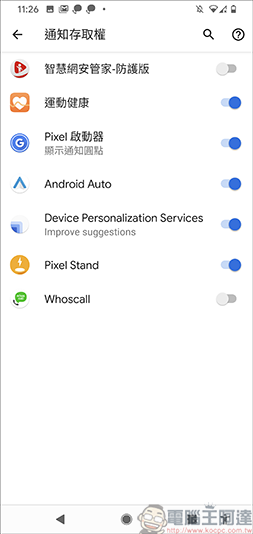
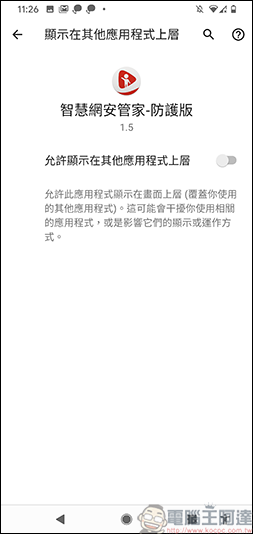
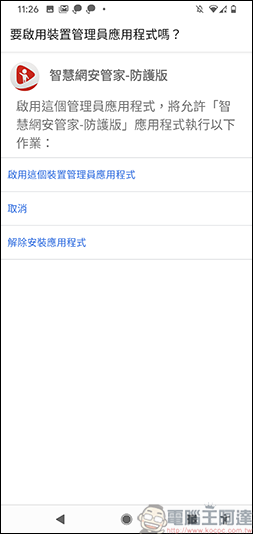
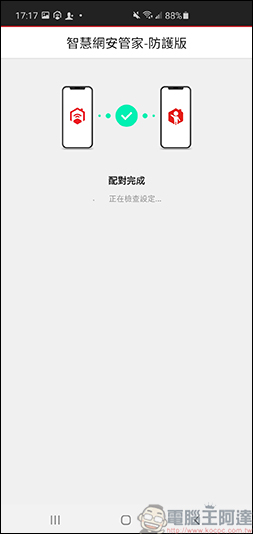
Both systems are the same. After allowing the application, return toSmart Internet Security Manager, a message that the installation was successful on other devices will appear:
Introduction to Smart Network Security Manager APP
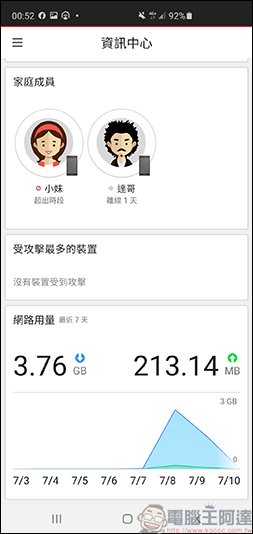
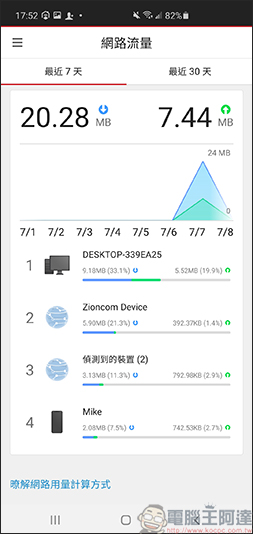
In the information center on the home page, you can see the number of devices currently connected to Wifi, including computers, mobile phones, smart home appliances, etc. You can check the security of the devices from time to time. If there are security issues, a notification will pop up. If there is a set group, group members will also appear here. You can see which members are currently online or offline. You can also directly pause the user’s network here, and also monitor the network usage in the past 7 days:
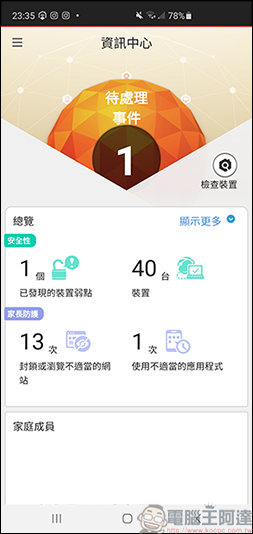
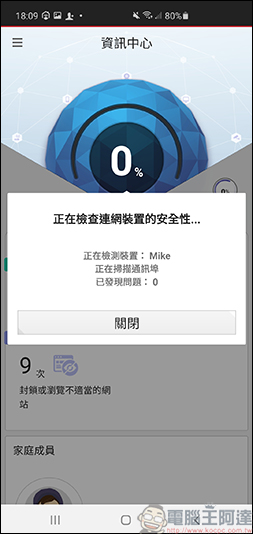
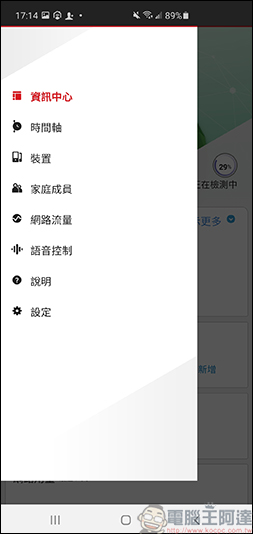
The upper left corner is the menu, where you can get notifications, set devices, family members, etc.:
Device protection
First, let’s start with an introduction to the most important device protection. After clicking in, you can see the devices connected to Wifi here, such as computers, mobile phones, smart home appliances, etc.:
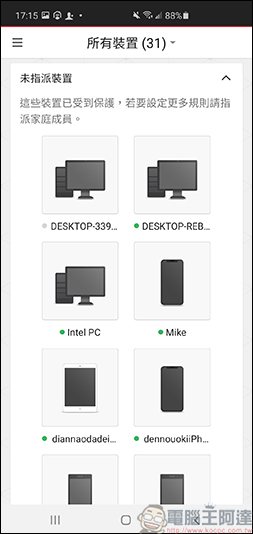
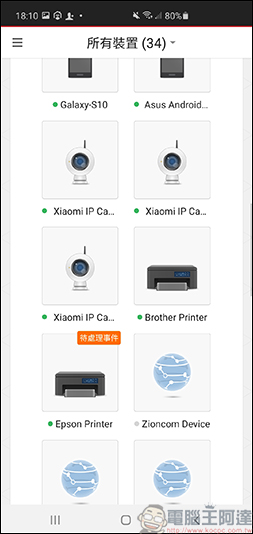
You can see different device information. If the device is found to have device vulnerabilities or is accessed remotely,cyber attack..etc., a notification will pop up:
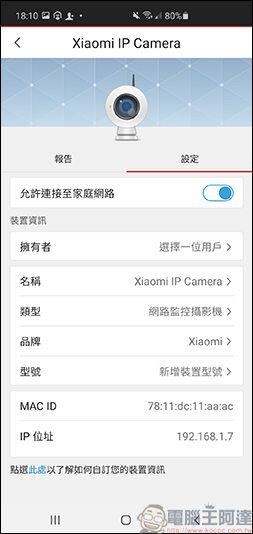
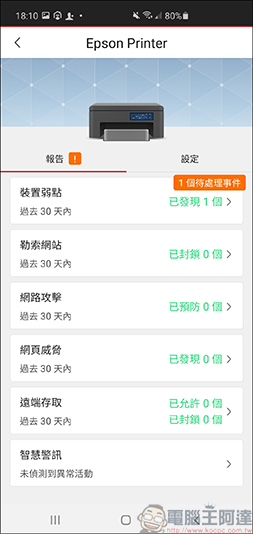
Click on the problematic device notification and it will also tell you what risks the device has, such asPrinters will encounter hackers directly attacking the network side., which makes you constantly photocopy documents, which is quite troublesome:
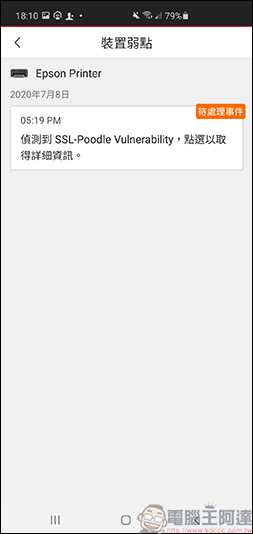
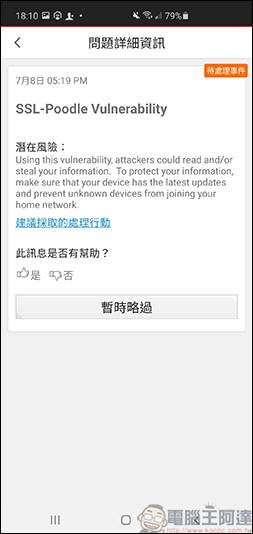
The security settings are extremely comprehensive and you are not afraid of hackers and external device intrusions.
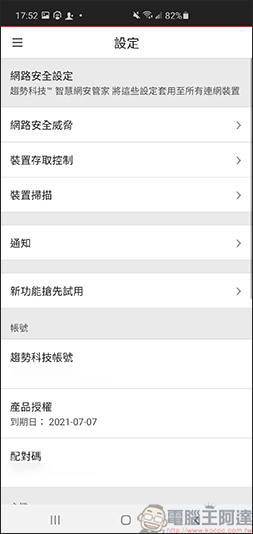
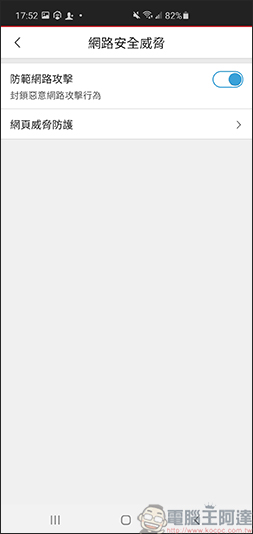
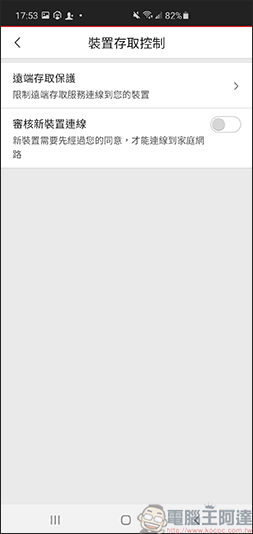
You can set the level of protection by yourself in the settings in the menu. Generally, it is recommended to turn on the settings to be safer. It is all left to you.Smart Internet Security ManagerCome and protect your internet security! Of course, if you are using remote operation, you can turn off the option; you can also turn on the verification of new device connections, so that everyone who wants to connect to your home Wifi needs to obtain permission before they can connect. You are not afraid of strangers stealing your home Wifi, which is quite safe!
Mobile phone network restriction settings to keep children away from sex and reduce the time they spend immersed in the Internet
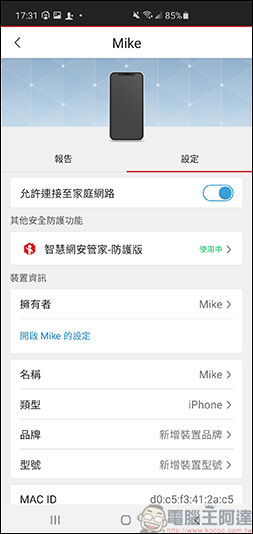
Next, let’s look at the settings of the mobile device. This is the child’s mobile phone we have just set. Click to open the (name) settings to control the Internet access permissions of the mobile phone:
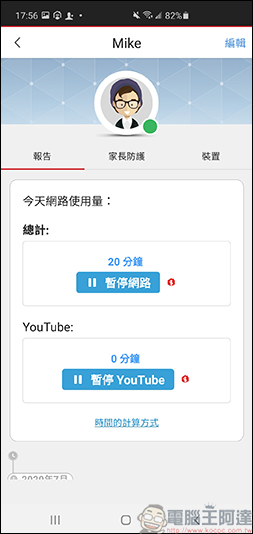
In order to prevent children from watching YouTube beyond the agreed time,Smart Internet Security ManagerWhen pressing the button on the host to pause Youtube, the Youtube APP and web pages cannot be viewed, and a reminder will pop up:
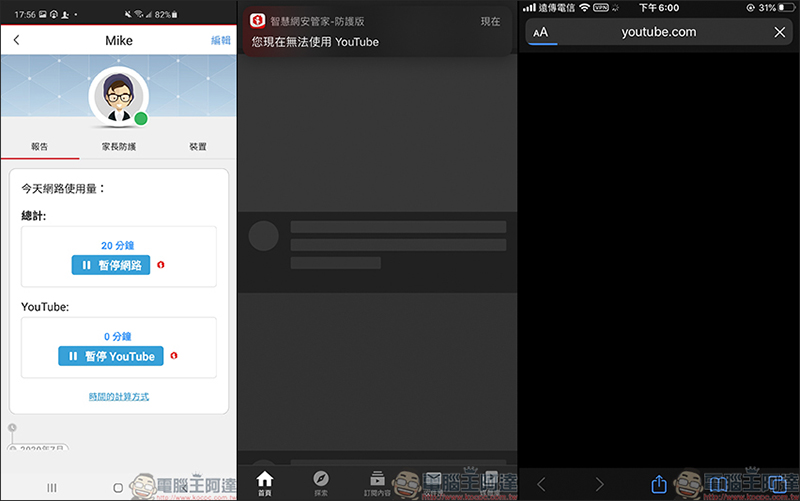
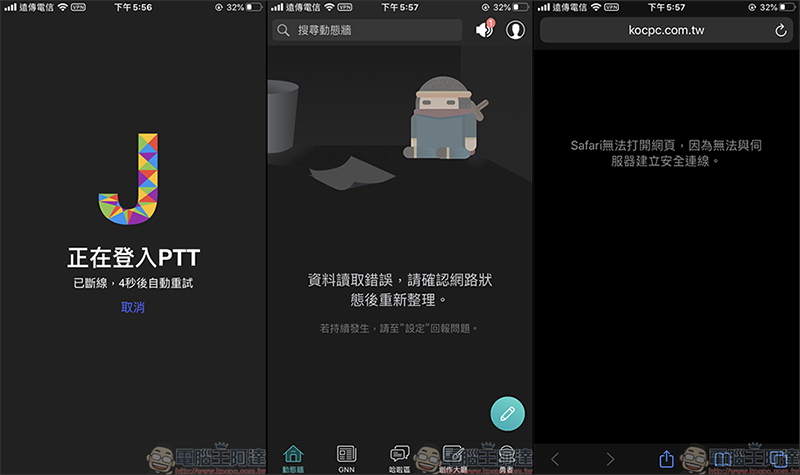
if inSmart Internet Security ManagerIf the host presses to pause the Internet, the protected mobile phone will not be able to access the Internet, making it easier to manage children’s Internet time.
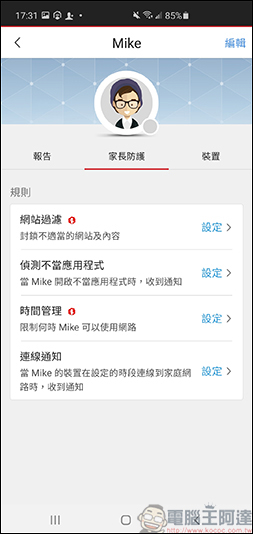
In addition to quickly disconnecting from the Internet, you can also set up website filtering, inappropriate applications, time management, connection notifications, etc. In the website filtering settings, you can set the child’s age. After setting, the system will automatically suggest filtering categories. You can also set which ones to block. In addition, when the child executes or searches for notifications with sensitive words, you can also set up immediate blocking and notification, so that you can more accurately understand the situation of your child’s Internet access:
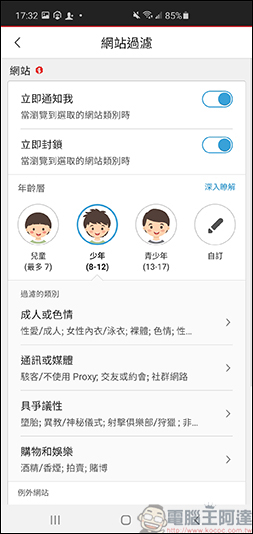
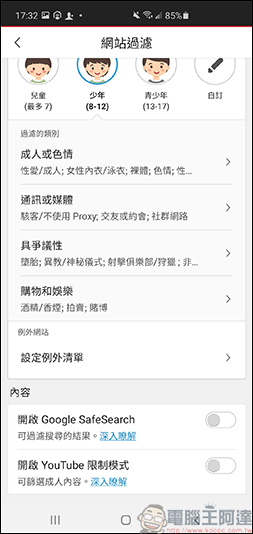
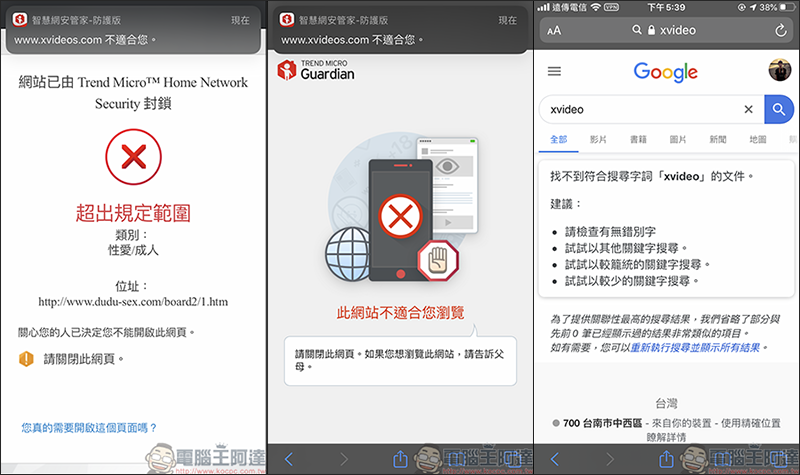
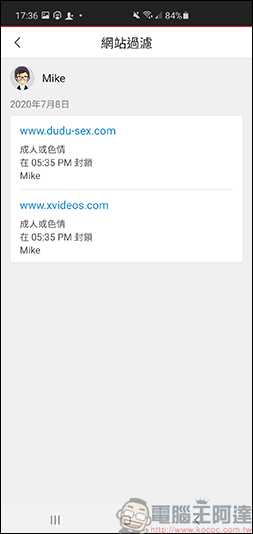
As long as a child’s mobile phone searches for sensitive words such as adults, pornography, etc., all web pages will be blocked, which is quite safe:
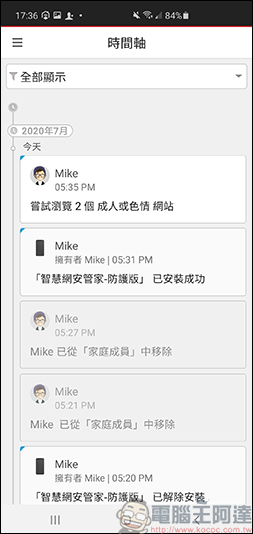
Notifications will also appear in the timeline of the menu. As long as you search for sensitive words or execute related APPs, you will be notified immediately:
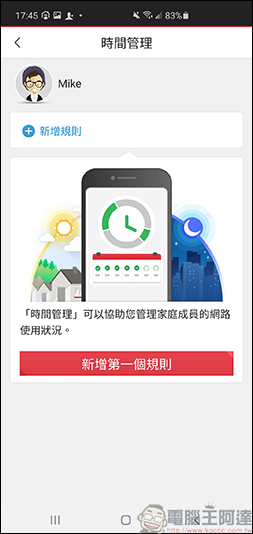
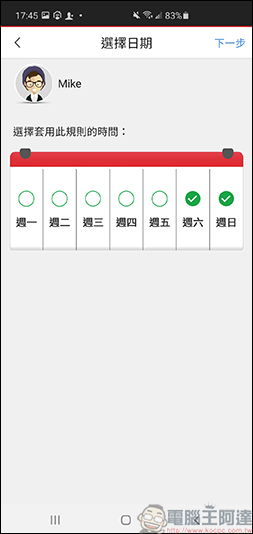
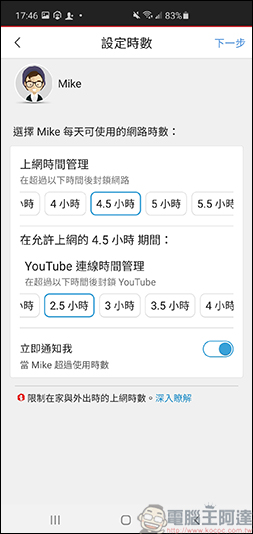
If you want to manage your child’s Internet time, just set [Time Management]. You can set which days are open to use the Internet. You can also set the Internet time and Youtube viewing time. As long as the specified time is exceeded, the Internet will be automatically blocked. If the child tries to continue surfing the Internet beyond the usage time, the host will receive a notification:
But the most important thing is that after parents understand their children’s Internet access through Smart Internet Security Manager, they can communicate with their children in a timely manner and agree on Internet standards. This is the only way to cultivate good Internet habits in their children.
Notify immediately when you get home, so you can keep track of your child’s whereabouts and safety at any time
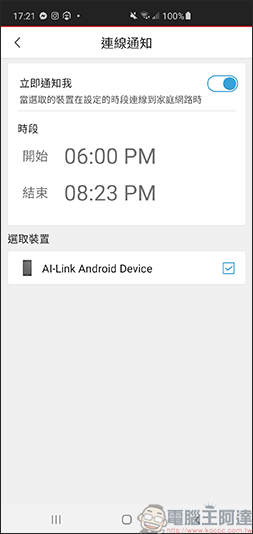
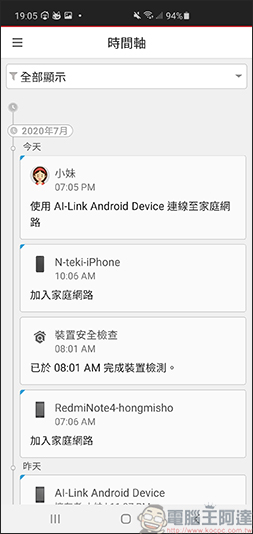
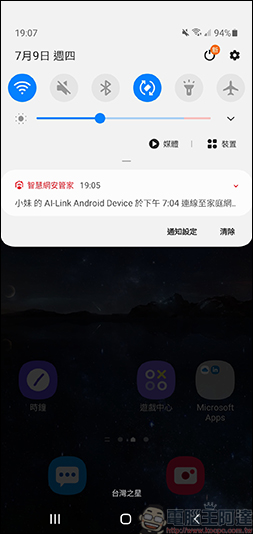
Sometimes you have to work overtime and are unable to pick up your children, and you let the children go home on their own but are not sure whether they are actually home. At this time, you only need to set the connection notification. Within the specified time, as soon as the child returns home and connects to the home Wifi, a notification that the device has been connected will pop up. In this way, you can know the time when the child comes home:
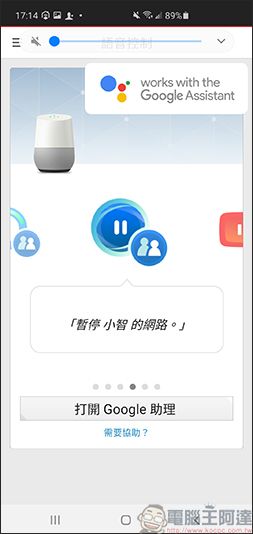
Smart Internet Security ManagerIt also supports the function of voice assistant, which can be used to quickly turn off the Internet or turn on functions:
You can also view the network usage of each device through the Smart Network Security Manager:
Smart Internet Security Manager usage experience
Trend Micro’s latestSmart Internet Security Manager, to be honest, it’s quite easy to use! InstallSmart Internet Security ManagerFinally, you don’t have to worry about home network security issues. From mobile phones to smart home appliances, everything is well protected and you are not afraid of hacker attacks! Just connect your home network to the Wifi machine, and then letSmart Internet Security ManagerThe APP is used for management, and one can handle the protection and management of multiple devices. And the installation is quite simple. Just turn on the power cord, turn on the network cable, plug it into the Wi-Fi machine at home, and then download the APP from the mobile phone for control. There is no need for any annoying network settings or firewall settings.Smart Internet Security ManagerIt’s that simple to protect the security of smart devices in your home. ! Of course, because computers and mobile phones often need to connect to external Wi-Fi or mobile networks, or often use e-mail or USB to transfer files, they still need to install anti-virus software to protect them.
This oneSmart Internet Security ManagerThe main controls are all operated by the mobile phone APP, and the installationSmart Internet Security ManagerAfter using the APP, it will automatically scan all the devices connected to Wi-Fi in your home, such as computers, mobile phones, IoT devices, etc., and automatically help you block malicious websites, diagnose security, and provide remote access protection. Simply put, it is a machine that provides anti-virus protection for network devices in your home, and the range of protected devices is more powerful! In addition to the protected devices, other smart devices other than computers are also included in the protection, making the protection network more comprehensive, which is something that ordinary anti-virus software cannot do.
certainly!Smart Internet Security ManagerIt is also a good helper for parents in raising children. You only need to install Smart Internet Security Manager-Protective Edition on your child’s mobile phone, and you can easily monitor your child’s use of the Internet. It will notify you when your child comes home, and the network will be automatically locked as soon as the time is up, preventing the child from continuing to surf the Internet. It can also block some sensitive words and content that the child searches for, so that your child can stay away from pornographic content. Only by effectively controlling your child’s online time and content management can your child get rid of the symptoms of Internet addiction! It also allows parents to understand their children’s Internet usage and assists in communication and education with their children.
Smart Internet Security ManagerI also think the cost is a big selling point. The host plus service fee is only $2690 in the first year, and the renewal service fee in the next year is only $1490;Smart Internet Security ManagerThe biggest difference is that it can not only protect the security of all smart devices in the home, but also control the network usage of all connected devices, including computers, mobile phones, IoT devices, etc. It is quite cost-effective! In addition, you can download it nowSmart Internet Security ManagerApp, provideHelp you detect the number of connected devices in your home for free and check whether the devices have weaknesses or password security issues, if you think it works well, you can buy it later.Smart Internet Security ManagerThe host can have the super protection function we introduced today!
Source: KOCPC Chinese