


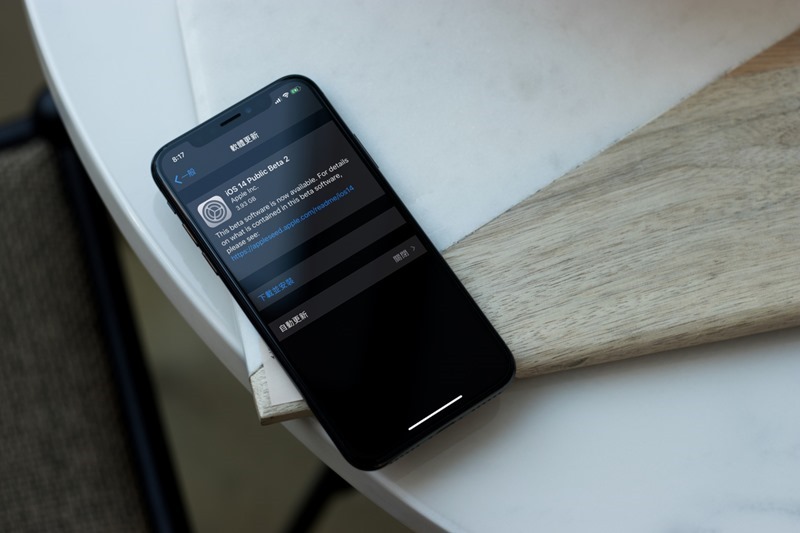
iOS 14、iPadOS 14 It has been more than half a month since its launch. Although there is a developer preview version that can be played first, it is not a public beta version for the general public and the stability will be relatively poor. Therefore, many people should be waiting for the launch of the public beta version. Just earlier, the iOS 14 and iPadOS Public versions were finally officially launched, and they were directly in Beta 2. Now you only need to download the description file from the official website to experience it first. I will teach you below.
What should you pay attention to before upgrading to iOS 14 or iPadOS 14?
First of all, although the iOS 14 and iPadOS 14 launched this time are public beta versions, they are still “tests”, so there are still some bugs, and even some Apps are not well supported. Therefore, if iPhone or iPad is your work device, it is better and safer to wait until the official version is released before upgrading.
For those who really want to be the first to experience it, remember to back up your data before upgrading. You can use iCloud, iTunes or other backup software or cloud space. This way, if any situation occurs suddenly (for example: you want to downgrade back to the original version), you will have a way to remedy it.
How to upgrade to iOS 14 and iPadOS 14 Public beta versions
The upgrade methods for the Public test version of iOS 14 and iPadOS are the same, so I will use iOS 14 as an example below.
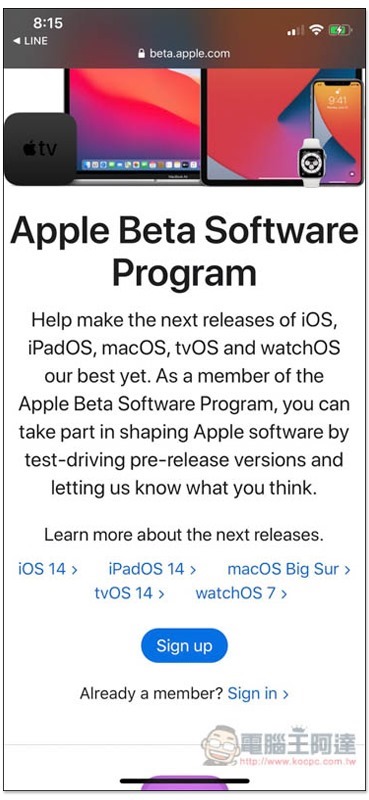
Enter first Apple Beta Program Page, then click the Sign in function below to log in to your Apple ID account:
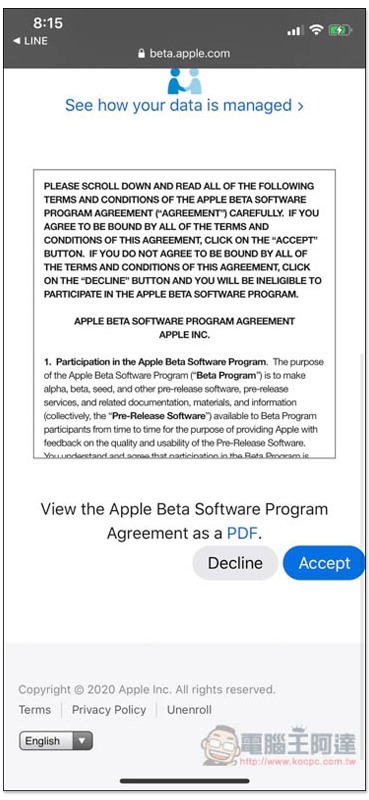
Click Accept to agree to the terms:
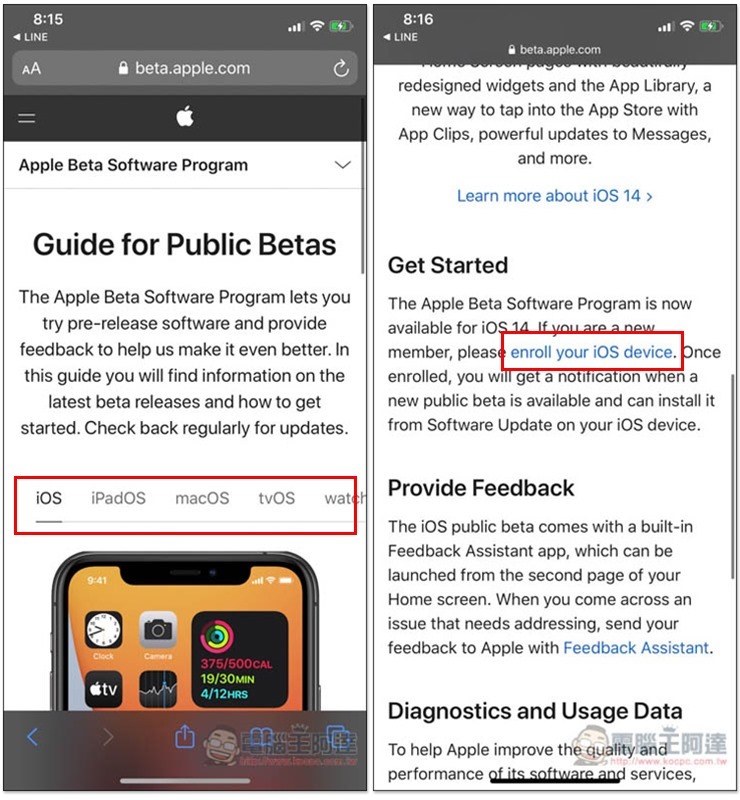
Select the system of your device above. For iOS, scroll down the Get Started section and you will see the words enroll your iOS device. Please click on it:
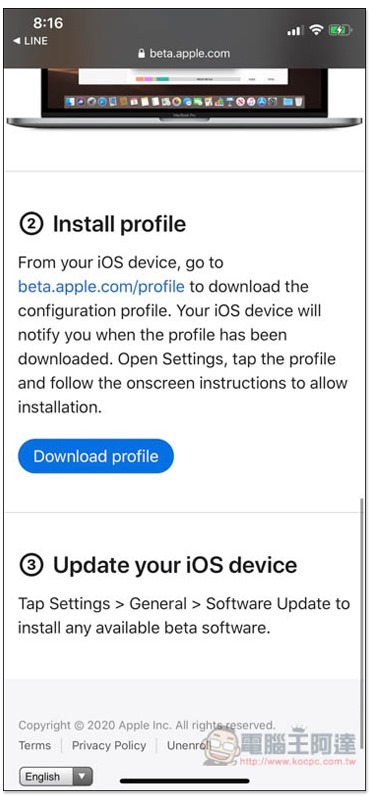
You can see the function of downloading profile on the next page, click Download profile;
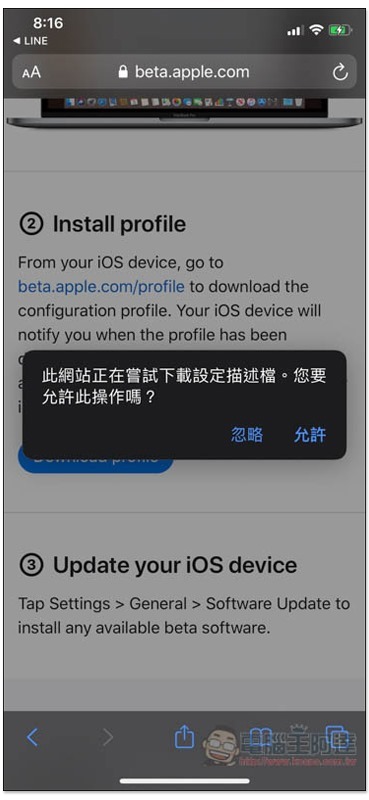
Select “Allow”:
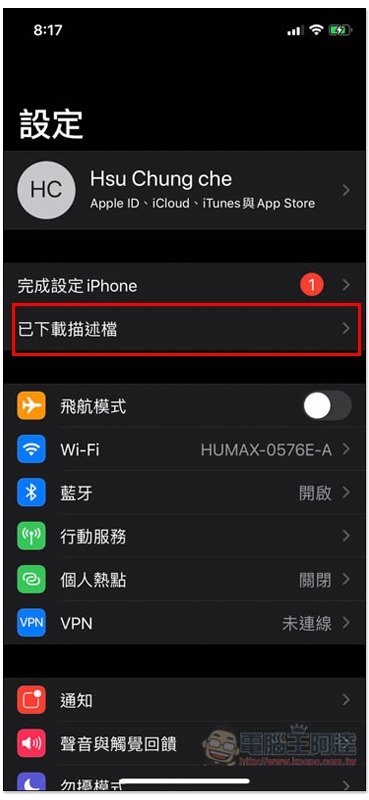
After downloading, open the settings and click on the downloaded description file above:
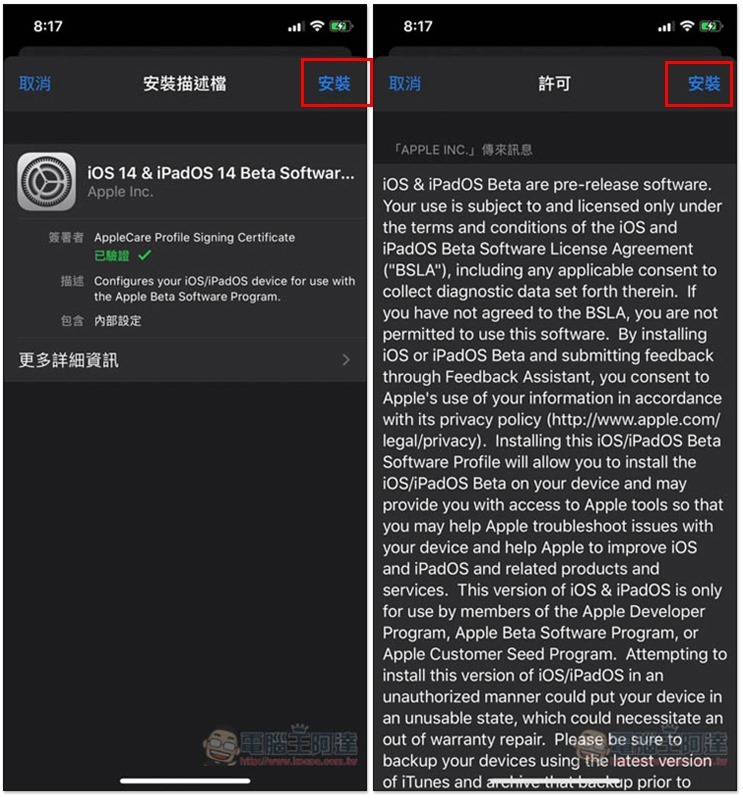
Press the upper right corner twice to install:
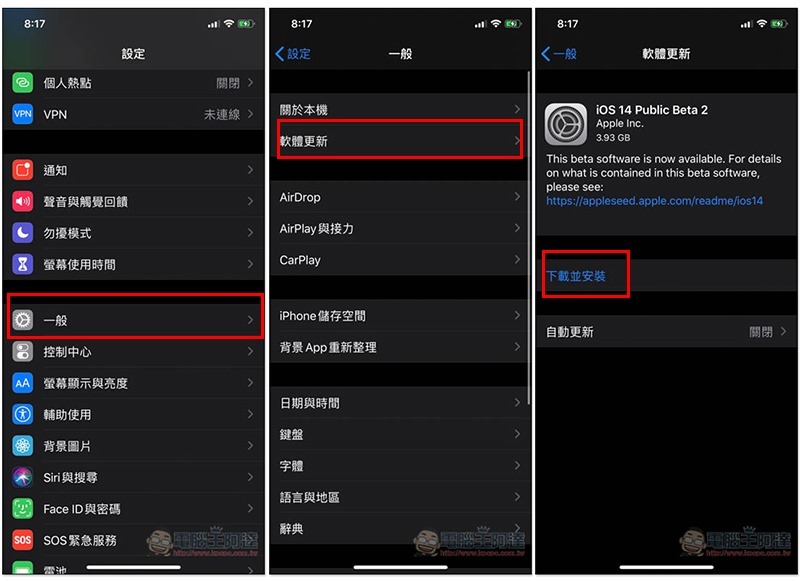
After installing the description file, go to Software Update and you will see iOS 14 Public Beta 2. Click to download and install. General –> Software Update:
Supplementary information
Source: KOCPC Chinese