


Some people may think that Windows itself has the function of removing software and applications, so why use a third party? If you are like me and often test new software, install it and then remove it, you should also feel that the built-in removal function is not very useful. Not only does it sometimes crash suddenly, but I have also encountered situations where it cannot be removed (a certain file is lost, etc.). This free UninstallView removal tool is very good. The installation-free file is small and easy to operate. It also supports removing multiple sets of software at one time (this feature is very good). The installed software also has detailed descriptions, such as: installation time, location, version, etc., which means that it can also be used to query this type of information.
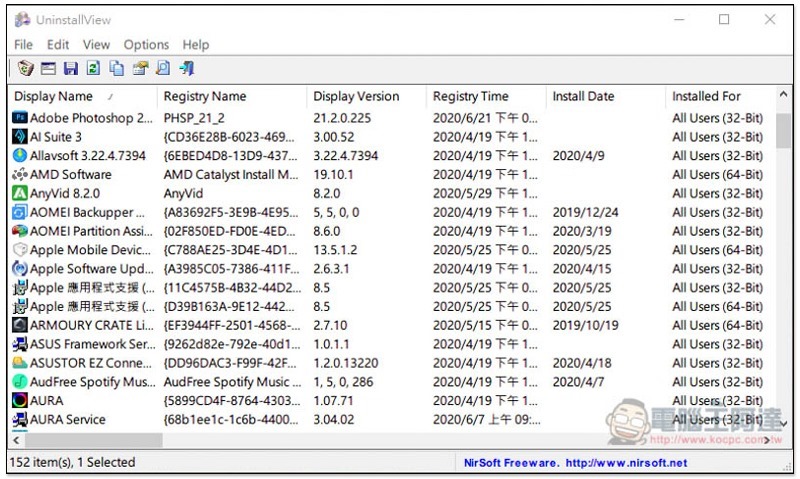
Introduction to UninstallView
This UninstallView is launched by the NirSoft website and supports Windows XP, Windows 7, Windows 8 and Windows 10 32-bit and 64-bit operating systems.Click here to go to the official download page, scroll down to find the loadpoint for 32 or 64-bit.
When you open it for the first time, it will take a few seconds to scan the installed software on your computer. The length depends on how many software you have installed. It is basically very fast. For me, it took less than 10 seconds to complete more than 30 packages:
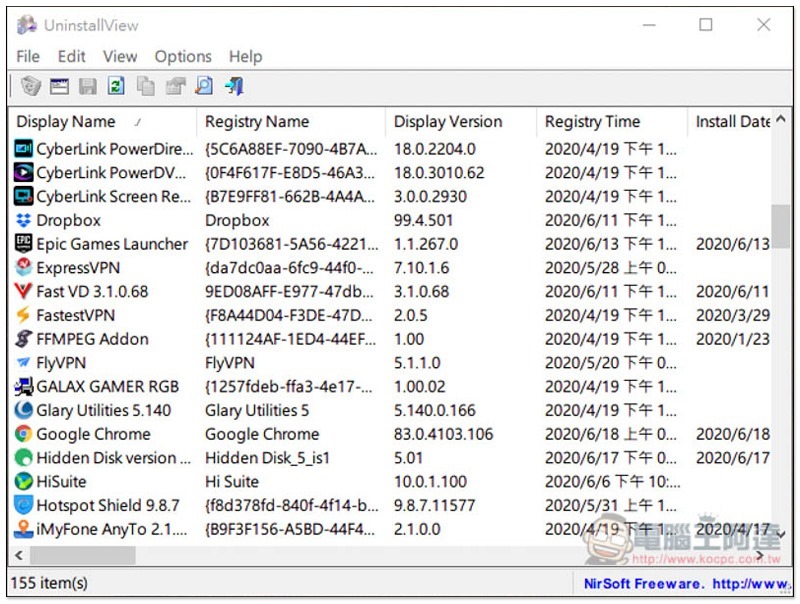
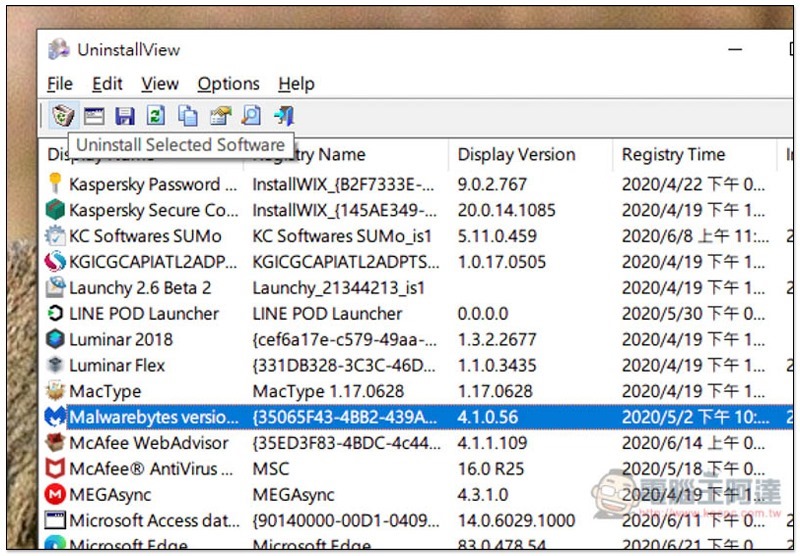
After finding the software you want to remove, click the trash can icon in the upper left corner to activate the removal process:
If you want to remove multiple sets of software at one time, please open the Options menu above and check Allow Uninstall Of Multiple Items:
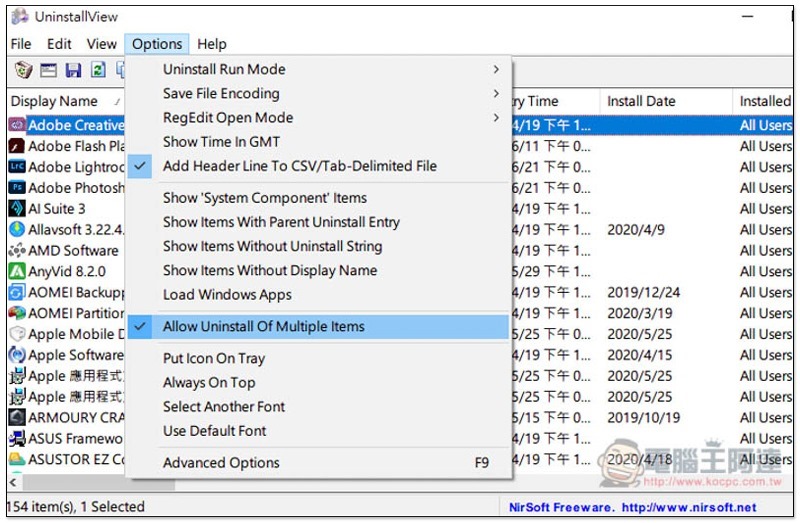
Then you can select multiple sets of software and execute the removal process at once, which is also a feature that Windows does not provide built-in:
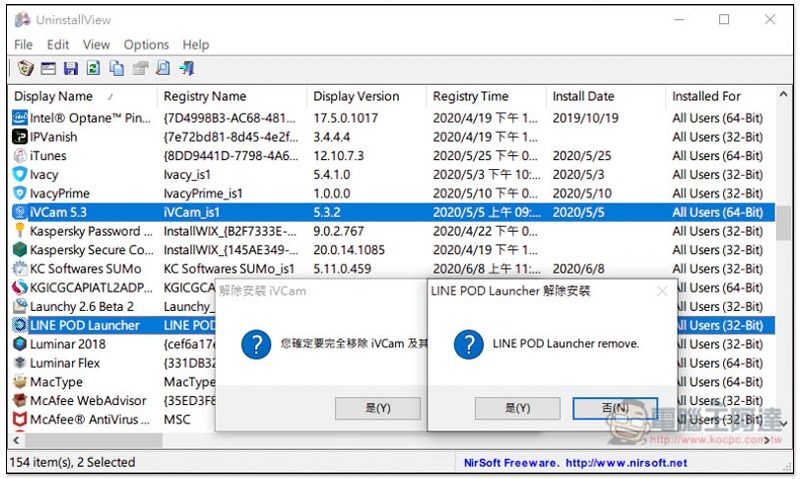
Each set of software has detailed information, such as: which users this set is installed for, installation location, installation time, software version, installation source, and even Registry Key:
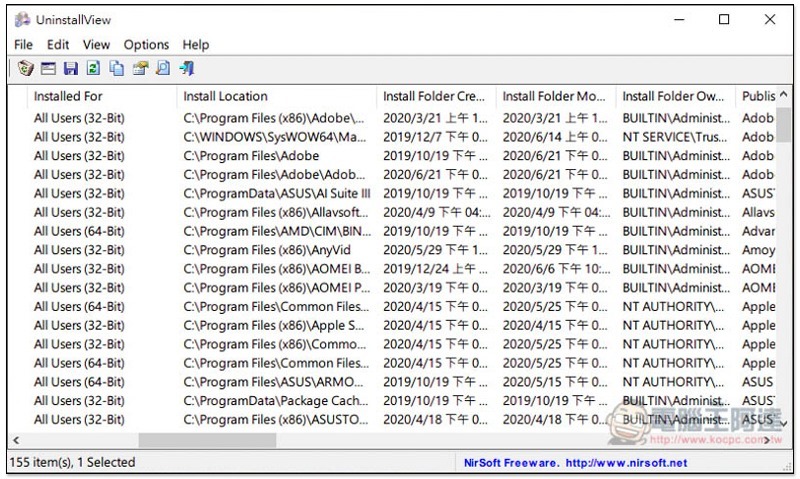
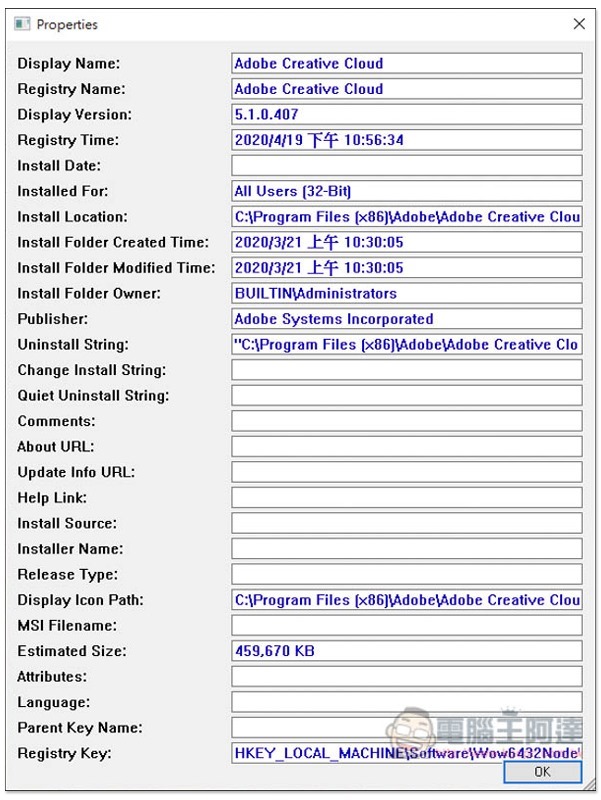
Open the Properties window to quickly see them all:
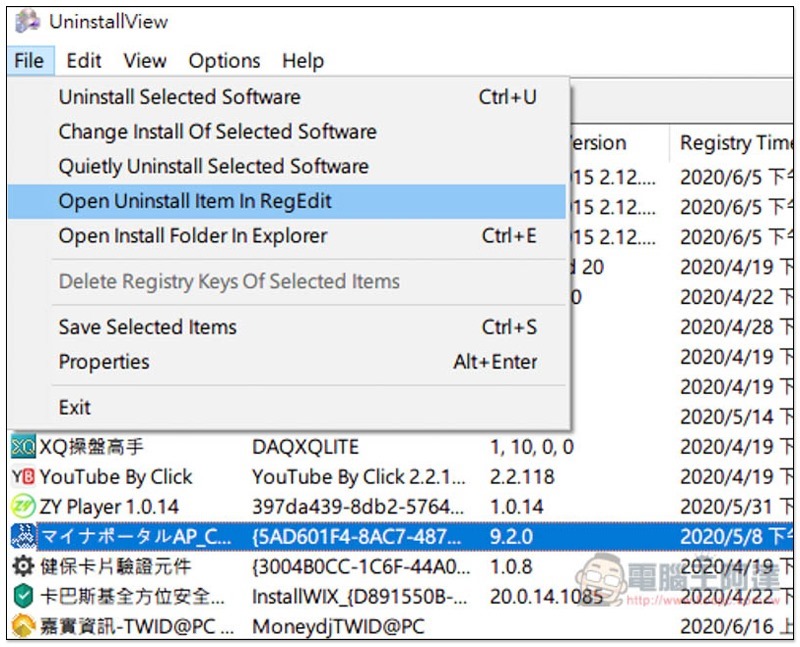
You can also quickly open the login editing program (RegEdit) of each software, which is very convenient:
Supplementary information
- Software name: UninstallView
- Nature: Free
- Official website download point:Click here to go
Source: KOCPC Chinese