


Relax Melodie is a free white noise app that I recently discovered that is quite powerful. It has sounds suitable for relaxation, meditation, concentration, and even improving the quality of sleep. There are more than 100 songs to choose from. Click to start playing. What’s more special is that it also has a so-called brain wave mode, which will play a sound of a special frequency according to your needs to improve performance. This one has Mac, iOS, Android and web versions. I will introduce the Mac version below.
Introduction to Relax Melodie
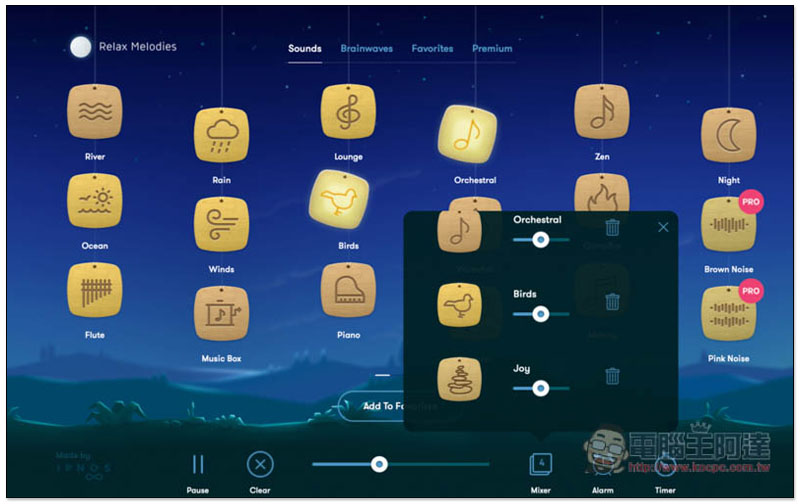
Relax Melodie is available on the App Store and can be downloaded and installed directly there. Although it is a free download, there are in-app purchases. It says Pro in the upper right corner and is exclusive to the paid version. However, there are many options for the free version. Each sound has its own brand, such as: river, ocean, rain, wind, music box, bird song, piano, waterfall, lightning, mood, night, etc. There are various sounds, and they will start playing after you click them. Below is the overall volume adjustment lever:

Each sound can also be adjusted individually:
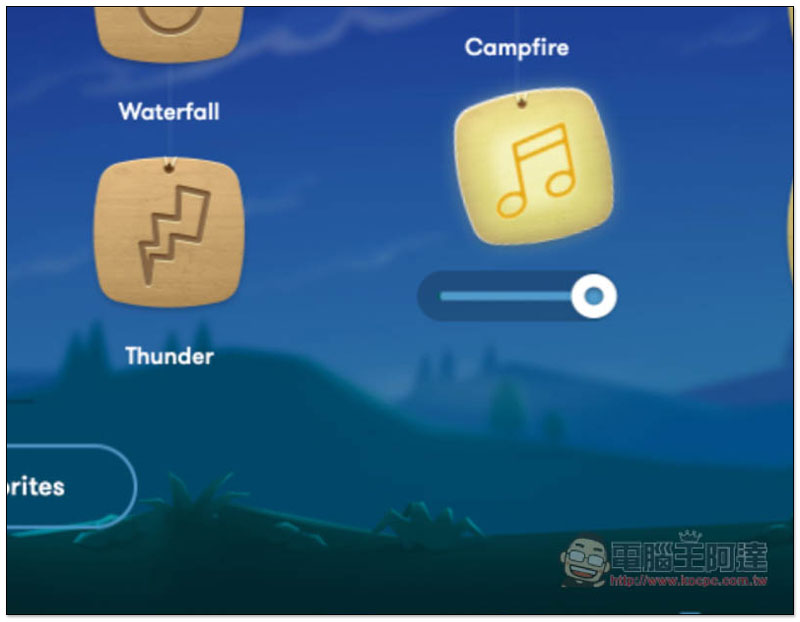
You can switch the sound page by scrolling with the mouse. There are many pages, and the total number is more than 100 sounds. Although the second half is mainly PRO sounds, there are still many free ones:

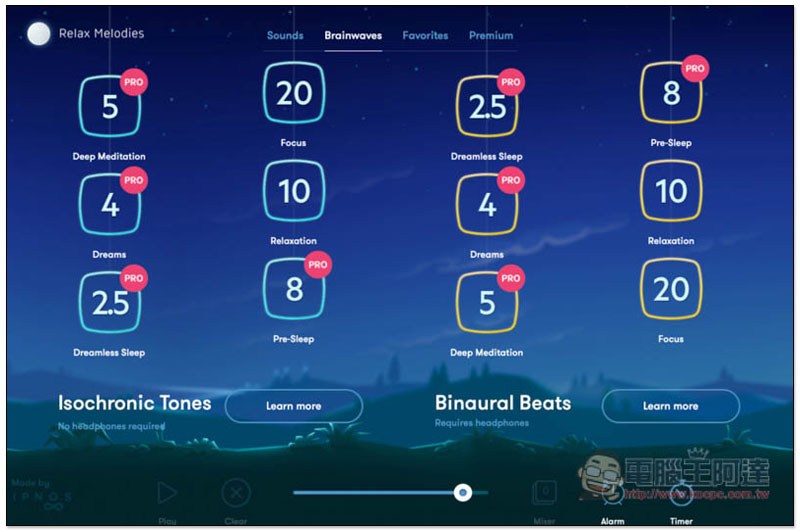
In addition to sound, this model also provides Brainwaves mode, which will play specific frequencies to enhance the state you want. For example: if you want to be more focused, click 20; if you want to relax, click 10. The difference between blue and yellow seems to be that the yellow sound is louder, and the blue sound is very weak.
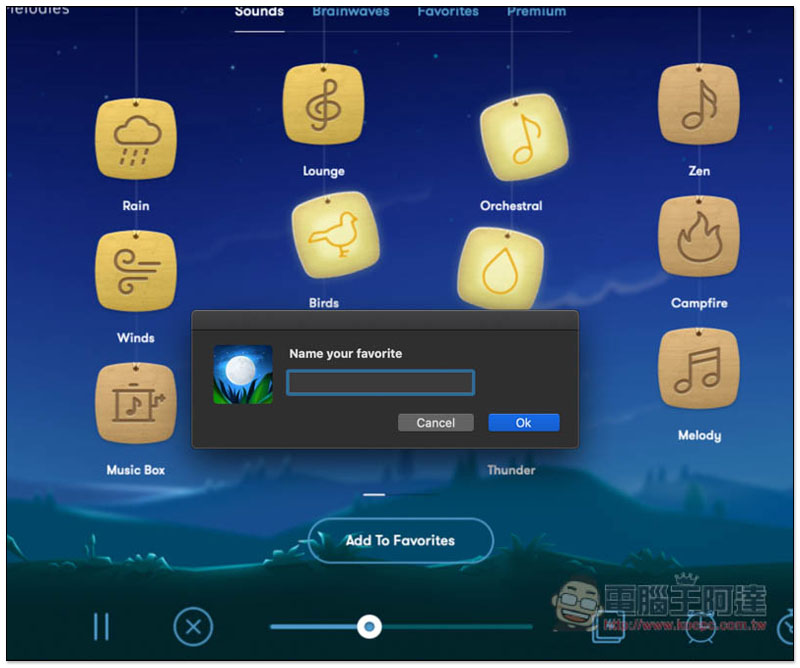
If you like a sound combination, you can add it to your favorites for quick listening in the future:
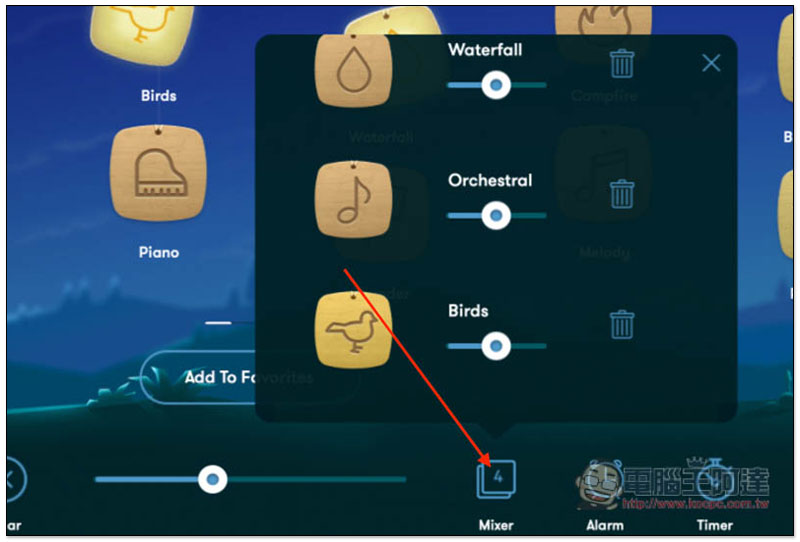
Open the Mixer menu in the lower right corner to quickly adjust all the sounds that have been clicked to play, such as adjusting the sound size and deleting (trash can):
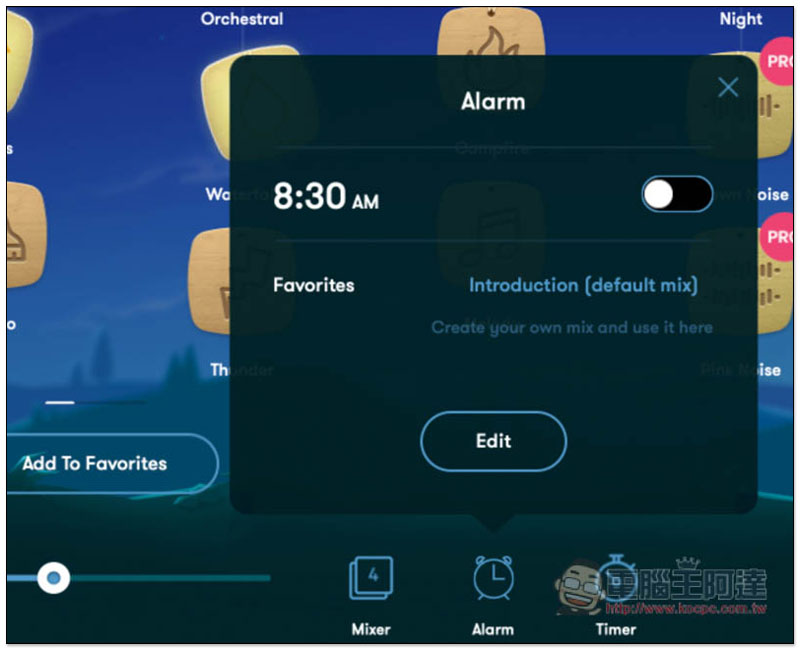
It also supports the alarm clock function. If you use it to rest or relax during work, you can set an alarm clock reminder:
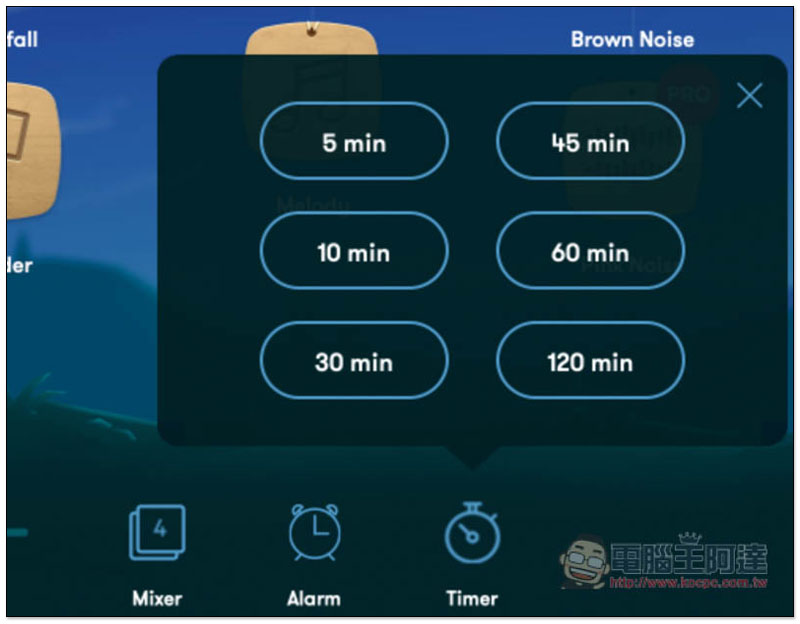
Or you can set a timer. There are 6 options: 5, 10, 30, 45, 60, and 120 minutes:
If you want to clear all currently selected sounds, just click Clear in the lower left corner.
Supplementary information
- App Name: Relax Melodie
- Nature: free, paid
- Mac App Store download page
Source: KOCPC Chinese