

• About Us
King of Computer Media
  • Home
  • Tech News
  • AI News
  • Apps & Tutorials
  • Mobile & Telecom
  • Lifestyle
  • About Us
No Result
View All Result
  • Home
  • Tech News
  • AI News
  • Apps & Tutorials
  • Mobile & Telecom
  • Lifestyle
  • About Us
No Result
View All Result
King of Computer Media
No Result
View All Result

Home - Computer Applications and Other Tutorials - In just a few simple steps, you can watch YouTube HDR videos

In just a few simple steps, you can watch YouTube HDR videos

Mike by Mike
June 6, 2020 - Updated on August 4, 2026
in Computer Applications and Other Tutorials

HDR (High Dynamic Range Imaging) has the characteristics of clear gradation of bright parts and easier visibility of dark parts, allowing you to see more light and dark details and rich colors. In fact, when using a computer, if there are no special needs, the HDR function is rarely turned on, because it only operates HDR for supported videos and games, so it is often ignored. It is quite simple to turn on the HDR function. 1. Use a DP1.2 or higher cable or use an HDMI 2.0 cable. 2. The screen supports the HDR function. If you meet the above conditions, you can easily enjoy the HDR function. For today’s demonstration, we will use YouTube, a video channel that is commonly watched by the public, as a test. First, find videos with HDR function on YouTube:
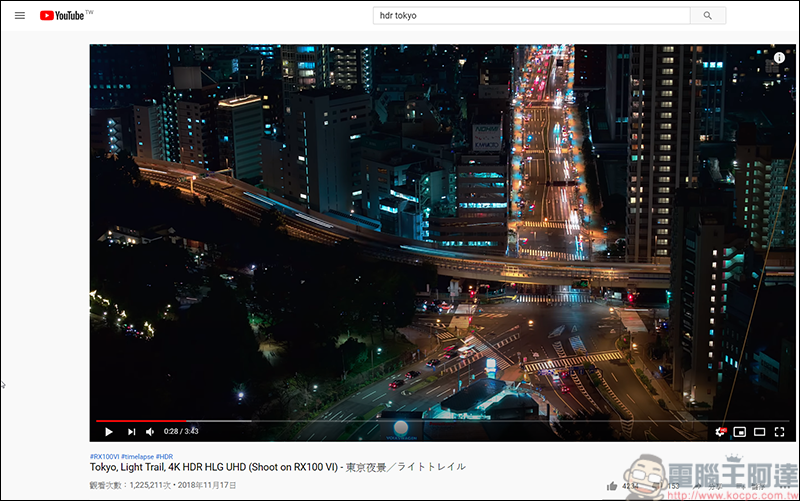
(HDR video sample URL)
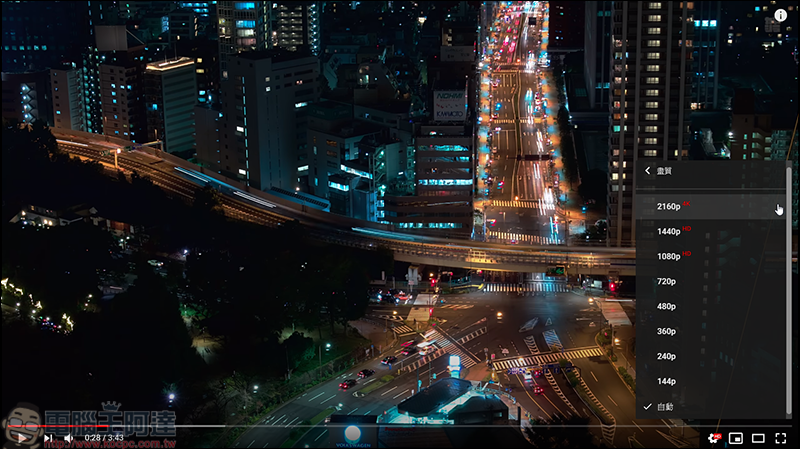
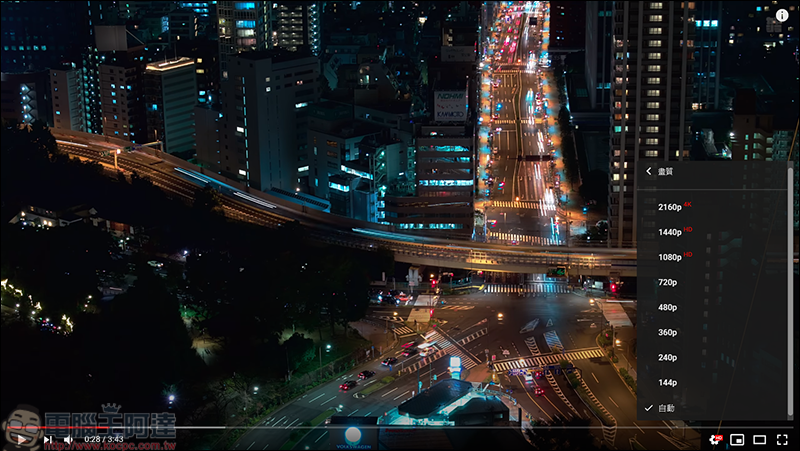
When HDR is not turned on, only the HD pattern will be displayed in the screen settings:

The actual shot looks like this. You can see that the black part is very dark and there is no sense of hierarchy between light and dark:
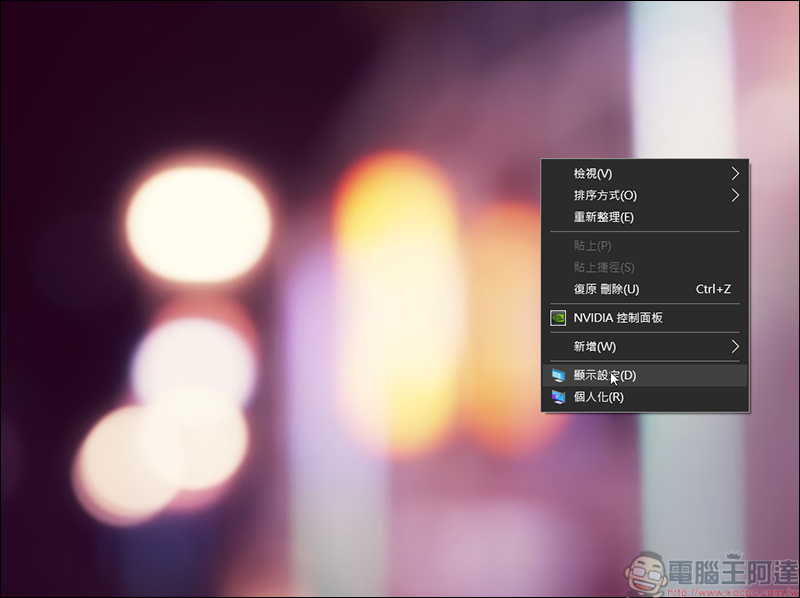
Then go back to the desktop and right-click → Display settings:
After entering the settings, you will find Windows HD Color, where you will open HDR games and applications:
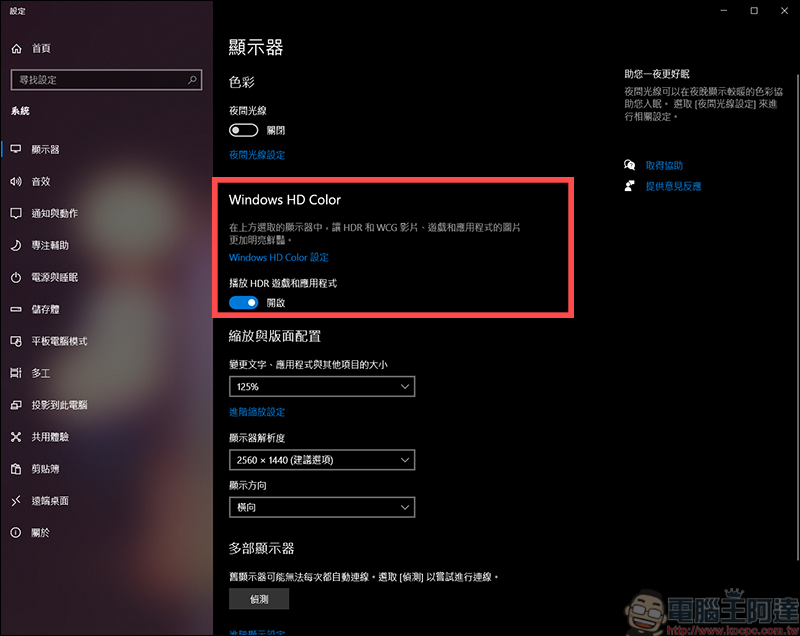
Then go back to YouTube and you will see that the original HD settings are still there. Don’t worry! Remember that the web page needs to be refreshed:
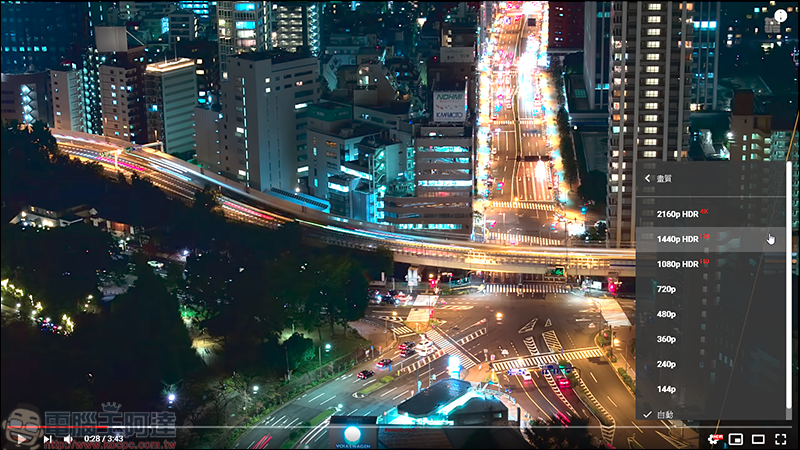
After reorganizing, you will find that in the image quality settings, there will be the word HDR behind the image quality above 1080p, and the colors will also become different:
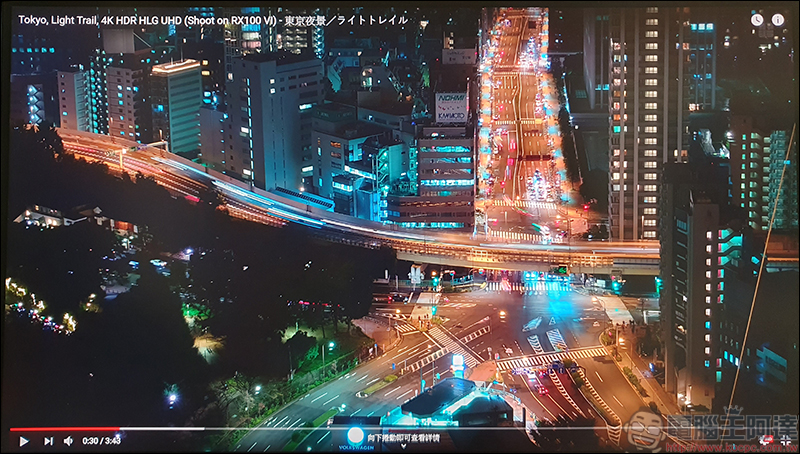
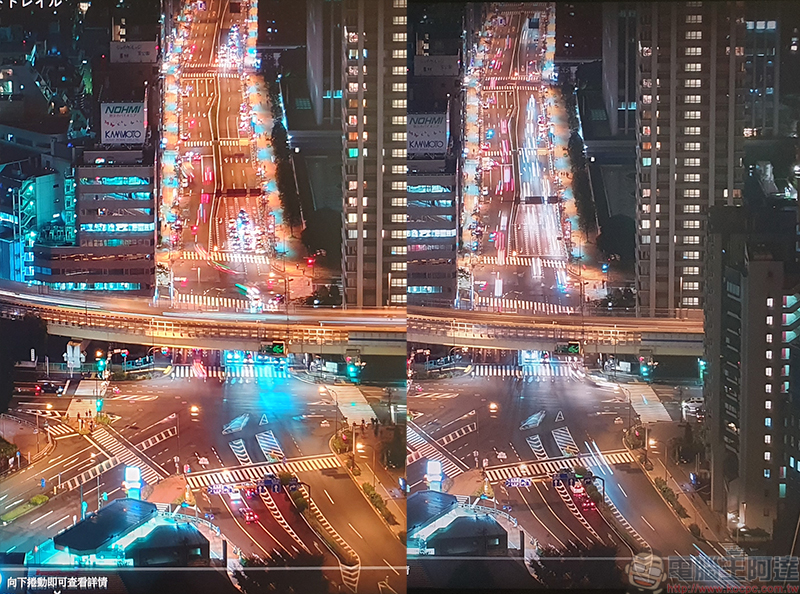
Through actual shooting, you can see that the originally dark areas are no longer so dark, and the details of light and dark are also clearer:
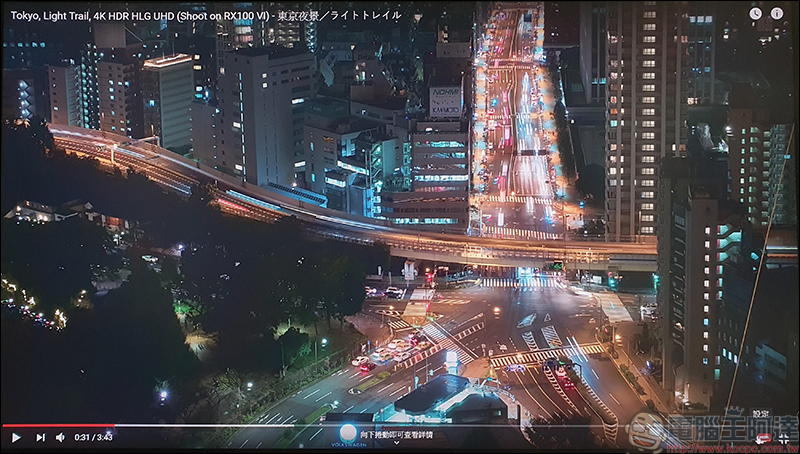
On the left, HDR is not turned on, and on the right, HDR is turned on. You can see that after turning on HDR, the performance of bright layer details is better!
Source: KOCPC Chinese

Tags: HDR

Recent Posts

  • The Xiaomi Pad 8S Pro has passed network access certification and will debut with the self-developed XRING O3 chip.
  • The entire Google Pixel 11 lineup has been leaked! Official promotional renders of the Pixel 11 Pro XL have also surfaced
  • Are Chinese phone battery capacities falsely labeled? A brief look at the “capacity locking” phenomenon in Chinese silicon-carbon batteries.
  • NCC is leaderless, recklessly sending out national-level alert messages!?
  • What does “QR” in QR Code mean?

Recent Comments

No comments to show.
  • About Us

We welcome partnership inquiries and product review opportunities from smartphone manufacturers, iPhone accessory brands, and app developers.koc kocpc.com.tw|Privacy Policy |Hosting & Maintenance: Fast Line Taiwan, A-Chang Digital Technology

No Result
View All Result
  • Home
  • Tech News
  • AI News
  • Apps & Tutorials
  • Mobile & Telecom
  • Lifestyle
  • About Us

We welcome partnership inquiries and product review opportunities from smartphone manufacturers, iPhone accessory brands, and app developers.koc kocpc.com.tw|Privacy Policy |Hosting & Maintenance: Fast Line Taiwan, A-Chang Digital Technology