


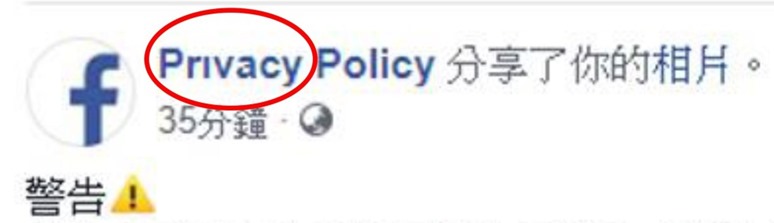
Recently, many domestic celebrity fan pages (such as 486, Wu Nianzhen, If You Are Not Crazy or Waiting to Die…etc.) have been hacked and their entire fan pages have been stolen by malicious people. Even the famous Go girl Hei Jiajia was almost cheated. Trend Micro, an anti-virus software company, has discovered that some unscrupulous individuals have recently attempted to disguise themselves as official Facebook notices. Not only did they open a “Prıvacy Policy” fan page on Facebook that looked almost real, they even used minor differences such as the English letters “i” and “ı” to allow many victims to have their account or fan page management rights stolen without careful verification.
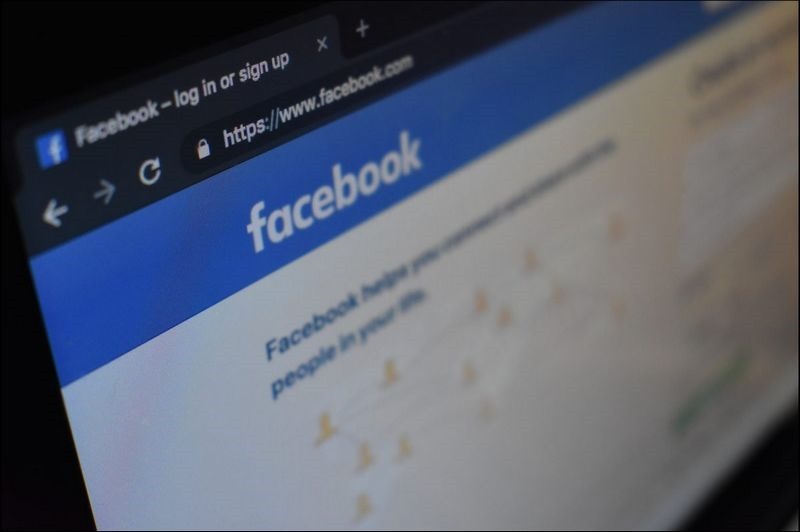
Counterfeit official Facebook messages. Stop reading and listening when you receive a warning from Facebook.
According to the research team of Trend Micro, a major domestic anti-virus company, hackers are setting up a large number of fake official fan pages and tagging many Facebook fan pages of different celebrity influencers on their pages. One of the fake official fan pages has even tagged more than 700 celebrity influencers in an attempt to defraud their Facebook account passwords. These tagged celebrity influencers will receive a notification message from Facebook or an email letter stating, “Your fan page has been reported by others. To prevent this, we need to verify your account” and provide a link asking users to follow instructions to verify their Facebook account.
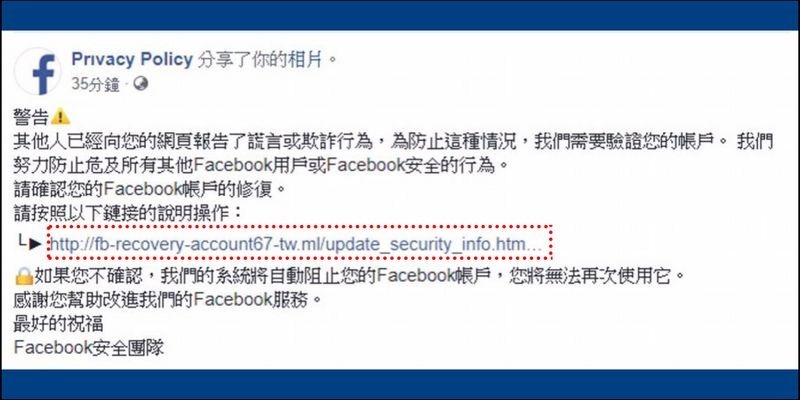
▲If you look closely, you will see that the URL that leads you there is not the facebook.com domain at all.
In fact, as long as you pay attention, you will find that the name is different from the official fan page or official channel. The above points may be missing, or the “l” may be replaced by the number “1”:
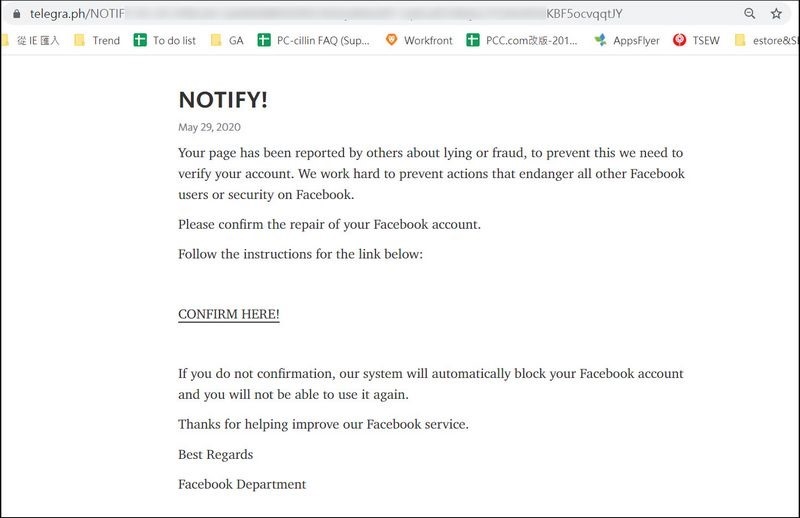
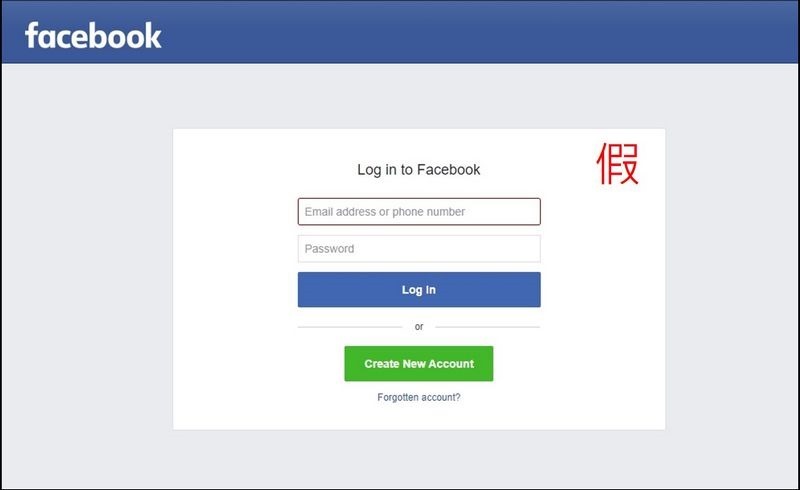
When users are misled into clicking on the link URL, they will be directed to a Telegram webpage that requires the user to click and verify their account. Once clicked, they will be immediately directed to a fake Facebook login page that requires the user to log in to verify their account. Once fooled, the hacker will receive the user’s Facebook account information and gain management rights to the fan page.
Hackers often create Facebook login pages that look almost real. Just pay attention to whether the address column is complete Facebook. Never enter your account and password randomly, andStart the second stage certification (please click me for teaching)To reduce the chance of account being stolen:
General public and fan page managers are reminded that if they receive a notification from Facebook asking to log in to verify their Facebook account, they can do the following five things to prevent it:
1. Use the official Facebook page:
Instead of using the login verification link provided by the other party, it is recommended to use the official Facebook URL to log in to prevent hackers from using phishing URLs to steal Facebook account passwords.
2. Determine whether the link is safe:
Even if the source of the message appears to be from Facebook’s official source, it may be an official message forged by unscrupulous elements. In this wave of phishing scams, the well-known Go girl Hei Jiajia also received a notice requesting account verification. Hei Jiajia pointed out that when she saw the message, she first sent the unknown URL to a fraud prevention expert for inspection and found that the URL was an unsafe link, so she was not deceived. In addition to checking whether the link URL is Facebook’s official URL, you can also send suspicious links toFraud prevention expert Facebook versionCheck to quickly determine the security of a link.
3. Use anti-virus software:
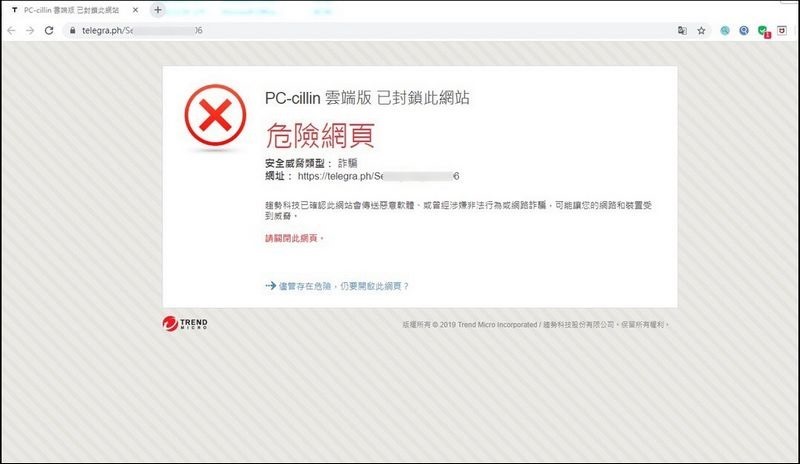
Nowadays, Internet fraud is no longer limited to a single fraud method. It is recommended that people install anti-virus software on their computers (such as Trend MicroPC-cillin 2020 cloud version), mobile phones can installTrend Micro Mobile SecurityAnti-virus software like this can effectively detect malicious URLs and threats. Once a malicious link is clicked, the anti-virus software will automatically block the malicious web page and block it before accessing the suspicious fraudulent website to avoid theft of personal information and protect the security of personal information.
4. Use two-stage authentication:
If someone tries to log in from an unknown device or browser, they will be asked to enter a verification code (teaching)。
5. Do not provide any account password:
If clicking on a link leads you to a page where you need to enter your account and password, please do not provide your account and password immediately. Make sure it is an official website and only provide it if necessary.
Source: KOCPC Chinese