


Although the probability of mobile phone virus infection is not as high as that of computers, as everyone now has a mobile phone, many payments and purchases are completed directly from the mobile phone. The number of mobile phone viruses has indeed gradually increased in recent years. News that certain Apps have malicious code, especially Android, are constantly heard. Therefore, we all recommend installing anti-virus software on mobile phones to improve protection. McAfee Mobile Security is a very good choice.
In addition to the basic virus scanning and anti-virus functions, when you connect to Wi-Fi, it will immediately scan for problems to ensure that it is not intruded by malicious people. There are also other great additional security features, such as media storage or Apps locking, anti-theft, backup of contacts, etc. Android even offers guest mode, battery and memory enhancement, and storage space clearer.
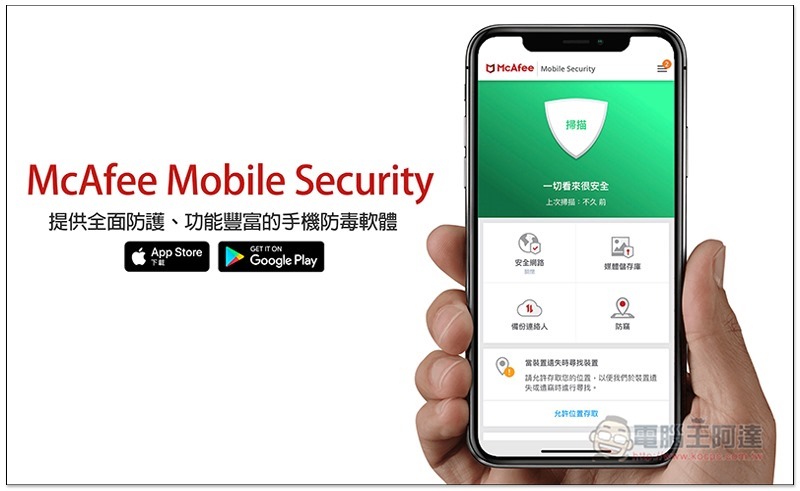
Introduction to McAfee Mobile Security (iOS/Android)
Before introducing, let me remind you that this is not a completely free mobile anti-virus software. I am from Bzfuture saleGet it (it costs about NT$400 for a one-year license and can be used on multiple devices, including Windows, Mac, iOS and Android).
Although the interfaces of the iOS and Android versions are similar, their functions are somewhat different. Android has many more, so I will introduce them separately below.
McAfee Mobile Security for iOS
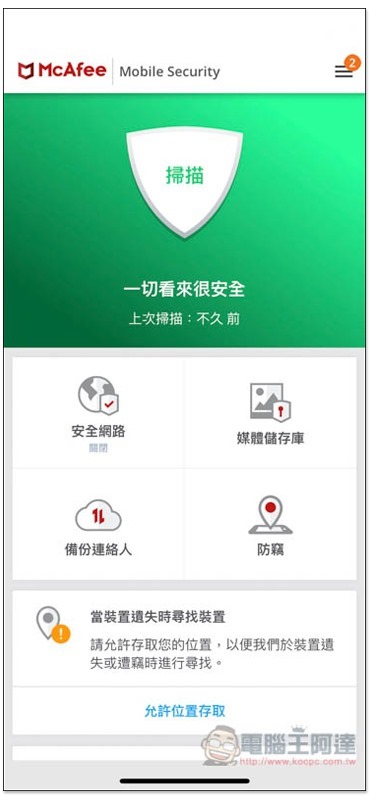
After installing McAfee Mobile Security, it will run in the background at any time, regularly scanning iPhones for viruses and ensuring that the Wi-Fi wireless network we use is safe. After opening the App, click on the shield above to manually enable the scanning function:
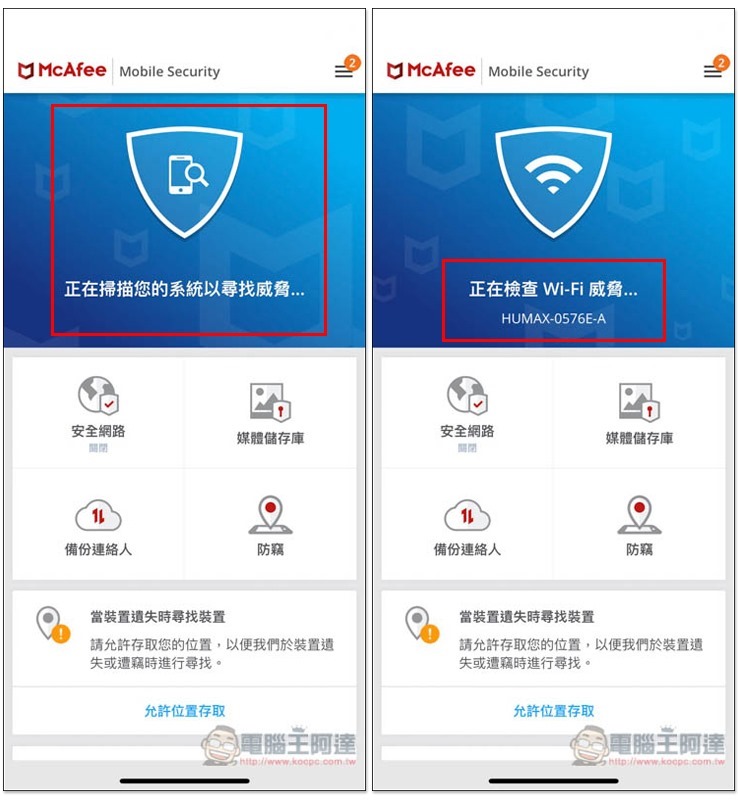
In addition to scanning the system for threats and viruses, it also checks the Wi-Fi wireless network:
There are four main functions:
- secure network
- media repository
- Backup contacts
- Anti-theft
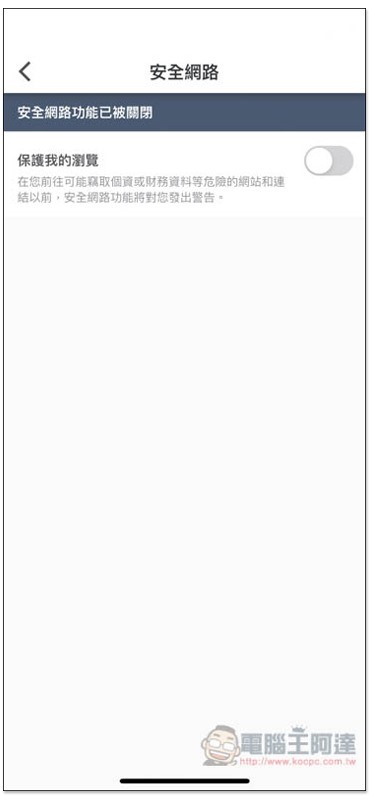
After the secure network is turned on, it will detect whether there are any problems with the website we are on at any time. If there are any, a warning will be issued immediately:
The media repository can lock the photos and videos in the iPhone, and they are moved out of iOS Photos, stored in this app and encrypted. You must enter the unlock password to view them, so they will completely disappear from iOS Photos:
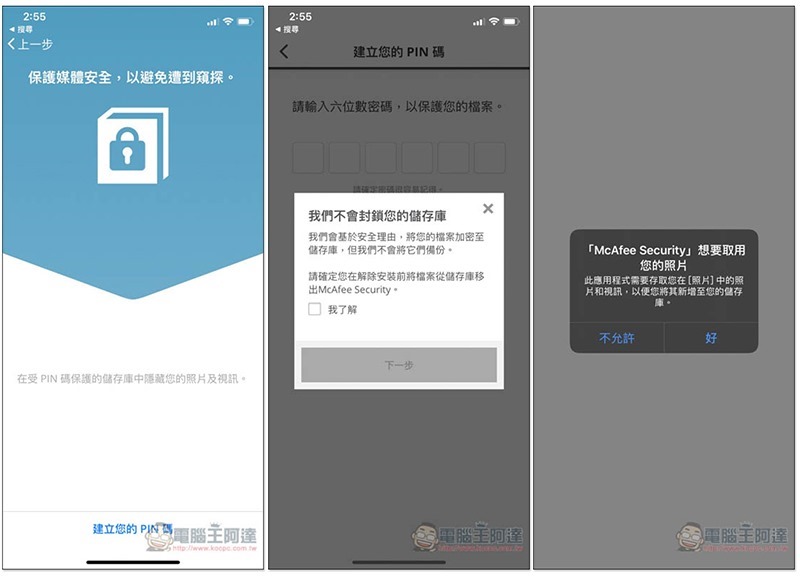
For those who use this function, if you want to uninstall the app, remember to manually remove the photos and videos first, otherwise they will not be able to be saved later.
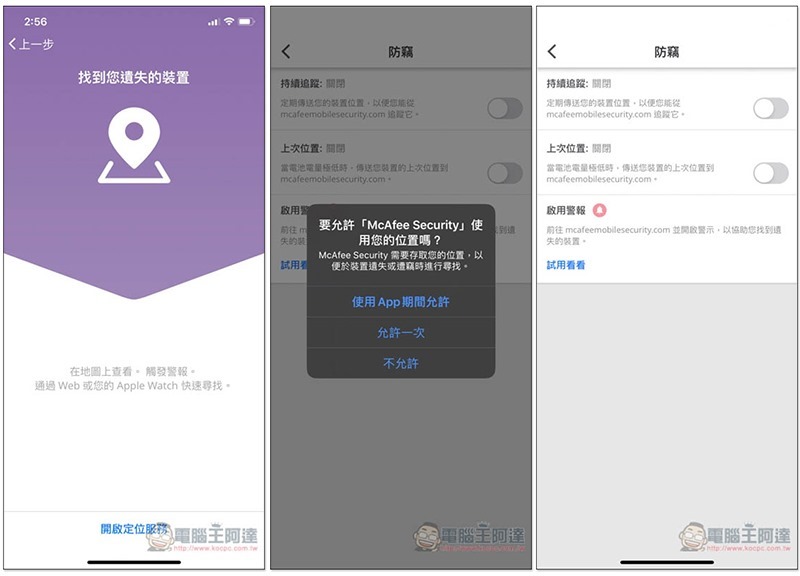
Anti-theft has the same function as Find My Phone. After allowing it to use the location at any time, it will continue to track the location of the iPhone. When the battery is extremely low, a message will be sent immediately. It also supports the activation of the alarm function:
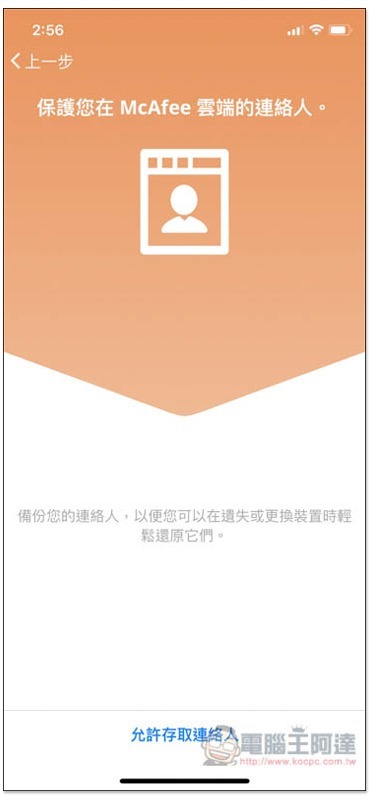
Personally, I don’t think it’s necessary to back up contacts. It’s relatively easy to back up through Google, and you don’t have to worry about serial number expiration:
McAfee Mobile Security for Android
The Android version has a similar interface. You can also press the shield pattern above to enable real-time scanning:
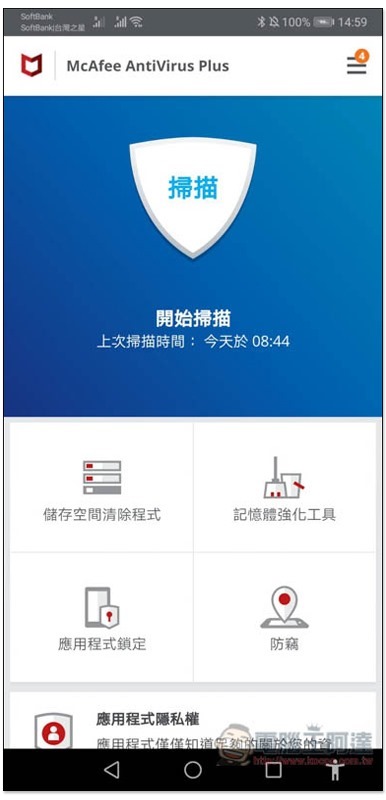
But the main functions below have changed a little:
- storage space cleaner
- memory enhancement tools
- app lock
- Anti-theft
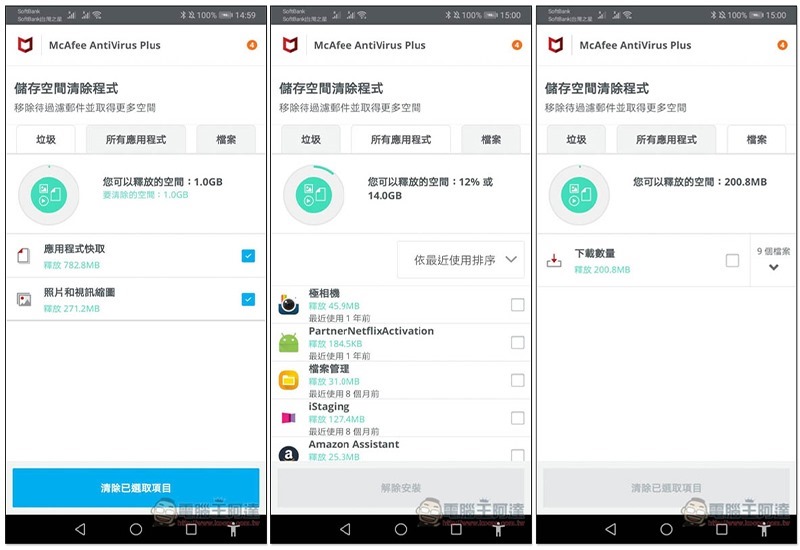
The storage space cleaner can scan junk, apps that have not been used for a long time, and large files in Android phones to clear them with one click to quickly free up more space:
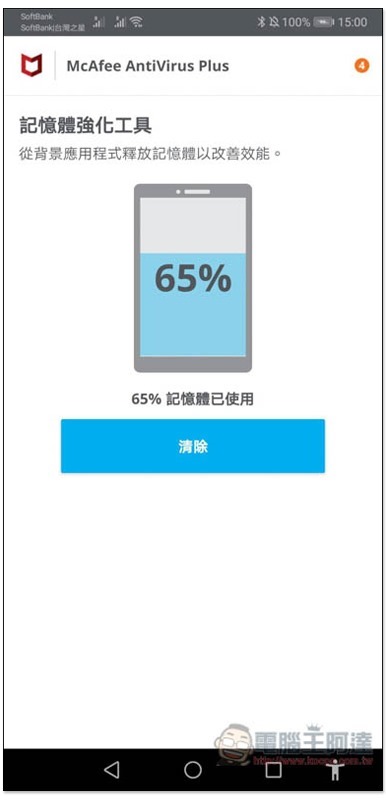
The memory enhancement tool is a release function, and many Android phones now have built-in:
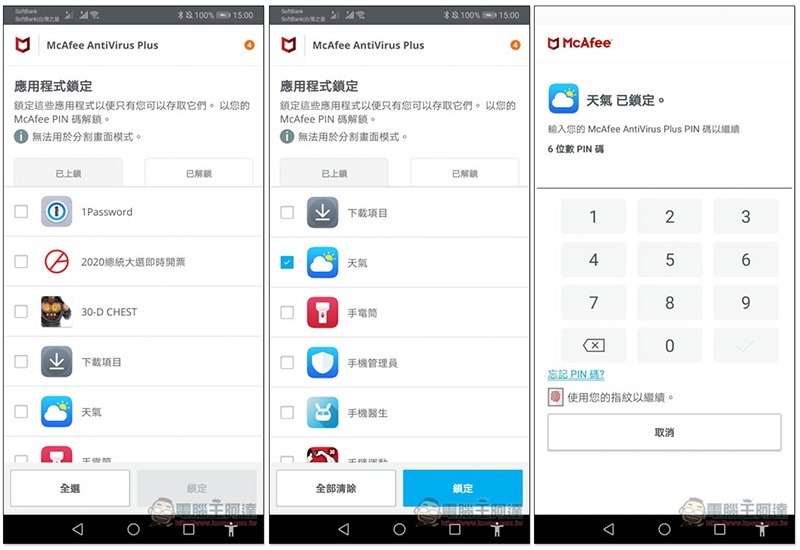
Although the Android version does not have the media library repository function, it has application lock instead, which can be set in all apps, so you can directly lock the photo app. If you want to open the configured Apps, you must enter a PIN code to unlock them (fingerprint recognition is also supported):
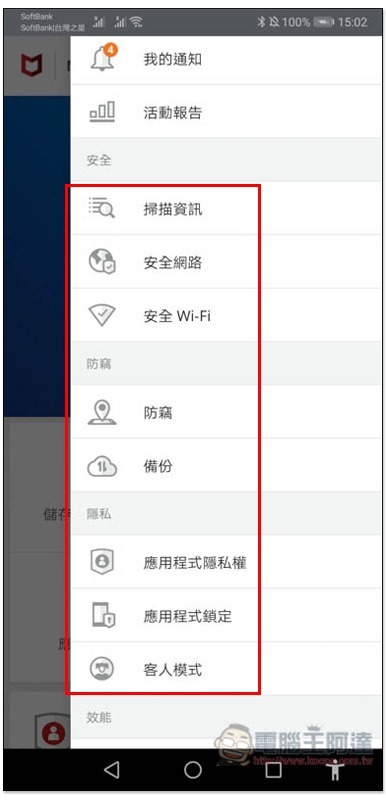
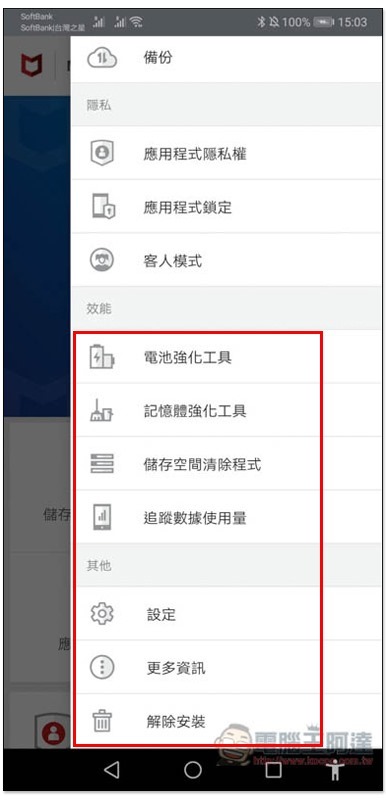
There are more functions on the right menu, such as: scanning information, secure network, secure Wi-Fi, backup, app privacy, guest mode:
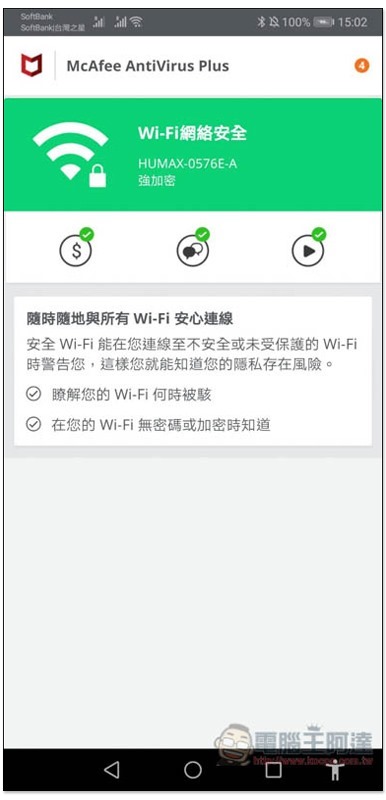
Secure Network allows you to view the details of the currently connected Wi-Fi:
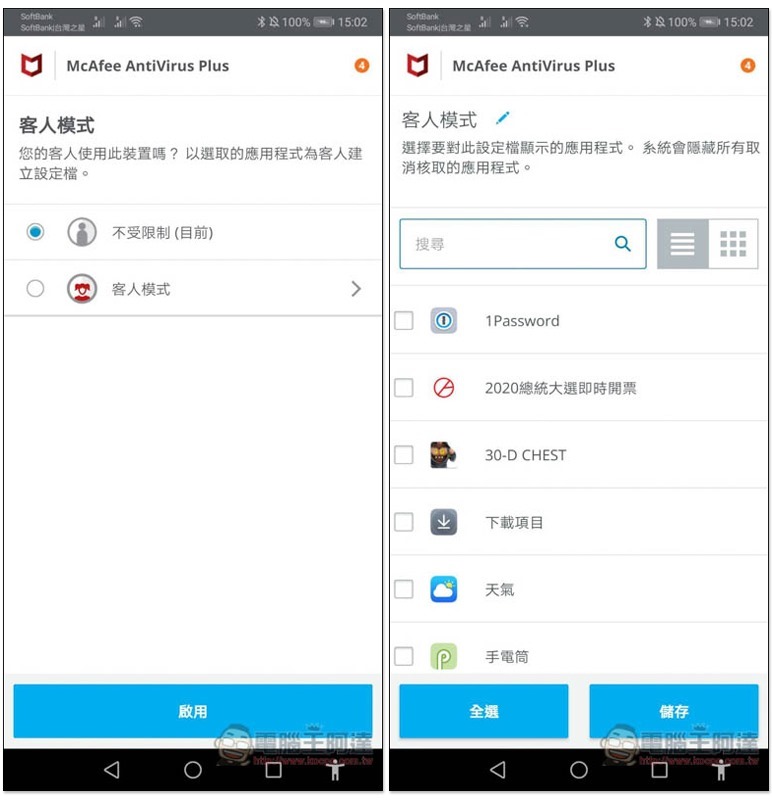
I think the guest mode is quite practical. When you are going to temporarily lend your phone to someone else, as long as it is set in advance, he can only use those allowed Apps. Apps that are not allowed must enter the specified password to unlock before continuing:
There are also battery strengthening tools, uninstallation and other functions below:
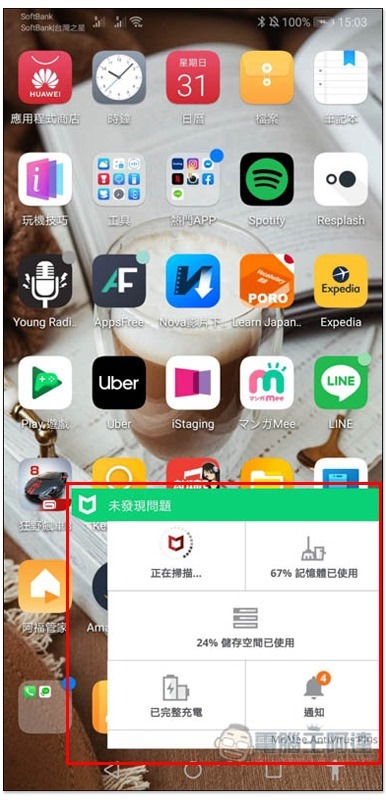
It also supports mobile desktop widget tools, which can be opened directly for scanning, freeing up memory, managing storage space, etc.:
in conclusion
For those who haven’t installed anti-virus software on their phones, I recommend you to try this one, especially if you have an Android phone. It is much better than many other free anti-virus software and the price is cheaper (remember to go through Bzfuture saleTo get started, the subscription fee in the App is not cheap).
Supplementary information
- App name: McAfee Mobile Security
- Supported operating systems: iOS, Android
- Download page:App Store / Google Play
Source: KOCPC Chinese