

• About Us
King of Computer Media
  • Home
  • Tech News
  • AI News
  • Apps & Tutorials
  • Mobile & Telecom
  • Lifestyle
  • About Us
No Result
View All Result
  • Home
  • Tech News
  • AI News
  • Apps & Tutorials
  • Mobile & Telecom
  • Lifestyle
  • About Us
No Result
View All Result
King of Computer Media
No Result
View All Result

Home - Computer Applications and Other Tutorials - Have you bought a 10-bit screen but don’t know how to turn it on? You can turn it on in a few simple steps

Have you bought a 10-bit screen but don’t know how to turn it on? You can turn it on in a few simple steps

Mike by Mike
May 23, 2020 - Updated on August 4, 2026
in Computer Applications and Other Tutorials

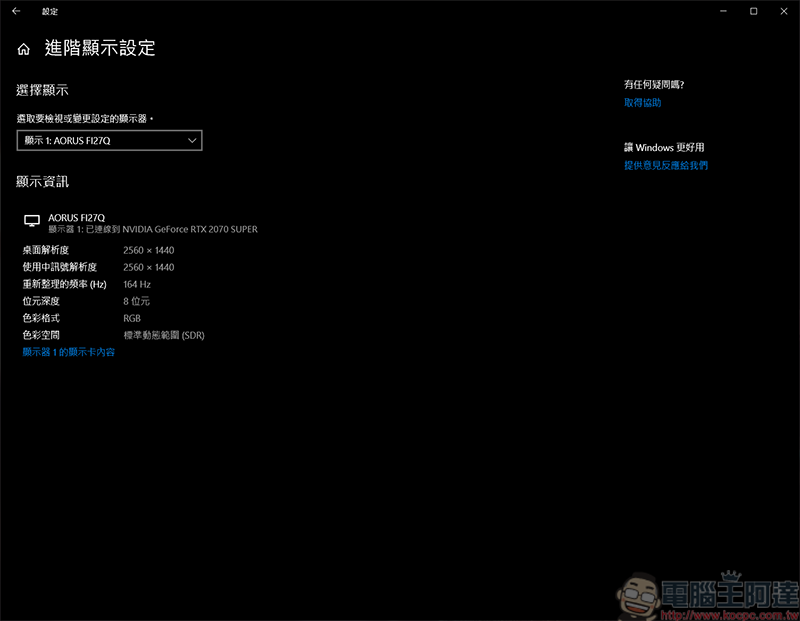
Recently, the author bought a new screen. Due to work and video game needs, I chose a screen with a 165Hz refresh rate and 10Bit color in terms of specifications (my wallet instantly lost weight), but what! After using it for a period of time, the screen color can only turn on 8Bit at most. What is the promised 10Bit color? I am constantly researching it. Then, I discovered that in order to enable 10Bit color, the screen refresh rate must be lowered below 120Hz to enable it. The adjustment method is also very simple and can be done in just a few steps. The screen specifications used by the author here are 2K, 165Hz, 10Bit color, and the graphics card uses N card 2070S, so the N card method is used as a tutorial:
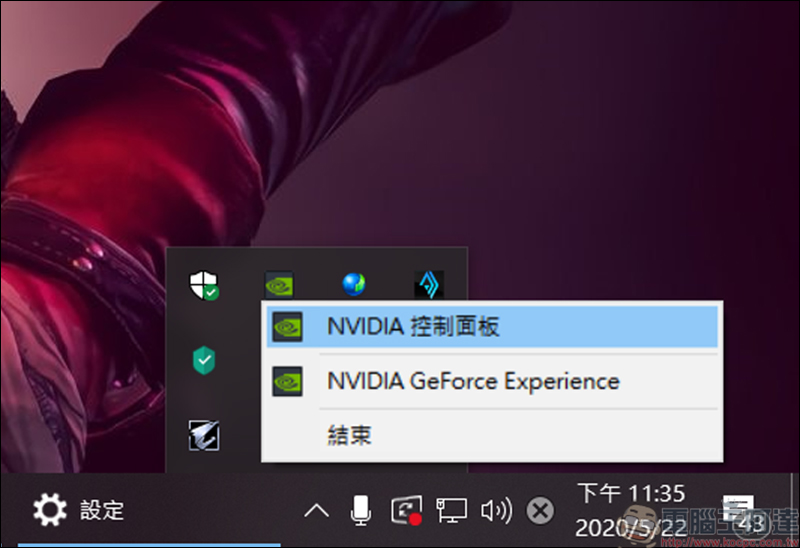
First, open the NVIDIA control panel. As long as the driver is installed, you can find this function in the toolbar in the lower right corner:
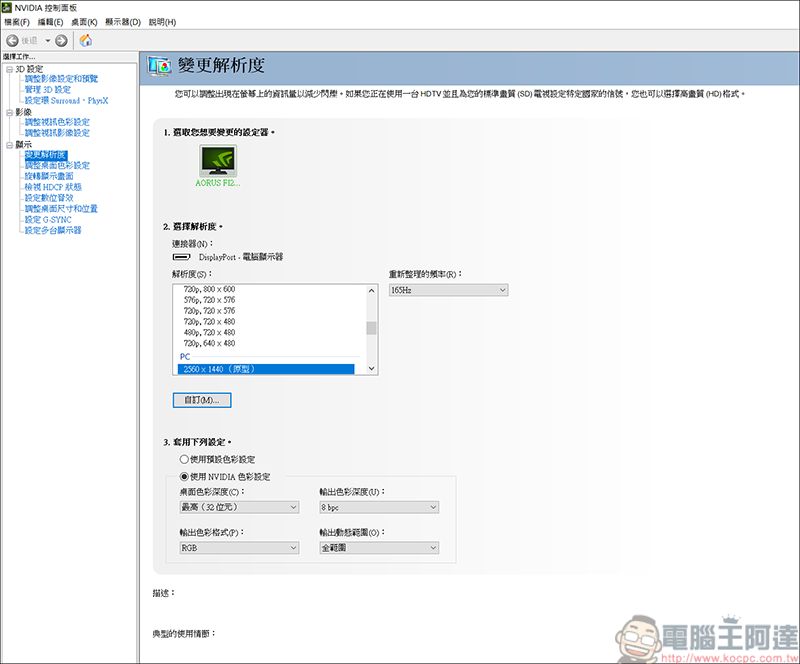
After turning it on, you can see the current computer screen configuration in the Change Resolution section, 2K resolution, 165Hz refresh rate, 8Bit color:

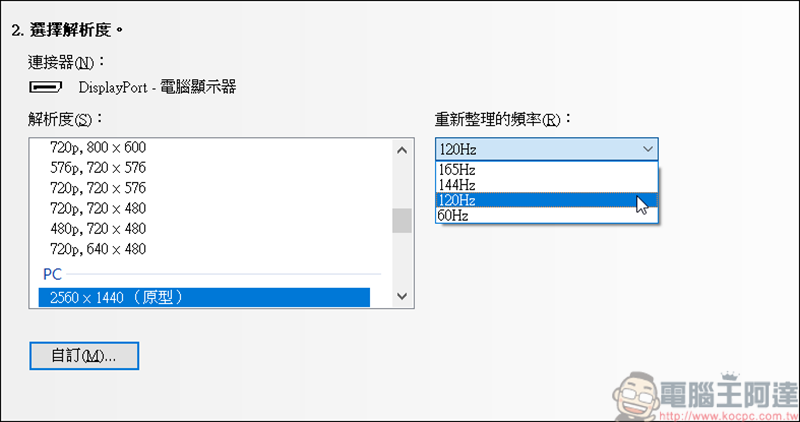
It can be seen that at a refresh rate of 165Hz, the color can only be maintained at 8Bit: 
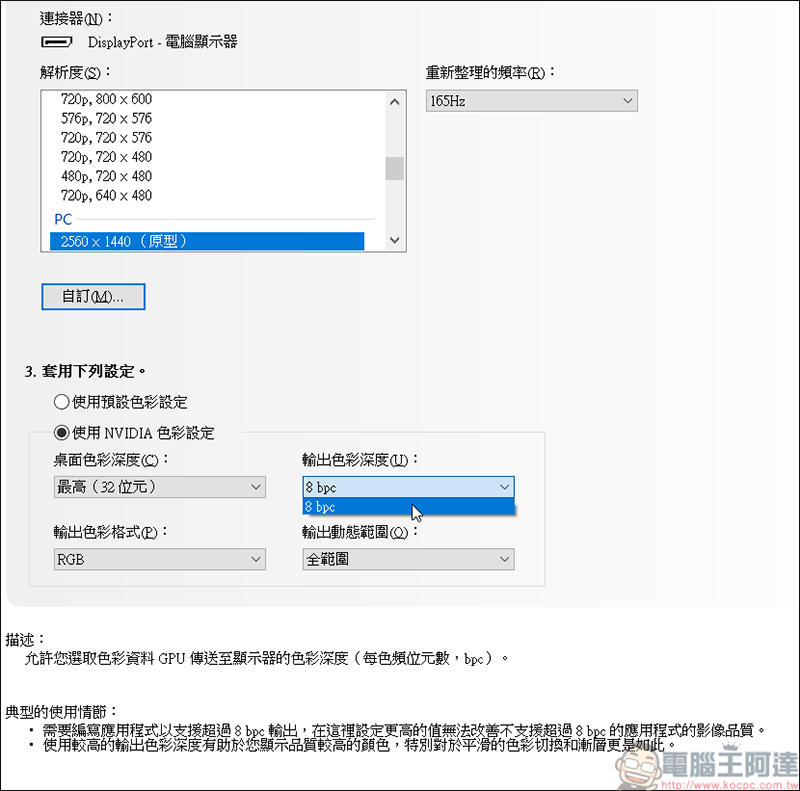
Then just adjust the screen refresh rate to below 120Hz. Remember to click Apply after making changes before proceeding to the next step:
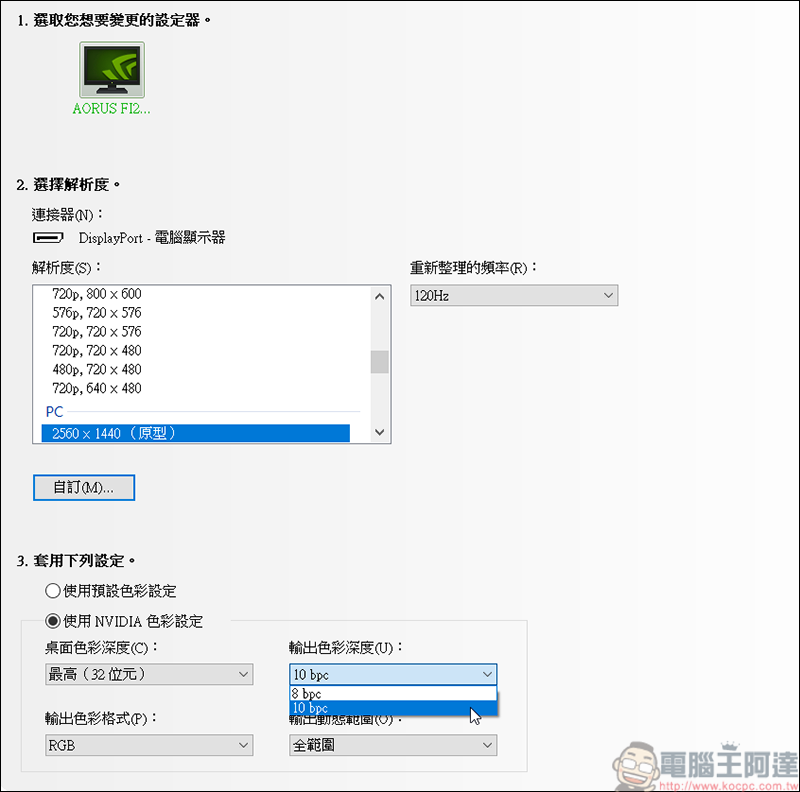
The color can be changed to 10Bit at a refresh rate below 120Hz. For example, I will change to this mode when editing videos and retouching pictures. When I want to play games, I will adjust the refresh rate back. Although I have to adjust it manually, I bought a good screen. I’m really sorry that it didn’t play its full role. If you are an A card user or have the built-in display of i Home, you can also adjust it through each company’s software. However, I don’t have computers from these two companies at hand, so I can’t test it for everyone (kneeling):


Source: KOCPC Chinese

Tags: 8BIT

Recent Posts

  • Meta Muse Lands on Mac: Personal AI Agent Begins Operating Your Files, Messages, and Calendar (Muse for Mac)
  • First oMLX performance results for M5 Ultra Mac Studio leak: prefill speed 3-4x faster than M3 Ultra, data taken down after exposure.
  • After the iPhone 17, the frame material was changed back to aluminum alloy. Is it better than titanium?
  • The iPhone 18 Pro series, Apple Watch Series 12, Apple Watch Ultra 4, and AirPods 5 are now on sale—a first look, with warm “Burgundy Red” and striking “Glacier Blue.”
  • The battery replacement cost for the iPhone 18 Pro / Pro Max has gone up again! Compared with 5 years ago, the increase has doubled.

Recent Comments

No comments to show.
  • About Us

We welcome partnership inquiries and product review opportunities from smartphone manufacturers, iPhone accessory brands, and app developers.koc kocpc.com.tw|Privacy Policy |Hosting & Maintenance: Fast Line Taiwan, A-Chang Digital Technology

No Result
View All Result
  • Home
  • Tech News
  • AI News
  • Apps & Tutorials
  • Mobile & Telecom
  • Lifestyle
  • About Us

We welcome partnership inquiries and product review opportunities from smartphone manufacturers, iPhone accessory brands, and app developers.koc kocpc.com.tw|Privacy Policy |Hosting & Maintenance: Fast Line Taiwan, A-Chang Digital Technology