

• About Us
King of Computer Media
  • Home
  • Tech News
  • AI News
  • Apps & Tutorials
  • Mobile & Telecom
  • Lifestyle
  • About Us
No Result
View All Result
  • Home
  • Tech News
  • AI News
  • Apps & Tutorials
  • Mobile & Telecom
  • Lifestyle
  • About Us
No Result
View All Result
King of Computer Media
No Result
View All Result

Home - Computer Applications and Other Tutorials - ColorPick Eyedropper extension allows you to quickly query colors on the web

ColorPick Eyedropper extension allows you to quickly query colors on the web

Mike by Mike
May 1, 2020 - Updated on August 4, 2026
in Computer Applications and Other Tutorials, Internet and software applications

Today I’m going to introduce ColorPick, a chrome extension Eyedropper, this extension function is also very simple. It is an extension program that allows you to directly query colors on Chrome web pages. For designers, sometimes when they see works designed by others on the Internet, they feel that the color design is great. If they want to imitate it, they have to slowly adjust to catch the color. You can also save the image to a drawing software to directly absorb the color. However, if you encounter a website that cannot save images, you have to rely on screenshots, which is a bit troublesome! ColorPick introduced today Eyedropper can display RGB/HSL colors directly on the web page:
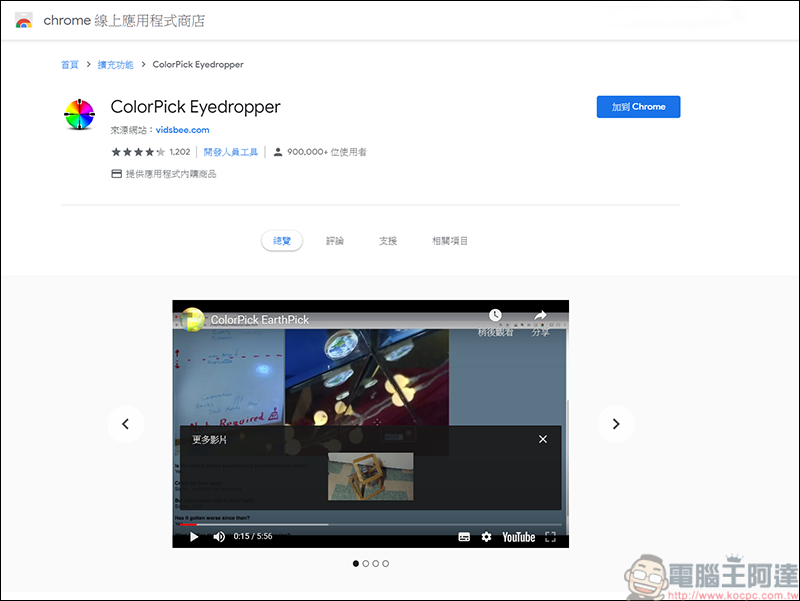
(Download URL)

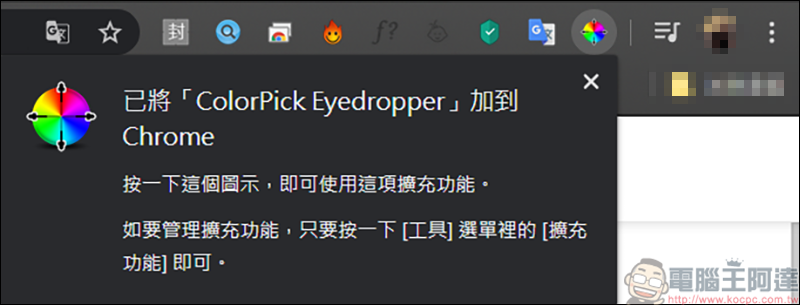
First, add ColorPick Eyedropper to the extension function:
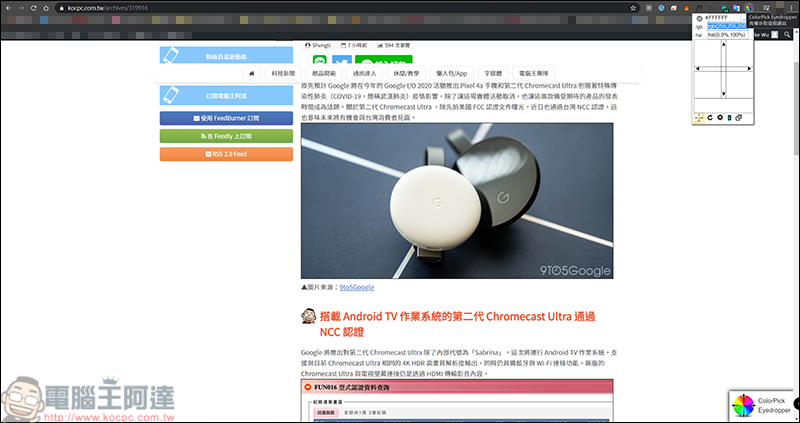
Just click on it and a small window of color gamut will appear:
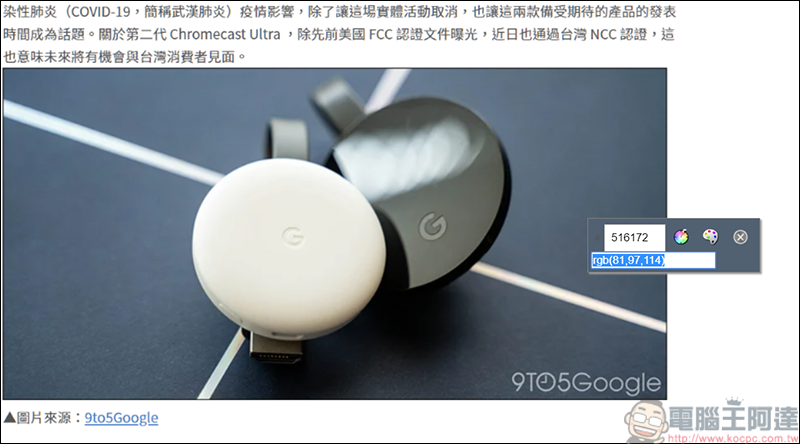
Move your mouse over the color you want to know and information will appear:
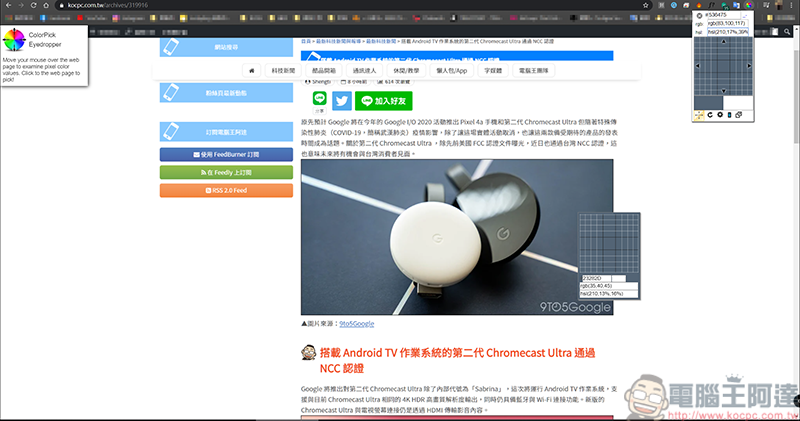
Click the left mouse button on the color you want to query, and the color information will come out. When the ColorPick Eyedropper function is turned on, it is normal for the text to be slightly blurred. Click the icon of the color palette to enter the background settings:
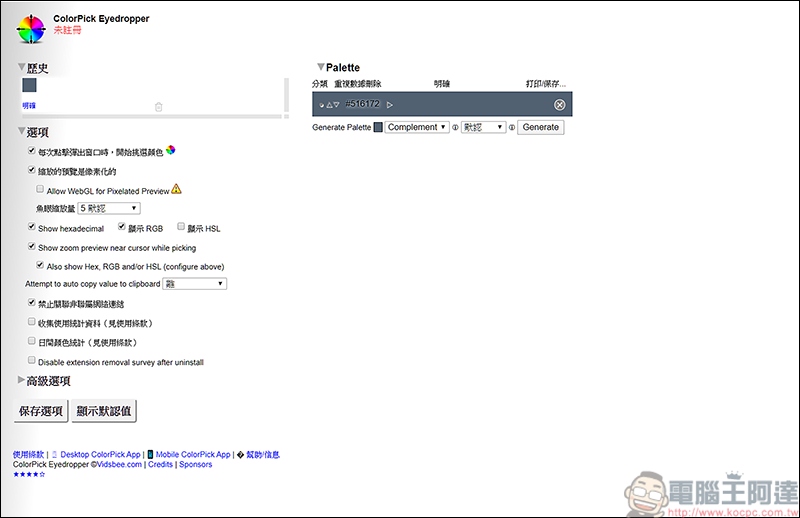
In the background settings, you can adjust whether to display RGB or HSL, or both can appear simultaneously. In addition, the previously queried colors will also have a historical record saved:
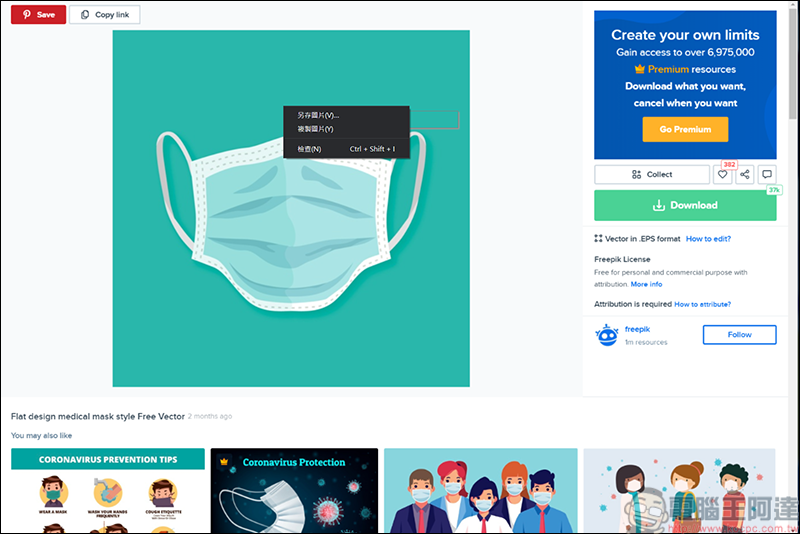
In addition, when under this function, as long as you press the right button of the mouse, you can save the current chrome page or copy the image, and it will only take a screenshot of the chrome page, and the win tool list will not appear. It can also be regarded as an alternative web screenshot tool XD:
 

Source: KOCPC Chinese

Tags: chrome extension

Recent Posts

  • The Xiaomi Pad 8S Pro has passed network access certification and will debut with the self-developed XRING O3 chip.
  • The entire Google Pixel 11 lineup has been leaked! Official promotional renders of the Pixel 11 Pro XL have also surfaced
  • Are Chinese phone battery capacities falsely labeled? A brief look at the “capacity locking” phenomenon in Chinese silicon-carbon batteries.
  • NCC is leaderless, recklessly sending out national-level alert messages!?
  • What does “QR” in QR Code mean?

Recent Comments

No comments to show.
  • About Us

We welcome partnership inquiries and product review opportunities from smartphone manufacturers, iPhone accessory brands, and app developers.koc kocpc.com.tw|Privacy Policy |Hosting & Maintenance: Fast Line Taiwan, A-Chang Digital Technology

No Result
View All Result
  • Home
  • Tech News
  • AI News
  • Apps & Tutorials
  • Mobile & Telecom
  • Lifestyle
  • About Us

We welcome partnership inquiries and product review opportunities from smartphone manufacturers, iPhone accessory brands, and app developers.koc kocpc.com.tw|Privacy Policy |Hosting & Maintenance: Fast Line Taiwan, A-Chang Digital Technology