


In many previous anti-virus related articles, we have mentioned many times that it is highly recommended that everyone install anti-virus software to protect the security of computer data, especially those who often browse websites and like to download things on the Internet.
In the past, many people did not install it because they were afraid of slowing down performance. However, many anti-virus software nowadays actually do not have this problem, and even have so-called game modes to minimize the impact.
However, with so many anti-virus software on the market, how do you choose? Which one is the best? After testing so many packages, Kaspersky can be said to be the one I recommend most. It is very good in all aspects and has many additional functions. The most important thing is that it has also helped me prevent possible poisoning several times. Here are 6 of my favorite features after long-term use.
Recently, the official website of Kaspersky Taiwan is running a limited-time promotion. Both “security software” and “all-round security software” are buy one and get one free. The price is really cost-effective. If you think it is good, I highly recommend you to buy it at this time.
- Special price of NT$1,490 for 1 unit of Kaspersky Internet Security for 2 years (original price of NT$1,490 for 1 unit for 1 year)
- Special price of NT$2,490 for 3 units of Kaspersky Internet Security for 2 years (original price of NT$2,490 for 3 units for 1 year)
- Kaspersky Internet Security software, 1 unit, 2 years, special price NT$1,690 (original price, 1 unit, 1 year, NT$1,690)
- Kaspersky Total Security 3 units for 2 years at a special price of NT$2,790 (original price is NT$2,790 for 3 units for 1 year)
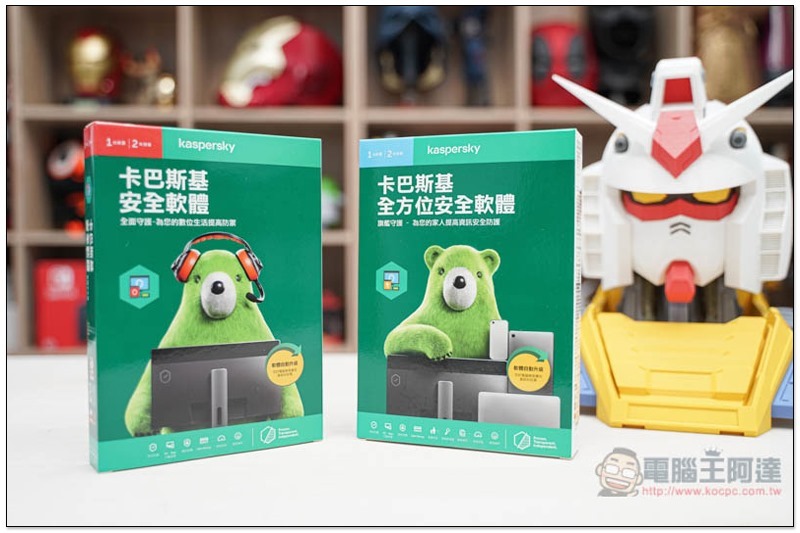
Kaspersky Total Security, 6 Features We Recommend
1. Both of the two major foreign anti-virus testing units received full score recommendations.
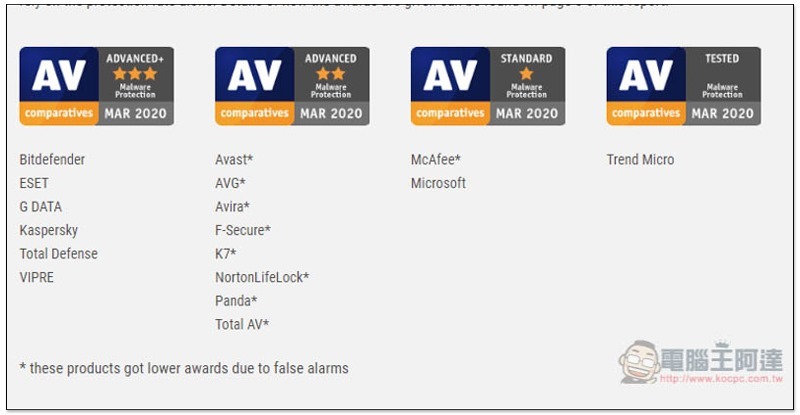
Anyone who pays attention to anti-virus software news should have heard of AV-Comparatives and AV-Test, two well-known foreign anti-virus software testing units (AV-Comparatives is also a non-profit). They update test reports almost every month to provide consumers with reference for purchasing the best anti-virus software.
In their test reports, Kaspersky anti-virus software often gets full marks, like the one below AV-Comparatives Latest March Results, Kaspersky received the highest three-star recommendation:
AV-Test Yes, it received a perfect score of 6 points in all three tests (protection, performance, usability), and it is also one of their most recommended anti-virus software:
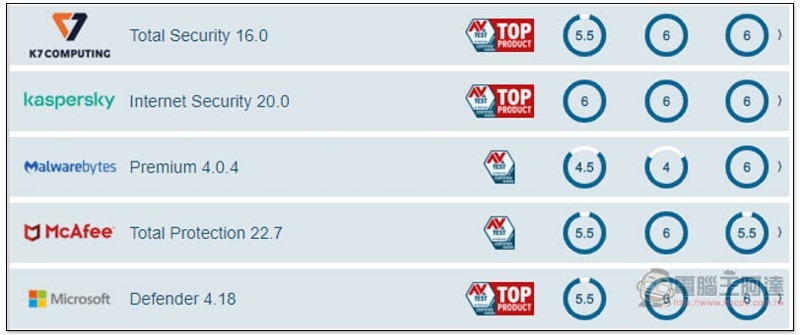
From these two results alone, you should be able to understand that Kaspersky anti-virus software is really good, otherwise it would be impossible for both organizations to highly recommend it.
2. Easy-to-use interface
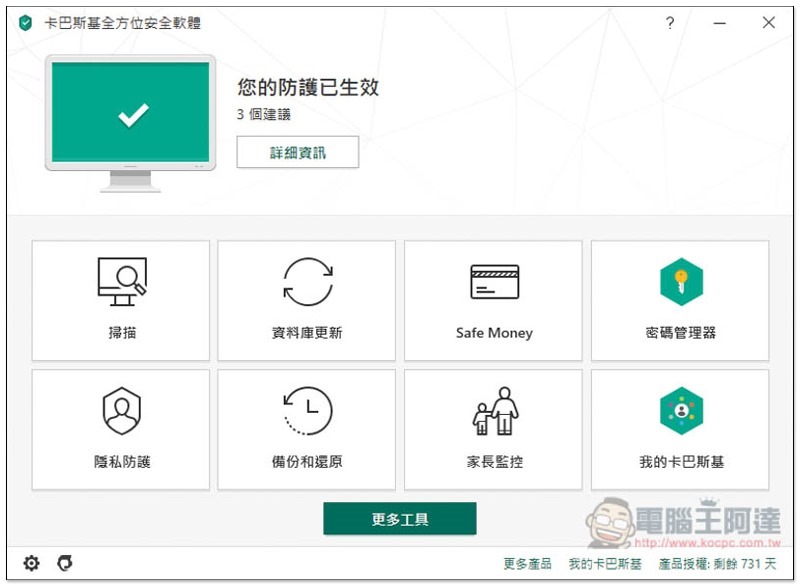
I like Kaspersky’s operating interface very much. The design is simple and each function has a corresponding icon, so you can quickly find the function you want to use. For example: If you want to check whether there are viruses in your computer or external hard drive, enter the scan function and select the mode you want to use.
In addition, this combination of icons actually makes professional anti-virus software feel closer, without the sense of distance that is complicated and difficult to use (some anti-virus software may be too professional and complicated, making people scared at first glance). I believe that even people who are not familiar with computers can quickly get started.
Even the inner pages are the same, there are not many gorgeous designs, it is similar to our general computer habits. The menu is on the left, and the details of the function are displayed on the right:
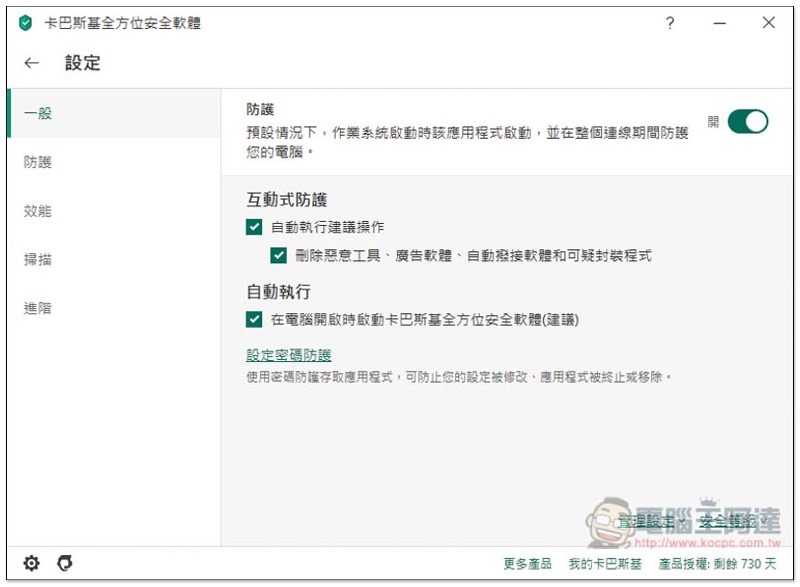
Another very considerate thing is that almost every function has a simple text description, so you can quickly understand what it does:
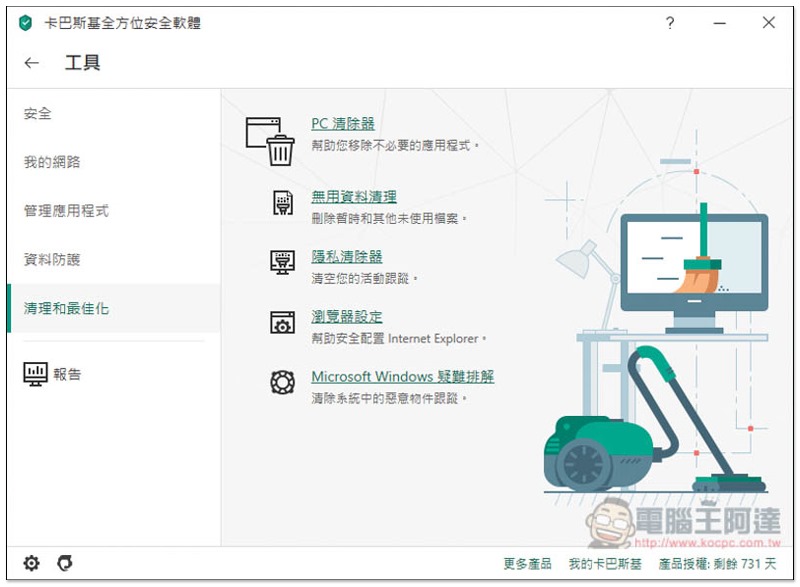
Some even provide graphic descriptions:
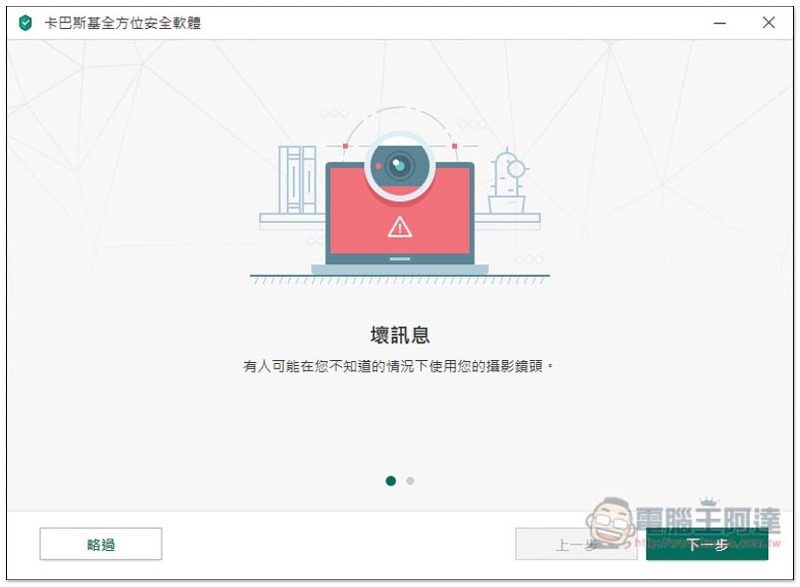
3. Complete scanning function, powerful real-time protection
Kaspersky Internet Security provides a very complete scanning function, basically everything you need.
Like:
- “Quick Scan” that doesn’t take too long
- A “Complete Scan” that deeply checks whether there are viruses or risks in your computer
- “Selective Scan” that can specify a downloaded file or folder to be scanned
- “External device scan” for scanning USB and flash drives
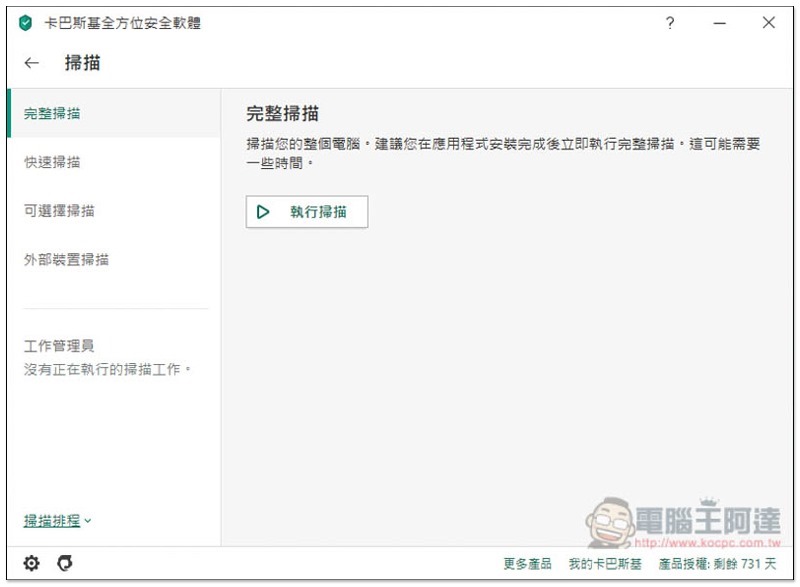
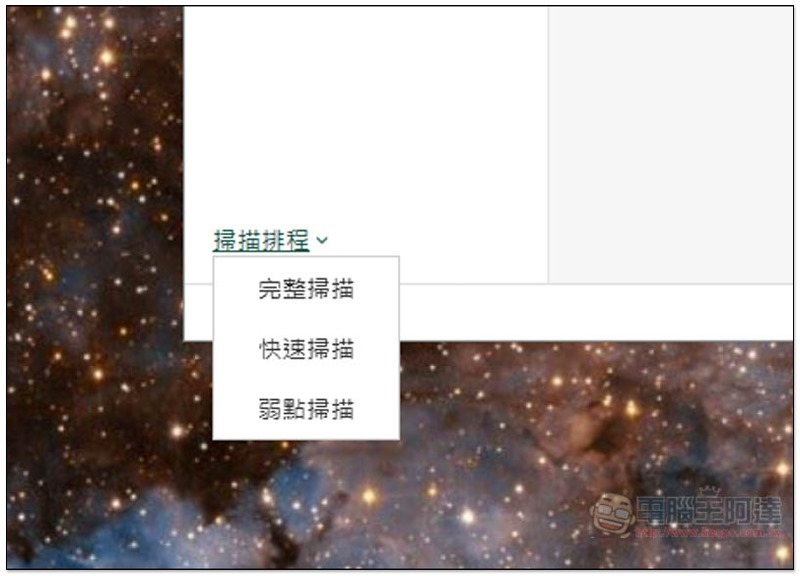
You can also customize the scan schedule, and the scan will be automatically enabled when the time is up to protect the security of your computer at any time. You don’t have to worry about forgetting to scan because you are too busy at work:
In addition to the local virus database, Kaspersky also provides a “cloud protection” function. As long as you are connected to the Internet, your computer will be immediately protected from any latest known viruses, malware and other threats that appear on the Internet, effectively avoiding the time lag in database updates and possible risks:
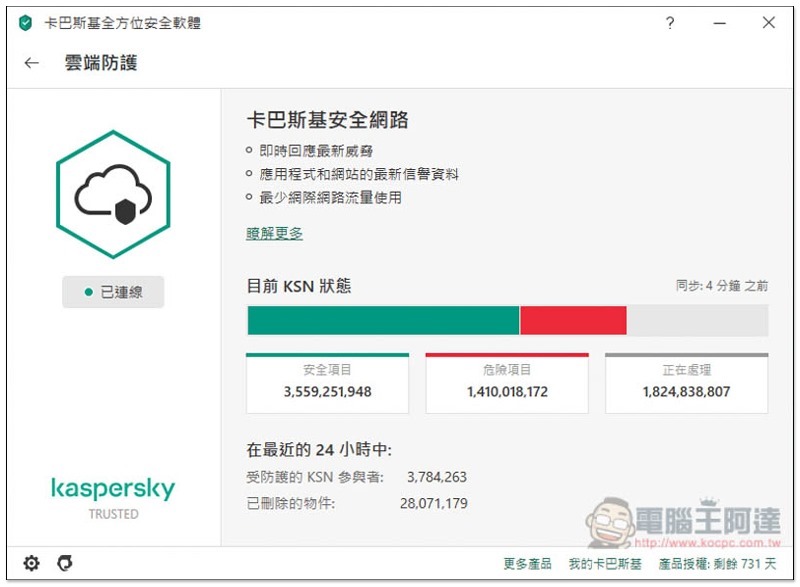
I think this feature is very important in the fast-changing environment of the modern Internet, because you may be so unlucky that you happen to be connected to these problematic websites.
Kaspersky’s real-time protection is also quite powerful. Because of my work, I often go online to find information and try out software and tools, so it is inevitable that I will open some problematic websites and protect me many times.
For example, when I was looking for some emulator information a while ago, I opened many foreign websites. These websites had many advertisements, and windows would pop up even when I clicked on the screen. Kaspersky not only helped me block a lot of them, but also found a webpage that wanted to secretly and automatically download files to my computer:
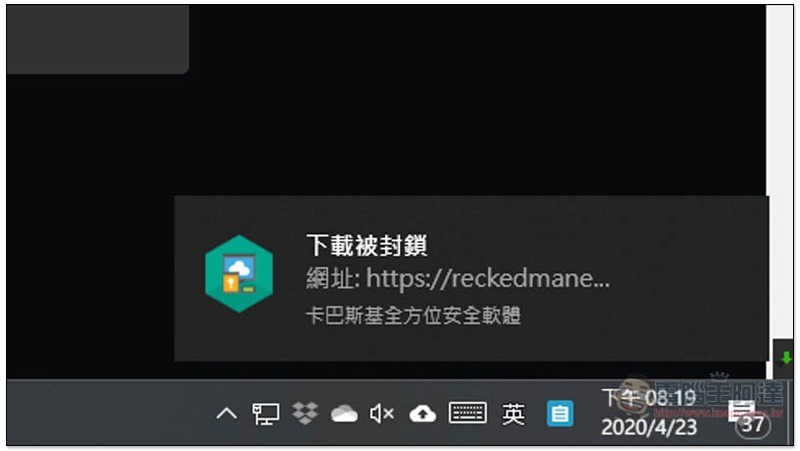
And he kept repeating the request:
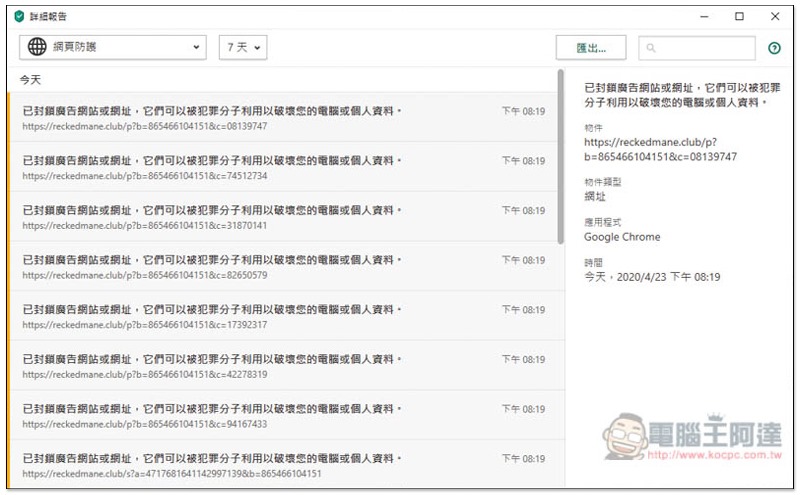
It’s really hard to imagine what would happen to my computer if I didn’t install this anti-virus software.
Like me, I often download some good and bad stuff from the Internet. It is highly recommended that you install anti-virus software. In addition to protecting your data, it can also save you from refilling the system several times. It is totally worth the investment (this official website event is even more economical).
4. Prevent website activity data from being collected, comprehensive privacy protection
Nowadays, many websites actually secretly collect user information, such as usage habits, what types of products they like, which websites they often visit, etc., and then deliver precise advertisements to you.
If you are a privacy-conscious person and don’t want others to collect your online data, Kaspersky anti-virus software can also help you stop it.
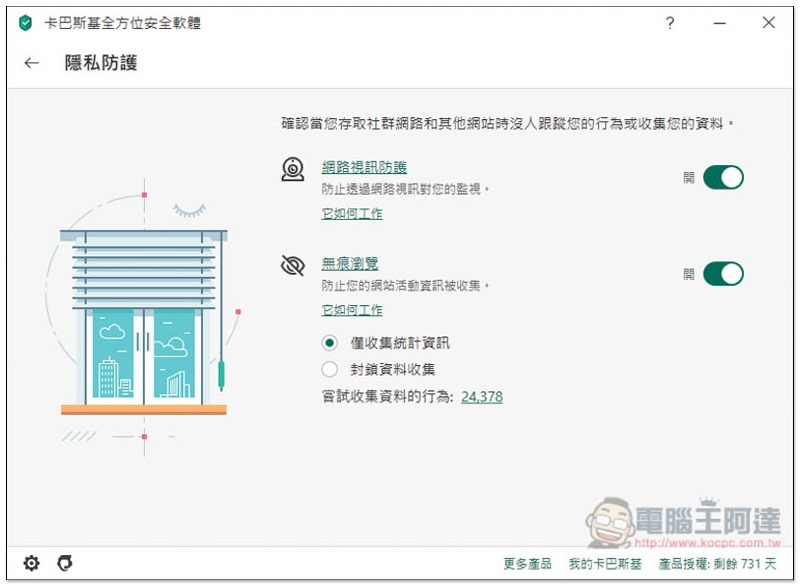
There is such a “Prevent website collection” function in Privacy Protection, and it also provides two settings of different strengths, “Only collect statistical information” and “Block data collection”:
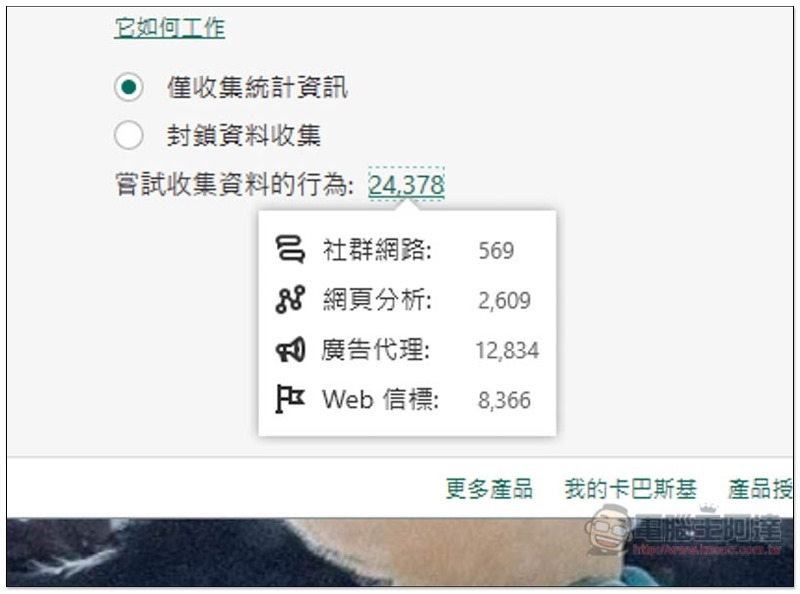
Unexpectedly, there have been more than 20,000 pairs of people trying to collect information in the past. I can’t tell it at all:
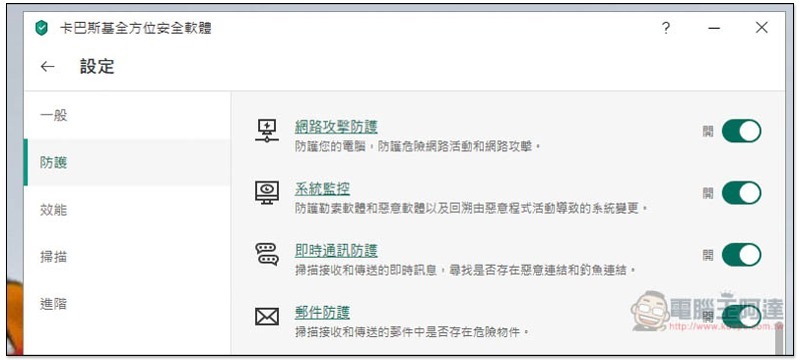
Kaspersky also has built-in various protection functions, such as: web page protection, firewall, network video protection, network attack protection, system monitoring, instant messaging protection, email protection, spam protection, etc. It can be said that both anti-virus and protection are comprehensive:
5. Provide Safe Money secure payment
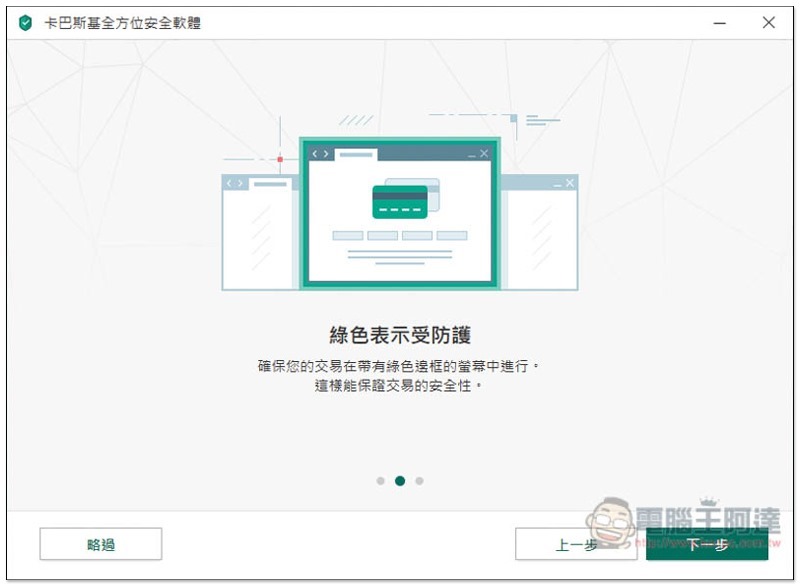
Safe Money is also my favorite feature. If you frequently shop and pay online like me, you must use it.
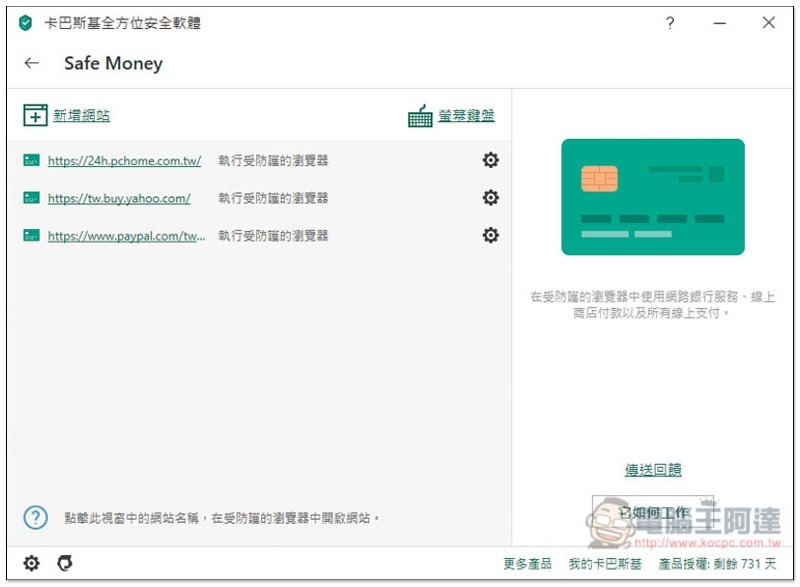
When entering some online shopping websites that require payment, using Kaspersky’s Safe Money mode will open an independent and protected browser page to monitor and protect against various risks at any time, ensure transaction security, and allow us to pay with more confidence.
The actual operation is as follows. It will open a separate browser page with a green frame. You may not feel the difference, but it is really very protective. Even taking a screenshot will not work, the entire screen will turn white, so I took a photo:
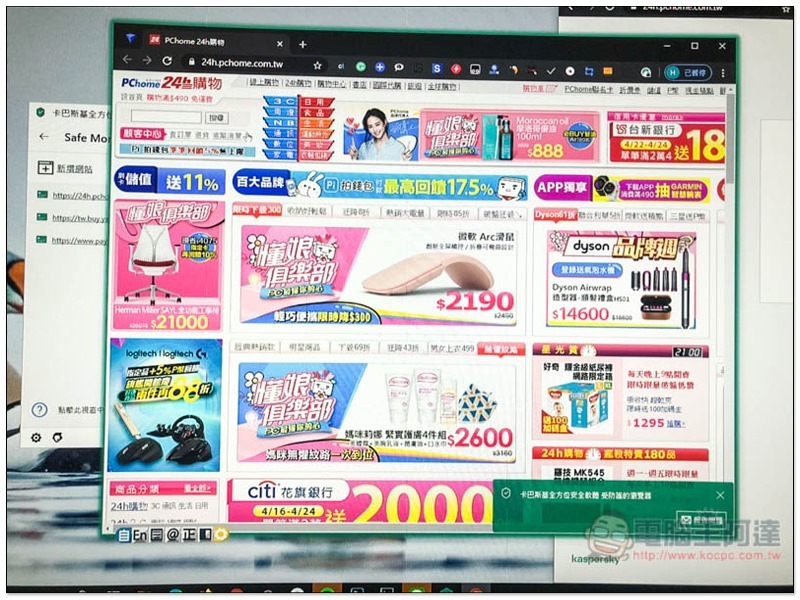
Basically, whenever you enter a website that may have payment activities, Kaspersky will prompt you whether to use Safe Money:
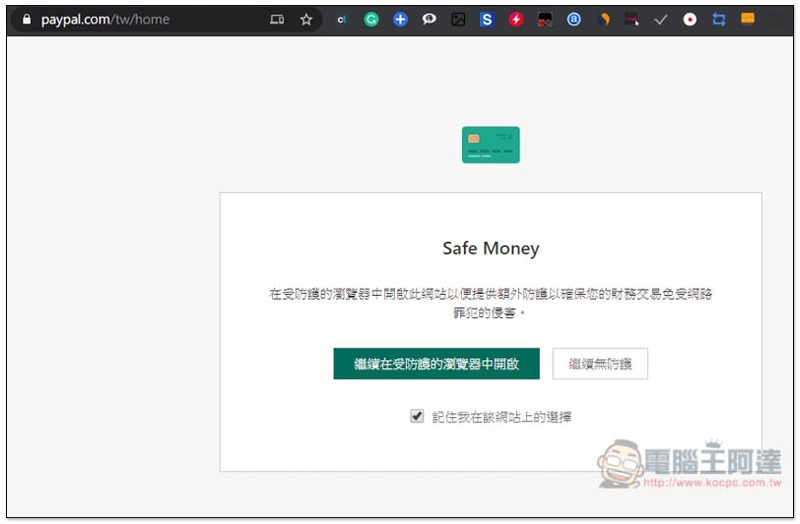
However, some Taiwan shopping malls are not yet on the list, so they may not pop up. In this case, you can manually add them and set whether to open it directly or notify when entering this website:
6. Additional functions
In addition to anti-virus and protection, Kaspersky Total Security also provides some great additional features. “Kaspersky Password Manager” is my favorite one.
In the past, I used 1Password to manage my passwords, but I had to pay a monthly fee, which cost over a thousand dollars for a whole year. Kaspersky Total Security comes with it for free and can be used for free during the subscription period.
Taking this Mother’s Day offer as a buy-one-get-one-free deal, it’s really a great deal. Not only did I save nearly half of my previous 1Password subscription (only NT$1,490 for 1 unit for 2 years), I also got powerful anti-virus protection software + password management tools + more.
And what satisfies me most is that Kaspersky Password Manager is also very comprehensive.
Not just website passwords, addresses and debit cards, you can also set application passwords, encrypt files, and add important notes:
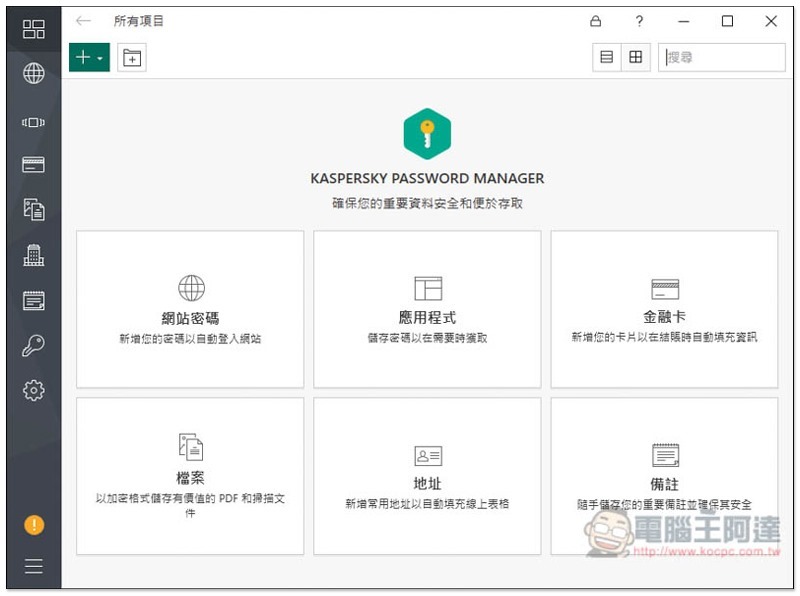
Windows, Mac, iOS, and Android systems are all supported, and browser extensions for Chrome’, Internet Explorer, Microsoft Edge, Firefox, and Safari are also provided. If you are using a paid password manager like me, I strongly recommend you to buy Kaspersky Total Security software at this time to save money and get computer protection.
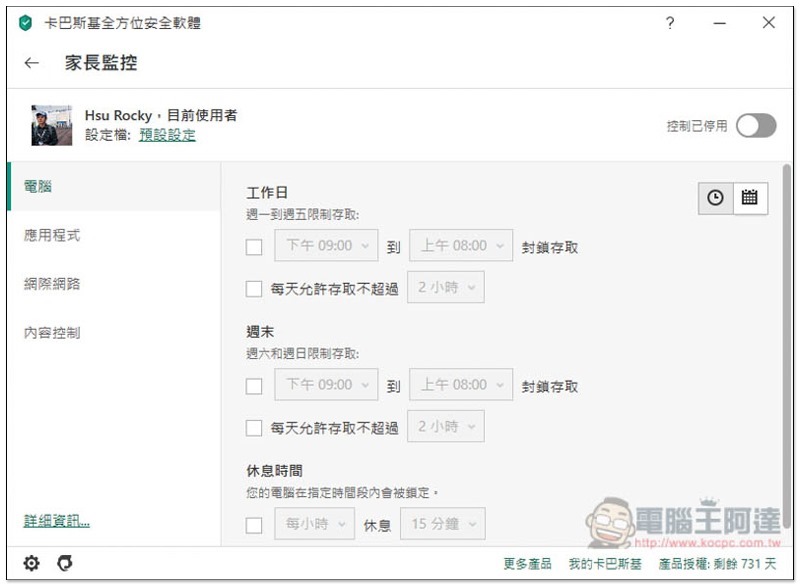
For those who use the computer for children, this set also provides parental control functions. You can set what time, which applications, websites, content, etc. they can use:
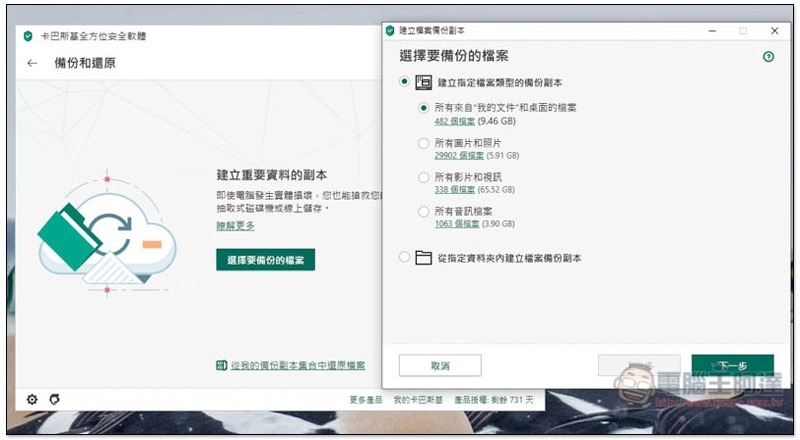
There is also a backup and restore function. In addition to the local machine, cloud services and FTP also support:
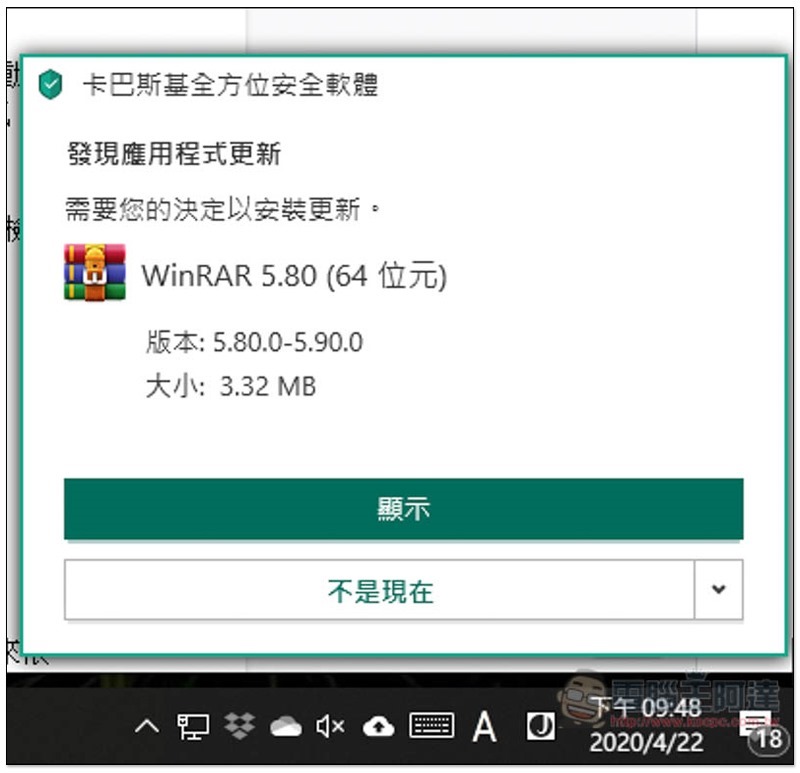
It even has a software update check function, which is really comprehensive:
Kaspersky Mother’s Day buy one get one free event
This time Kaspersky Mother’s Day buy one get one free event, there are two software versions:
- Special price of NT$1,490 for 1 unit of Kaspersky Internet Security for 2 years (original price of NT$1,490 for 1 unit for 1 year)
- Special price of NT$2,490 for 3 units of Kaspersky Internet Security for 2 years (original price of NT$2,490 for 3 units for 1 year)
- Kaspersky Internet Security software, 1 unit, 2 years, special price NT$1,690 (original price, 1 unit, 1 year, NT$1,690)
- Kaspersky Total Security 3 units for 2 years at a special price of NT$2,790 (original price is NT$2,790 for 3 units for 1 year)
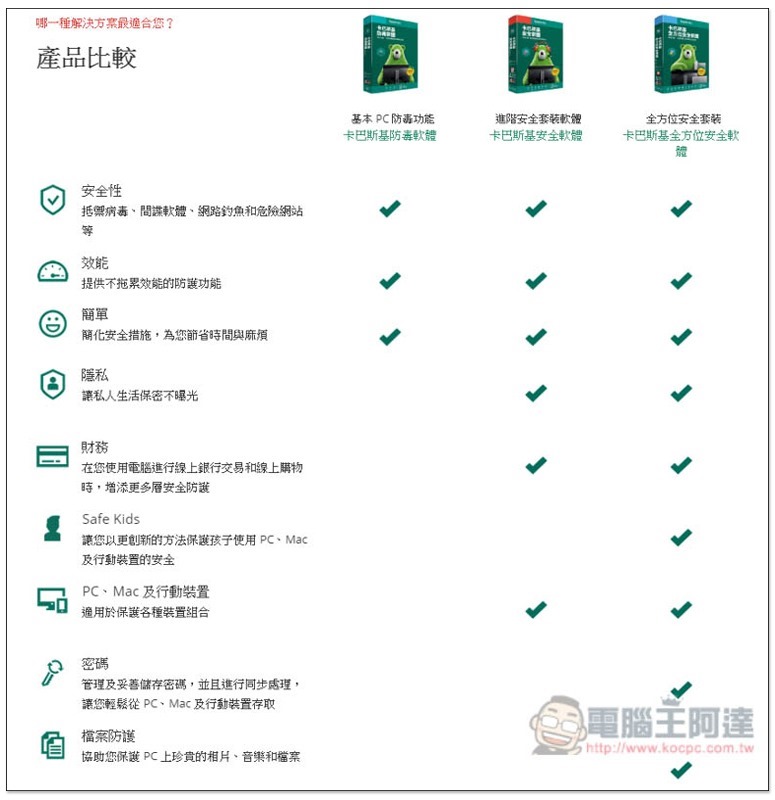
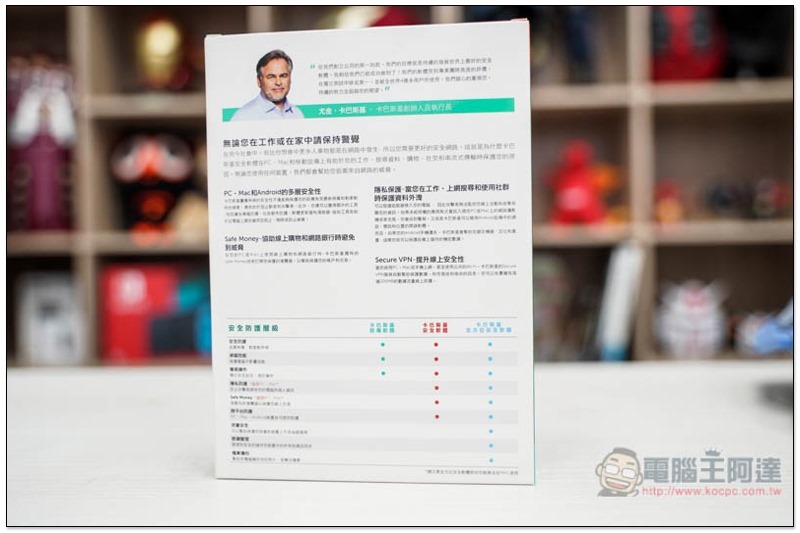
For those with sufficient budget, it is recommended to purchase comprehensive security software. The following are the differences between the two versions (the basic anti-virus software on the left is not included in this event and has fewer functions):
After purchasing, the serial number will be sent to your home, and the software can be downloaded from the official website:
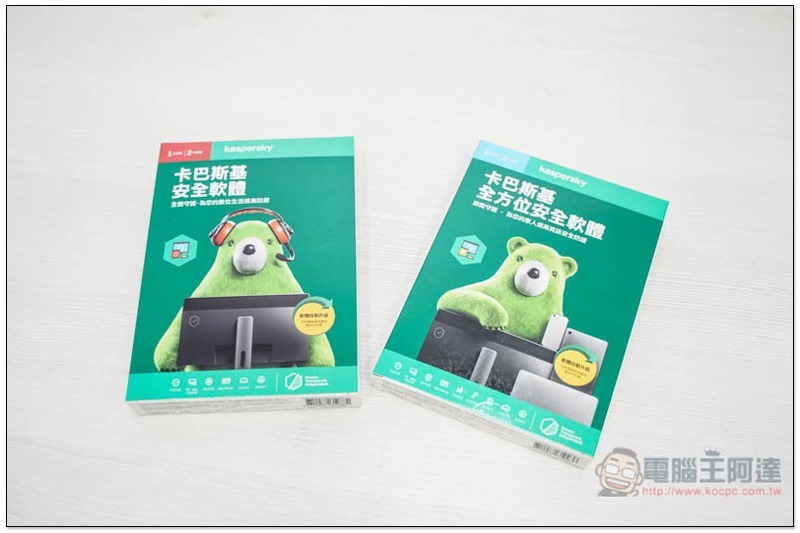
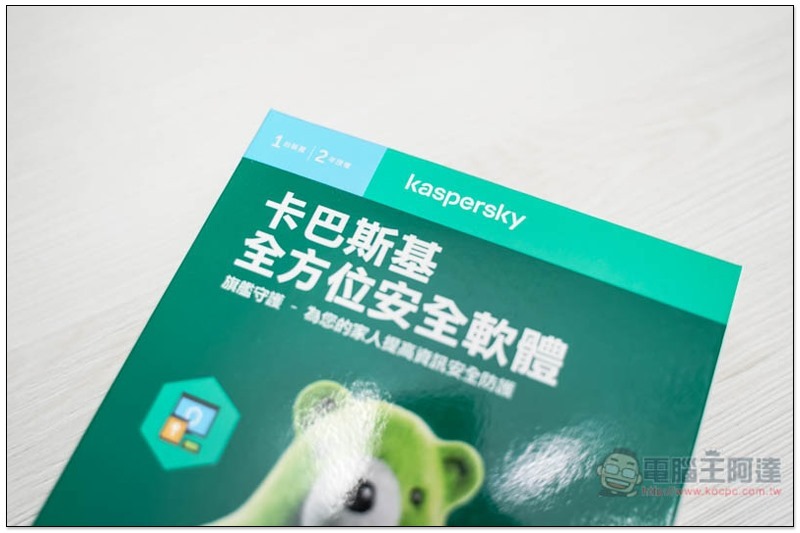
The version we got is 1 device for 2 years, and it will be noted in the upper left corner:
There will be some detailed introduction on the back of the package, as well as the differences between each software version:
After opening, it contains a small card and a quick installation guide. If you are afraid of installation, you can refer to:
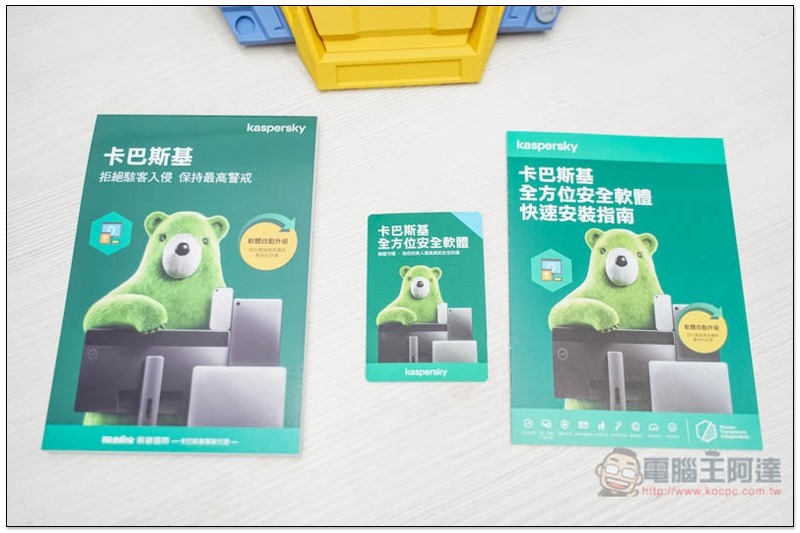
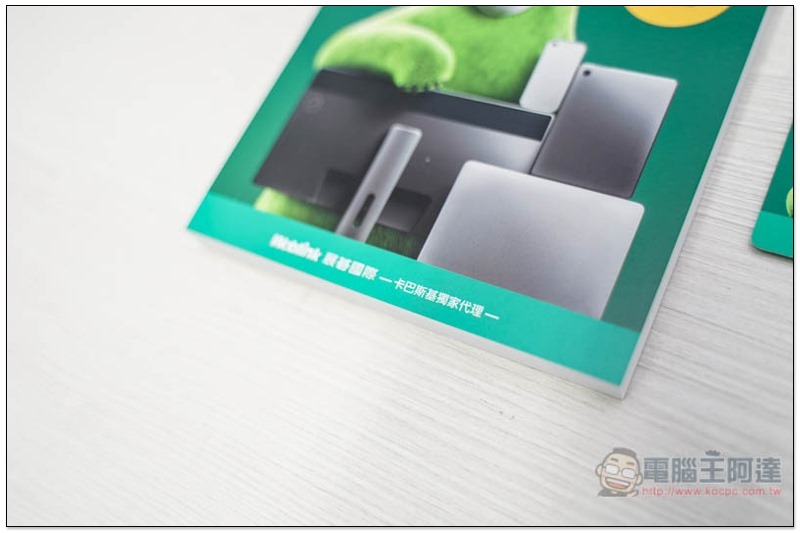
Kaspersky Taiwan is the exclusive agent of Zhanqi International, and the identity is also verified by the words below:
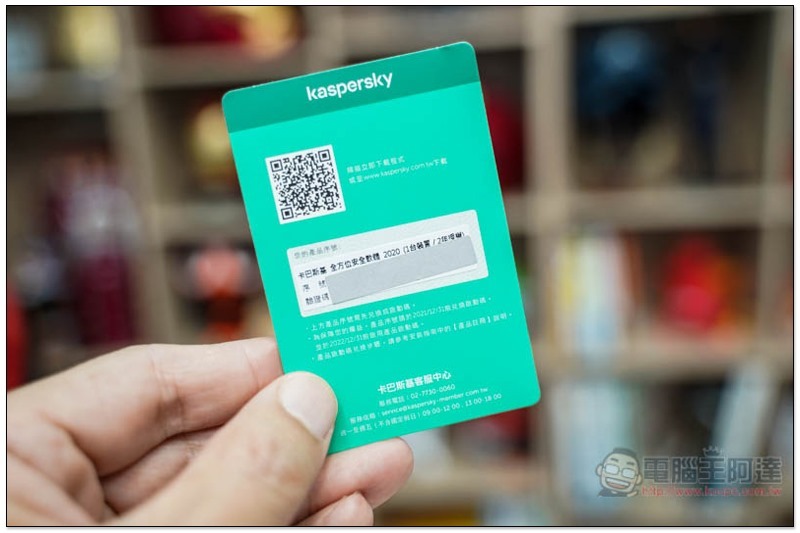
On the back of the small card is the important serial number redemption code, which is covered with silver bars. There is also a purchased version above:
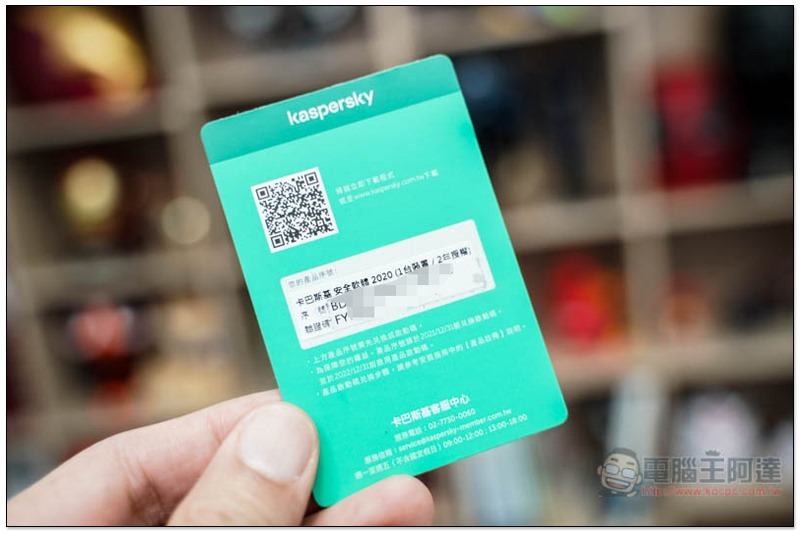
After scratching it off, one thing to note is that this is not the software serial number, but the redemption code, so there are two “serial numbers” and “verification codes”:
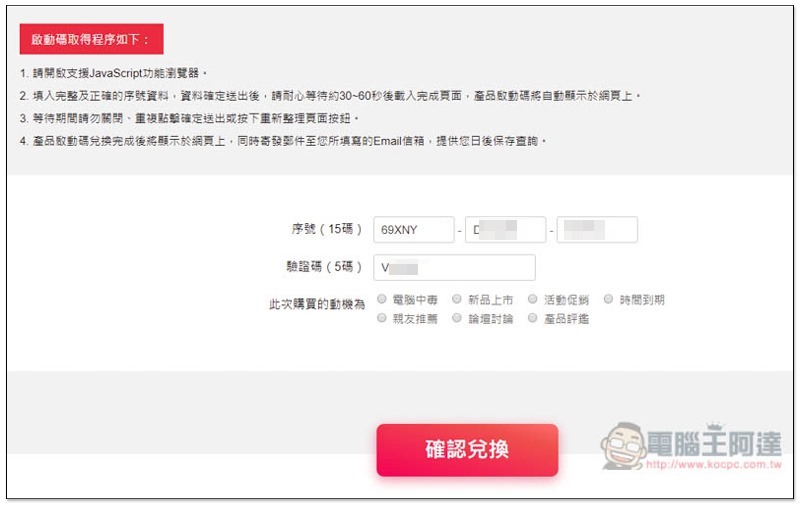
Go to the designated page of the official website, log in to your Kaspersky account (if you don’t have one yet, register for free), then enter the 15-digit serial number and 5-digit verification code on the card, and click below to confirm the redemption:
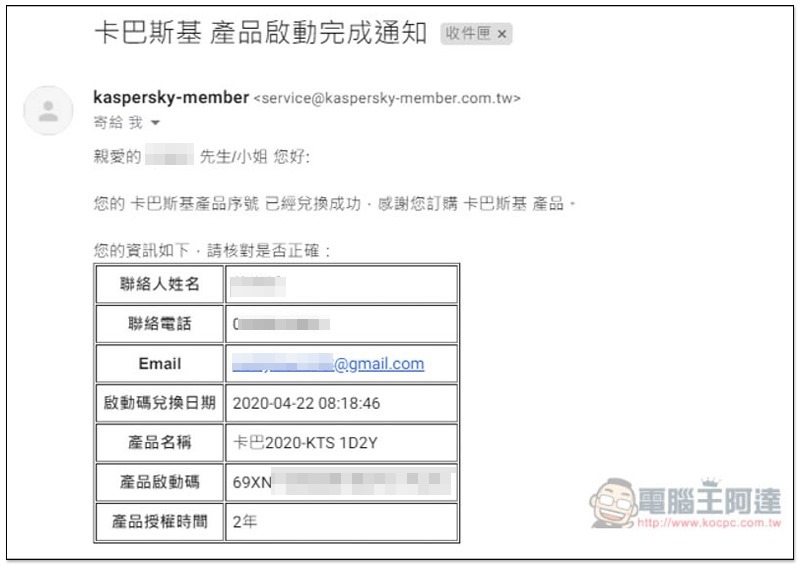
The product serial number will then be sent to your registered email address:
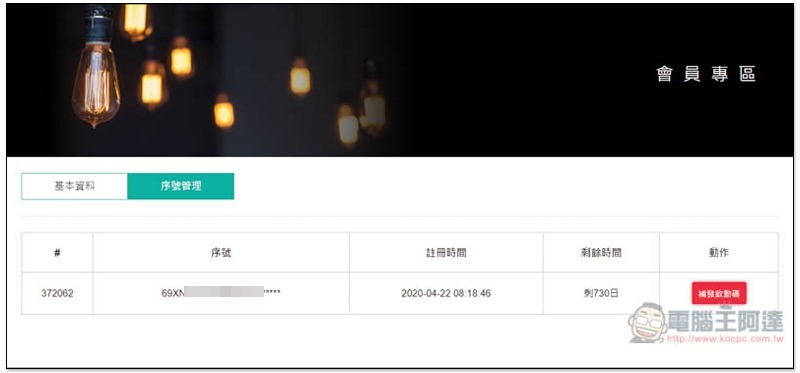
You can also check or reissue in the members area:
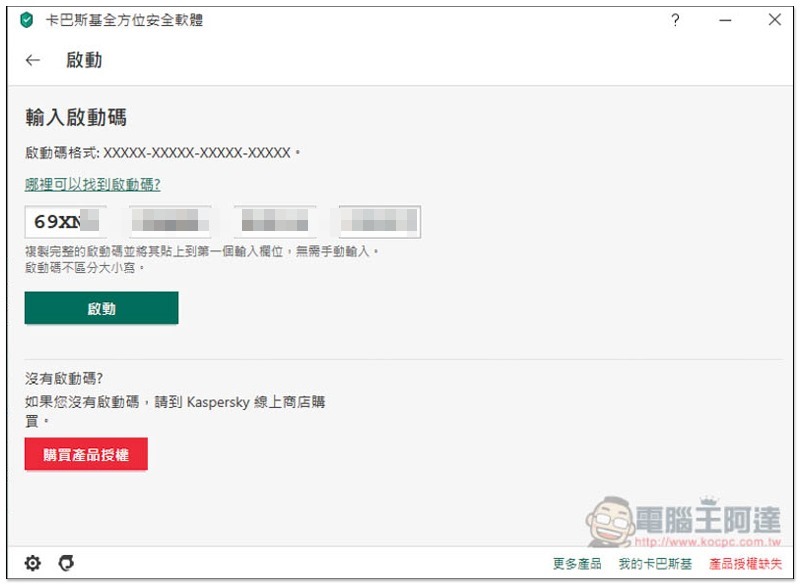
Then you can enter the serial number into Kaspersky anti-virus software to start:
in conclusion
For those who do not have anti-virus software on their computers, or are looking for anti-virus software, Kaspersky is undoubtedly a very good choice. There are almost no shortcomings, even performance has no impact, and misjudgments rarely occur.
The security software and comprehensive security software Taiwan official website provide trial versions. Those who want to give it a try can download and install them first.
However, it should be noted that this Mother’s Day event is not long, it only lasts for just over a week from 4/27 to May 10. If you think it is good, you really have to take advantage of it. I don’t know when the next buy one get one free will be available.
- Special price of NT$1,490 for 1 unit of Kaspersky Internet Security for 2 years (original price of NT$1,490 for 1 unit for 1 year)
- Special price of NT$2,490 for 3 units of Kaspersky Internet Security for 2 years (original price of NT$2,490 for 3 units for 1 year)
- Kaspersky Internet Security software, 1 unit, 2 years, special price NT$1,690 (original price, 1 unit, 1 year, NT$1,690)
- Kaspersky Total Security 3 units for 2 years at a special price of NT$2,790 (original price is NT$2,790 for 3 units for 1 year)

Source: KOCPC Chinese