


For those who work at home or work on computers, they should sit in a chair most of the day and rarely get up and move. If you buy a sports bracelet or sports watch, it is okay. Basically, they have a sedentary reminder function, but if not, it is not very good for the body in the long run, and it is easy to gain weight. Therefore, the free Stretch Reminder App to be introduced in this article can help you. It is available in both Android and iOS versions. Not only does it allow you to set working hours and how often to be reminded, each reminder will also automatically recommend the stretching actions you need to do. There are also instructional videos, so you don’t need to worry about not knowing how to do it.
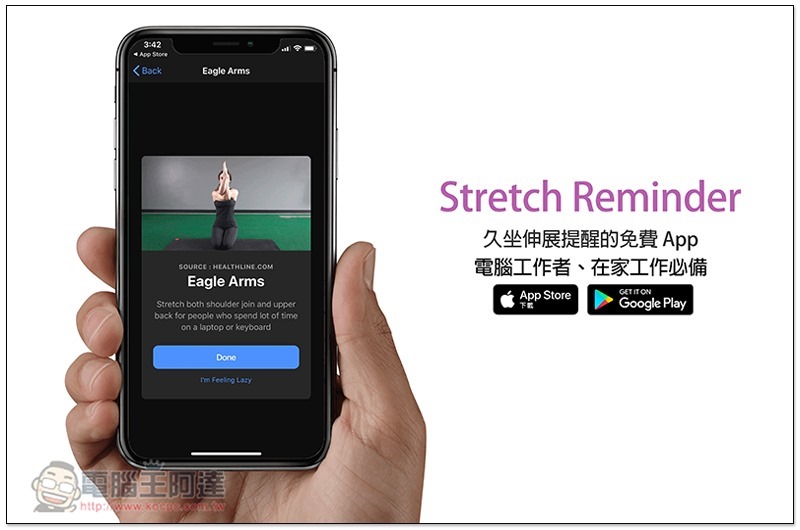
Stretch Reminder Free App introduction for sedentary stretching reminder
Although Stretch Reminder currently does not support the Chinese interface, it is very simple to use, so people who don’t understand it don’t have to worry too much. After opening the app. You can set the reminder time, such as: how often to be reminded (Every x Hours), working time (when to start Starting…, when to end Till…). After setting up, the following will also tell you when the next reminder time is (Your Next Reminder at….):
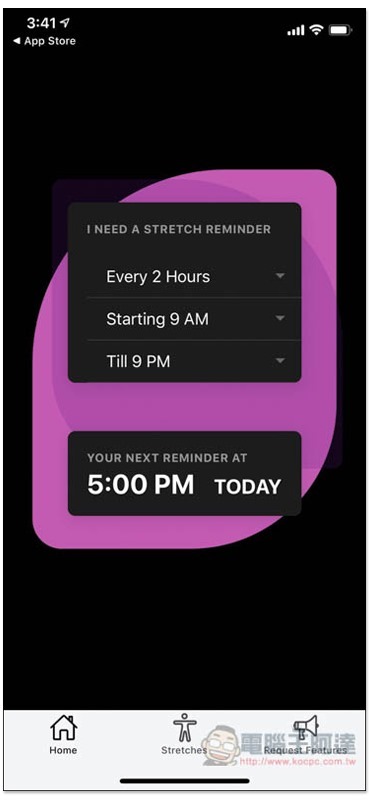
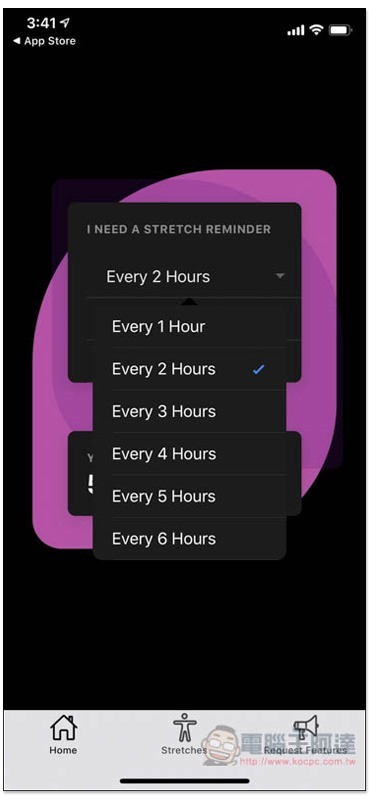
The shortest reminder time can be set to 1 hour and the longest to 6 hours, with an interval of 1 hour between each one. It depends on your work situation. If you need a longer concentration time, you can schedule a reminder every 2 to 3 hours. For those who are not busy, it is recommended to stretch every hour:
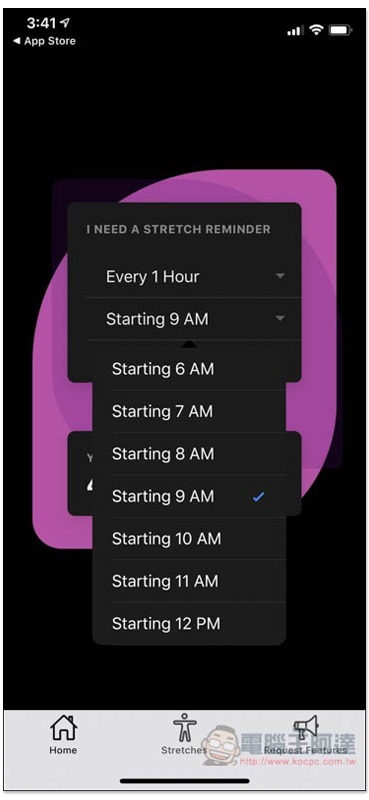
Work can start as early as 6 a.m. and as late as 12 p.m.:
There are more choices for the end time, the latest is 11 pm and the earliest is 1 pm:
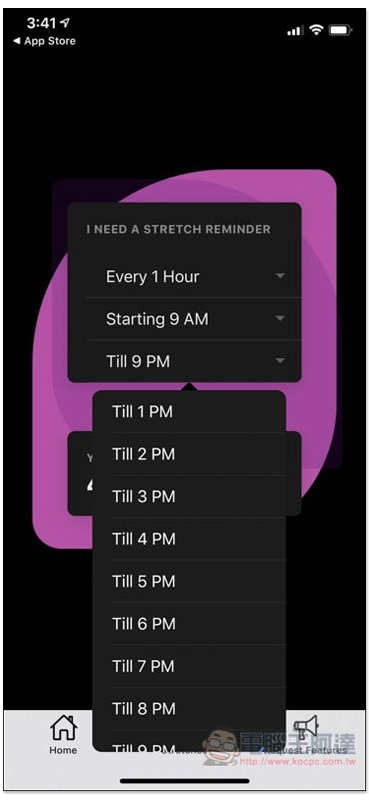
You can then get to work and wait until you get the call to see what stretches to do.
However, it also has a page with all the stretches, so you can click on Stretchs below if you’re interested in browsing. It doesn’t matter if you don’t understand the English name. Just click on it and you will know what the action is:
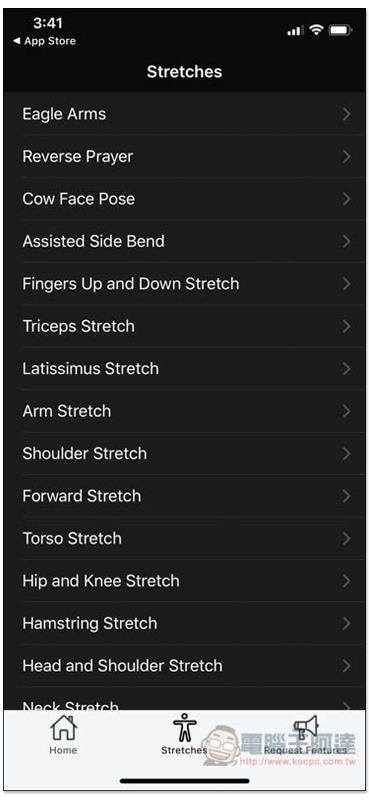
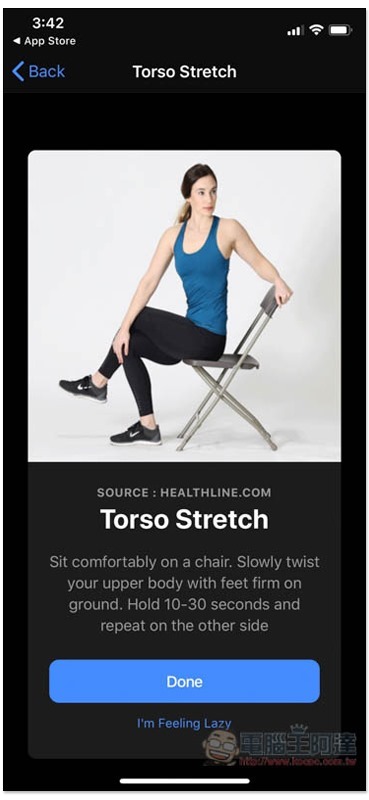
There are video tutorials above each stretch to tell you what to do:
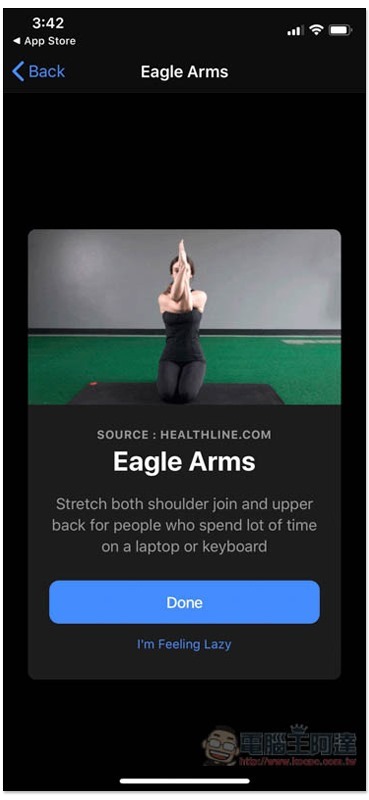
It is mainly a stretch of the upper body. Some movements are very simple, while others are more complicated. Like the picture below, you only need to pull up with both hands:
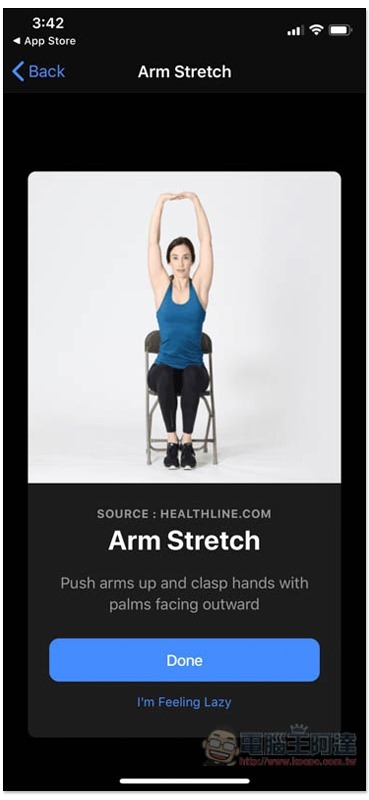
This must be paired with a chair. Although it is more troublesome, compared with some fitness exercises, it is not that difficult:
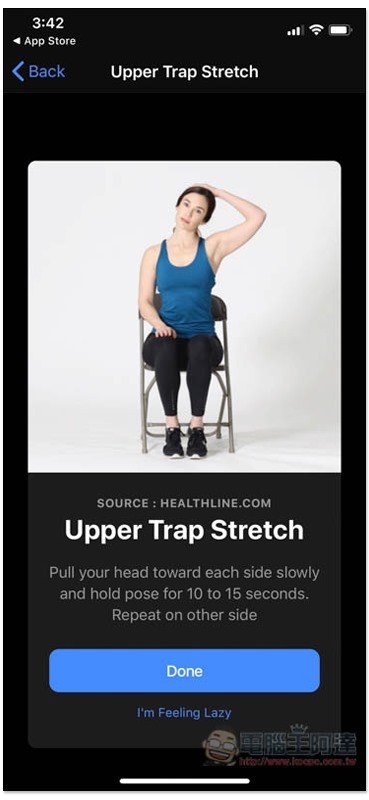
Head extensions are also available:
Stretch Reminder download link
App Store:Click here to go
Google Play:Click here to go
Source: KOCPC Chinese