


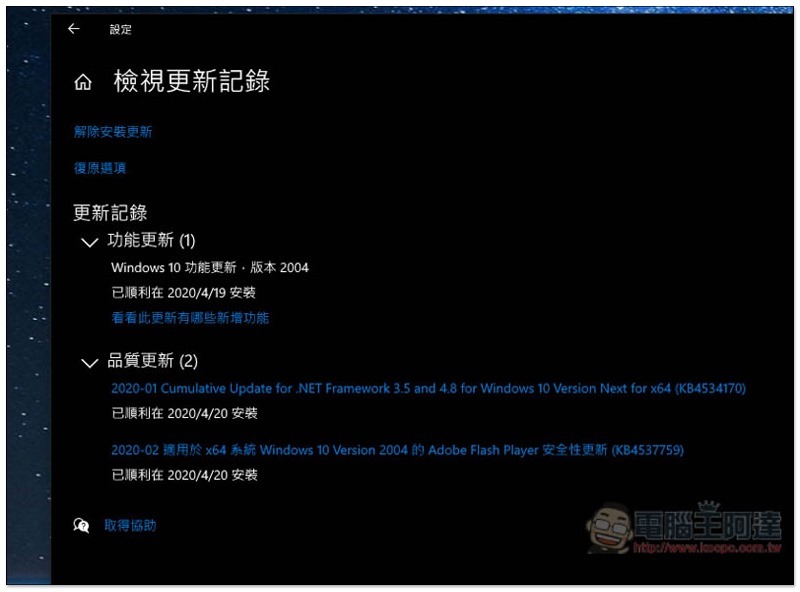
As May is approaching, the next important update of Windows 10 May 2020 is about to be released (20H1). A few days ago, Microsoft also announced the launch of the final version of Windows Insiders, Build 19041.207, on its official blog. Even though the launch time has not yet been announced, based on past experience, with the release of the final version, the time should be soon. Overall, this Windows 10 May 2020 update does not have any particularly eye-catching features. It basically enhances and improves the user experience. Here are a few that I think are pretty good.
8 useful new features in Windows 10 May 2020
1. Job admin increases GPU temperature
After upgrading to the Windows 10 May 2020 version, there will be a GPU display card monitoring information at the bottom of the work administrator. You can view the current usage, memory, temperature, driver version, driver date, DirectX version, etc.
You can open the job manager via Ctrl + Alt + delete keys.

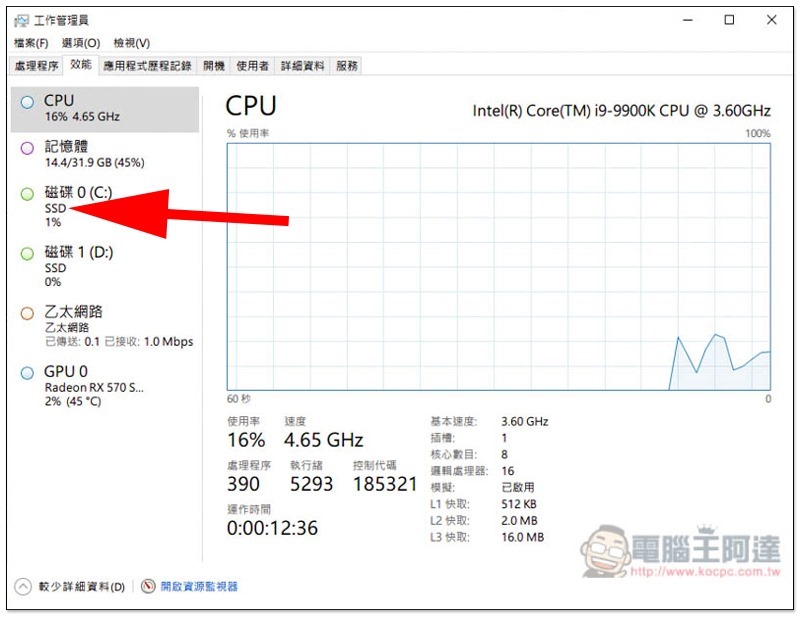
2. The job manager will display the type of hard drive
Sharp-eyed readers should have discovered that the new version of the work manager has more information on the type of hard drive under the hard drive on the left side, such as: is yours an SSD or an HDD, so that you can quickly identify which hard drive it is.
3. Set bandwidth limit for Windows update downloads
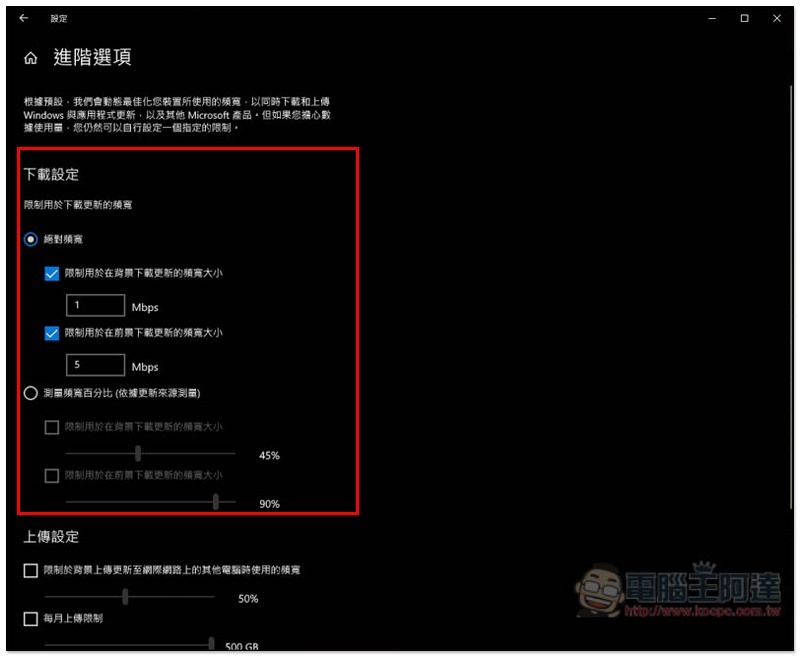
Currently, in the settings of Windows 10, it is already possible to limit the bandwidth percentage for Windows update downloads. In the new version, Microsoft has added an absolute bandwidth setting function, allowing you to more accurately limit the download bandwidth to avoid taking up too much network speed.
This function is also located in Settings -> Update & Security -> Delivery Optimization, click “Advanced Options” in the menu.
4. The name of the virtual desktop can be customized
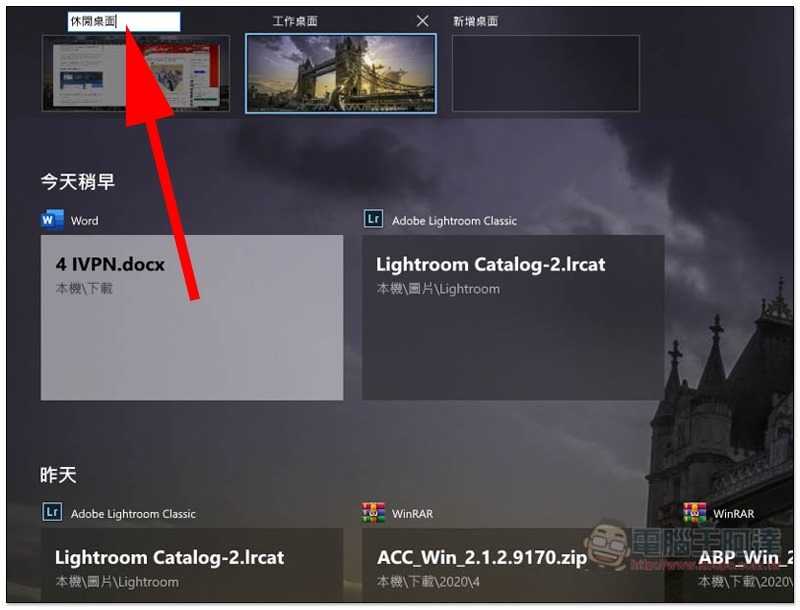
exist 5 articles to improve productivity in Windows 10I have introduced the usefulness of virtual desktops, but in the current version of Windows 10, you cannot change the name, and only display Desktop 1, Desktop 2, and so on. Therefore, sometimes we accidentally get the wrong desktop to use.
In the Windows 10 May 2020 update, Microsoft finally added this feature. Click on the desktop name to modify it, and even add emoticons to make the name look more lively and cute.
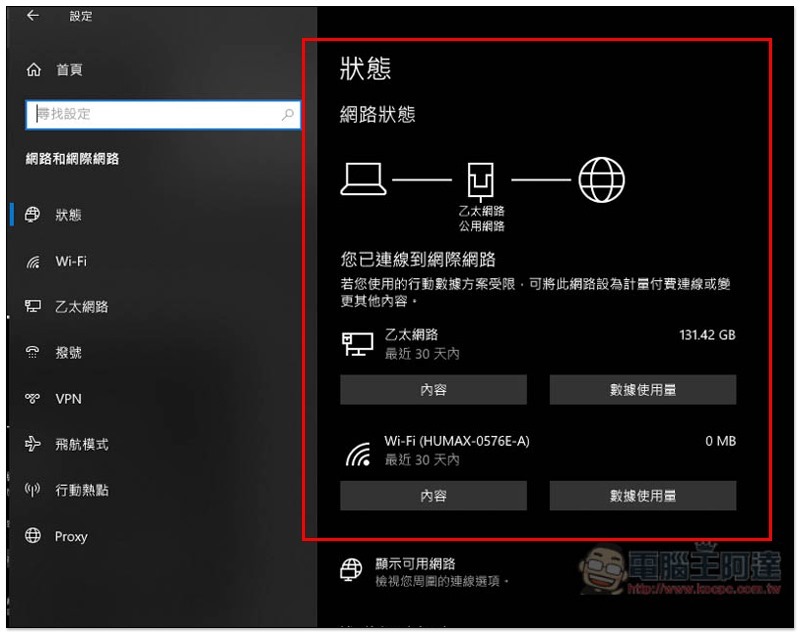
5. Network status shows more information
In the latest version, Microsoft has redesigned the network status page. It will now display all the network interfaces you use. For example, if your computer is using both wireless and wired networks, both information will be displayed. The right side will also directly tell you how much data has been used, without having to look for it in other options:
6. Easier to control whether to automatically restart the application after logging in again
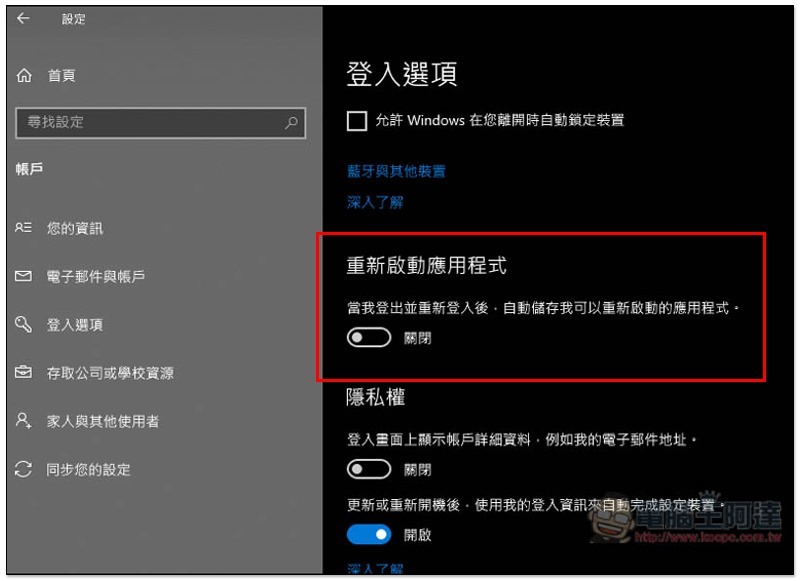
When you restart your computer, Windows 10 will automatically open applications and software that you have not closed before. This may work well for some people, but not everyone likes it.
The current version of Windows 10 is in Settings -> Accounts -> Login Options. Although you can prevent this feature by turning off “Use my login information to automatically set up the device after updating or restarting” under Privacy, it does not work for all applications, so you have to go to Settings -> Applications -> Manually close it during startup, which is very troublesome.
The login options of Windows 10 May 2020 now have an additional “Restart Application” control option. If you don’t want to automatically reopen it, just turn off this function.
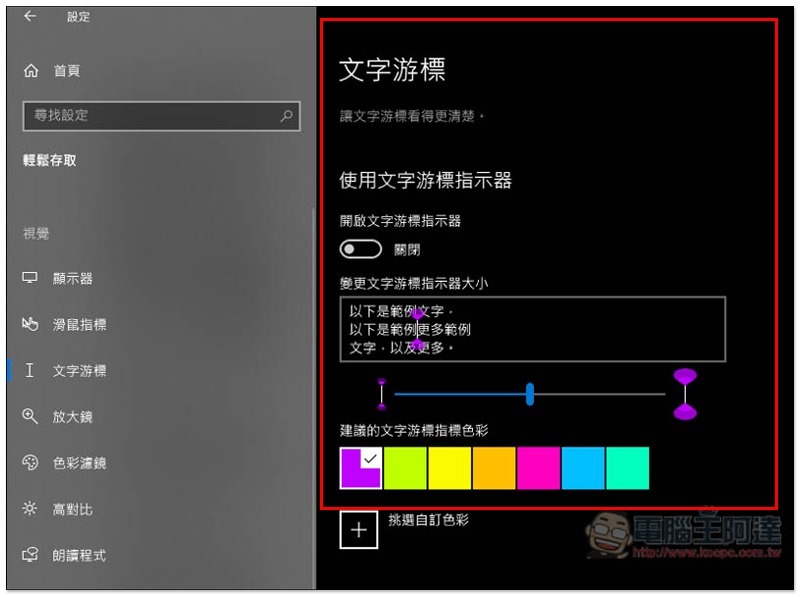
7. Text cursor indicator
In the new text cursor options, you can adjust the size and color of the Windows 10 indicator, making it easier for you to identify where you input.
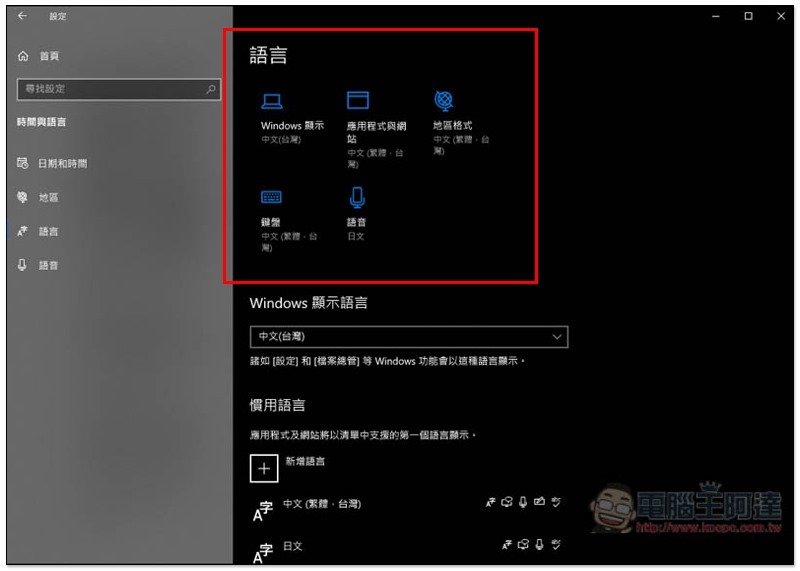
8. The language setting page displays more information
The language settings page of Windows 10 has also been redesigned. The top of the page will display the languages of Windows display, applications and websites, regional formats, keyboards and voices, allowing you to find relevant information faster, and you can also click directly to modify other languages.
In addition to the above 8 things that I think are good, Windows 10 May 2020 also has other large and small updates, such as: you can choose the update content of Windows Update, you can reinstall Windows 10 through cloud download, a better-use Windows search function, the hard disk cleaning function will not delete the download folder, etc.
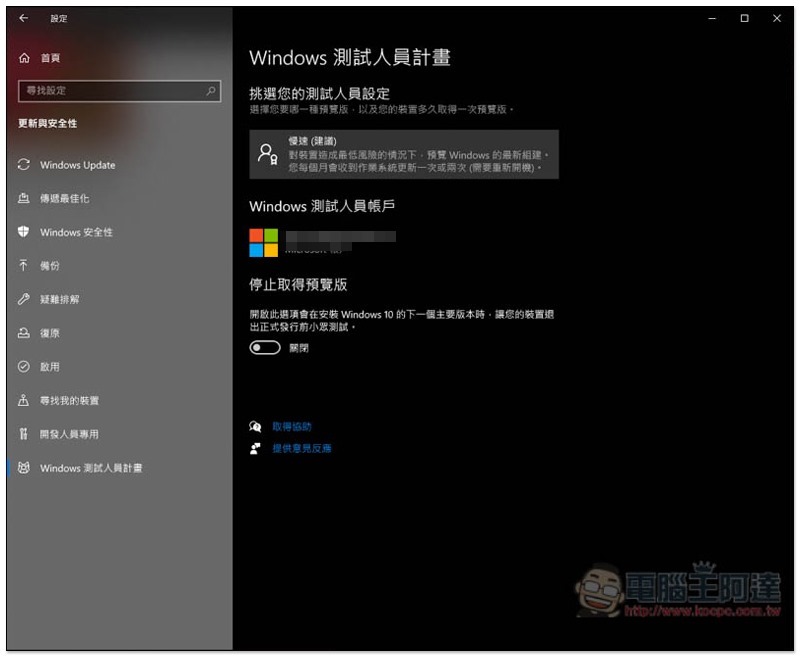
The official launch time is not yet certain, but if you can’t wait any longer, you can also apply for the Windows Tester Program in Windows 10 Settings (everyone can do it), and you can be the first to experience the final version of Windows Insiders Build 19041.207. After personal testing, I feel that it is quite stable and I have not encountered any problems. It is recommended to back up important files before upgrading.
Source: KOCPC Chinese