


The author often helps friends repair their computers, and the most common problem I encounter is : “Hey! What is your equipment? I need to find the driver.” I often don’t know what to ask. I have to disassemble the case to check the hardware model, and be a good person to clean the dust and refill the thermal paste… The one I’m going to introduce today is [Speccy]! As long as the computer can boot normally, you can use this software to check the computer’s equipment to facilitate the download of the driver. Then go to the official page to download the program first, and just download the free version:
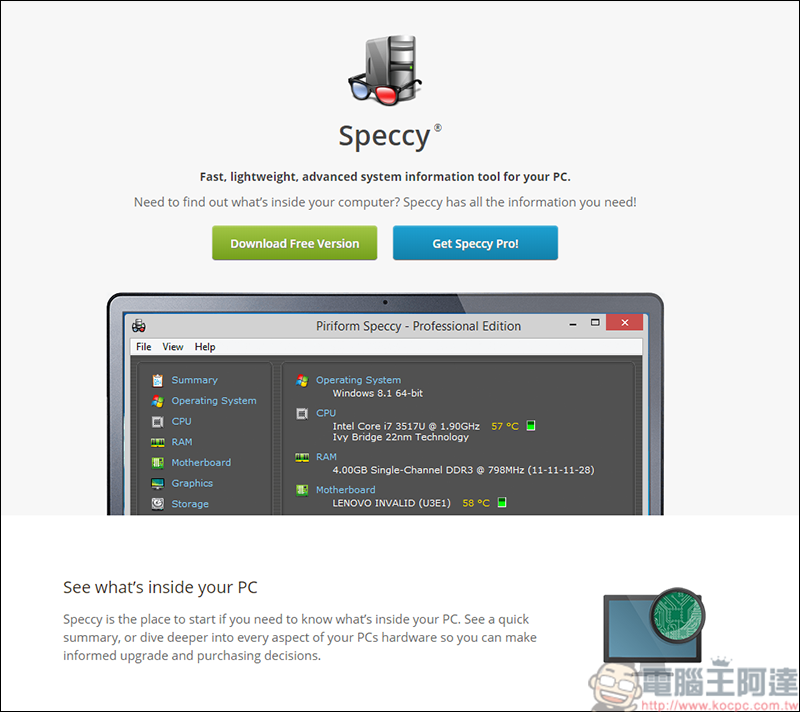
(Download address)
In addition to viewing the equipment, you can also know the device temperature
The software is also very simple to use. Once installed, you can use it directly. The language part can also be changed to Chinese through settings. In the summary, you can see the individual information of the CPU, RAM, motherboard, graphics card, SSD & HDD. The brand names of each part are also listed one by one. You can find the corresponding driver in this way:
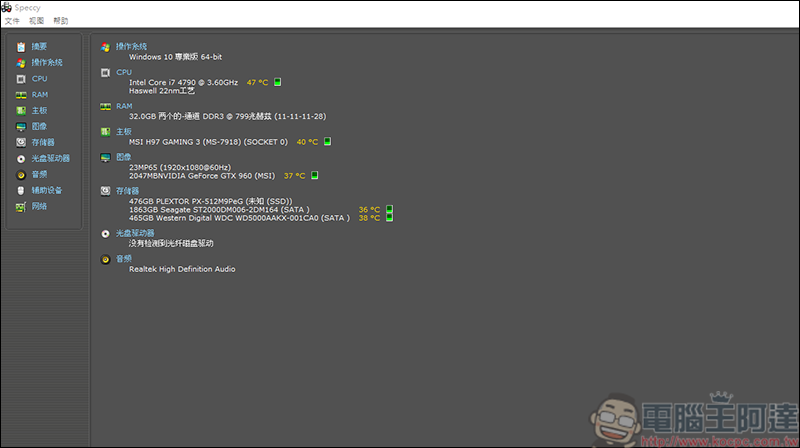
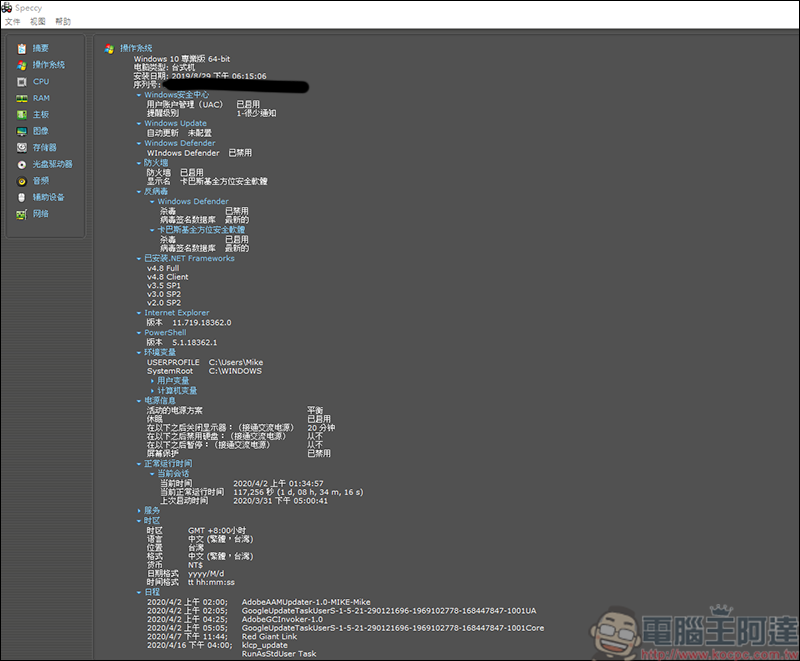
Of course, you can also check your system serial number and usage time through Speccy:
Another commonly used function of the author is the hard drive function. Here you can check the individual status of the hard drive. When a warning appears, I will replace the hard drive without saying anything. After all, spending a little money to ensure the security of data is of infinite value!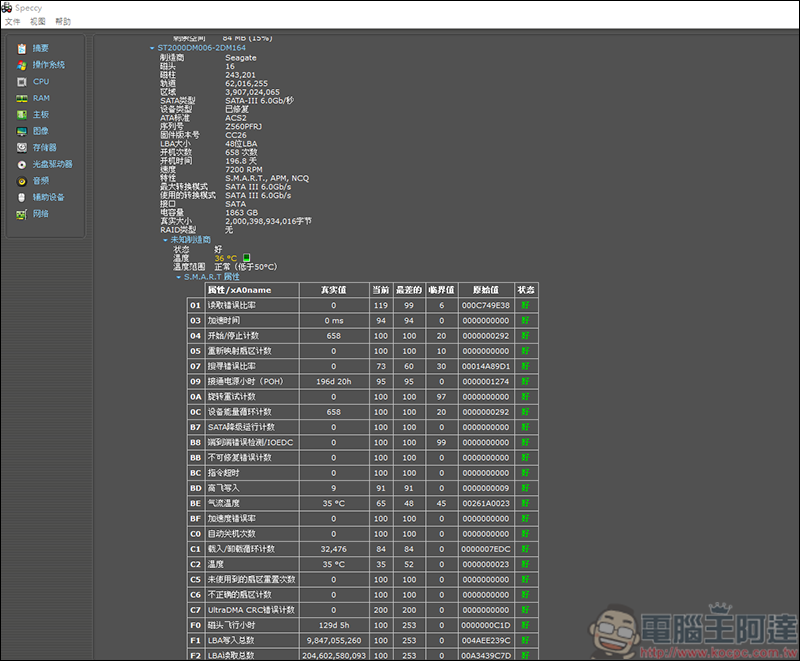
Source: KOCPC Chinese