


I believe that for every LINE user, having chat history with friends is a cherished memory. However, many users rarely remember to manually back up their chat history to the cloud on a regular basis. They may only remember that they have not backed up their chat history until they need to “switch phones.” But now you don’t have to worry about it anymore! Because earlier, LINE released version 10.3.0 update for the iOS version, adding a thoughtful “automatic backup” function.

LINE iOS 10.3.0 update: Added “Auto Backup” function, users can set the frequency of automatic backup according to their needs
LINE was the first to release the 10.3.0 update on the iOS version earlier, adding the new feature of “automatic backup of chat history”. However, this feature is not yet available on the Android version, so Android users may have to wait a little longer!
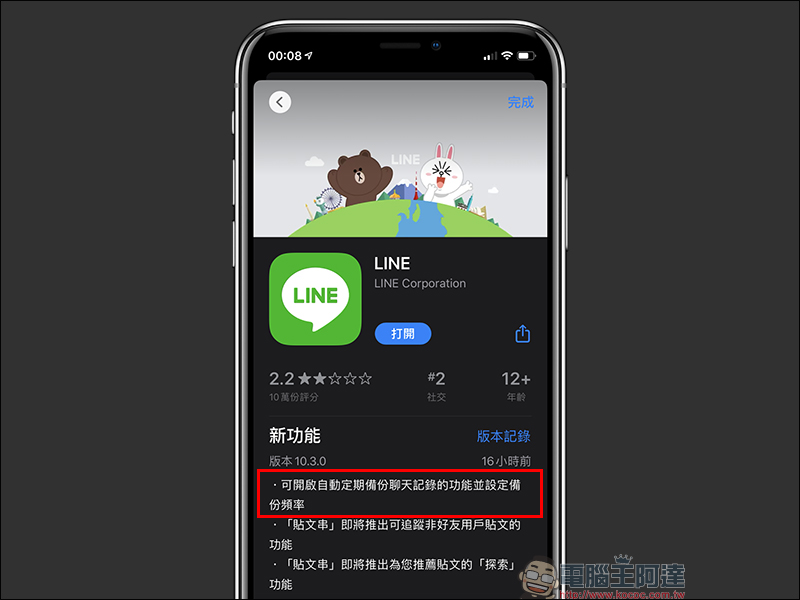
iOS users, from now on, you can go to the App Store and update LINE to the latest version 10.3.0 (inclusive) or above to see this new feature!
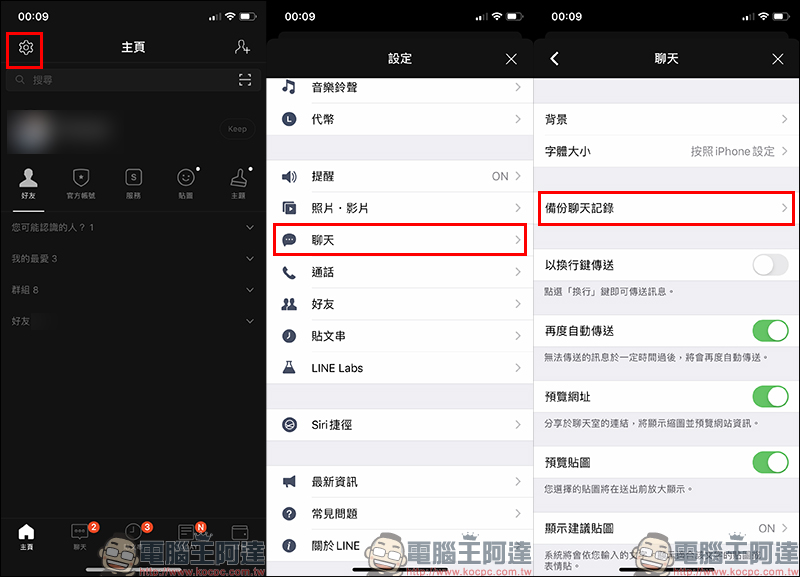
After updating, open the LINE homepage and click “Settings” (gear icon) at the top of the screen, then click “Chat” > “Backup Chat History”:
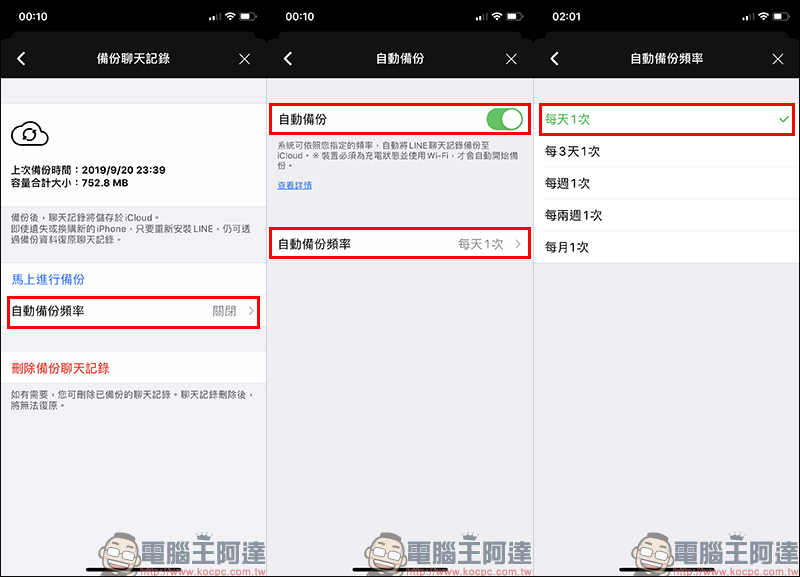
As long as the LINE iOS version is updated to version 10.3.0 (inclusive) or above, you will see that the “Automatic Backup Frequency” setting has been added after entering the backup chat history page.
Users only need to turn on the “Auto Backup” function first, and then set the “Auto Backup Frequency”. Automatic backup frequencies include “once a day”, “once every 3 days”, “once a week” and “once a month”.
Since the chat history backup of LINE iOS version will be stored in iCloud cloud space, it is recommended that you refer to the previous chat backup capacity to evaluate whether your iCloud capacity is sufficient. If there is sufficient iCloud space,It is recommended to set automatic backup to “once a day”。
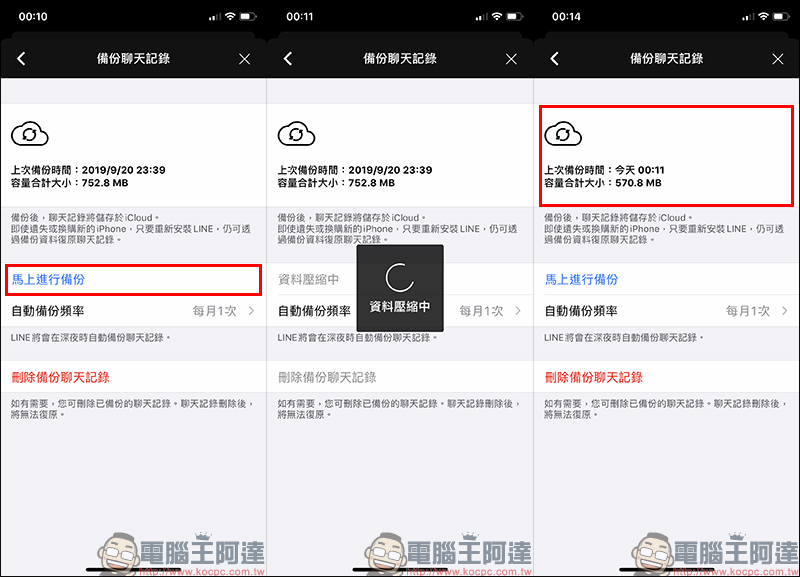
LINE’s automatic backup of chat history will be performed late at night, so there is no need to worry about disturbing daily use. However, if you find that the last time you backed up chat history when setting up automatic backup is quite a long time ago, you might as well click “Backup Now” after setting up to manually back up chat history!
LINE App download:
iOS version (App Store)| Android version (Google Play Store)
Further reading:
LINE officially announced that it will terminate the registration of new accounts with Facebook accounts, and announced that Apple accounts will be available to log in and change phones in the near future.

Source: KOCPC Chinese