


Whether it is iOS, Android or computer platforms, we have introduced quite a few in the past YouTube downloadTools, Apps or websites, for Android users this time we are going to share a very easy-to-use downloading App – “iTubeGo for Android”. In addition to downloading videos on the YouTube platform to Android phones, it can also download videos from more than 1,000 websites such as Facebook, Instagram, and Twitter! Moreover, videos support up to 4K high image quality, and MP3 audio files support up to 320kbps sound quality.
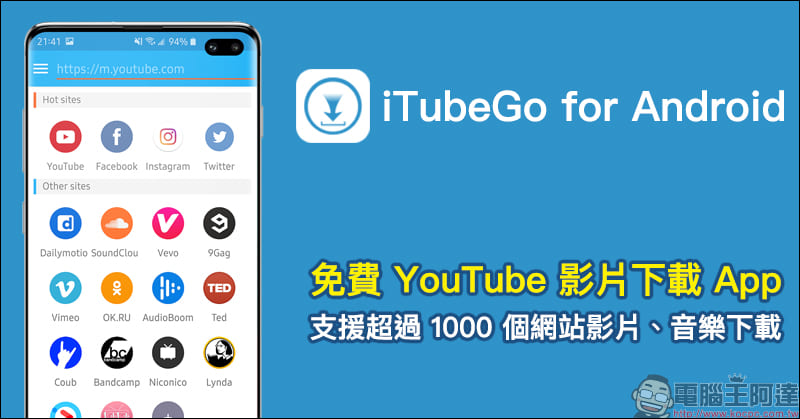
iTubeGo for Android Free YouTube Video Download App: Supports video and music downloads from more than 1,000 websites, and can also download 4K videos on mobile phones!
Even though some of the video download tools introduced in the past are very useful, there may be some areas for improvement in terms of video download quality and ease of operation. If the website you want to download videos does not support the tools introduced in the past, or if you want to download the highest 4K high-definition videos, then it is recommended to try the “iTubeGo for Android” Android App introduced today. iTubeGo for Android App free download (APK file):Click here to go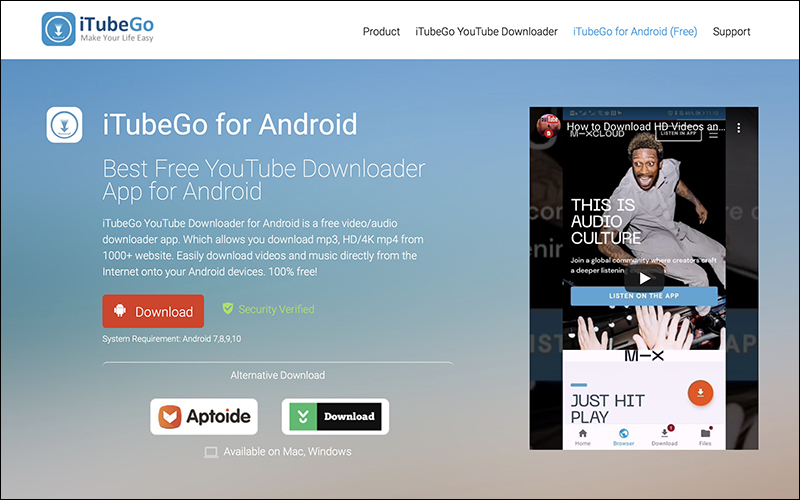
iTubeGo supports downloading videos from more than 1,000 currently common websites such as YouTube, Facebook, Twitter, Instagram, Vimeo, Douyin, etc., covering almost most of the current audio and video websites (even videos from a certain P**nh*b audio and video website can also be downloaded. As for other websites, please try it yourself!):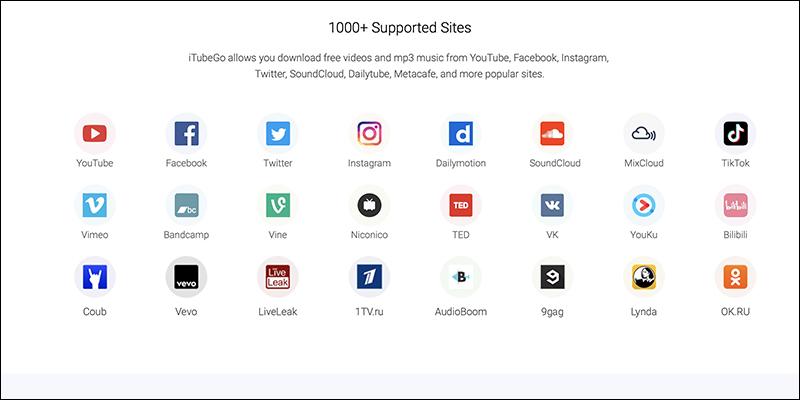
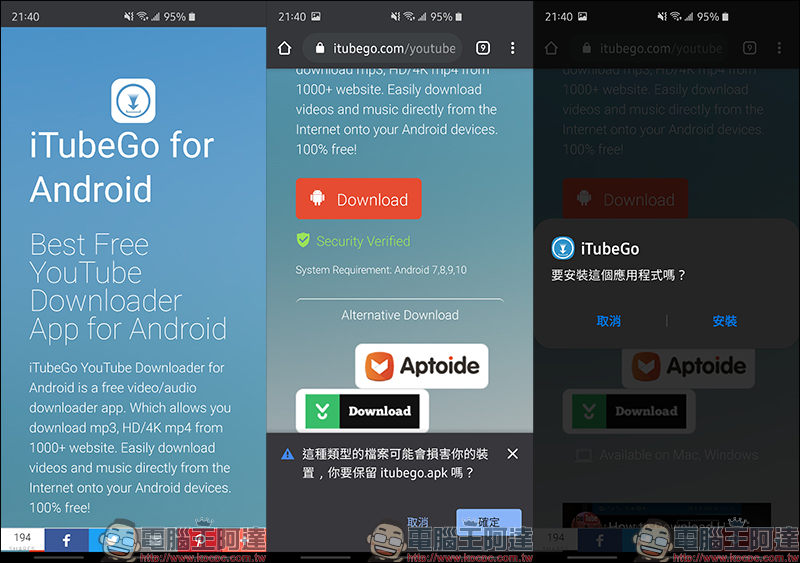
Download the iTubeGo APK file from your Android phone and complete the installation to start using it:
After opening the iTubeGo App, several of the most popular platforms will be displayed on the main screen, as well as other common website options. Users only need to click on the video they want to download, and then they can open the web version of the platform within the app to operate.However, the author personally recommends that “pasting the URL” directly on the main screen is actually the fastest and most convenient method of operation.
Click the upper left corner of the screen to expand the function menu, and then select “Settings” to customize the default download options. For example, for Type, you can select Video or Audio, and for Quality, you can select the default resolution selection such as Best resolution or 4K.
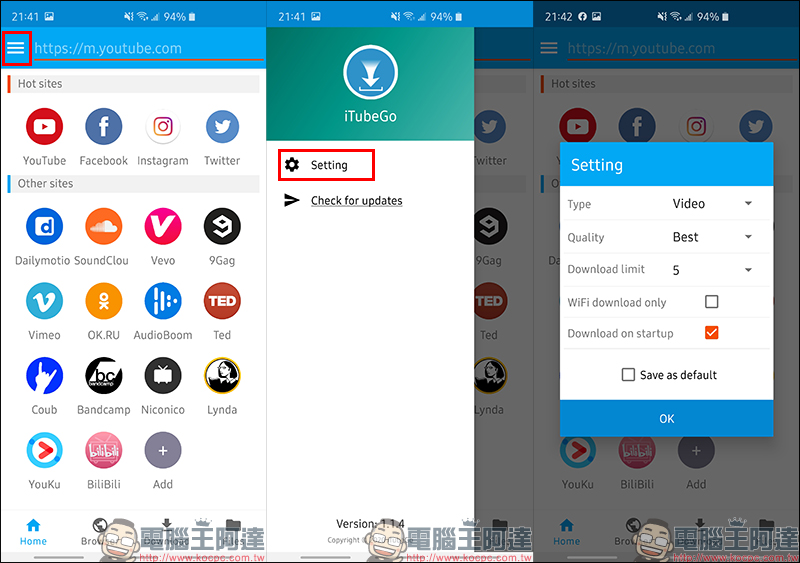
Since the iTubeGo App uses a web version to display platforms such as YouTube, although it is normal to watch videos, the interface is still not as easy to use as an independent App. In addition, users already have a logged-in account on the original platform. If they want to log in to an account on iTubeGo, it will inevitably increase the process and time of downloading videos.
Therefore, the author recommends that you just copy the video link on the original platform and paste it directly in the URL field of the iTubeGo App. Then just click the “Download” button on the screen, confirm the download settings, and start downloading!
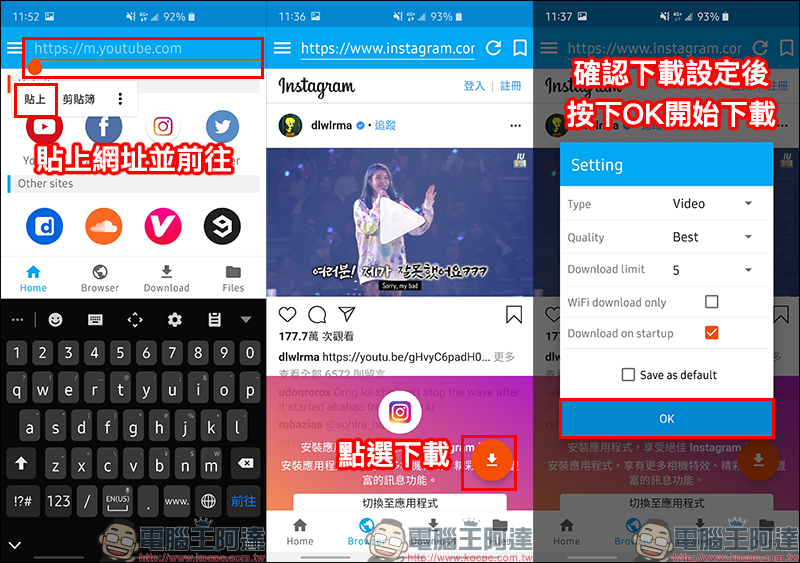
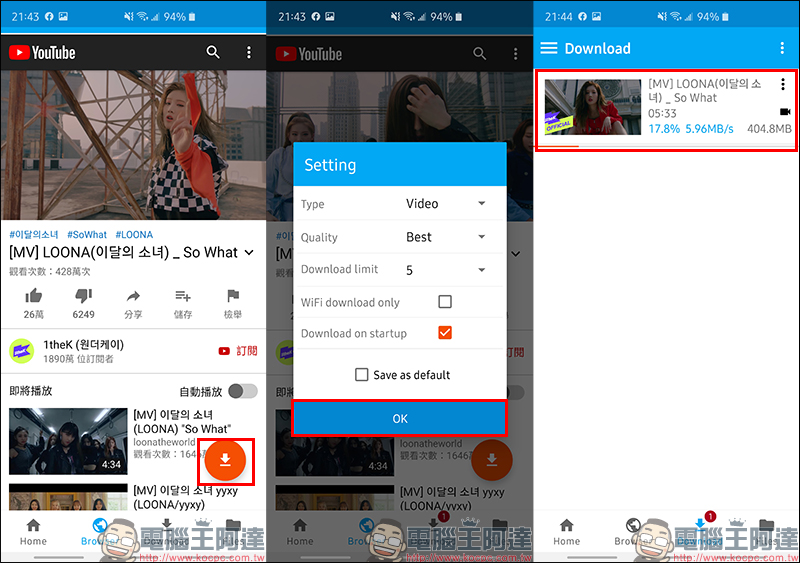
If it is Instagram, Facebook and other platforms, it is recommended to directly select “Best” for the video quality setting. However, if you encounter a platform such as YouTube that supports 2160p 4K high-definition videos, if you directly select “Best”, some 4K high-definition videos will be directly downloaded to the mobile device. However, high-definition videos are bound to be accompanied by considerable file sizes and longer download times. The 05:33 length of the 4K video in the picture below is Taking a video as an example, the estimated file size is approximately 400MB.
As for ordinary users, it is enough to choose 1440p (2K) or 1080p (FullHD) resolution for viewing on mobile phones.
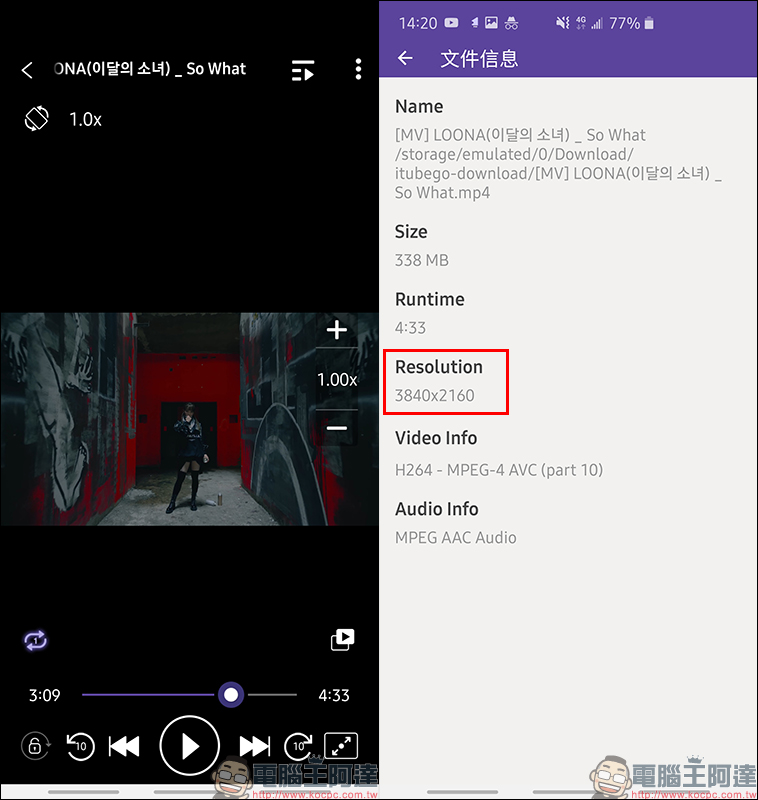
After downloading this 4K video in iTubeGo App, use KMPlayer Pro to confirm that its resolution is 3840*2160 and there is no problem:
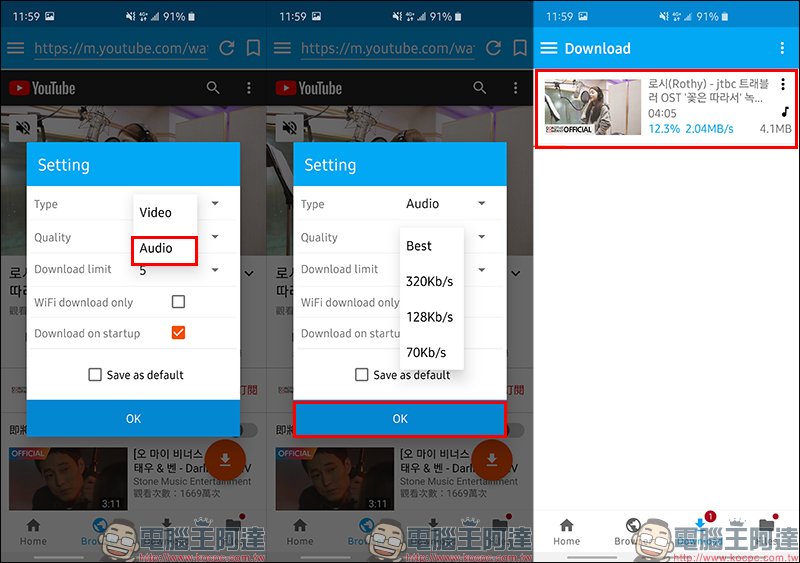
In addition to videos, sometimes we hear some good songs on YouTube or other platforms. If we download them just to listen to the music without watching the screen, then select “Audio (Audio)” in the download settings to download it as a music file. The audio quality iTubeGo also supports up to 320kbps:
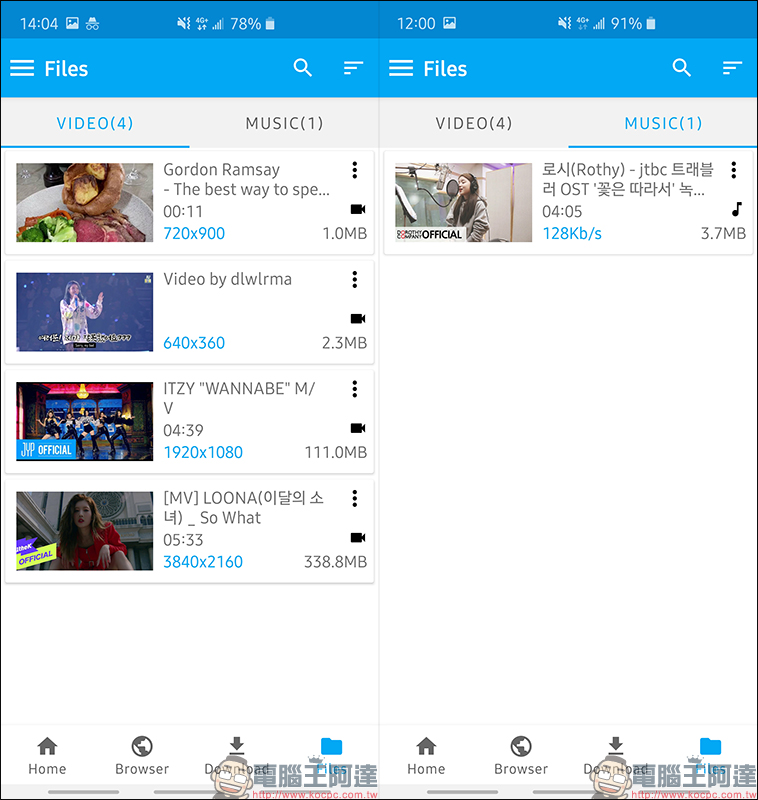
Downloaded videos and music files will not only be stored in the storage space of the phone, but can also be managed directly on the “Files” page:
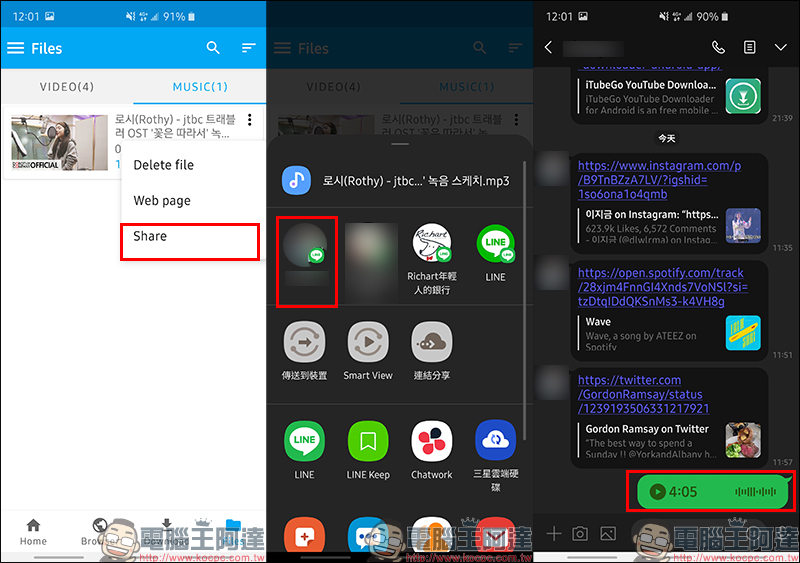
Users can delete files on iTubeGo’s file page, open them on a web page, or “share” them to other applications. Here, the author first takes sharing a music file to a LINE chat room as an example. You can see that the entire section can be shared to the chat room and played in voice form:
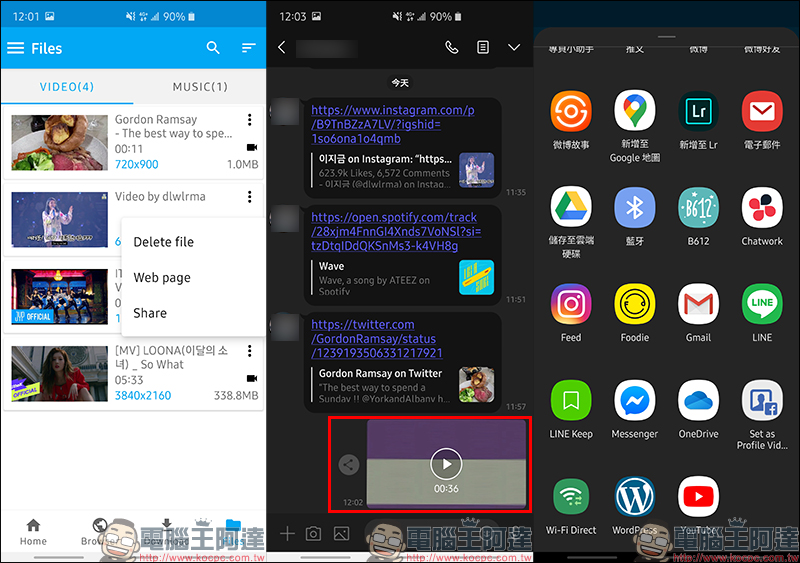
As for video sharing, it is equally convenient. In addition to being directly sent to the LINE chat room to share with friends, it can also be shared to other applications such as cloud drives:
iTubeGo official website:Click here to go
iTubeGo for Android App free download (APK file):Click here to go
Further reading:
LINE statistical analysis tool: Use numbers, charts, and word clouds to present chat history with friends!
Source: KOCPC Chinese