


Although iPhone and iPad users use Safari to surf the Internet every day, what are their usage tips? I think few people understand it in depth. After all, it is not difficult to use your fingers. However, once you learn it, you can use Safari more professionally and efficiently. This article will teach you two search techniques in Safari, “keywords” and “tabs.”

Tutorial on two search tips for iOS Safari
How do I search for the page title of a Safari tab?
When using iPhone or iPad to surf the Internet, many people are like me and are reluctant to close the tabs that are currently open. For example, they may use it in the future or change it to a computer to continue browsing. Therefore, they will keep opening new tabs, resulting in more and more tabs. If you want to find the web pages that you have retained before, it becomes difficult.
In fact, Safari provides a tab search function, which is just like searching for keywords. As long as you remember certain words in the web page title, matching results will be listed after typing them in, without spending time searching one by one.
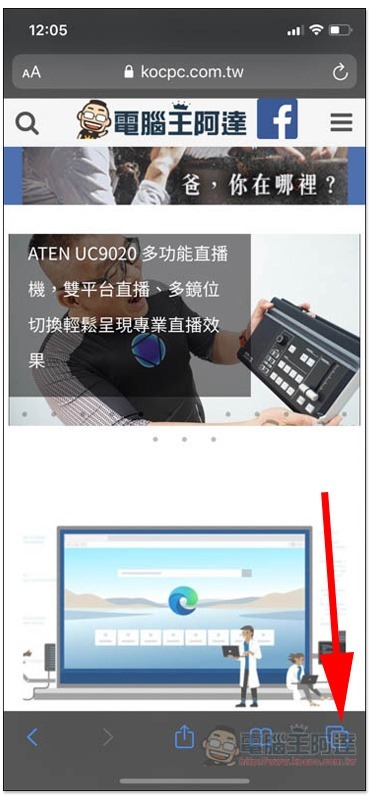
The method of use is very simple. After opening Safari, click the expand tab function in the lower right corner:
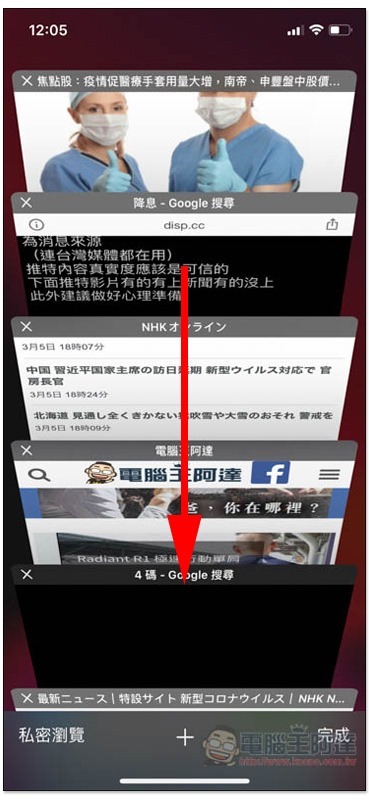
Then use your finger to pull the screen down:
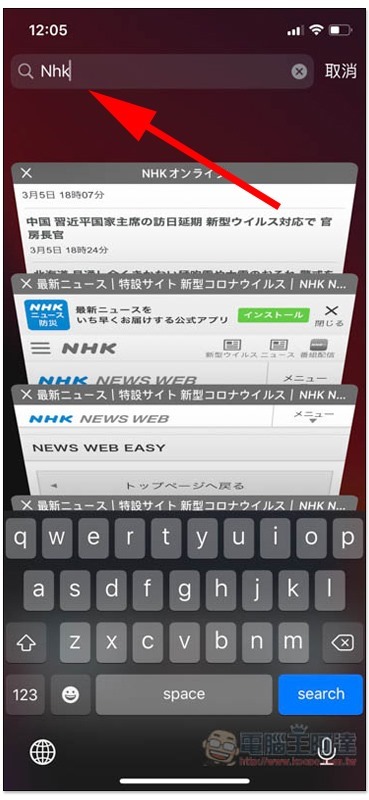
A search bar will appear at the top. Enter the keywords of the web page you are looking for, and you will see the matching tab page below:
How does iOS’s Safari browser search for keywords in web pages?
If you want to search for keywords in the web page, the operation method is somewhat similar to the tab page, except that it will be hidden at the bottom.
After opening the webpage you want to search, click on the address bar above:

Enter the keyword, I’ll take iPhone as an example, and put away the keyboard after typing:
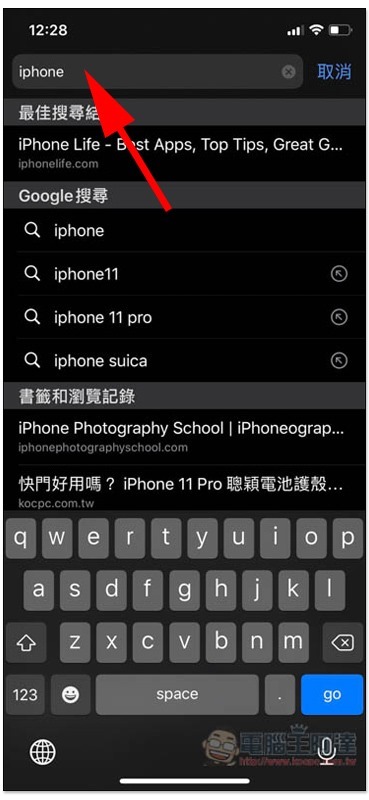
Below you will find “This page” to find the iPhone function, click on it:
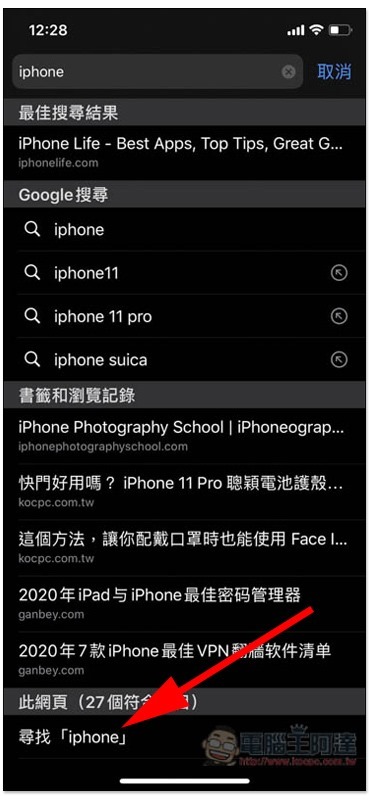
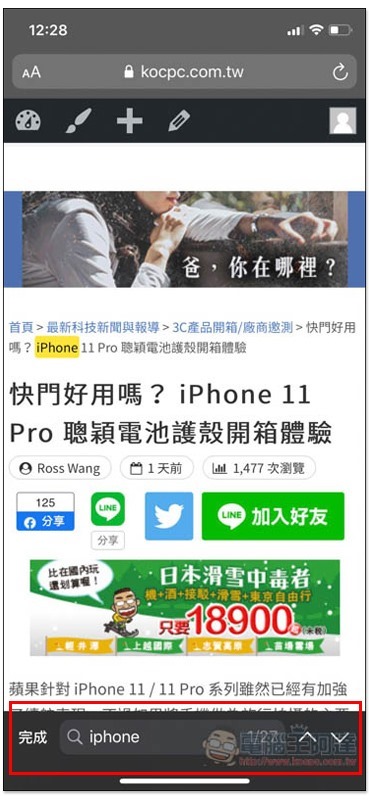
Then it will jump back to the web page just now, and the first matching keyword found will be highlighted. If you want to view others, please click the control function below:
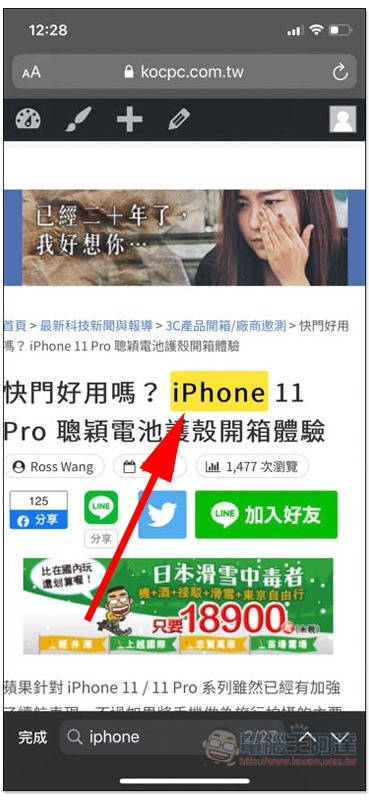
Other matching keywords will be anti-yellow in order:
In addition to the search function, Safari actually has many tips. We will also provide other tutorials when there is time in the future. Friends who think it is good, please remember to keep it locked.
Source: KOCPC Chinese