


Although Windows itself has a built-in image browsing tool, anyone who has used it knows that it is not very easy to use and the speed is a bit slow. Recently I discovered this very good alternative tool qimgv. It is fast, has basic image editing functions (such as changing size, rotation, 180-degree reverse, etc.), and supports video preview playback. If you are not used to Windows built-in, I highly recommend giving this one a try. It is completely free.
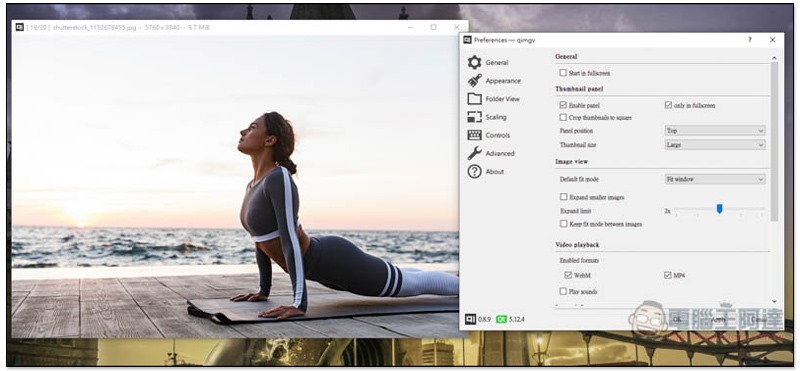
Introduction to qimgv free image preview tool
qimgv is a set of free and open source tools.Click me to jump to the GitHub page to download, there are two versions, “Video” and “Alpha”. I’m not sure what the difference is at the moment, and the description doesn’t specify it. Both support video preview, so it doesn’t matter which one you want to download. However, the file size of the video version is more than twice as large.
I’m using the video version.
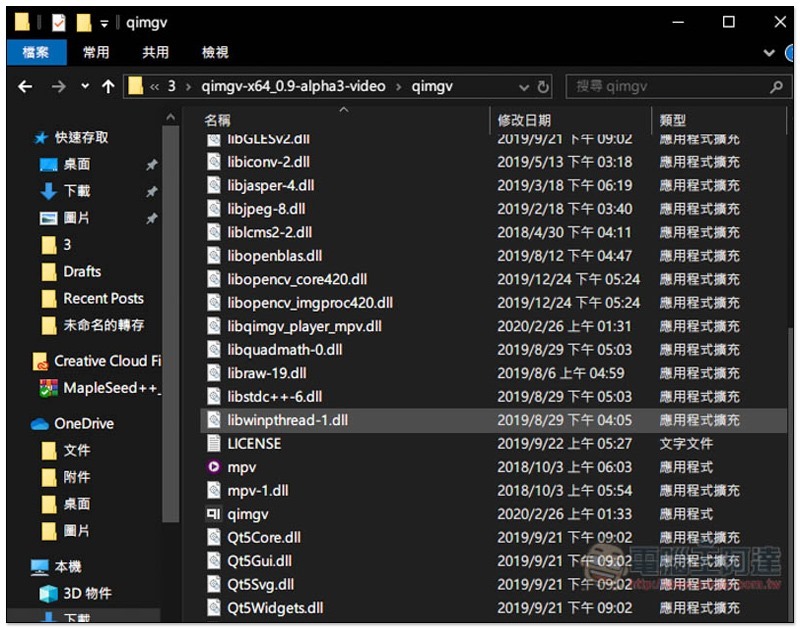
There are two types: installation version (exe) and installation-free (Zip). After installation-free decompression, the folder will contain these files. You can open the qimgv application and read the pictures or videos you want to browse, but I personally do not recommend this method:
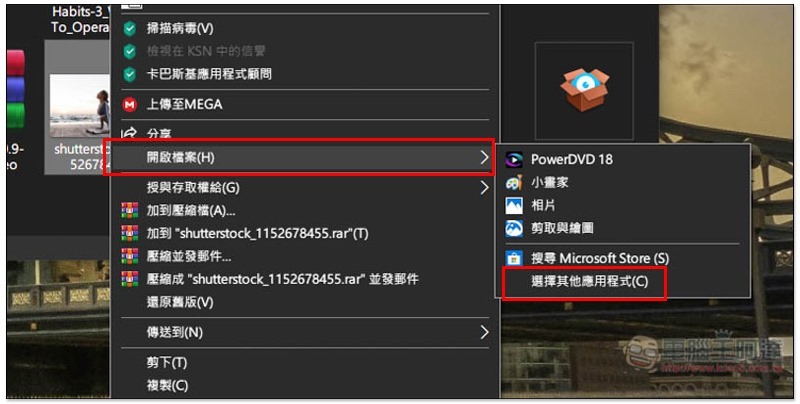
I recommend, after finding the image you want to preview, open the right-click menu –> Open file –> Select other applications:
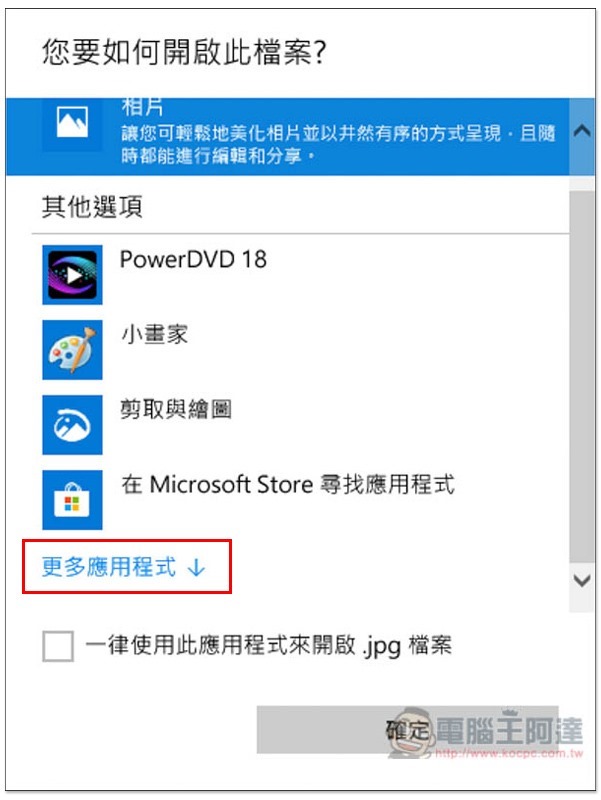
From More Apps below, find qimgv and open it. Compared with reading, this method can directly set this format to be opened with qimgv in the future (change the “Always use this application to open .xxx files” below):
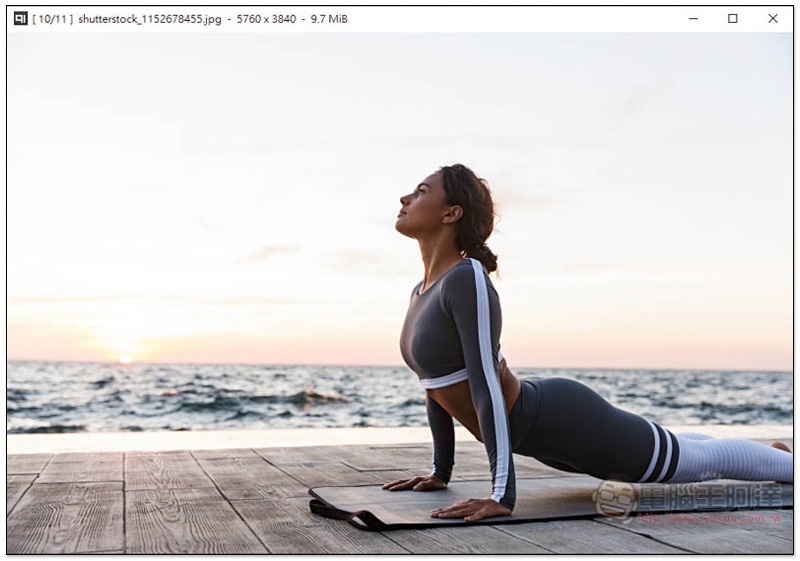
In the picture preview screen, press the left and right keys on the keyboard or the mouse wheel to switch to the previous/next picture in the same folder:
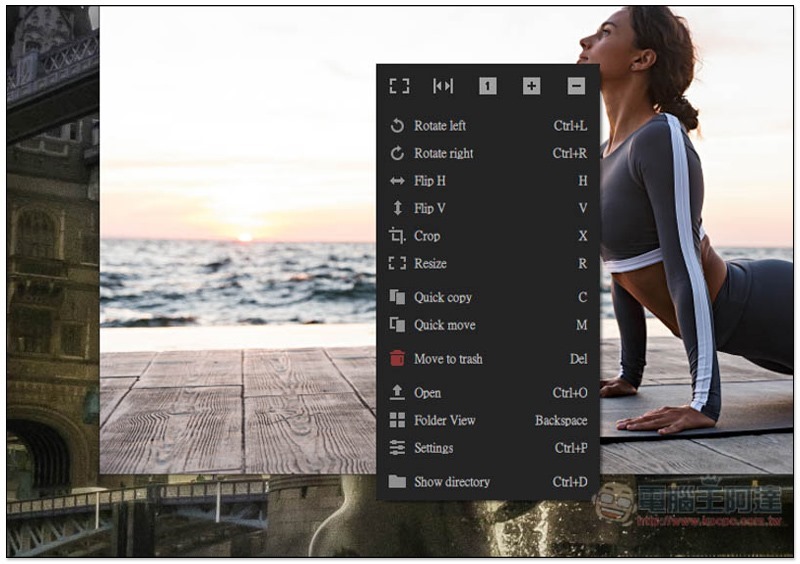
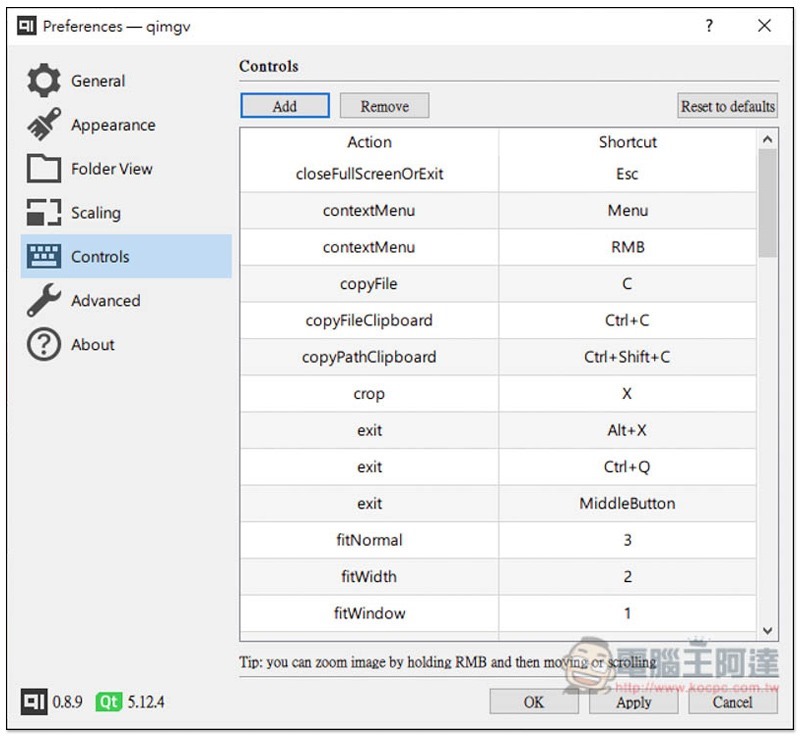
There are many functions in the right-click menu, and they all support shortcut keys. This means that as long as you learn it, you can quickly operate the functions you want when you open an image in the future, such as: Ctrl+L to rotate left, Ctrl+R to rotate right:
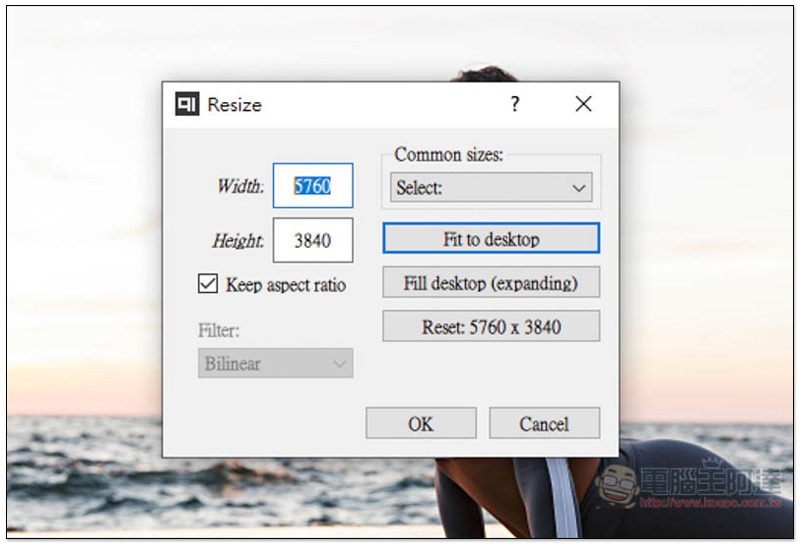
It supports the function of modifying the size. In addition to inputting numerical values, it also has several commonly used sizes built-in, such as desktop, 1920×1080, 3840×1600, etc. This function is very practical for me:
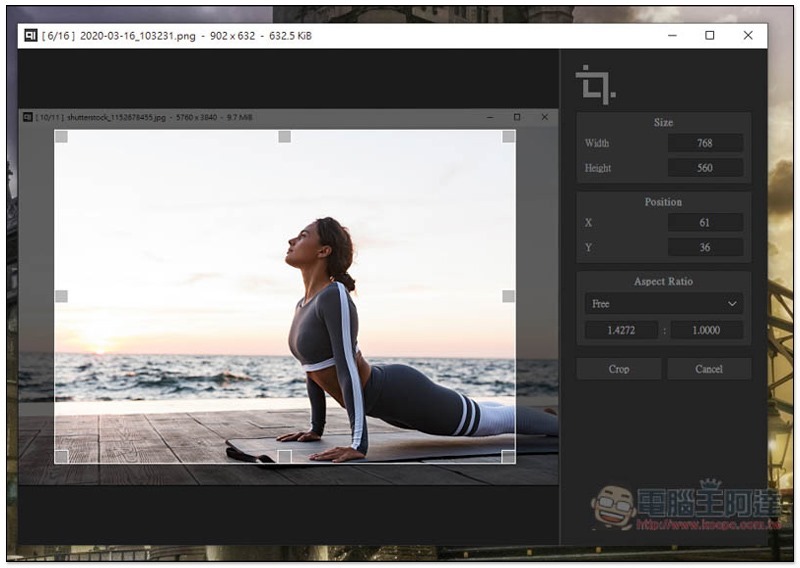
You can also manually crop the desired image:
Folder display mode is also provided, allowing you to preview all pictures at once:
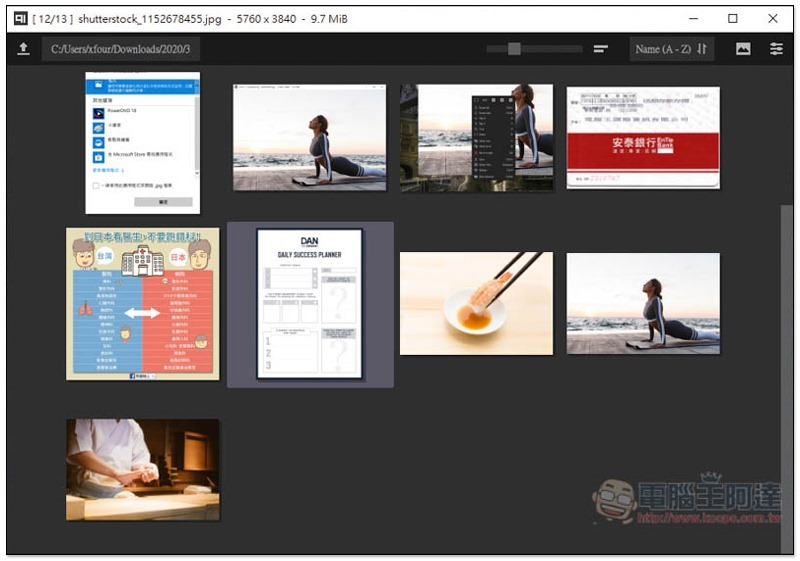
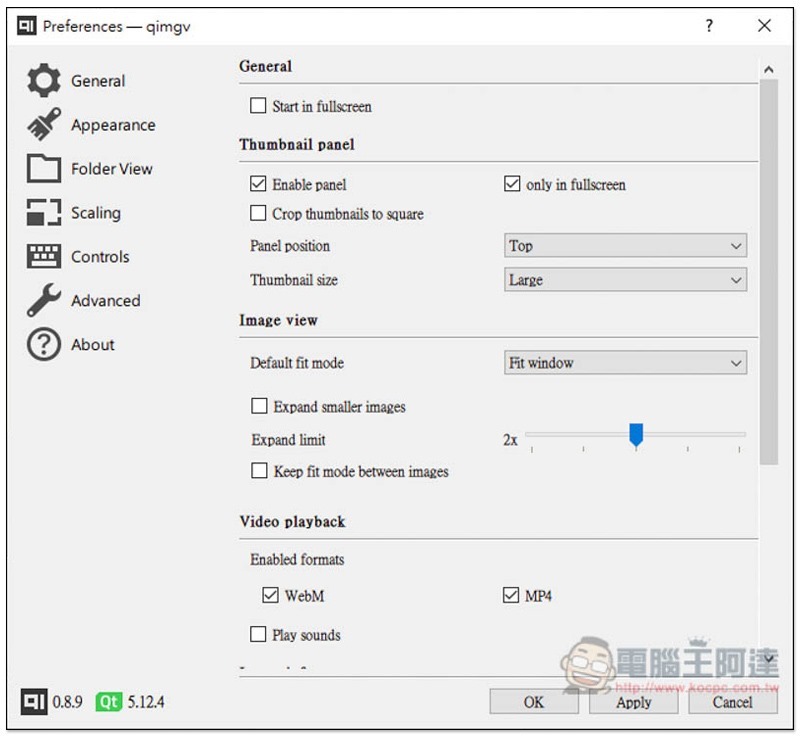
There are many functions that can be adjusted in the settings. The supported video formats are WebM and MP4:
The shortcut keys can also be modified, if you don’t like the default version:
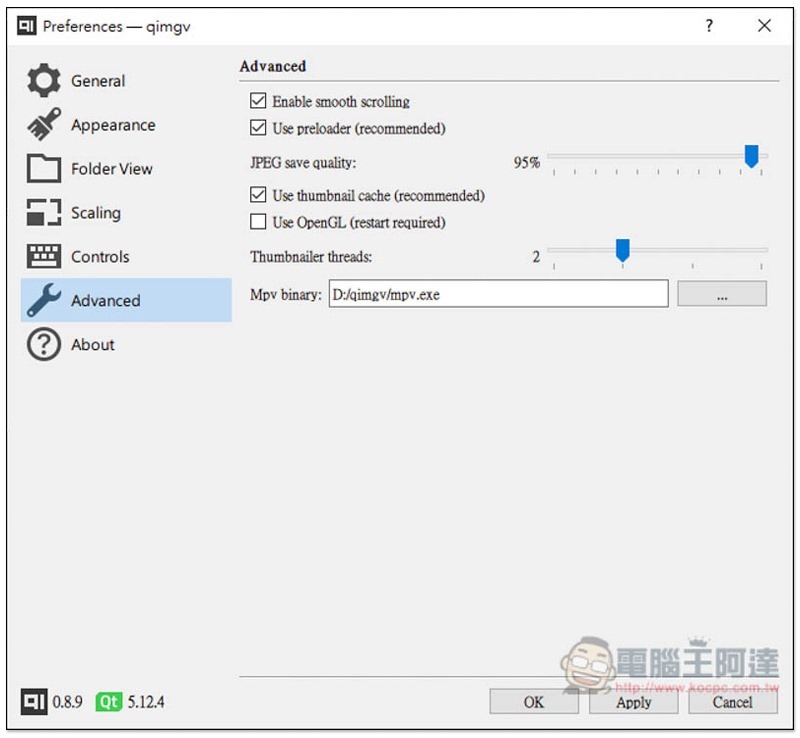
OpenGL technology is supported, but it is not checked by default. You need to manually check it and then restart:
There is no problem in video playback and there will be sound:

Supplementary information
qimgv download page:Click here to go
Source: KOCPC Chinese