


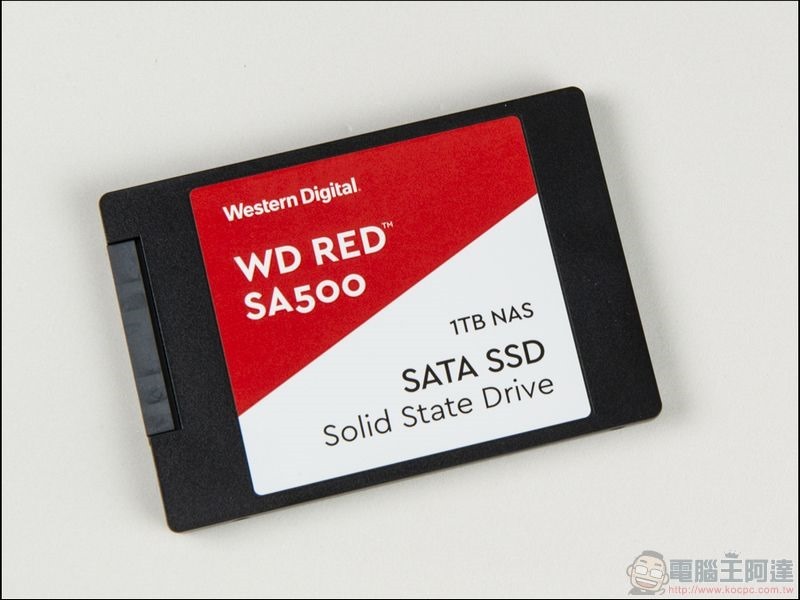
What I want to introduce this time is the Western Digital WD Red SA500 NAS SATA SSD unboxing. Western Digital’s red label series has been named for NAS since its launch. It is mainly designed to optimize the usage characteristics of NAS. Therefore, the red label hard drive is characterized by long-term operation. And while the demand for NAS capacity is increasing, Western Digital Digital has also taken advantage of the situation and launched a 14TB ultra-large-capacity hard drive, which uses helium packaging technology, so that the capacity of small NAS for general household use or small and medium-sized NAS for companies can be increased.
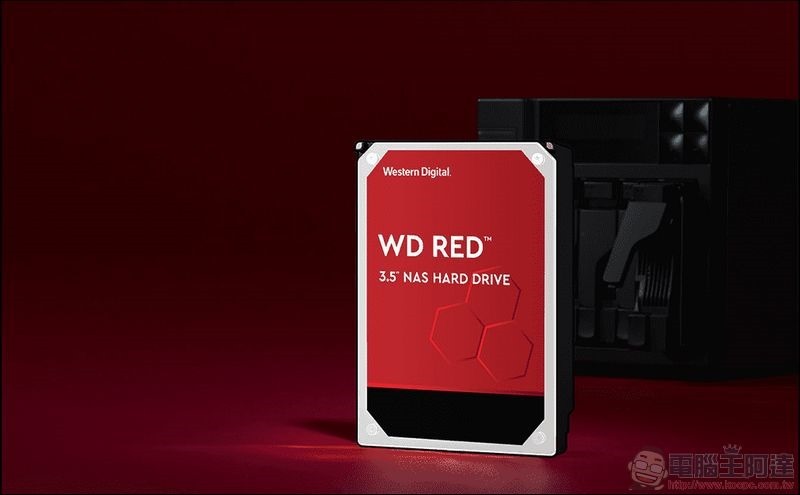
What I want to introduce this time is not Red Label hard drives, but Red Label SSDs!! As the editor just mentioned, Red Label is a product series specially designed for NAS. Of course, the technology that can be applied to NAS must also be fully utilized. Therefore, today’s protagonist is the super guardian of NAS: Western Digital WD Red™ SA500 NAS SATA SSD. In fact, this title is not an exaggeration at all. You may think that if you replace the hard disk of NAS with SSD, wouldn’t it be more likely to cause problems in terms of data security? In fact, Western Digital WD RED™ SA500 NAS SATA SSD The emergence of SSD is not to replace its own red-label hard drives, but to provide SSD for NAS acceleration, using SSD as a transfer station to protect the data in the NAS.
Western Digital WD Red™ SA500 NAS SATA SSD Unboxing
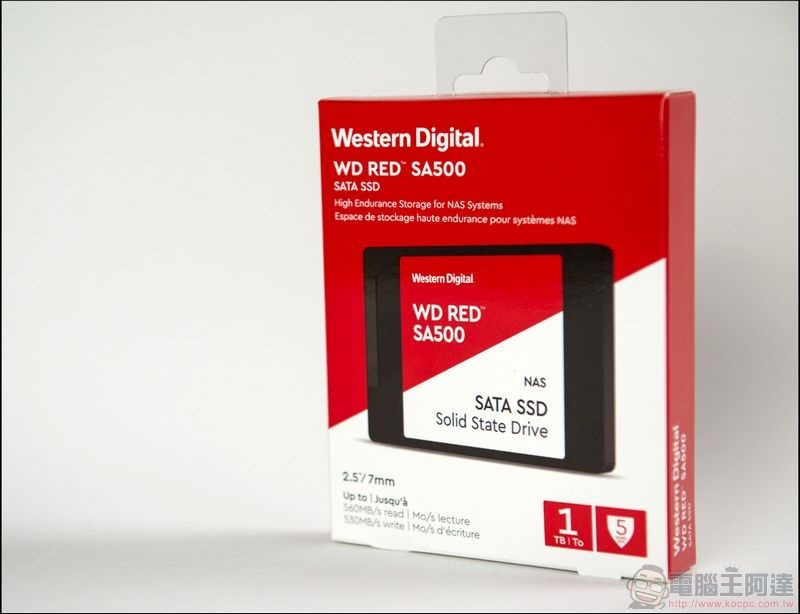
The majestic and steady red packaging exudes the Western Digital red label color scheme of the guardian from the outer packaging:
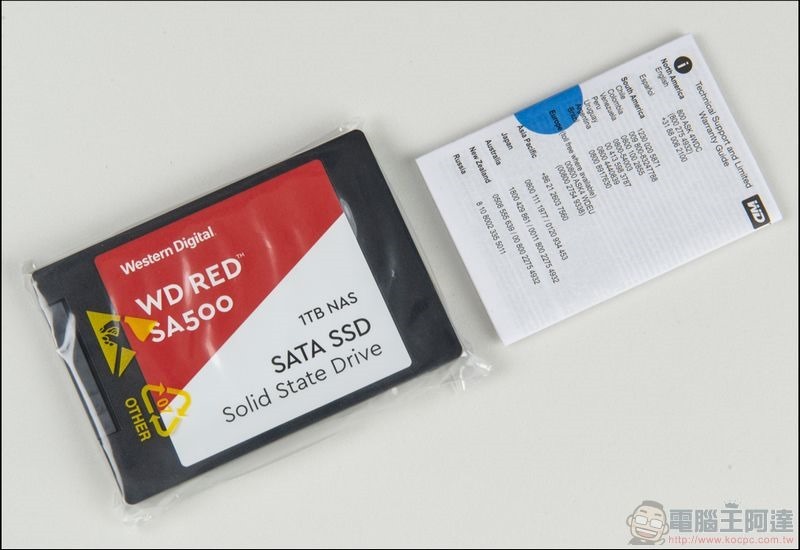
Package contents, an instruction manual and a Western Digital WD RED™ SA500 NAS SATA SSD:
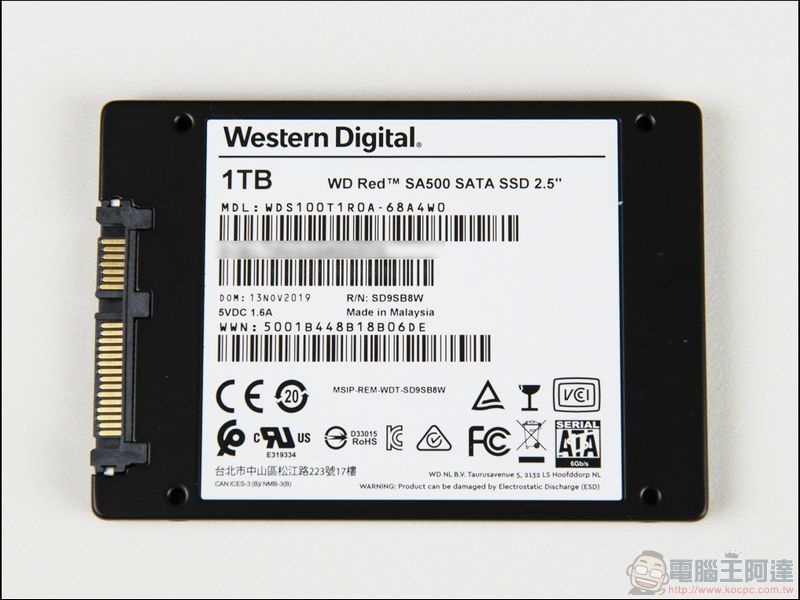
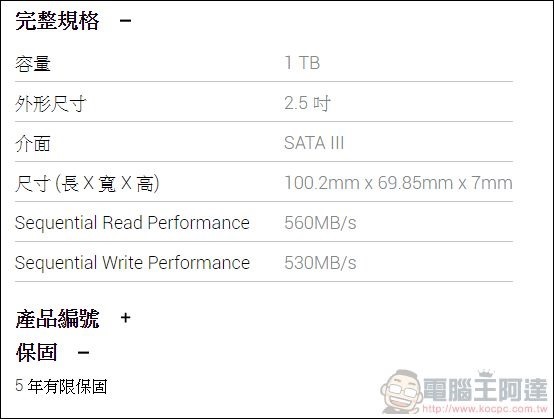
The transmission interface is SATA III, and the theoretical limit speed is 6Gbps:
Performance measurement
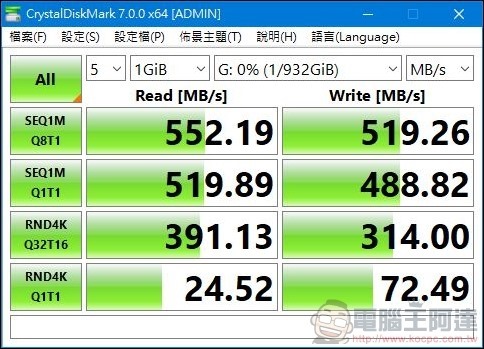
We first conduct a physical read and write test on the WD SA500 NAS SATA SSD (test platform: ASUS ROG Strix GL12CX). First, we use CrystalDiskMark to conduct a read and write test. The read speed is 552 MB/s and the write speed is 519MB/s, which is very close to the official read and write data:
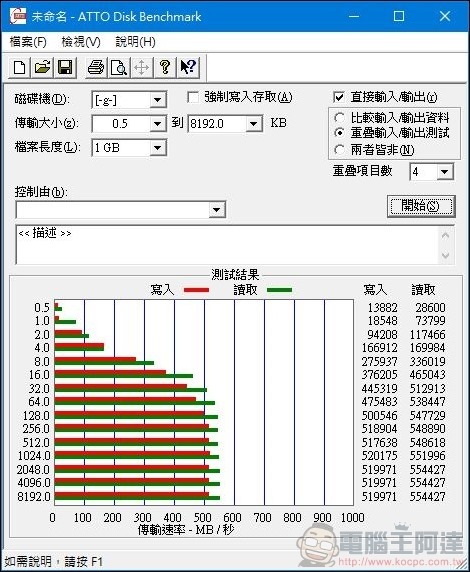
Then the ATTO Disk Benchmark was used for the read and write test. The read speed was up to 554 MB/s and the write speed was up to 520 MB/s:
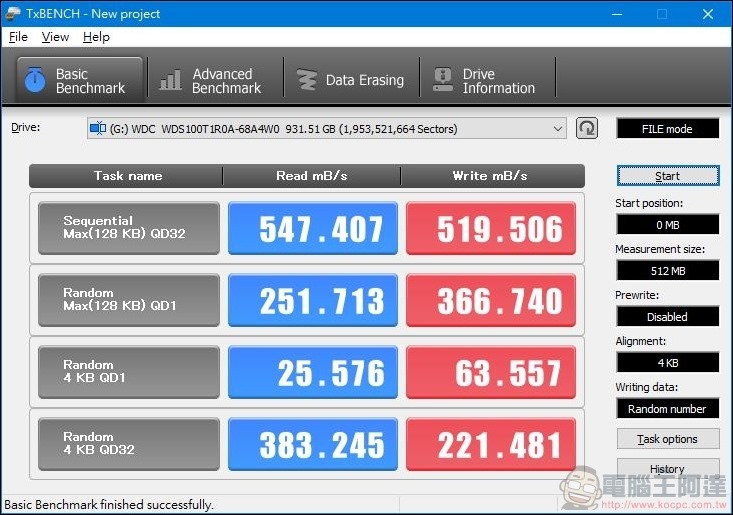
Then use TxBENCH to perform read and write tests. The read speed is 547.4 MB/s and the write speed is 519.5 MB/s:
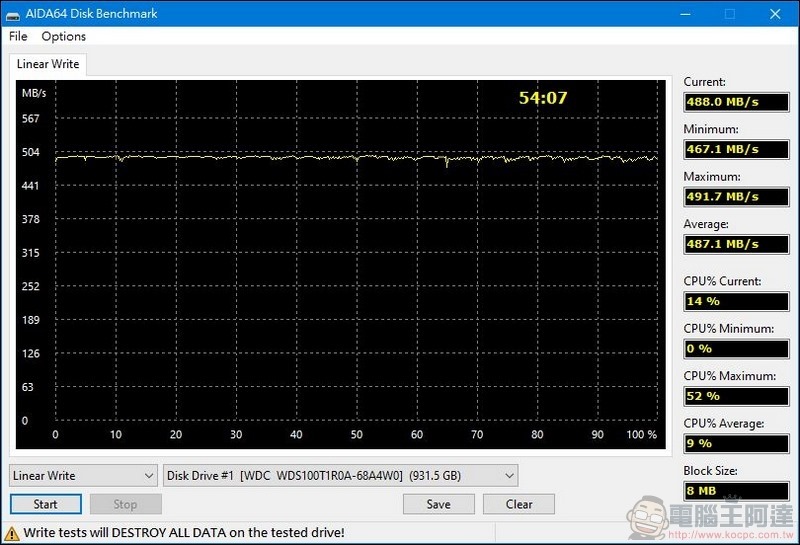
Finally, AIDA64 was used for writing testing. The average writing speed was 487.1 MB/s. The very stable writing speed can be seen that the writing optimization of WD SA500 NAS SATA SSD is very good:
Software introduction
Western Digital SSD can be used with its own software Western Digital SSD control panel.It is very convenient to control, set, etc. the SSD directly through the software:
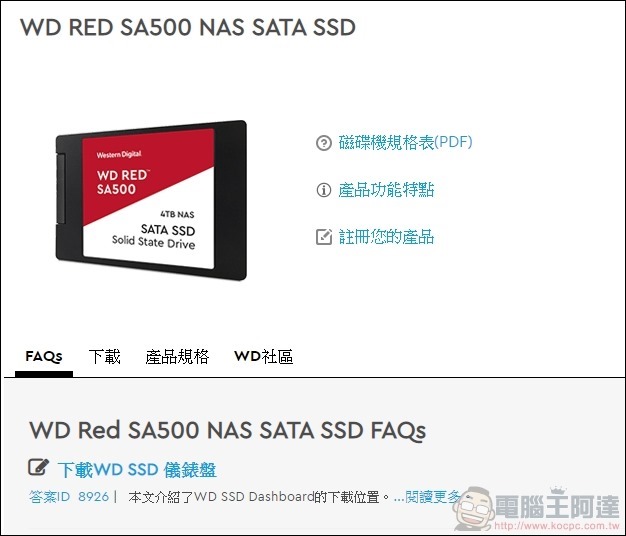
On the status page, you can see the status of the SSD in the computer. In addition to capacity allocation, you can also see the remaining life, temperature, etc.:
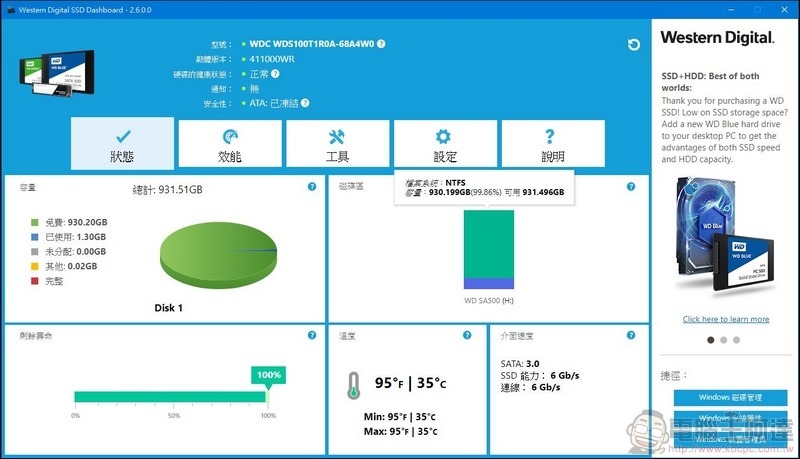
On the performance page, you can monitor the read and write status and temperature of the hard drive in real time:
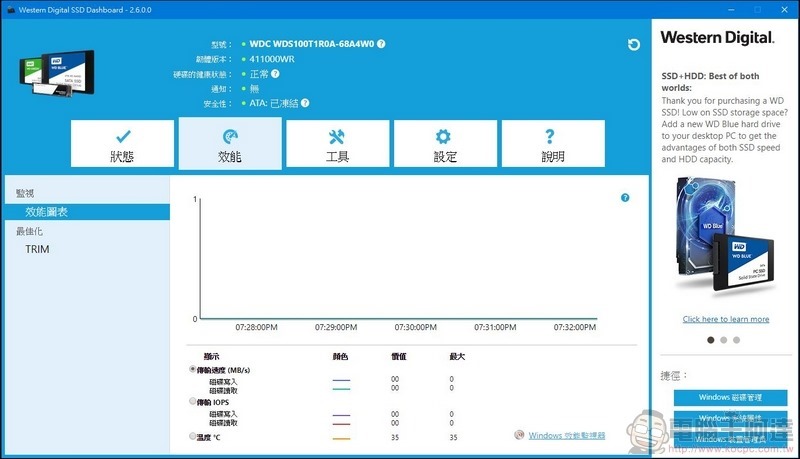
On the tools page, in addition to simple functions such as firmware update, clearing the drive, etc., you can also see detailed information about the hard drive here:
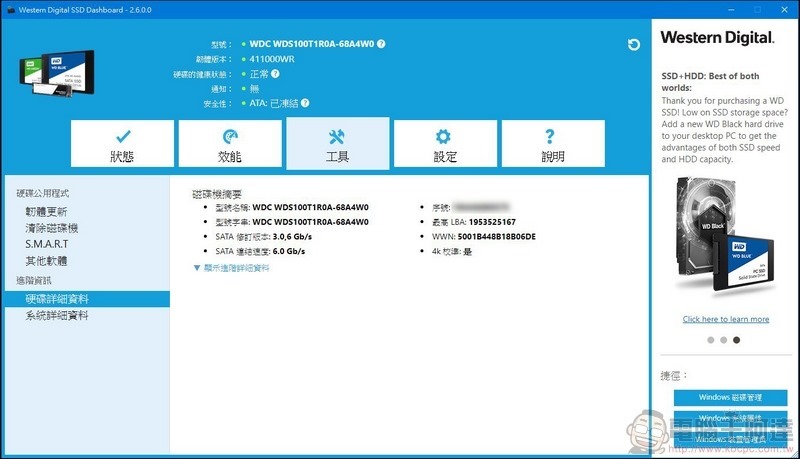
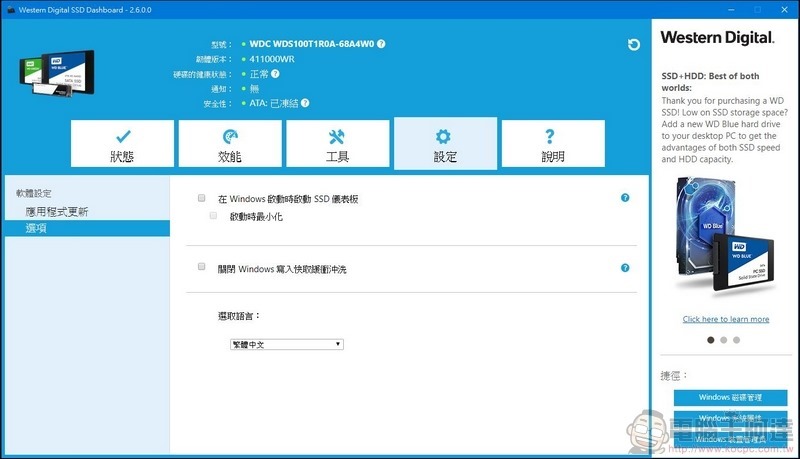
On the settings page, updates and settings are made for the application:
Practical acceleration application on NAS
Of course, if you are just doing data testing, the WD Red SA500 is just a good SATA SSD, but don’t forget that it is a “cache acceleration SSD” designed for NAS, so I will actually show you how the WD Red SA500 NAS SATA SSD operates on the NAS.
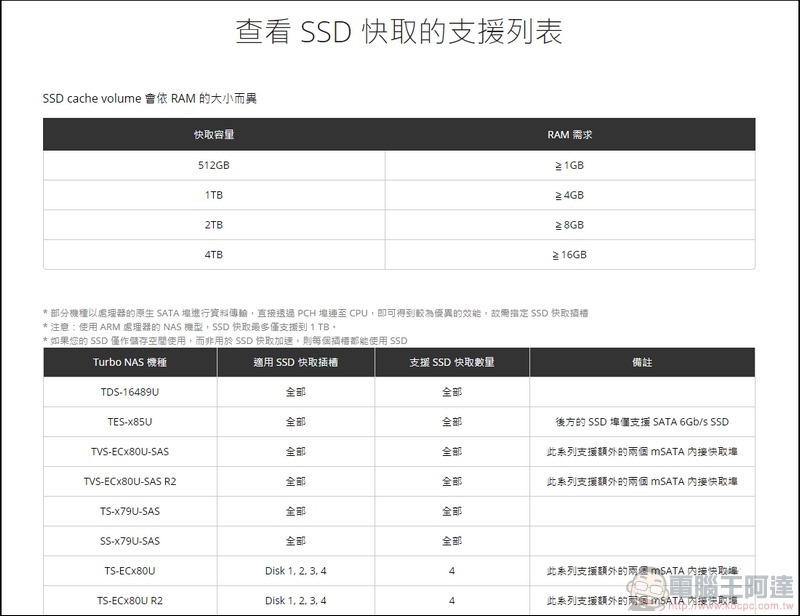
First of all, youYou must have a NAS with SSD cache acceleration function. If the NAS itself does not support the SSD cache function, then the SA500 NAS SATA SSD can really only be used as a SATA SSD., so no matter which brand of NAS it is, you must first confirm whether it supports the cache function. Today I am using QNAP’s TS-653B:
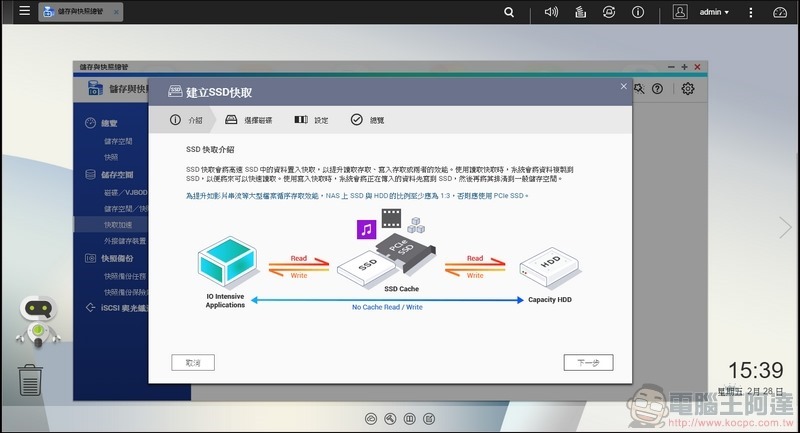
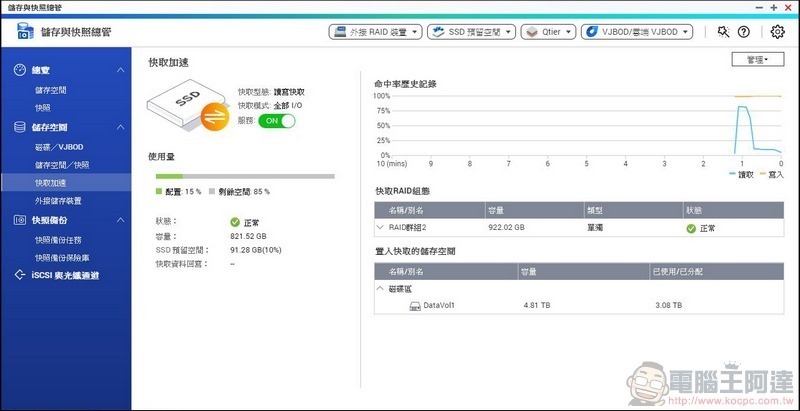
Then we install the SA500 NAS SATA SSD into the NAS and enter the setting screen (the editor will omit the intermediate process, after all, the protagonist today is the SA500 NAS SATA SSD, not the NAS itself):
After the setting is completed, after a period of time you can see that the SA500 NAS SATA SSD is accelerating the NAS sector:
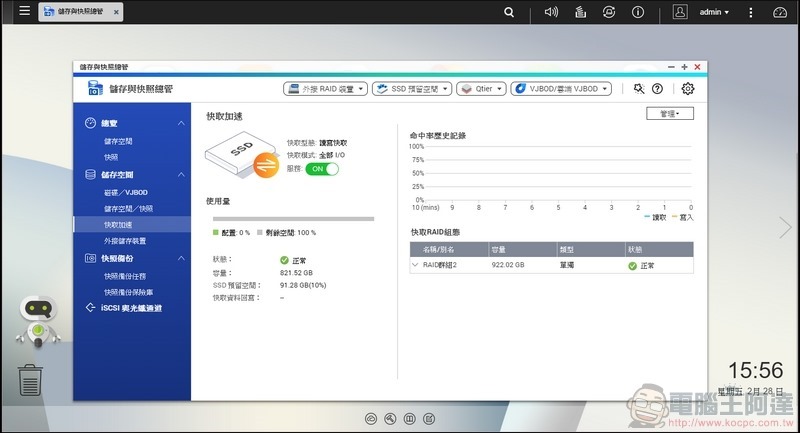
The acceleration action is not completed immediately. Although the acceleration principles of each manufacturer are different, what is generally not separated is the acceleration of the data after reading. Therefore, you may not notice that the SSD is working at the moment, but you will find something a little different the next time you open the same file, especially many small files or huge files:
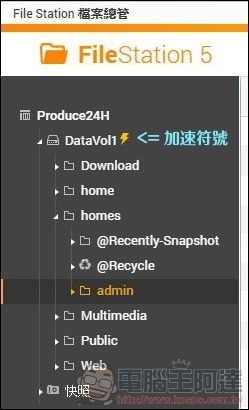
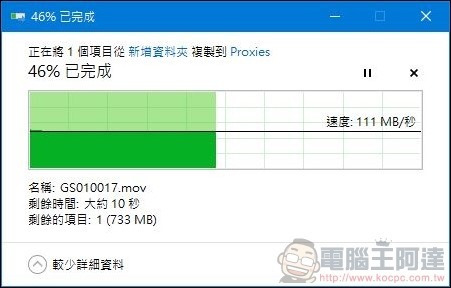
But it should be noted that the SA500 NAS SATA The key to the obvious difference in SSD acceleration lies in network space. After all, most network environments using NAS are still at 1Gbps speed. Whether from the external network or within the local network, they encounter the same 1Gbps speed limit. After all, NAS originally uses the network as the main transmission interface, so the network speed limit must be paid attention to. When the SSD read and write speed is greater than the network transmission speed, of course it must be limited by the network speed, so if you really want to take advantage of the SA500 NAS SATA For the true acceleration capability of SSD, the network speed must have at least 2.5Gbps or 5Gbps bandwidth to achieve actual acceleration (SA500 NAS SATA SSD theoretically reads and writes 560MB/s and 530 MB/s, so the 5Gbps bandwidth can be used at full speed):
But if this is the case, some friends will ask: Why do we need to accelerate the network speed of 1Gbps? In fact, the editor mentioned before that the SA500 NAS SATA SSD is the super guardian of the NAS. There is a reason for this. In fact, when the SA500 NAS SATA SSD is accelerating, it is equivalent to completing the reading and writing on the SSD to achieve acceleration. Therefore, it can be said that while reading and writing to the NAS, the SA500 NAS SATA SSD is equivalent to blocking everything out of the NAS disk. Simply put, when reading files in the hard disk, commonly used files will be written to the SSD for reading operations, and the files to be placed on the NAS will first stay on the SSD for a while, and then slowly written back to the hard disk. Therefore, you can see that after being used for a period of time, some cache capacity will begin to be occupied in the SSD used for acceleration:
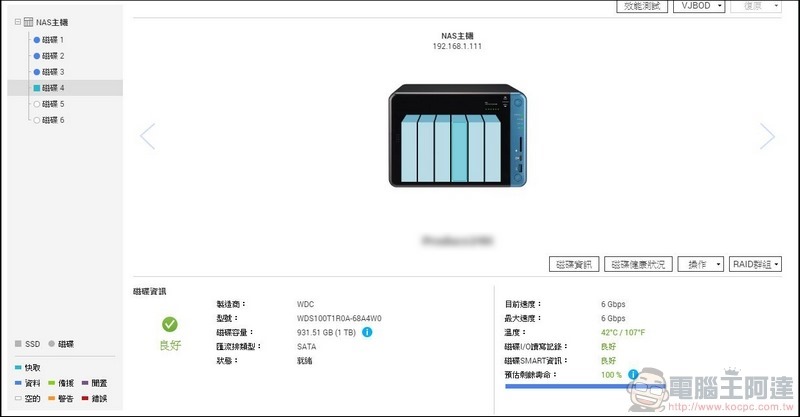
If there is no SSD for protection and acceleration, the operation of the hard disks in the NAS will all start at the same time. Although this depends on whether RAID is used and how RAID is done, it is basically inevitable that all hard disks will be linked together (so the editor recommends that you configure the NAS The hard drives should be of the same model, so that the linkage will be safer), but the problem arises, no matter how small the file is to be read and written instantly, or the large file needs to be read and written for a long time, all the hard drives will be linked at the same time, so if there is an extra SA500 in the middle For NAS SATA SSD, in addition to improving the speed, it can also reduce the number of read and write times of the hard disk, which also means that the service life of the NAS can be extended:
In actual operation, the editor used CrystalDiskMark to select a network folder for testing. Without the acceleration of the SA500 NAS SATA SSD, both reading and writing were directly directed to the three hard drives set up by the editor at the same time:
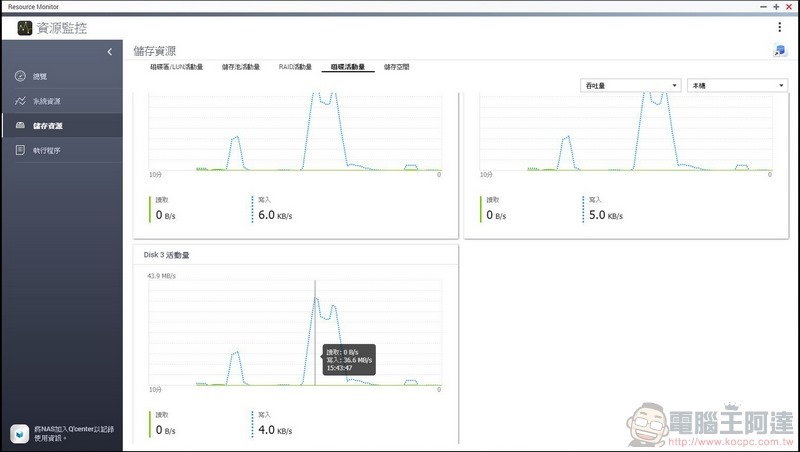
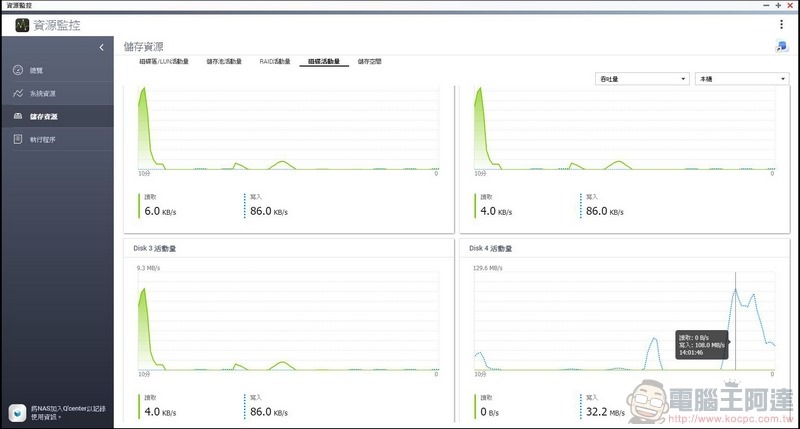
After installing the SA500 NAS SATA SSD for acceleration, CrystalDiskMark’s read and write tests will only perform operations on the SA500 NAS SATA SSD and will not directly affect the three subsequent hard drives:
Similarly, when reading files in the NAS, the SA500 NAS SATA SSD will first write to the SSD, and then when it continues to read, it will not be linked to the hard disk:
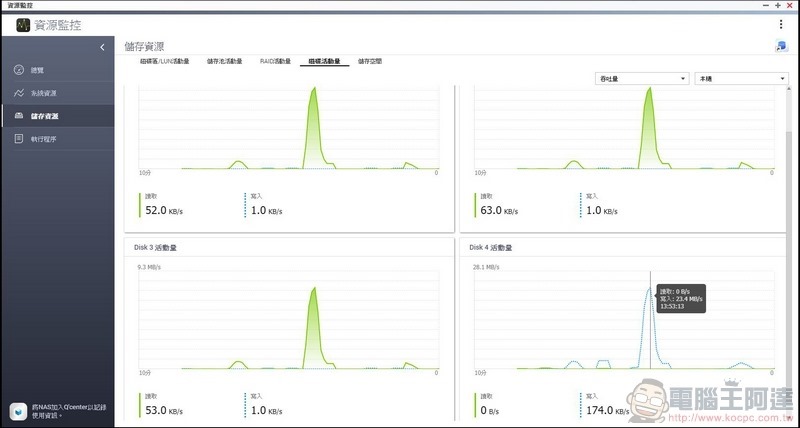
That is to say, because the SSD is written first and then written to the hard disk or reversely becomes a read-only SSD, it can not only effectively speed up the reading and writing speed, but also greatly reduce the number of hard disk reading and writing, thus increasing the service life of the hard disk, which also means that the NAS can be used for a longer period of time.
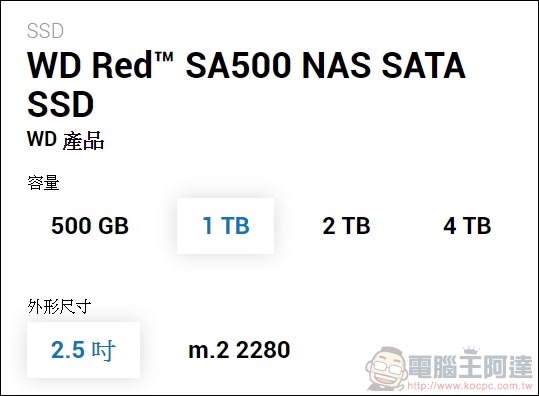
It is precisely because the actual use of the cache acceleration SSD will become a transfer disk, so the capacity is also necessary. This time the SA500 NAS SATA SSD has been released to the maximum capacity of 4TB, ensuring that even when a large number of files are being read and written, there is enough space for the SSD to operate:
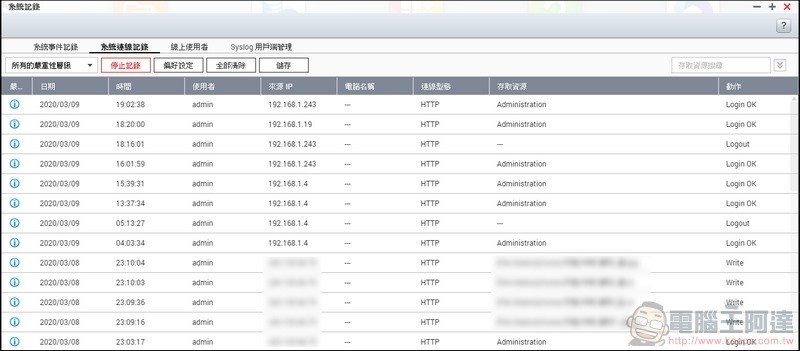
Having said so much, some people may ask: Not every SSD can do this? The answer may be right, but it is not completely right. First of all, we need to understand that NAS is in a 7×24 working environment, working non-stop all year round, and when the SSD is used as a transfer disk, files will be read and written more frequently, which is more stringent than the generally used SSD environment. When there is a problem in one of the links, it may endanger the security of the data. Therefore, the WD SA500 NAS SATA SSD is optimized for writing and caching, allowing you to use the WD SA500 NAS SATA While the SSD is accelerating caching, you don’t have to worry about whether there will be problems with the SSD:
Summarize
Western Digital WD RED™ SA500 NAS SATA SSD is indeed very helpful to the NAS in my actual use, especially since the NAS I am currently using uses RAID 0. RAID 0 means that when one of the hard drives fails, the data will be destroyed. Therefore, the SA500 NAS SATA SSD can be used to accelerate the NAS while ensuring the security of the data.
Although in the current network environment in Taiwan, it is difficult for NAS to use SSD acceleration functions, but don’t forget that acceleration is not limited to file transfer, but also accelerates the internal work of NAS. In fact, after installing the WD SA500 NAS SATA SSD, the database, virtualization, UI interface reading, etc. on the NAS have become faster. Therefore, after using the Western Digital WD RED™ SA500 NAS SATA SSD for acceleration, in addition to a completely new sense of speed when using the NAS, coupled with WD’s 5-year warranty, you can use the NAS safely without worrying about excessive use of the hard disk. It is very practical. Currently, WD Red SA500 SSD is available in 500GB, 1TB, 2TB and 4TB, with recommended retail prices of 2,890, 5,690, 10,990 and 21,990 yuan respectively. The M.2 version is available in three capacities: 500GB, 1TB and 2TB, with recommended retail prices of 2,890 yuan, 5,690 yuan and 10,990 yuan respectively. The recommended selling prices for 14TB WD Red and WD Red Pro NAS hard drives are 16,490 yuan and 17,790 yuan. Recommended to everyone.
Source: KOCPC Chinese