


We have already known about the smart lens function of Google Lens beforeWill collaborate with more applications, but I didn’t expect that this feature could be used in a more seamless way with various Google Apps in the future. Today, we introduce a new feature recently added to Google Maps, “Discover Meals.” It will allow you to use Google Lens’s artificial intelligence to help you identify menus photographed by others (or yourself), and quickly search and translate them. Continue reading Google Maps “Discover Meals” tutorial on how to use the menu translation function.
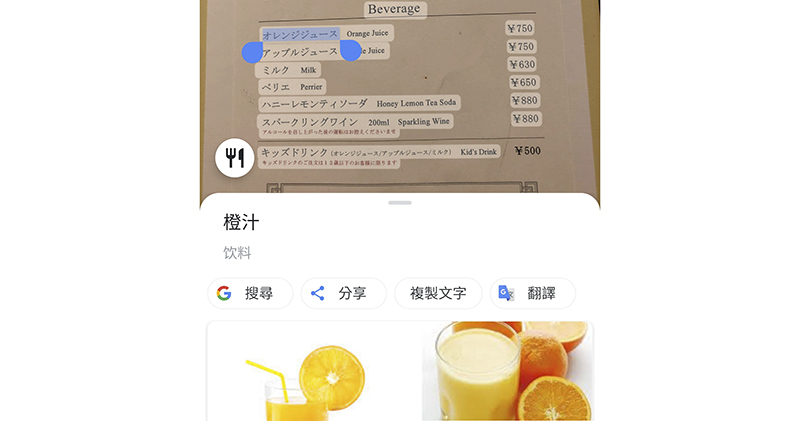
Google Maps “Discover Food” menu translation function makes searching for foreign restaurants more intuitive and simple! (use teaching)
Seriously, in fact, if you extract and save the menu pictures provided by other users on the Internet or Google Maps through Google Lens, you can actually achieve the same function. However, the “Discover Meals” function, which has recently been integrated into the Android version of Google Maps, allows you to view menu content in different languages in a more intuitive way, and can translate or search in real time. It really makes it possible for you to search for foreign restaurants when traveling abroad without making mistakes in the first step.
Google Maps “Discover Meals” Tutorial
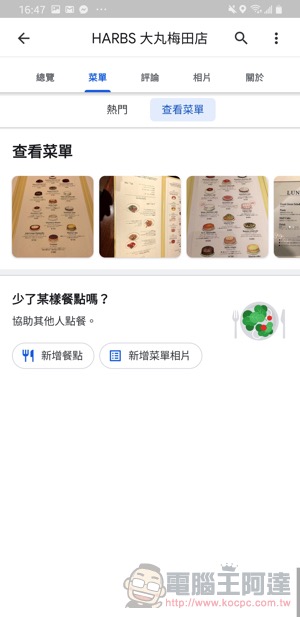
To use this function, you must first find the restaurant attractions in Google Maps. Basically, just click “Photos” as usual when searching for the restaurant you want to eat, then flip to the menu tab and click to view the picture:
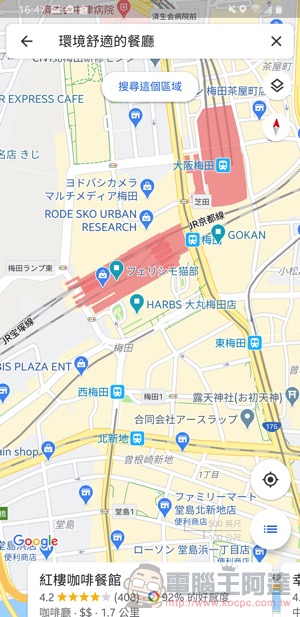
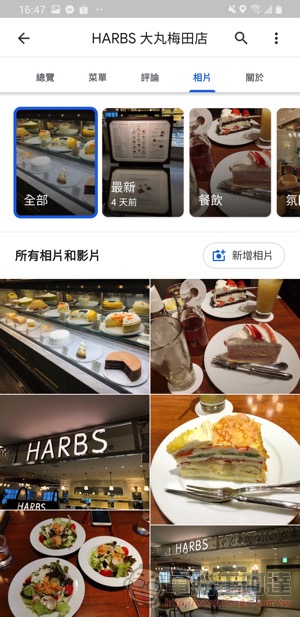
Another method is to select “Menu > View Menu” on the main menu of the restaurant attraction to jump directly to the same location. If no one at this attraction has uploaded a menu picture, you can kindly upload it if you are there. Not only can you refer to it through Google Lens now, but it can also be used by others for reference in the future (big thanks):
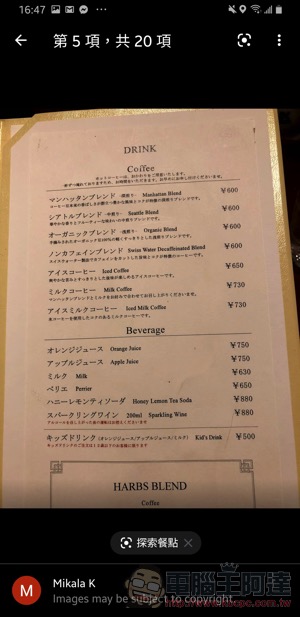
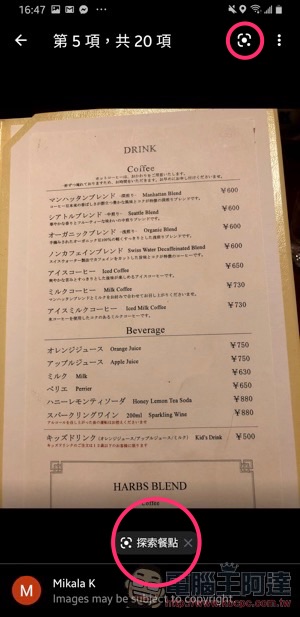
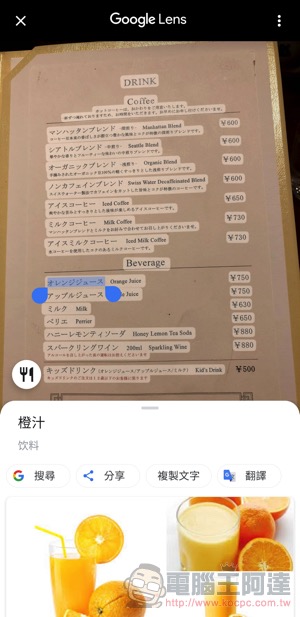
Noticed? That’s right, when the image is classified as a “menu” type, the photo interface of the photo view function of Google Maps will add the Explore Meals button at the bottom and in the upper right corner. Once clicked, the Google Lens menu will be launched, allowing you to choose from five main functions (the default will be in the “Meal” function):
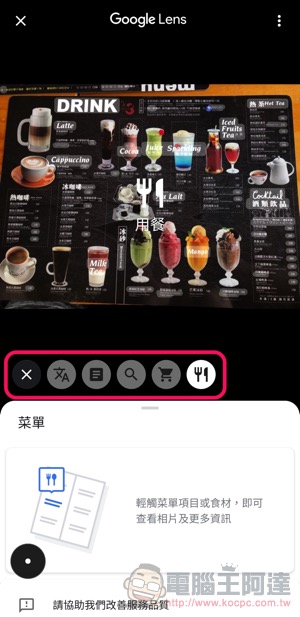
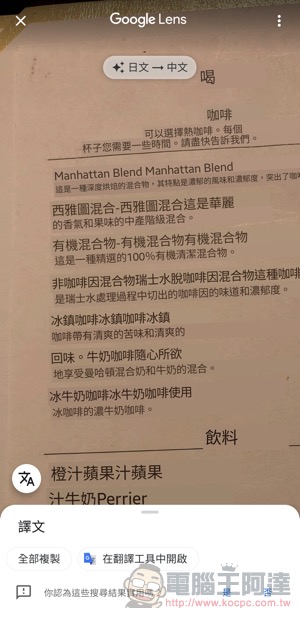
The screen obtained with the “Dine” option will automatically frame the recognized text in the picture. Click to select to see the relevant information. You can also select the “Translate” function to directly translate the entire text, or switch the language of translation through the options. Although the accuracy of translation still depends on the continuous evolution of Google, this is already quite useful as a reference:
Conclusion
I didn’t expect that the Google Maps function combined with smart lenses could be so intuitive to use. In the future, if you are preparing to travel abroad and do some restaurant homework, you can immediately use this function to have an advance understanding of the restaurant’s menu. Paired with other Google Guides’ meal pictures, it should be easier to find the restaurants you’d most like to explore and try.
Google Maps download (portal)
Further reading:
One million vehicles exceeded! Tesla electric cars hit new production milestone
Clean iPhone with disinfectant wipes? Apple: OK (official recommended precautions)
Source: KOCPC Chinese