


Many people want to develop good habits, such as spending an hour a day exercising, reading, reading English, or even learning new skills. But anyone who has tried it knows that this is not an easy task, especially for people who are busy every day. Therefore, if there is a tool that can help you track records, supervise, and encourage yourself, I believe the success rate will definitely increase significantly. And this Way of Life – Habit Tracker is a free habit-forming and tracking tool that I recently discovered that is very useful. The app is simple to operate and supports notification functions. It only takes one minute to record every day, and it also has complete data reports. Both iOS and Android versions are available.
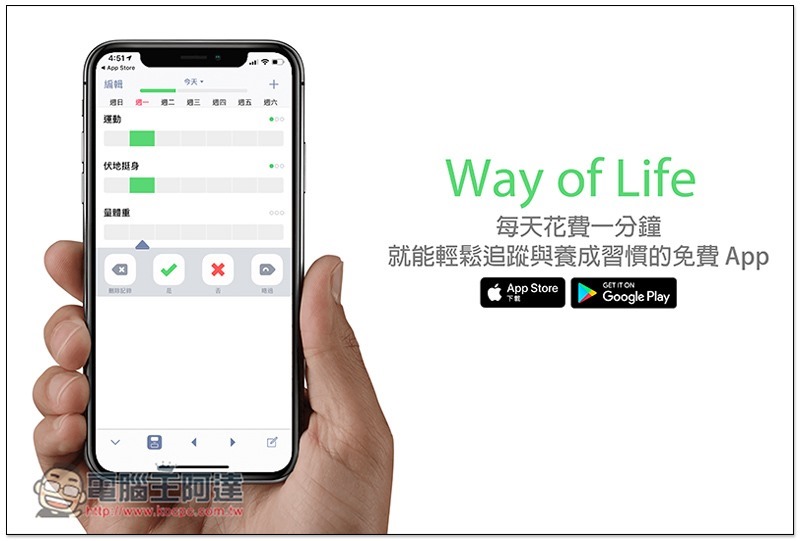
Way of Life – Habit Tracker Free App Introduction
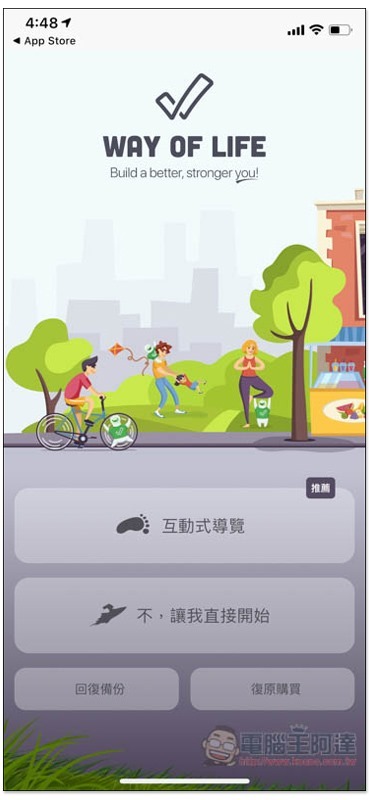
There will be an interactive tour when you open it for the first time. If you have never used it before, it is recommended to take a look. It doesn’t matter if you are too lazy to spend time looking at it. I will tell you step by step how to use it:
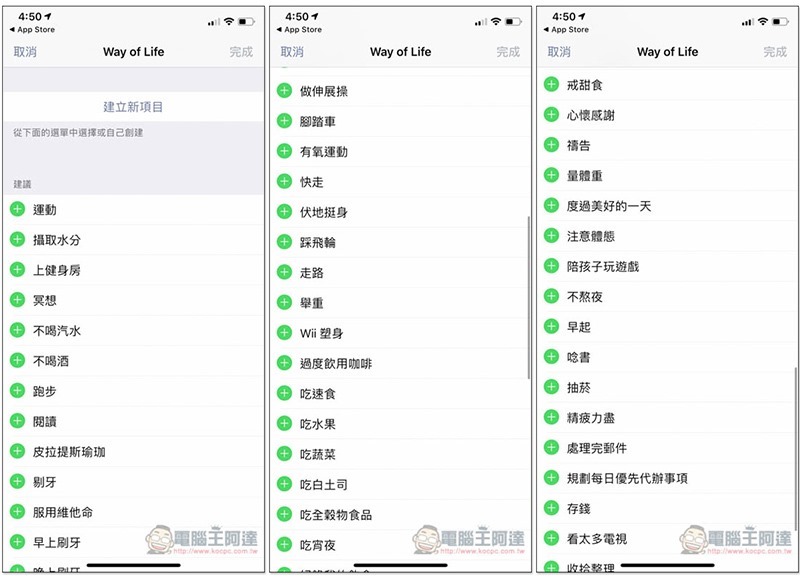
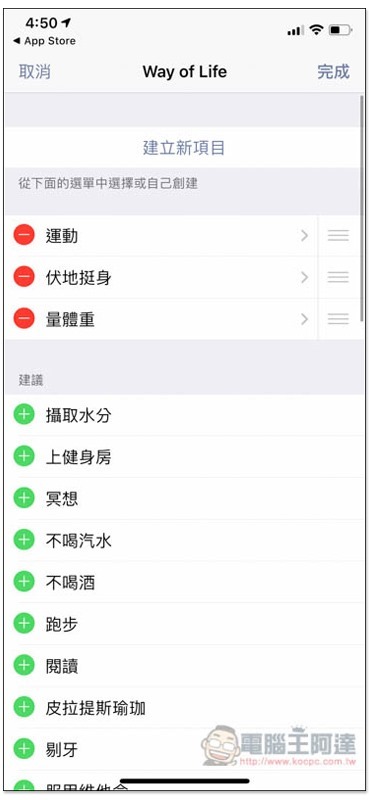
First, choose the habit you want to develop. More than 30 common habits have been preset. If you can’t find it, you can click “Create New Project” above to create it yourself:
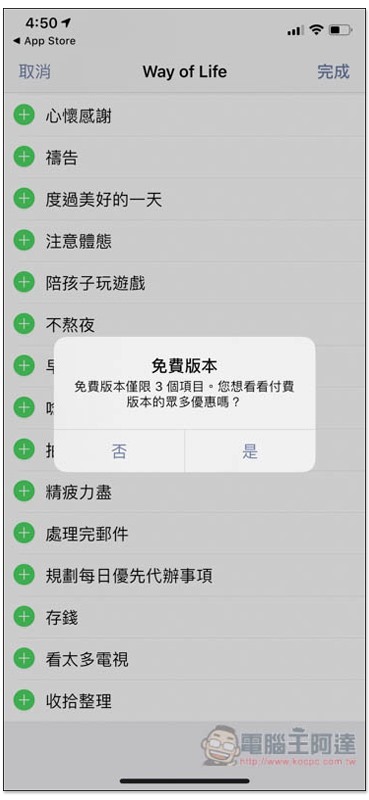
The free version can develop up to 3 habits. I personally think it is enough. After you develop them all, if you want to add more, you can consider upgrading to the paid version (one-time payment):
After deciding on all three, press the upper right corner to complete:
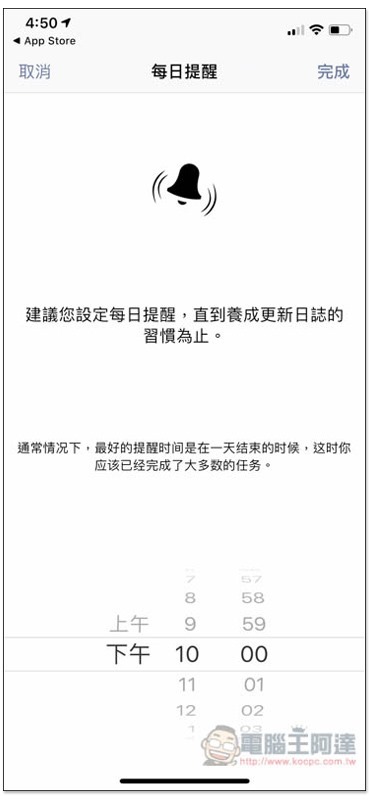
It also supports reminder function, set the time you want to receive notification:
Then you can start using it. The home page will list the three habits you just selected. There are seven blocks above each habit, that is, Sunday ~ Saturday, one week. The default will point to today. If you have completed this habit, click on it:
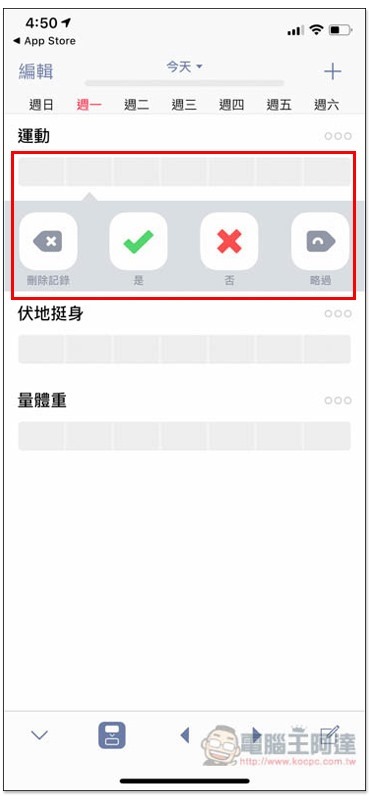
This block will turn green, otherwise it will be red, which means you did not do it that day. The operation is very easy. In addition, previous records can be modified, but not future records:
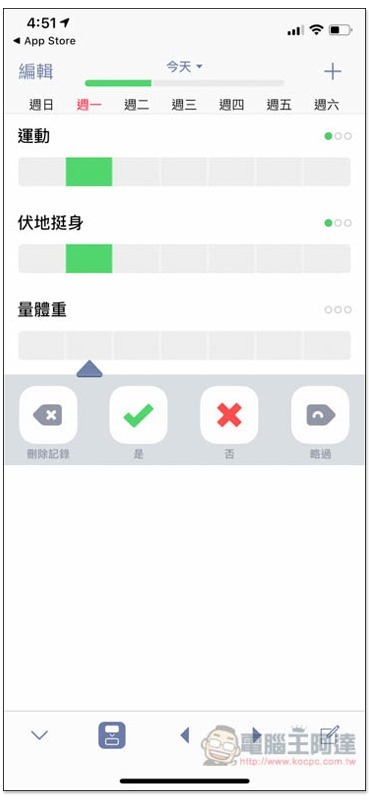
Therefore, you only need to spend a minute every day and click yes or no to easily complete the habit tracking record.
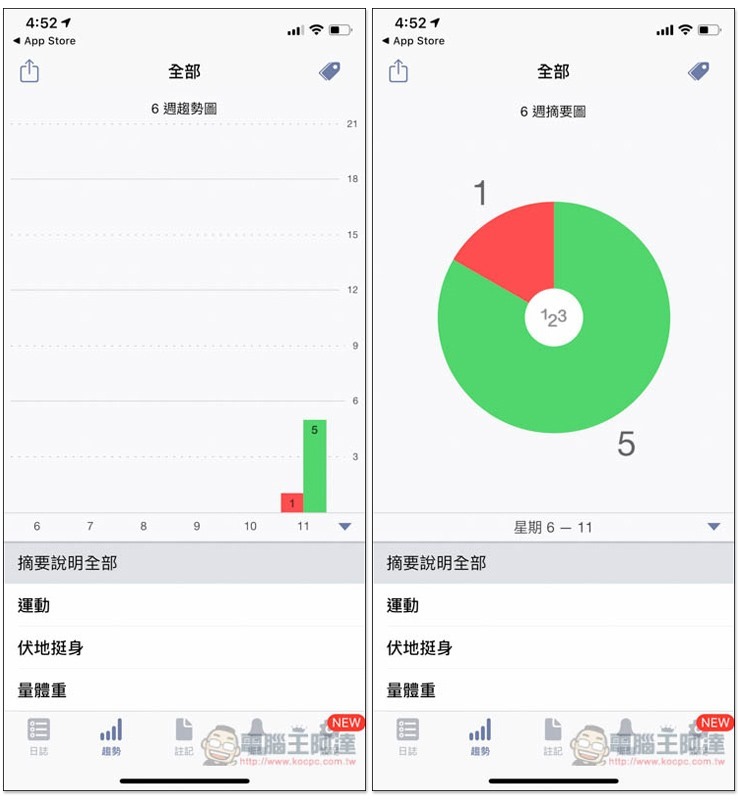
It also provides report functions, including tree diagrams and pie charts. You can view all records according to your habits or at once to meet your needs. The more green, of course, the more times you have completed it:
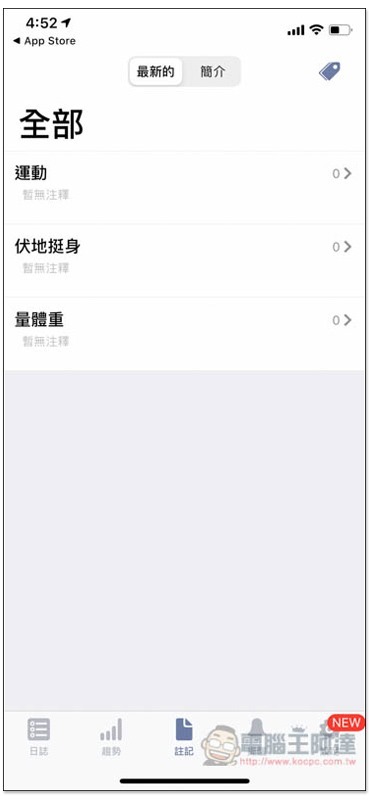
There is also a note function. If you want to explain or log anything in particular about this habit, you can record it here.
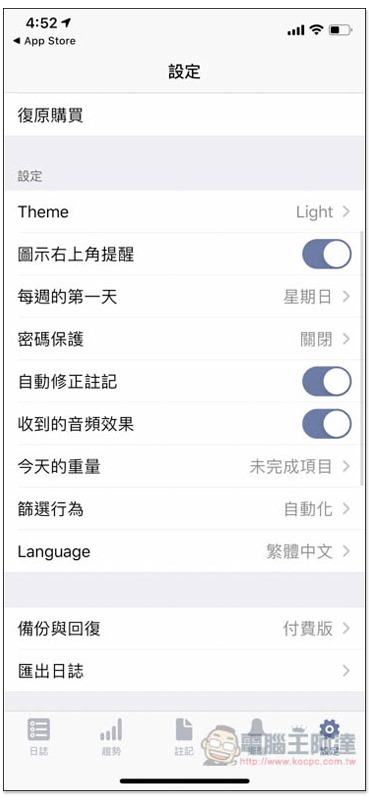
It also provides password protection function, which you can set if you don’t want to be seen by outsiders. The data backup function is only available in the paid version, and supports Cloud Drive, Dropbox, OneDrive, Google Drive, Box and other cloud spaces:
Way of Life download link
App Store:Click here to go
Google Play:Click here to go
Source: KOCPC Chinese