


There are many free file synchronization tools on the market now, like the ones we introduced before GoodSync It is very good, with rich functions and cross-platform support. However, it has many functions and is relatively complicated to operate. If you only want a simple file synchronization function to back up important data, it is not suitable. This article recommends another File Synchronizer that is worth your reference.
File Synchronizer is a free file synchronization tool with a simple interface. The only function is “synchronization”, and it is manual, not scheduled or automatic. It supports folders, hard disks, or shared folders in the local network.
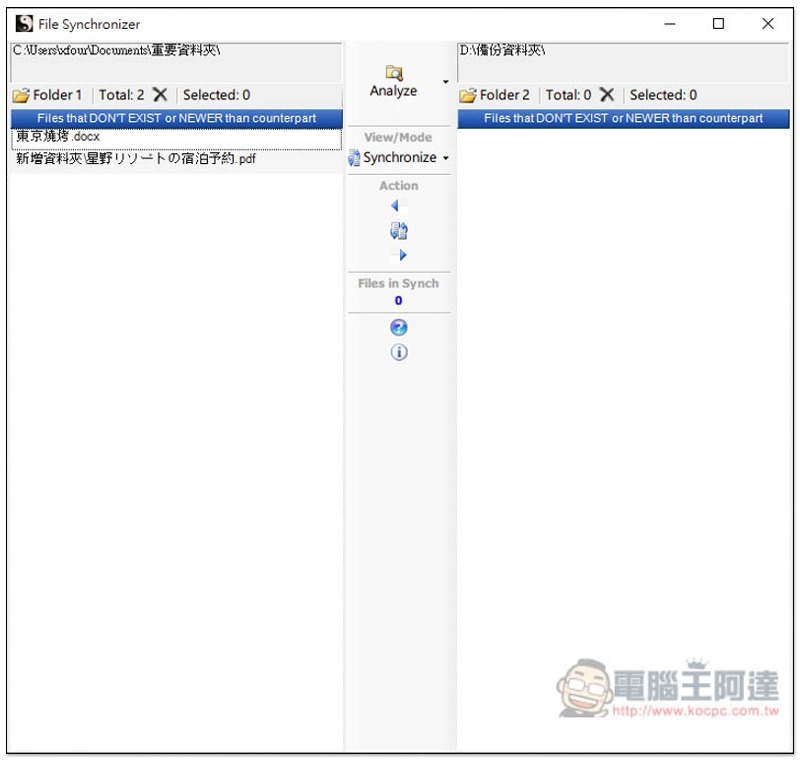
“Backing up” has always been something that computer workers must do to ensure that important files can be saved if they suddenly disappear. It is best to back up between two different hard drives. If one fails, the other one can be used.
Rather than manually copying and pasting backups, I personally recommend using this type of file synchronization tool. It is not only easier, but also less error-prone. It is easy to accidentally forget to back up a certain file during manual backup.
File Synchronizer is a free and easy-to-use file synchronization tool.
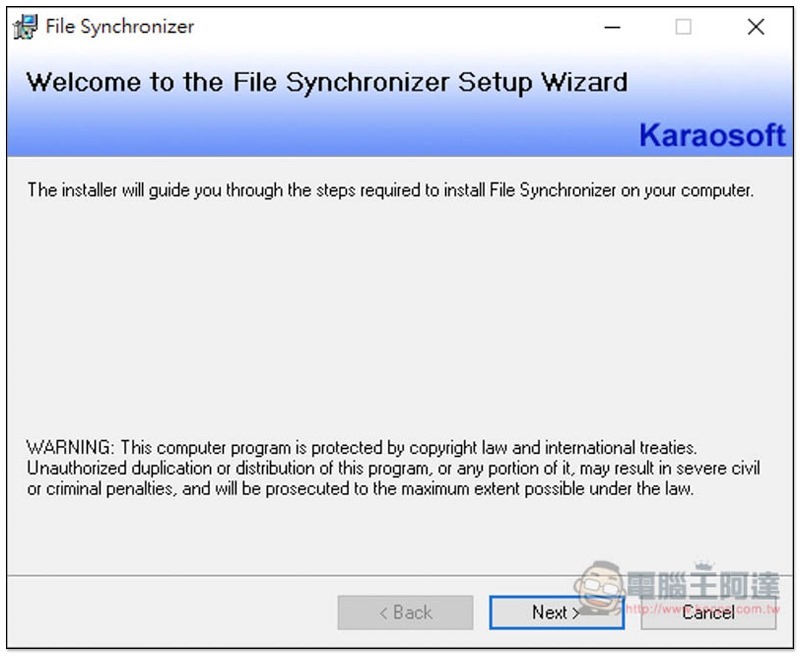
Click me to enter the official website for free download, just keep pressing Next during the installation process:
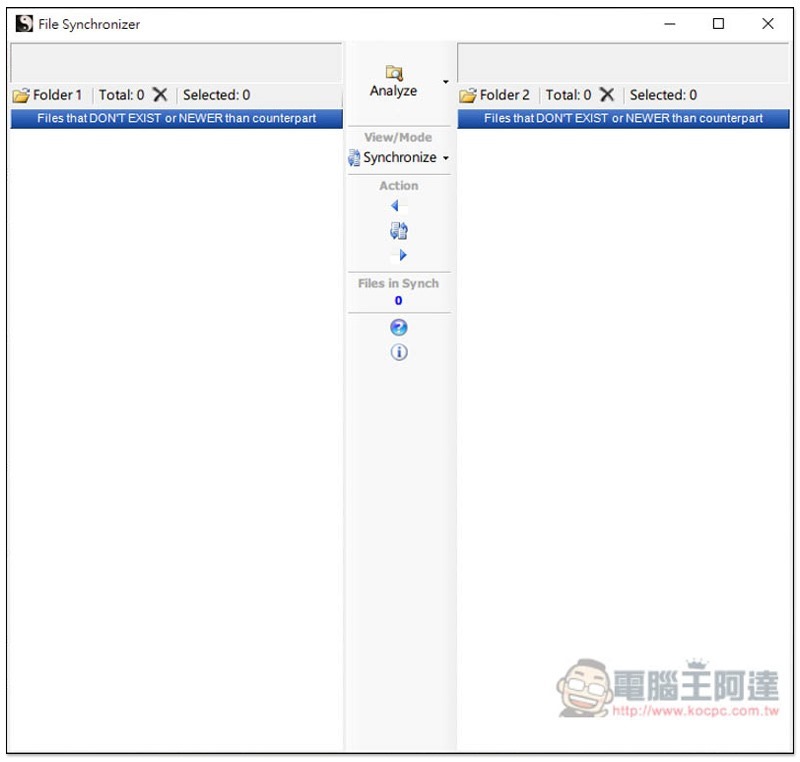
This product currently does not have a Chinese interface, but it is very simple to use, so don’t worry too much. First, click on the upper left Folder and the upper right Folder to select the double folders you want to synchronize files:
As shown in the picture below, I select the important folder in C slot and the backup folder in D slot:
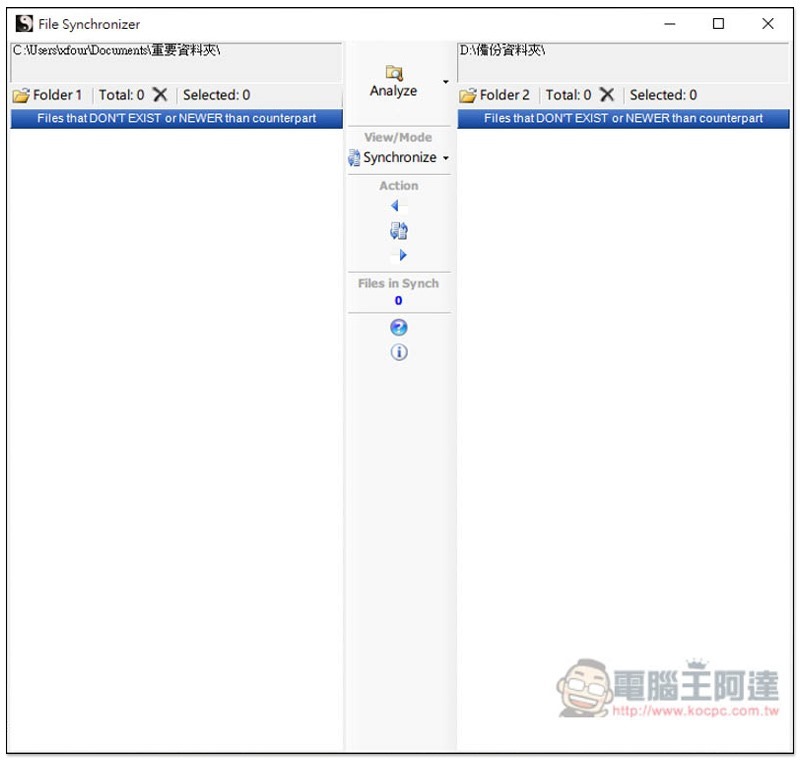
Then select the analysis mode (Analyze), there are two types, “Root Folder Only will only analyze the files in this folder”, “Include Sub Folders will also analyze the files in other folders in this folder”. After deciding, click Analyze to analyze:
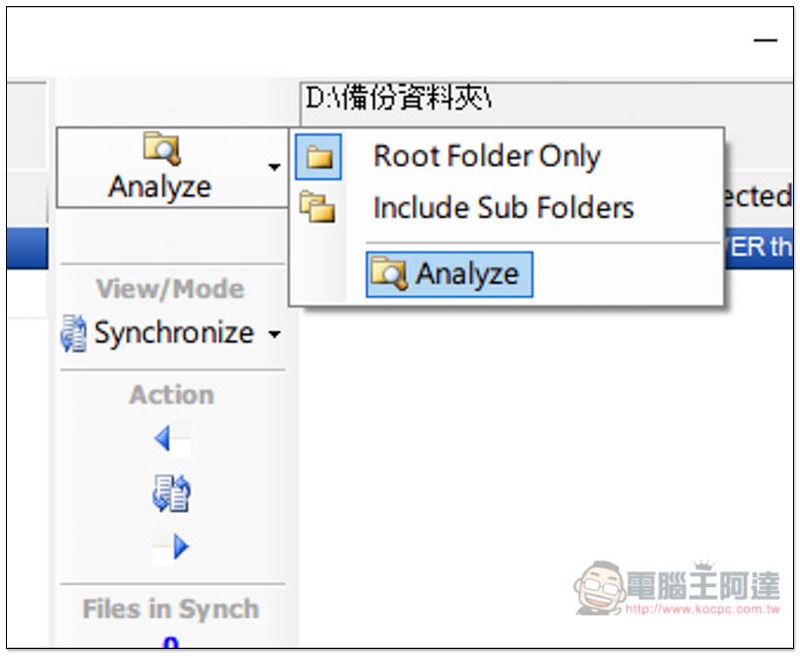
Files that have not yet been synchronized will appear:
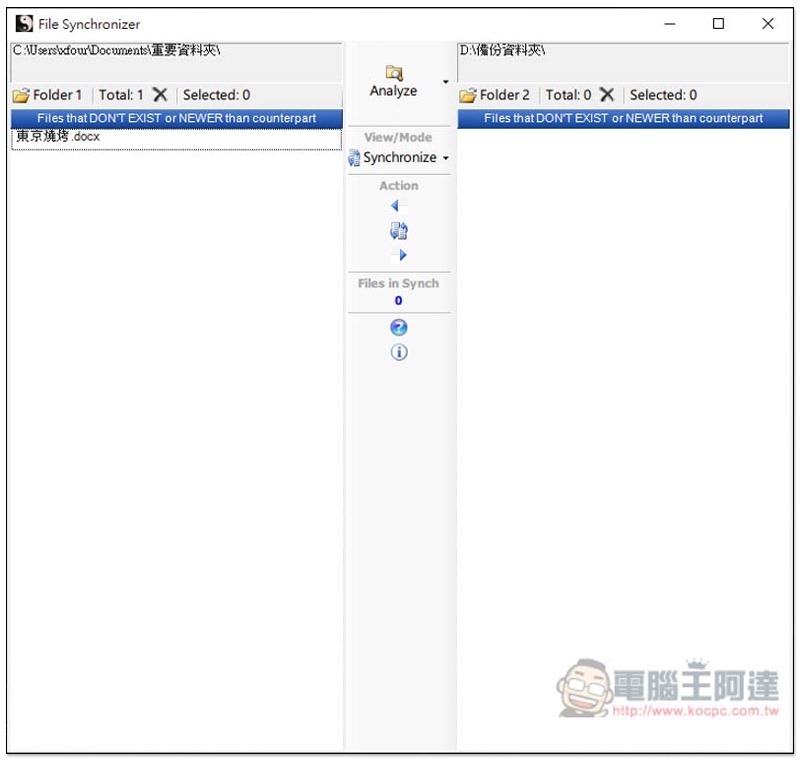
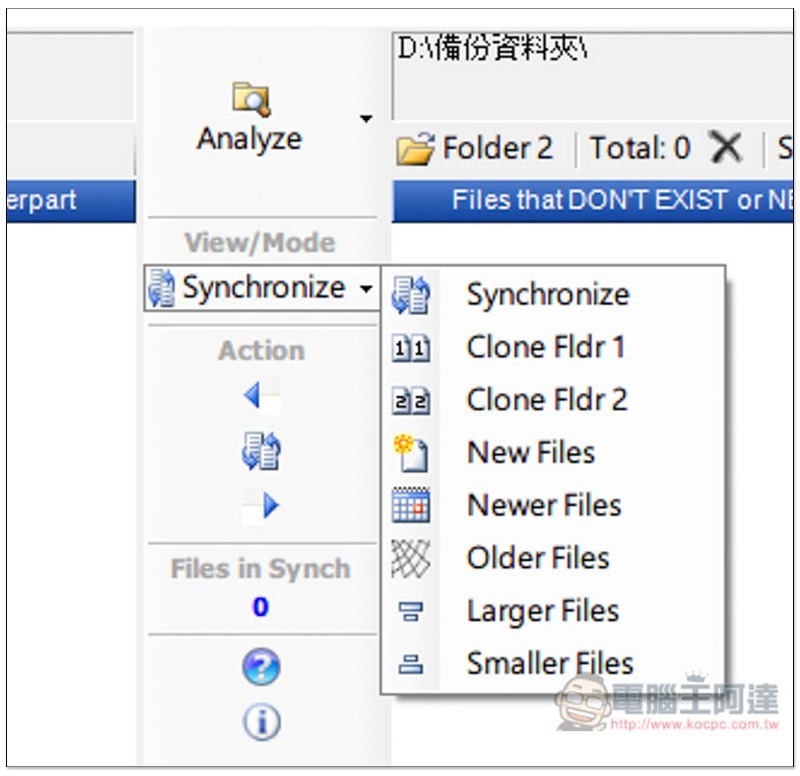
Although this interface has a simple interface, it has many synchronization modes, with a total of 8 types:
- Synchronize
- Clone Fldr 1 Copy all the folder files on the left to the right
- Clone Fldr 2 Copy all the folder files on the right to the left
- New Files: New files in synchronized files
- Newer Files: synchronize newer files
- Older Files: Synchronize older files
- Larger Files: synchronize larger files
- Smailer Files: Sync smaller files
Once there is no problem, click the icon below Action to start synchronization:
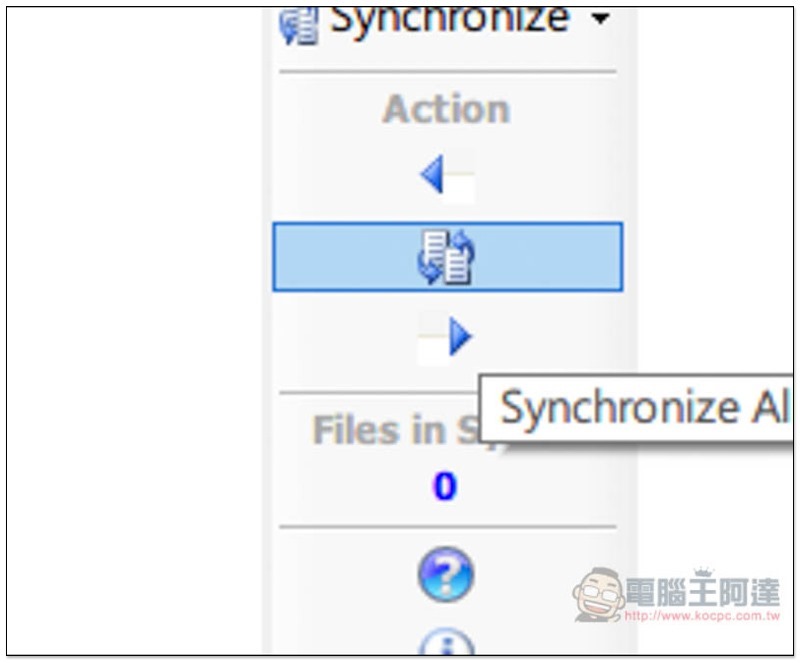
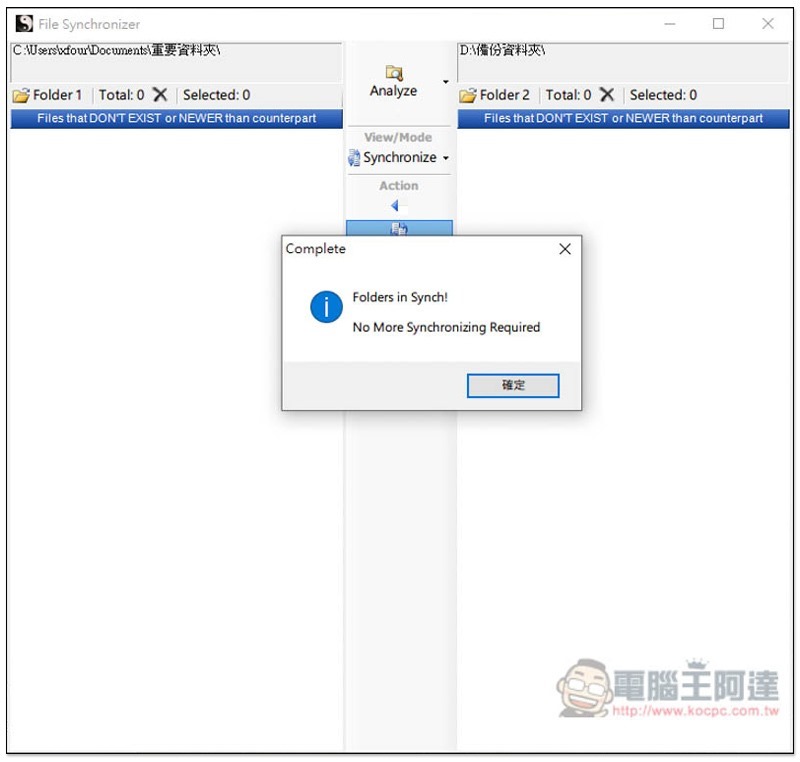
When this screen appears, it means synchronization is successful:
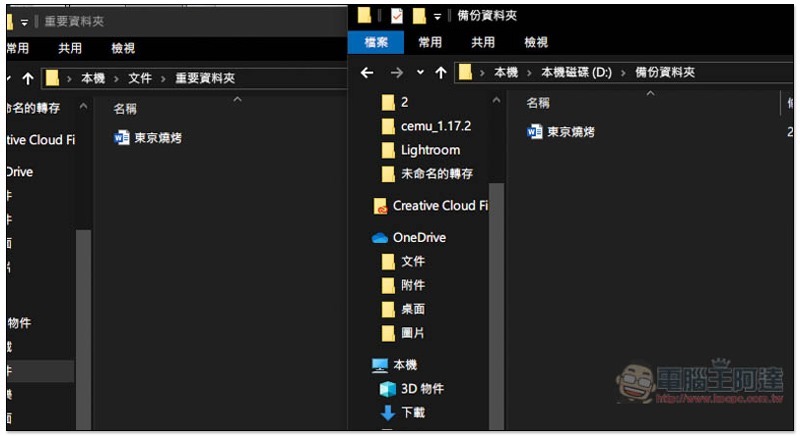
No problem with actual inspection:
After you set up the dual folder, it will become the default when you open it in the future, and there is no need to set it up again. This means that you can quickly press Analyze, determine the synchronization mode, and enable synchronization. The entire operation basically does not take a minute.
The only thing to note is that this tool can only synchronize/backup files and cannot back up the entire system. People who want to back up the system can refer to AOMEI Backupper Professional 5.5 。
Supplementary information
File Synchronizer official website:Click here to go
Source: KOCPC Chinese