

• About Us
King of Computer Media
  • Home
  • Tech News
  • AI News
  • Apps & Tutorials
  • Mobile & Telecom
  • Lifestyle
  • About Us
No Result
View All Result
  • Home
  • Tech News
  • AI News
  • Apps & Tutorials
  • Mobile & Telecom
  • Lifestyle
  • About Us
No Result
View All Result
King of Computer Media
No Result
View All Result

Home - Computer Applications and Other Tutorials - Berrycast is a free screen recording tool that uploads directly to the cloud after recording, allowing you to quickly share it with others.

Berrycast is a free screen recording tool that uploads directly to the cloud after recording, allowing you to quickly share it with others.

Rocky by Rocky
February 10, 2020 - Updated on August 4, 2026
in Computer Applications and Other Tutorials, Internet and software applications, Mac OS software sharing and teaching

Nowadays, there are many free video recording tools on the Internet, and some are even completed through the browser, such as:Recordscreen.io, but there are few free recording tools like Berrycast, which is specially designed for the business field. After recording, the video will be uploaded directly to the cloud, allowing you to quickly share it with others. It is very suitable for people who often need to record teaching videos, explain explanations, or communicate with customers. Windows and Mac versions are available.
Berrycast ,2020-02-10_172107

Berrycast Free Screen Recording Tool Introduction

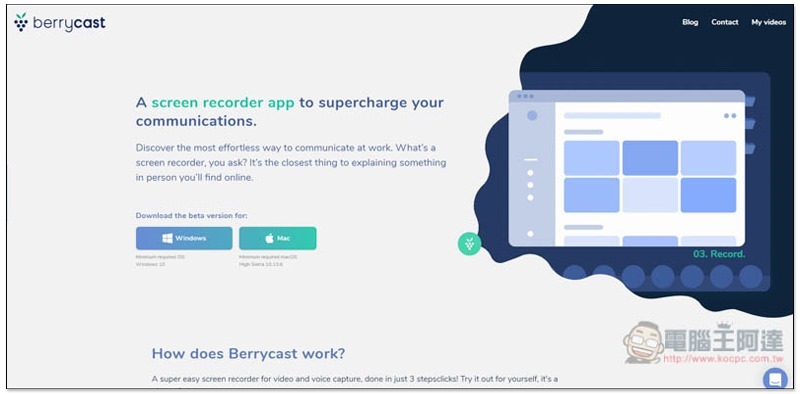
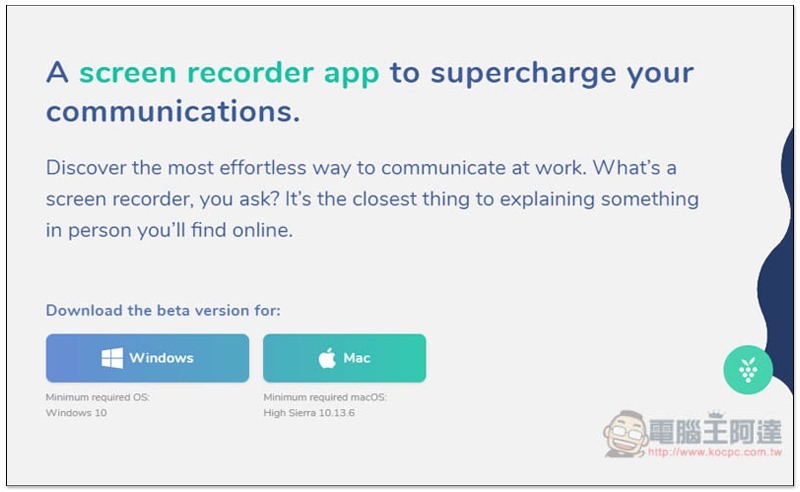
Click meAfter entering the official website of Berrycast free screen recording tool, select the version you want to download, Windows or Mac. Both should be installation-free files. You can open and use them directly after downloading:
2020-02-10_171358

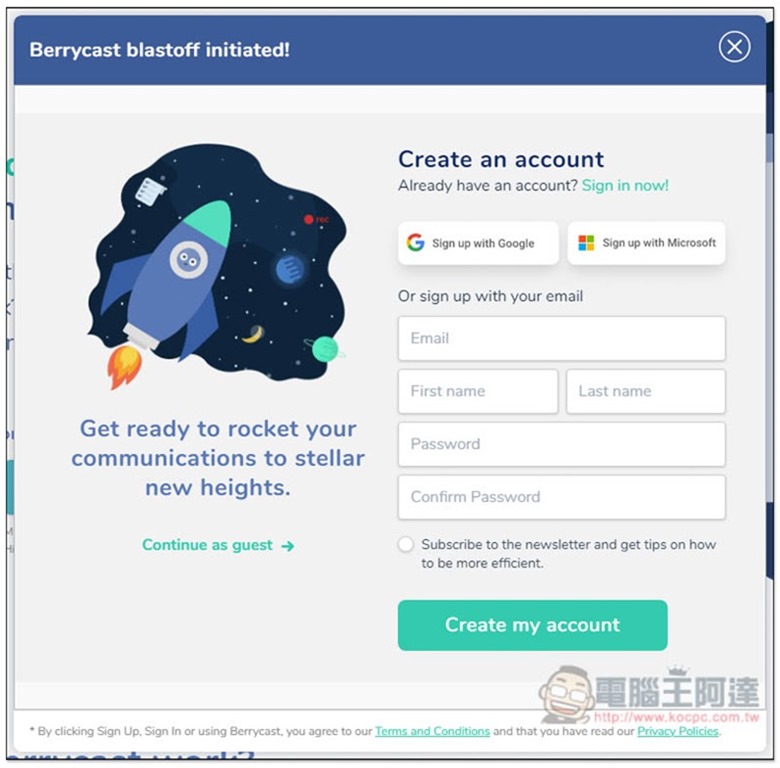
This window will pop up before use. It is recommended to register an account so that the uploaded videos will be placed under your account. If you don’t want to register and want to try it out first, there’s no problem. Click Continue as guest on the left to skip it:
2020-02-10_171412


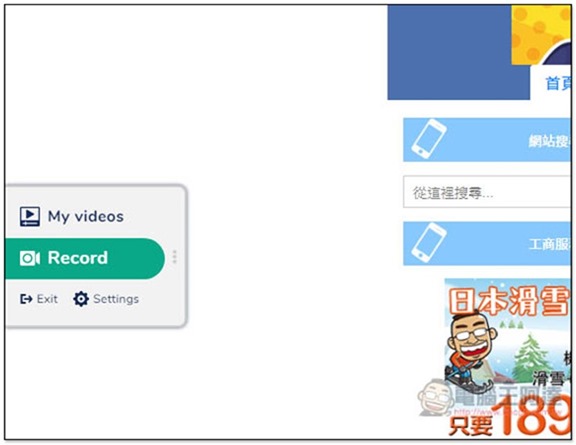
The functions of this set of tools will be hidden on the left side of the screen (there is a green bar). Move the mouse over to open the menu. There are only two functions, My videos and Record:
2020-02-10_171743

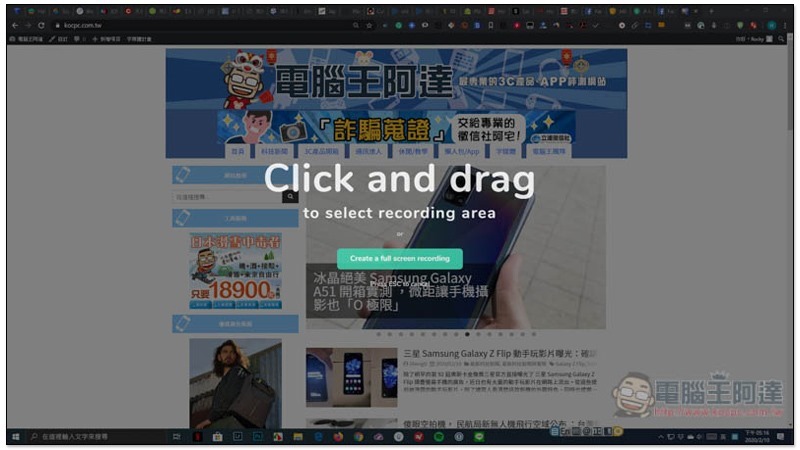
After clicking Record, you can draw the screen area you want to record, and you can also create a full-screen recording:
2020-02-10_171627

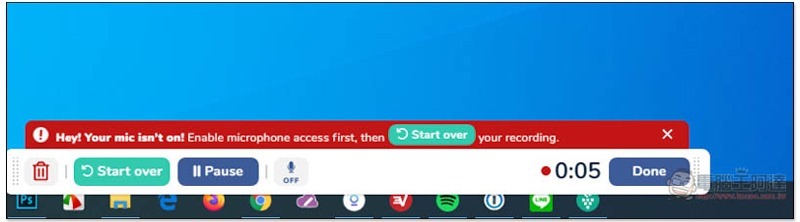
After starting recording, the control menu will be at the bottom, which also supports the microphone function. Friends who need it can open it. If you record the full screen, the resolution will be FullHD. After recording, it will not be stored in the computer, but directly in the cloud. You need to download it separately:
2020-02-10_171858

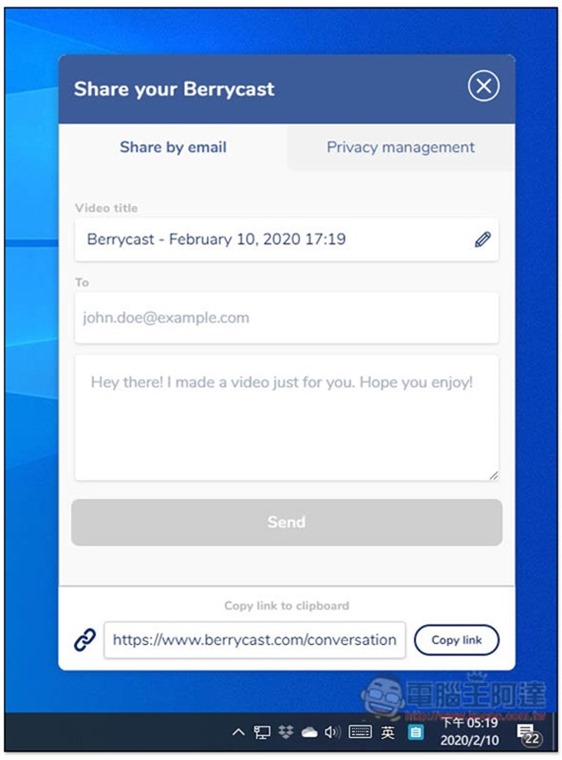
Press Done to stop recording, and this window will pop up on the right. Use Video title to modify the video name you want. If you want to send it to someone for viewing, you can enter the email and content in To. At the bottom is the link to this video:
2020-02-10_171929

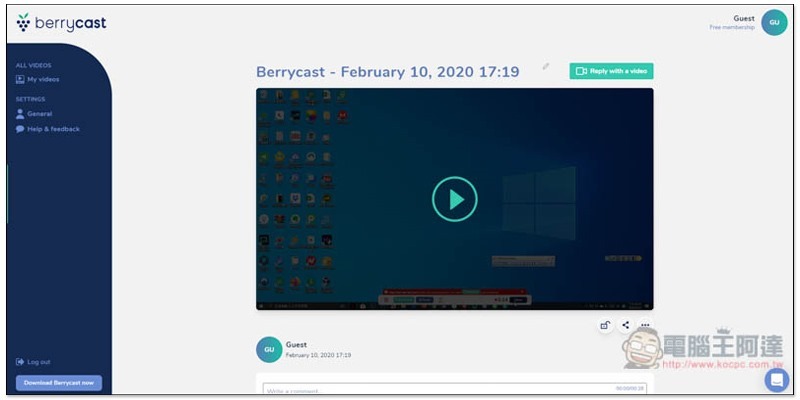
After pasting the link, you can watch this video online. Anyone who knows the link can do so:
2020-02-10_172035

In the My videos menu, you can find all the videos you have recorded in the past:
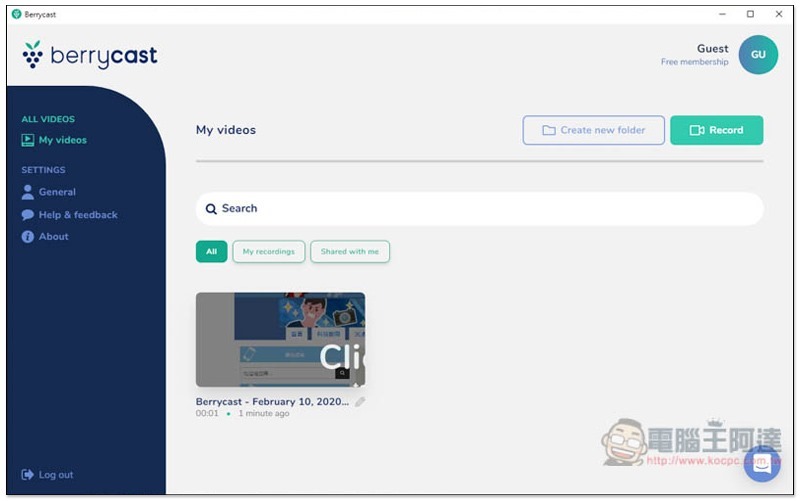
2020-02-10_171813

Go to the inner page and open the… menu in the lower right corner. You can find the Download download function. The format will be MP4:
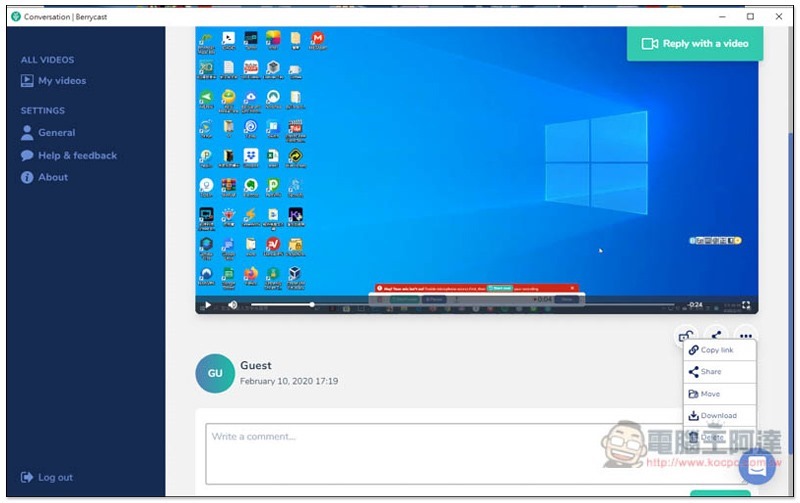
2020-02-10_172021

Supplementary information

Berrycast official website:Click here to go

Source: KOCPC Chinese

Tags: MACScreen recordingWindows

Recent Posts

  • Meta Muse Lands on Mac: Personal AI Agent Begins Operating Your Files, Messages, and Calendar (Muse for Mac)
  • First oMLX performance results for M5 Ultra Mac Studio leak: prefill speed 3-4x faster than M3 Ultra, data taken down after exposure.
  • After the iPhone 17, the frame material was changed back to aluminum alloy. Is it better than titanium?
  • The iPhone 18 Pro series, Apple Watch Series 12, Apple Watch Ultra 4, and AirPods 5 are now on sale—a first look, with warm “Burgundy Red” and striking “Glacier Blue.”
  • The battery replacement cost for the iPhone 18 Pro / Pro Max has gone up again! Compared with 5 years ago, the increase has doubled.

Recent Comments

No comments to show.
  • About Us

We welcome partnership inquiries and product review opportunities from smartphone manufacturers, iPhone accessory brands, and app developers.koc kocpc.com.tw|Privacy Policy |Hosting & Maintenance: Fast Line Taiwan, A-Chang Digital Technology

No Result
View All Result
  • Home
  • Tech News
  • AI News
  • Apps & Tutorials
  • Mobile & Telecom
  • Lifestyle
  • About Us

We welcome partnership inquiries and product review opportunities from smartphone manufacturers, iPhone accessory brands, and app developers.koc kocpc.com.tw|Privacy Policy |Hosting & Maintenance: Fast Line Taiwan, A-Chang Digital Technology