


Because of the awareness of network security, everyone has strengthened the passwords for their home or office networks, but what followed was a long and complicated string of random numbers. When guests come and ask to use the wireless network at home, or they want to borrow your mobile network to share, it takes a lot of effort just to enter the password, and if you accidentally enter it wrong in the middle, you have to start over. The native function in Android 10 allows you to easily share passwords with friends through QR Code, so why bother?
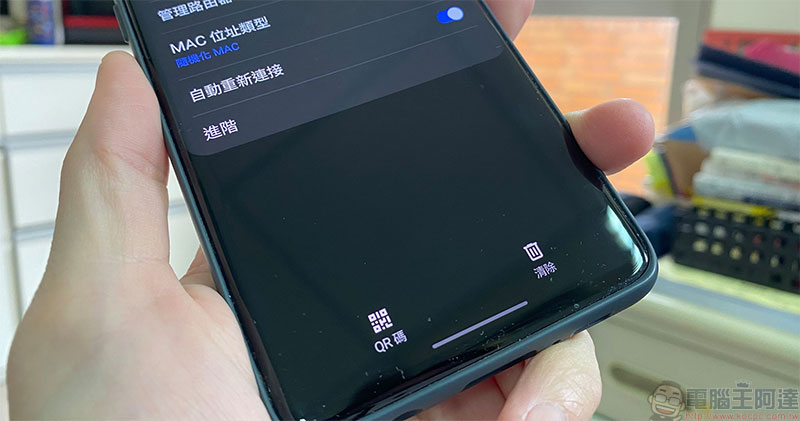
How to share WiFi/mobile network password with friends via QR Code on Android 10 phone?
Among the native functions of Android 10, there is a small tool. As long as your phone is currently connected to WiFi, you can share the password of the WiFi with friends visiting your home, or you want to share your mobile network with friends. The native tool is always there without the need to use any third-party applications or tools. You may not have noticed it, and it doesn’t matter! Come learn it today!
The interfaces of each mobile phone may be different, but they are similar. The mobile phone demonstrated by the author of this article is Samsung Galaxy S10+.
Share WiFi password
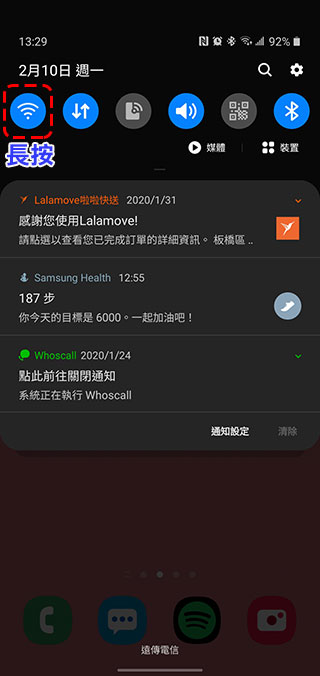
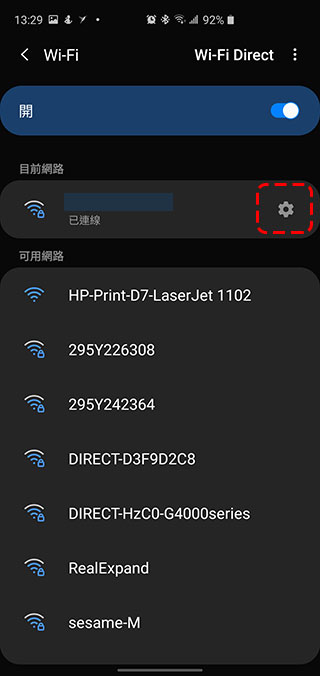
1. Long press the WiFi icon in the drop-down menu to enter the WiFi selection interface.
Or you can also enter the WiFi selection interface from the path “Settings>>Connection>>WiFi”.
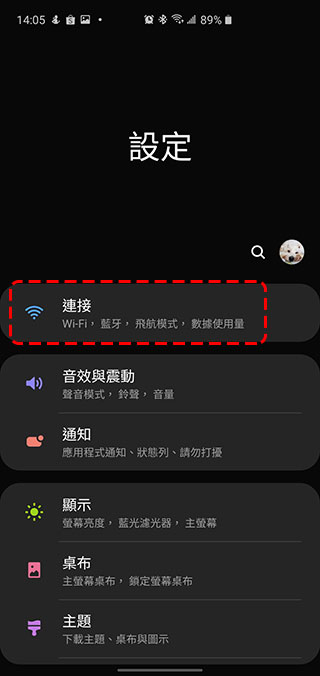
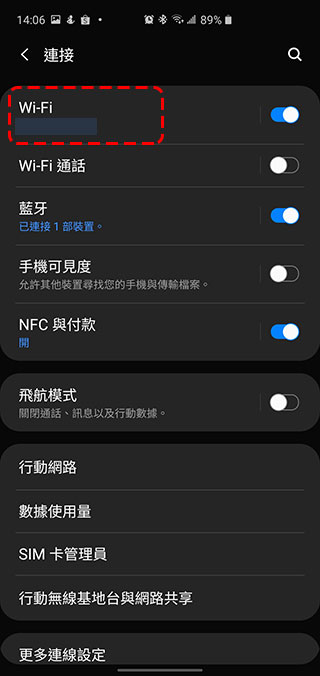
2. Click the gear settings icon behind the WiFi you are connecting to to enter the WiFi details page.
3. On this page you will see a QR Code icon. After clicking it, you can provide the QR Code to your friends to scan and complete the password sharing procedure.
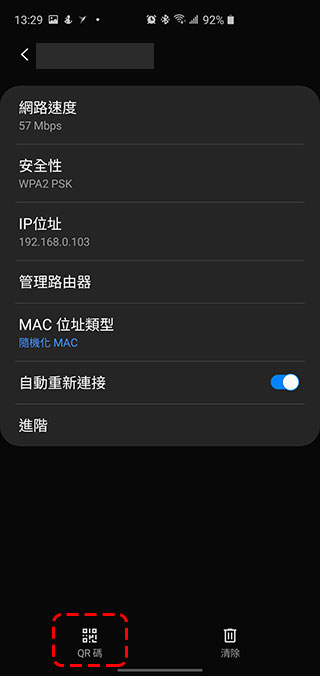
On some mobile phones such as Pixel and Android One devices, some QR Codes will be accompanied by WiFi passwords below the display, and some will only have QR Codes like the author’s demonstration picture above, but this does not have an impact. It’s that simple to easily share wireless network passwords, have you learned it?
Share mobile network passwords
If you have opened the mobile network on your mobile phone and shared it with friends, you can also use the QR Code to handle the password part. This is not difficult! Follow me and give it a try.
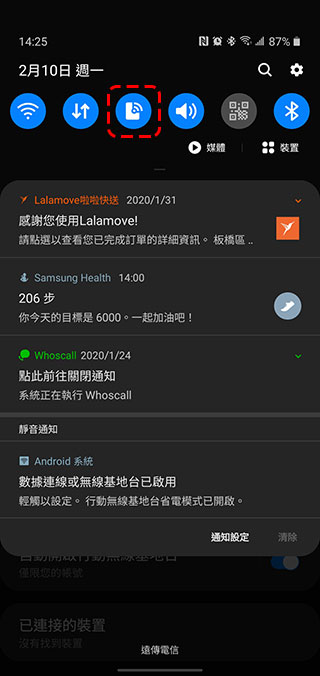
1. Long press the mobile network icon in the drop-down menu to enter the WiFi selection interface.
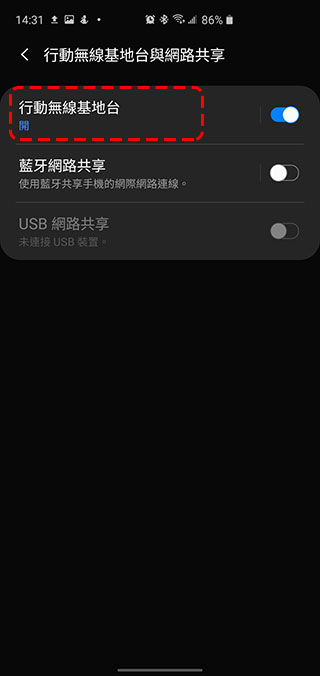
Or you can enter the WiFi selection interface from the path “Settings>>Connections>>Mobile Wireless Base Stations and Network Sharing”.
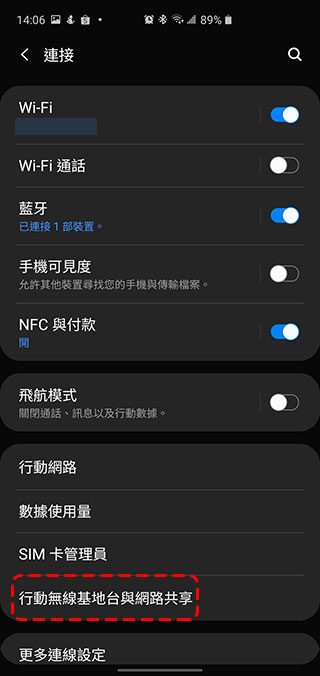
2. After entering, click the “Mobile Wireless Base Station” item.
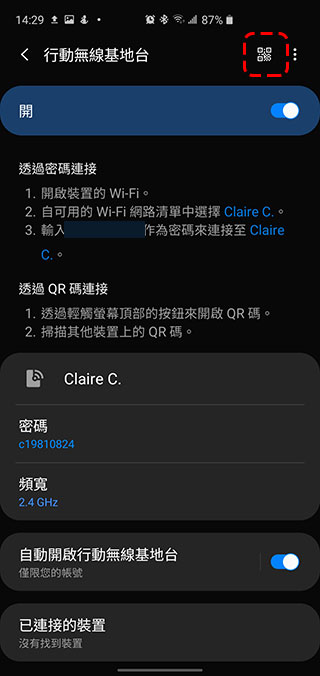
3. Then you will see a QR Code icon at the top. Click on it to call out the QR Code for other devices to scan!
Isn’t it very simple? Learn these tips to highlight your handsomeness and professionalism. If you can use swipe, who needs to bother to figure out the password?
Source: KOCPC Chinese