

• About Us
King of Computer Media
  • Home
  • Tech News
  • AI News
  • Apps & Tutorials
  • Mobile & Telecom
  • Lifestyle
  • About Us
No Result
View All Result
  • Home
  • Tech News
  • AI News
  • Apps & Tutorials
  • Mobile & Telecom
  • Lifestyle
  • About Us
No Result
View All Result
King of Computer Media
No Result
View All Result

Home - Cross-platform App - Netflix can finally turn off automatic playback of trailers on “All Devices” (tutorial)

Netflix can finally turn off automatic playback of trailers on “All Devices” (tutorial)

ROSS by ROSS
February 7, 2020 - Updated on August 4, 2026
in Cross-platform App

In fact, the Autoplay video automatic playback function is not a bad feature, but sometimes you just don’t want to waste data (even in a Wi-Fi environment, it may be a hotspot on your phone), so you should at least give users the option to turn it off. And with iOS and Facebook are also starting to offer the option to turn off automatic video playbackFinally, now Netflix can finally turn off the automatic playback of trailer videos on “All Devices”! Anyway, come and see our teaching.
Netflix 終於可以關閉「所有裝置」的預告影片自動播放了

Netflix can finally turn off automatic playback of trailers on “All Devices” (tutorial)

Although Netflix on twitterThere is still a little bit of arrogance, but all in all, they finally provide an option to turn off the “automatically play trailers while browsing” feature. according toOfficial description page(There is also an option to turn off automatic playback of the next episode, which you will also see in this article). They provided the following instructions:

You can use the autoplay feature to automatically play trailers while you browse Netflix
to preview the show or movie. To turn autoplay on or off:

1. Log into Netflix on a web browser
2. Select “Manage Users” in the menu
3. Select the user to update
4.
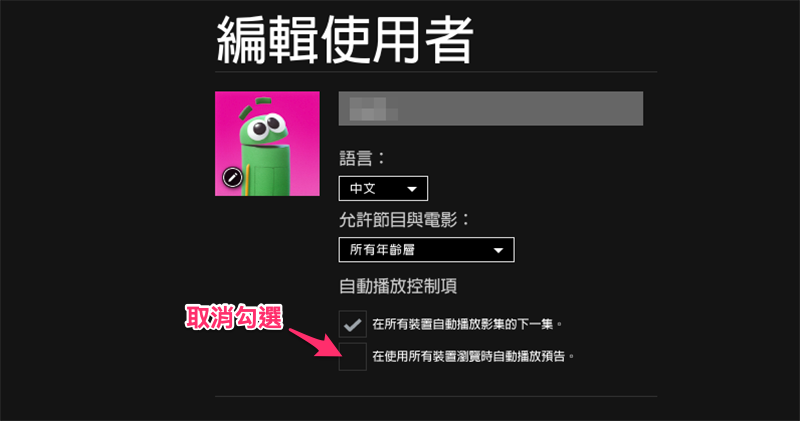
Check or uncheck the ‘Automatically play previews when browsing on all devices’ option

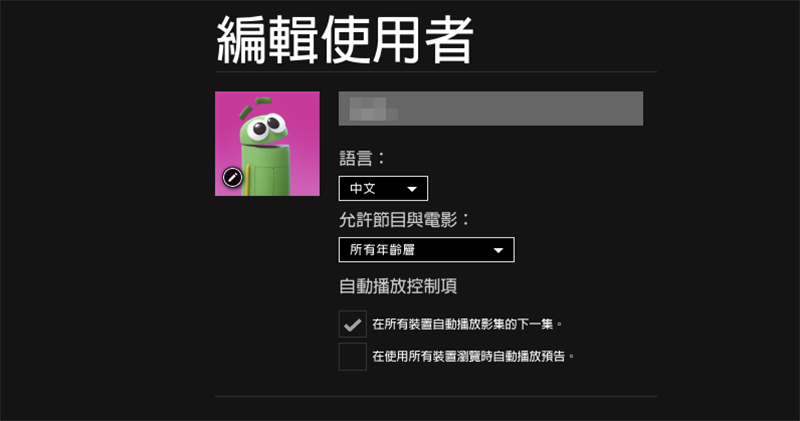
Seems a bit complicated? However, the only troublesome aspect of this option is that it may require logging in via the web version. However, since you can turn off this feature in “All Devices” at once, if you feel you hate this feature, then you can turn it off in “All Devices”.Web versionSign in to your Netflix account and select “Manage Users”:

Or link directly to https://www.netflix.com/ManageProfiles (Click here to go directly to, if you are not worried, just copy the previous text) and you can log in to the page below. Click the user icon here to edit the user’s options:

Then it’s very simple, just cancel the options you don’t want (remember to save the options in the end). In this way, you can browse on all devices without seeing the trailer automatically playing! :
Further reading:
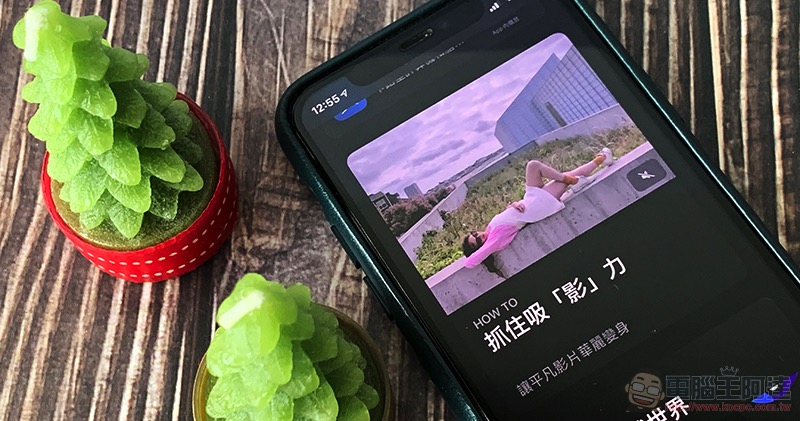
Turning off “AutoPlay” on iOS is actually very simple. Three steps will teach you how to complete the setting (Facebook will also teach you how to turn it off!)

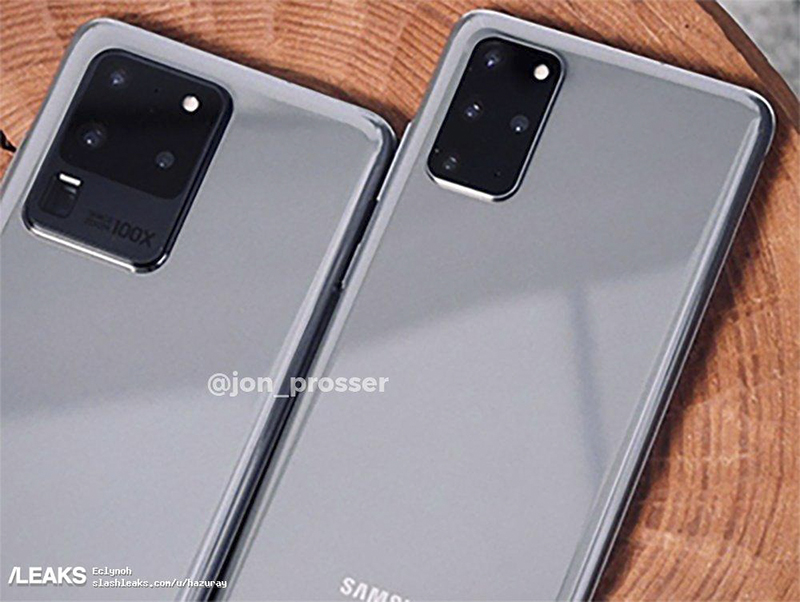
Let’s take a look at the latest leaked real-life photos of the “big gun in the mobile phone industry (?)” Galaxy S20 Ultra

Source: KOCPC Chinese

Tags: AndroidAutoplayclosureiOSNetflixPreviewTeachingtrailerVideo streamingWeb version

Recent Posts

  • The Xiaomi Pad 8S Pro has passed network access certification and will debut with the self-developed XRING O3 chip.
  • The entire Google Pixel 11 lineup has been leaked! Official promotional renders of the Pixel 11 Pro XL have also surfaced
  • Are Chinese phone battery capacities falsely labeled? A brief look at the “capacity locking” phenomenon in Chinese silicon-carbon batteries.
  • NCC is leaderless, recklessly sending out national-level alert messages!?
  • What does “QR” in QR Code mean?

Recent Comments

No comments to show.
  • About Us

We welcome partnership inquiries and product review opportunities from smartphone manufacturers, iPhone accessory brands, and app developers.koc kocpc.com.tw|Privacy Policy |Hosting & Maintenance: Fast Line Taiwan, A-Chang Digital Technology

No Result
View All Result
  • Home
  • Tech News
  • AI News
  • Apps & Tutorials
  • Mobile & Telecom
  • Lifestyle
  • About Us

We welcome partnership inquiries and product review opportunities from smartphone manufacturers, iPhone accessory brands, and app developers.koc kocpc.com.tw|Privacy Policy |Hosting & Maintenance: Fast Line Taiwan, A-Chang Digital Technology