


The usefulness of AirPlay should go without saying, but Windows itself does not have this function, so if you want to project iPhone / iPad / Mac screen to Windows screen, you must use other tools to achieve it, and this set of Airplay Receiver for windows is a good choice. Not only is it completely free, but the speed is also quite good. When I tested the racing games, they were almost synchronized, and the sounds and images were projected simultaneously.

Airplay Receiver for windows allows iPhone/iPad/Mac to be mirrored to PC using AirPlay (both video and sound)
Airplay Receiver for windows is a free and open source tool. The source code is available in GitHub , interested people can look for it on their own. Click the “Direct Download” function on the screen to download this tool:

After decompressing, there are three main files to note: Bonjour, Bonjour64 and win-airplay. Win-airplay is the executable file of this tool. If you cannot open it and execute it, please install Bonjour first. If it says a .dll is missing, you need to install Visual C++,Click here to download the installation file(Loading point provided by the developer):

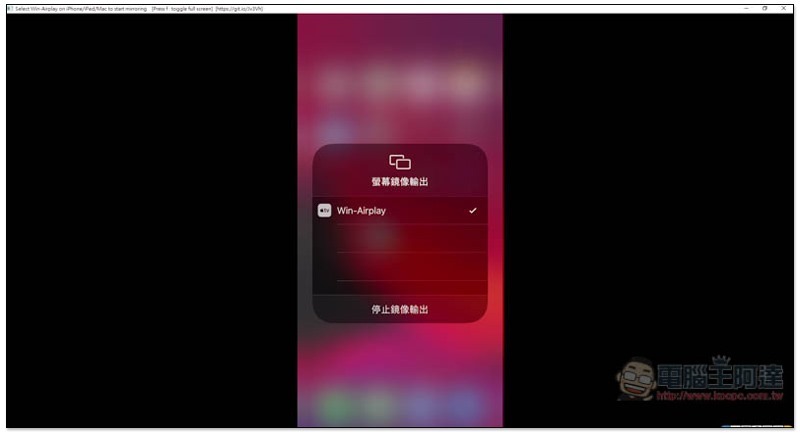
After opening, the screen will be black, then use your iPhone/iPad/Mac:

Turn on the screen mirroring output function and you will find Win-AirPlay (must be under the same network). After clicking it, your iPhone / iPad / Mac screen will be projected into the window of this tool:

As shown below:
The picture and sound will be mirrored to the computer. The speed I measured is also very good. They are almost synchronized. You can play racing games on your iPhone while watching the computer screen. In addition, when the iPhone / iPad screen is turned horizontally, the window will also turn horizontally:
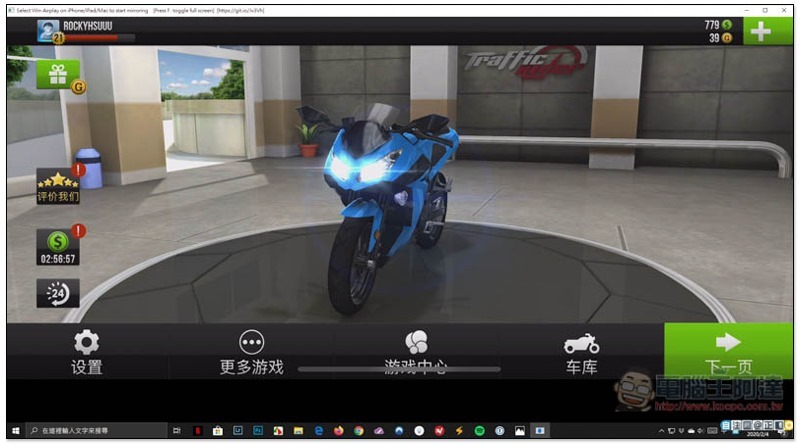
However, the stability needs to be improved. It often crashes, such as jumping back to the home screen from the game. It seems that it is currently impossible to mirror YouTube videos to the computer screen (it crashes every time).
Use the video to unbox more new and cool technology products.Subscribe to Computer King Ada channelAnd turn on the little bell so you won’t miss the latest news:
Supplementary information
Airplay Receiver for windows download page:Click here to go
Source: KOCPC Chinese