


Among the many functions of smartphones, the most underutilized are the two tools of emergency contact and medical information. In fact, these two functions are available on every mobile phone. If you set the content correctly, you can instantly notify your family in the most urgent time, especially when you are unable to speak, move, or actively send any messages. Follow me now and get set up in no time!
How to set up emergency medical information on iPhone / Android phone? Please do this with me!
When you are intact and healthy, you never think about how important it is to set up emergency contacts. In order to reassure your relatives and friends, spending a few minutes to set up this information can actually save your life in an emergency and get your loved ones to you faster. Especially if you have elderly people, children at home, or people with chronic diseases, you must learn this!
Android phone
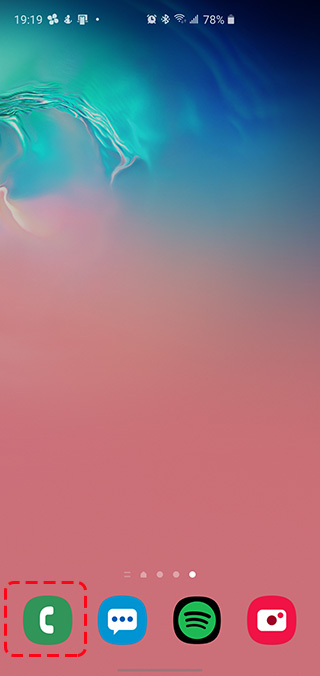
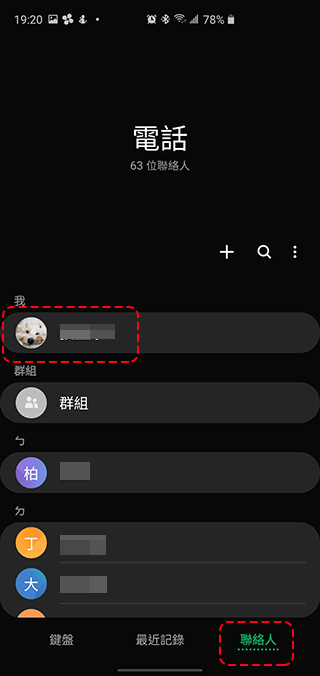
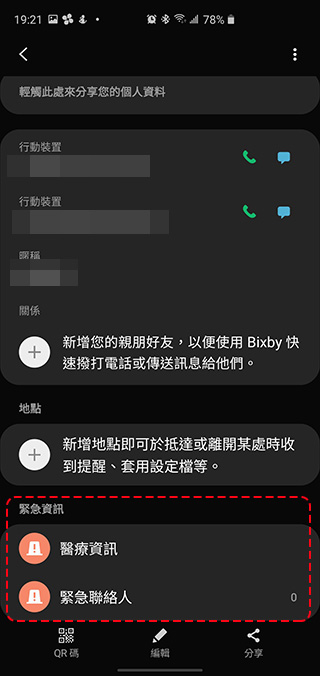
The settings on Android vary depending on the phone manufacturer. The easiest way to find it is to enter the “Settings” application and use the search bar at the top of the screen to directly search for the word “Emergency”. This will usually lead you to the location of the settings. As for Samsung mobile phones, you can open the “Phone” application on the phone, click your avatar in the “Me” category in the Contacts tab, enter and scroll to the bottom of the page to see two items: medical information and emergency contacts.
How to activate and view other people’s emergency contact information?
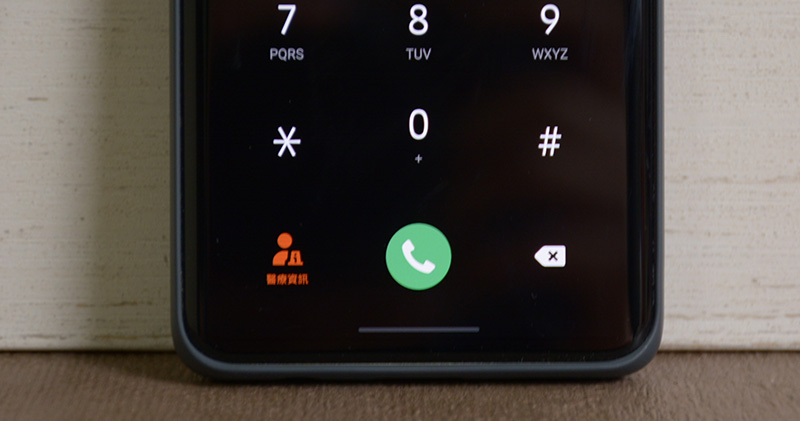
Please press the unlock button or switch to the page of password or graphic input on the unlock screen. You will see an emergency number (also called emergency call) below. After clicking to enter, you can see another button named “Medical Information” or synonyms on the next page. After clicking, you can view the medical information of the phone holder.
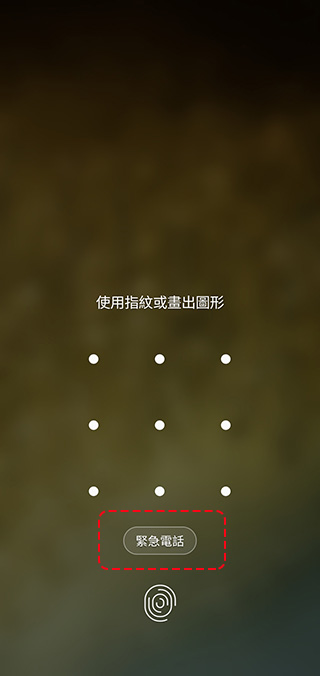
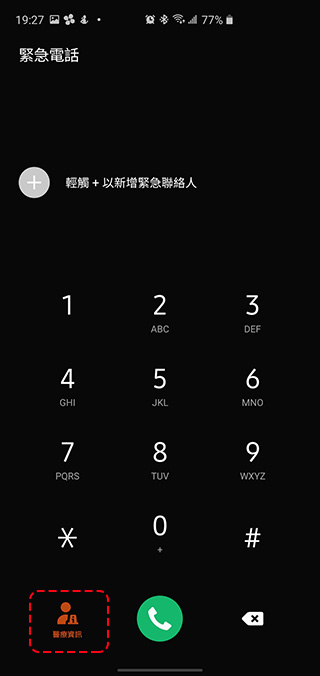
【2022/11/1 Supplement】
Setting methods for mobile phones of various brands
- Millet:
Settings > Security & Emergency Assistance > Emergency Assistance Information - Huawei:
Settings>Personal emergency information - ASUS:
Set up search for “Medical Information” or “Emergency Rescue Information” - LG:
Settings > Security & Emergency Assistance - Moto :
Settings > Security & Emergencies - OPPO :
Settings > SOS Emergency Contact > Set up medical information and emergency contacts
Settings > Security > Emergency Help - Google Pixel:
Settings > Security & Emergency Assistance > Medical Information - realme:
Settings > SOS emergency contact > Can set medical information and emergency contacts - SONY:
Settings > Security & Emergency Assistance > Emergency Information
Settings > System > About Phone > Emergency Information
iPhone
To set this feature on your iPhone, follow the steps below:
1. Open the “Health” app and click on the profile photo in the upper right corner.
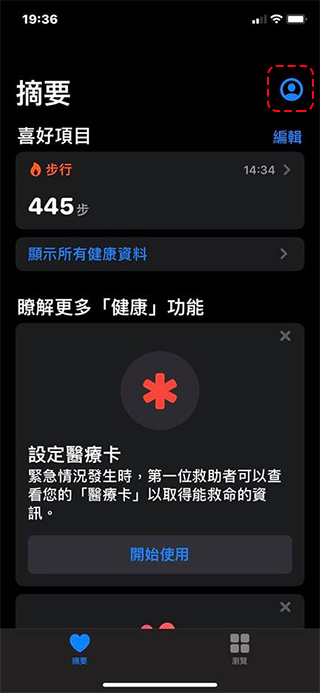
2. Click “Medical Card” under the medical details section to enter the editing content.
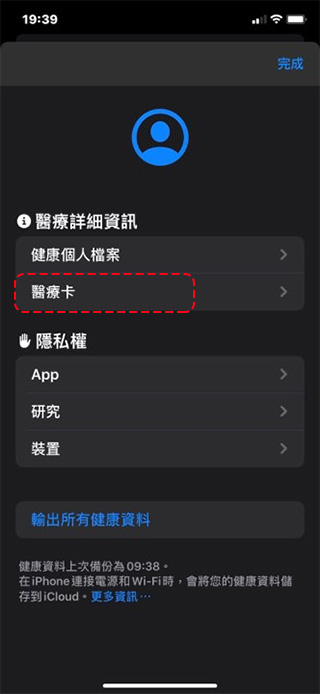
3. Fill in any information you want first responders or emergency assistance personnel to know, and make sure Show on Lock Screen is enabled.
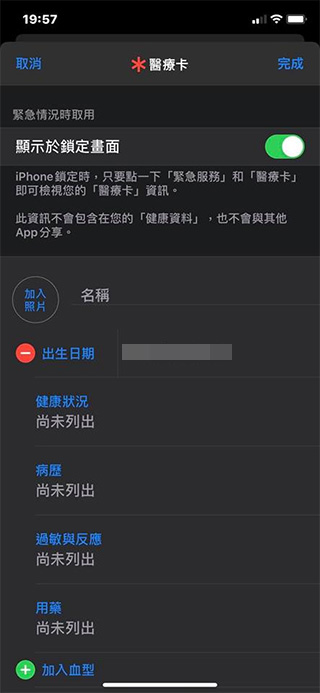
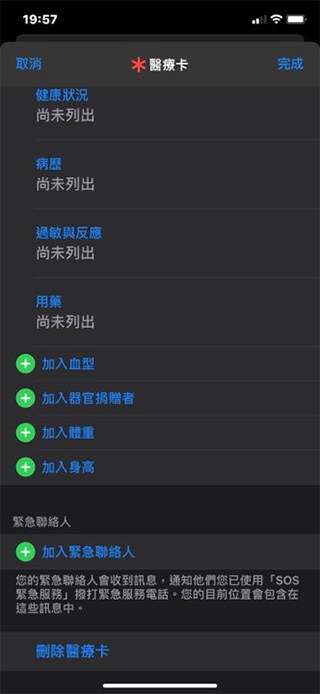
5. Click Finish after filling in all messages and emergency contact information.
How to activate and view other people’s emergency contact information?
Please swipe up on the lock screen to unlock (if you are the holder of the phone and use Face ID, please cover the front lens), click “Emergency” at the bottom of the password input page, and then click Medical Card.
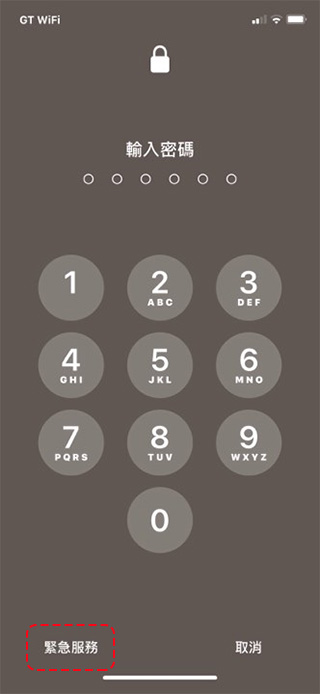
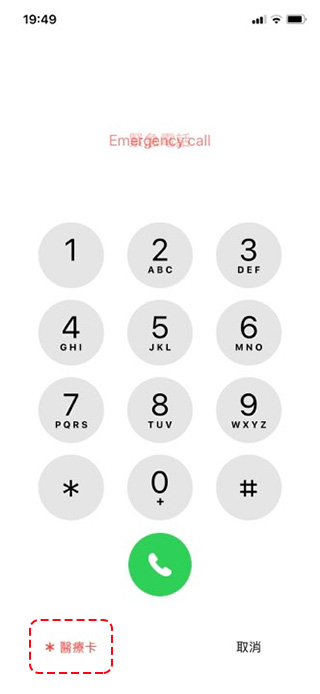
Don’t underestimate this function, take the time to set it up. If your family or yourself are in an accident or emergency, leaving a channel for others to provide assistance is a good way to provide self-relief!
Source: KOCPC Chinese