


Although YouTube Premium can also download videos from YouTube directly to the device for playing offline, sometimes it is more convenient to download videos directly to the device if you want to be able to open the iPhone to play videos. Today we will introduce the SConverter free download tool, which not only eliminates the need to download apps or shortcut scripts, but also supports video downloads from platforms including YouTbue, Facebook, Instagram and Vimeo.
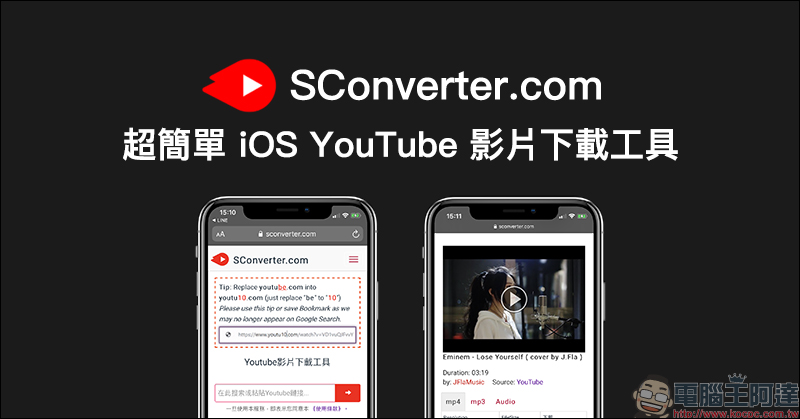
SConverter is a super simple iOS YouTube video download tool: no need to download apps or shortcuts, and simultaneously supports free downloads of videos from FB, IG and other platforms.
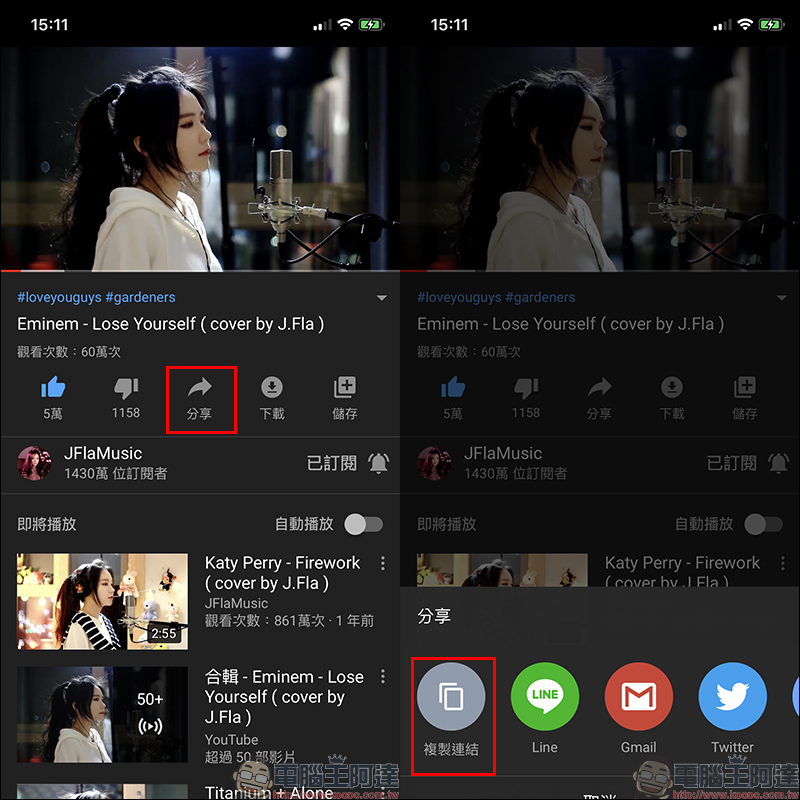
The SConverter video download tool introduced this time is not only suitable for the computer version to download videos from audio and video platforms, but is also applicable to the iOS platform. Therefore, this article uses iPhone to download YouTube videos as a demonstration. First, open the YouTube video page you want to download and copy the video link:
SConverter.com video download tool:Click here to go
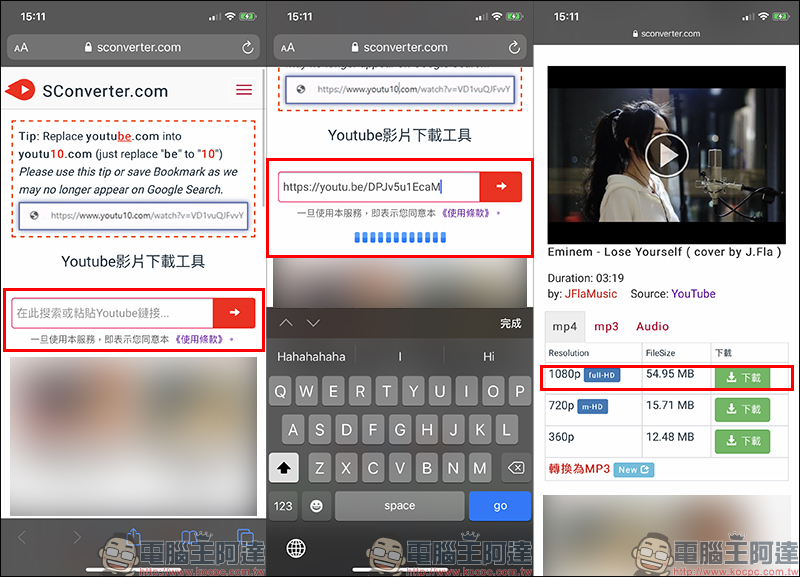
Then open your browser and go to the SConverter.com web page and paste the video link you copied earlier. At this time, the system will automatically start processing the video download link. After completion, there will be multiple download options for different video resolutions at the bottom of the page. This video can support up to Full HD high-definition video downloads. Click the download button first:
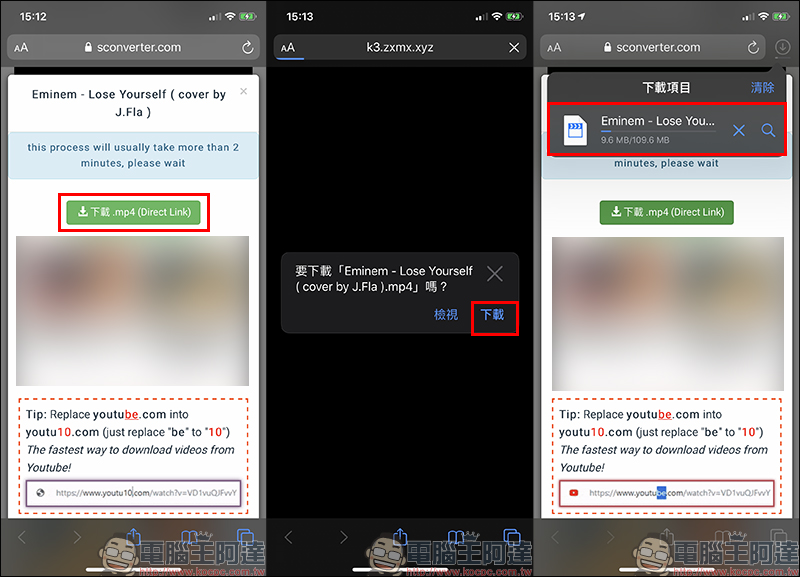
At this time, the screen may jump to other advertising tabs first. Remember to return to the original tab and find the download button “Download.mp4 (Direct Link)”. After pressing it, a window will pop up. Click “Download” to officially start downloading the video! (Tips: This download tool will pop up advertising messages from time to time, just ignore them.)
The downloaded video will first be stored in the “File” App, where the user can click on the video to play: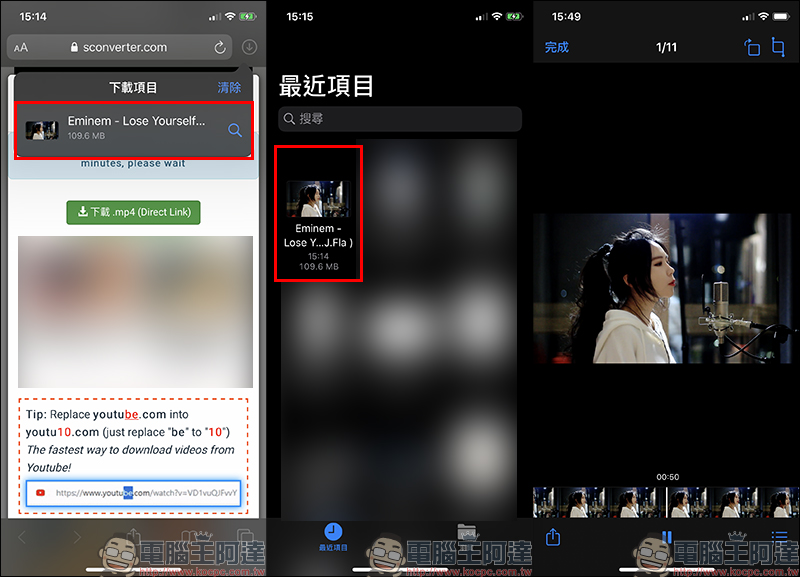
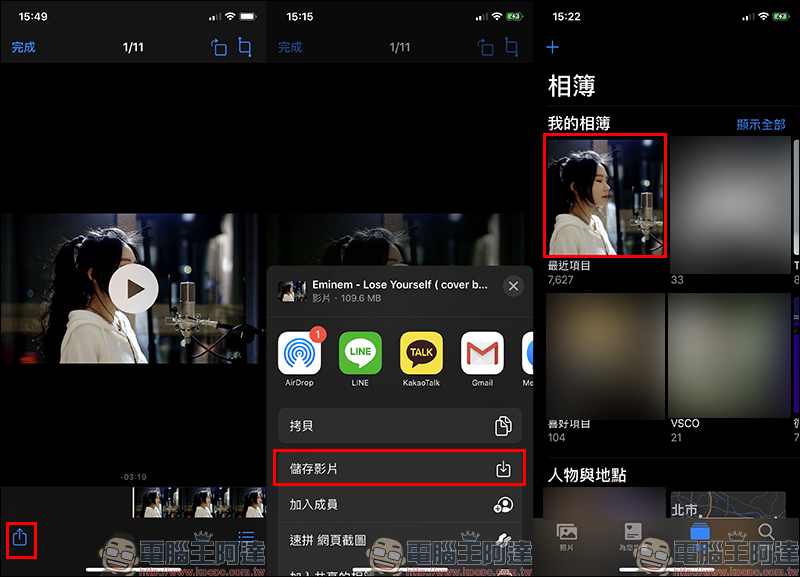
If you want to transfer this video to the photo app, you can follow the steps below to find “Save Video”, and then the video will be saved in the album!
SConverter.com video download tool:Click here to go
Further reading:
LINE mobile version 10.0.0 update: You can use videos as personal profile covers, update status messages and share limited-time updates simultaneously (setting tutorial)
Source: KOCPC Chinese