


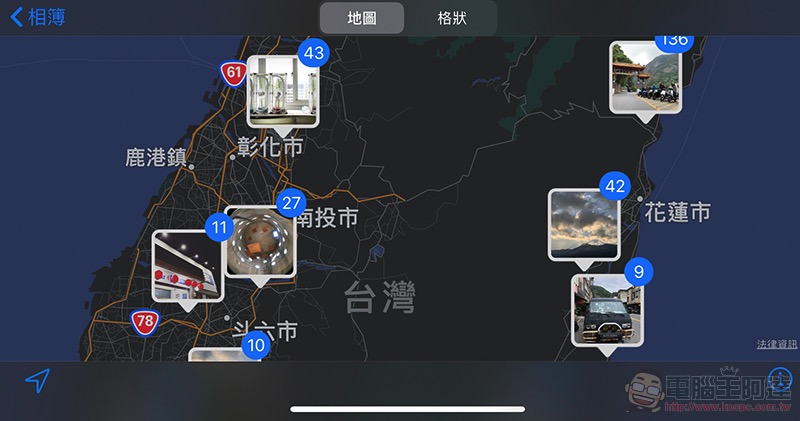
You bought a new iPhone and took a lot of beautiful photos, so do you often share them online or post them in message groups? But this simple sharing of happiness actually carries a certain degree of risk if you don’t pay attention – because if you don’t notice and the information contained in the photo, especially the GPS positioning data, is used by interested parties, it would be bad to know where you live. Fortunately, in the photo sharing function starting with iOS 13, there is already an option to remove this information. This article will teach you how to make good use of it. Continue reading How to ensure that photos shared on iOS do not contain location information? This article teaches you the content.
How to ensure that photos shared on iOS do not contain location information? This article teaches you
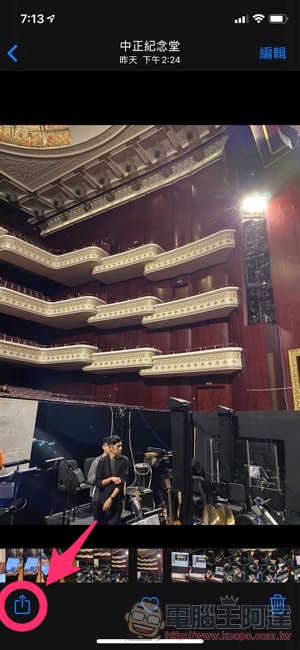
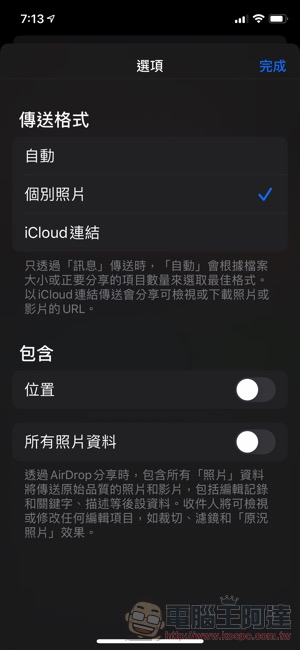
Click on the iOS Photos app, just like the normal sharing steps, click the arrow button in the lower left corner of a single photo (or multiple selections are also acceptable), and you will see a very ordinary sharing menu appear – when you see this, don’t rush to click AirDrop or Facebook to share the photos, because there is actually an “option” at the top that you can set:
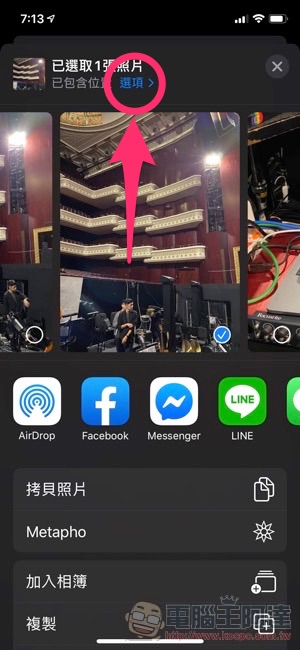
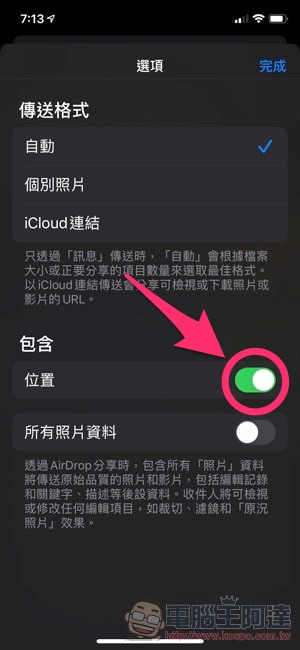
After clicking it, you will see the menu below. In the “Location” section, if you want to remove the GPS positioning information, you can uncheck it (as shown on the right) and select “Done” in the upper right corner. This will ensure that the photos you share will not contain location information:
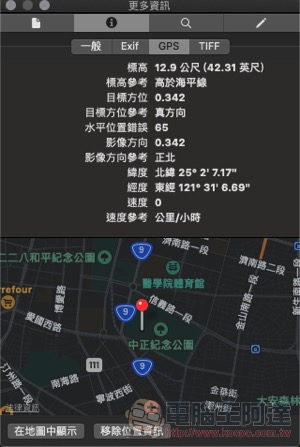
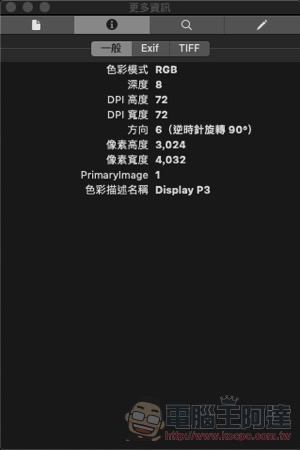
If you want to confirm whether it is successful, you can also check whether there is GPS-related information in EXIF. Below is the preview program built into the Mac computer. View the photos shared directly (left) and the photo content with location information removed through the above tutorial settings. You can see that the GPS field is gone, so there is no problem! :
Conclusion
Sharing photos on your mobile phone is a very simple action, but before sharing, it is recommended to consider whether the platform or group you are sharing with will have any privacy concerns. If so, it is recommended that you make more use of the methods taught in this article and remove information that may be used by interested parties before sharing so that you can protect yourself as much as possible.
Further reading:
Galaxy Fold 2 name confirmed as Galaxy Bloom? Galaxy S20 seems to have no suspense anymore

Samsung Galaxy XCover Pro: The rugged phone with replaceable battery is here
Source: KOCPC Chinese