


After using your Mac for a long time, if you are like me and like to try new tools and install various useful software, then the Menu Bar in the upper right corner will definitely become very cluttered, look very awkward, and not very comfortable. As far as organization is concerned, my most recommended one is Bartender, but it is a paid software. For those who don’t want to spend money, this Hidden Bar is also good to use. It has simpler functions, but it can also hide uncommon icons and give you a cleaner interface.
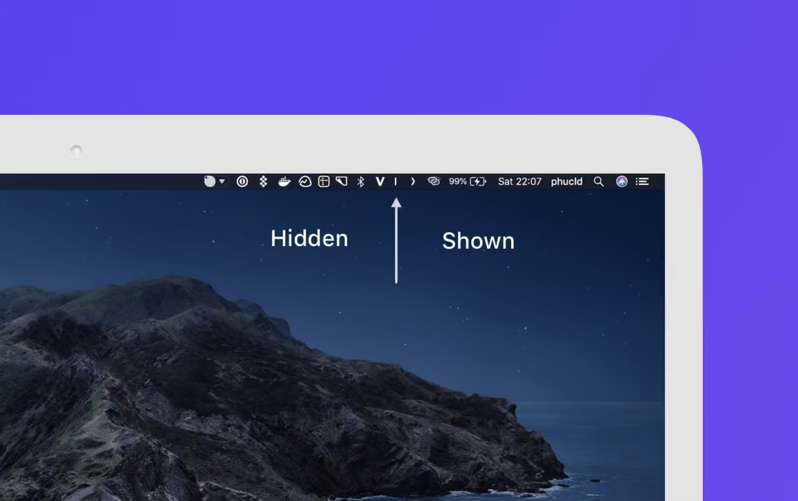
Hidden Bar hides the rarely used icons in the Menu Bar menu bar, giving you a cleaner interface.
If I don’t use any hidden icons or Menu Bar organization tools, my Menu Bar will be super full and looks super cluttered. Basically, the icon on the far left of any tool I open will be covered: 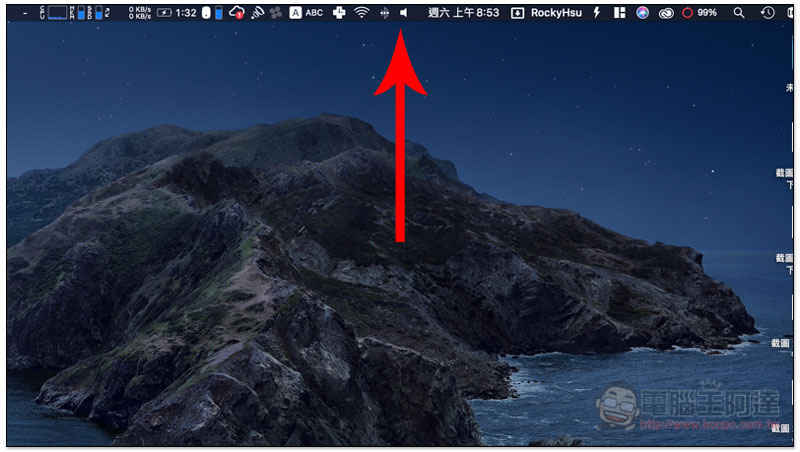
This Hidden Bar is available on the App Store. After installation, open it and the control interface will open. Basically, there is nothing to adjust. Just check whether you need a few settings in the lower left corner:
- Start Hidden Bar when I log in: Automatically opens when logging in
- Keep icon in dock: This tool keeps the icon always displayed on the dock
- Show preferences on lauch: Automatically open the control interface when turned on
- Keep last app state: Keep the last setting state
- Automatically hide icon after xx seconds: Automatically hide icon after a few seconds
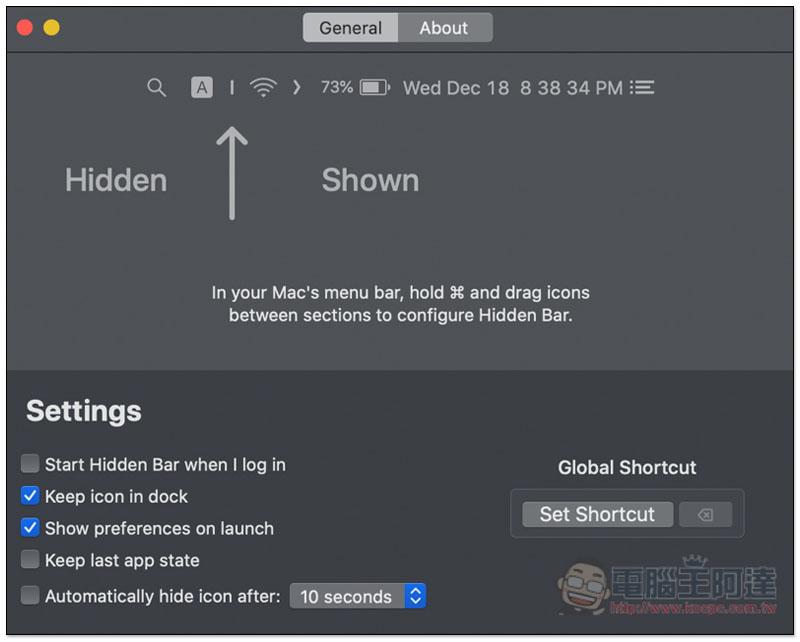
The way to hide icons is very simple. Menu Bar will see two new symbols | and >. Place the icon you want to hide to the left of |. If you want to keep the icon displayed continuously, place it between | and >: 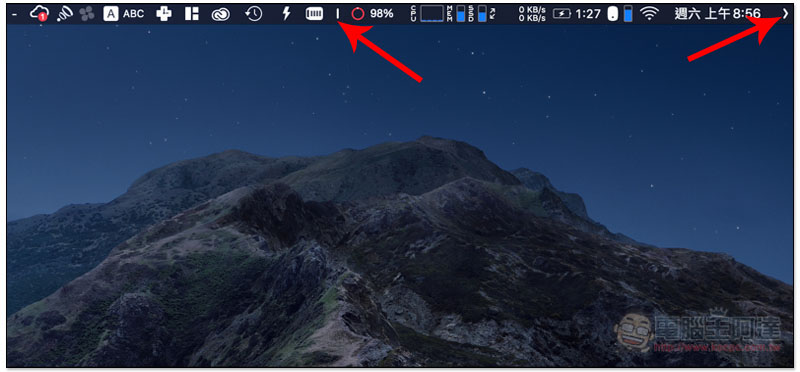
If you don’t know how to move the icon:
- Hold down the command ⌘ key and left-click the icon you want to move.
When you want to hide it, just click the “>” symbol, and all the icons to the left of | will be collected, and > will also change to “<", which immediately becomes more refreshing. Click < again to expand it again: 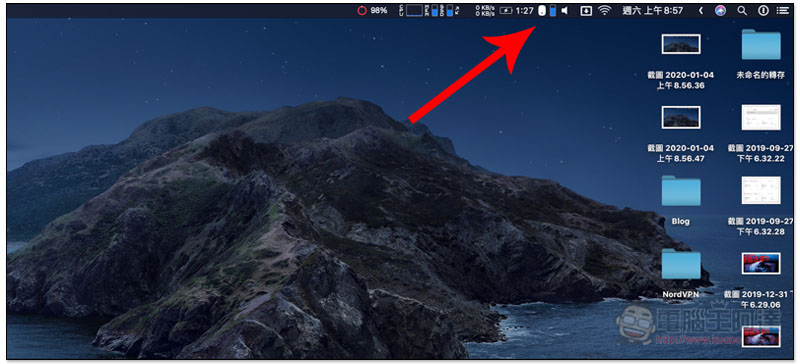
Mentioned at the beginning of the article Bartender, the hiding method is through the second menu, so when it is expanded, the Menu Bar will not become cluttered again. Those who are interested can try it, and a 4-week trial period is provided.
Supplementary information
Hidden Bar installation page:Click here to go
Source: KOCPC Chinese