


It’s finally officially 2020! At this time, I believe many people have some new hopes for the New Year, but it is not enough to have hopes. Only with planned execution can they be realized. If you want to increase your savings, save a travel fund, or make a down payment for a house, this free “Weekly Savings Challenge” app is very easy to use. After entering your plan name, savings base, and goals, it will automatically help you formulate an execution plan and how much you should save every day to achieve it. I recommend it to everyone. Currently only available on Android.
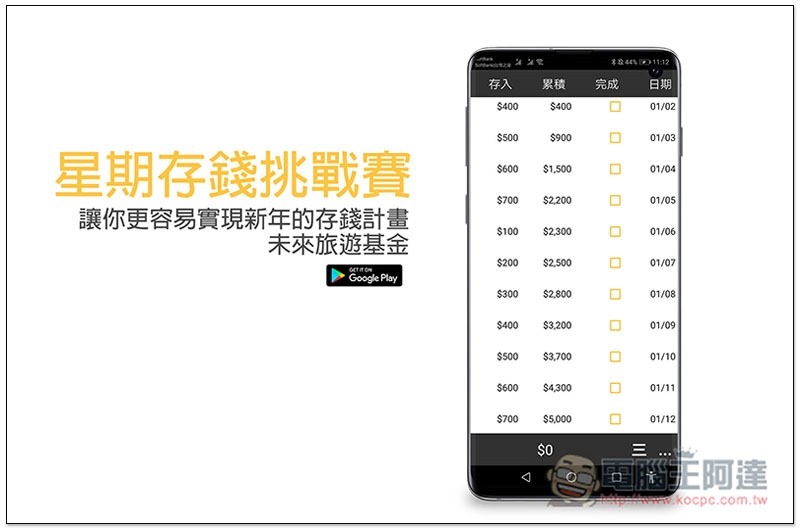
Weekly Money Saving Challenge Free App Introduction
The money saving plan of this weekly money saving challenge uses a base accumulation method. To put it simply, if you save 100 yuan on Monday, it will become 200 yuan on Tuesday, and until Sunday it will be 700 yuan. At the beginning of the new week, it will start from 100 yuan:
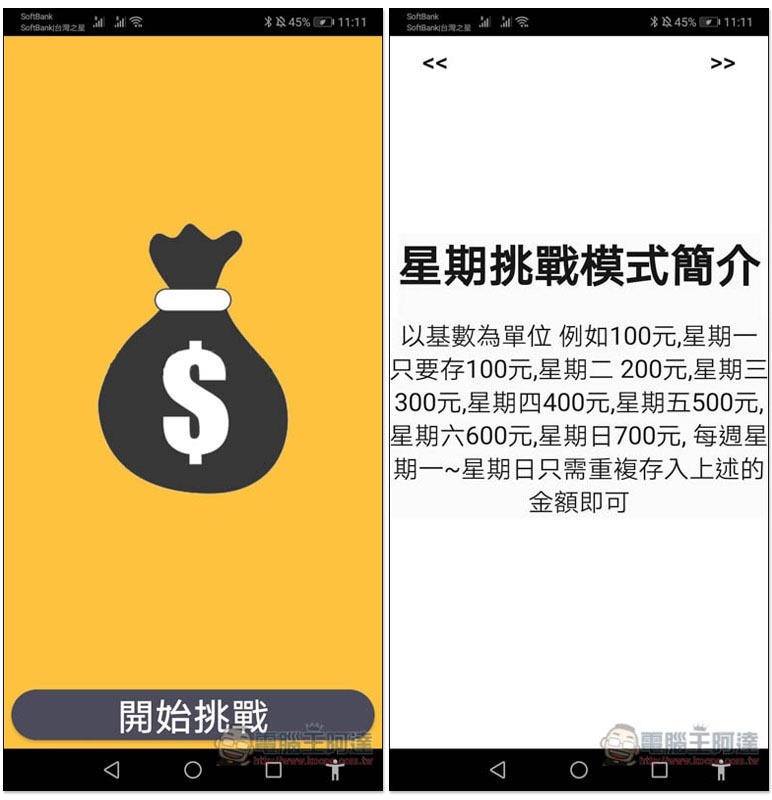
First, formulate the name and base of your plan. I’ll take the travel fund with a base of 100 as an example. If you find it a bit difficult to save 700 yuan on Sunday, you can change it to 50 yuan or something. This will make it 350 yuan, which is easier, but the time to achieve the goal will also be doubled. Personally, I would recommend a little more difficulty:
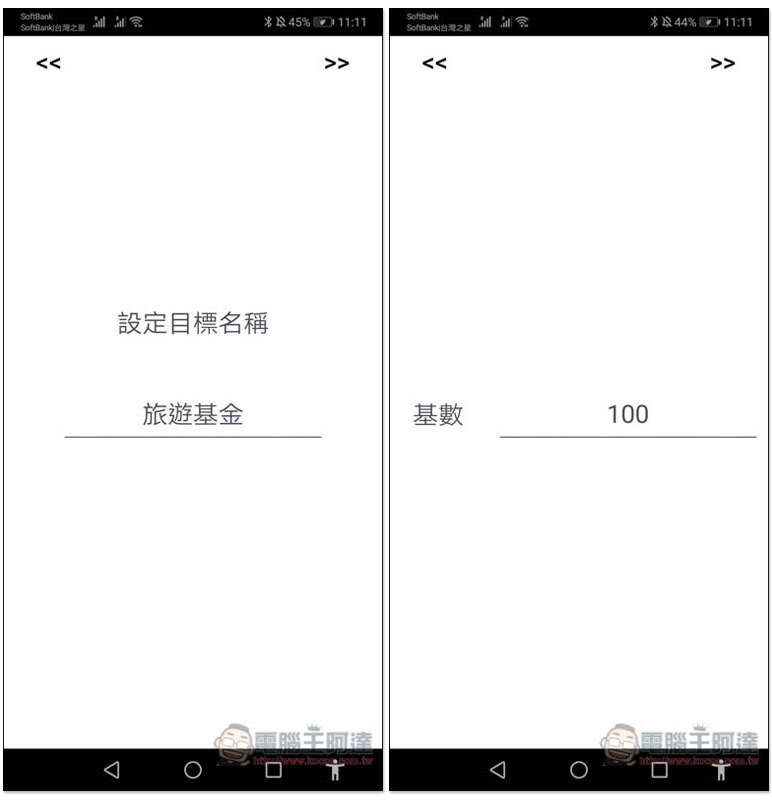
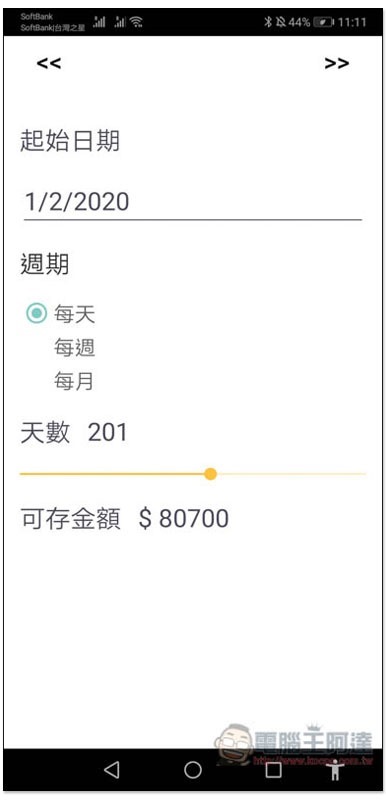
Next is the start date. I set today. It is recommended to choose every day for the cycle. Weekly and monthly are also acceptable. However, the longer the time goes, it will be easy for people who have no habit of saving money to give up or even forget about it. The last number of days depends on how much money you want to save in this fund. I personally think that the travel fund should be at least 80,000, so that you can have a lot of fun when you go out:
Supports reminder function, it is recommended to set a time when you are usually less busy:

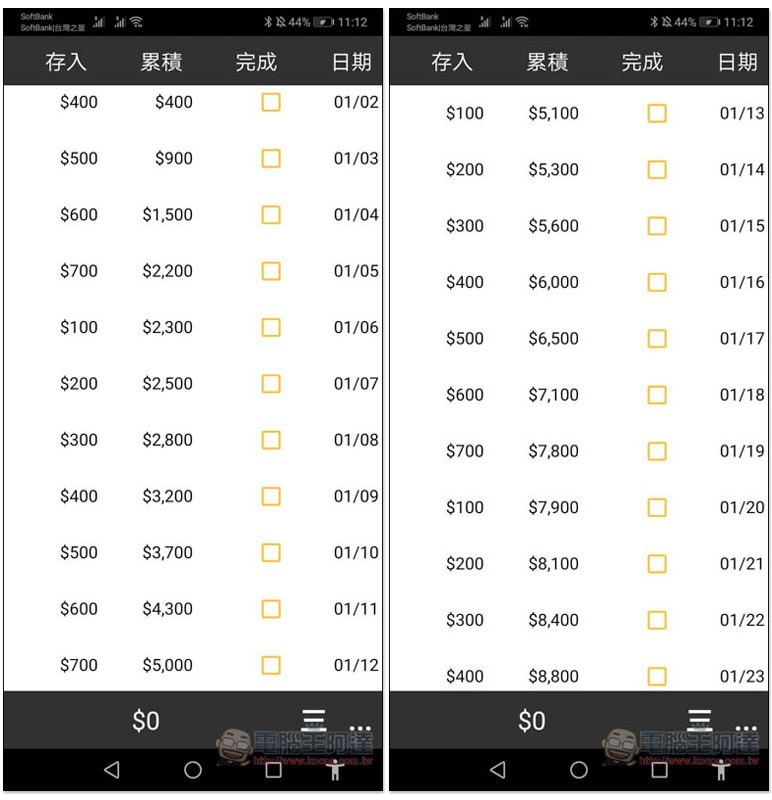
Then the money saving plan comes out! How much should you save every day? How much will you accumulate after saving? They will do the math for you, and today is Thursday, so start by saving $400:
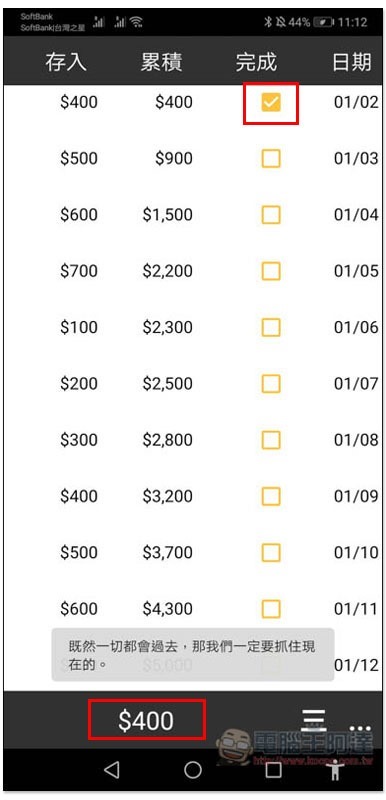
Once completed, tick the box and the total amount you have deposited so far will be displayed below. In addition, this set cannot be saved in advance. Pressing the future date will show that the time has not yet arrived:
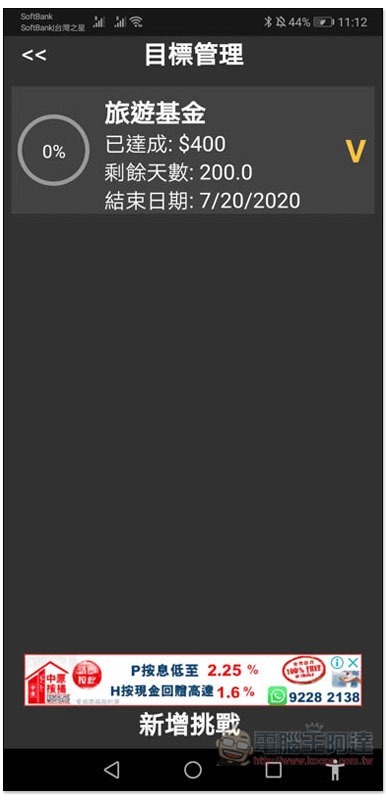
In the goal management, you can view the current records, such as: how much money has been achieved, how many days are left, and the end date. Although more challenges can be added below, you must upgrade to the paid version. The free version is limited to one challenge goal:
Although this set of functions is simple, it has all the necessary functions, is easy to use and saves money alone, which is quite good for formulating a money saving plan.
Supplementary information
Weekly Savings Challenge download page:Click here to go
Source: KOCPC Chinese