


Many people have long been accustomed to picking up their mobile phones to scan contracts, receipts or classroom handouts, and that familiar Microsoft Lens App has almost become synonymous with mobile scanning in the past. now,MicrosoftThis scanning tool, which has been with users for more than 10 years, has officially entered its countdown phase. From the time when it will be removed from the shelves, when the function will stop, to whether the existing files can be retained, many details are related to whether the daily work and learning process will be disrupted.
More importantly, Microsoft has also clearly named alternatives, but it is still worth knowing whether the operating logic and usage habits are as smooth as in the past. Before formally saying goodbye, grasp important information at once so that file management can be uninterrupted.

Microsoft Lens mobile scanning app will be removed from the shelves, and officials recommend OneDrive as an alternative
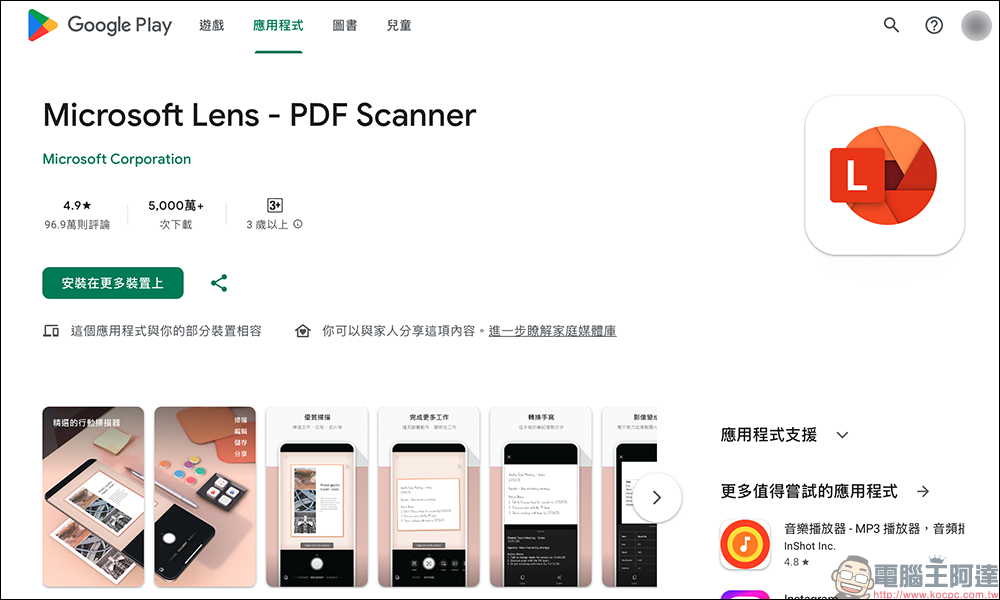
For many office workers, students, and even freelancers, Microsoft Lens is almost an indispensable tool on their mobile phones. Whether it is temporarily scanning paper contracts, accounting receipts, or quickly converting whiteboard content into electronic files, it can be completed within a few seconds, and the operation is intuitive and stable. Unfortunately, this scan, which has accumulated over 100 million downloads, App , has officially retired.
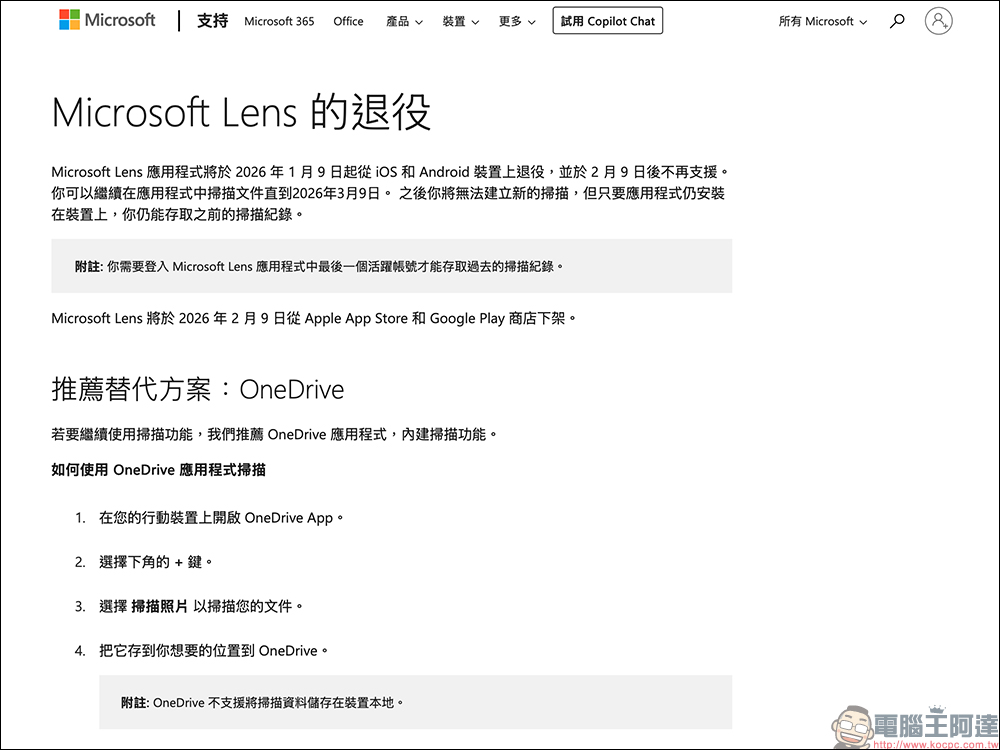
Microsoft released information as early as last year, announcing that it would gradually end the Microsoft Lens service. according toofficialAnnouncement, this App will be removed from the Apple App Store and Google Play on February 9, which means that new users can no longer download it. Installed users can continue to use the scanning function until March 9, but after that they will not be able to create new scan files and can only browse and access existing scan records.
For old users, the biggest concern is naturally whether their data will disappear overnight. The good news is that Microsoft has not directly deleted old files. Files scanned in the past will still remain in the MyScans folder, allowing users time to organize and transfer them slowly. However, the lack of the ability to add new scans is equivalent to announcing that the role of this app has officially come to an end.
Looking back at the history of Microsoft Lens, it’s actually quite impressive. Launched in 2015 under the name Office Lens, it focuses on turning a mobile phone lens into a portable scanner that can automatically crop, correct perspective, and output to PDF, Word, PowerPoint, and even Excel files. Coupled with OCR optical text recognition, the text in the picture can be directly edited and searched. These functions were quite advanced at the time.
It’s no wonder that in nearly 10 years, Microsoft Lens has accumulated more than 50 million downloads on the Android platform and received nearly a million high-scoring reviews; the iOS platform also maintains a near-perfect score, showing that it has already been deeply embedded in many people’s workflows.
As for what to do after retirement, Microsoft did not leave users to fend for themselves, but directly named them OneDrive as an official alternative. The OneDrive App actually has a built-in scanning function for a long time, but in the past it was mostly used as a cloud drive, so the scanning function was easily ignored.
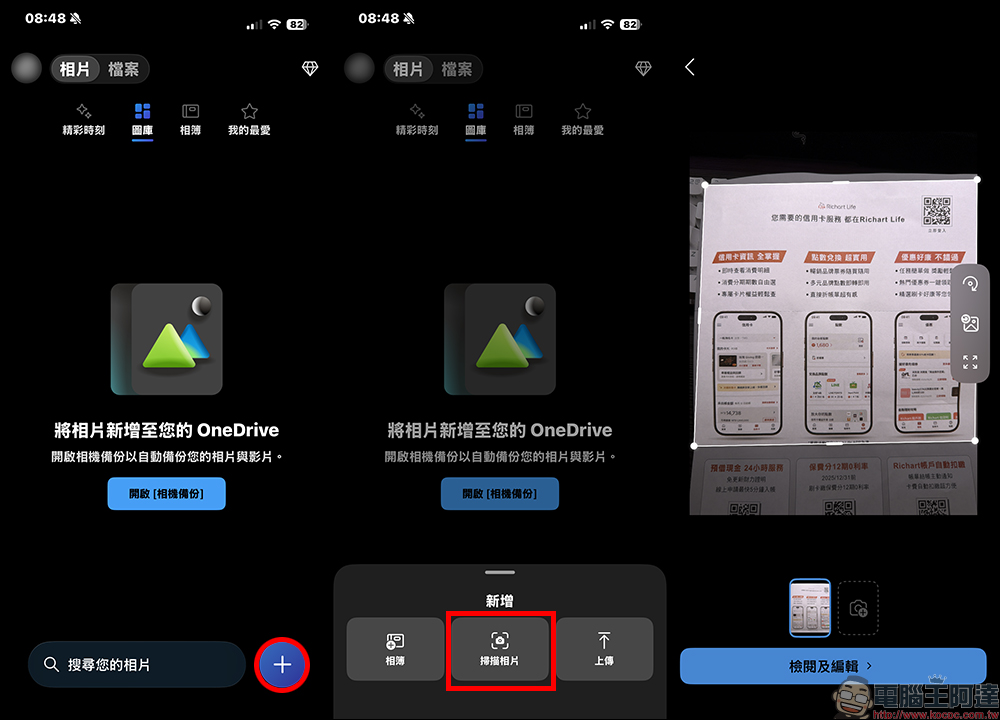
The method of use is not complicated. After opening the OneDrive App, click the “+” symbol at the bottom of the screen, select scan photos, and start capturing files.
After the scan is completed, the system will also crop and adjust the image, and finally save it to the designated cloud folder.
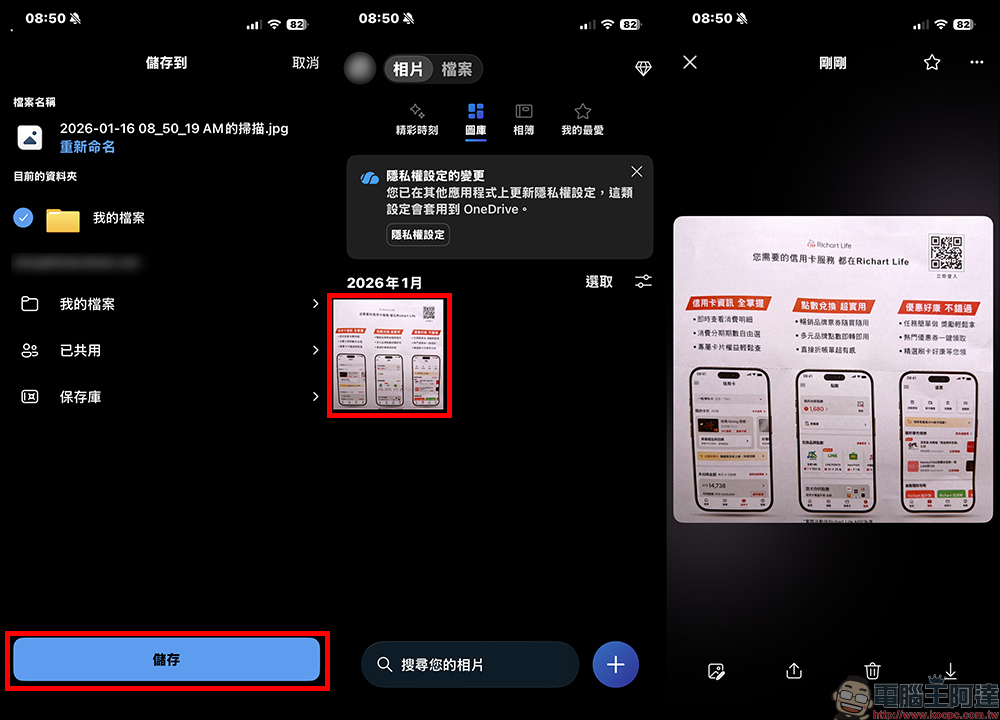
However, there is one biggest difference with Microsoft Lens that needs to be noted. OneDrive scanned files currently cannot be stored directly on the device, but must be uploaded to the cloud. For users who are accustomed to managing files offline, or who want to simply store files on their mobile phone, this does take some time to get used to.
Microsoft OneDrive App Download:
iOS version (App Store)|Android version (Google Play Store)
Further reading:
Source: KOCPC Chinese