


Nowadays, almost everyone is using electronic invoices and is accustomed to storing invoices in vehicles, but many people miss a key step, which is “vehicleReturn home”. Recently, some netizens shared that they only paid monthly with LINE Pay.telecommunicationsAfter setting up the fee bill and returning it to my account, a notification of winning a cloud invoice award of 500 yuan immediately popped up, and I felt a little lucky in an instant.
What’s even more exaggerated is that there were people who won a special prize of 2 million yuan because their cross-border e-commerce invoices were not returned to their accounts, but they could only watch the prize money fly away. In fact, as long as you set a fixed expense like telecommunications expenses once, you will have the opportunity to participate in the cloud invoice matching regularly, and you no longer have to worry about missing the winning notification.
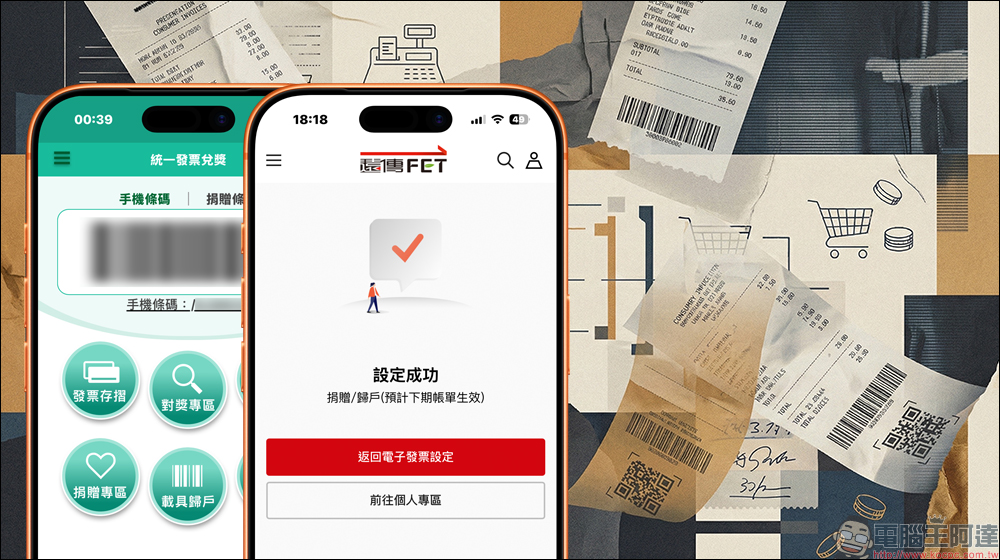
The vehicle has not been returned to the owner, and the winning prize cannot be received? Learn how to set up three major telecommunications bills at once
With the popularity of electronic invoices, more and more people choose to use mobile phone barcodes or various payment tools as vehicles to save invoices in cloud form. However, in practice, many people just “have vehicles” but have not completed “returning to their homes”, resulting inbillAlthough it was opened, it was not actually entered into my account, and naturally I did not receive any winning notification.
Recently in Threads A netizen shared his real experience online. He usually uses LINE Pay to pay Taiwan Mobile’s telecommunications bills. One day, he suddenly had a sudden impulse and went to the official website to set up the electronic invoice vehicle. Unexpectedly, after the setting was completed, the system immediately popped up a notification, indicating that he had won a cloud invoice prize of NT$500. He described the feeling as being like picking up a small red envelope suddenly, which was a complete surprise.
As soon as this post came out, it immediately aroused a lot of resonance. Someone left a message saying that he had just returned to his household yesterday, but found that several telecom invoices had not been received in the past, and he had missed countless opportunities to win prizes. Some people also said, “It’s set, thank you for reminding me.” They were surprised to realize that the phone bills they were paying regularly each month were actually invoices that had a chance of winning. Some people also added that if you win a prize for your telecom bill, you will usually receive a text message notification, but only if you have actually completed the return.
However, some netizens reminded of an easily overlooked detail, which is the carrier number used in telecom bills, which may be different in each issue. If it is only returned to your account once, the next bill may become “not returned to your account”, and the invoice will still not be entered into the barcode on your mobile phone. The safer way is to bind your mobile phone barcode to the default carrier directly on the official website of the telecom operator. After that, no matter how you issue each bill, the invoice will automatically be attributed to the same carrier account, without having to manually reset it every month.
In fact, the Ministry of Finance has been reminding you that only when the vehicle is returned to your home will the system know that the invoice belongs to you, and the winning information will be pushed to you when the prize is matched. Otherwise, even if you really win the prize, it may be invalidated because no one can be found to claim the prize, which is equivalent to missing out on a lot of money.
Take a look at the three major telecom bill binding methods at once
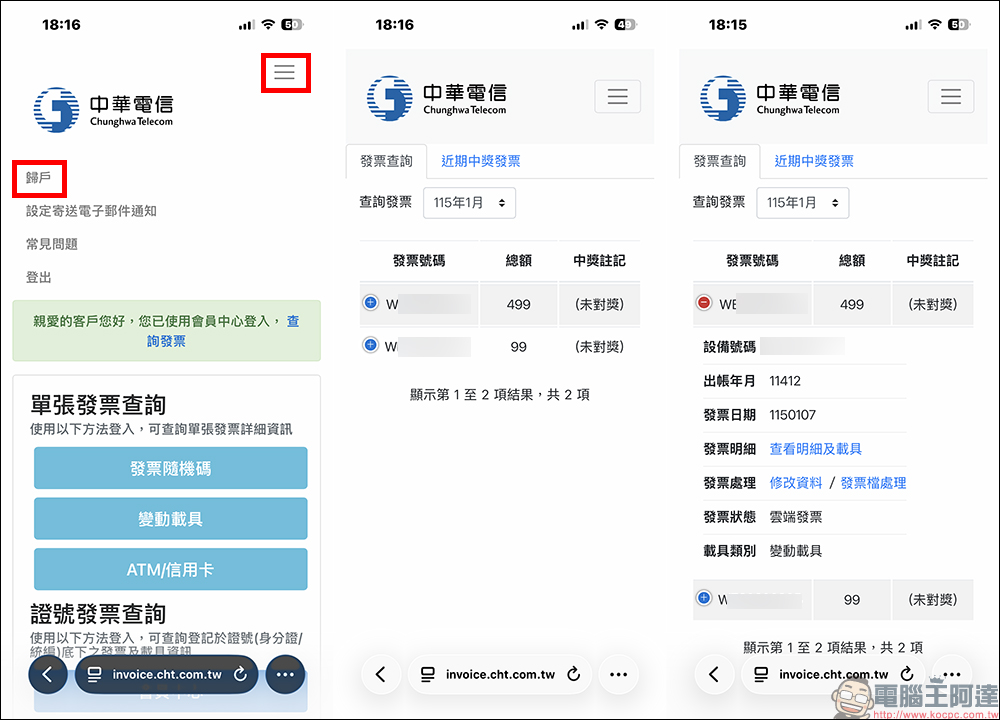
For the current three major telecommunications companies, the setting process is not complicated.Chunghwa TelecomYou can enter the electronic invoice system. After logging in as a member, find the household return function in the upper right corner, select Telecom Bill Cloud Invoice to log in, and fill in the mobile phone barcode to send.
Far EasTone TelecomUsers also log in to the official website as a member and enter the telecommunications electronic invoice settings from the billing area.
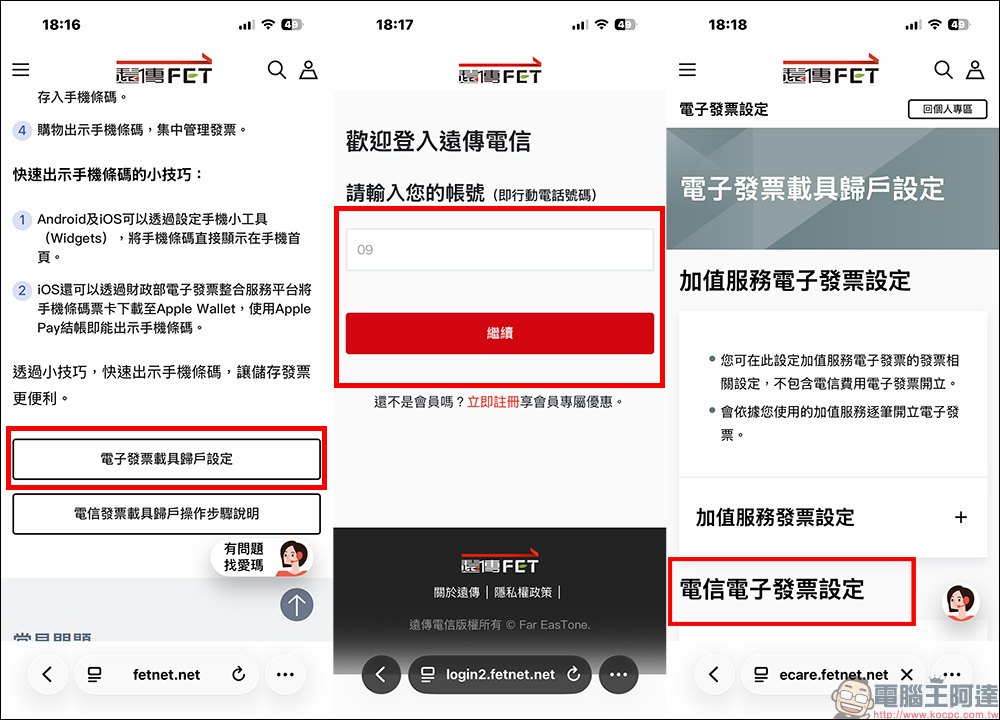
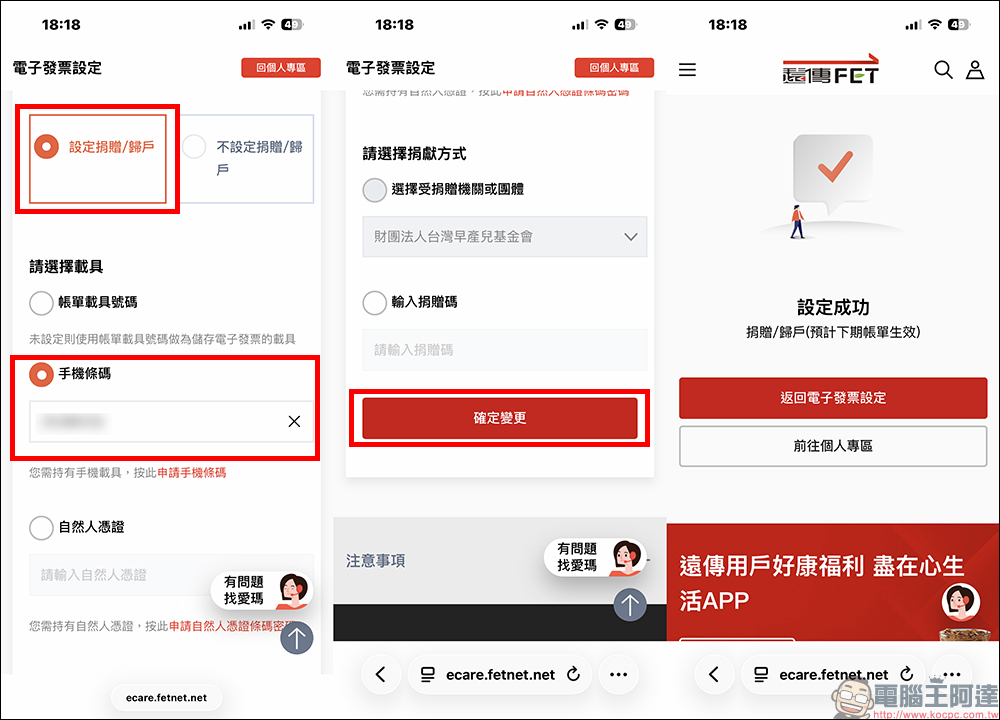
Scroll down to find “Set Donation/Return to Home”, then select the vehicle, fill in the “Mobile Barcode” and confirm the change. After completion, the setting success screen will be displayed. It is expected that the next bill will take effect after the setting is completed.
Taiwan Big BrotherAfter logging in to the official website, go to the billing area in my account, click on the electronic invoice carrier, enter the household setting page, enter the mobile phone barcode and save it. The entire process of the three major telecoms combined will only take you 2 to 3 minutes each, but in exchange, every telecom invoice can automatically participate in the cloud award, and you no longer have to worry about invoices being scattered in various vehicles.
Conclusion
For most people, telecommunications bills are a fixed expense that must be paid every month. Since the money has already been spent, it is better to set up the vehicle return home and let these invoices be entered into the barcode of your mobile phone. Maybe one day, like that netizen, I will suddenly receive a winning notice and pick up a small fortune of NT$500. What’s more important is to avoid the injustice of not being able to receive the prize even though you clearly won it. Take a few minutes to check whether you have completed the registration and the award can be processed automatically by the system from now on, without having to rely on luck.
Further reading:
Google Store 新春優惠整理,Pixel 手機最高現折 8,500 元!哪款 Pixel 現在最值得買一次看懂
Source: KOCPC Chinese