


Apple continues as iPhone System updates are launched, and the latest iOS 26.3 Although it doesn’t include as many new features as previous versions, several of the adjustments are still closely relevant for daily use. From the convenience of cross-platform data transfer, to further control of location privacy, to the personalized design of the lock screen, they all show that the system is moving in a more intuitive and safer direction. In addition, unreleased chip codes even appeared in the test version, paving the way for future products. This update may seem low-key, but it actually contains many changes worth understanding in depth.
▲Picture source:MacRumors
iOS 26.3 is here! There are not many new functions but they are very practical. Data transfer and security have been fully upgraded. The key points of the update can be understood at once.
every time iOS Updates represent Apple’s re-adjustment of the user experience. Compared with the many functional changes brought by iOS 26.1 and 26.2, the new content of iOS 26.3 is indeed not much, but if you look at it from a strategic perspective, you can find that Apple is continuing to strengthen data management, privacy protection and cross-device integration. In other words, this update is more about laying the foundations than pursuing flashy new features.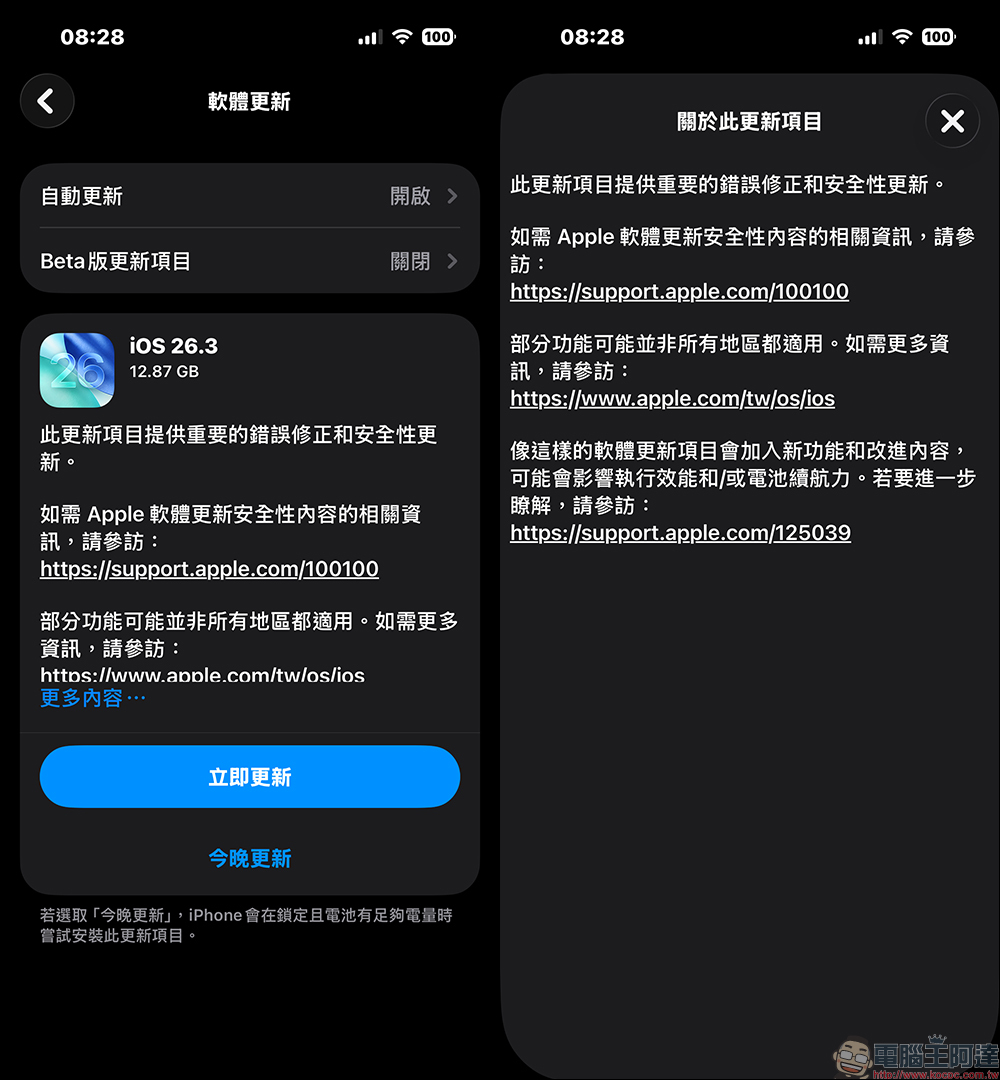
iPhone and Android data transfer becomes more intuitive
In iOS 26.3, a quite eye-catching change is the new data transfer tool. When users are ready to switch from iPhone to Android phone, they can start the transfer process by bringing the two devices close to each other.
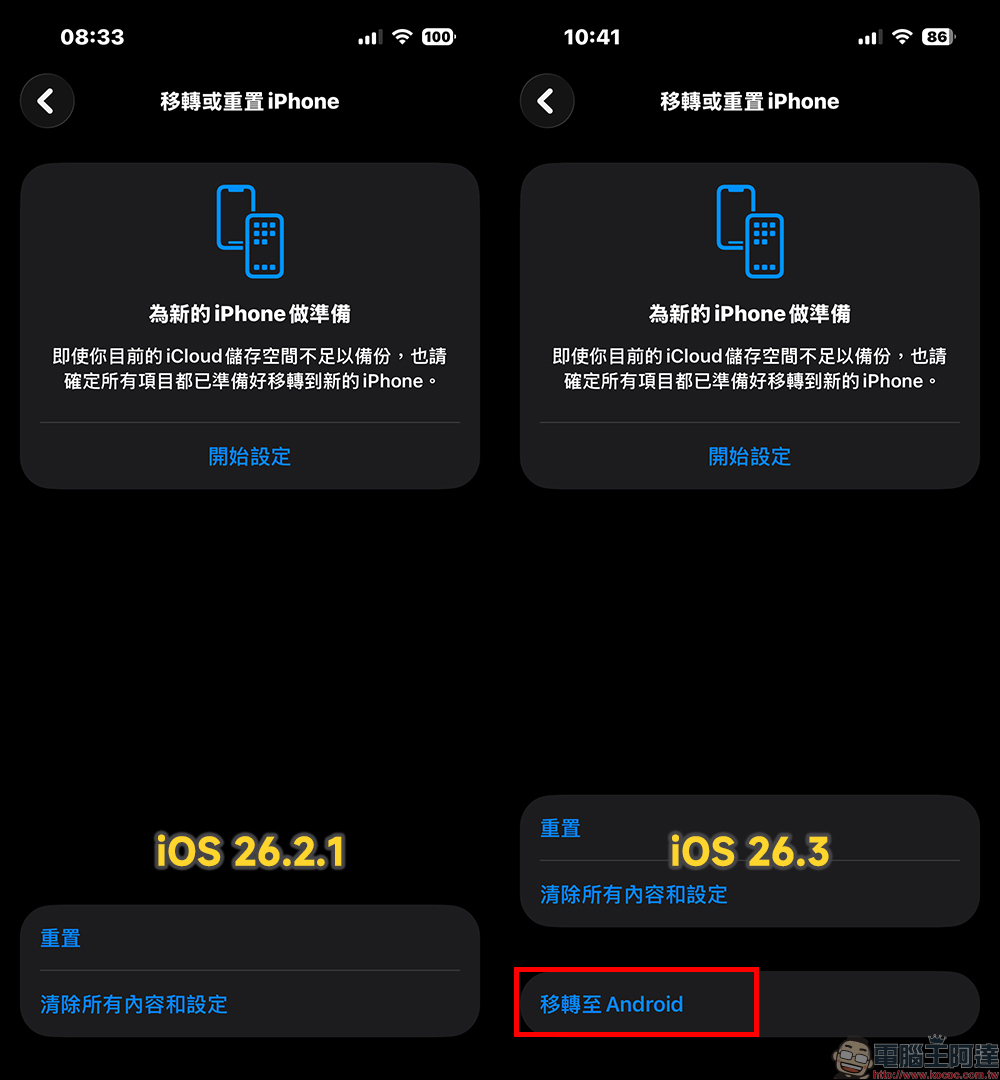
The entire process does not require additional downloading of applications, and the operation threshold is greatly reduced. The transferable content includes common information such as photos, messages, notes, apps, passwords and phone numbers, covering almost the items that most users care about most. However, there are still some data that are not supported, such as health data, paired Bluetooth devices, and protected content such as locked notes.
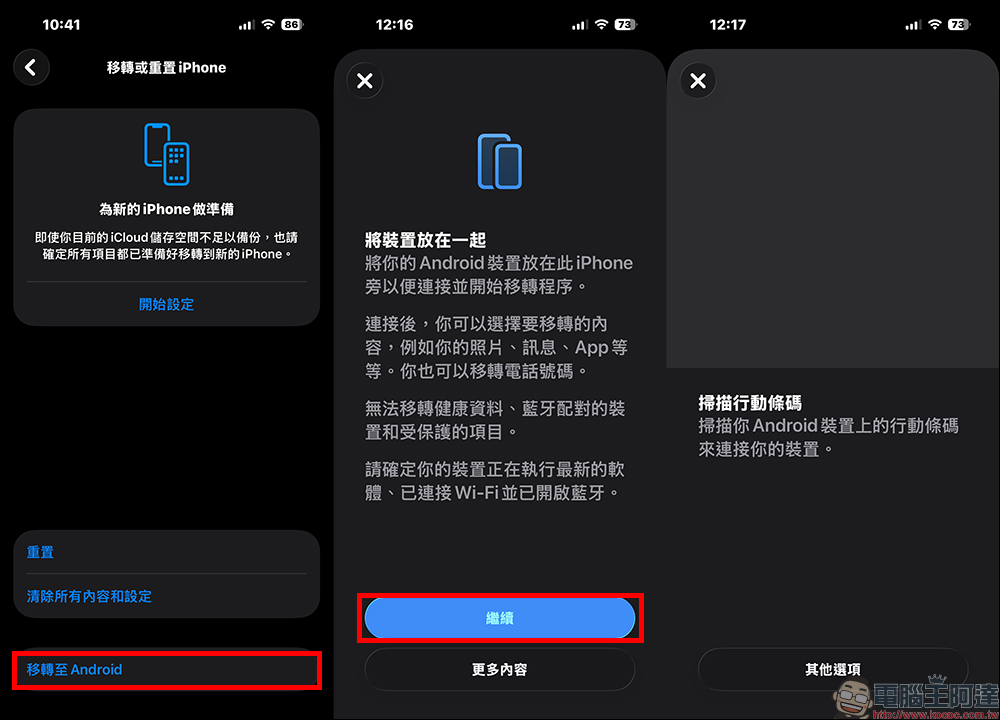
It is worth noting that Google has already provided tools for transferring Android to iPhone. Now that Apple has added similar functions, it also symbolizes that the two camps are gradually becoming equal in terms of “replacement cost.” For consumers, platform choice will be freer.
Added weather wallpaper category to lock screen
Users who like to customize the lock screen can also feel the detailed changes this time. Apple has separated the weather options that were originally merged with the astronomy wallpaper into a new category and provides 3 preset designs.
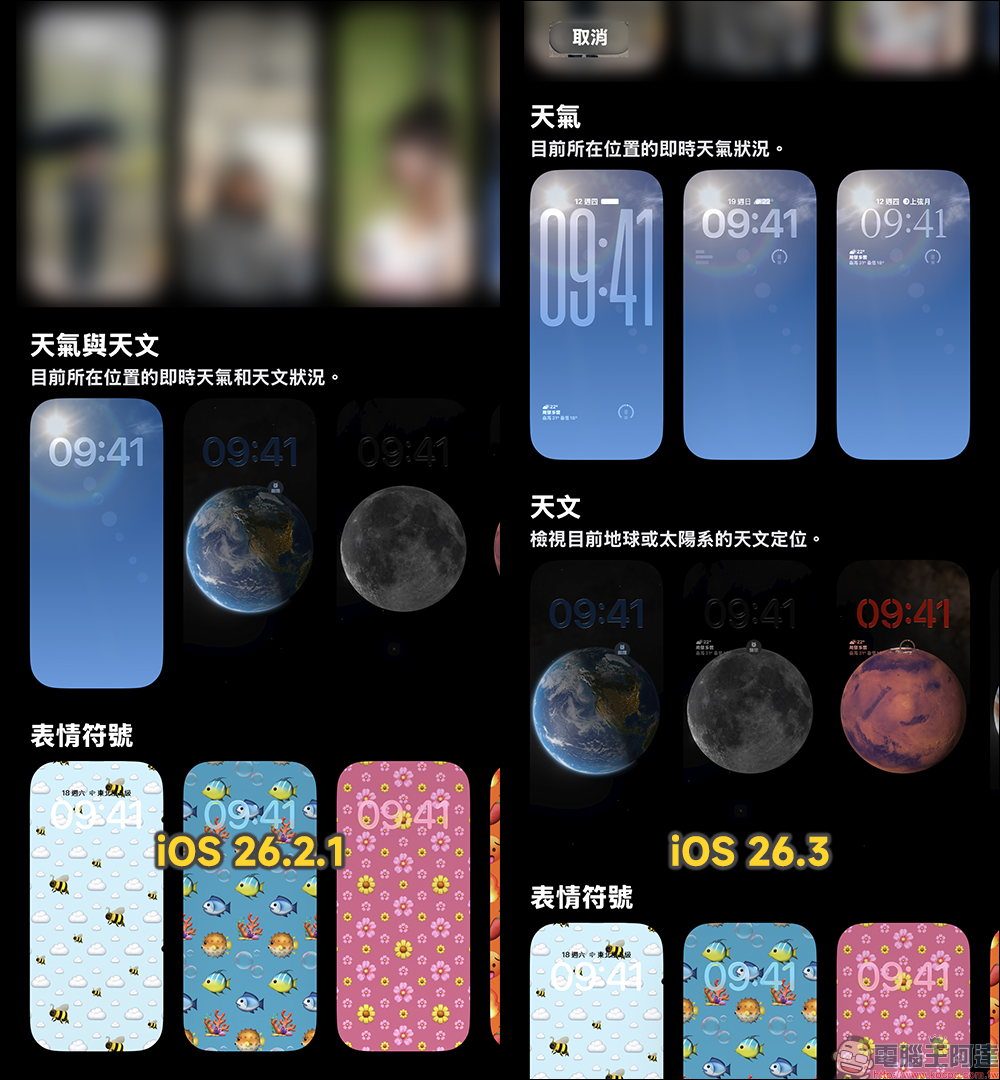
Different wallpapers are paired with their own time fonts and weather widgets, making it easier for users to understand how to use this type of dynamic background. When climate change is directly displayed on the lock screen, it not only improves the visibility of information, but also gives the phone a little more sense of life. These types of updates may seem small, but they are an important part of the everyday experience.
Restricting telecom operators’ precise positioning and upgrading privacy
Privacy issues have continued to receive attention in recent years, and iOS 26.3 also brings new settings in this regard. Some supported telecom operators can now use the “Limit precise location” function to reduce the positioning details available to the network. Generally speaking, mobile networks will determine the location of the device through the base station. When this function is turned on, what telecom operators can see is no longer the precise street, but a general area, such as a certain community.
Currently, this feature only supports models equipped with C1 and C1X modems, such as iPhone 16e and iPhone Air, and requires simultaneous support from telecom operators. Boost Mobile already provides services in the United States, and operators in the United Kingdom, Germany and Thailand are also following suit.
The activation method is not complicated. Just enter the mobile service option in the settings to turn it on, but you must restart the device after switching. This change once again shows that control of location data is gradually returning to users.
Fix multiple vulnerabilities, security updates are the focus
In addition to functions, iOS 26.3 is actually more important in terms of security patches. Apple notes that this update fixes dozens of vulnerabilities, one of which has even been exploited in highly sophisticated attacks. The problem occurs in the dyld dynamic link mechanism and may cause arbitrary code to be executed. Other fixes include:
- CoreAudio vulnerability could allow malicious media files to force app to close
- Game Center issue could leak sensitive information
- Message vulnerability may bypass sandbox restrictions
- Photo vulnerability could allow others to access images from the lock screen
When vulnerabilities are made public, the risk of attack usually increases, so Apple also recommends that all users update to iOS 26.3, iPadOS 26.3 and macOS Tahoe 26.3 as soon as possible. For most people, this may be the most important reason for this update.
Clues about M5 chip unexpectedly appear in test version
In addition to visible functional updates, according to foreign media MacRumors According to reports, the beta version of iOS 26.3 was also found to mention the yet-to-be-released M5 Max and M5 Ultra chips. Although Apple did not elaborate further, it is widely speculated that these chips may be used in new Macs launching in the next few months. Similar clues have appeared in system code in the past, often becoming important indicators for observing product trends. For those who pay attention to Apple’s ecosystem, such “silent reminders” are usually more imaginative than official trailers.
Further reading:
Source: KOCPC Chinese