


many people know iPhone The auxiliary usage function is very strong, but what is really underestimated is actually “Live subtitles”. This function can instantly convert sounds played on your phone, or even live conversations, into text and displayed on the screen. It is super useful for watching videos, listening to podcasts, taking online courses, or taking notes in meetings. However, for Taiwanese users, there has always been a small regret in the past: the language options were only “Chinese (Mainland China)” Simplified Chinese, or “Cantonese (Traditional Chinese)”, and there was never anyTaiwan“Chinese (Taiwan)”.
Now, the gap has finally been filled. With the release of iOS 26.4 Beta 1, it was discovered that “Chinese (Taiwan)” real-time subtitle support has been added to the system, which means that Taiwanese users can finally experience this feature in the most familiar Traditional Chinese context. This is not just a difference in font display, but also involves the optimization of language models, word usage habits and recognition accuracy. The following will give you a complete analysis of the key points of this update, as well as how real-time subtitles can be used and whether they are easy to use.
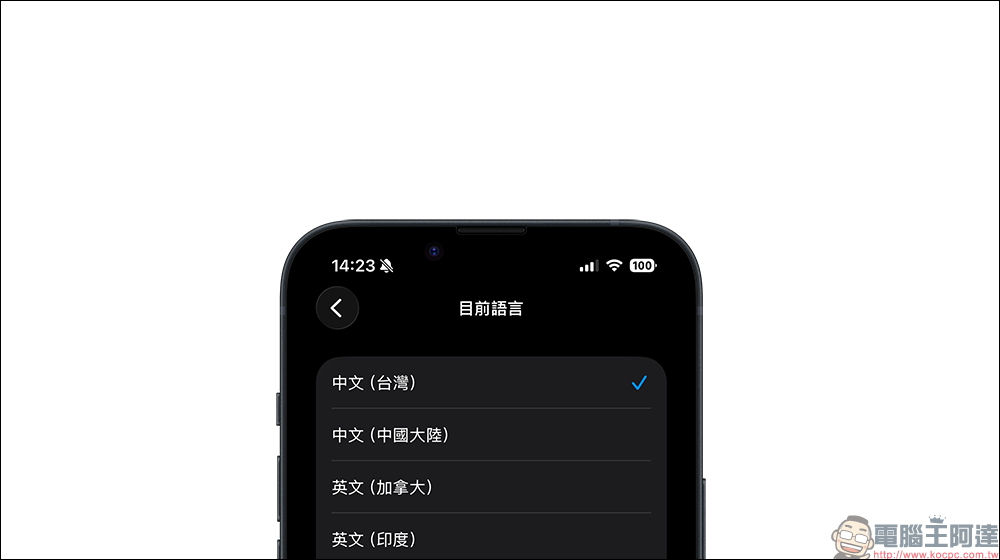
iOS 26.4 Beta 1 finally adds “Chinese (Taiwan)” to iPhone real-time subtitles. Don’t worry if videos and podcasts don’t have subtitles!
In fact, as early as iOS 16 and later, as long as it is iPhone 11 or newer, the real-time subtitles function can already be used. Its principle is very simple. The system will instantly recognize the voice on the device itself and convert the heard content into text and display it on the screen. The point is, it’s not limited to a specific app.
Whether you are watching YouTube, following Netflix, or listening to podcasts, as long as there is sound playing, iPhone can instantly turn the content into subtitles. This kind of “system-wide” support is actually more powerful than many people imagine.
What’s more practical is that it not only supports the internal audio of the mobile phone, but can also record live sounds through the microphone. In other words, what the other party said during the meeting, the teacher’s explanation in class, and even chatting with friends can all be transcribed instantly. For students, journalists, and content creators, this is almost a portable verbatim tool.
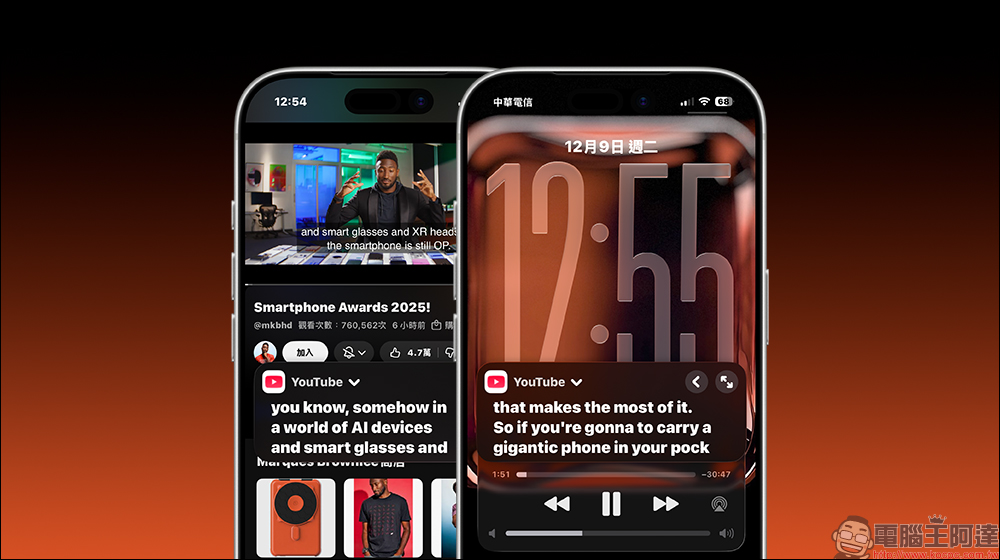
Why is “Chinese (Taiwan)” support so important?
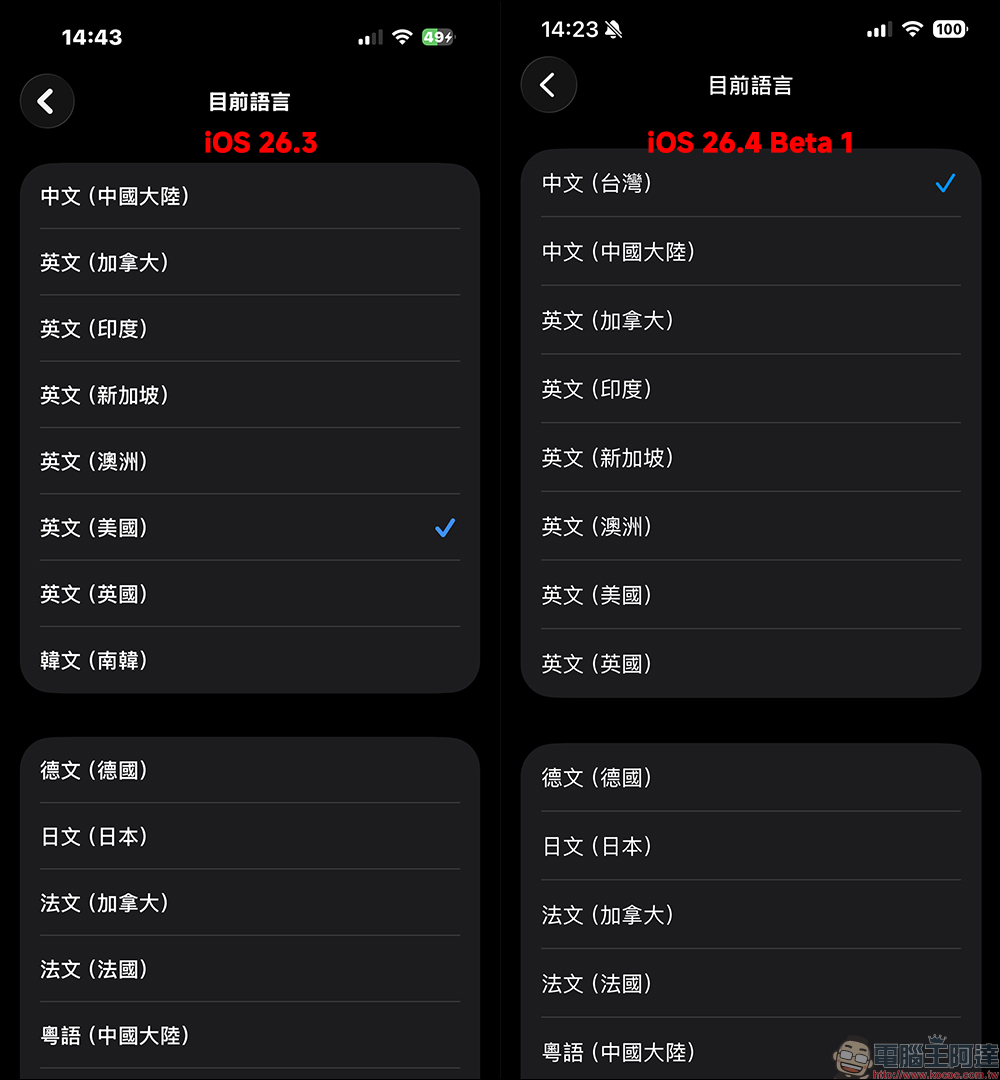
Many people may think, didn’t Traditional Chinese exist before? The problem is that the option in the past was actually “Cantonese (Traditional Chinese)”. The speech model was trained with Cantonese as the core, and it did not fully conform to the pronunciation and word usage habits of Mandarin commonly used in Taiwan. As for “Chinese (Mainland China)”, it is a simplified Chinese interface and language logic. For Taiwanese users, these two options are somewhat “make do”.
▲ Before iOS 26.4, there was still only Simplified Chinese
The addition of “Chinese (Taiwan)” to iOS 26.4 Beta 1 this time means that the system recognition logic is closer to Taiwan’s commonly used vocabulary and phonetic characteristics. For example, the pronunciation of proper nouns, daily spoken language, and common foreign words in Taiwan will theoretically have better accuracy.
After actual testing, in a general dialogue situation, the subtitles appear almost immediately after finishing a sentence, and the delay is very short. The recognition accuracy is quite good, especially when pronunciation is clear, and the typo rate is significantly lower than when using the simplified model in the past. For users who have long wanted to fully experience this feature in Traditional Chinese, this update truly completes the last piece of the puzzle.

How to use real-time subtitles? These situations are the most touching
1. A lifesaver when the video has no subtitles
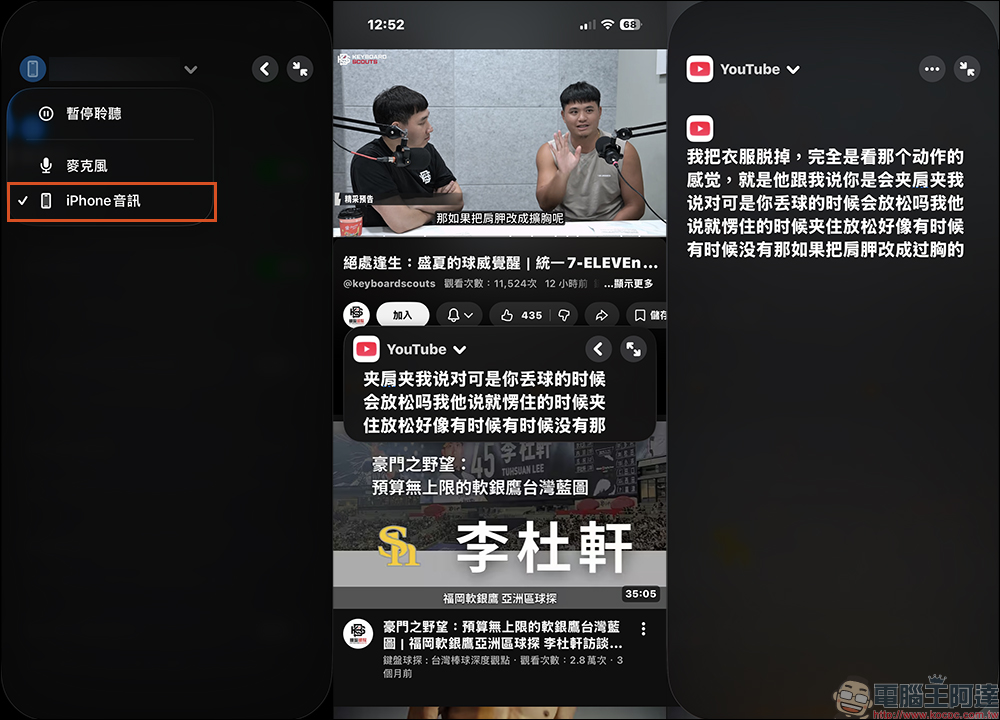
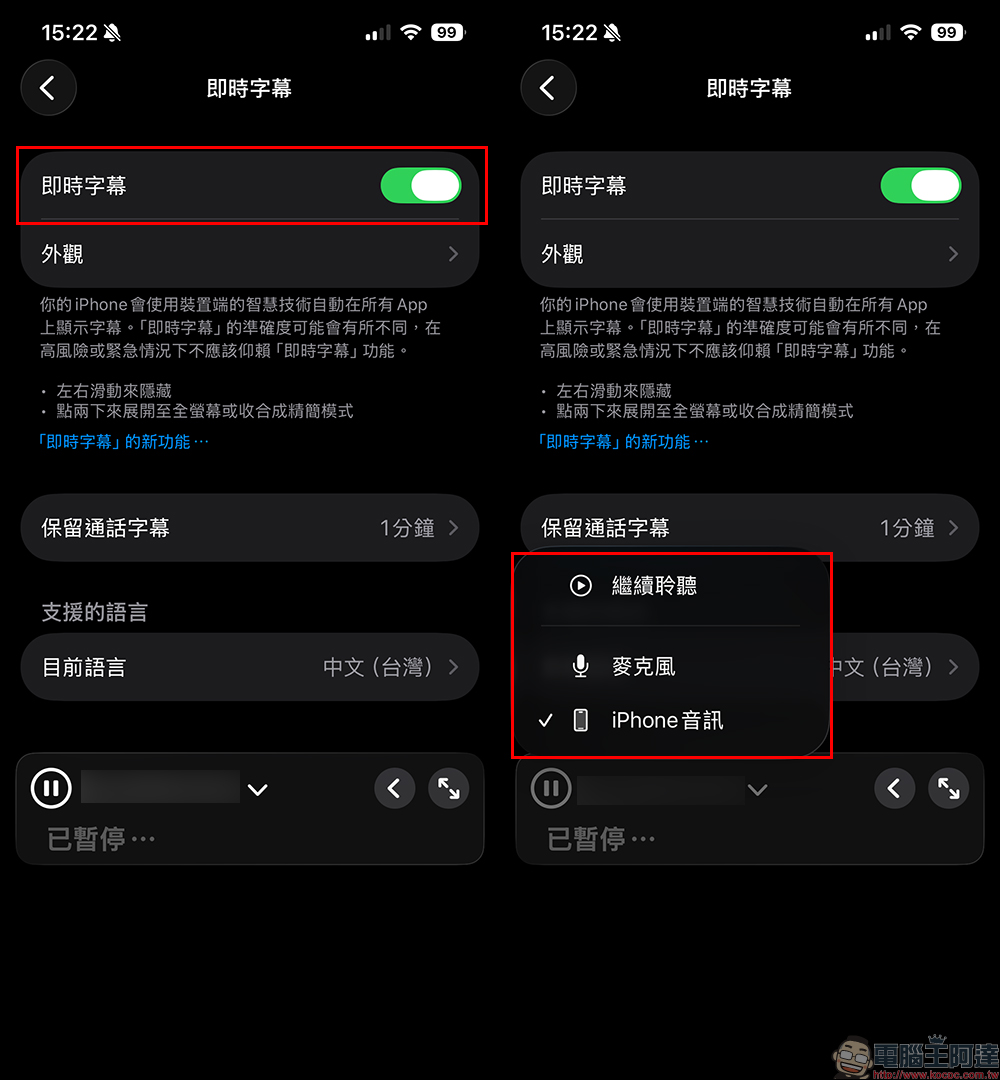
Some foreign videos do not have built-in Chinese subtitles, or the live content cannot be subtitled in time, so real-time subtitles can come in handy. As long as you switch to the “iPhone Audio” recording mode, the system will instantly convert the playback sound into text. Although it is not 100% perfect, it is definitely enough to understand the content.
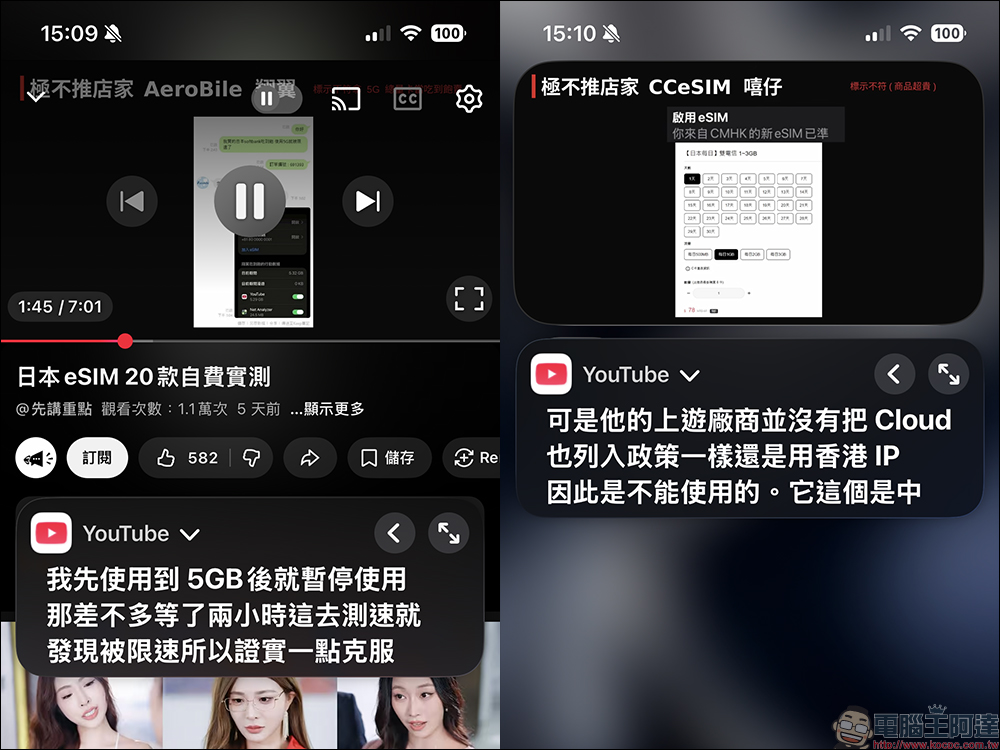
2. Listen to podcasts
In the past, many people used “real-time subtitles” as a language learning tool. Listening to English while reading subtitles can synchronize pronunciation and spelling, which is very helpful for memory. Now that Chinese (Taiwan) support has been added, the recognition experience when listening to Chinese programs will be more natural. According to actual measurements, when playing Chinese podcast programs, semantic recognition can generally have a good accuracy, and English and numbers are interspersed in the Chinese narration process, and it can also be correctly recognized.
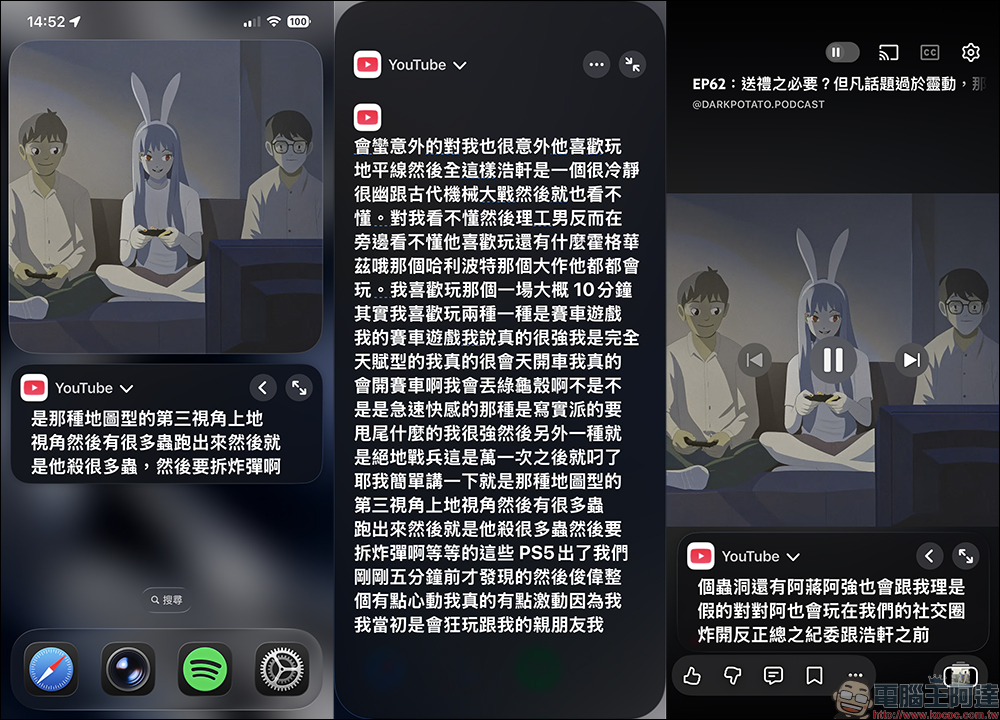
3. Take instant notes during meetings or classes
If you are in a live meeting or classroom, just switch to “Microphone” mode, and the iPhone can capture the surrounding sounds and convert them into text. Combined with screenshots or copy organization, it can greatly reduce the time of handwriting notes.
How to turn on instant subtitles on iPhone?
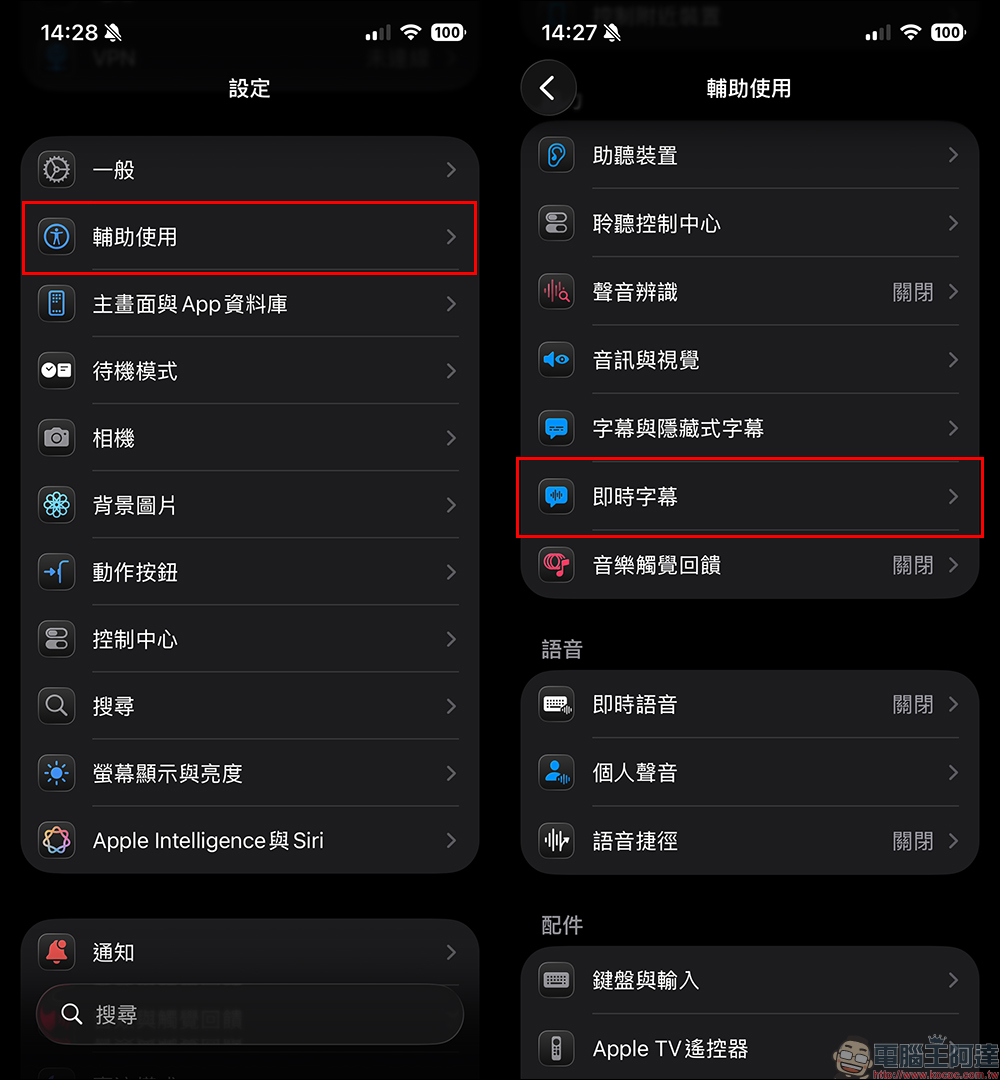
The path is actually very simple:
Open “Settings”, enter “Accessibility” and click “Live Subtitles”:
Select the language as “Chinese (Taiwan)”:
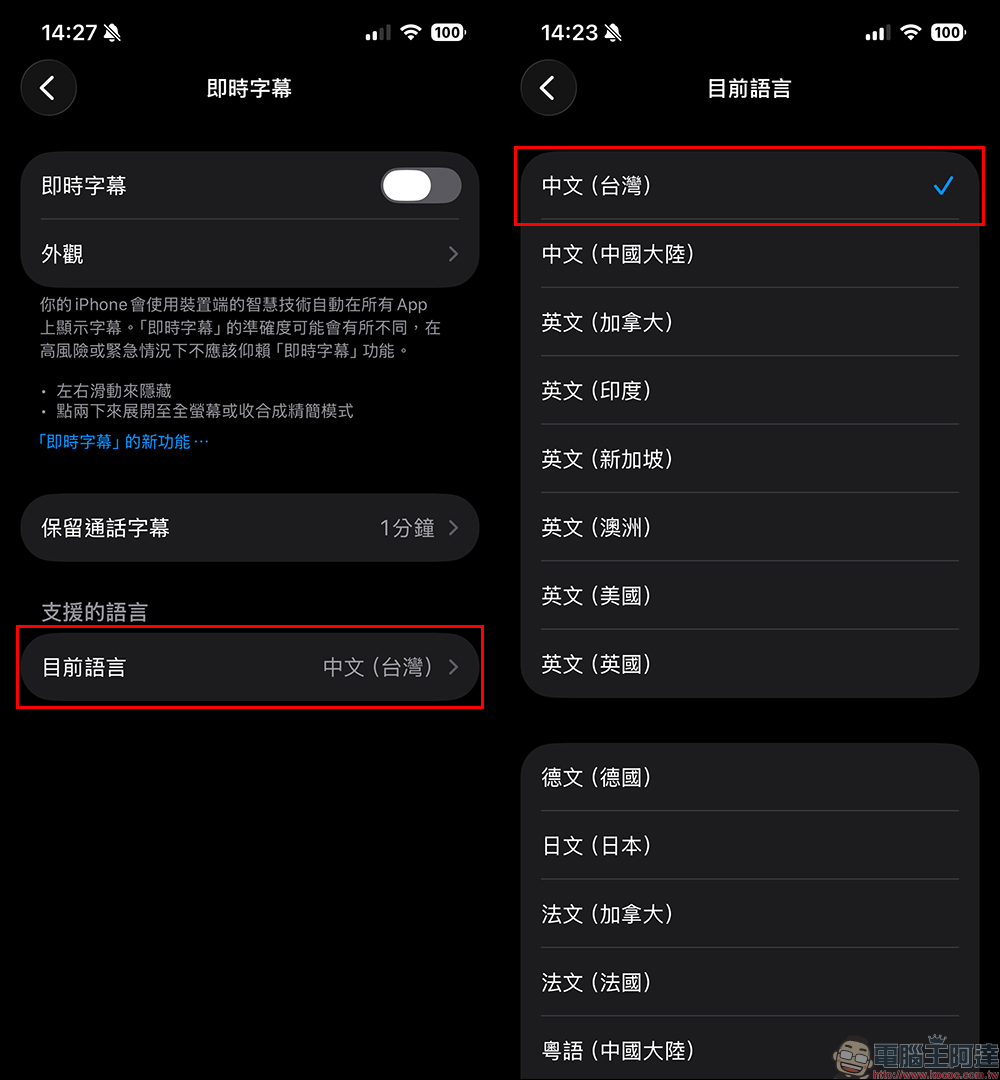
Finally, return to the real-time subtitles page and turn on the “real-time subtitles” function. After enabling it, a small draggable window will appear on the screen. You can move the position or resize it freely without affecting the original operation. It is recommended to switch to “iPhone Audio” for listening, so that subtitles can continue to be displayed while playing the video. Unless you want to record live sounds in environments such as conferences, use the “microphone” to record real-time subtitles.
Conclusion
For many people, live subtitles may just be an option in the accessibility menu. But for people who need to receive voice information frequently or want to improve learning efficiency, it is actually a very powerful productivity tool. This time, iOS 26.4 Beta 1 adds “Chinese (Taiwan)” support, so that Taiwanese users finally don’t have to compromise on language options, and the overall recognition experience is closer to daily usage habits. It can be used for everything from watching videos and listening to podcasts to meeting notes and language learning.
Overall, after the addition of Chinese (Taiwan) real-time subtitles in iOS 26.4 Beta 1, the completeness of the experience has been significantly improved. The recognition speed is fast and the accuracy is quite reliable in daily use situations.
After the official version of iOS 26.4 is released in the future, this feature will also be open to all iOS 26.4 users.
Further reading:
Source: KOCPC Chinese