


Apple Expanding in recent years Mac Product line, but price has always been the main reason why many people have not bought a Mac. Now Apple launches a new MacBook Neo , directly driving the entry price of Mac laptops to an unprecedented 19,900 yuan. For many students, home users, or people who are new to Macs, the price is indeed quite attractive.
However, the reason why this computer can be sold so cheaply is because there are actually many trade-offs behind it. From the processor and memory to the display and connectivity, MacBook Neo has been streamlined in many places. If you’re considering buying this most accessible Mac, it’s important to understand the differences between it and the MacBook Air.
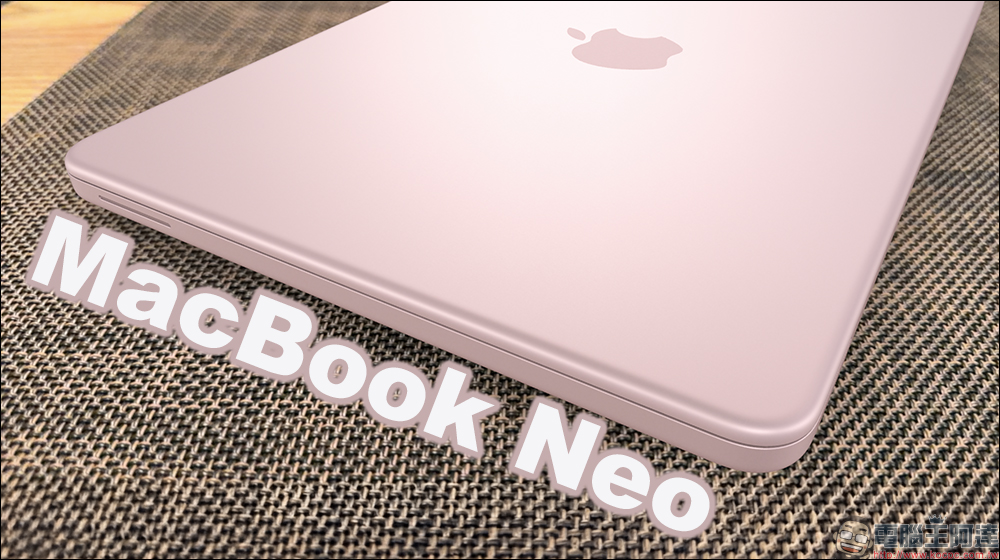
Is MacBook Neo worth buying? How is it different from MacBook Air? Comprehensive analysis of more than 20 trade-offs
MacBook Neo is Apple’s most entry-level laptop currently. Its price starts at only 19,900 yuan, which is 12,690 yuan cheaper than the MacBook Air. This price gap is not achieved simply through cost compression, but because Apple has made a number of strategic adjustments in design.
The most obvious point is that it uses the A-series chips originally used in iPhones instead of the M-series chips commonly used in Macs. At the same time, memory capacity, storage space, port specifications, screen technology and some hardware functions have been simplified. This makes MacBook Neo a product with a “basic Mac experience” as its core positioning, rather than a notebook that pursues complete flagship specifications.
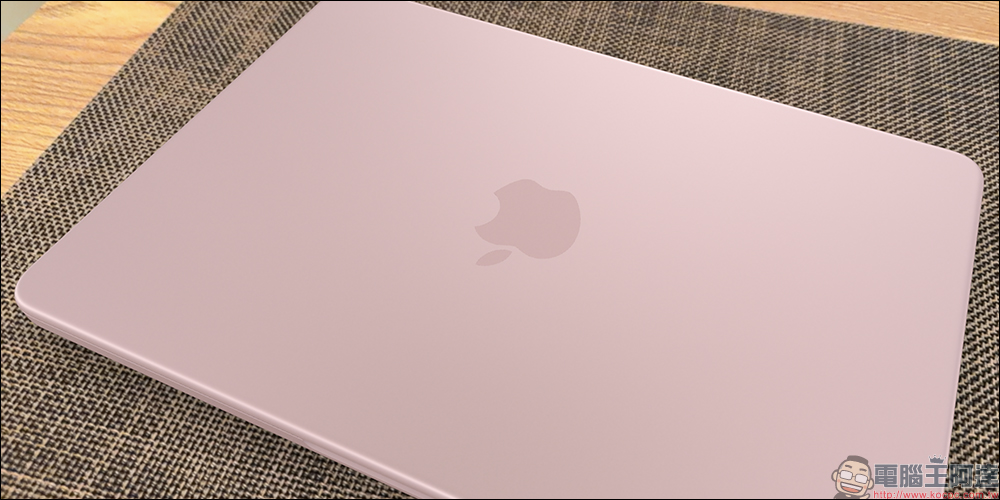
iPhone processor on Mac for first time
One of the biggest features of MacBook Neo is the use of Apple A18 Pro chip. This is the first time Apple has used iPhone-series processors in Mac computers instead of M-series chips. While the A18 Pro itself is a pretty powerful chip, the MacBook Neo uses a downgraded version. The CPU has 6 cores and the GPU has 5 cores, while the version used by the iPhone 16 Pro has a 6-core CPU plus a 6-core GPU.
Even so, the performance of the A18 Pro is still quite sufficient for daily applications, such as browsing the web, processing documents, watching videos, or using social platforms without major problems.
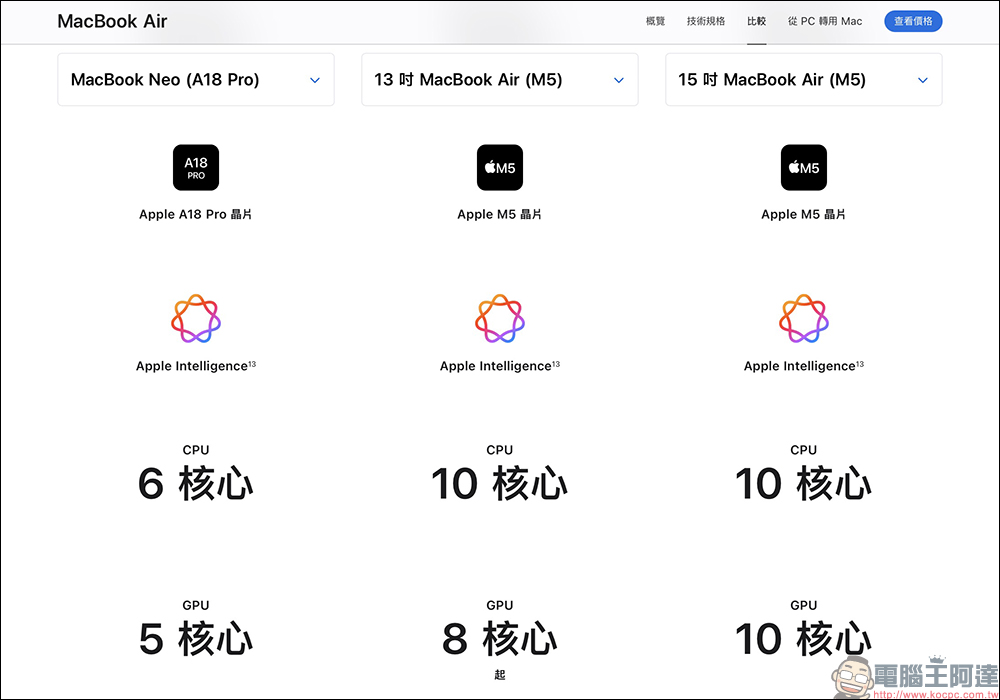
Performance gap compared to MacBook Air
If you compare the MacBook Neo with the MacBook Air equipped with an M5 chip, the performance gap will be even more obvious. The M5 is about 20% faster in single-core performance, and may be about 80% faster in multi-core performance. In terms of graphics computing, the M5’s GPU performance is more than twice that of the A18 Pro. This means that if users need to perform video editing, 3D rendering, large-scale image processing or AI computing, MacBook Air will have better performance and a smoother experience.
Memory configuration limitations
Another limitation of the MacBook Neo is memory capacity. This computer only offers 8GB of RAM, and there aren’t any upgrade options. By comparison, almost all of Apple’s other Macs currently start with 16GB. Although 8GB of memory can still run macOS smoothly and support Apple Intelligence, the flexibility will be more limited when it comes to multitasking or long-term use. If you open a large number of browser tabs or run multiple applications at the same time, performance may be affected.
Memory bandwidth has also been reduced
Apple’s chips use a unified memory architecture, with the CPU and GPU sharing the same set of memory. The MacBook Neo has a memory bandwidth of 60GB/s, which is less than half that of the MacBook Air. Reduced memory bandwidth means data transfers between the CPU, GPU, and memory more slowly. There is not much difference when operating general documents or web pages, but in scenarios that require large amounts of data processing, such as image processing or video editing, the performance gap will be more obvious.
Storage options are also limited
In terms of storage capacity, the MacBook Neo starts at 256GB, with the only optional upgrade being 512GB. This is limited compared to the flexibility of other Macs that support 1TB, 2TB or higher SSDs. For users who need to store a large number of photos, videos or large project files, they may need to rely additionally on external hard drives or cloud storage services.
Battery capacity and battery life
The MacBook Neo has a 36.5Wh battery, while the MacBook Air has a 53.8Wh battery. The difference in battery life between the two is not very large, but there is still a certain difference.
Under Apple’s official testing conditions, the MacBook Neo can play videos for up to 16 hours, while the MacBook Air can play up to 18 hours. For users who work outside for long periods of time, MacBook Air’s battery life is still more advantageous.
Differences in charging methods and simplified port configuration
In terms of charging, MacBook Neo only supports USB-C charging and does not have a MagSafe charging interface. Apple provides a 20W USB-C charger with this computer, and there’s no mention of any fast charging support. In contrast, MacBook Air not only supports MagSafe 3, but also supports faster charging. For Mac users used to MagSafe, this may be a more obvious difference.
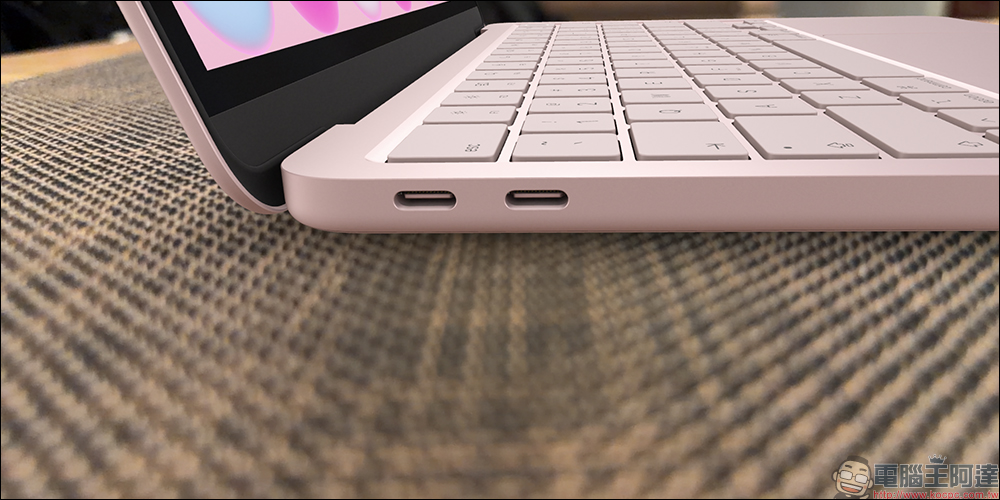
MacBook Neo is equipped with two USB-C ports, but the specifications of the two ports are different. One of them is USB 3 and the other is USB 2. The USB 3 port supports DisplayPort 1.4 and offers transfer speeds of up to 10Gb/s, while the USB 2 port is limited to 480Mb/s. This configuration is sufficient for basic use, but may feel limiting if you need high-speed data transfer or connecting to high-end devices.
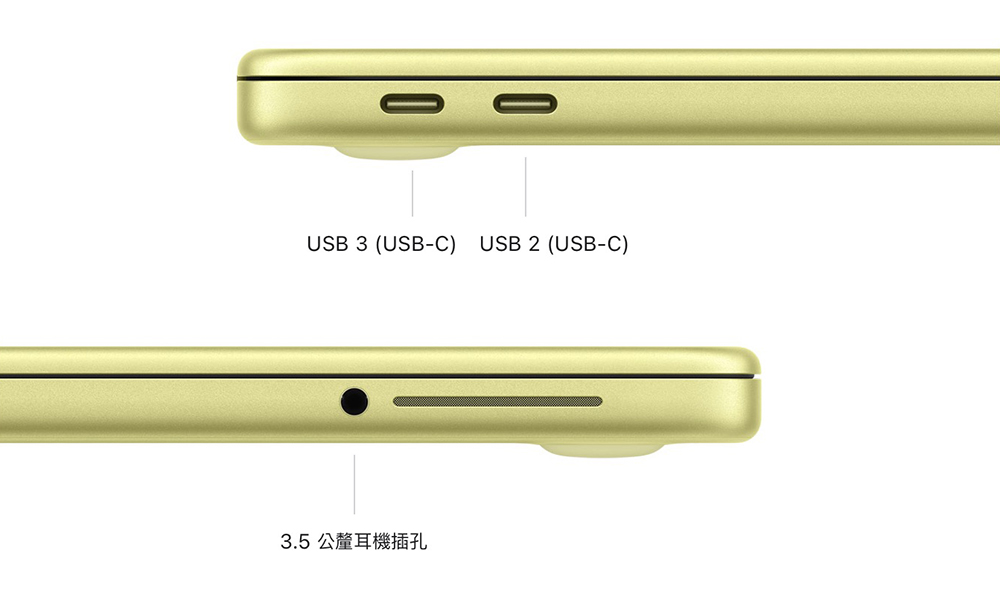
Lack of Thunderbolt support, limited external monitor capabilities
The MacBook Neo does not offer a Thunderbolt port, which is another important difference from the MacBook Air. MacBook Air equipped with Thunderbolt 4 not only provides higher data transfer speeds (40Gb/s), but also supports more professional devices, such as high-resolution displays, external GPUs, or high-speed storage devices. The lack of Thunderbolt also means the MacBook Neo can’t use Apple’s Studio Display.
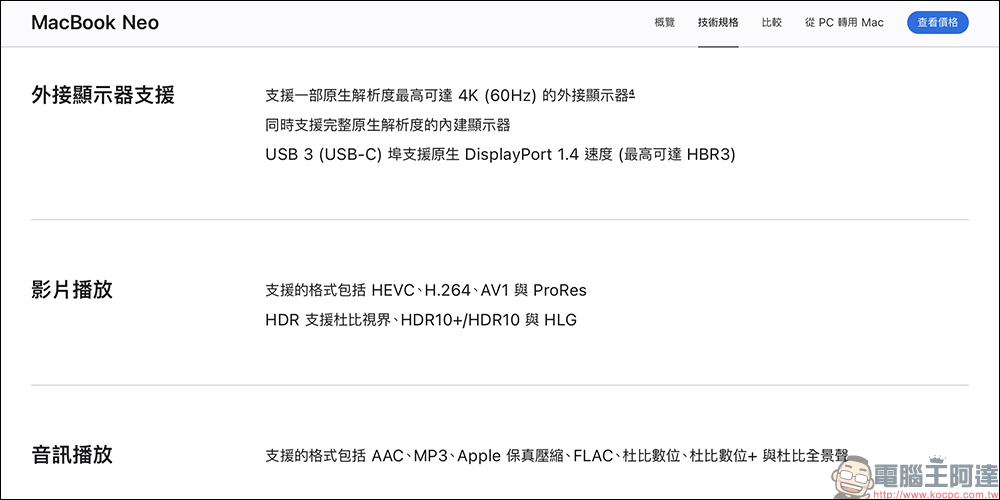
In terms of external monitors, MacBook Neo only supports one 4K 60Hz external screen. This is not a big problem for users who only need to work on a single screen, but if you need a multi-screen environment, such as designers, programmers or video editors, MacBook Air will provide better flexibility.
Display technology has shrunk
MacBook Neo uses a 13-inch Liquid Retina display with a brightness of 500 nits, and the basic display quality still maintains Apple’s consistent standards. However, this screen lacks several high-end display technologies of MacBook Air or MacBook Pro, such as True Tone display, P3 wide color gamut, and ProMotion. True Tone adjusts the screen color temperature based on ambient light, P3 wide color gamut delivers richer colors, and ProMotion provides a higher update rate. The screen refresh rate of MacBook Neo and MacBook Air remains at 60Hz.
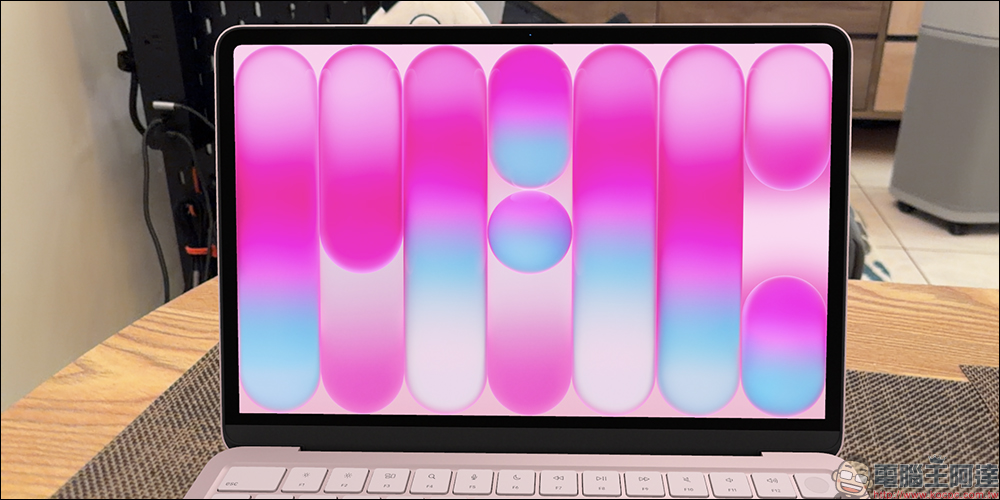
In terms of screen borders, MacBook Neo adopts a thicker border design and has no bangs.
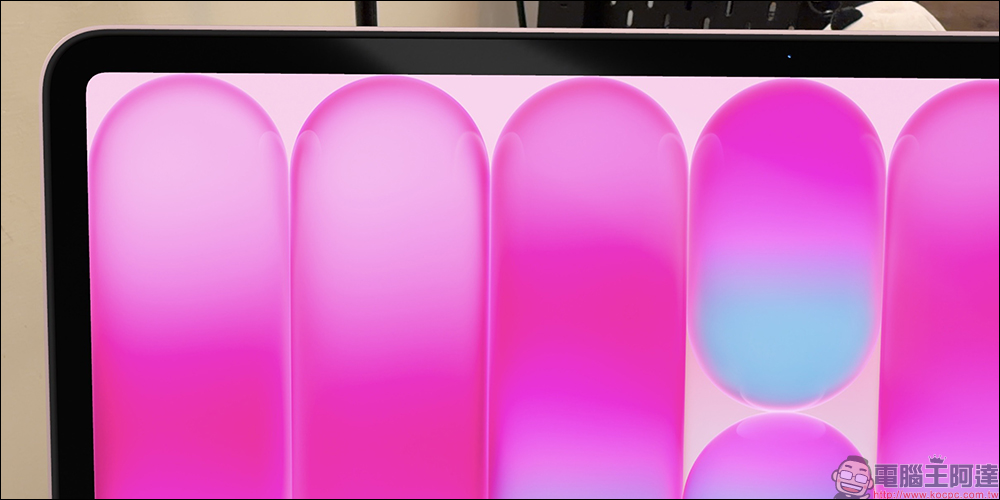
Body design and size differences
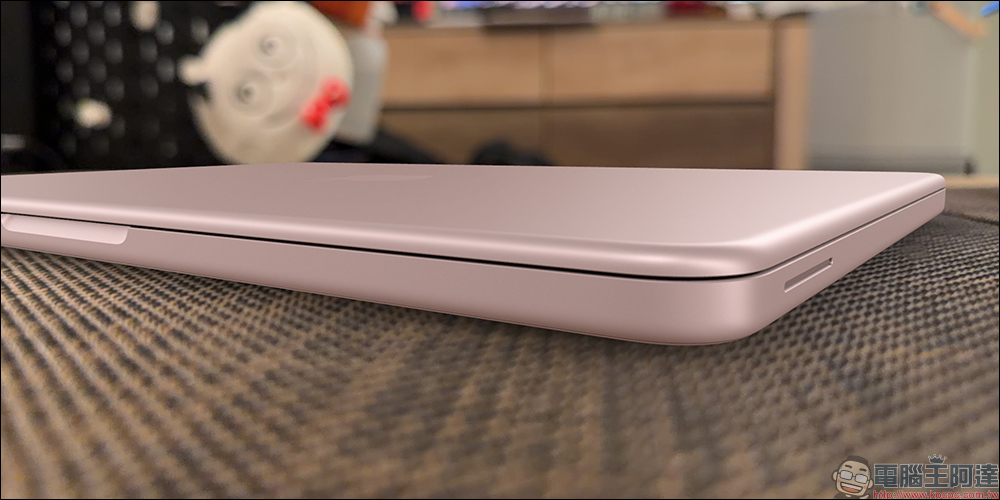
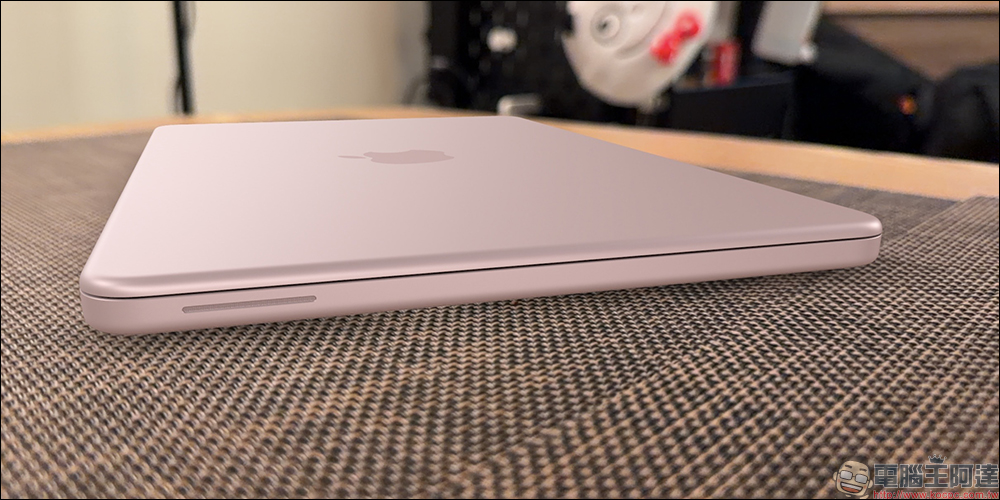
In terms of design, the MacBook Neo and MacBook Air (13 inches) are similar in size, but there are still some differences. The MacBook Neo has a 13-inch screen, while the MacBook Air has a 13.6-inch screen. Both weigh the same at 1.23kg.
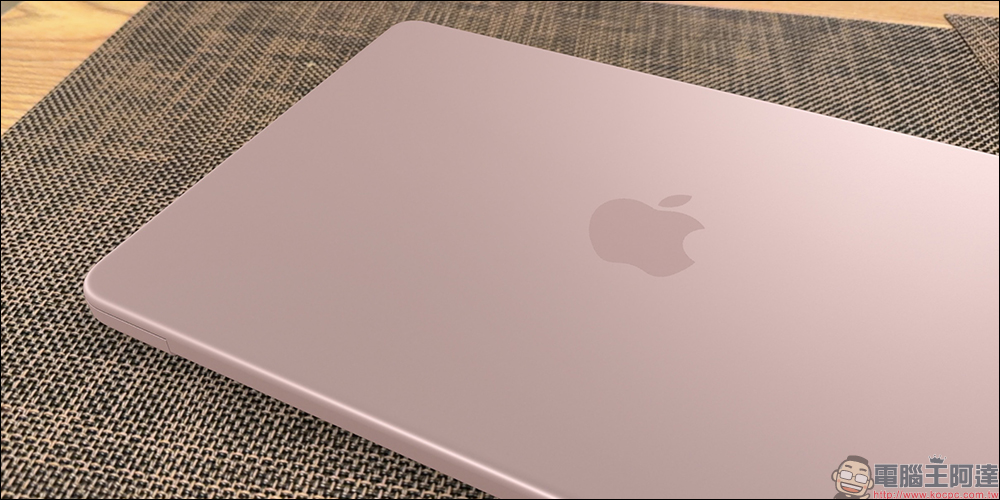
However, the MacBook Neo’s body thickness is 1.27 centimeters, while the MacBook Air is 1.13 centimeters (13-inch version), so the MacBook Neo is slightly thicker.
Keyboard and trackpad configuration
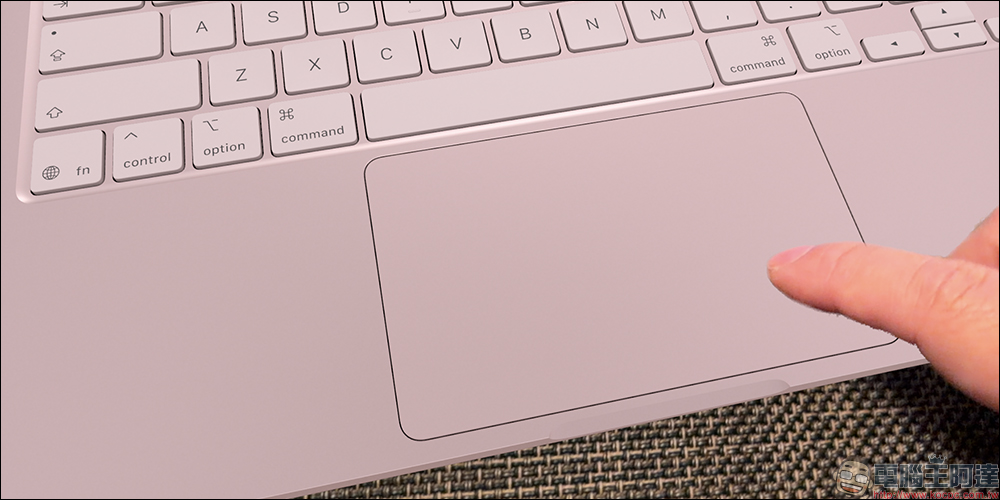
The MacBook Neo’s keyboard does not have a backlight function, so typing in low-light environments may be inconvenient.

In addition, Touch ID is not standard configuration. The 256GB version does not have Touch ID and will only be provided when upgrading to the 512GB version.

In terms of trackpad, Neo uses a physical press-type multi-touch trackpad instead of Apple’s common force trackpad, so it does not support pressure sensing and force pressing functions.
Camera and audio hardware
MacBook Neo features a 1080p FaceTime HD camera, the same as past Mac models. However, it does not use Apple’s new generation 12-megapixel camera, nor does it support Center Stage or desktop viewing angle functions.
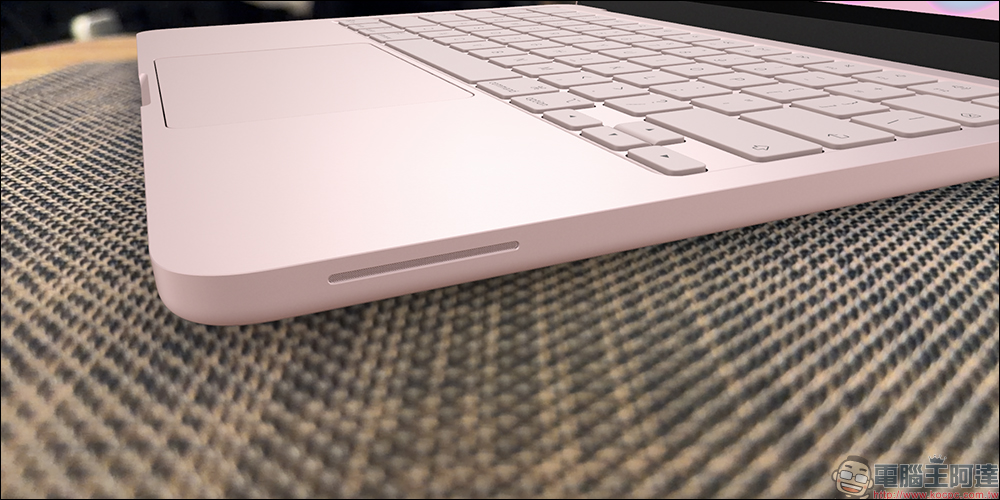
In terms of speaker systems, MacBook Neo uses a dual-speaker design, while MacBook Air uses a four-speaker speaker system, both of which support Dolby Atmos. The microphone part is designed with dual microphones and supports Voice Isolation and Wide Spectrum technologies.
The headphone jack functions are slightly different
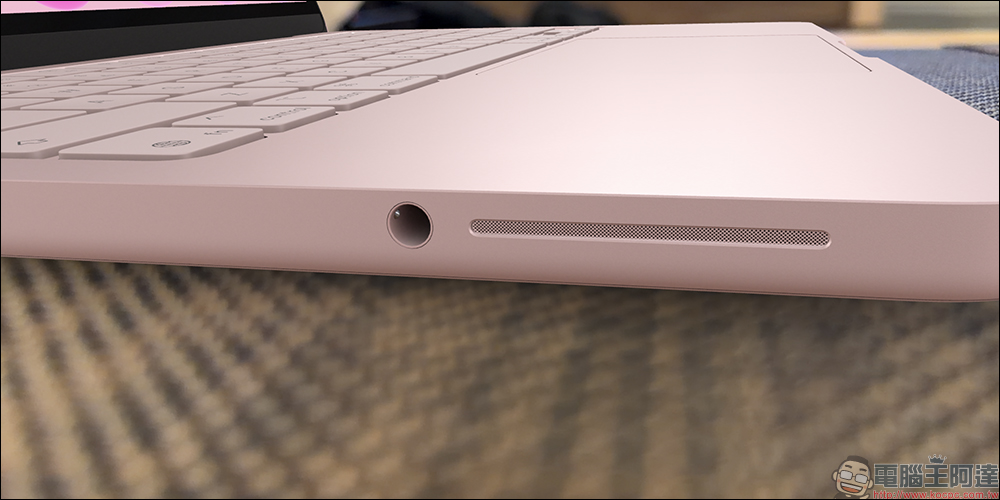
MacBook Neo still retains the 3.5mm headphone jack, but it does not support high-impedance headphones. It won’t have much impact on average users, but it may be a limitation for music production or users who need professional monitoring headphones.
Key benefits of MacBook Neo
Although there are many hardware trade-offs, the biggest advantage of MacBook Neo is still the price. A Mac priced at 19,900 yuan is almost unprecedented in Apple’s product line. Although the A18 Pro chip is not as powerful as the M5, its performance is similar to that of the M1 and is still sufficient for daily needs.
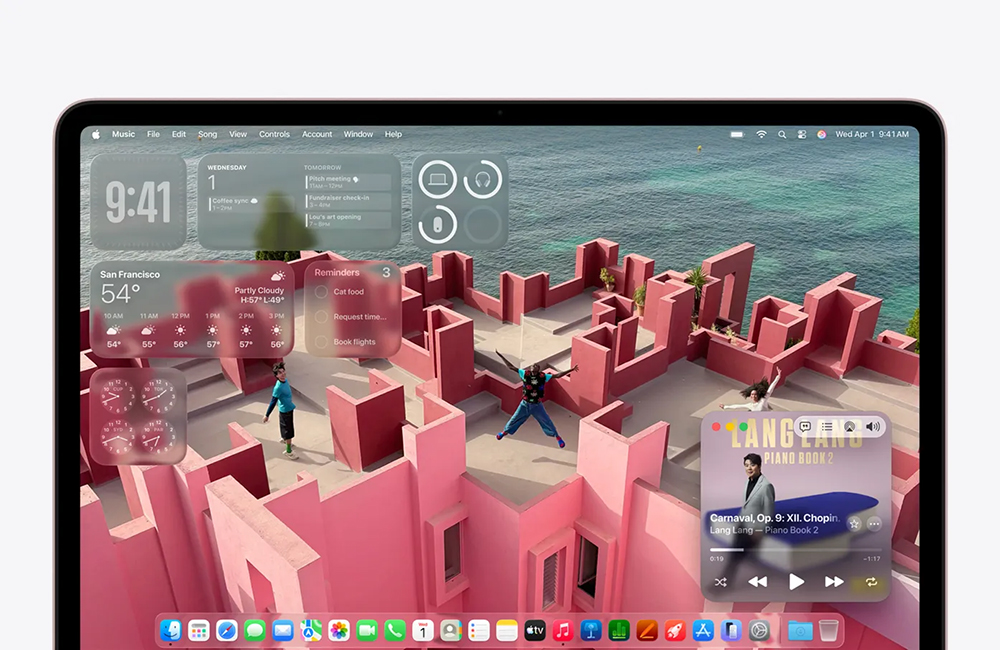
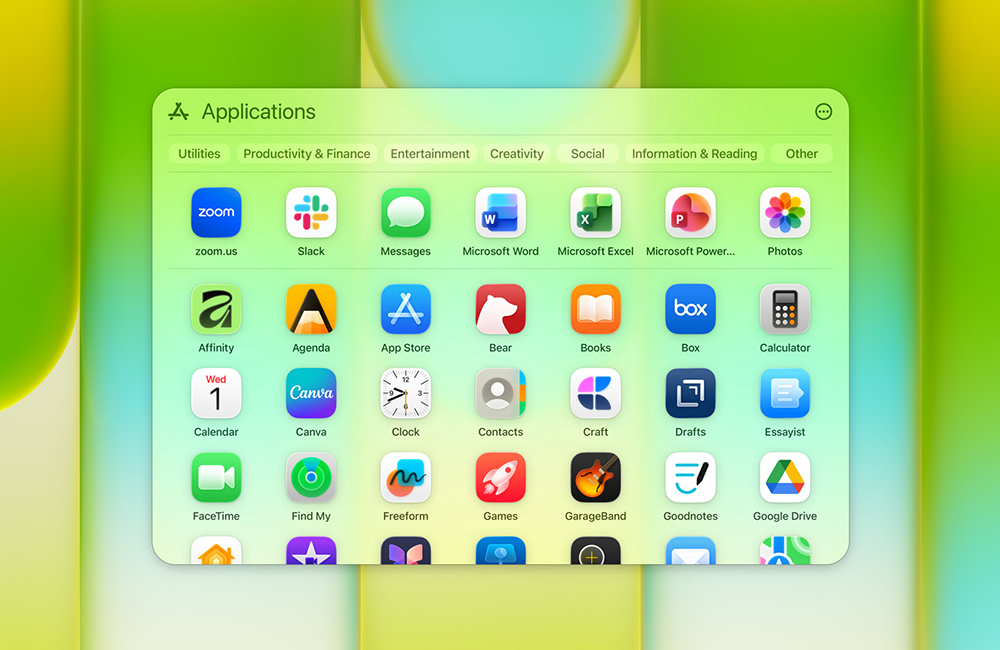
In addition, users will still have full access to macOS, ecosystem apps, and Apple Intelligence features. For users who only need light use, MacBook Neo can already provide a pretty good experience.
Who is it suitable for?
MacBook Neo is most suitable for students, home users who share computers, and people who are new to Mac. For users switching from a Windows entry-level laptop or Chromebook, the performance and build quality of the MacBook Neo are actually still quite competitive.
MacBook Neo vs. MacBook Air(M5)
The following will help you sort out the specifications differences between MacBook Neo and MacBook Air (M5).
|
|
MacBook Neo |
MacBook Air(M5) |
|
Recommended selling price |
Starting from NT$19,900 |
Starting from NT$32,590 (13 inches) |
|
Body size (cm) |
1.27 × 29.5 × 20.64 cm |
1.13 × 30.41 × 21.5 cm (13 inches) |
|
Body weight (kg) |
1.23 kg |
1.23 kg (13 inches) |
|
screen |
13-inch Liquid Retina |
13.6-inch Liquid Retina (13-inch) |
|
Resolution |
2408 × 1506 |
2560 × 1664 (13 inches) |
|
Screen brightness (nits) |
500 nits |
500 nits |
|
External monitor support |
4K(60Hz)*1 |
6K (60Hz) or 4K (144Hz)*2 |
|
chip |
A18 Pro |
M5 |
|
GPU |
5 core GPU |
8-core GPU / 10-core GPU |
|
memory |
8GB unified memory |
16 GB unified memory |
|
storage space |
256GB SSD |
512GB |
|
Battery |
36.5 Wh |
53.8 Wh (13 inches) |
|
Connect |
802.11ax Wi-Fi 6E |
802.11ax Wi-Fi 7 |
|
Touch ID |
Supported (512GB version only) |
support |
|
camera |
1080p FaceTime HD |
12MP Center Stage Camera |
|
news |
dual speakers |
four speaker system |
|
system |
macOS |
macOS |
|
port |
USB-C * 2 |
Thunderbolt 4(USB-C)*2 |
|
Body color |
silver / blush pink / green orange / indigo |
sky blue/silver/starlight/midnight |
|
Accessories |
20W USB-C power adapter |
40W dynamic power adapter (maximum output 60W) |
Conclusion
The launch of MacBook Neo represents Apple adding a new entry-level option to the Mac product line. Its positioning is not to replace MacBook Air, but to allow more people to enter the macOS ecosystem with a lower threshold. Although Apple has made many trade-offs in hardware in order to keep prices down, most of these changes focus on high-end functions and professional needs.
For users who just need a reliable computer to handle daily work and entertainment, MacBook Neo can already provide sufficient performance and a complete Mac experience.

If you want to experience macOS on a minimal budget, it can be a pretty attractive option. But if you need stronger performance and more complete hardware specifications, then MacBook Air is still a more comprehensive choice.
Further reading:
Source: KOCPC Chinese