


In Taiwan’s educational environment, production is accompanied byphonetic notationTeaching materials about symbols has never been easy. When many teachers or parents use cloud writing tools, they often need to download additional fonts or install tools to complete typesetting. recent Google existdocumentAdded 3 Traditional Chinese models that natively support phonetic symbols to the presentationFont, making this matter suddenly much simpler. For schools accustomed to collaborating on cloud platforms, or using tablets and Chromebooks to teach, this update may significantly change the process of teaching material production and further lower the threshold for digital teaching.
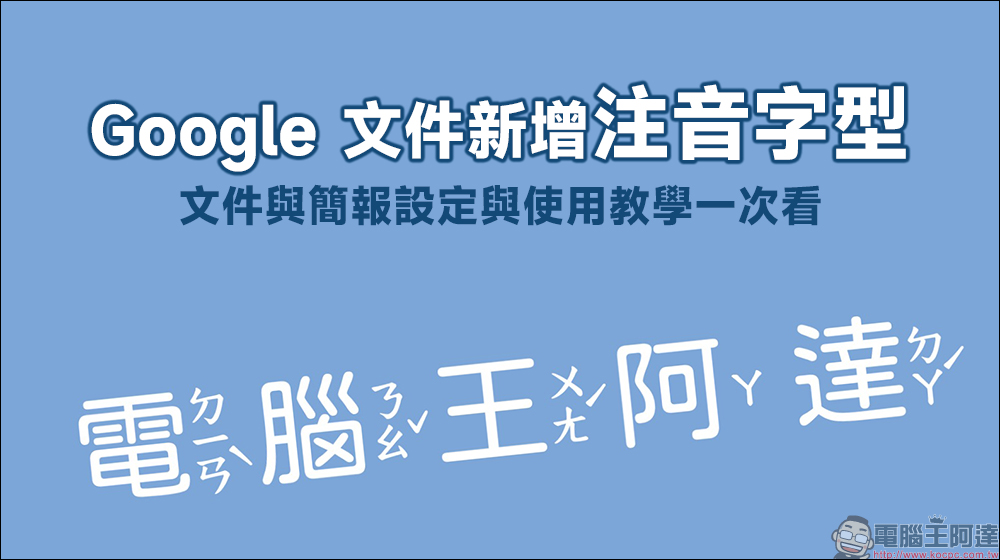
Google Docs adds phonetic fonts! Tutorial on how to set up and use documents and presentations at once
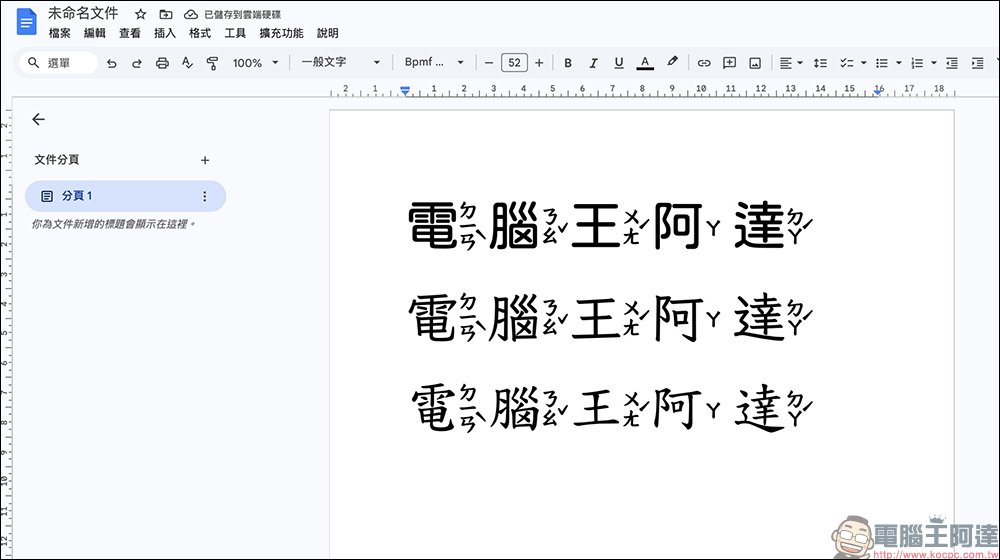
Google recently launched a localized update for Taiwanese users, adding three new Traditional Chinese fonts that support phonetic symbols in Google Docs and Google Presentations, namely Fengyuan Phonetic, Coriander Phonetic and Zihai Phonetic.
In the past, if you wanted to create primary school textbooks or children’s books in Google Docs, you would often encounter a problem: the system itself did not directly support phonetic notation. Teachers usually need to download specific fonts first, or convert text through Chrome extensions. This process is not only cumbersome, but also prone to typographical errors due to different devices.
This time, Google directly integrated the phonetic fonts into the system font library, allowing users to directly select and use them from the font list without installing any additional tools. For users who need to make handouts, read teaching materials or children’s content on a daily basis, it saves a lot of time.
How to use Zhuyin fonts in Google Docs
If you want to use these fonts in Google Docs or presentations, the setup process is actually very simple. First open Google Docs or Google Presentation, click on the font menu at the top, and then select “More Fonts”. Then find the script setting in the font filter area and select “Traditional Chinese (Taiwan)”.
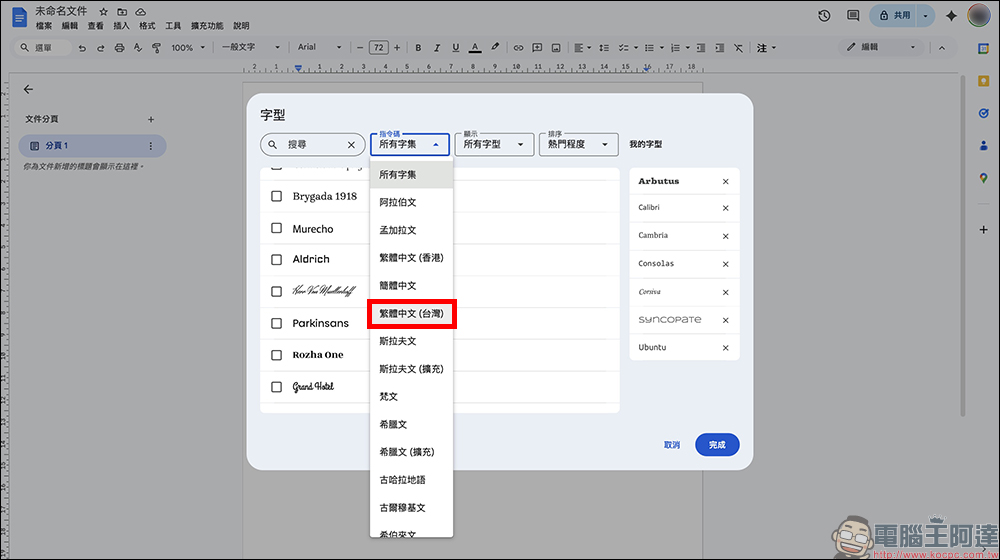
Next, check the three fonts of the Bpmf series in the list, namely Fengyuan Phonetic Style, Coriander Phonetic Style and Zihai Phonetic Style.
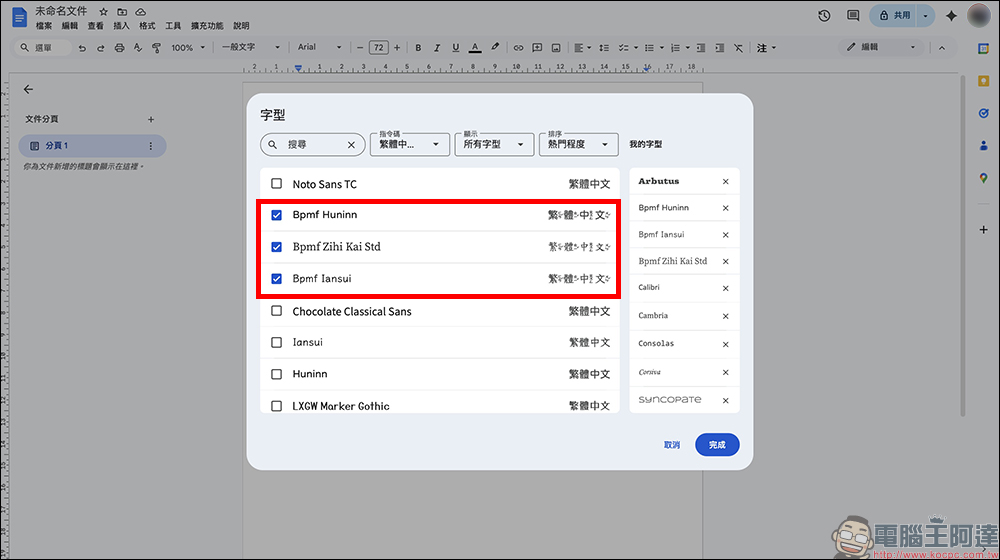
After completing the check, press Done, and these fonts will be added to your font list.
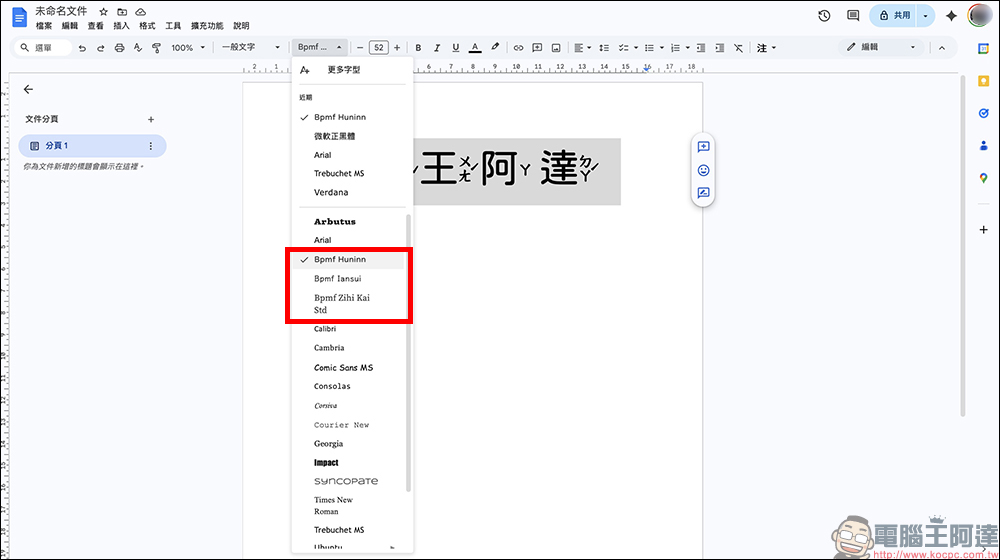
After returning to the file, just select one of the phonetic fonts in the font drop-down menu to directly enter text with phonetic symbols. The entire process does not require installing plug-ins or re-downloading font files.
Cloud teaching material production becomes easier
The biggest significance of this update is not just to add a few more fonts, but to make the production of cloud teaching materials smoother. At present, many schools in Taiwan have promoted “one device for life”, and students often use iPads or Chromebooks to study in class. Teachers are increasingly relying on Google Workspace and Google Classroom when preparing teaching materials.
In the past, if teachers edited Google documents on iPad, it was quite troublesome to create teaching materials with phonetic symbols. Many people can only return to the computer or use other paperwork tools to complete typesetting.
Now through the built-in fonts, whether it is a Chromebook, iPad or ordinary computer, you can directly edit content containing phonetic notations. For teachers and students who need to work across devices, the overall process will be much smoother.
How is it different from Word’s phonetic notation?
Many people may be curious, what is the difference between this phonetic font and the phonetic notation function of Microsoft Word?
Word usually treats phonetic symbols as labels above the text, that is, adding an extra layer of labels above the fonts. Although the same effect can be achieved, alignment problems sometimes occur during typesetting, especially in different devices or different font environments.
Google takes another approach, which is to directly integrate phonetic symbols into the font design. In other words, each character itself contains phonetic information.
This kind of design makes typesetting more stable and less likely to cause text to run out of format. For users without professional typesetting experience, the operating threshold is naturally lower.
Practical limitations that still exist
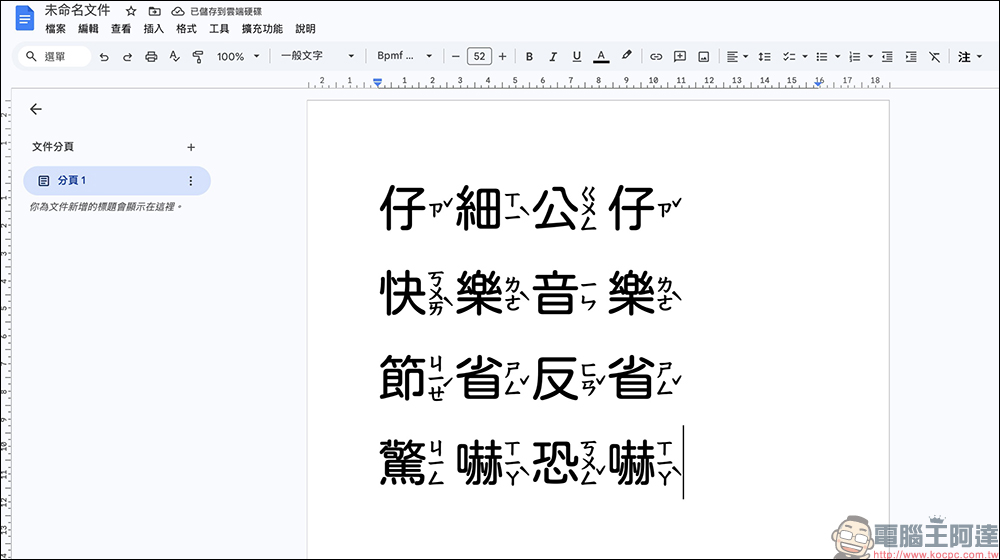
Of course, this feature is not without its drawbacks yet. One of the more obvious limitations is that the system cannot automatically determine characters with broken sounds. Because the phonetic information is written in font encoding, the system is currently unable to determine the correct pronunciation based on context.
For example, the pronunciation of the word “Zai” in “careful” and “doll” are different, but they are the same character at the font level. If there are a large number of broken-sounding characters in the textbook, users still need to manually adjust the font version or modify the character code. Although this is still somewhat inconvenient for some textbook editors, the overall impact is not as great as imagined.
Google strengthens its presence in Taiwan’s education market
From a product strategy perspective, this update also shows that Google has a very detailed observation of the Taiwan education market. Currently, in Taiwan’s education environment, iPads are often the main hardware devices, but in terms of software and teaching platforms, Google Classroom and Google Workspace still account for a high proportion of usage.
When teachers edit Google documents on iPad, if they encounter difficulties in pinyin typesetting, they often reduce their willingness to use the entire tool. The addition of phonetic fonts this time actually fills an important gap in the past. For Google, this is not just a font update, but an important detail to strengthen the education ecosystem.
Conclusion
Overall, although the new phonetic fonts for Google Docs and Presentations may seem like a small update, it actually means a lot to Taiwan’s education scene. In the past, teachers often needed to download additional fonts or use plug-in tools when creating phonetic teaching materials on the cloud. Now, they only need to check the font list to use it, which greatly simplifies the work process.
Although there is still a problem that characters with broken sounds cannot be automatically distinguished, for most teaching material needs, it can already meet more than 90% of typesetting situations. Fonts such as Coriander Phonetic Style, which have a style close to hard-pen writing, are also very suitable for primary school students to practice and copy.
As digital teaching gradually becomes mainstream, these small details designed to meet local needs are often more valuable than simple functional upgrades. For teachers and students, creating and reading teaching materials on cloud platforms may become easier and more intuitive than before in the future.
Further reading:
Apple 春季新品發表會一次淘汰 15 款產品!從 iPhone 16e 到 Pro Display XDR 全數下架
Source: KOCPC Chinese