


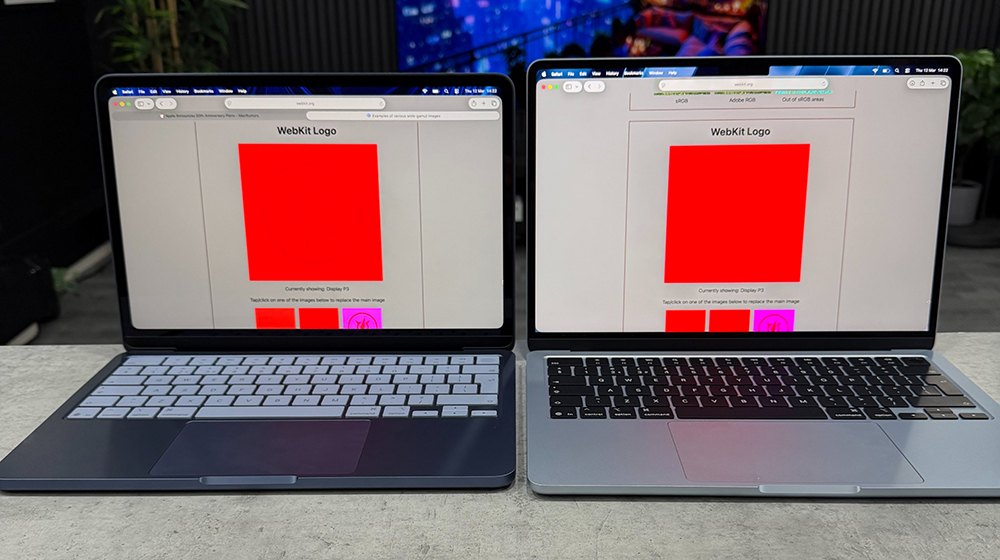
Introduced by Apple MacBook Neo It enters the entry-level notebook market at an affordable price. The screen specifications in the official information only support sRGB color gamut and 500 nits brightness. However, recently some players discovered that this laptop actually hides a display setting that many people ignore. As long as the color profile is manually adjusted in the system, MacBook Neo can switch to Display P3 color gamut mode.
While this doesn’t mean its display capabilities are on par with those of the MacBook Air or MacBook Pro, there is certainly a noticeable difference in picture presentation for everyday viewing of photos or videos. After this setting was exposed, many users began to re-evaluate this entry-level machine. Mac display performance.
▲Picture source:Daniel (X/ @ZONEofTECH)
MacBook Neo can be manually set to turn on P3 wide color gamut, but it cannot achieve 100% coverage
With the MacBook Neo launched by Apple some time ago, one of the biggest talking points is the price. With an entry-level price of about NT$19,900, many users who had originally been on the fence about Mac began to consider buying it. In order to achieve such a price positioning, Neo has indeed made trade-offs in some hardware specifications, among which the screen is one of the most discussed parts.
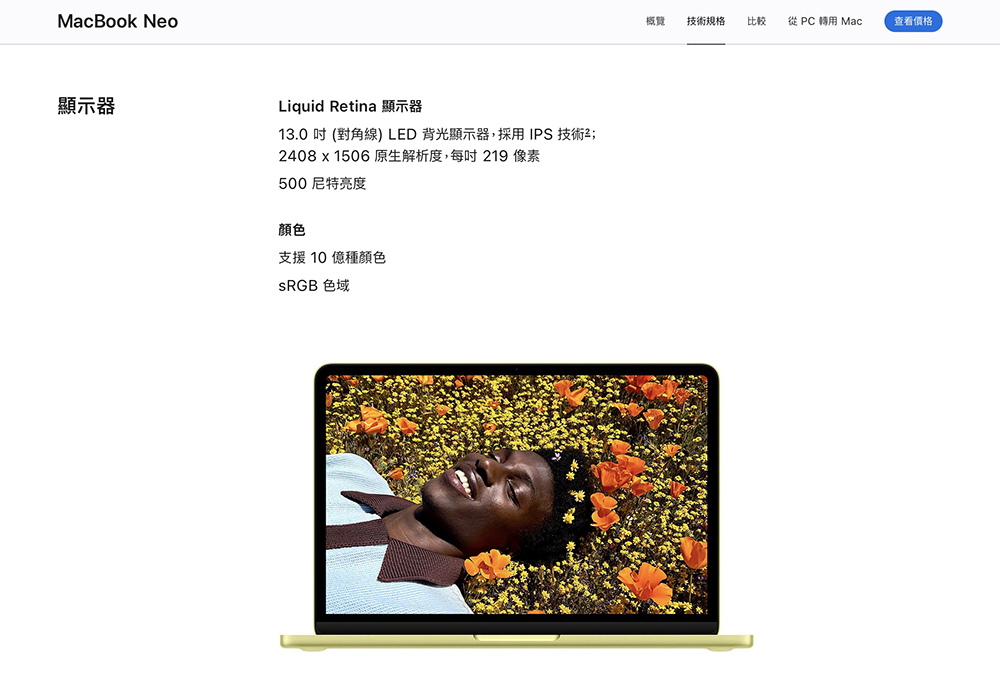
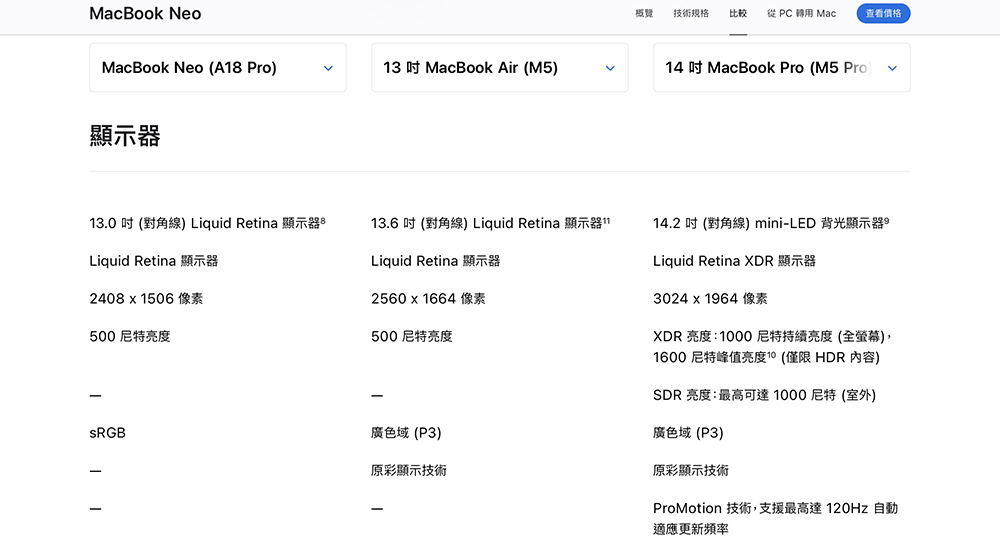
In the official specification sheet, the MacBook Neo’s display is only stated to support the sRGB color gamut and has a brightness of 500 nits. For many people who are familiar with Apple products, this means that there may be a certain gap between its color performance and MacBook Air or MacBook Pro, especially when it comes to professional imaging or video work.
▲Picture source:Apple
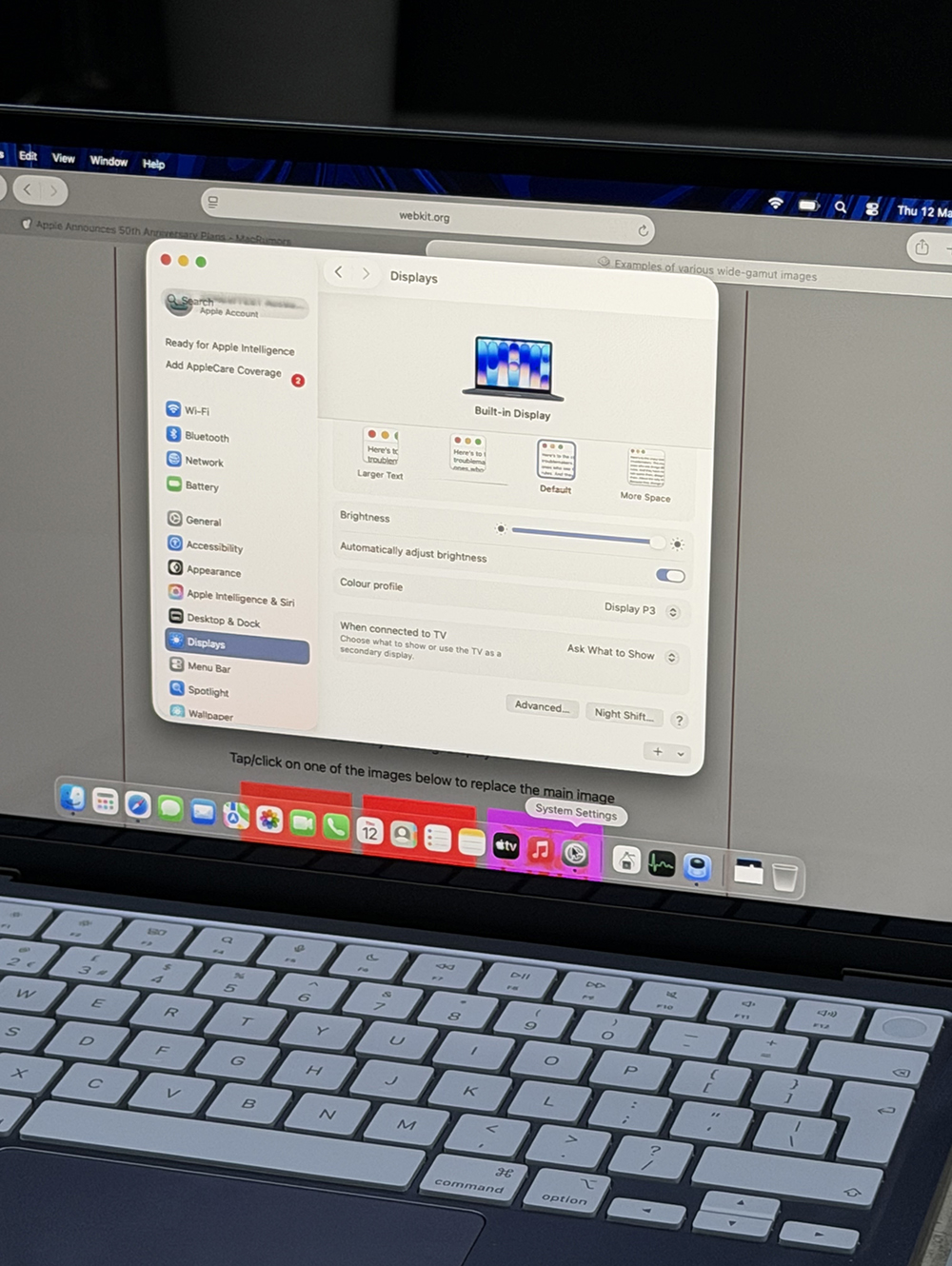
However, recently on the X platform, a technology blogger named ZONEofTECH shared an interesting discovery. He pointed out that there is actually an option hidden in the display settings of MacBook Neo that allows the screen to switch to the Display P3 color gamut. After this news was exposed, it quickly triggered discussions in the technology community.
According to the content shared, if you enter the system settings of macOS and open the “Display” related options, you can see the menu of color profiles. In fact, a variety of display color configurations are provided here, including “Display P3”. As long as you manually select this profile, the MacBook Neo’s screen will display the picture in the P3 color gamut.
▲Picture source:Daniel (X/ @ZONEofTECH)
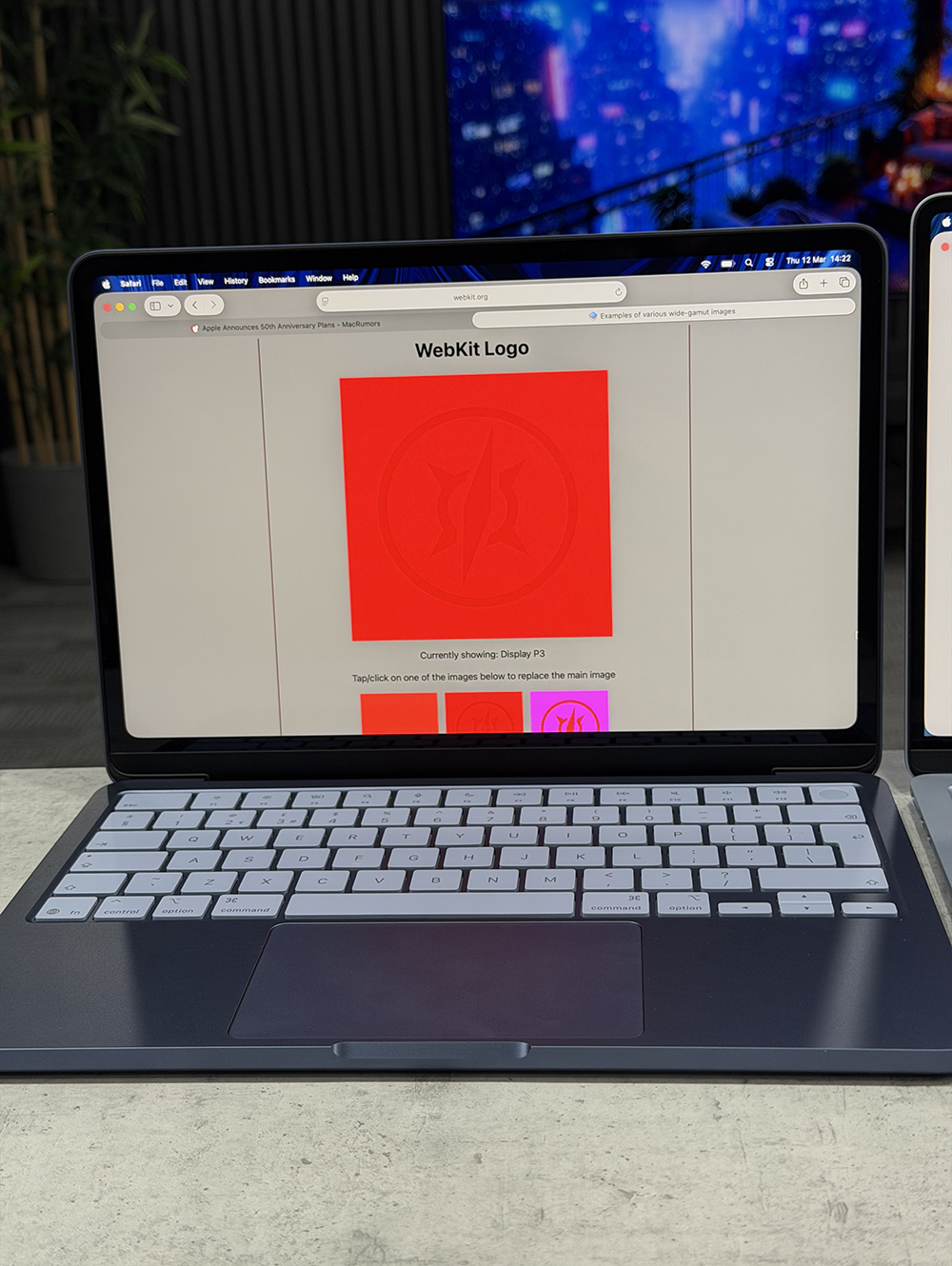
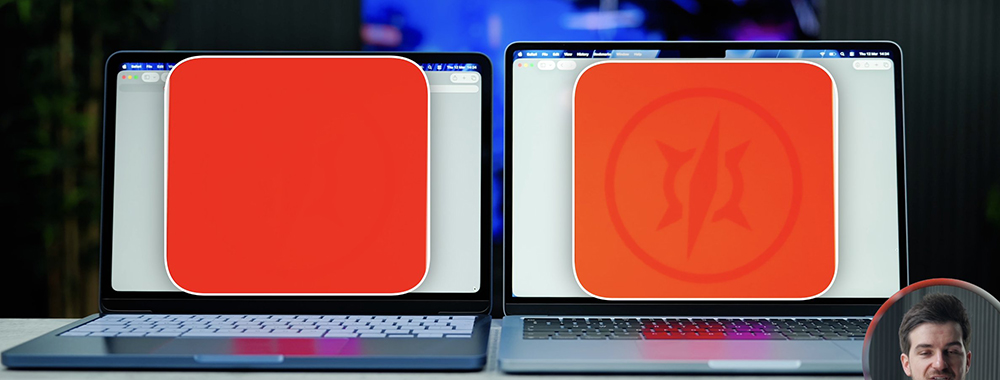
For ordinary users, this setting is actually not noticeable. After most people buy a computer, they rarely adjust the color profile, so they rarely notice the existence of this option. But once you switch, the color of the picture will indeed change. The most obvious difference is the color saturation. When photos and videos are displayed, colors will look more vivid and the overall visual effect will be more pleasing.
▲Picture source:Daniel (X/ @ZONEofTECH)
Although the MacBook Neo can be manually switched to Display P3, this does not mean that its screen is exactly the same in display capabilities as the MacBook Air or MacBook Pro series. The reason is actually very simple. The MacBook Neo’s panel does not cover 100% of the P3 color gamut.
In other words, it can display some of the P3 colors, but not the entire color gamut. Therefore, Apple still only indicates sRGB in its official specifications to avoid misunderstanding among users.
▲Picture source:Apple
This practice is actually very common in the display industry. If a panel cannot completely cover a certain color gamut, manufacturers usually do not regard it as a formal specification. Therefore, although the MacBook Neo can display, the color accuracy and coverage will still be lower than a real P3 display.
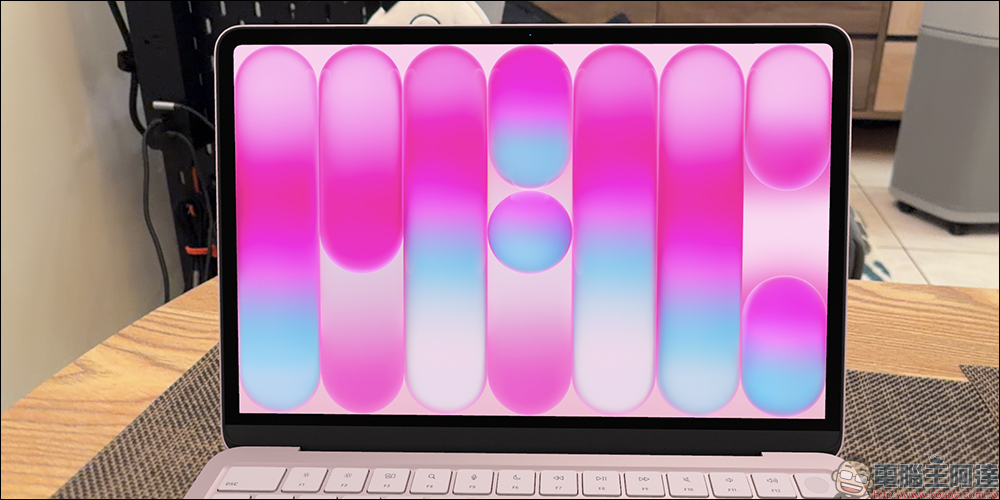
Even so, for most users, this difference won’t necessarily cause trouble. If you just surf the Internet, watch TV shows, watch YouTube, and edit some simple photos on a daily basis, it is actually difficult to clearly feel the difference in color gamut coverage. Instead, the colors look more saturated and more pleasing, which will be a more intuitive upgrade for most people.
This is why many entry-level monitors, even if they do not have the full P3 color gamut, use different color modes to make the picture look more vivid. From this perspective, the MacBook Neo’s screen is actually not as “entry-level” as imagined. At least in general audio-visual entertainment usage scenarios, it can still provide a good visual experience.
▲Picture source:Daniel (X/ @ZONEofTECH)
Conclusion
The emergence of MacBook Neo represents Apple’s attempt to diversify its Mac product line. Entering the market with a price of less than NT$20,000 is already quite rare. The Display P3 setting discovered by players this time has also made many people pay attention to the display capabilities of this entry-level Mac.
Although its screen is still not comparable to that of the MacBook Air or MacBook Pro, the screen performance can indeed become more vivid and pleasing with simple system settings adjustments. For most daily users, this experience is actually quite sufficient.
Perhaps the greatest value of MacBook Neo is not only that it is cheap, but that it still retains a lot of the Apple ecosystem experience while maintaining a reasonable cost. As more details are unearthed, this entry-level Mac may also lead to more surprising little discoveries.
Further reading:
Source: KOCPC Chinese