


Have you ever wanted to relax before going to bed?music, or need a little rhythm to help focus while working? actually iPhone It has long been built-in a practical function that many people have ignored, which can quickly switch between different situations of music, making daily life more rhythmic, and the most important thing is that it is completely free.
With the iOS 26.4 system update, this feature has also ushered in a more intuitive operation method, and can even be placed directly on the desktop or lock screen, greatly improving the user experience.
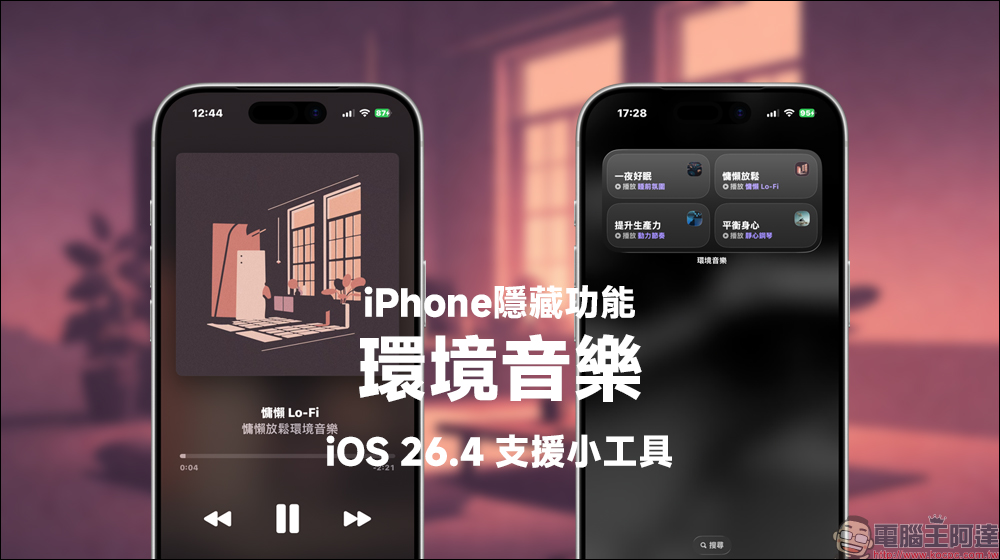
The hidden functions of iPhone are upgraded again! The free ambient music gadget for iOS 26.4 is super practical and can help you sleep and relax in one go.
Whether you want to play some relaxing music to help you sleep before going to bed, or want to listen to music to adjust your mood and stress before work or an important meeting, or even when you want to adjust your mood such as meditation, the iPhone actually has a free music feature that many people don’t know about, called “Ambient Music”.
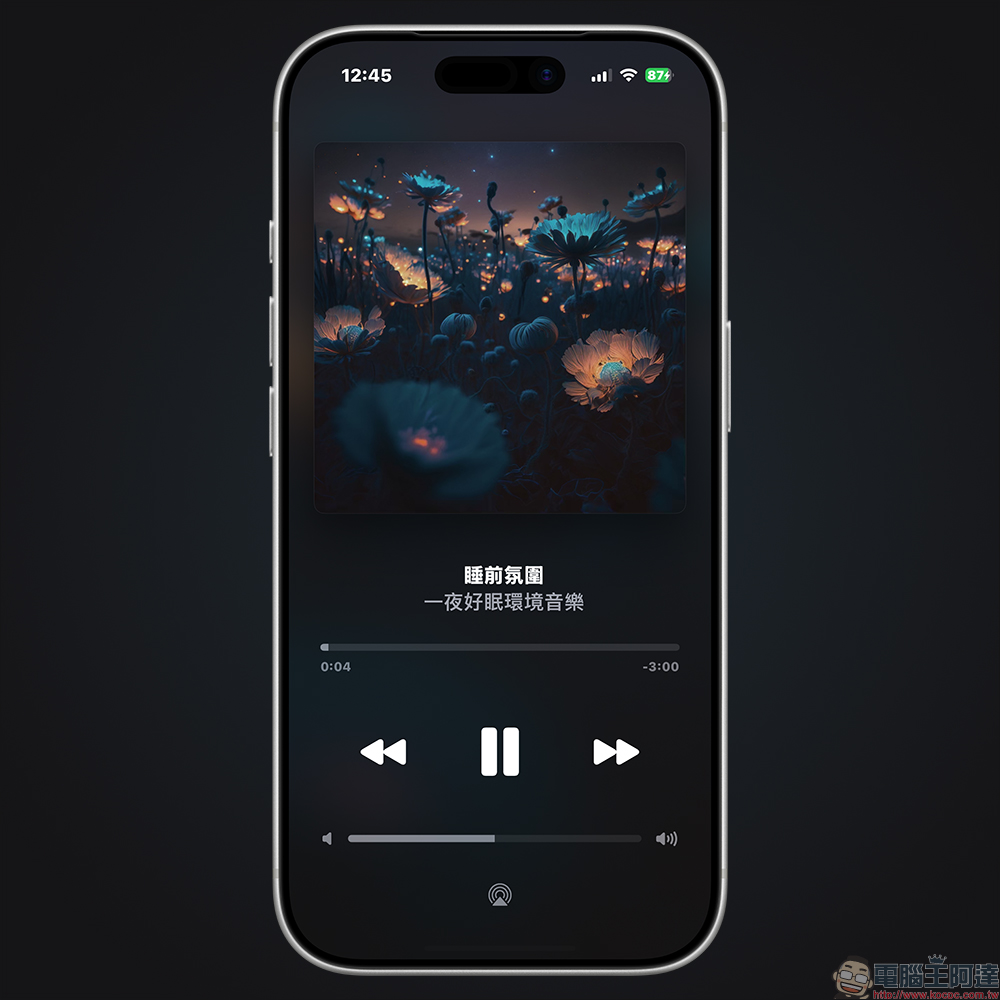
What is iPhone ambient music?
In fact, from iOS 18.4 start,Apple Just quietly add the “ambient music” function to the system. It is not like a general music app, but a quick playback tool integrated into the system, focusing on situational music experience.
As long as your iPhone is upgraded to a supported version, you can play background music that suits the current situation with one click through the Control Center or other portals.
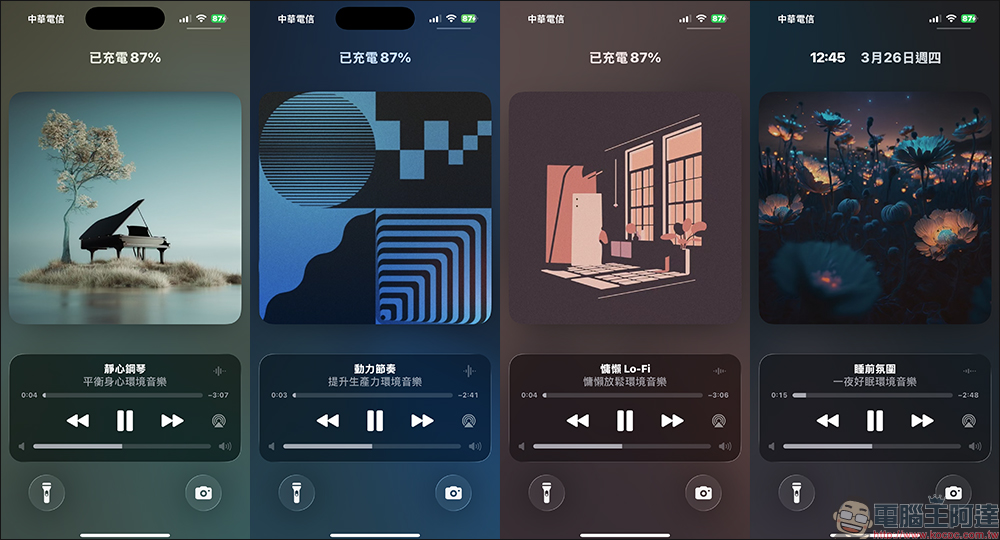
Ambient music is mainly divided into 4 themes, each of which corresponds to different usage scenarios:
- sleep: Provides soft sleep-aiding music to help you fall asleep faster
- Relax: Mainly piano or light music, suitable for relieving stress
- productive forces: Music with a little rhythm to improve concentration
- physical and mental health: Focus on meditation and healing atmosphere
Most of this music comes from Apple Music Selected playlists, but what’s special is that you can use it for free even if you don’t subscribe to Apple Music, which is actually a plus.
The biggest highlight of iOS 26.4: turning into a desktop gadget
arrive iOS 26.4 , this feature is finally getting better. In the past, if you want to use ambient music, you must first open the control center, which is a bit troublesome for many people, and many users may not even know that this function exists. But now you can put it directly on the home screen and change it togadget, the overall convenience improvement is very impressive.
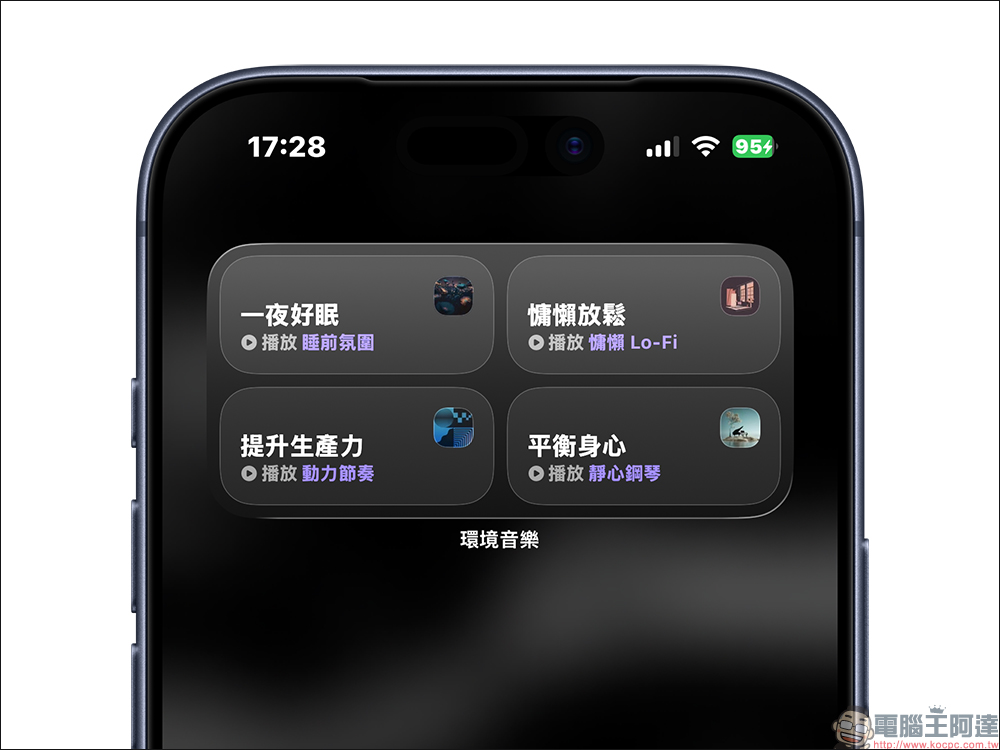
The method of adding is actually very intuitive. Just long-press a blank space on the iPhone’s home screen to enter the edit mode, then click the Add Gadget button in the upper right corner, and enter “ambient music” in the search bar to find related gadgets.
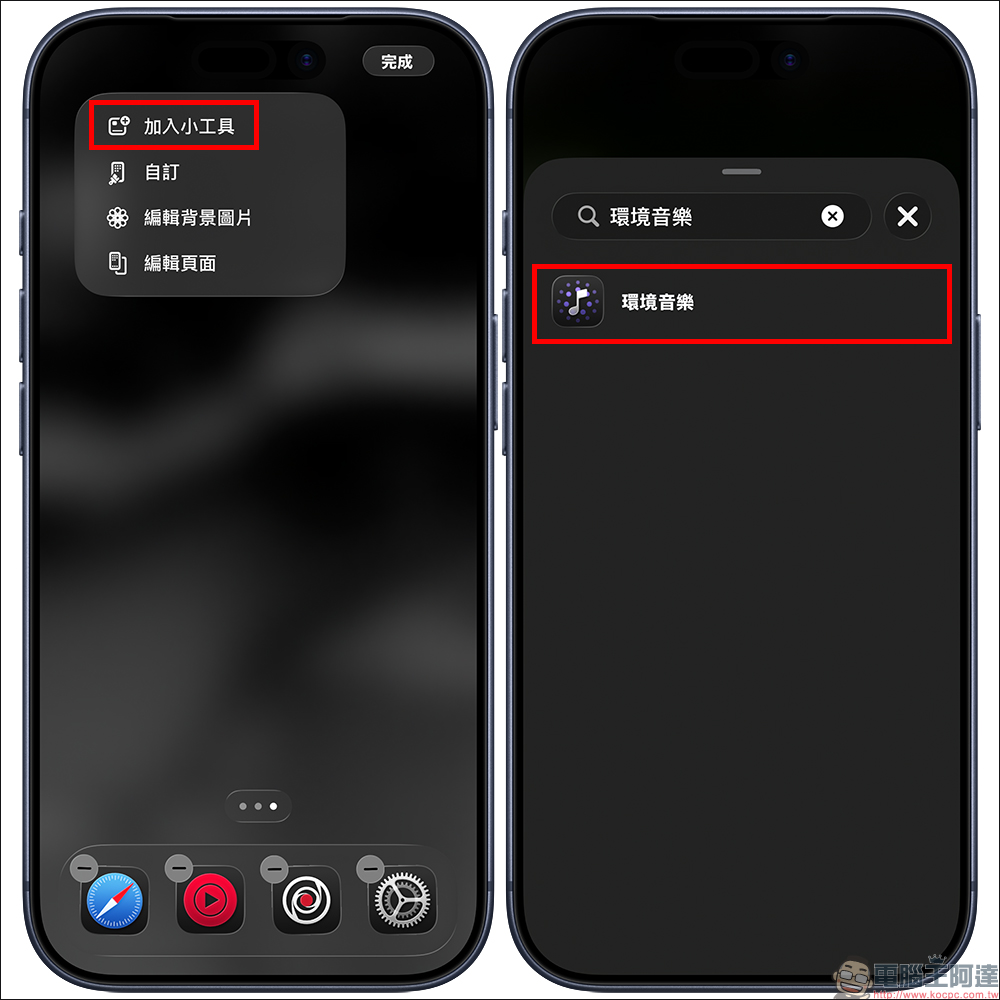
Then select a single function or a 4-in-1 widget style according to your needs, and add it to the main screen to complete the setting.
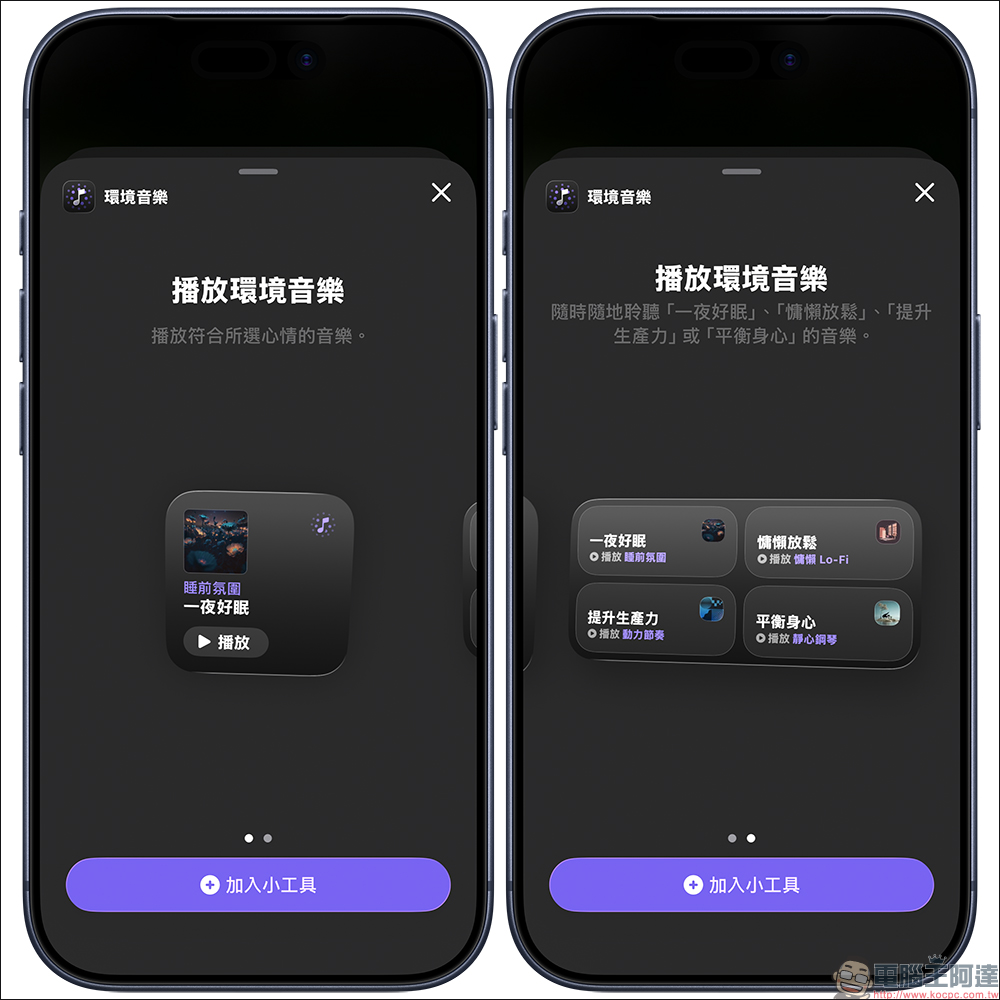
Among them, the 4-in-1 version is particularly practical and can be put into 4 modes of sleep, relaxation, productivity, and physical and mental health at the same time. It is equivalent to putting the shortcut keys for different situations directly on the desktop, and you can click whatever you want to use.
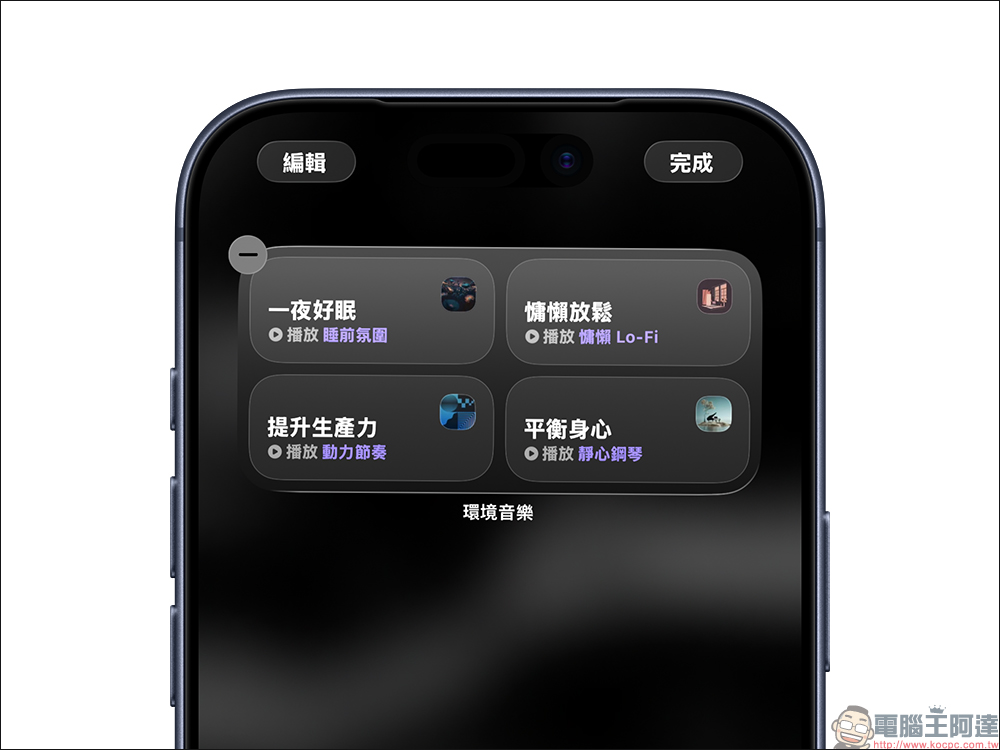
Long press the ambient music to edit the preset type:
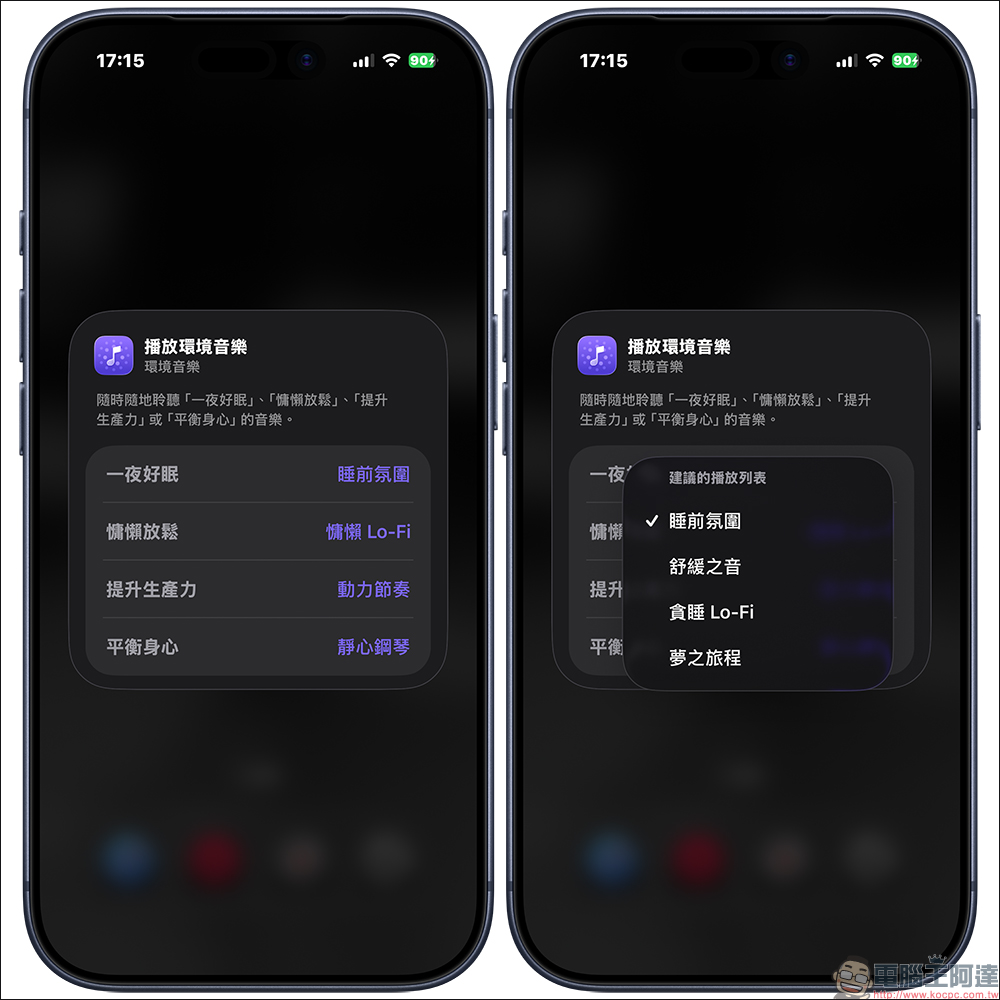
Click on the ambient music you want to play to start playing. In daily use, whether you are preparing to sleep, want to relax, or enter working mode, you can switch with one click, with almost no learning cost.
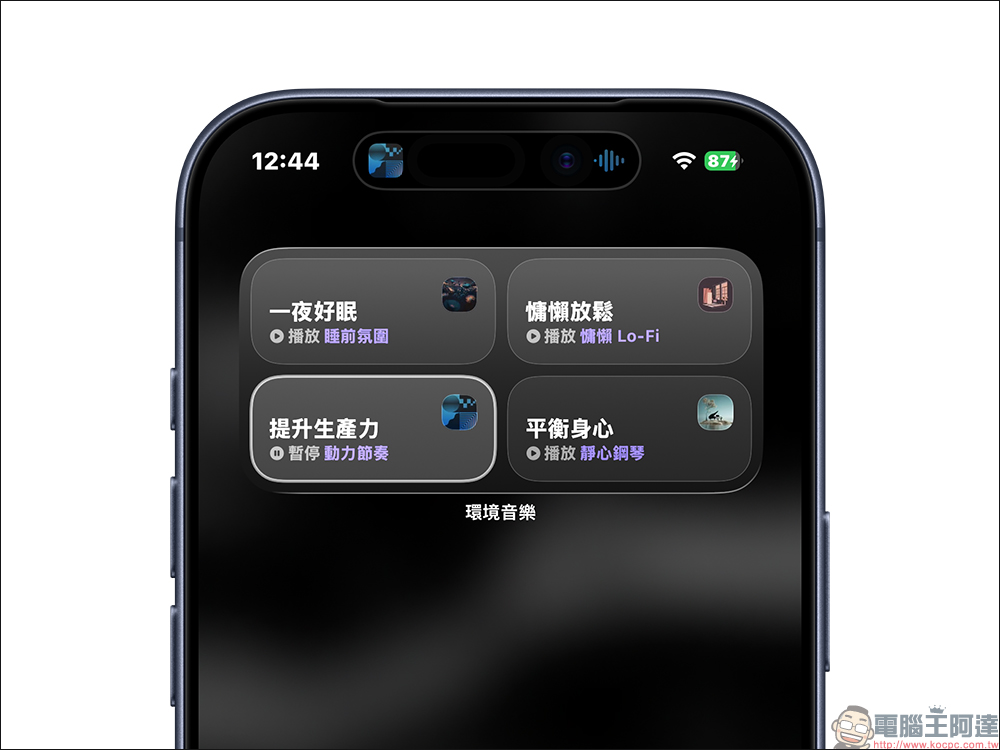
It can also be used when locking the screen, so you can play it wherever you want.
In addition to desktop gadgets, ambient music can now be added to the lock screen, taking the usage situation a step further. The setting method is also very simple. First, press and hold the lock screen, then click “Customize” to edit the lock screen, click the new button in the bottom control area to add “ambient music” and select the type.
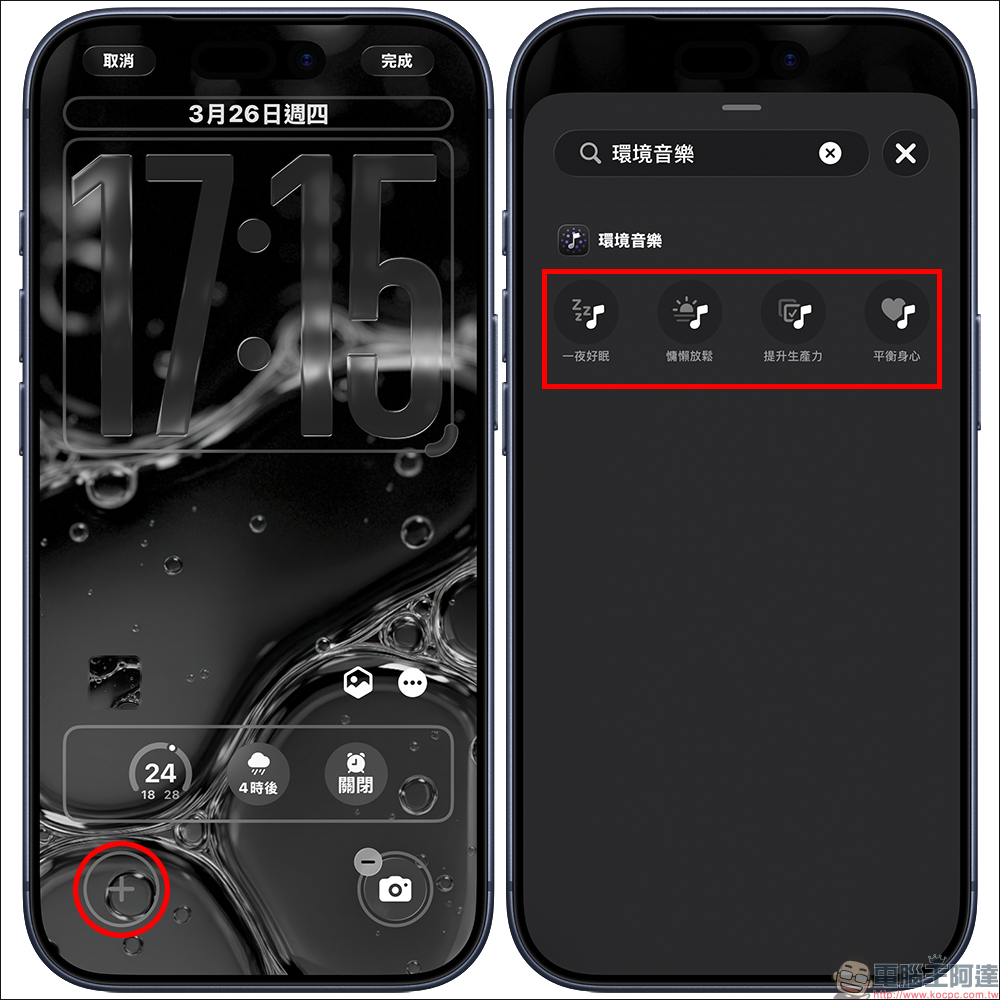
After the setting is completed, you can start music directly even if the phone is not unlocked. For example, when you are swiping your phone before going to bed, and you suddenly want to play some sleep-aid music, you don’t need to enter the app or control center, you can just click to play it, and the overall experience becomes smoother.
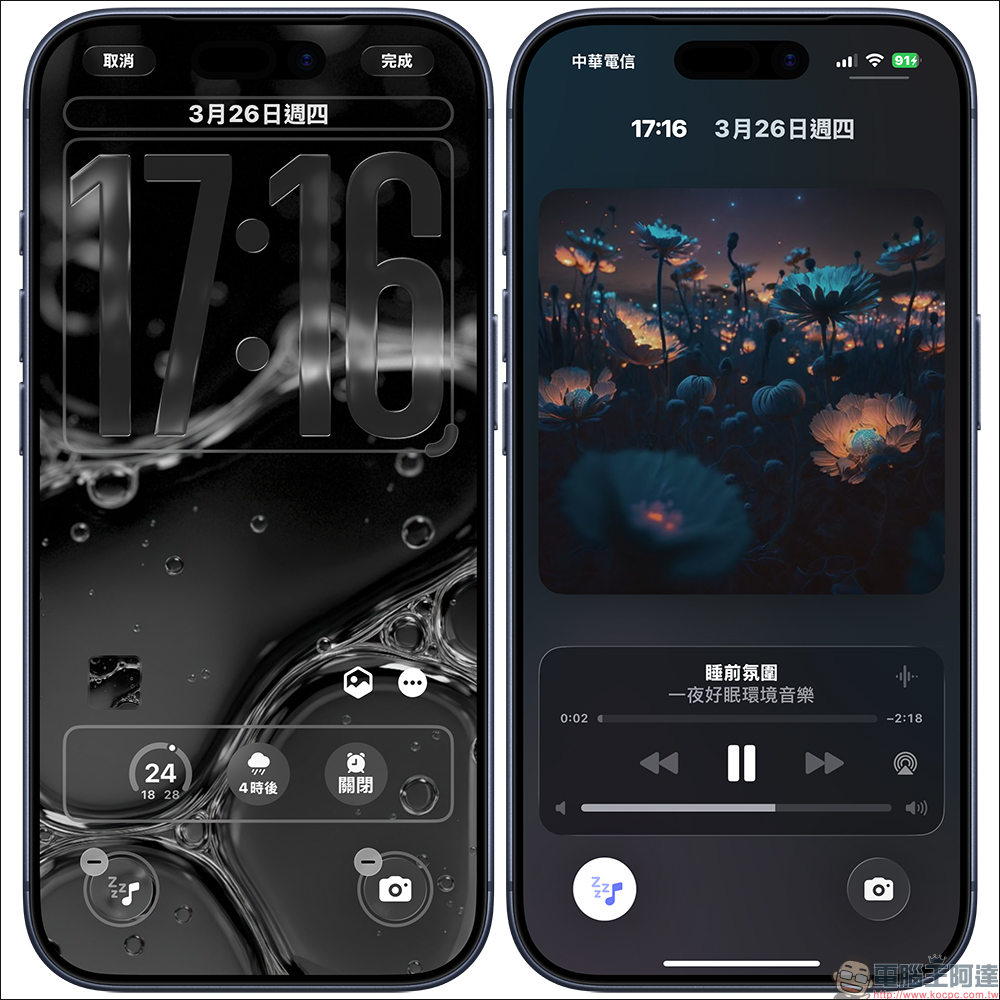
Why is this feature actually worth using?
The usefulness of ambient music is that it does not simply play music, but combines “situation” and “simplification of operations”. You no longer need to open the music app to find a playlist, and you don’t have to worry about what songs to choose. Just select the situation according to your current needs, and the system will automatically help you arrange suitable music content.
And the overall experience is almost zero threshold:
- No additional app download required
- Free to use without a subscription
- Support desktop and lock screen
- One-click playback with almost no operating cost
For people who are accustomed to using music to assist the rhythm of their lives, this design is actually very intuitive and closer to daily usage habits.
Conclusion
The ambient music function may seem simple at first glance, but after you actually use it, you will find that it can really quietly change the experience of using your iPhone. From the small functions hidden in the control center at the beginning, to now being able to be placed on the desktop and lock screen, the overall convenience has been greatly improved.
Whether you want to relax, improve concentration, or simply add a little more background to your life, this feature can be easily integrated into your daily life. If you haven’t used it yet, take a few minutes to set it up and check it out. Maybe it will soon become one of the gadgets you can’t live without every day.
Further reading:
Source: KOCPC Chinese