


If you want to transfer a large file temporarily but can’t find a useful tool, in fact, there is an easier option now. ZeroFS focuses on being able to use it without registration. A single file supports up to 10 GB. A sharing link is directly generated after uploading, and anyone can download it by just opening the URL.
What’s even more attractive is that it has almost no traffic restrictions and the speed performance is quite smooth. In addition, the files are automatically deleted for 15 days, which is convenient and does not need to worry about taking up space for a long time.
There are many services of this type, but ZeroFSfree spaceIt is indeed very good in terms of “fast, simple and no threshold”. For users who occasionally need to transfer large files, it will be a practical tool worth collecting.

Free space recommended! ZeroFS supports a single file of 10 GB, unlimited capacity and no registration required
If you usually upload videos, project files or compressed data, you must have encountered a problem at least once, that is, the file is too large. Common cloud services either limit the capacity, require logging in to the account, or even upgrade the payment plan. The whole process is actually a bit troublesome. At this time, free space like ZeroFS, which focuses on “direct use”, will become particularly practical.
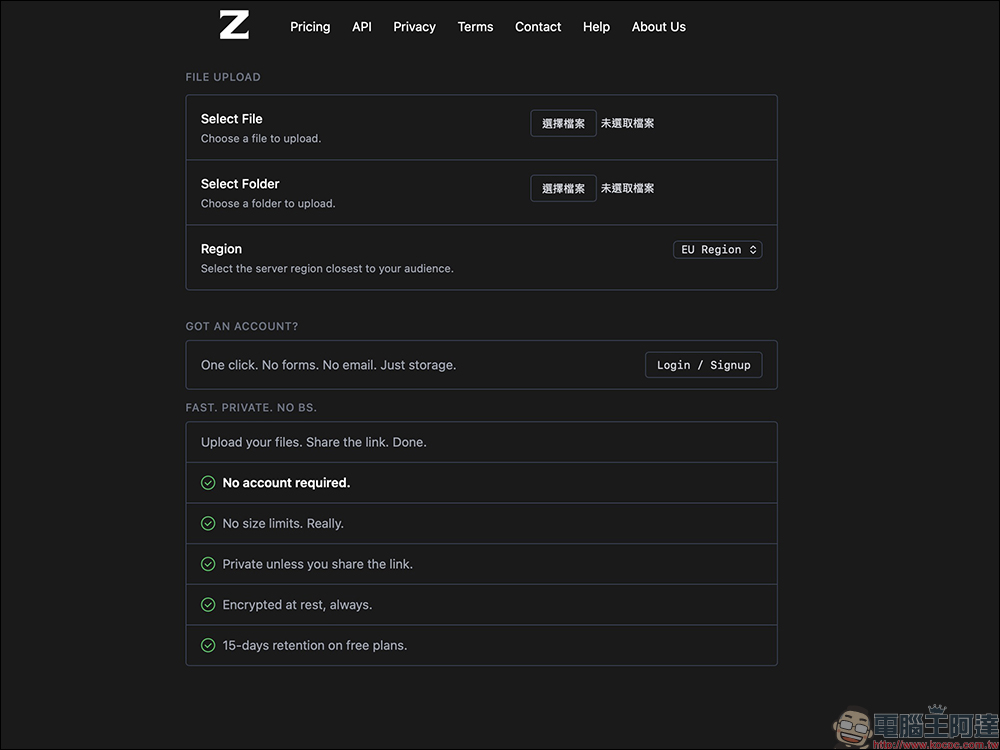
The biggest highlight of ZeroFS is that the threshold is very low. There is no need to register an account. You can upload files directly by opening the website. A single file supports up to 10 GB, which is sufficient for general usage scenarios such as videos, RAW photos, or compressed files for large projects.
Moreover, it does not set a total capacity limit, which means you can upload different files all the time without getting stuck because the account space is full. This is very convenient for temporary file sharing.
The upload process is simple and intuitive, and even novices can get started quickly.
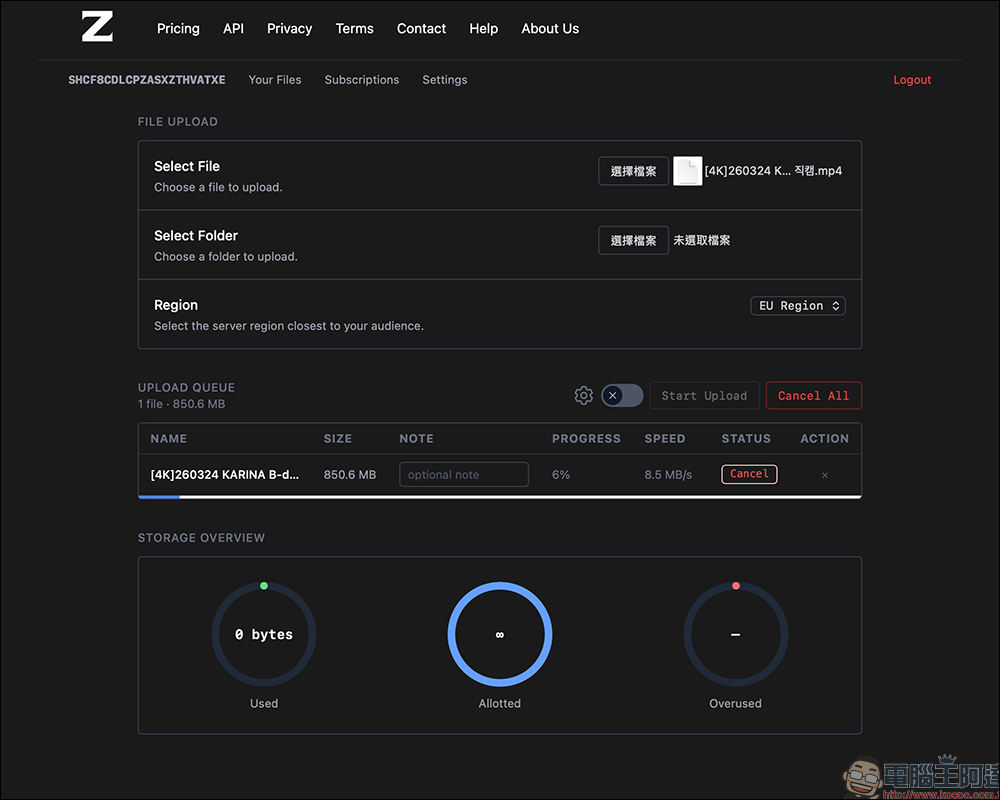
The actual operation is also very simple. After entering the ZeroFS website, click the “Select File” button on the right side of Select File to upload. If there are a large number of files, it is recommended to compress them into one file before uploading, which will be more efficient.
In addition, ZeroFS also supports folder upload. Just click “Select File” on the right side of Select Folder to upload a folder.
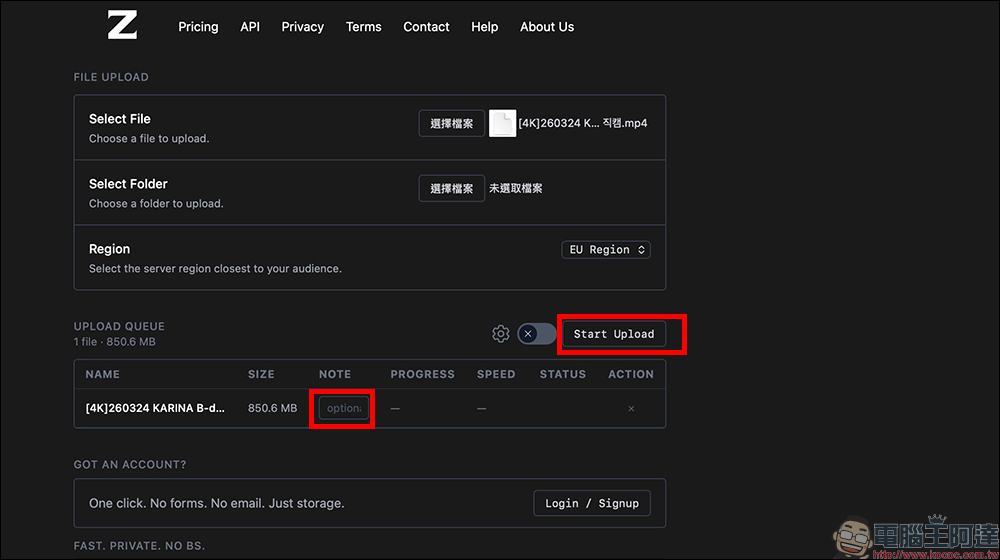
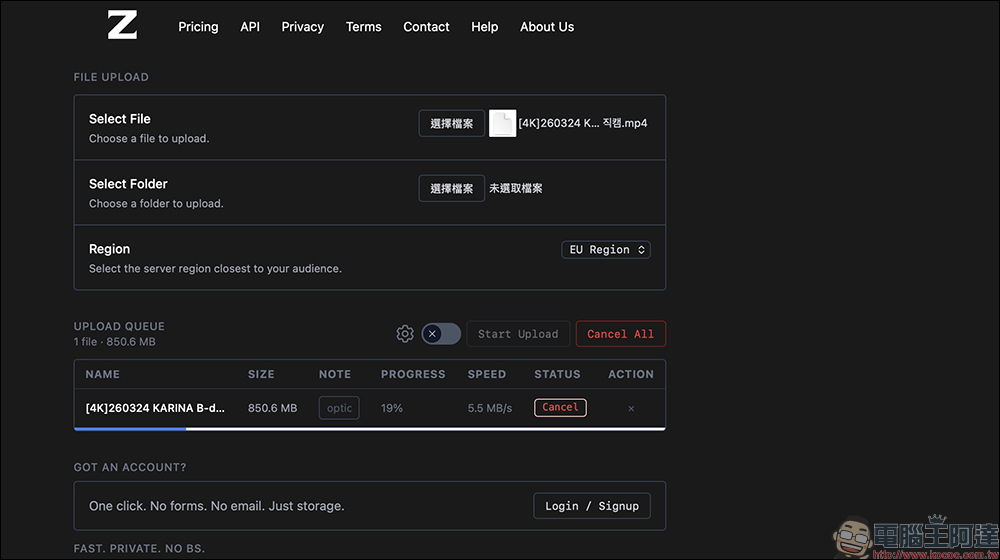
Before uploading, you can also add a note to the file, such as version information or content introduction, to facilitate the other party’s identification. After clicking “Start Upload”, the transfer will start. During the process, you can see the progress bar and speed. The overall performance is stable, and you can cancel it midway if necessary.
Share the link to download, the process is very intuitive
After the file upload is completed, the system will provide a set of exclusive links. This is the download URL you want to share with others. As long as the other party opens this link, they will enter the file page, which will display the file name, size, number of views, number of downloads and other information. Click the Download button in the upper right corner to download.
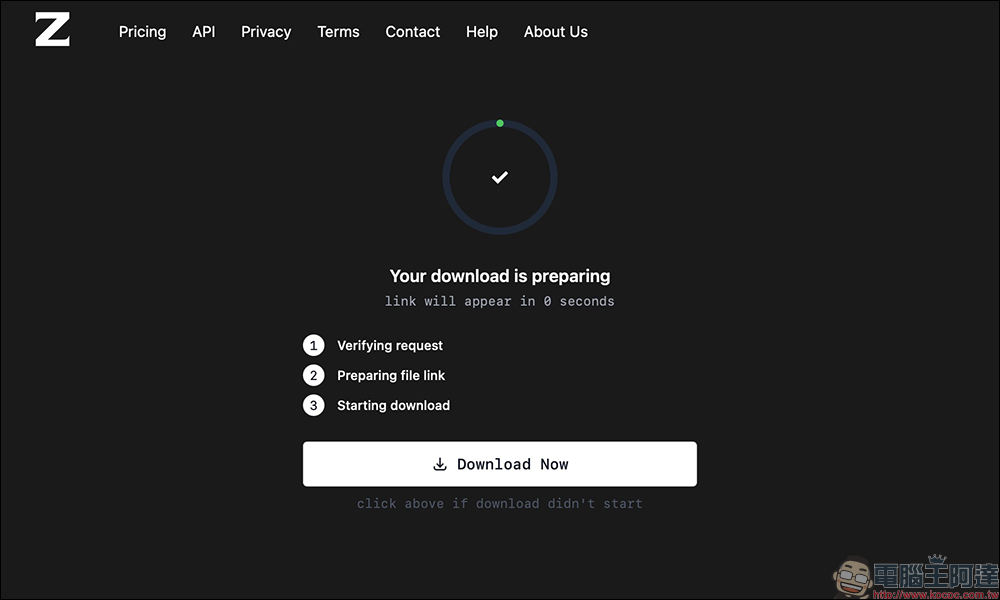
What’s special is that before downloading, it will go through Cloudflare’s verification process. This is mainly to prevent robots from abusing resources and ensure service stability.
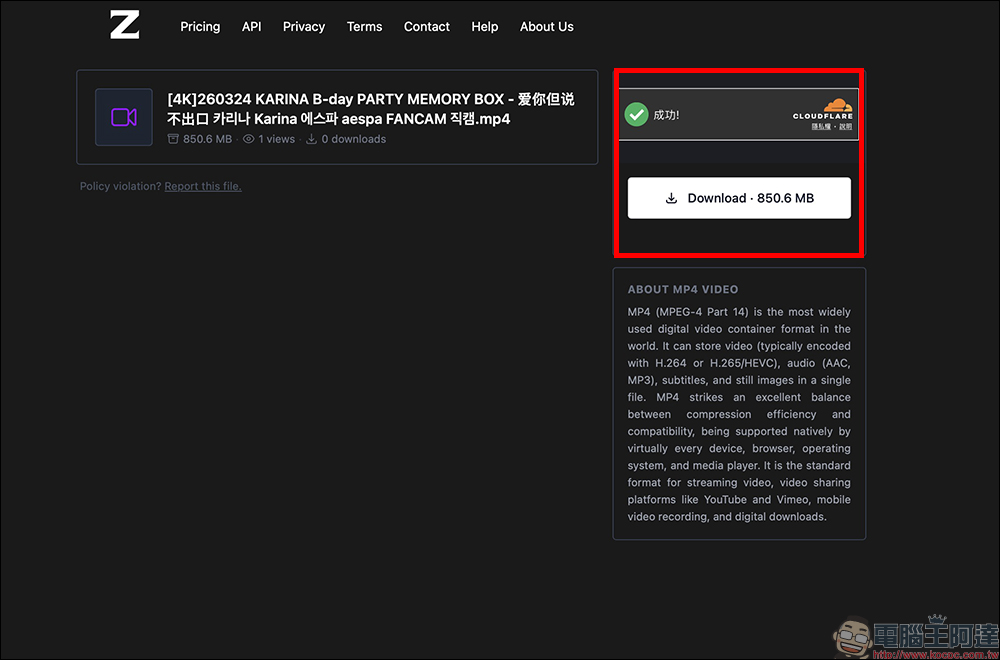
After passing the verification, the system will automatically start downloading. If it is not automatically triggered, you can also click the download button manually. The overall process is quite smooth.
Almost no traffic limit, automatic deletion within 15 days for peace of mind
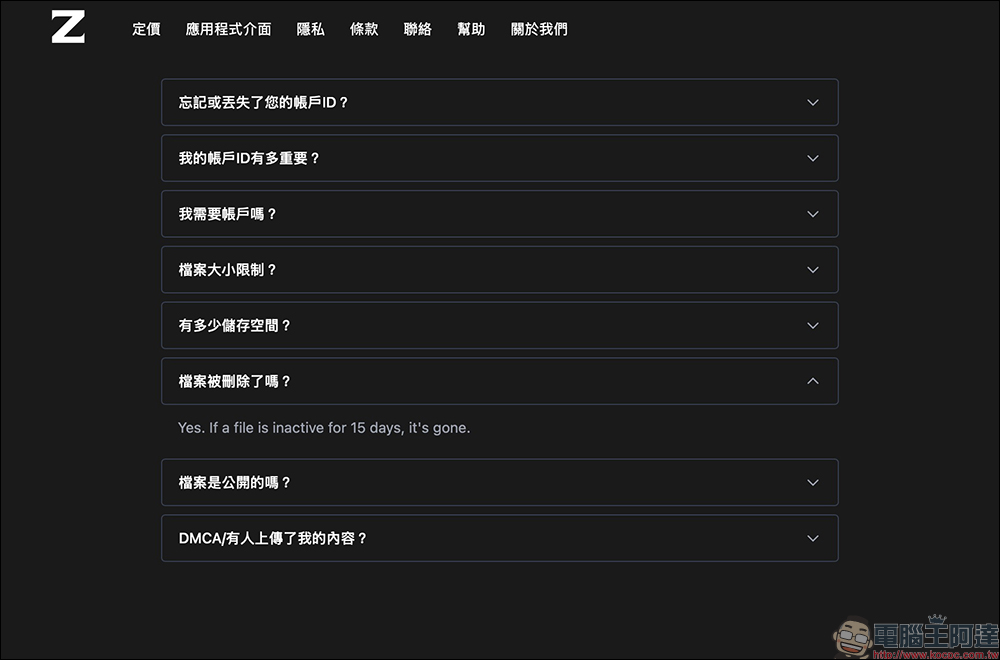
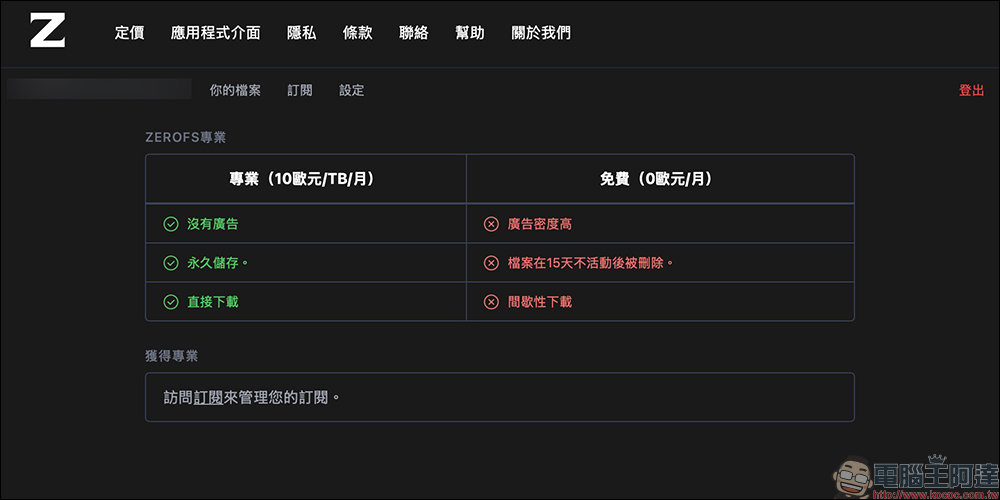
In terms of user experience, ZeroFS has almost no download limit or traffic limit, which is actually a plus. Many free spaces limit daily downloads or speeds, but ZeroFS is relatively lenient in this regard. However, it also has a mechanism that the free plan files will be automatically deleted within 15 days.
In other words, this service is more suitable for short-term sharing purposes rather than long-term backup. This kind of design actually has advantages, that is, you don’t have to worry about files taking up space for a long time, and it also reduces privacy risks.
Anonymous account design, you only need to log in if you want to manage files
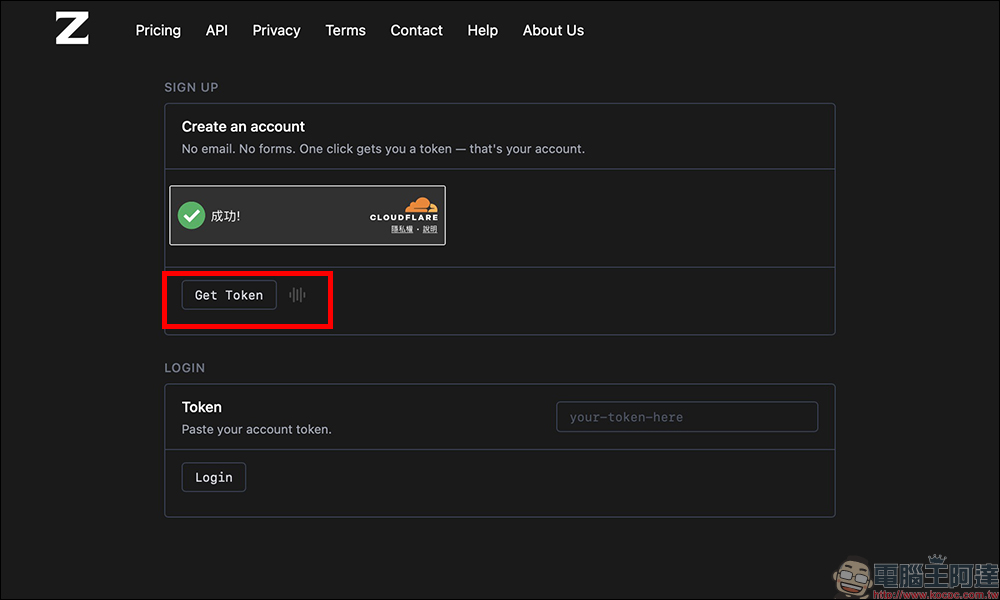
Although it can be used without registration, ZeroFS also provides account functions and uses an “anonymous mechanism.” There is no need to fill in your email or mobile phone number when registering. The system will directly generate a set of Tokens. You can then log in using this set of codes. This is a great design bonus for people who value privacy.
But please note that once lost, this Token cannot be retrieved, so it must be kept properly.
After logging in, the uploaded files will be concentrated on the personal page and can be viewed, managed or deleted at any time. These functions are not available when not logged in. In addition, each IP can only create one account per hour to avoid abuse.
Differences between Free and Future Pro plans
At present, ZeroFS is mainly free to use, and the official also provides Pro plan options. Subscribe to the Pro version to enjoy no ads, permanent storage, and direct file downloads. Subscriptions to the Pro plan start at €10 per month for 1TB, €20 per month for 2TB, and so on.
But for ordinary people, the free version is actually quite sufficient.
ZeroFS free space
Conclusion
Overall, ZeroFS is a very “pure” file sharing tool with no redundant functions and focuses on fast uploading and sharing. Free of registration, single file size of 10 GB, almost no traffic limit, and simple operation process, it is very practical for temporary file transfer needs.
Of course, it is not a tool used to replace cloud drives. The mechanism of automatic deletion after 15 days means that it is more suitable for short-term use. But looking at it from another perspective, this makes the overall use easier and more suitable for temporary sharing situations.
If you often need to quickly send files to colleagues, friends or clients without wanting to open additional accounts or be limited by capacity, ZeroFS will be one of the tools worth collecting.
Further reading:
Source: KOCPC Chinese