


Many people would want to run it locally on their computer AI modelHowever, not everyone knows their ownComputerwhat parameter size of model is suitable to run on your computer. If the parameters are too high, speed will slow down, but if too low, it will seem a bit dumb when using it. You also might not know how to test this accurately. If you’re troubled by this issue, this article recommends an open-source tool called “llmfit” that can identify in just one second which models your computer hardware can run smoothly. AI Model,Windows、Mac All of them work and support the vast majority of open-source models available on the market.
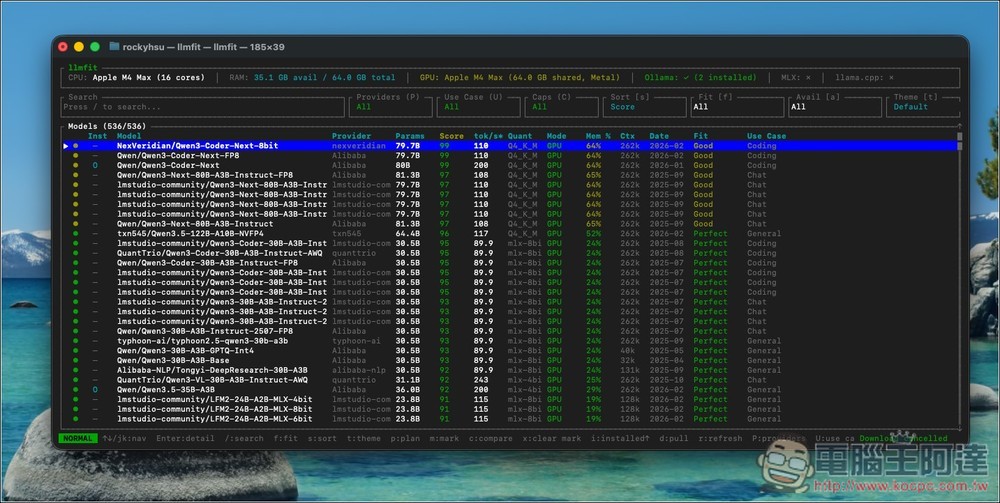
llmfit Introduction and Tutorial
llmfit is a terminal tool that automatically detects your computer hardware specifications, including CPU core count, system memory, GPU model, and VRAM. It then compares this information against hundreds of AI models in its database to determine which models are best suited to run on your computer.
Unlike typical tools that simply list model catalogs, llmfit evaluates each model across multiple dimensions—such as model quality, inference speed, memory efficiency, and context length—integrating them into a composite score and ranking them by suitability. This lets you quickly identify which models to choose, significantly reducing the time spent on model selection.
Additionally, llmfit provides an interactive TUI (Terminal UI) interface, allowing you to browse model information, search for models, sort or filter results, and even download models directly—like using a regular application. It also supports local AI runtimes such as Ollama, llama.cpp, and MLX, making model management and deployment even more convenient.
Key Features
- Automatic hardware detection: automatically analyzes CPU, RAM, GPU models, and VRAM to determine the range of models the computer can run.
- Smart AI Model Recommendation: Built-in database with hundreds of AI models that recommends the best-fit model based on your hardware specifications.
- Multi-dimensional model scoring system: comprehensive scoring based on quality, speed, memory efficiency, and contextual capabilities.
- Interactive Terminal Interface (TUI): Provides a GUI-like experience within the terminal, featuring search, sorting, and model detail viewing capabilities.
- Supports multiple local AI runtimes: works seamlessly with common local AI platforms such as Ollama, llama.cpp, and MLX.
- Support model download and installation: Download models directly from the tool and integrate them into your local AI execution environment.
Go to llmfit’s download page via the link above, then select the version that matches your operating system. I’m using a Mac with an M-series chip, so I chose the first one. For ARM-based Windows, select the one starting with “aarch64,” while Intel or AMD systems should pick the one starting with “x86.”
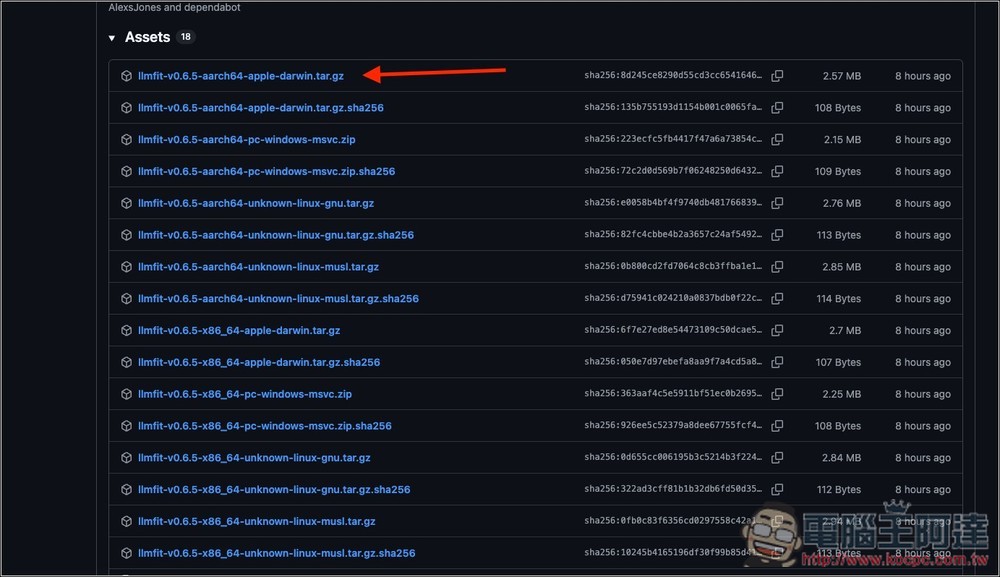
After extracting, you will have these three files. Double-click to open llmfit:

On Mac, you may see a prompt saying it cannot be verified and therefore cannot be opened:

Now please open Settings -> Privacy & Security, scroll down to the Security section on the right, and you’ll see the “Force Open” button:

Then click Force Open and enter your login password:

Then it will open normally. The interface looks a bit complex at first, but it’s actually quite simple. Below is a list of all supported models, currently 536 in total. Each model is labeled with the provider, parameter size, score, Tok/s, release date, fit level, use case, and more:
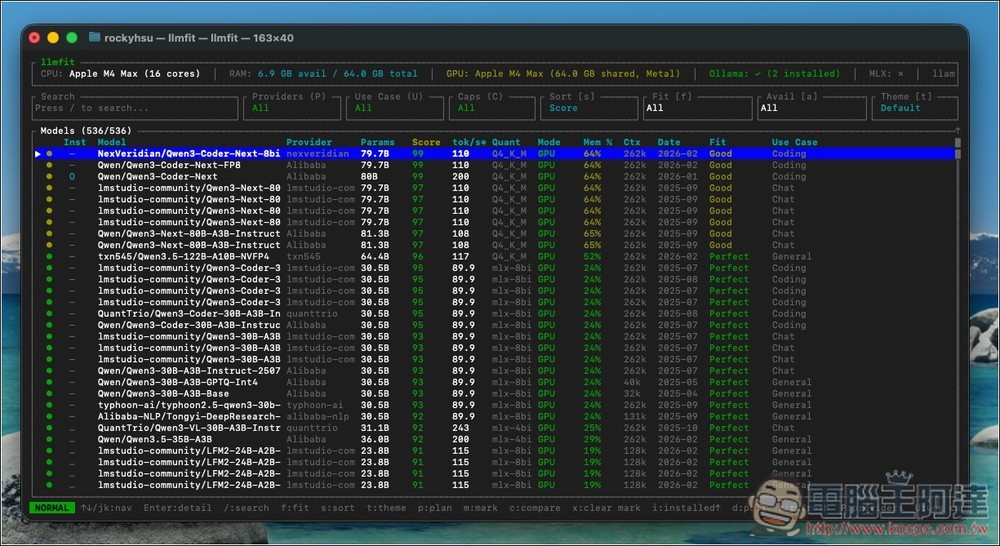
Due to the large quantity, it can be difficult to find what you’re looking for. If you have a specific model you like, it’s recommended to search directly for the fastest results.
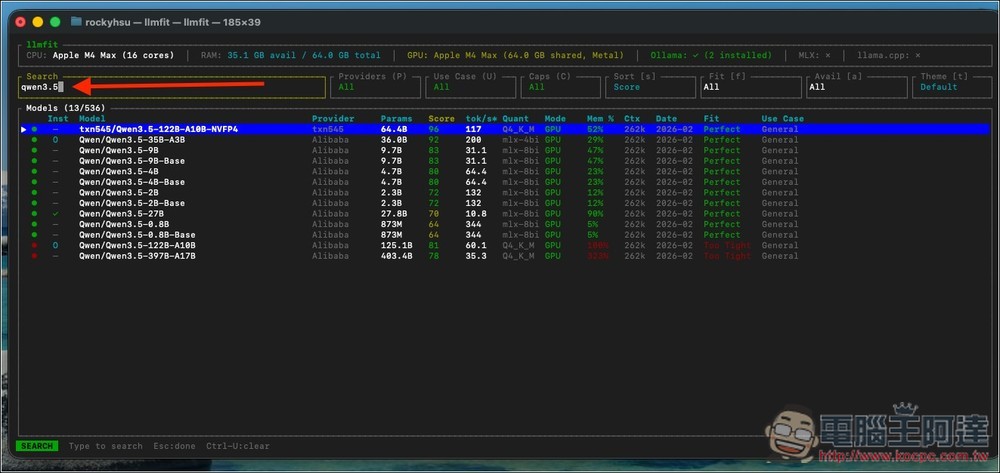
Press / on the keyboard, then type keywords in the Search field in the upper left corner. For example, when I enter qwen3.5, matching results appear below. From there, I can quickly find which AI model parameters run smoothly by looking at the scores, Fit ratings, and use cases on the right side. For qwen3.5, even the largest 64.4B parameter model works fine (Qwen3.5-122B-A10B-NVFP4), scoring 96 with a Perfect Fit. But the model with 125.1B parameters, Qwen3.5-122B-A10B, doesn’t work—it has a red Fit rating of Too Tight.
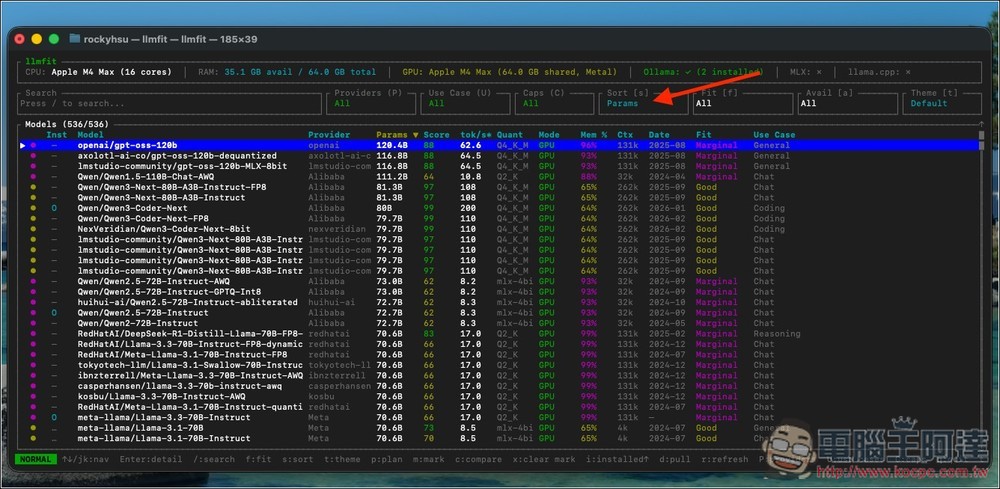
If you don’t have any specific models in mind and want to start looking at large parameter models, you can press ‘s’ to switch the sort order. Switching to Params will sort from the largest parameter models downward, and will automatically exclude models that can’t run at all:
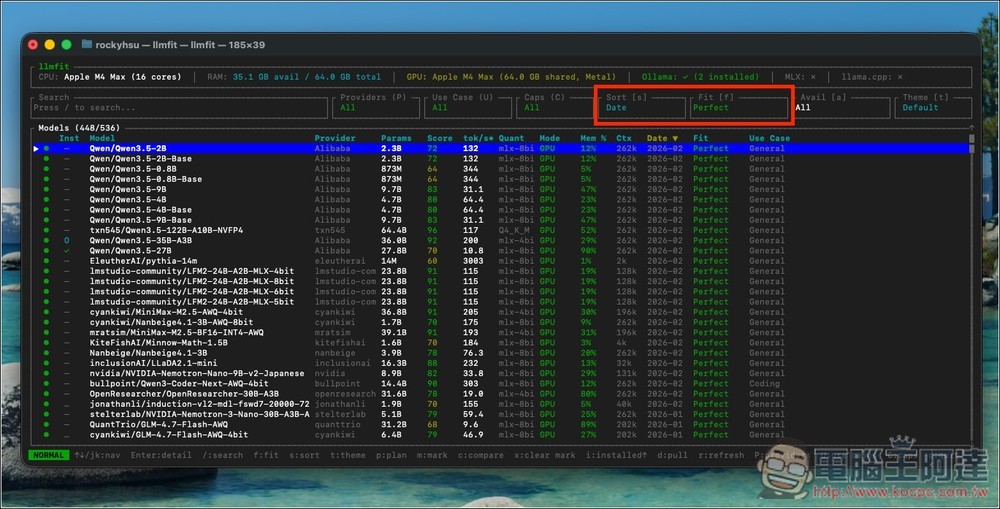
Press s to sort by date, then press f to switch to showing only Perfect LLM models. The models listed below are all those that can run smoothly on your computer:
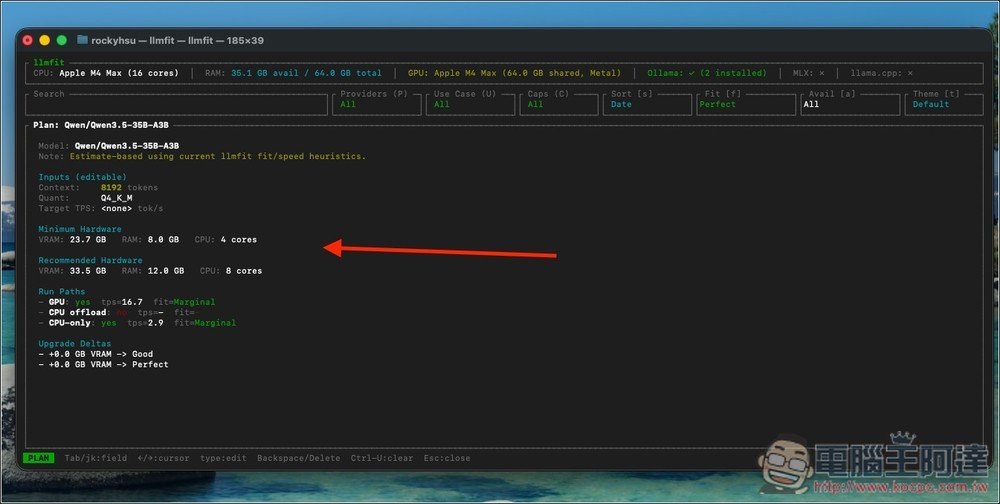
Press P to view the details and specifications of this model:
Source: KOCPC Chinese