


For those who frequently take notes, organize daily to-do lists, or want to track habits, earlier on the App Store, there was an app that included built-in AI The “NoteOS Voice Notes & To-Do” feature is currently offering a limited-time free lifetime deal. It can be seen as a note-taking app with built-in AI features that will Gemini AI or Apple Intelligence Whether it’s organizing notes, turning to-do items into a complete plan, helping you build good habits, or supporting voice input, people who need it can download and give it a try.The limited-time free offer has ended.)
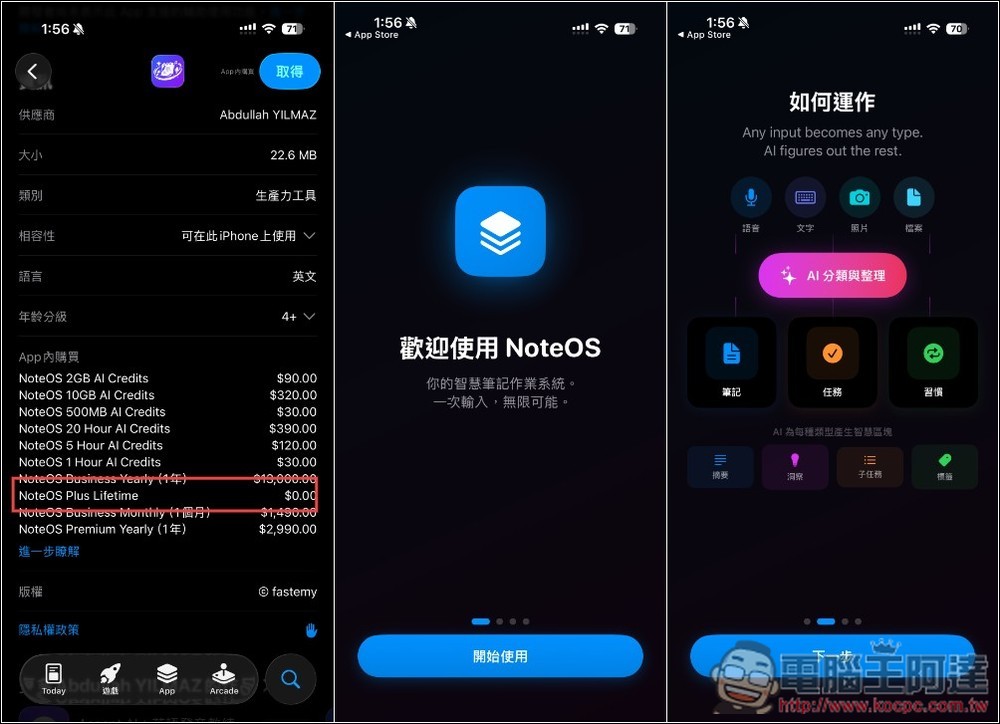
Just a reminder: according to the developer, this lifetime free offer is only for 24 hours. When this article was written, half the day had already passed, so it should end at 11:59 PM tonight. When confirming payment, be sure to double-check that the amount shows zero.
Introduction to NoteOS Voice Notes & To-Do
NoteOS is a productivity tool powered by AI technology, focused on integrating voice notes, to-do lists, and habit tracking into a single platform, so users don’t need to switch between multiple apps.
This tool is perfect for capturing inspiration whenever it strikes—whether you’re commuting, walking, or at work. You can quickly record thoughts with voice, then let AI help organize the content. Unlike traditional note-taking tools, NoteOS doesn’t just store information—it goes further by helping you transform scattered thoughts into actionable steps, like automatically organizing key points, converting them into to-do lists, and developing them into daily plans and long-term habits.
NoteOS emphasizes a smooth flow from “idea to action.” You can input or speak your thoughts, and AI will automatically classify and summarize them, then convert important items into actionable tasks to help you quickly move forward. Additionally, the built-in habit tracking feature lets you continuously log your daily behaviors.
Key Features
- AI-Powered Note Organization: Quickly Summarize and Categorize Voice or Text Content
- Voice input support: Record your ideas anywhere by speaking
- Notes to Tasks: Turn ideas into actionable tasks
- Task and Priority Management: Stay on Top of Daily Priorities
- Habit Tracking: Build and Maintain Daily Routines
- Perfect for quick captures: save and organize ideas the moment inspiration strikes
After following the link above to the NoteOS App Store page, it’s recommended to scroll down before downloading to find the in-app purchase options and check if Plus Lifetime is still showing $0. If it is, that means it’s still free for a limited time. When you first open it, there will be a brief app introduction:
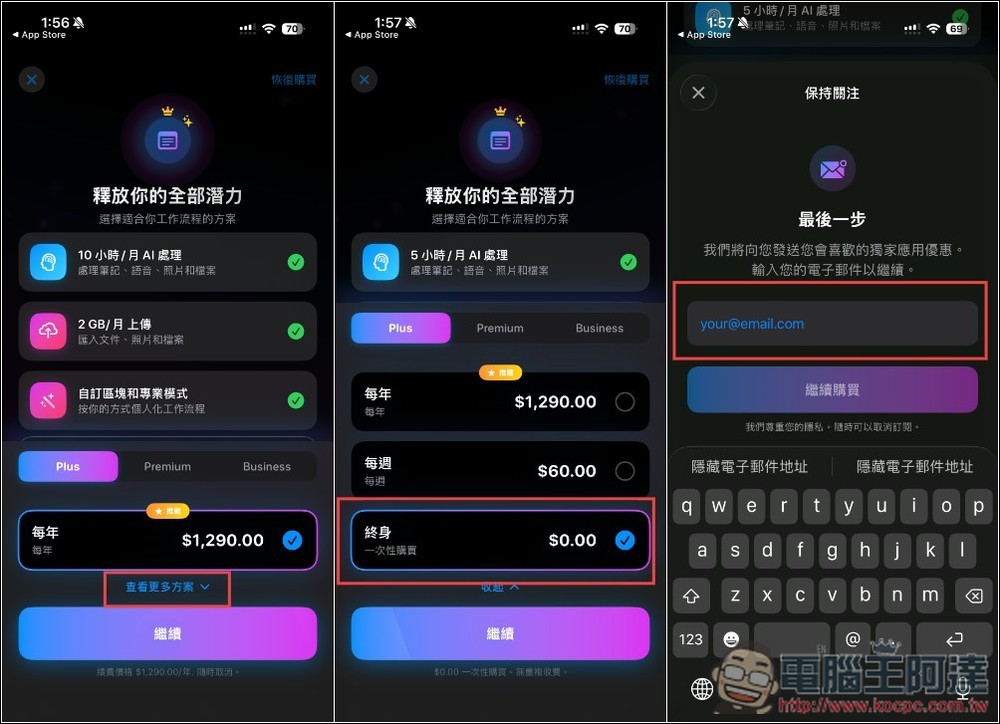
After entering the subscription screen, tap “View More Plans.” The lifetime plan at 0 yuan is at the very bottom. Select it and tap Continue. You’ll be asked to enter an email address—you can enter anything; no verification email will be sent.
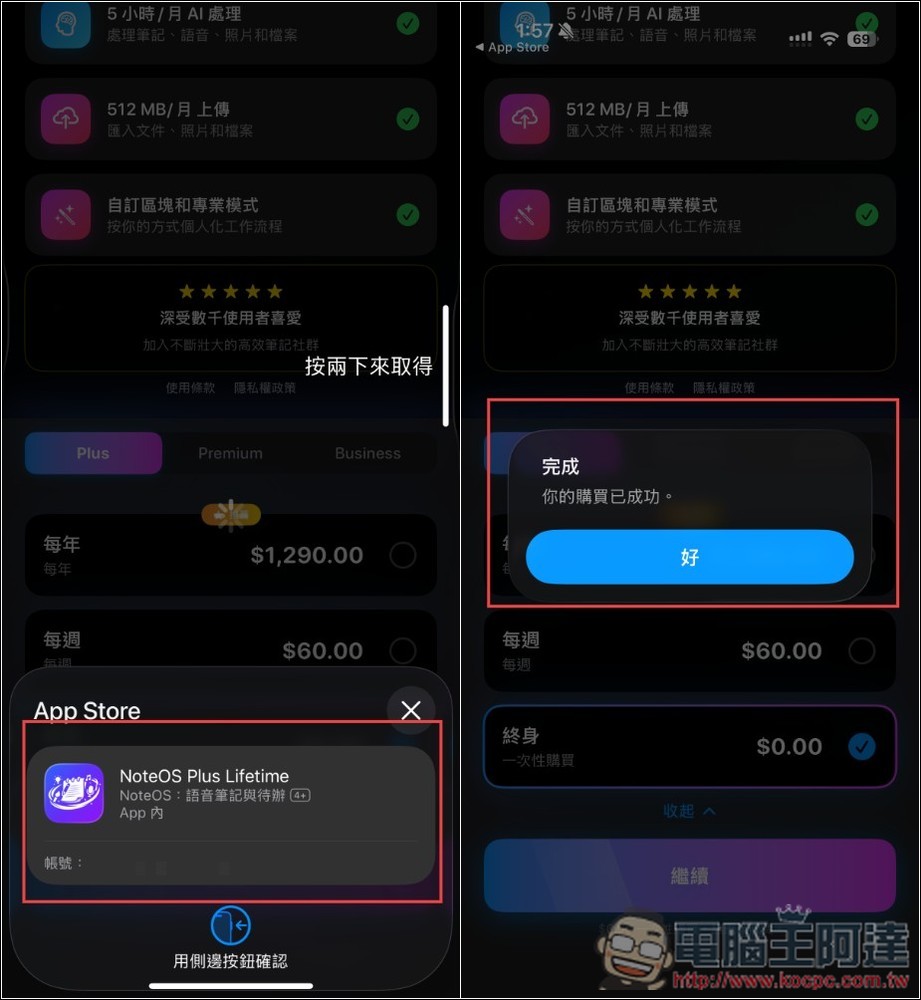
Then confirm that the screen really has no amount. If so, double-click to receive it, and you’re done when you see “Your purchase was successful.”
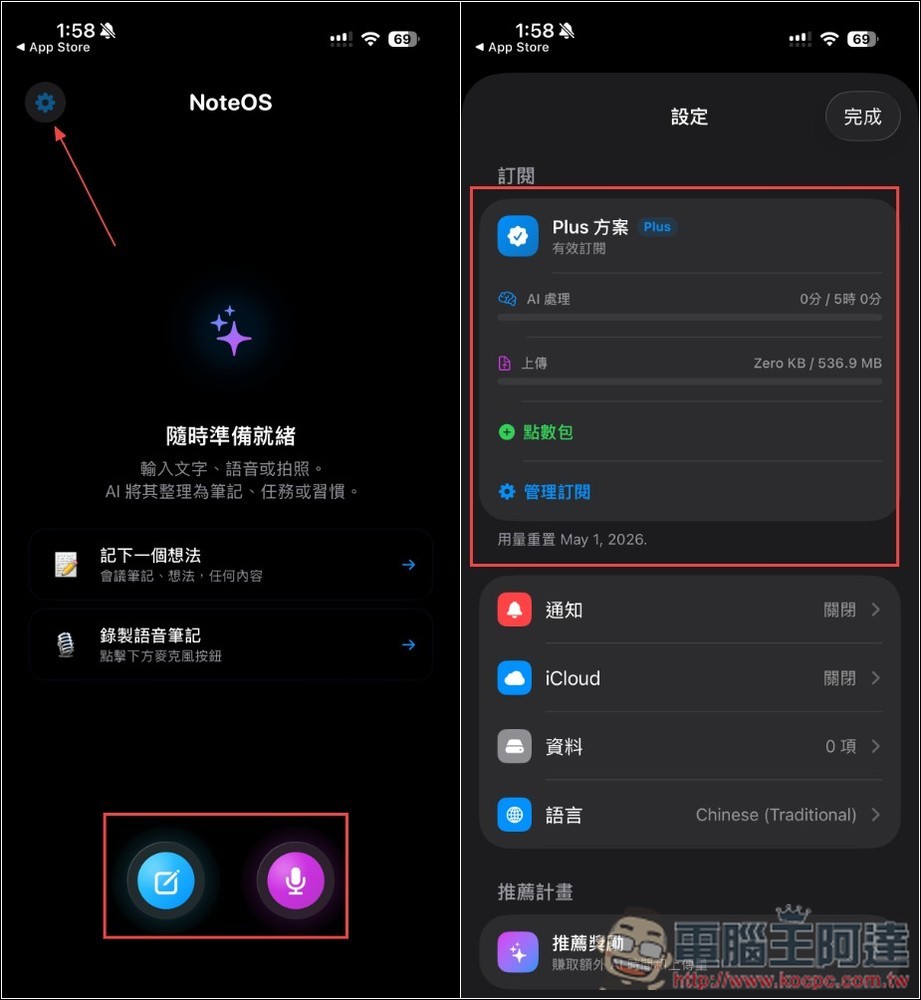
The interface is very simple—just two input methods: “text” and “voice.” You can also go to the settings menu in the top-left corner first to check if it shows “Plus Plan” at the top. Even though it’s a lifetime free version, there are still monthly usage limits, so keep this in mind.
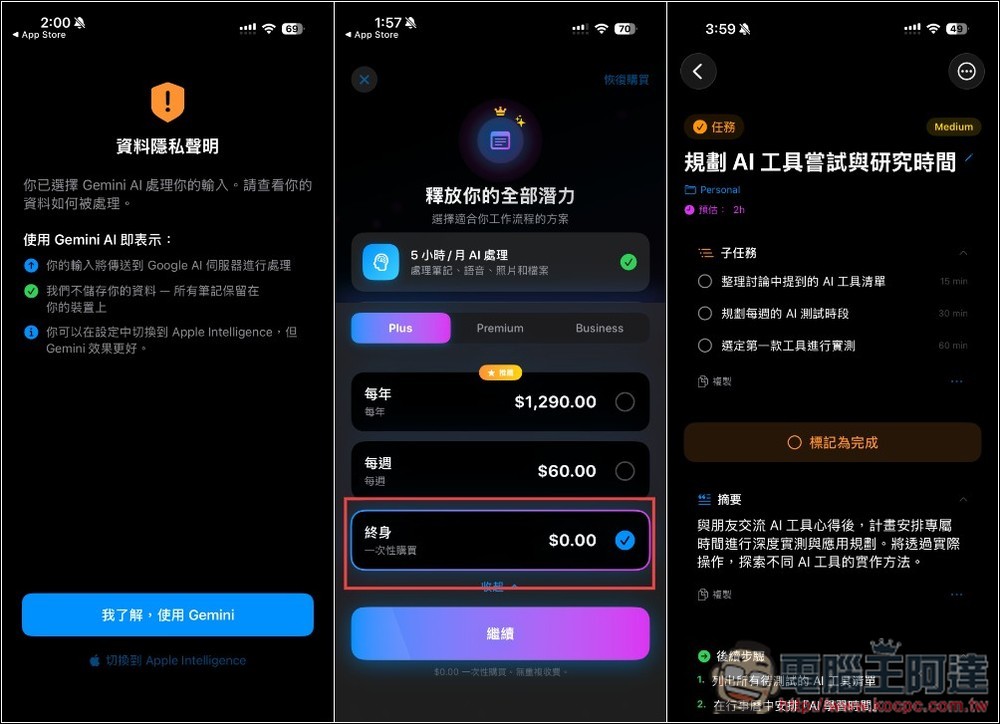
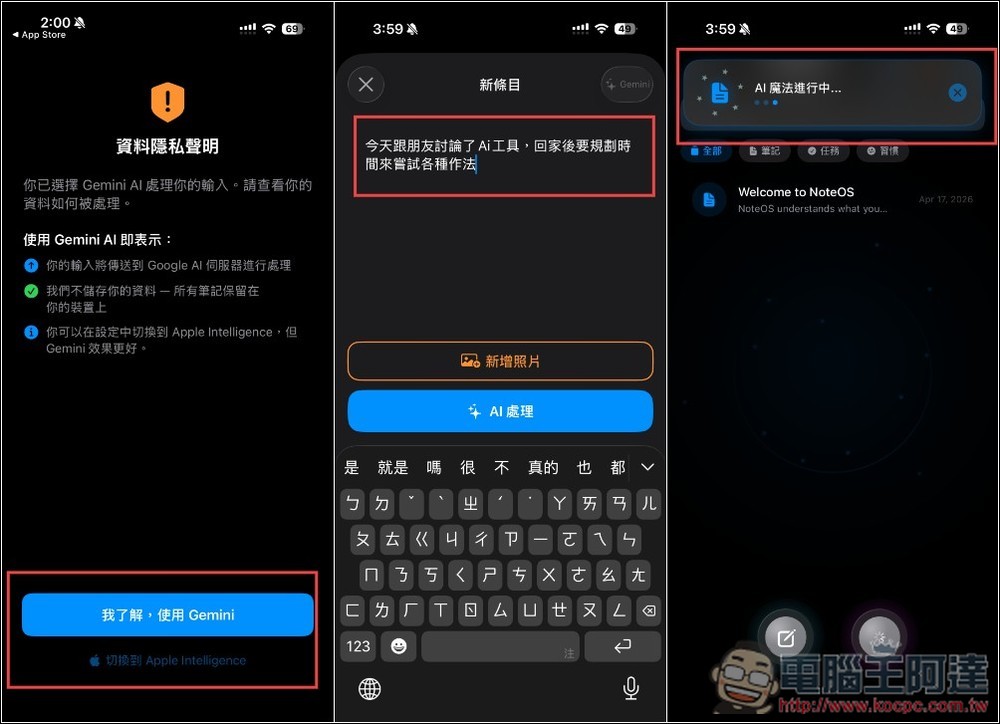
Gemini AI is used by default, but you can also switch to Apple Intelligence if you don’t want your data uploaded. In the image below, I’m using the text input method. I simply typed a single sentence: “Today I discussed AI tools with friends, and after getting home I need to plan time to try out various approaches,” and then pressed AI process.
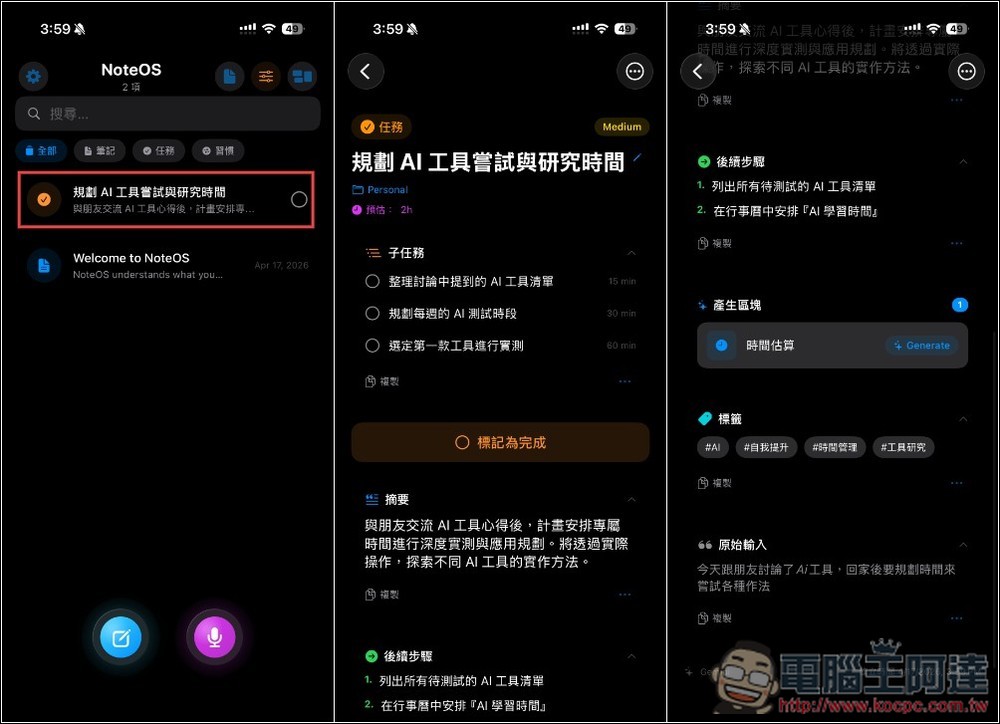
Once AI finishes processing, it becomes a complete task with the steps that need to be completed, a summary, and more:
Source: KOCPC Chinese